Sony HX series – the Cybershot DSC-HX60

Until this year, the big Japanese camera makers seemed to have abandoned the “digital compact camera” market almost entirely, retreating to a few niche products such as the Sony RX100 or the OM System Tough TG, and leaving all the space of “casual photography” to smartphones.

The commercial success of a few of the remaining compact cameras (the current versions of Fujifilm X-100 and of the Canon G7x are almost always out of stock), and the prices reached on the second hand market by some high end compact cameras from the past decade are pushing the camera companies to reconsider their product strategy. Canon is widely rumored to be preparing a new range of compacts.

In the meantime, a few lines of cameras of the past decade – the Canon SX700, the Nikon S9000 and the Sony HX series in particular, are getting all the attention and are more expensive than ILCs of the same vintage on eBay.

Sony Cybershot HX60

Sony’s HX line of products

The H in HX stands for HyperZoom – the cameras of the series all have zooms that can reach at least an equivalent of 250mm on a full frame camera. Some of the HX models (the ones with three digits in their name) are shaped like a bridge camera and would not fit in a pocket, while the HX models with one or two digits (HX5 to HX99) are pocketable little bricks that could fit in the pocket of a coat.

The HX pocketable models were developed across 4 generations.

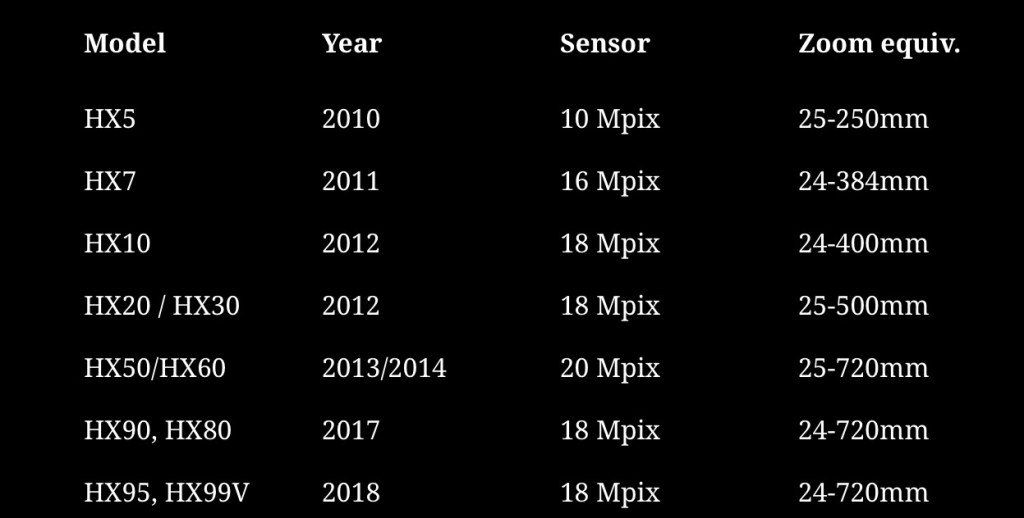
HX5, HX7 and HX9 belong to the first one, with 10 and 16 megapixel image sensors and a reach limited to 384mm. The HX10, HX20 and HX30 form the second generation. They share a 18 mpixel sensor and are pretty close to one another – primarily differentiated by the reach of their zoom and the support of Wifi.

Sony Cybershot HX60 – size comparison with a Fujifilm Z1000 EXR and a Fujifilm XQ2. The Sony is two to three times thicker than the two Fujifim digicams

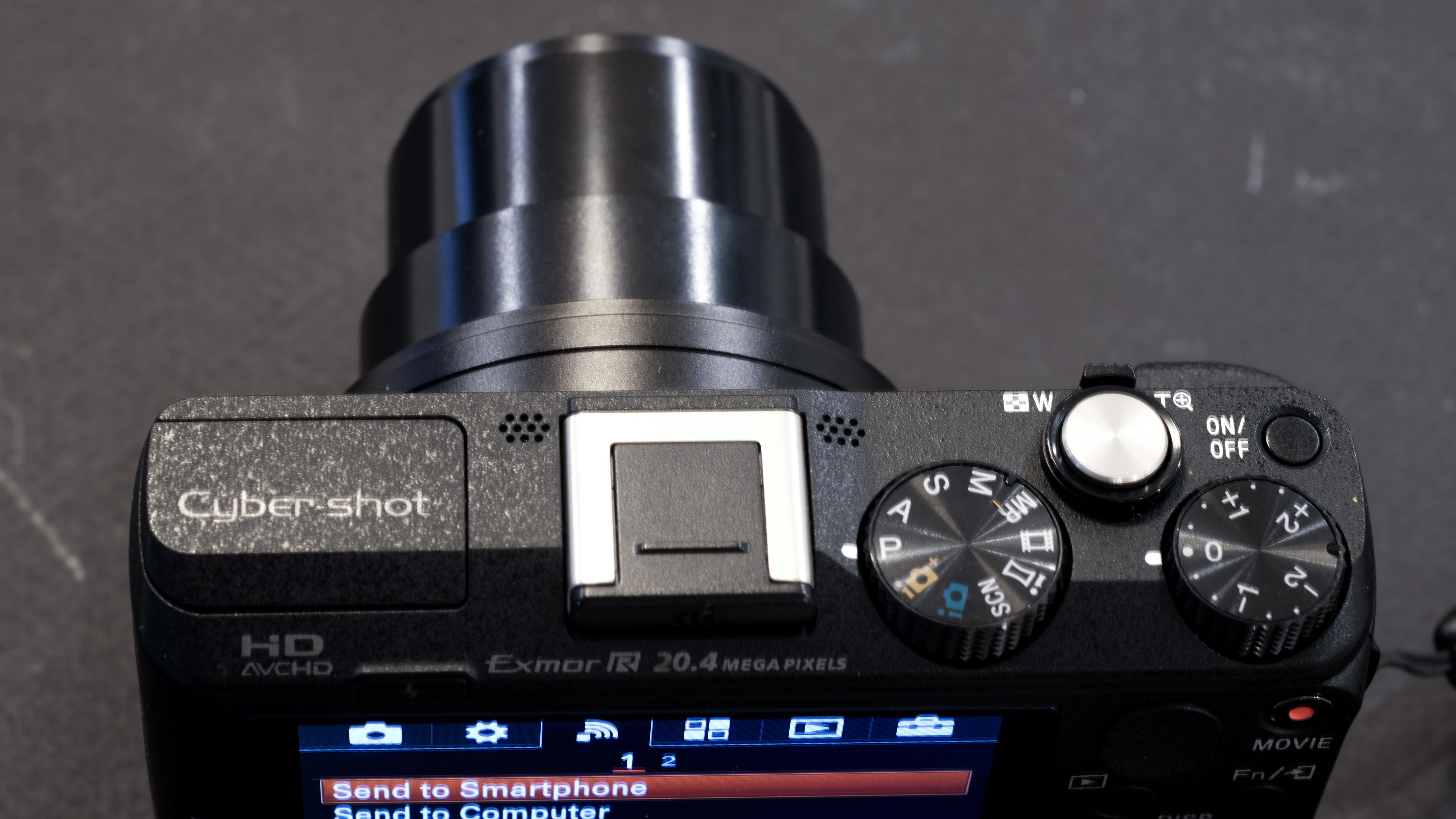
The HX50 and HX60 mark a significant evolution towards the high end, with a 20 Megapixel sensor, an accessory shoe, a bulkier body and longer zoom reach. They share a G series, 25-720 zoom. The main difference between the two models is that the HX60 has NFC in addition to Wifi, and is controlled through the new unified Sony menus.

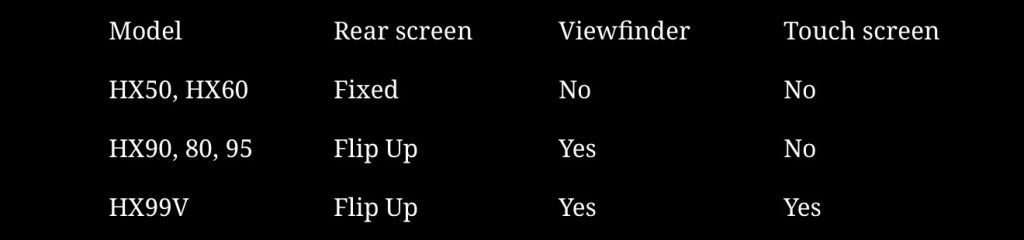
The last four models (HX90, HX80, HX95 and HX99) all share a 18 mpix sensor and a smaller body with a telescopic viewfinder and a flip up screen. Their lens is a new, more compact, Zeiss labeled, 24-720 zoom. But they lose the accessory shoe of the previous generations and a few physical controls (like the exposure compensation control wheel). The differences between last four models are relatively minor. The HX80 is the simplest, while the HX99 has everything (a touch enabled rear display and a GPS, and it can save RAW files).

The 30x zoom belongs to the G series (one step above the “normal” Sony lenses, one step below the “Zeiss T*”)

Lastly, all models whose name ends with a “V” have a GPS chip. The HX60, for instance, was available as a GPS-less HX60, while the HX60V had the GPS chip. Not all combinations were available in all geographies. The HX60, for instance, was not available in the UK or in the US, but the HX60V was.

The different models: a summary.

You will notice that after the HX60 Sony reverted to a 18 Mpixel sensor.
The main differences between the last six models

On paper, the most recent generation with its very compact body, its telescopic viewfinder, its Zeiss labeled lens and its flip up rear screen seems the most interesting. Recent models also benefit, generally, from image sensors and processing engines that produce better pictures (less prone to noise, and therefore more immune to the smearing caused by aggressive noise reduction algorithms). But models of that series are also the most sought after, and cost twice as much as a HX60 on the second hand market, at approx $500.

Shooting with the HX60

The HX60 is not exactly a pocketable camera, unless you wear a coat or an anorak with large pockets. And you will feel its weight – at 272g (9 1/2 ounces) it’s not light either, twice as heavy as a typical compact camera like the Sony W series or the Canon Powershot 170 IS. It does not give the impression of being fragile, but it’s not a rugged camera and its owner will feel compelled to carry it in a soft pouch.

It offers more physical controls than a typical point and shoot and elaborate menus (inherited from Sony’s big mirrorless cameras) which, coupled with the rather succinct documentation, could make it intimidating for beginners.

I left it in Program (“P”) mode most of the time; there are also a “Superior Auto Mode” and an “Intelligent Auto Mode” that detect the scene for you and adjust the settings accordingly – simply adjusting the exposure with the correction dial when needed. I’m not sure there is any benefit in leaving the full automatic modes for Aperture or Shutter Speed priority modes – the largest aperture varies between f/3.5 and f/6.3, and the smallest aperture is always f/8 – your options are limited. And even if a shutter speed of 1/1600 sec is proposed, selecting it it will force the camera into very high ISO territory – to the detriment of image quality.

The menus belong to Sony’s current generation.

Compared to the screen of a modern smartphone, the display of the HX60 is not very bright – you have to set it to +2 to be able to compose somehow comfortably when shooting outside. It takes a toll on the battery life, which is limited to one or two hundred pictures in the real life.

The HX60 supports WiFi connections to a smartphone or a tablet using Sony’s current “Imaging Edge Mobile” application. Transferring photos to the mobile device from the camera is not 100% intuitive, but with a bit of trial and error, it can be achieved.

the exposure compensation dial is useful.

Image quality

Image quality is surprisingly good for a camera with such a small sensor – as long as the sensitivity remains under 800 ISO. Fortunatelly, if you leave it in auto mode, the camera is programmed to operate when possible at very slow shutter speeds (and in the 80 to 250 ISO range) and thanks to its very efficient optical image stabilization system, it still delivers images free of motion blur at 1/20sec.

A detail from the feature picture – at 125 ISO the image quality is very good (f/3.5, 1/30s)

Images shot at 1600 ISO or above are best viewed on the small screen of a smartphone, as the noise and the image smearing resulting from the noise reduction algorithm take their toll. The 18 Mpixel sensor of the cameras of the following generation (HX80 and above) is supposed to perform better in those situations, but I had used a Sony WX350 (equipped with the same 18 Mpixel sensor) for night shots in Las Vegas a long time ago and even if the neons looked fantastic, noise severely impacted the poorly lit areas. If there is an improvement, it’s marginal.

A small portion of the Cirque du Soleil image posted below. At 1600 ISO noise and image smearing become very visible

As a conclusion

What distinguishes this camera is the very long reach of its zoom. Shooting with wide angle lenses is more natural for me, and with my “normal” cameras most of my pictures are taken at a focal length located somewhere between 28 and 40mm (full frame equivalent). Shooting with a small camera that can reach a focal length of 720mm is a new experience for me, and a sort of eye opener. You look at the world differently when you know you can isolate details far, far away.

The Sony HX60 is a very efficient little camera, using its elaborate technology (a really impressive image stabilization system in particular) to overcome the limitations of its small sensor and deliver very nice pictures. It’s not exactly pocketable and without being fragile, it has to be treated like a small “serious” camera rather than an always available note taker that you will throw in a handbag with your car keys.

Because the camera manufacturers have more or less abandoned the “elaborate, small sensor” compact market, this Cybershot from 2014 is very close to representing the “state of the art” when it comes to “travel zoom” compacts. The HX60 is not for everybody, but if you like long, long zooms in a 270g camera, this one is for you.


This camera belonged to my late father in law, Eric, who passed away recently. In his late years, he was more interested in painting, but he still knew how to use a camera. He shot most of the pictures posted below. They show what a person with a good eye but no particular interest for photography can get out of a HX60.

Carnival parade – Narbonne, France
Rural landscape in the Grenoble area (France).
Roland, cat.
Roland, again.
Ostrich, in a zoo. Shot at a focal lengh of 90mm (approx 550mm full frame equiv.) at 1/250 sec. 125 ISO.
The Cirque du soleil. Shot at 1/25sec and 1600 ISO. Not bad for a small sensor camera – as long as the picture is viewed on a smartphone or a tablet.
A fellow painter at the workshop – shot at 125 ISO
Eric, painting. Rest in peace.

More pictures taken with the HX60 in my Flickr album

The compact digital camera – in demand but not available

Compact cameras – digital cameras with fixed lenses that could fit in pocket – are in high demand, but unavailable. Fujifilm can’t meet the demand for its most recent X100, Canon’s G7x is always out of stock, the Panasonic LX 100 Model II is no longer available.

Fujifilm XQ2 (left) and Z1000EXR – the 12 Mpix XQ2 produces much better images than the 16Mpix Z1000.

Cameras manufacturers have retreated almost completely from the compact digital camera market (the “point and shoot” of yore), and very few are still offering “premium” or “niche” compact cameras. The smartphone is king, the historical camera makers seem to believe they can’t compete with the thousands of software engineers working for Apple and Google, and are leaving them all the space.

But as good as they are, the smartphones are still limited by their ergonomics (you need two hands, one to hold the phone, one to tap, pinch, swipe or whatever), their absence of long telephoto lens and viewfinder, and their relative frailness. They offer very little in terms of direct controls – they’re extremely capable, but you have to trust them. At the top of that, they’re expensive. And we depend so much on them that we don’t want to risk them on the beach or while rock climbing.

Nelson’s Dockyard – Antigua – shot with a Fujifilm QX2

There is still room for small but good quality cameras, with good ergonomics an a complete set of controls.

The camera companies are primarily focused on the full frame, interchangeable lens camera market, but full frame ILCs are not really pocketable. Their little brothers with APS-C sensors are smaller, but not by much. Even the Fujifilm X100 is still too large to fit in a coat pocket.

So, what’s left? In the cheap point and shoot camera segment, only a few cameras proudly wearing famous brand names such as Kodak or Minolta. I’ve read relatively good reviews of the Kodak Pixpro cameras, but they’re very basic and you can’t expect too much from their tiny sensor.

Olympus (now OM-System) is still leading the fray when it comes to rugged, waterproof cameras – the Tough TG, currently in its 7th iteration – has discouraged all competition.

Fujifilm XQ2 with the WP-XQ1 waterproof case.

It leaves us with the premium category – with the cameras from Canon, Panasonic and Leica largely unobtainable, and Sony’s RX100 series in a state of virtual monopoly.

Older versions of the cameras listed above can be found on the second hand market, but you have to understand what you’re losing by going for a five or ten year old camera:

  • Video capabilities – most of the progress in recent years has been in that area, 
  • Easier Bluetooth and WiFi connectivity, with a better integration with smartphone apps,
  • Reactivity (autofocus), 
  • Quality of the JPEGs (“out of the box”) thanks to better processing engines – you won’t need to process RAW files as frequently
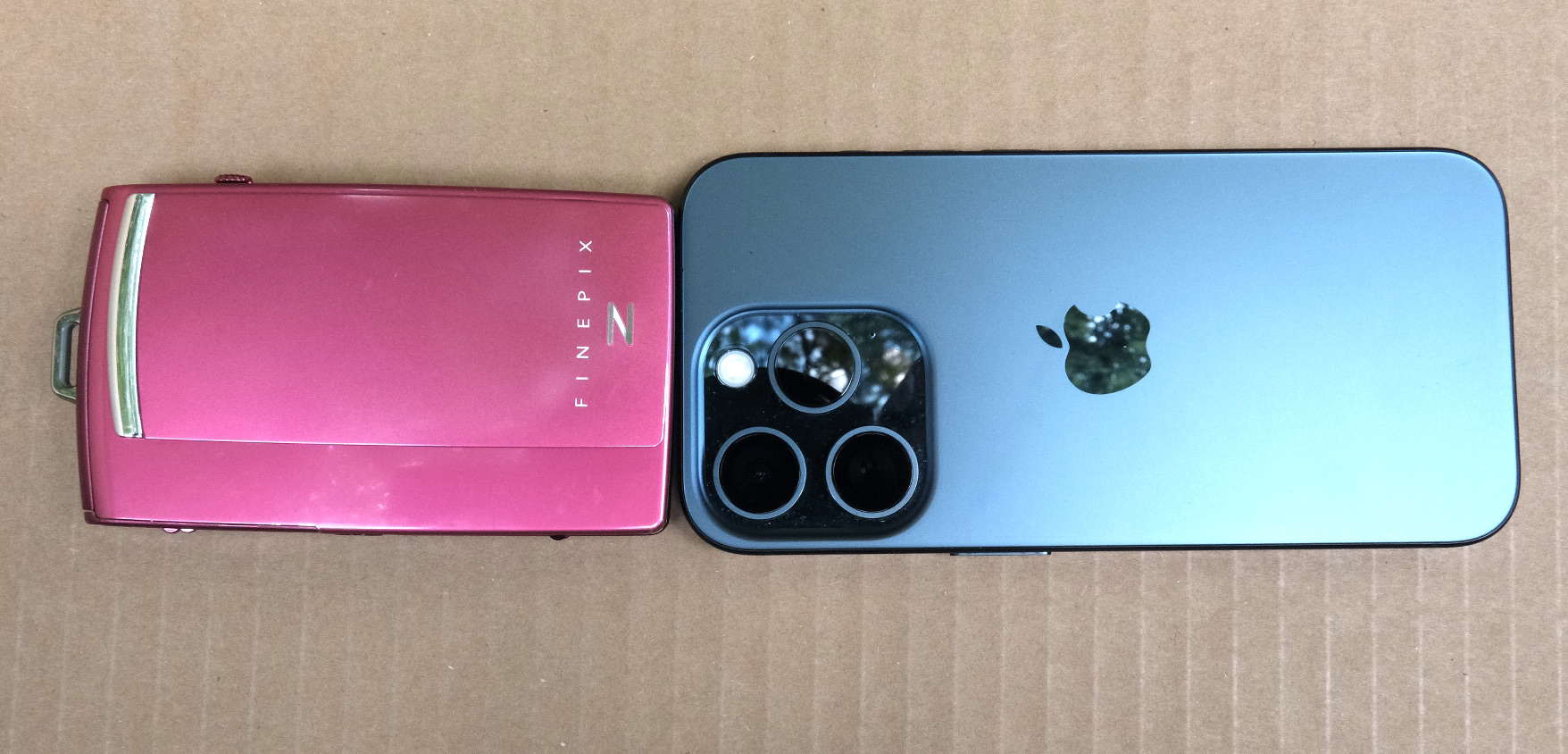
Fujifilm z1000 (left) and iPhone 15 Pro (right). Today a standard sized iPhone can be bigger than a dedicated camera.

More conventional P&S such as the Canon Powershoot S90 or S120; the Sony HX and WX series, Nikon’s Coolpix 9000 series are somehow cheaper, but they’re also more limited: the last models were launched in pre-COVID days, and they have tiny sensors and relatively slow zooms – which makes the use of a flash a necessity in low light.

You could also look for a compact film camera. At the top of the heap the Contax T series reigns supreme (but these cameras are now extremely expensive), followed by a group of still expensive models from Nikon (35ti, 28ti), Leica (Minilux), Ricoh (the GR1), Konica (the Big Mini) and others from Minolta or Olympus. 

But those cameras are now twenty five year old at best – and some of their components didn’t age well (electronics in general and LCDs in particular). Most of those models have at least one big flaw that makes buying them at today’s prices a risky proposition (and even if it works today, will the camera work tomorrow?). The cost of film is also an issue (we’re currently trending towards a total cost of $1.00 per scanned image).

Olympus Tough TG-4 – generations differ by their sensors and processing engines, but the fundamentals of the camera have not changed since the TG-1.

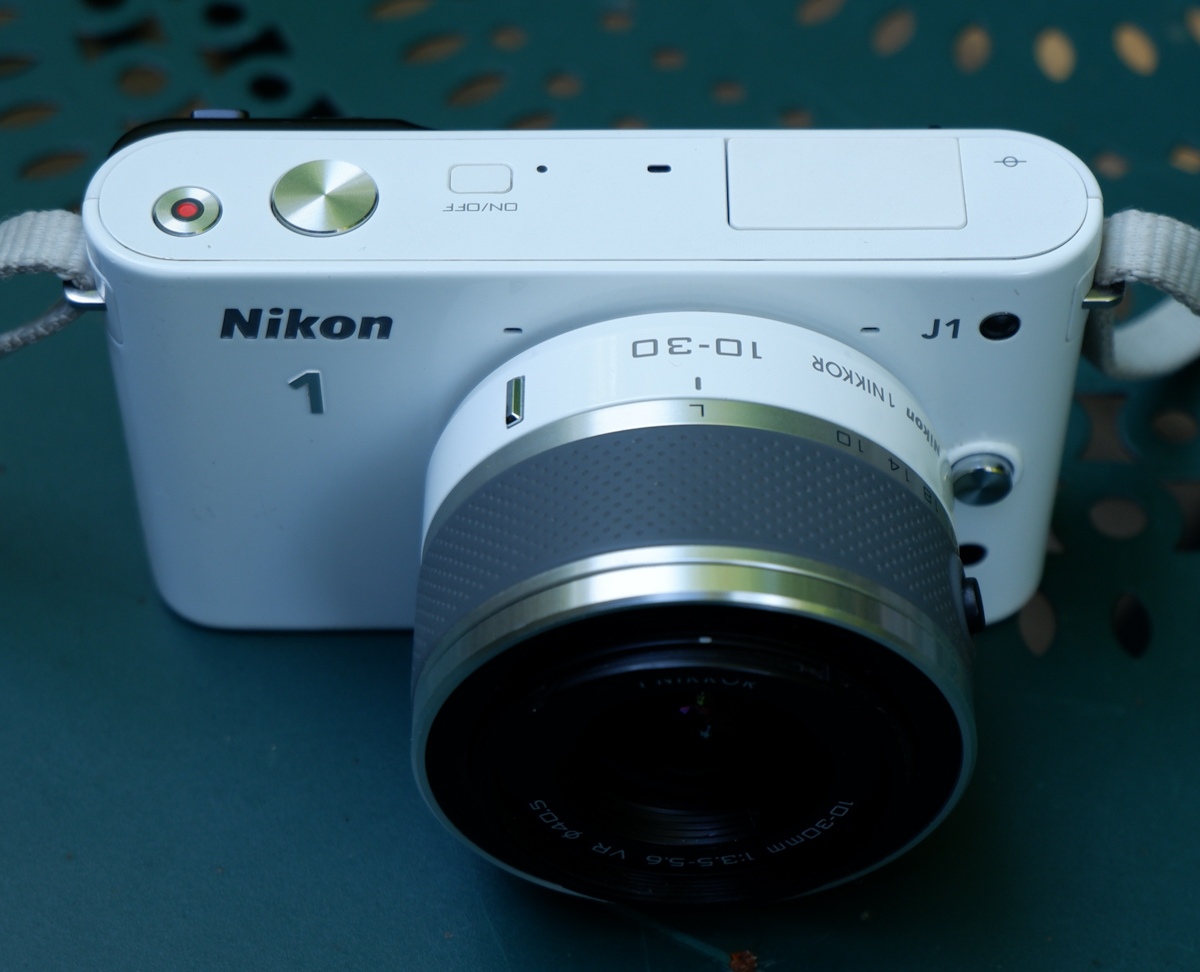
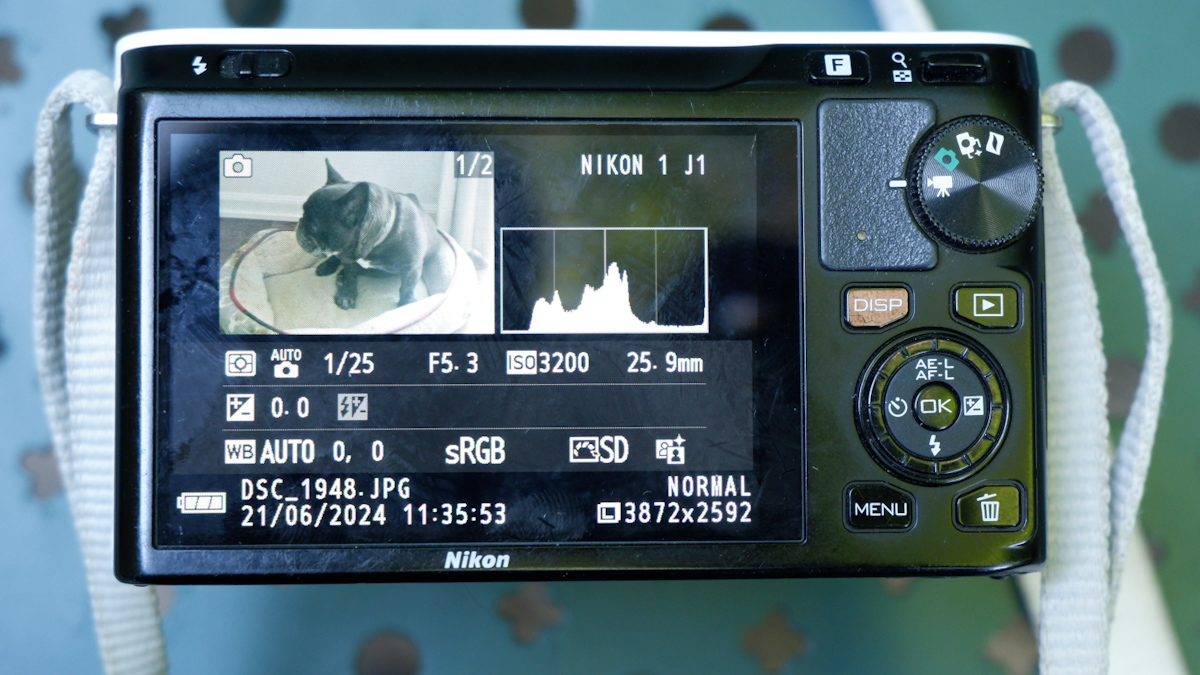
What am I shooting with when I don’t use my smartphone, and can’t bring a mirrorless camera? I have a bit of everything in my bag. I tested (but did not keep) a Nikon J1 and I kept but don’t use a tiny Fujifilm z1000EXR – they’re cute but the quality of the images they were delivering was sub-par. I still use a very compact Fujifilm XQ2 – a sort of semi-premium homage to Sony’s RX100, and an Olympus Tough TG-4. They’re pocketable, produce images which are not as nice as what a recent iPhone can deliver but look more natural, and are a pleasure to use.  I found an original Fujifilm waterproof case for the XQ2, and even with the case, it remains reasonably compact, if not pocketable. As for the Olympus, I’m waiting impatiently for my next trip to the beach to test it in its element – but it has already earned his stripes as a carry-along camera for my hikes in the nearby parks.

Chattahoochee National Recreation Area – Olympus TG-4
Chattahoochee National Recreation Area – the bamboo forest – Olympus TG-4

Js and Vs – Nikon’s first attempt at mirrorless

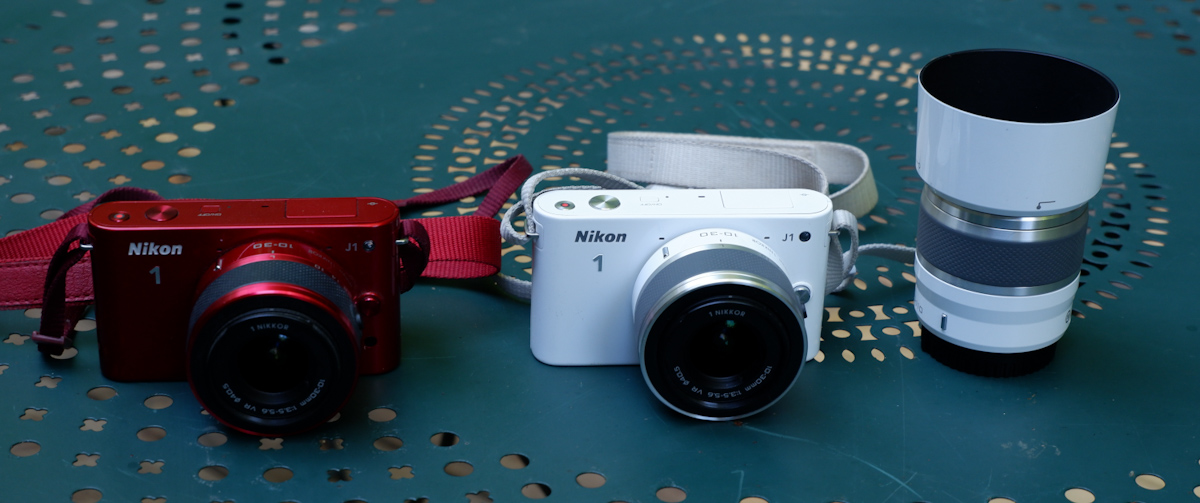
The J1 was the first member of the Nikon 1 family of cameras, a very compact 10 Megapixel camera with a small 1 inch sensor, interchangeable lenses but no viewfinder, and very few of the physical controls that expert photographers expect. Its sibling the V1 had an electronic viewfinder, but for the rest was more or less identical to the J1.

The Nikon One project was largely managed as an independent initiative – there were little technical commonalities between the Nikon One cameras and the point and shoot Coolpix, on the one hand, and the conventional dSLRs, on the other hand. It was also an opportunity for Nikon to test the image sensors of a new manufacturer (Aptina, instead of Sony) and to validate some technologies that would be integrated in the Z6 and Z7 full frame mirrorless cameras at a later stage.

I had bought a V1 when it was launched, and had been deeply disappointed by the image quality – the V1 did not cut it for me.

The controls: an intermediate step between a point and shoot and a dSLR.

When the J1 was new, the reviews were rather positive – photographers loved that it was a very reactive camera with a quick autofocus and a better than average build quality. Only the high ISO/low light performance was a disappointment – and the subsequent iterations (J2, J3, J4, V2 and V3) never really addressed the problem. Until Nikon switched to a sensor provided by Sony (for the final model of the series, the J5 of 2015) – image quality (too aggressive noise cancellation, so-so colors, limited dynamic range) remained markedly inferior to what you could get with a micro 4/3rd or an APS-C camera – and partially explains why – as a whole – the Nikon 1 series was deemed a failure on the marketplace.

Compared to a modern APS-C mirrorless camera – playing in a different ball park entirely.

If image quality (in low light in particular) was already disappointing in 2010, it’s obviously very far from what a good smartphone can deliver today. Shooting in RAW and post-processing in Lightroom really improves the results, but even in RAW I was not convinced by the results – some images are good (well lit subjects at relatively close range), but most of them lack punch.

The J1 at its best – well lit subject, at relatively close range

A J1 still has two major advantages over a phone: the long tele range, and the ergonomics.

Conceptually, the J models were point and shoot compact cameras with interchangeable lenses. The standard zoom was a 10-30mm affair (equivalent to a 28-80 on a full frame camera), but longer range zooms (a 30-110 and an extra-long 70-300 – equivalent to 80-300 and 190-800 respectively) were available, and if it was not enough, an adapter was available to mount a Nikon F telephoto lens. Some wildlife photographers were big fans of the Nikon 1 series, because it gave them a very long range with a reactive autofocus in a very light and compact setup.

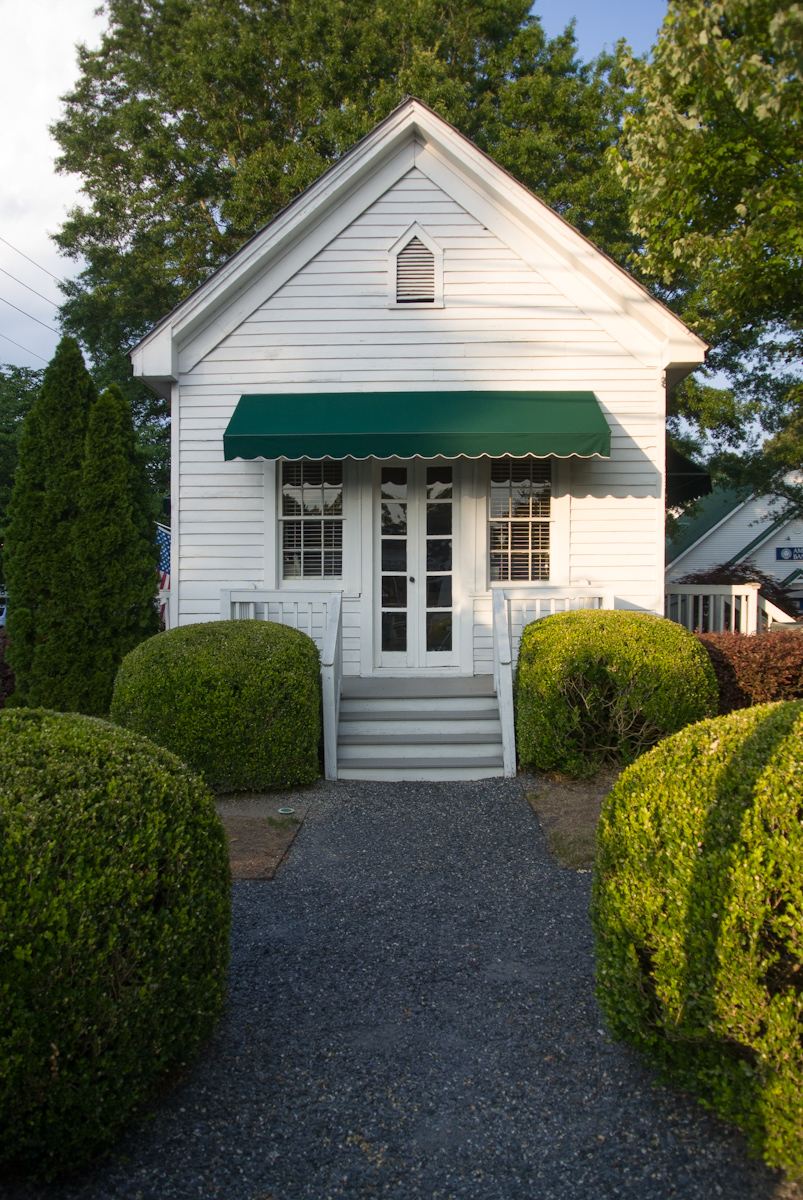
An old inn in Vinings, GA – they built small at that time – Nikon J1

As for ergonomics, I would say that anything is better than a smartphone. Smartphones need to be operated with two hands (one to hold the phone, one to play with the controls on the screen), and pinch to zoom is not as easy or direct as rotating a ring on a lens. Even if it’s shaped like a bar of soap, the J1 is still easier to hold than a phone, and has more physical controls.

What about the colors? The J series cameras were available in a wide variety of colors, with coordinated lenses. White, Black and Silver were always available, but each iteration also benefited from not so common colors (Dark Red and Light Pink for the J1, Orange and  Dark Pink for the J2, Beige and Wine Red for the J3, Tangerine for the J4). Only the final model (which is also technically the best, by far) bowed to convention, and was only available in an “all black” pro attire, or with a “retro-look” silver with black leatherette.

Processed in Lightroom – the RAW files of the J1 respond well to post processing

The J1s are apparently reliable, but the lenses are not. The lenses (all models except for the 6.7-13mm and the 70-300 zooms) rely on very small plastic cogs to open the diaphragm to the requested aperture, and those little cogs may become brittle over time, then break and make the lens unusable. If you buy a lens, ensure that it has been tested by the vendor – you can be sure that “untested” just means “not working or for parts”.

A Nikon J1 is still a pleasant camera to shoot with, provided it’s outdoors and under a nice weather. It’s very reactive and much more usable than micro 3/4rds or APC-C cameras of the same vintage, which were still relying exclusively on contrast detection for autofocus. It’s just a tad too big to fit in a pocket, but with its small size and its funky colors, it does not scare people like more serious looking cameras tend to do nowadays.

The dollar tree – RAW file processed in Lightroom – Nikon J1 – 10-30 lens
The same dollar tree – shot a few months earlier with an iPhone 15 Pro. The contrast and the resolution are much better.
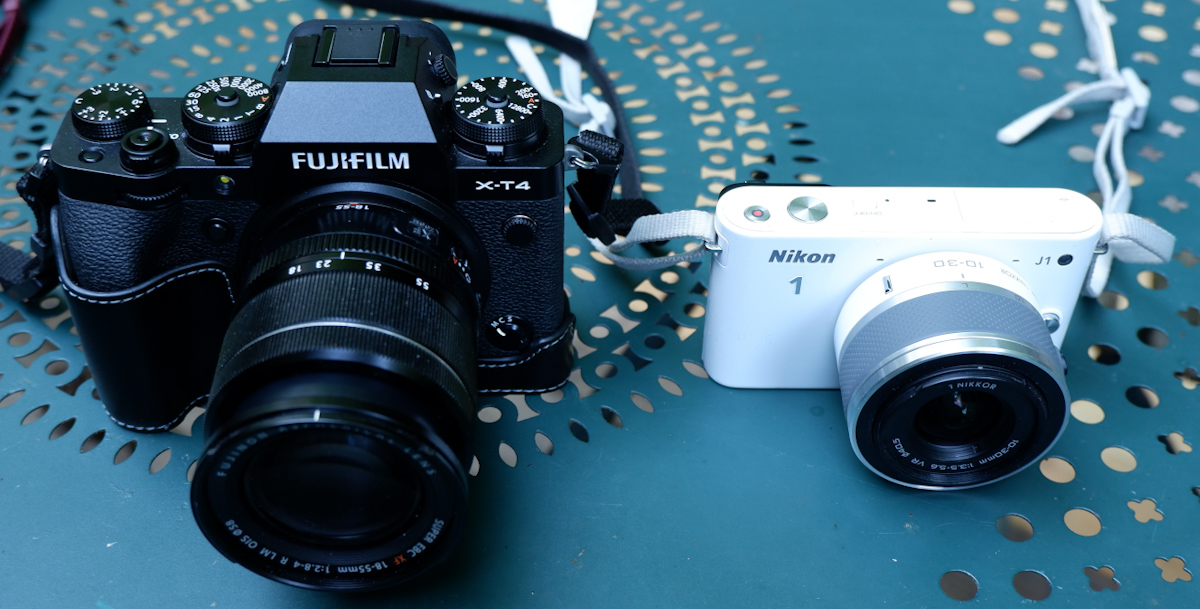
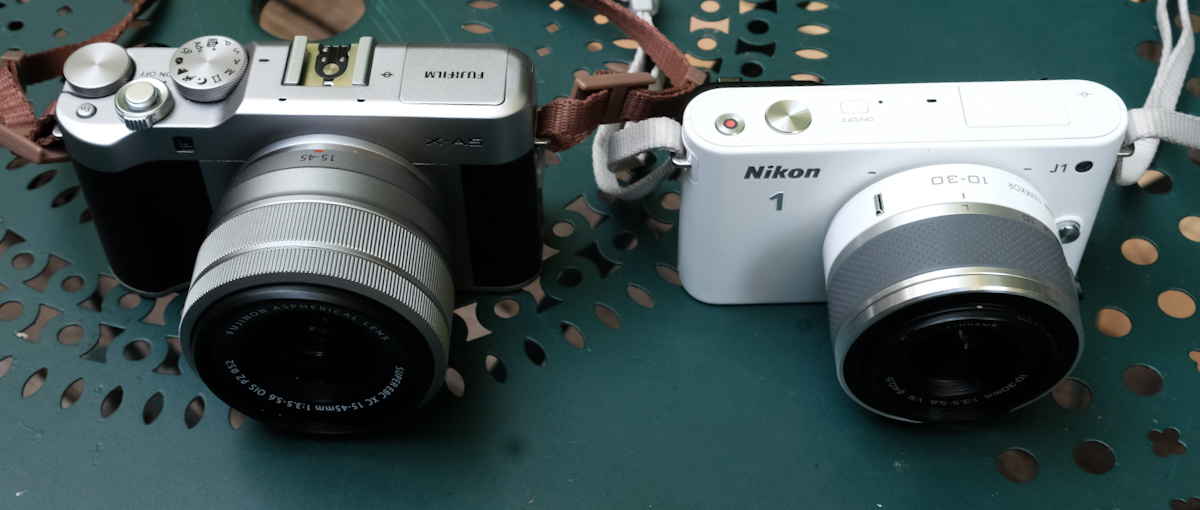
A Nikon 1 next to the smallest mirrorless ILC from Fujifilm (here the X-A5). The X-A5 is larger but produces much nicer pictures, out of the camera.

The J series are fun and cute cameras, let down but insufficient image quality – the J5 apart – and by unreliable lenses. A J1 in working order can be had for far less than $100 with a standard zoom, and a body only J5 can not be found at less than $200. Non standard lenses (tested, and in good working order) are more expensive ($100 to $400 depending on the model).

Well lit, close up – another good picture – at least technically.

Photos taken in Vinings and in the Coalmont OHV Park (TN) where dollars grow on trees.

/

Looking for my next “serious” digital camera

It’s not that I’m competitive, or that I carve for attention. But when I travel with my better half, she also takes pictures, and good ones at that. She has no interest at all in the technicalities of photography, but she has a good eye. And with an iPhone, that’s enough to get very good pictures, most of the time.
Within a few minutes of the picture being shot, it’s posted on one or two social networks, “liked” and commented.
Now, imagine yourself shooting with a 10 year old dSLR, in RAW, of course. You won’t get usable pictures until you’re back home, and find the time to fire up your laptop and launch Lightroom. By the time you’re done, your pictures will be yesterday’s news. Or most probably, last week’s.

The manufacturers of conventional cameras have understood that, and are slowly addressing the problem. The newest digital cameras are much better at uploading the freshly shot images to a smartphone, and they’ve improved their jpeg rendering enough that shooting RAW is not an absolute necessity, and that Jpegs are usable straight out of camera most of the time.

High level, I was happy with my Fujifilm X-T1, but I was ready for something a bit more recent, with a better viewfinder than my X-T1’s. I was still missing the large top of the plate display of the enthusiast oriented dSLRs, and I wanted a better integration with smartphone apps.

So I purchased a very nice Fujifilm X-H1 on eBay, The X-H1 was Fuji’s flagship camera in 2018 – with a 24 Megapixel sensor and – a first for Fujifilm – in body image stabilization. The fit and finish was splendid, the viewfinder much better than the X-T1’s, and the images were stunning – straight out of the camera. But I was extremely disappointed by the battery life of the camera. In the real life, not even 100 pictures per battery charge. I admit I’ve been spoiled with Nikon dSLR and their 1000 shots per charge, but 100 was definitely too little – imagine the logistical nightmare if travelling for a few days in a place without easy access to electricity – having to carry something like six batteries, two chargers, a few power banks to feed the chargers … No way.

So, maybe a dSLR was the solution after all. I still love shooting with a reflex camera – the optical viewfinder of a full frame is a pure delight for the eyes – and over the years I have accumulated a large number of Nikon F lenses. And I feel at home with a Nikon. Every command at the right place. I found a well used Nikon D750 at MPB, and started using it. The battery life was what I expected from a Nikon dSLR, and it was a pleasure to shoot with. But…. there was a long list of “buts”.

It’s not that the camera is large or heavy (in fact, the D750 and its descendant the D780 are the smallest and lightest full frame dSLRs from Nikon, on par with Canon’s smallest and lightest, the EOS 6D), but the lenses are big and ponderous. The more recent, the larger and the heavier. As for my old cherished lenses, they may be smaller and lighter, but they’re a bit overwhelmed by the 24 Megapixel sensor.

You may consider that Fujifilm’s “film simulations” are just brilliant marketing, and that Nikon’s Picture Control does more or less the same (preparing JPEGS usable straight out of the camera). But in reality, Picture Controls are not as easy to use (and not as good) as Fuji’s simulated film, and – in my opinion – the D750 still gives you better results if you shoot RAW and massage your pictures to taste in Lightroom.

Lastly, the D750 is still tied to Nikon’s ancient WMU (Wireless Mobile Unit) mobile app, and the less said about it, the better. This camera was launched in 2014, and it shows.

So, now what? I sold the X-T1, I sold the X-H1, I sold the D750, and finally purchased a lightly used Fujifilm X-T4 and a wide angle zoom. The X-T4 is still small for a modern mirrorless camera, the viewfinder is beautiful, the fit and finish impressive, and the battery life is correct (I did not feel the need to buy a second battery yet, and you can charge it directly from a USB source).

Admittedly, there is no top plate display, but almost all of the exposure parameters are controlled by dials on the top plate. If you buy a Fujifilm lens of the XF series, aperture is controlled by a ring around the lens, which is very intuitive if you’ve worked with film cameras in the pre-autofocus days. Zooms with a sliding aperture (like the 18-55 f/2.8-4) have an unmarked aperture ring, but the recent constant aperture zooms and the fixed focal lenses have easy to read aperture markings.

Because the camera is built around an APS-C image sensor, its lenses are much smaller than optics designed for a full frame camera.

Out of camera, the JPEGs are very good, and there are many film simulations to play with. Lastly, the smartphone app (Xapp) is a significant improvement over the old Camera Remote.

I’m just at the beginning of my new digital journey. I need to test all those film simulations, and I have to create a new workflow, laptop free and Lightroom Classic free. A workflow only relying on iOS devices (iPhone, iPad) and on the mobile version of Lightroom.

Pictures shot in Marietta, GA – Fujifilm XT-4 – default settings

Air Travel with photo equipment in the smartphone era…

And other ramblings…

Have you noticed? Everybody’s shooting with a smartphone, anytime, anywhere, and nobody seems to be objecting or even paying attention. But pull a conventional, dedicated camera from a photo equipment bag, and people start freaking out.

And suspicious neighbors or passersby are not the only ones panicking at the sight of a camera.

US Formula One Grand Prix – Austin – Nikon D700

Two weeks ago I was stopped for a good 20 minutes at a TSA checkpoint at the Atlanta airport, because the agents were intrigued by the camera I was carrying (a Nikon D700 with a 28-70 f/2.8 zoom lens). Admittedly, it was a relatively bulky camera + lens combo, but I’ve also been stopped when I was carrying a much smaller Nikon FM with a 35mm fixed focal lens. It’s just that photography as we knew it – with dedicated cameras – has to a large extent left the mainstream. Shooting with film cameras was already an oddity, but it increasingly looks as if shooting with DSLRs is following the same route.

You can see from time to time, typically in touristy areas, a young person carrying a film camera strapped to his or her neck (a Canon AE1 in most of the cases), but I don’t see them actually taking pictures (they wear a camera like you would wear jewelry) and I don’t see film making a come back. Not with those prices, for sure. Film is getting expensive, and the cost of processing and scanning has gone to the roof during the COVID years. My favorite color film is Kodak’s Ektar 100, and it’s now costing $15.00 a roll. Fujifilm are raising their prices massively as well. Processing and scanning are now around $20.00 per roll – which brings the total cost of a scanned image to more than $1.00.

Of course, users of digital cameras don’t have to pay the Kodak or Fujifilm  « tax », but cheap cameras have almost totally disappeared from the new equipment market. And even the best dedicated digital cameras are still miles away from the convenience of smartphones: what the software engineers manage to do with  « computational photography » on modern smartphones never ceases to impress me, and the simplicity of the integration of the iOS or Android native photo apps with all forms of image sharing services is something a dedicated camera user can only dream of: if you’re happy with the resolution of a 12 Mega Pixels image, and with a focal range equivalent to a 13 to 75mm lens on a full frame camera, the smartphone is hard to beat.

Soap Creek Park – Marietta, GA – iPhone 15 Pro – Straight out of the camera

Beyond the obvious (launching cameras with higher resolution sensors and long range zoom lenses that don’t have an equivalent in the smartphone world), the historical camera manufacturers are working at slowly transposing in the dedicated camera world advances we’ve enjoyed on smartphones for years (“global” electronic shutters and the near real time upload of the pictures to the cloud is the most recent example). They’re also working at making the conventional digital workflow of the pros and enthusiasts (shoot in RAW, post-process in Adobe Lightroom, and export to JPEG for social media consumption) less of a given – with film simulations and picture control modes, images can be shared “straight out of the camera”.

Marietta (GA) – the square – JPEG “straight out of the camera”

Lastly, there seems to be a renewed interest for compact digital cameras. Since nobody manufactures them anymore, the second hand market is the only option. And (for no reason I can think of), the Nikon Coolpix seems to be the hottest item – in particular if it’s painted in a striking “velours red”. Maybe it’s the color? Modern dedicated cameras are high end products built out of magnesium, and they would not convey the same image of competent seriousness if they were pink or yellow.

Nikon Coolpix S6900 – pretty in pink

After a long pause, I’m returning to this blog. With a pink compact camera (not a Nikon), a full frame DSLR (a Nikon), and a best of breed mirrorless camera. Stay tuned.

Dia de los muertos 2023 – Atlanta – Shot with a Nikon D750 in RAW and post processed in Adobe Lightroom

Thom Hogan’s preferred Nikon “classics”

Thom Hogan has been on the Web forever, it seems. He’s a pro photographer, has a background in marketing and product planning, and he also teaches, I believe. He’s been  publishing very detailed user guides for Nikon cameras for ages, and his collection of Web sites (www.bythom.com; www.dslrbodies.com, www.sansmirror.com) is always an interesting read, not only for users of Nikon equipment, but also for anybody who wants to understand the market forces shaping the photo equipment industry.

A few months ago, Thom wrote a short piece about future Nikon classics (collectible cameras that are still usable and will hold their value in the future): https://dslrbodies.com/newsviews/nikon-2019-news/april-2019-nikon-canon/camera-classics/.

He has much more experience of Nikon cameras than I do, and my tastes have been – at least in part – formed by what I read in his books and Web pages over the years. So I won’t say “I’m right, he’s wrong”. Let’s be honest: if there’s such a thing as being right in photography, the odds that he is are much higher than mine. But sometimes I simply beg to differ.

Film Era:

Thom’s list includes some cameras that grace my personal collection, even if they’re not my preferred in Nikon’s range. The F90/N90 is extremely efficient, but a bit too automatic for me, and the F4 is really too heavy to be used anywhere but in a studio. I never used the F100 or a F5 (too modern for me – I tend to like my film cameras with a conventional user interface – you know, knobs instead of LCDs and control wheels).

Which leaves us with the last entry of his list, the FM3A.

The FM3A is an evolution of the FM2/FE2 cameras, with a dual shutter control mechanism (electronic and mechanic) – which offers the best of what the FM2 (mechanical) and the FE2 (electronic with On the Film TTL flash control) can offer. I don’t own a FM3A, but two of its direct ancestors are at the top of my list: I use my old FM relatively often – because it’s a rugged camera and I know it’s going to work no matter what. The FE2 is a peach (it oozes quality, and it’s so pleasant to use) – one of the  very best film cameras ever.

Nikon FE2
Nikon FE2

Digital Era

You can collect “classic” cameras for their beauty and  for their importance in the history of the industry or a brand, but to me, a camera I can’t use to take pictures doesn’t qualify as a classic – it’s at best a “curiosity”.

In my opinion, early digital cameras are not really usable anymore, primarily because of their very limited dynamic range and very low resolution. If I brought one to cover a photo opportunity, I would most probably end the day disappointed and frustrated for having missed what could have been a great shot because of the technical limitations of the camera. Or I would have put it back in the bag, and used an iPhone instead. That’s why there is no early digital camera in my collection.

I recognize the importance of cameras like the D1h or the D100 in the evolution towards modern digital photography, but I will not add them to my collection. On the other hand, I believe that cameras like the D3 and D3X are still perfectly usable, but because they’re so big and heavy, I would ignore them, and buy their little brother,  the D700 instead. Admittedly it’s still a big and heavy camera,  but its performance is still exceptional, and with it I can use all the  Nikon (and Nikon-compatible) lenses I own.

Because I’ve been using Nikon cameras for so long, I find the D700 very intuitive and rewarding to use, and even today, the quality of the pictures that the 12 Mpixel sensor produces is incredible (in particular in low light or high contrast situations).

Nikon_D700-7253
Nikon D700 – a classic

It may be too early to add a D850 to a collection of classics, but it will most probably be the last enthusiast / pro DSLR from Nikon – the future is clearly mirrorless. They may launch a D6 for the Olympic Games next year (who knows) but I doubt they will keep on developing the D800 series beyond the D850.


Atlanta_Midtown-6344
Atlanta – World of Coke – Nikon D700

dogs-Xmas--6078
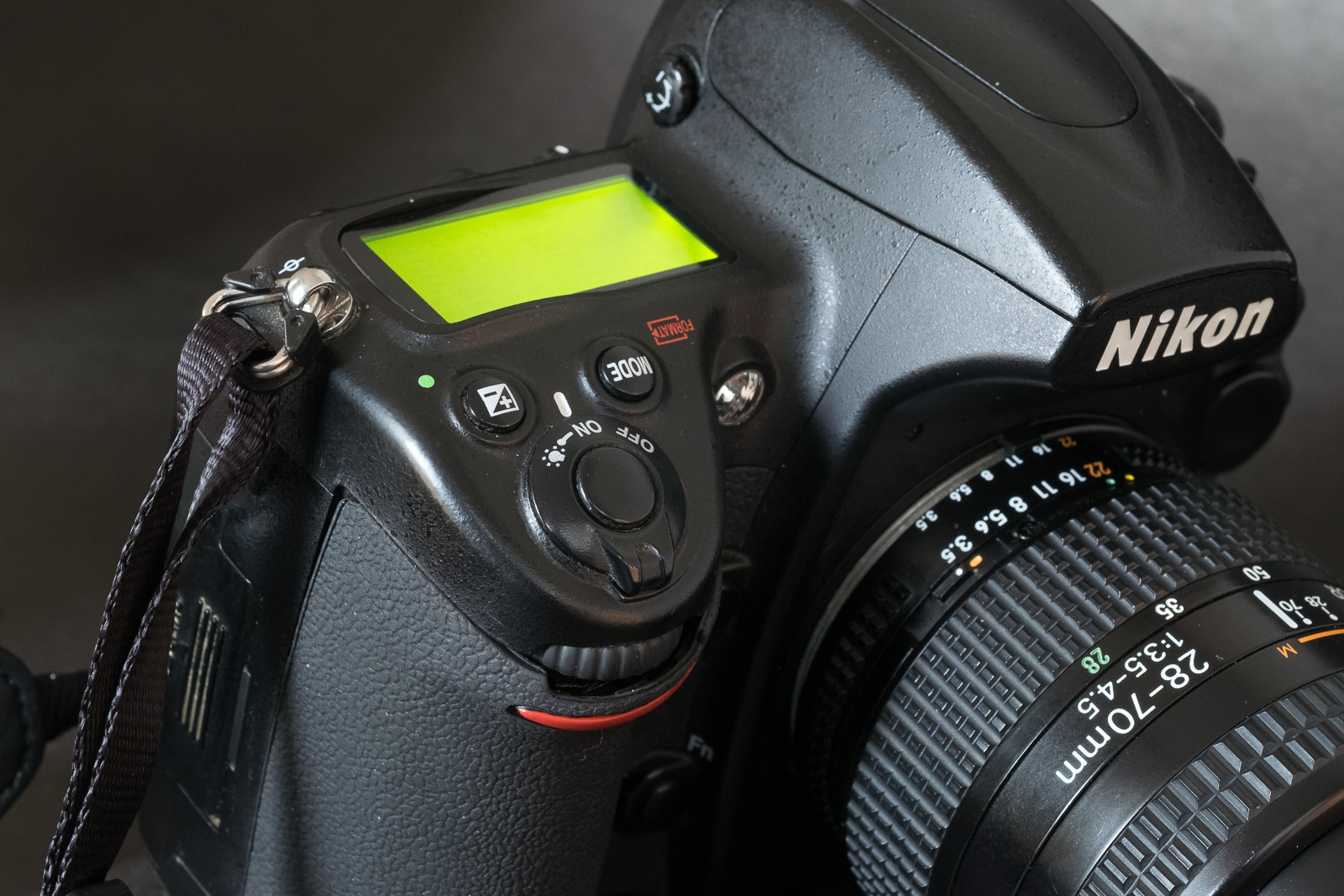
My always available and patient models – the performance of the camera in low light and with multiple light sources of different color temperatures is simply incredible. Nikon D700 – Nikkor 28-70 f/3.5-4.5 AF – 3200 ISO.

Nikon N2020 – the design philosophy of the F4 in a smaller package ?

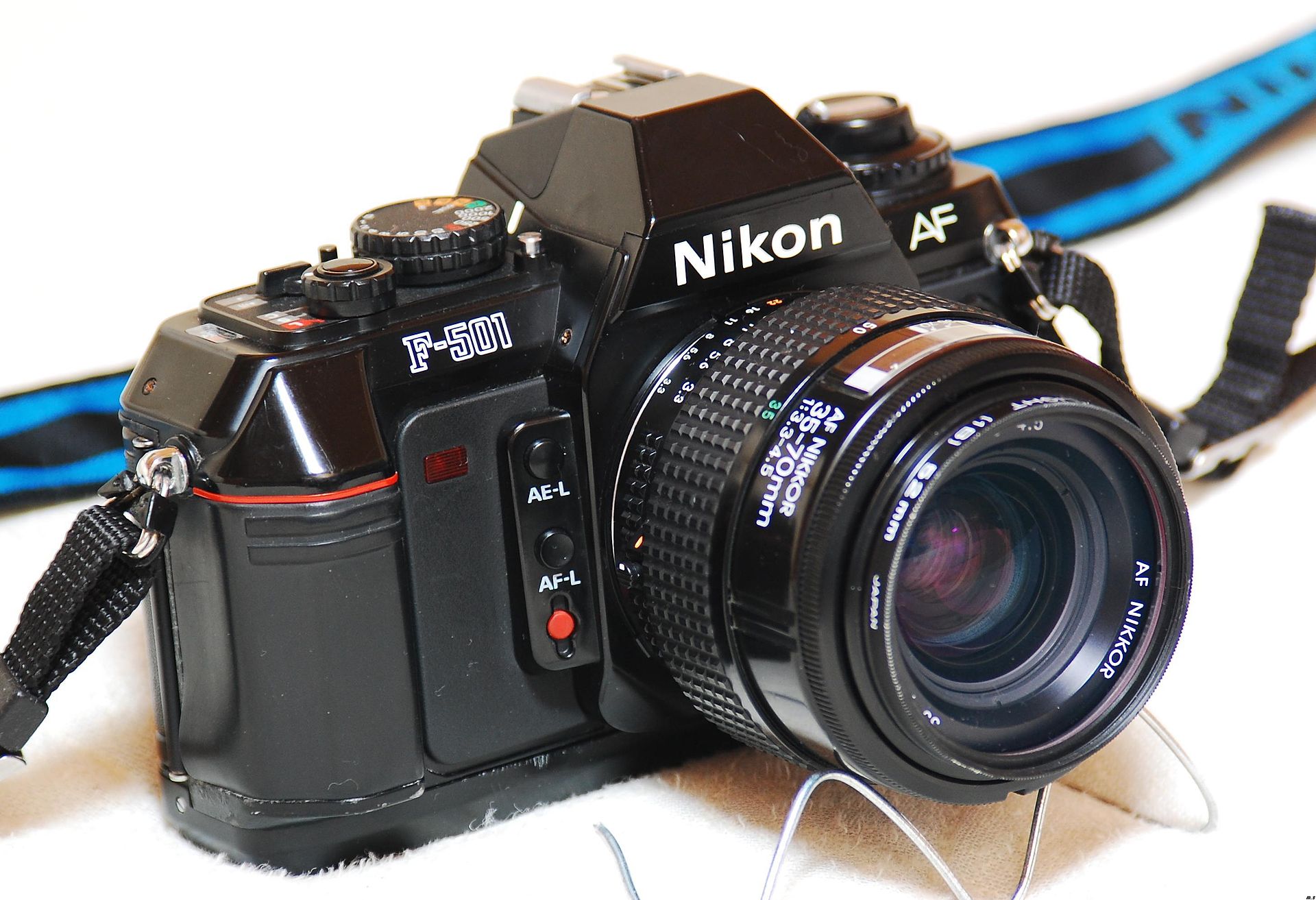
The N2020 (F-501 outside of the US) was Nikon’s first mass market auto-focus SLR. It was an upgrade of the N2000 (F-301 “in the rest of the world”), Nikon’s first SLR with an integrated motor. They inaugurated a new type of laser etched focusing screen, and a new camera naming scheme based on numbers. Because they had the two lowest numbers in the hierarchy, they were often mistaken for low performance entry-level models.
NikonF501-6353
Nikon F-501/N2020 with a Nikon E Series 35mm f/2.5 – note the convenient AE-Lock and AF-Lock buttons next to the lens flange. The recessed red button starts the self-timer.

It’s obviously a wrong perception: just consider the price of the N2020 – a few years after being launched, it was still more expensive than Minolta’s enthusiast oriented Maxxum 7000, in the same ballpark as the ground breaking Canon EOS 650, itself derived from the very high-end and very expensive Canon T90.

Like the Nikon F4 that would follow two years after (and contrarily to the Minolta and Canon auto-focus cameras), the N2020 retained conventional commands (shutter speed knob, aperture ring, ISO speed dial), and, as a true high-end Nikon, protected the photographers from unfortunate lapses of attention with all sorts of locks and flashing red LEDs.

Nikon’s transition to auto-focus

At the end of 1985, Nikon was apparently not certain that their (generally technically conservative) customers would enthusiastically embrace auto-focus, and they edged their bets. They first launched a manual focus version of their new body, the N2000 (*), and took their time to fine tune the auto-focus version, the N2020, finally presented in April 1986. They were not certain that the photographers would adjust to motorized film advance either, so they kept a conventional rewind crank.  The N2000 and the N2020 could read DX coding, but still had a conventional film sensitivity selector. Just in case. This prudent approach extended to the design as well. Nikon did not go for a full poly-carbonate body with rounded edges, they kept an hybrid metal/plastic construction with a design language based on sharp angles. Do you start seeing a pattern here?

NikonF501-6352
Nikon N2020/F501 – the focus mode selector is still the same on current Nikon dSLRs.

Yes, the auto-focus of the N2020 is primitive – with only 96 photosites (the following generation launched in 1988 with the N8080 and the F4 had a new sensor with 200 photo sites). Strangely enough, the auto-focus area at the center of the viewfinder does not feel as narrow as it does on the F4, but it’s far less sensitive in low light, making it almost unusable indoors.

IMG_2896
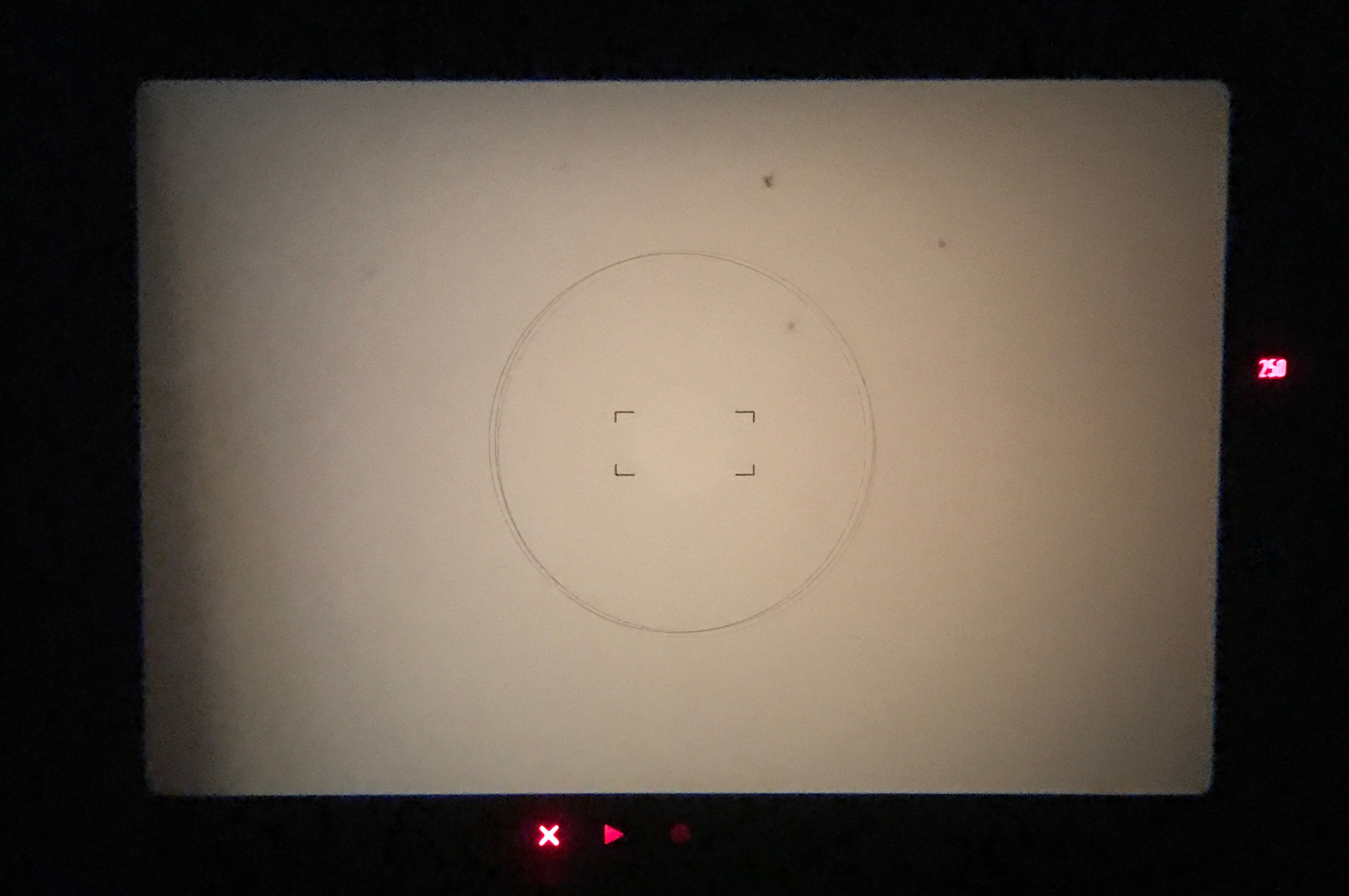
Very simple viewfinder – the selected speed on the right, and the AF guides at the bottom.

By today’s standards, it’s more of a focus-assist system than a true auto-focus, but because there was a version of the same camera without auto-focus, the viewfinder retains the characteristics of  manual focus cameras (92% coverage, 85% magnification, precise and relatively grainy focusing screen). It is still suited to manual focusing, even though the default focusing screen of the N2020 is deprived of a micro-prism ring. Other focusing screens (including the very sought after K type with a micro-prism ring surrounding a split image telemeter spot) may still be available – but as far as I know the model is specific to the N2020 and I could not find any on eBay.

NikonF501-6358
Nikon N2020/F501 – this one is equipped with a AA battery holder. Note that the tripod socket has been pushed to the left of the camera to make room for the batteries, and that the camera has the full featured AI-S mount with the focal length sensors (on the right side of the lens mount on the picture)

NikonF501-6359
The F601/N6006 – the successor of the F501/N2020 – The battery its now in the ergonomic handle, the tripod socket sits under the axis of the lens, and the lens mount has been simplified (the sensors and pins specific to the AI-S declination of the Nikon F lens mount are gone).

Everyday use

The N2020 (in fact, mine is a “rest-of-the-world” F501) is the camera that I had brought with me – virtually untested – to a long trip to Israel, Jordan and France. The camera did not miss a beat, and fulfilled its mission brilliantly.

Minerve_2
The village of Minerve, (departement de l’Herault, France) – Nikon N2020 – Nikon E 35mm f/2.5 – Kodak Ektar 100

It does not exude from the N2020 the impression of quality that emanates from a Nikon FE2, a F3 or a F4,  but it still feels less of an amateur photographer camera than the Nikon FG. Compared to the FG, it’s larger and heavier, and receives a faster shutter (1/2000sec) and an exposure memory lock button (more useful than the +2EV button of the FG). Like the current pro cameras from Nikon, it can be controlled via a wired remote. The back has a window showing the film cartridge, a film advance indicator, and a red LED warns the photographer if the DX sensitivity coding can not be read. Clearly not a body for the experts or the pros (roles that would be fulfilled in Nikon’s product range by the N8008/F801 and the high-end F4 respectively), but not a simplified or spec’d down entry level camera either.

NikonF501-6362
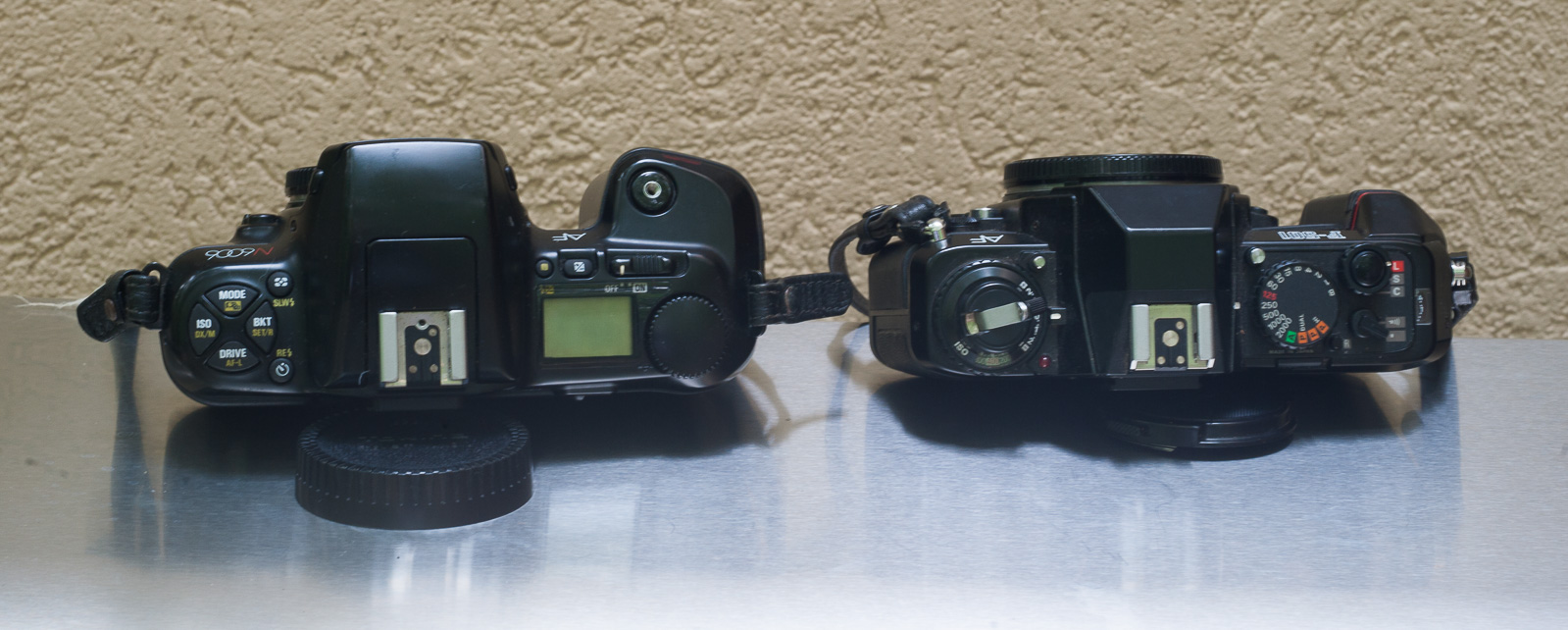
The F601/N6006 (1991) next to the F-501; the interface design of the F-601 is an intermediate step between the classical interface of the F-501, and the full modal interface of the F100.

If you don’t forget it’s a very early auto-focus camera, and don’t expect it to behave like a Nikon F6, it’s a pleasant camera to use. On the plus side:

  • the ergonomics – simple, easy to learn, no menus, no hidden functions, just conventional knobs and rings
  • the conventional Nikon average weighted metering – that is to say: accurate and predictable (at least as long as the cell is not blinded by the middle-eastern sun)
  • its relatively compact size
  • it works with any Nikon AI, AI-S, AF or AF-D lens without any limitation (the lens mount has all the sensors and pins of a true AI-S camera).
  • Exposure determination can be left to one of the three program modes, or controlled more directly by the photographer (aperture preferred auto-exposure and manual modes)
  • It runs on standard AAA or AA batteries (the AA battery tray was optional)
  • it’s reliable – it simply works, with no known mechanical or cosmetic issues.

Not everything is perfect: the viewfinder is informative, bright, but rather narrow,  with a relatively short eye-point (the same as the FG or FM-FE),  the winder is rather loud, and of course its auto-focus system dramatically lacks sensitivity in low light – it is almost unusable indoors if the scene is not lit like a studio. But it’s not too much of an issue today : even with its standard focusing screen, the N2020 is one of the few auto-focus SLRs that can still really be used with manual focus lenses – at least with wide angle lenses.

NikonF501-6360
One year separates the two cameras – the F501/N2020 was launched in the spring of 1986, and the Canon EOS620 in the spring of 1987 – the Nikon is still a classical camera, the Canon is already fully motorized, with a large information LCD and a modal interface.

How much?

Today, early auto-focus cameras are dirt cheap, and this one is not different. Very nice copies can be had for $35.00 in specialized second-hand photo equipment stores, and will not fetch more than a few dollars on eBay or at Goodwill.

As a conclusion

Like the F4 in the “pro” market, the N2020 is at the same time Nikon’s last “enthusiast” body with a conventional user interface, and the first of a long line of auto-focus and motorized SLRs.

Its conventional user interface is well thought and makes for a pleasant experience, and its high-magnification viewfinder is better suited than the F4’s for manual focus operations. The N2020 is also reasonably light and compact (half the weight of the F4 with its MB-21 grip), but of course you can’t compare a camera designed for amateurs with a high-end professional rig.

France-8165
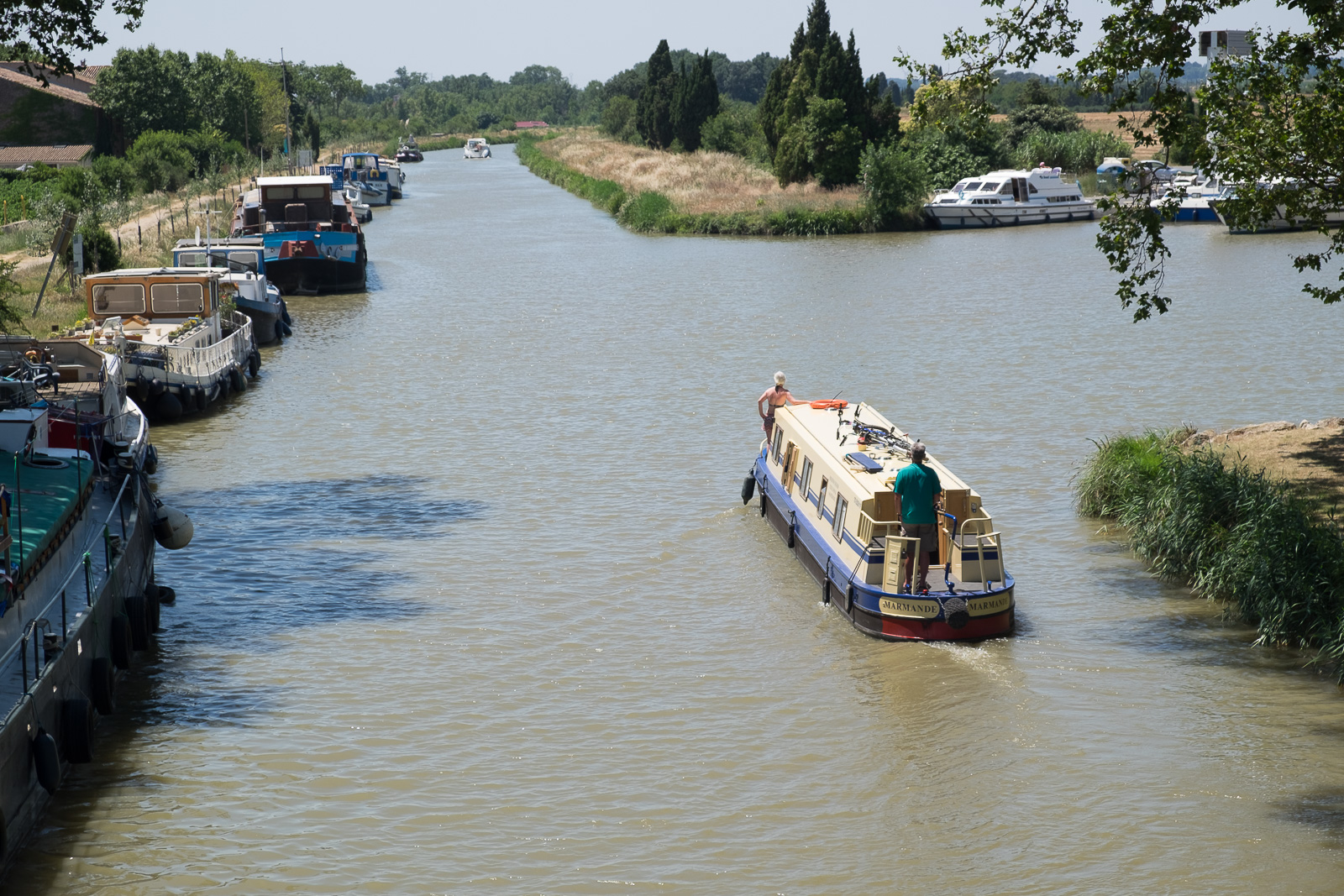
Homps (Departement de l’Aude, France). Homps is a harbor on the Canal du Midi in the south of France. Nikon N2020. Nikon E 35mm f/2.5 – Kodak Ektar 100

It would not be reasonable to buy a N2020 and expect it to deliver the performance of a more modern auto-focus SLR. With its simple and narrow auto-focus sensor, its limited processing power and its weak focus motor, it can’t even compete with a F4, let alone a N90s or any auto-focus film SLR manufactured in the mid to late nineties. But if you see it as a manual focus camera with a focus-assist system, it becomes much more enjoyable.

The manual focus E Series lenses are a very good fit for the N2020. Designed originally for the EM, the lenses are built out of plastic with a simplified optical formula (to save on weight and contain cost), but some of the E lenses (the 50mm f/1.8 or the 35mm f/2.5 for instance) are probably as good optically as the metal-built Nikkor lenses of equivalent aperture. Nikon’s first consumer grade (sliding aperture) 35-70mm auto-focus  zooms have a bad reputation, but the 28-70 AF f/3.5-4.5 that followed a few years later  is very compact and sharp – a little known gem.

With a manual focus prime lens or a small auto-focus zoom (like the 28-70 F/3.5-4.5 mentioned above), the N2020 will form a cheap, reliable, compact and highly capable set, to be used to learn the basics of photography, or as a second body for the occasions when a more expensive camera can not be risked.


(*) In 1990, Nikon did it again- they replaced the F301-F501/N2000-N2020 series with two cameras – one with an improved auto-focus system (the F601/N6006), one with manual focus (F601m, N6000).


Another opinion (not that different, in fact) about the N2020: http://randomphoto.blogspot.com/2018/03/nikon-took-af-mainstream-n2020-slr.html

An interesting perspective: a comparison of the Nikon ELW, N2020 and N90s: http://www.mikeeckman.com/2017/01/three-decades-of-nikons/

To learn more about the theory of auto-focus: http://www.exclusivearchitecture.com/?page_id=980

Our best source (bar Nikon themselves) about the Nikon system in the 1970-1990 era has very little about the N2020/F-501, but there is one interesting page dedicated to the 28-70 AF zoom: Photography in Malaysia (MIR): a page about the Nikon 28-70 AF f/3.5-4.5


Minerve (Hérault, France) - the church plaza
Village de Minerve (Hérault, France) – the church plaza.  The flying bird carved in the stone (on the right) is a memorial to the “Cathars”, local heretics from the XIIIth century annihilated by the Albigensian crusade.  Nikon N2020 – Nikon E 35mm F/2.5 – Kodak Ektar 100.


59 years after, a new Nikon mount…

I don’t want this blog to turn into a Nikon fansite. But Nikon related pages are now the most read: the Nikon D700 and FE2 entries have been the two most visited pages lately, leapfrogging the pages related to the Angenieux 28-70 f/2.6 zoom, which had been the readers’ favorite for years. And I can’t hide that Nikon film cameras are those I prefer, and that I’ve put my money where my mouth was.

Interesting things are happening at Nikon’s. On August 23rd, they will unveil a new full frame mirrorless digital system, launch a new lens mount and at least one lens.

nikon-mirrorless-brightened-620x465
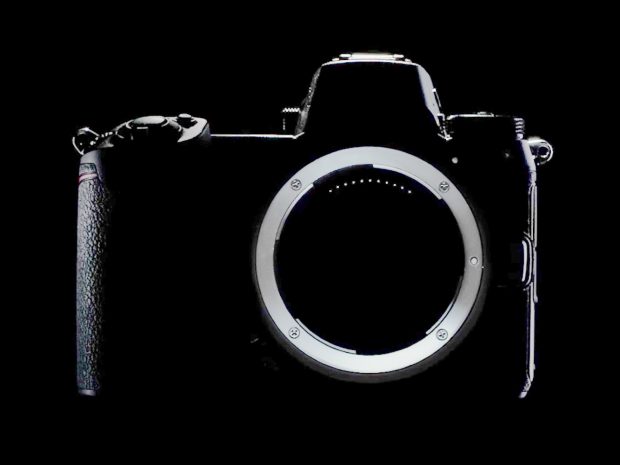
Teaser from Nikon: the silhouette of Nikon’s new mirrorless body, and its huge lens mount. It looks much simpler than the Nikon F mount below,

The new lens mount will be typical of modern mirrorless cameras (short flange distance, and, I assume, no mechanical interface at all – autofocus and aperture control being all electric ), but its diameter will be unusually large – much larger in any case that the Sony E lens mount.

Nikon’s micro site presenting the new lens mount: https://www.nikonusa.com/en/nikon-products/mirrorless-is-coming.page

Over its 59 years of commercial life (so far), the Nikon F mount has gone through many revisions to support successively aperture indexing, automatic aperture indexing, matrix metering, auto-focus, silent wave auto-focus motors, and more recently, electronic diaphragm control.

Because Nikon has made a core business principle to guarantee at least a modicum of compatibility between its older lenses and its newer generation of bodies (particularly for high-end cameras sold to professionals), the new full frame mirrorless body will accept Nikon F lenses, via an adapter. But Nikon has not shared any detail about this adapter yet.

Nikon_F4-7507
Nikon F mount – clockwise from top, on the mount’s flange : the meter coupling lever used for aperture indexing, the lens type signal pin, the lens release pin, the auto-focus shaft. On the inside of the exposure chamber: the electrical contacts used by AF lenses (top), the focal length indexing pin (right) and the aperture stop-down lever (left).

  • The adapter could be made simple, with no electrical contact and no mechanical linkage to the lens. Generally speaking, mirrorless cameras are not dependent on the automatic aperture pre-selection capabilities of the lens, so it’s likely that any Nikon F lens old enough to have an aperture ring will not only physically mount on the adapter, but will somehow work when the camera is set to semi-automatic exposure and manual focus mode. But recent lenses deprived of an aperture ring (or with an electronic control of the aperture) would not work with such a simple adapter. Which would go against Nikon’s tradition of preserving compatibility in priority for recent and/or expensive pieces of equipment.

canon_adapt-7378
2 very simple adapters: Canon FD to Fujifilm X (left), Nikon F to Fujifilm X (right). In both cases the mirrorless body does not control the aperture on the lens (no pre-selection, no shutter priority or program automatism).

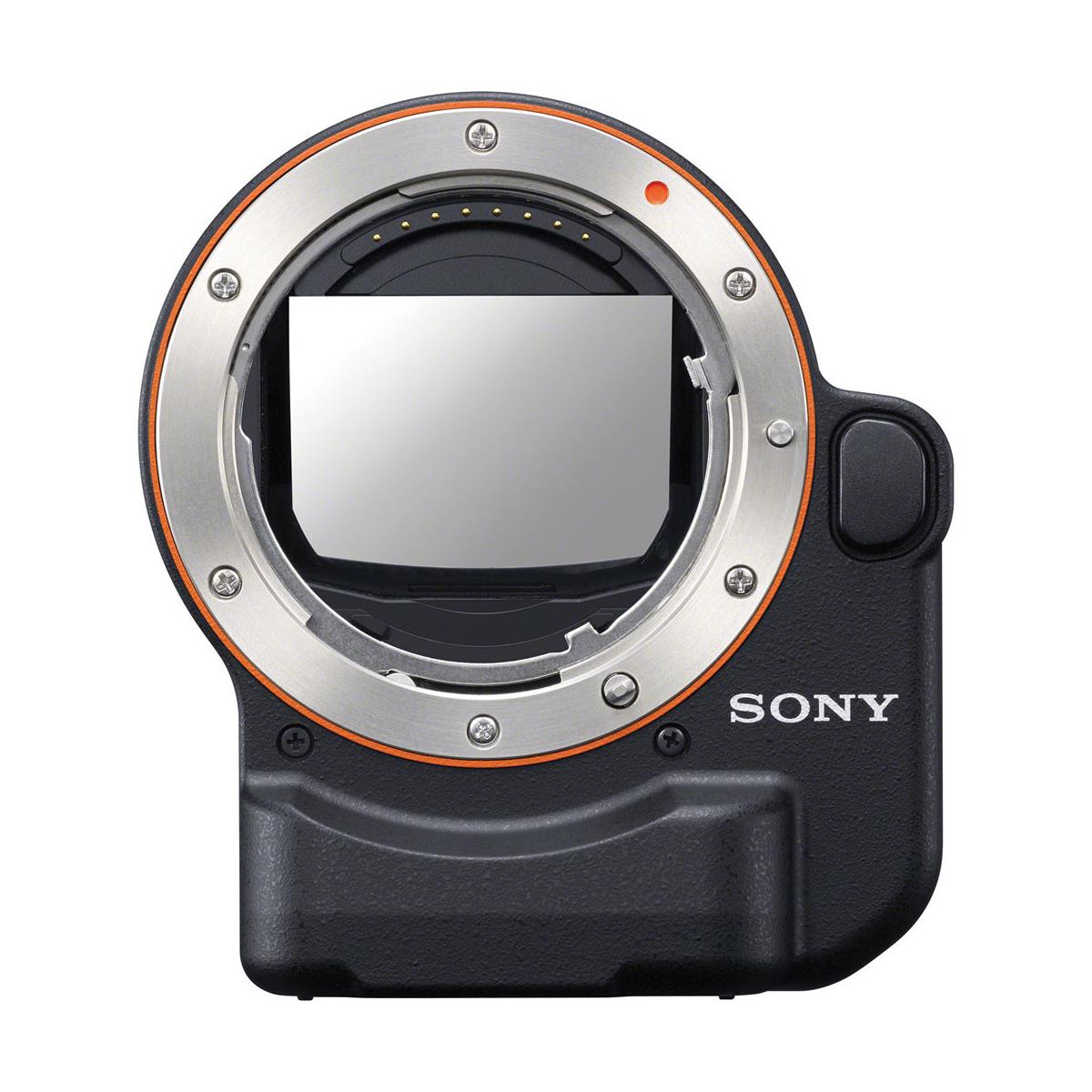
  • The adapter could be made very complex. Sony supports Minolta/Konica-Minolta/Sony A mount lenses on its E Mount mirrorless bodies thanks to two models of adapters. The most complex of the two, the LA-E4, has its own autofocus motor in order to provide support and adequate AF performance for screw-drive autofocus lenses (which still constitute the majority of the Series A lenses offered by Sony today). Sony’s adapter also has a Phase Detection AF module, probably because its A series lenses were not designed for the contrast detection auto-focus system of its NEX mirrorless bodies.Nikon’s original AF and AF-D lenses (the screw drive lenses without an auto focus motor) could be supported using a similar setup if Nikon really wanted to, but I doubt they’ll have any appetite for such a solution (one of the reasons being that professionals have been buying AF-S lenses with a built-in auto focus motor for almost 20 years now – and probably don’t use many screw-drive auto-focus lenses anymore).

    sony_LA_EA4
    Sony LA-E4 A NEX Camera Mount Adapter (Source: Adorama). With its built-in auto-focus motor, it accepts any Minolta/Konica/Sony A lens (with the AF drive shaft), and its Phase detection AF module behind a semi-transparent mirror offered better performance than the contrast detection AF of the early Sony Nex bodies.
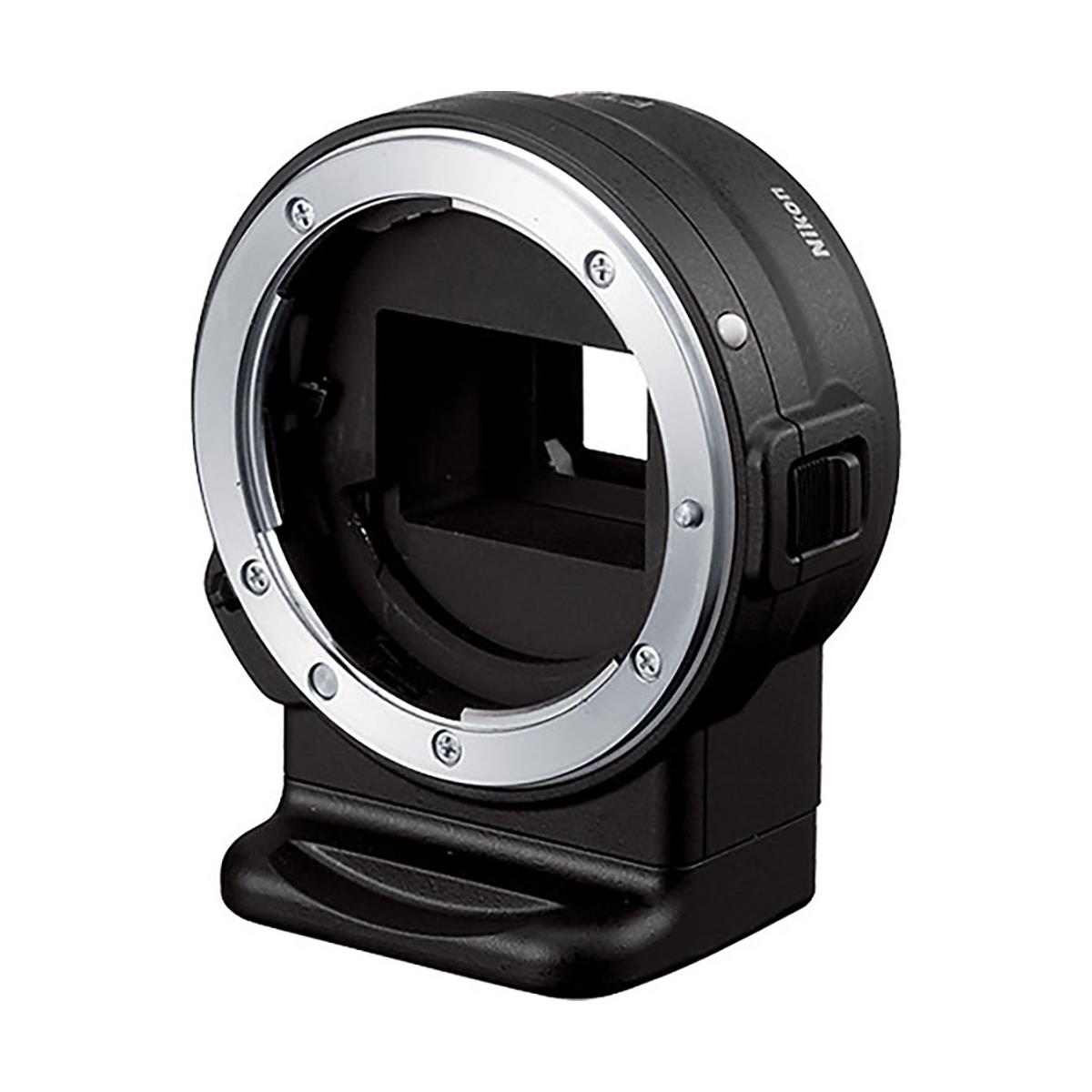
  • Nikon’s now defunct One series (J1 to J5 viewfinder-less cameras and V1 to V3 SLR like models) could accept F mount lenses thanks to an adapter. With the FT1 adapter, auto-focus lenses with a built-in auto-focus motor (AF-S lenses, with or without an aperture ring) are fully supported (all auto-exposure modes, vibration reduction and auto-focus, of course).
    Older auto-focus lenses (the AF and AF-D lenses) can be used in all the auto-exposure modes but don’t auto-focus. Lastly, AI and AI-S manual focus lenses will only be usable in Manual or Aperture Priority Auto Exposure modes.

Nikon FT1: compatible modes: https://imaging.nikon.com/lineup/acil/lenses/mount_adapter_ft1/restrictions.htm

Nikon_ft1_adapter

Nikon FT1 adapter (Nikon F to Nikon One lens mount adapter) – the adapter is seen from the front (where the F lens will be mounted).  Source: Adorama

My bet is that the new adapter will offer the same functions as the FT1. It will fully support any lens introduced in the market since the last years of the XXth century (AF-S, AF-S G, VR, AF-P), and with reduced capabilities, most of the older lenses.

Will there be a penalty in terms of auto-focus performance for users of AF-S lenses ?

That’s the real question.

First answers on Aug. 23rd…


Update: Aug 24th, 2018

So.. Nikon had a busy day yesterday: they launched a new Z series of bodies with 2 cameras, the Z6 and the Z7, 3 lenses of a new S series, and a F to Z adapter.

3875164987
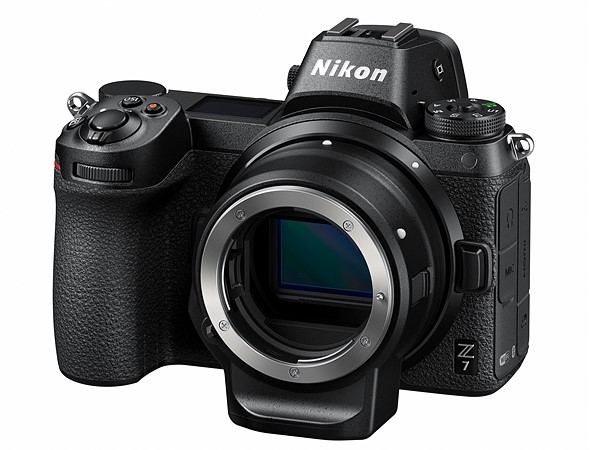
Nikon Z7 body with the adapter in place – it’s the only official picture of the adapter seen from the front of the camera. The mechanical actuator operating the aperture is visible on the left, inside the lens mount. Source: Nikon.

In the picture above, the Nikon F to Z adapter looks very similar to the FT1 adapter – no built-in auto-focus motor, no auto-indexing mechanism to support full aperture metering for AI or AI-S lenses, but “a mechanical actuator to operate the aperture on the lens you mount to it” (according to DPREVIEW)

ftz_adapter
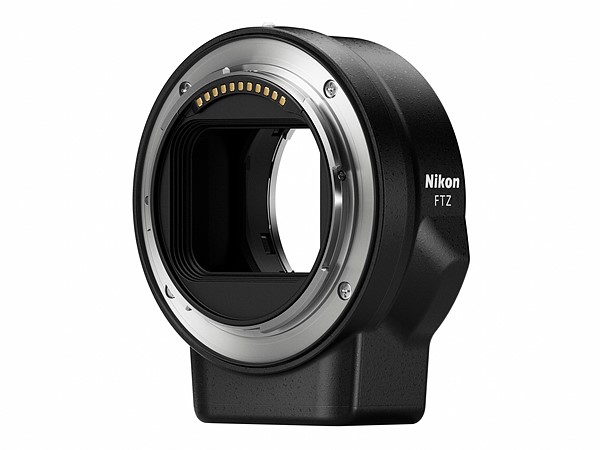
Nikon F to Z adapter – What you see here is the back of the adapter – which will be attached to the Z6/Z7 body. The diameter of the back of the adapter is larger than the front – the new Z mount is definitely huge. (Source: Nikon)

As I expected last week, lenses released during the last 18 years (AF-S, AF-S G, VR, AF-P) are fully supported, and the VR lenses gain 5 axis image stabilization in the process.

Older lenses (AF, AF-D) will not auto-focus but will still access all the auto-exposure modes of the Z bodies. Older manual focus lenses will mount but will have more limited exposure control capabilities.

For more (and in particular an opinion about the auto-focus performance), you can check DPREVIEW’s very interesting first take on the F to Z adapter.


israel_--101
Massada (Israel) – Kodak CN400, Nikon F501 – Nikon E series 35mm f/2.5 lens.


Bringing an untested 40 year old camera in the Wadi Rum desert

Last month, I visited Petra.

The city, located in the desert between the Red Sea and the Dead Sea, was a very prosperous trade hub in the Antiquity, but lost of its importance in the Middle Ages to the point it was uninhabited and totally forgotten until its ruins were rediscovered by an archeologist in the early 1800s. The city had been built at the far end of a narrow canyon, and is famous because of its temples directly carved in the walls of rock forming the canyon. It was recently used as the lair of the bad guys in Indiana Jones’ “Last Crusade”.

israel_--34
Petra – the approach through the canyon. (Petra, Jordan – Kodak Ektar 100 – Nikon N2020 – Nikon Series E 35mm lens)

Getting there is not exactly easy – a long flight to Amman or Eilat, followed by a long bus drive through the Wadi Rum desert (of Lawrence of Arabia fame), followed by a walk under an excruciating heat. And at the top of that, the access fees are exorbitant. But the place is absolutely unique, and the end of the approach in the narrow canyon is really magic.

Petra is one of those places that always look good in pictures – and I absolutely wanted to bring back images I would be pleased with. So why did I bring to Jordan a 40 year old camera I had never used  before?

israel_--30
Petra – at the end of the canyon you finally discover the “Treasury” (Petra, Jordan – Kodak Ektar 100 – Nikon N2020 – Nikon Series E 35mm lens)

Normally, before an important trip, you’re supposed to test the camera in advance: you change the batteries, you expose a roll of film, you have it processed, and you look at the pictures it produced very carefully, before you finally declare the camera fit for service.

That’s the process I followed, with a Fujica AX-3 I had earmarked for this trip. But it did not pass the test. When I downloaded the scanned images, only a few days before I was due to the airport, 30% of the images were severely under-exposed and I could not see a pattern (it looked like random). I had just moved to a new home, my trusted cameras were still in a storage facility and too difficult to access, so I decided to trust Nikon, and brought with me a Nikon N2020 (aka F501) I had just bought for a miser a few days before, and only briefly examined.

To be honest, it was not that big of a risk. I had bought the Nikon from a second hand camera dealer of good reputation. I live in the 21st century and I have a good digital camera, and can use an iPhone as a backup. I decided that on this trip, on a given day, I would shoot digital for a few hours, then switch to the film camera. This way, even if the Nikon severely malfunctioned, I was not going to come back with no image at all.

israel_--28
Petra – the “Treasury” – (Petra, Jordan – Kodak Ektar 100 – Nikon N2020 – Nikon Series E 35mm lens)

At the top of that, Nikon cameras from that era are reliable. From all the cameras I have used over the years, Nikons are the only ones that have never let me down:

  • Fujica and Pentax cameras from the seventies have all sorts of mechanical problems (with the shutter, in particular). Cameras from the early eighties also suffer from relatively troublesome electronics (capacitors, stabilization circuits).
  • I owned Minolta Maxxum and Vectis cameras and Minolta AF lenses in the nineties, and they were not trouble free when they were in their prime (the only lens that ever broke in my photo equipment bag was a Minolta Vectis zoom). I have no recent experience with those cameras, but time generally makes reliability worse, not better.
  • The Olympus OM cameras I’ve used have been solid and reliable, but some models (the OM-2 Spot Program in particular) tend to go through their batteries with an alarming voracity, which could be an issue on a long trip.
  • Canon A series tend to develop a well documented shutter problem over time. I can’t use my Canon A-1 until I have it fixed.
  • My Canon T90 has been flawless (and a pleasure to use), but the model has a reputation for being a ticking bomb (from a reliability point of view) because of issues with the magnets used to control the aperture, and because of capacitors and batteries soldered to the camera’s integrated circuits.

Nikon_F-501-Nikkor
Nikon F501/N2020 – Source: it.wikipedia

On the other hand, even Nikon cameras I bought in bulk in antique shows or from thrift stores have been easy to bring back in service – generally the only thing missing was a good battery. They have a very reliable shutter and an accurate meter, and no light leak issue. Some Nikon cameras develop some annoying issues (the rubber grip on modern Nikon digital cameras, the LCD display in the viewfinder of the F4), but nothing that would prevent you from taking good pictures.

As a conclusion

I received the scans a few days ago. The exposure was a bit off (over-exposed by 1/2 stop in average – it’s likely that the camera had not been calibrated by Nikon for such a luminous landscape), but nothing that could not be adjusted in Adobe Lightroom in a couple of seconds. There’s still life in those old cameras.


The N2020 (F-501 outside of the US) was Nikon’s first mass market auto-focus SLR. It was an upgrade of the N2000 (F-301 “in the rest of the world”), Nikon’s first SLR with an integrated motor.

On this trip, I used it as a manual focus camera, with a very compact Series E 35mm f/2.5 lens. The ergonomics is still very conventional (dials and rings instead of menus and LCDs), it simply needs four AAA batteries that you can find anywhere in the world, and it’s a pleasure to use.

More about the Nikon F501/N2020 in a few weeks.


Treasury, Monastery?

I initially wrote that the building shown in my photos and drawn by Herge in “Coke en Stock” was the “Monastery”. It was wrong. In fact, it’s known as the “Treasury”. And it was neither a monastery or a treasury, but the mausoleum of King Aretas IV, who ruled the region in the 1st century AD.

And I watched “Indiana Jones and the Last Crusade” again – in the movie, the “Treasury” is not the liar of the bad guys, it’s the place where the Holy Grail and its guardian reside.

petra
Petra’s “Treasury” has inspired many authors – here in Herge’s Tintin series (“Coke en Stock” in the original French, “Red Sea Sharks” in English).

Nikon N90s/F90x – why almost nobody seems to like auto-focus film SLRs

When kids take a photography class in high school, the teachers typically recommend cameras like the Pentax K1000. If you Google “best learner camera for film photography”, most of the sites making the top of the list will recommend the Pentax K1000 (again), or cameras such as the Canon AE-1 (often), the Nikon FM, the Minolta X-700 or the Olympus OM family. All are manual focus cameras, all were launched in the seventies or in the early eighties,  and most of them only offer semi-automatic (some people call it “manual”) exposure.

Nikon_N90-7299
The Nikon FE2 of 1983 is objectively not as capable as the N90s (F90X) – but it’s more sought after. Nobody seems to like auto-focus SLRs from the early nineties.


James Toccio in his blog “Casual Photophile” is almost the only one to make the case that newcomers to film photography should start with a camera from the mid nineties, because with its multi-mode auto-exposure and reliable auto-focus system, it’s more similar to the current  digital cameras, and will yield much better results for an untrained photographer than a semi-auto/manual focus camera from the seventies (in: Casual Photophile – How to cheat at Film Photography)

James may have a point here. And if you look for a reliable, auto-focus multi-mode SLR with great performance and a large supply of lenses, the Nikon N90s is a very good choice.

cameragx-6592
The Maxxum 9xi next to a Nikon N90s (aka F90x in Europe). Two very capable cameras to be had for next to nothing.

Unfortunately, if the value of a camera on the second hand market is any indication, most buyers disagree:  very good enthusiast-oriented auto-focus SLRs from the mid-nineties such as the N90s or the Minolta Maxxum 9xi seldom sell for more than $25.00, in the same ball park as the very primitive K1000, with more amateur-oriented auto-focus SLRs (such as Minolta’s Maxxum 400si or Nikon’s N6006) struggling to reach the $10.00 mark.

Nikon_N90-7296
The Nikon N90s was sold as the F90X in the most of the world (in fact, anywhere but in the USA). Note the trademark Nikon Red Stripe on the front grip –

The Nikon N90s

Nikon joined the auto-focus market shortly after Minolta launched the Maxxum 7000.  Its first auto-focus SLRs were slow to focus – even the flagship F4, but it did not matter much at the beginning, at least not until Canon launched the EOS-1, and showed what a good auto-focus camera should be able to do. From there on, Nikon had to play catch-up. It took them almost 10 years to do so (with the F5 & F100 bodies and the motorized AF-S lenses), and in the meantime, Nikon’s cherished pros kept on defecting to Canon in droves.

Nikon_N90-7297
The N90/N90S – In terms of design, uncomfortably seating between the analog Nikons (F, F2, F3, FM, FE) manual focus bodies,  and the modern auto-focus generation (F100, F6, D700, D800).


Launched in  1992, the N90 (named F90 in the rest of the world) was Nikon’s first real response to the EOS series. Officially, the N90 was designed for committed enthusiasts. But scores of pros also bought the N90, because it had the best auto-focus system Nikon could provide at the time. The  “N90s” aka “F90X” that rapidly followed was a level of performance above the N90 (improved auto-focus and weather sealing),  with a mission  to retain the pros who had fallen in love with the Canon EOS system until the launch of the F5.

Nikon_N90-7293
The aperture value is controlled by the aperture ring of the lens itself (and not by a second control wheel at the front of the grip as is the case with more recent SLRs or dSLRs)

  • Size, Weight, Features and Ergonomics

    Size, weight, features and ergonomics

    Size, Weight, Features and Ergonomics

The N90s is a typical auto-focus SLR of the mid-nineties – with a black polycarbonate shell and high levels of automation:  auto-exposure with the conventional Aperture Priority, Shutter priority, Program and Manual (understand semi-auto) modes, Matrix, Weighted average and spot metering, and motorized film loading and rewind. Compared to its lesser amateur oriented siblings, the N90 has no built-in flash, but a better shutter (1/8000 sec and flash sync at 1/250), a better viewfinder and runs on AA batteries (instead of the harder to find and more expensive lithium batteries).

Nikon_N90-7287
Nikon N90s – a single control wheel at the right of the top place – the main ergonomic difference with modern “Enthusiast-oriented” Nikon AF SLRs and dSLRs, which have two.

Apart from the build quality and the use of Nikon F lenses, the N90S has very little in common with the previous generation of “enthusiast” and “pro” cameras, the FE2 and the F3. While not as bulky as a modern full frame dSLRs (like the D810), N90s is larger than the FE2, as heavy as the F3, and very close to the D7500 in its dimensions and weight.

Nikon Film Cameras Nikon dSLRs
FE2 F3 N90/N90s D7500 D810
35mm film 35mm film 35mm film Digital – APS-C (DX) Digital (full frame – FX)
weight (g) 550g 760g 755g 640g 980g
height (mm) 90mm 101mm 106mm 104mm 123mm
width (mm) 142mm 148mm 154mm 136mm 146mm
  • Viewfinder
    In my opinion, the long eye point viewfinder of the N90 is one of the two reasons to prefer the camera to a FE2, the other one being its very accurate matrix metering. With a magnification of 0.78, a 19mm eyepoint and 92% coverage, it’s a good compromise between magnification (the image is large enough) and the eye point distance (at 19mm, it’s confortable for photographers wearing glasses).
    It’s not as good as the high-point viewfinder of the F3, but much wider than the viewfinder of a conventional SLR such as the FE2 – and of course than the narrow viewfinder of APS-C dSLRs. It’s also very luminous, not as much as a modern full frame dSLR (such as a d700), but much more than its Minolta competitors of the nineties. All the necessary information is grouped on a green LCD display at the bottom of the screen. The only significant difference with modern Nikon cameras (and with Minolta cameras from the nineties) is that there is no LCD overlay to show information (such as the area of the image chosen by the auto-focus system) – considering there is only one central autofocus area, it’s not much of an issue.


IMG_1308
The information is grouped at the bottom of the screen – it’s less crowded than the viewfinder of a modern dSLR.

  • Shutter, metering and auto-focus system:
    The shutter is still at the state of the art (1/8000 sec and flash sync at 1/250). Nikon’s matrix metering was considered the best in the nineties, and it’s still very good. You can trust it most of the time. The auto-focus (a single sensor, in the middle of the screen) is reactive, accurate, and works well in low light situations.
  • Lens selection and accessories compatibility
    Designed for Nikon’s “screw drive” AF lenses (Nikon AF and AF-D lenses), the N90 also works with AI and AI-S lenses – basically, anything sold by Nikon after 1977. The camera can also focus with modern Nikon AF-S lenses (the ones with the focus motor in the lens), and works in Program and Shutter Priority modes with lenses devoid of an aperture ring (most of the current Nikon AF-S lenses). It can’t work with them in Aperture preferred or Manual (semi-auto) mode, because there is no way for the photographer to directly set the aperture. It is not compatible with pre-AI lenses (unless they’ve been converted to AI, of course) and can not take advantage of the vibration reduction (VR) function of the recent lenses.
    The N90 was part of Nikon’s line of Enthusiast and Pro cameras, and many accessories (the remote control systems, for instance) are still inter compatible with Nikon’s current Enthusiast and Pro dSLRs. The flash systems are downwards compatible (you can use a recent Nikon flash on the N90, but the opposite is not true).

Nikon_N90-7294
Fifteen years separate those cameras. But the connectors (PC Sync, Remote) and the buttons (AF settings) are still at the same place.

  • Reliability
    The N90’s polycarbonate film door was initially covered with a sort of mat soft skin which has a tendency to peel.  Rubbing alcohol will take care of it, and will leave you with a shiny, naked camera. Apart from this somehow minor issue, it is a very solid and reliable camera.

Nikon_N90-7288
Nikon N90s – the film door was covered with a thin soft skin, which is peeling. It’s not specific to this copy – all N90 cameras suffer from this issue at various degrees.

  • Battery
    The N90 uses four AA batteries, which are cheap and easy to find, and do not seem to be depleting too fast.
  • Cost and availability
    I don’t have production figures for the N90. But the camera was a sales success, had a long production run, and has withstood the test of time pretty well. It is still easy to find. Supply apparently widely exceeds demand,  and the prices a incredibly low for a camera of such quality (if you’re lucky, $25.00 buys a good one).

Conclusion: why is this camera so unloved?

Objectively, the N90s is a very good film camera. It has a great viewfinder, you can trust its metering system and  its auto-focus. It is solid, reliable, and runs on cheap AA batteries. It’s designed to be used as an automatic camera, but lets you operate with manual focus lenses or in semi-auto exposure mode if you so wish. Why is it so unloved?

Because it’s a tweener. It’s far too modern for some, and not enough for others.

Its predecessor in the eighties, the FE2 and the F3, are simple cameras, with a single auto-exposure mode, average weighted metering and no integrated motor. They offer the minimum a photographer needs, and a few goodies at the top of that (shutter speed and aperture values displayed in the viewfinder, depth of field preview, exposure memorization). Nothing more.

The FE2 and the F3 are the cameras that a photographer will look for when he wants to work on his technical skills, as a pianist would do with his scales.

They will also appeal to photographers who believe that using a simple tool and following the deliberate process it imposes will help them create more authentic, more personal pictures.

Nikon_N90-7298
The N90S next to its predecessor of 1983 – autofocus, matrix metering, large long eye-point view finder, modal interface on the left, manual focus, center-weighted metering, and analog interface on the right.

For those photographers, the N90 is already a modern (understand feature bloated) electronic camera. It is not too  dissimilar in terms of ergonomics, commands, auto-exposure and auto-focus performance to a recent entry level dSLR  – except that you shoot with real film instead of relying on a digital sensor and on film simulation algorithms. The technical difficulties of photography are to a large extent masked: you can shoot for a whole day in the programmed auto exposure mode, with matrix metering and auto-focus,  simply concentrate on the composition of the pictures, and still get mostly good results.

Nikon_N90-7295
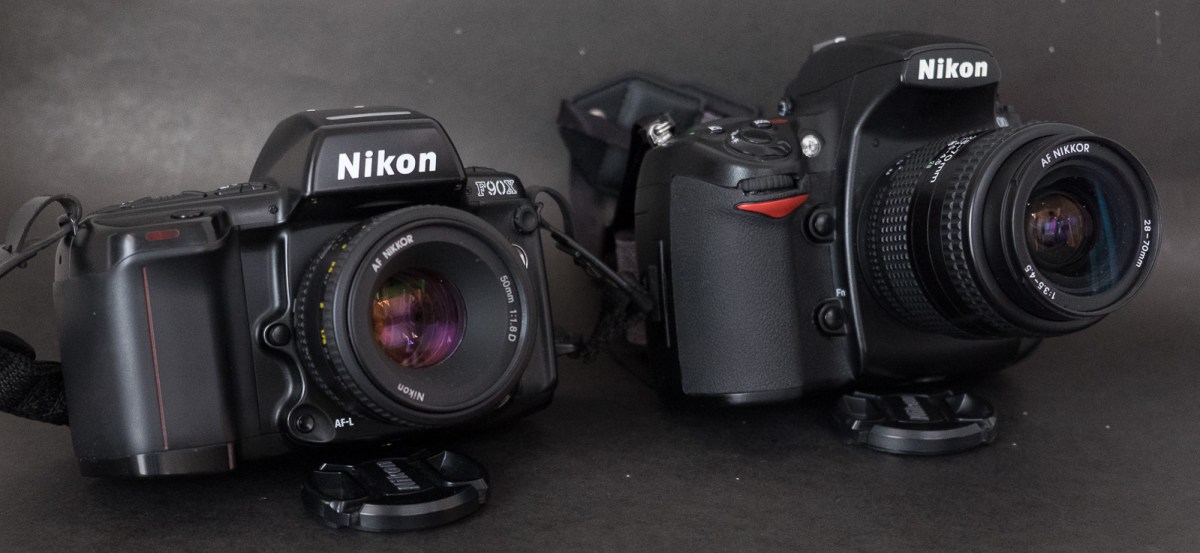
Nikon N90s next to a Nikon D700. High end cameras have a built in flash now. It was not the case in 1991.

But the N90’s successor – the Nikon F100 – is even better at producing technically perfect pictures with little human intervention. Manufactured from 1999 to 2006, it is  closer technically to the high-end dSLRs that Nikon is selling today (general organization of the commands, meter and auto-focus performance, full support of AF-S and VR lenses).  The F100 is a better choice for photographers shooting not only with film but also with a full frame Nikon dSLR  – they can use the same lenses and rely on their muscle memory because the commands are so similar between the F100 and a high end Nikon dSLR.

Nikon_N90-7292
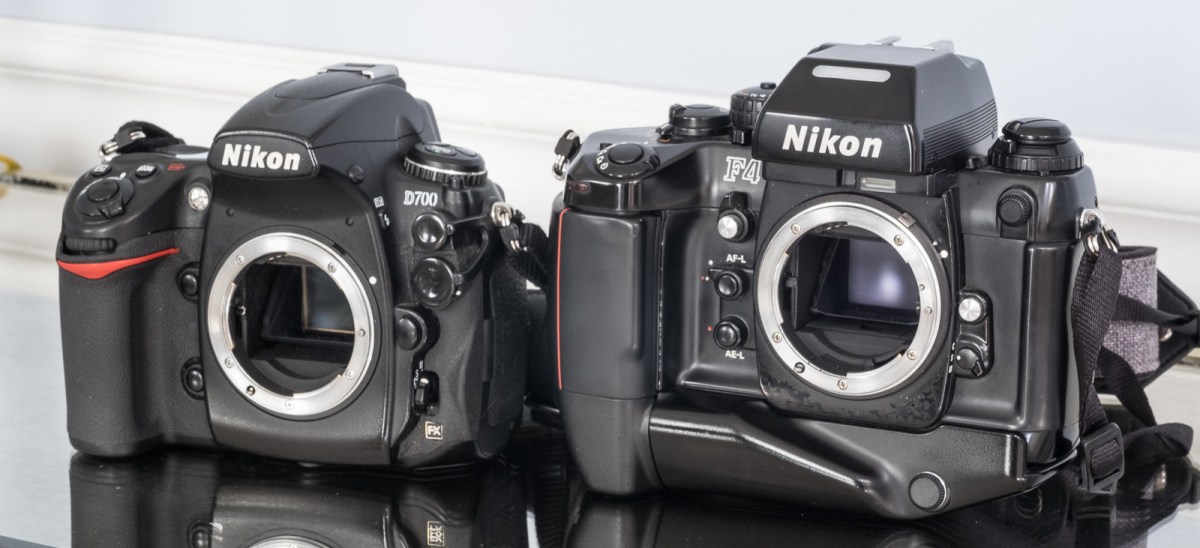
Nikon N90s (front) and Nikon D700 (back). The cameras had the same place in the Nikon hierarchy (just below the top of the line F4 or D3 bodies). With “only” 17 switches or buttons, the interface of the N90S looks simple in comparison to the D700’s.

It relegates the N90S to a narrow niche of film photographers who want the convenience of auto-focus and automatic exposure, the build quality and the viewfinder of a pro-camera, without having to pay to the roof for the ultimate film SLR.


More about the Nikon N90s

Thom Hogan’s review : http://www.bythom.com/n90.htm

The Casual Photophile’s review: https://www.casualphotophile.com/2017/10/13/nikon-n90s-camera-review/


cherokee--6
Cherokee – Nikon N90s – Fujicolor 400.

SaveSave

SaveSaveSaveSave