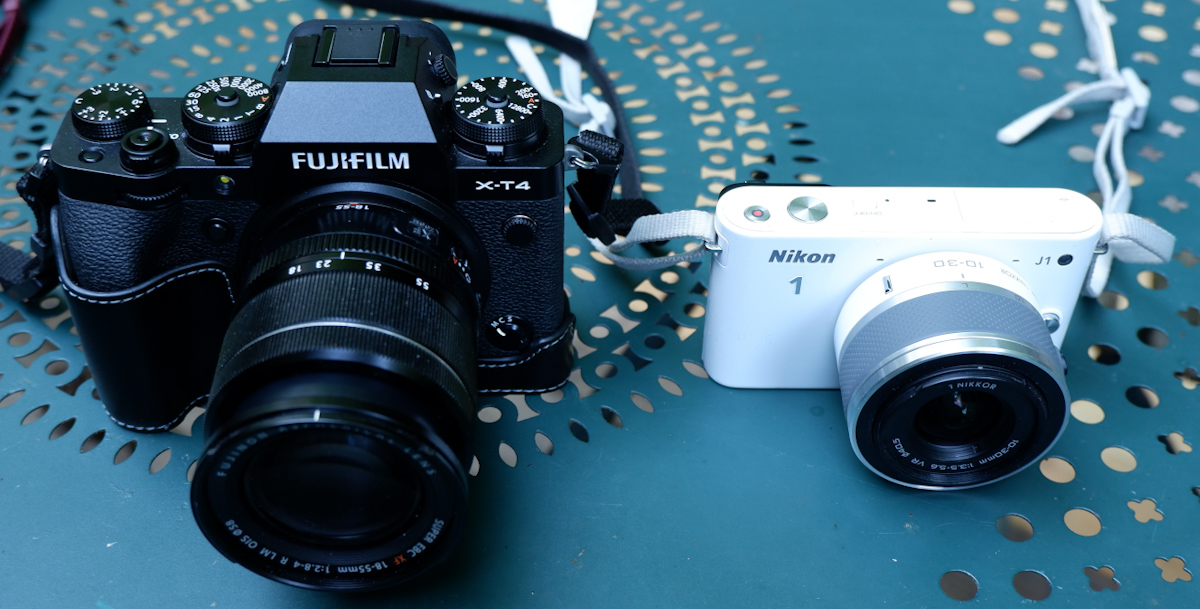
An update on the online marketplaces: buying an old compact camera in 2025

Call it the Instagram effect, but there seems to be a renewed interest for compact, point and shoot cameras – from the late film and early digital times (roughly 1990-2015).(see * at the bottom of this page)

But where to find them? Resellers of used photo equipment like KEH or MPB don’t seem to carry any – which leaves us with marketplaces and auction sites like eBay, Mercari or Shopgoodwill.

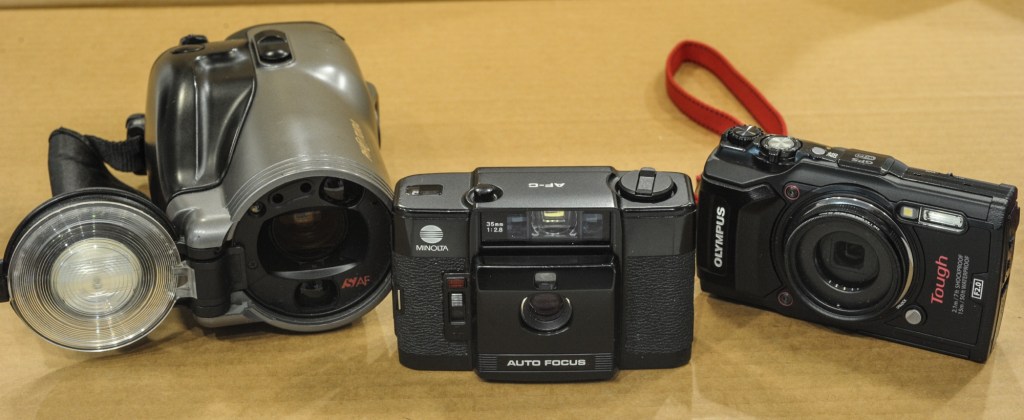
Minolta AF-C – an ultra compact “premium” camera from 1983.

For a photographer looking for an old camera, eBay is relatively buyer-friendly – the feedback mechanism gives the cautious user a good tool to evaluate the reliability of the seller, and eBay organizes the shipping and the delivery to ensure that the transaction is satisfactory for the buyer – most of the time. It does not dispense the buyer from being cautious (beware of sellers with no or extremely limited feedback, of succinct item descriptions and of offers too good to be true).

On eBay, buying from the Mecca of old cameras, Japan, is easy – items often get delivered to your doorstep faster than if you bought them from an American vendor. Just be cognizant to the fact that your Japanese seller will probably have a very limited mastery of the English language, and that some of the Japanese camera manufacturers (in fact, most of them) sold specific versions of their cameras on their domestic market, that could only display Japanese menus and could not be reflashed with an “international” firmware. Validate that the camera you want to buy can be configured to the language of your choice, obviously.

A Canon Photura/Epoca – a very strange bridge camera from 1990.

I don’t know Mercari that well – I’ve always been discouraged by obvious red flags on the listings of a significant number of sellers, and I’ve never bought anything from them. In my limited experience with the site, I’ve noticed that they’re not as good as eBay at policing their site, and at banning obvious scams (sellers with zero history proposing a very sought after camera at half of the normal price). Which casts a doubt on the reliability of the whole marketplace. (see ** at the bottom of this page).

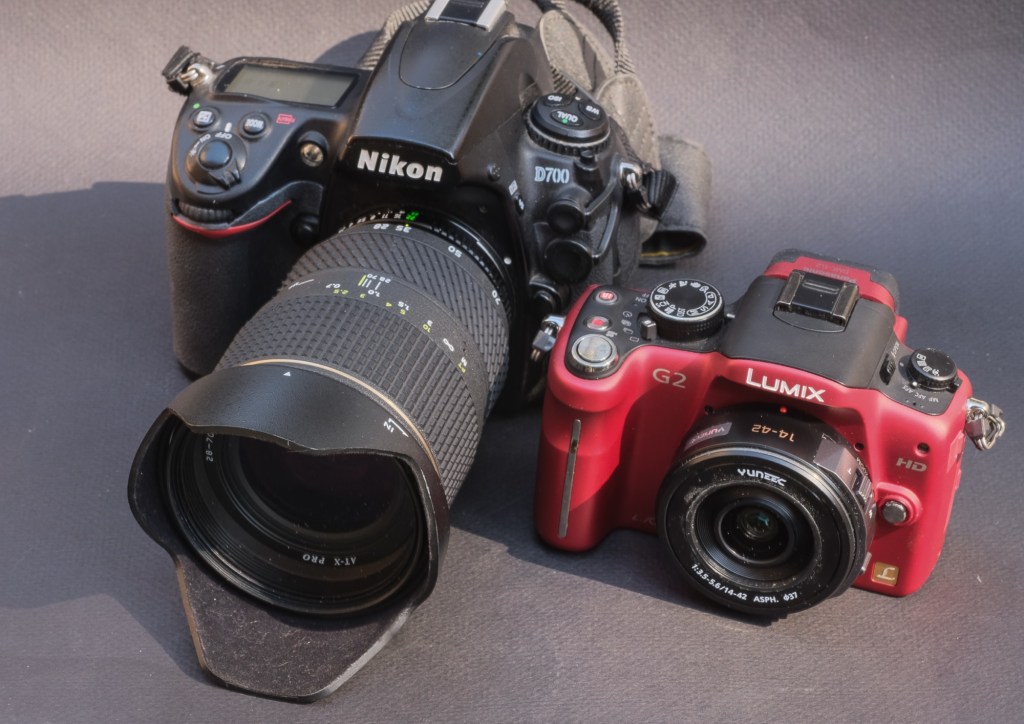
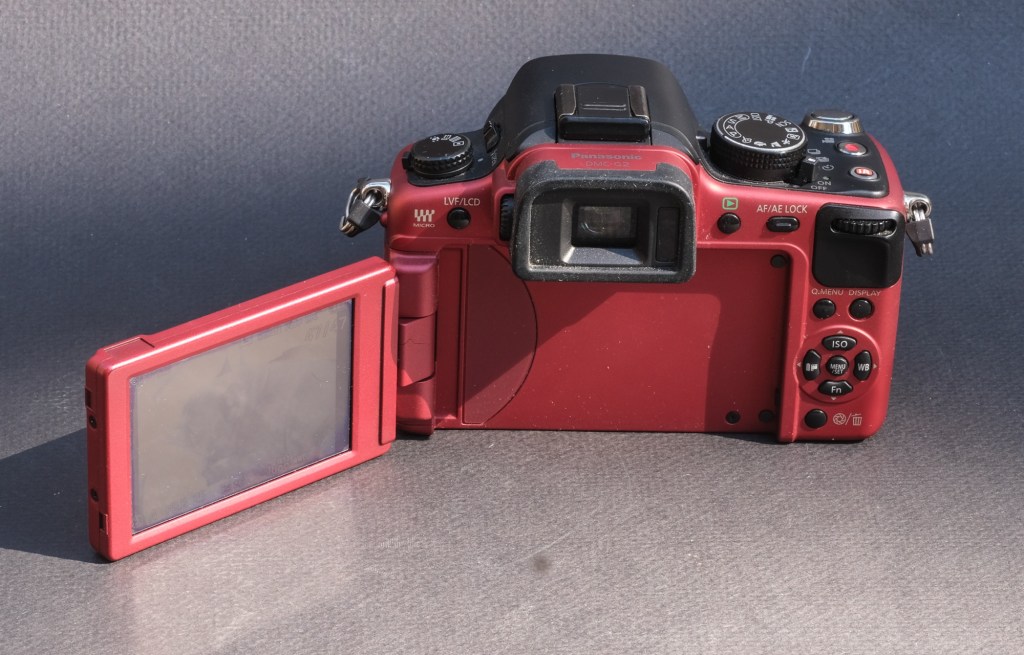
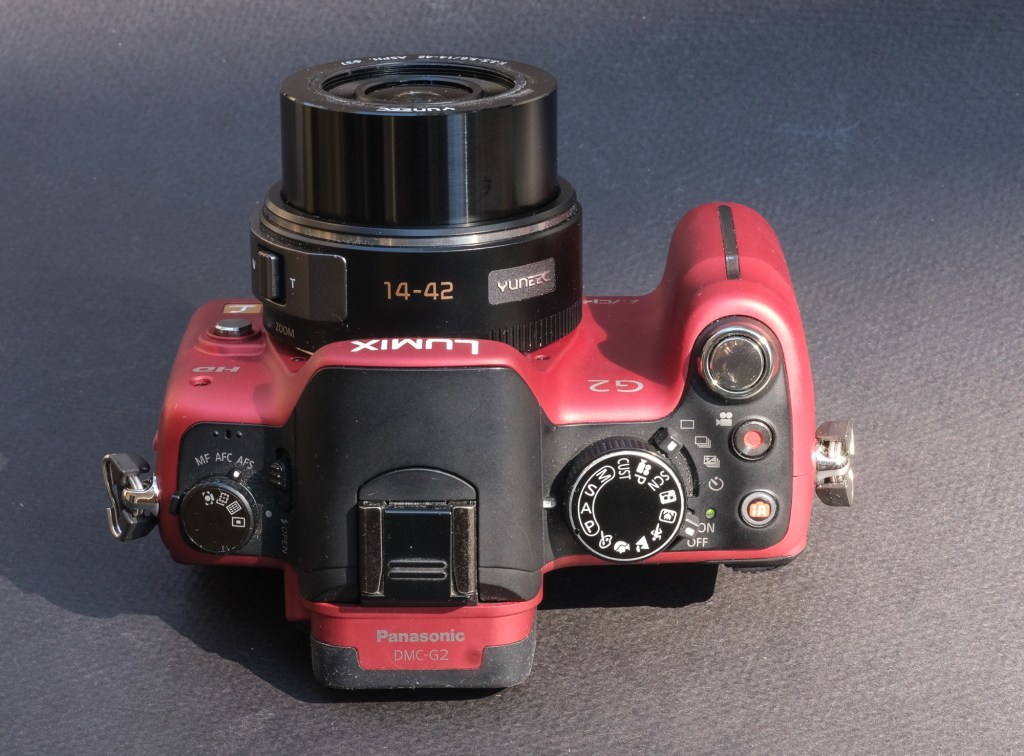
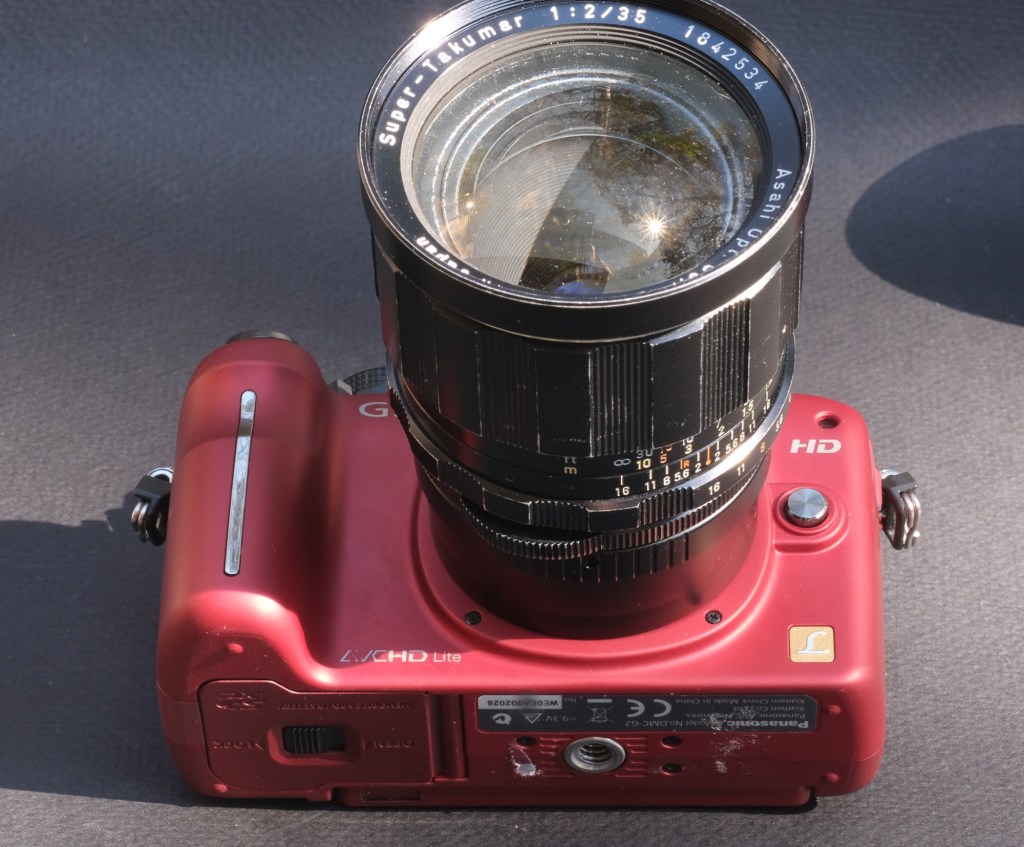
The red body+lens combo was bought on eBay, and worked. The white combo was bought on Shopgoodwill, and the lenses did not work. I had not followed my own rule – buy equipment described as “tested” by the vendor.

Shopgoodwill is changing. Contrarily to eBay or Mercari, it’s not a marketplace – it’s simply the on-line auction site of the Goodwill organization. It operates on a very decentralized model – and the photographic knowledge of most of those local organizations is still abysmal. Sometimes the work is divided in such a way that the poor soul entering the description of the item on the web site has never had it in hand, and only has a few low res pictures to work from – to comical effects: I recently saw a coffee mug in the shape of a Canon IS USM 24-105 lens described as a lens.

But a few local Goodwill organizations seem to have significantly stepped up their game recently, and now describe the cameras they sell accurately (they even list the tests they performed and their outcome). And it works – I’ve not had a bad surprise with Shopgoodwill recently. It could also be that – with experience – I’ve become better at separating the wheat from the shaff.

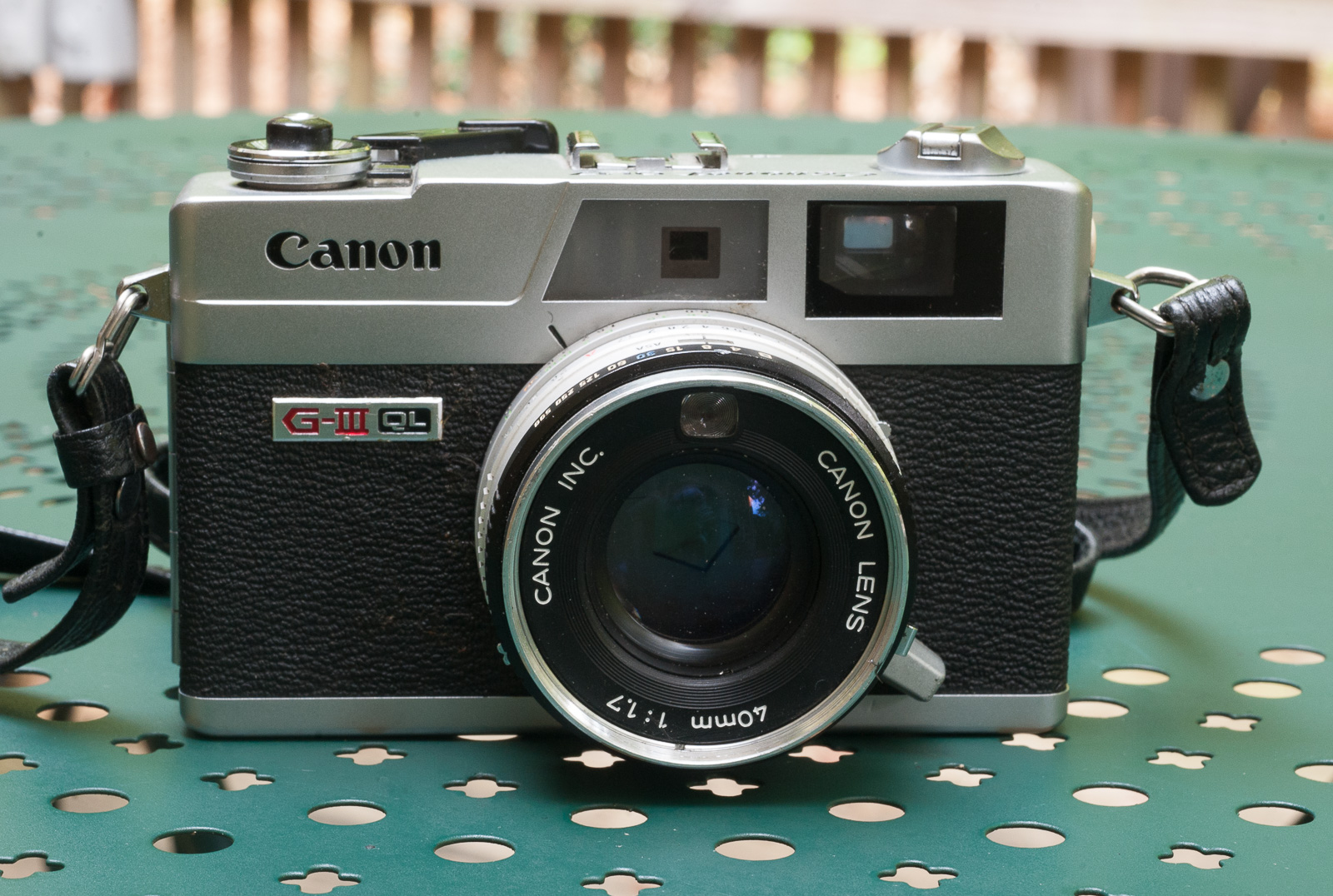
Canon “Canonet” QL17 GIII – Antique markets are generally not a place to buy cameras like this one – but there are exceptions – the seller had a good reputation on the place of Atlanta as a camera repair man.

My rules for buying on Shopgoodwill.com:

1 / Only bid on cameras which have been accurately described and tested, with – in the case of digital cameras – a few photos of their rear LCD to confirm they’re in working order.

2/ Only bid on digital cameras that come with a battery – if there is no battery it’s very likely the cameras were not working when they were donated to Shopgoodwill. If the camera’s battery can’t be recharged without an external battery charger, and that charger is not included, walk away. Consider that batteries and chargers for early digital cameras can be extremely difficult to locate, and seriously expensive. And of course, without a charged battery a camera can not be tested, which brings us back to 1/.

3/ Avoid cameras with a known weak point, or a reputation for aging poorly. There are brands or models I would never buy on Goodwill (almost anything Contax and Yashica, many Pentax models or any premium compact film camera from the nineties). If I wanted such a camera, I would go to a specialized reseller, on their website or on their eBay storefront.

4/ Determine the maximum price you’re willing to pay, and stick to it. Logically, cameras should sell on Goodwill for significantly less than what well known and respected specialized stores would ask on their own web sites or on eBay. As a buyer on Shopgoodwill.com your risk of ending with a lemon is much higher, and you have no recourse because you’re buying “a donated item as-is”. I don’t understand why people are entering bidding wars and end up paying more for an untested piece of equipment than they would pay from a reputable seller on eBay.(see *** at the bottom of this page)

‘For parts or not working”

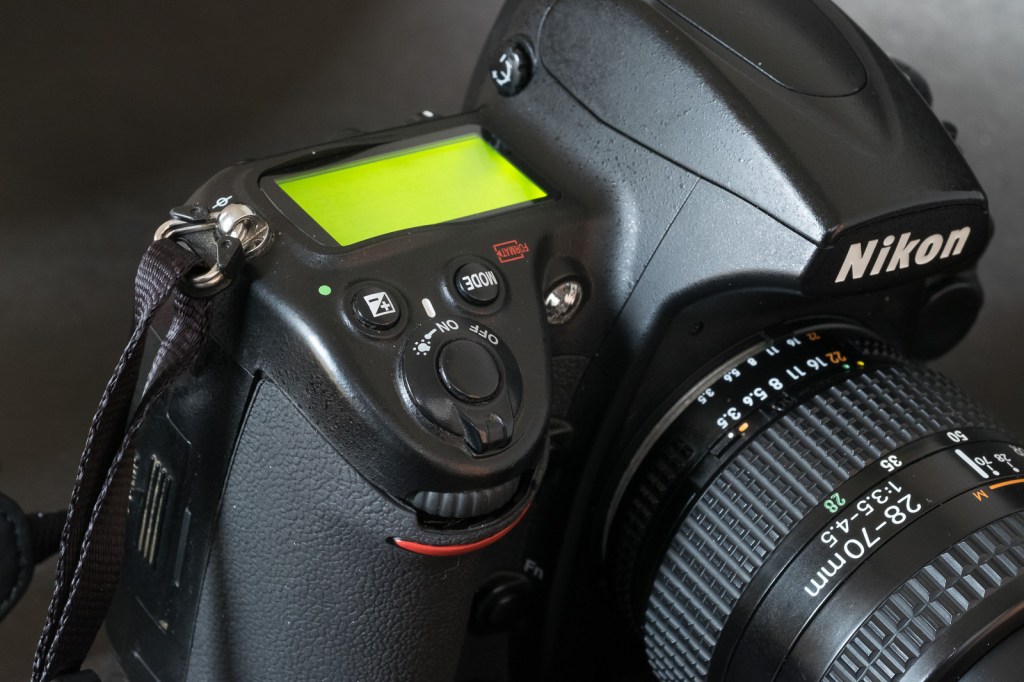
Nikon D700 – 380,000 actuations the day I bought it on eBay – it hasn’t missed a beat since.

Generally, when an item is described as “for parts, not working”, it’s true. A seller would not advertise a camera as “not working” if it was working. Right?

Well, not always.

I can think of two situations when a camera is advertised as “non working” but is actually capable of taking pictures:

Canon or Nikon include the expected lifespan of the shutter of their pro cameras in their spec sheets (you know that the shutter of a Nikon D850 is good for 200,000 actuations, and that on a Canon 6D Mark II it is good for 150,000 actuations). But of course, it’s simply an estimate. Which probably includes a solid safety margin. Some resellers (the big cameras stores, typically) advertise cameras which have passed their “shutter life limit” as “not working” to absolve themselves from any liability in case the shutter dies two days after the buyer has received the camera.

The other situation is when the seller has limited knowledge of cameras in general (it’s a pawn shop, for instance) or of the quirks of a specific brand or model in particular. They can’t make the camera work, and rather than writing it off completely, advertise it as non-working. It happens. Be sure that somebody more knowledgeable will notice the listing, identify the issue, decide to take the risk and score big.

Davy Crockett – the Alamo – San Antonio, TX. The camera had been advertised as “not working”

(*) On the subject of the current used digicam market, you can read this interesting article from the blog aptly named thephoblographer: THE VINTAGE DIGICAM CRAZE IS AFFECTING SONY PRICES.

(**) – Both eBay and Mercari are making efforts to kick the scammers out of their marketplace – eBay will only pay the sellers after they have shared some form of tax ID with them, and after the Postal Service has delivered the item to the buyer. They also validate that the data provided by the seller (address, bank information) is consistent. On Mercari, participants (sellers or buyers) can opt to have their identity (and their existence) verified by a third party – and upon successful verification a little blue checkmark is added next to their name.

(***) By the way, donations to a charity like Goodwill may be tax deductible, but purchases you make online at Shopgoodwill.com are not. As per Shopgoodwill.com, “When you purchase an item on ShopGoodwill.com you are paying fair market value for the item, therefore purchases made through ShopGoodwill.com are not tax deductible“.


Three recent purchases on Shopgoodwill.com – all three work perfectly.

Abbaye de Fontfroide – France. Fujifilm X100t – another eBay find.

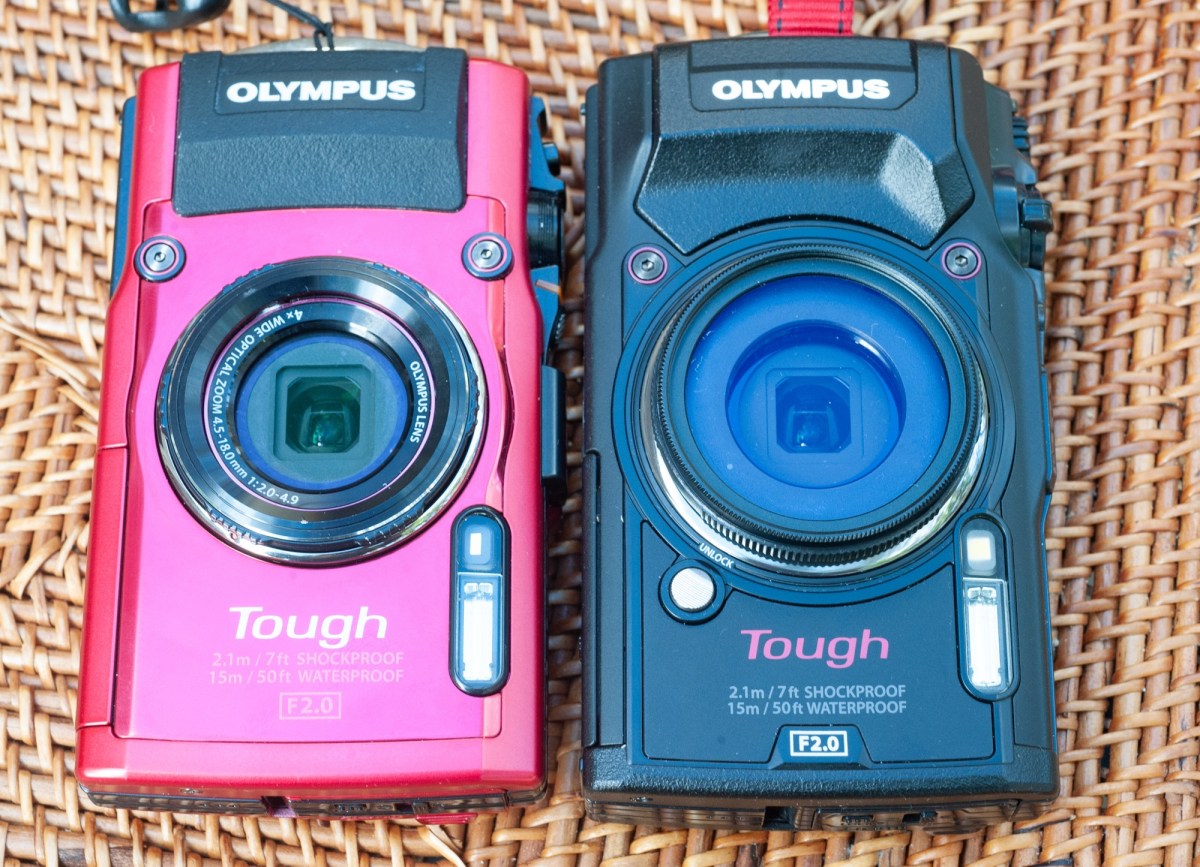
Olympus Tough TG-4 vs TG-5

I regularly keep an eye on Shopgoodwill.com auctions. Looking for the unexpected opportunity. A nice camera for a pitance. It’s not very frequent – I’m surprised by how much people are ready to spend on cameras donated to a charity and sold untested.

Sometimes you are lucky. A good camera gets unnoticed – so poorly described that almost nobody can guess what it really is – or the online auction ends at a time when most people have better things to do, and can not be on line to “snipe”.

There were a few auctions ending on Xmas eve and I ended up being the highest bidder for two cameras – a Canon Photura I’m currently testing, and this black Olympus Tough TG-5. The item was correctly described, was said to have passed some basic tests (both points which are not that frequent at Shopgoodwill) but there was very little competition to acquire it – no bidding war and no absurd high sale price. For a change.

The first thing I did of course was to compare it with the Olympus Tough TG-4 I had bought a few months ago.

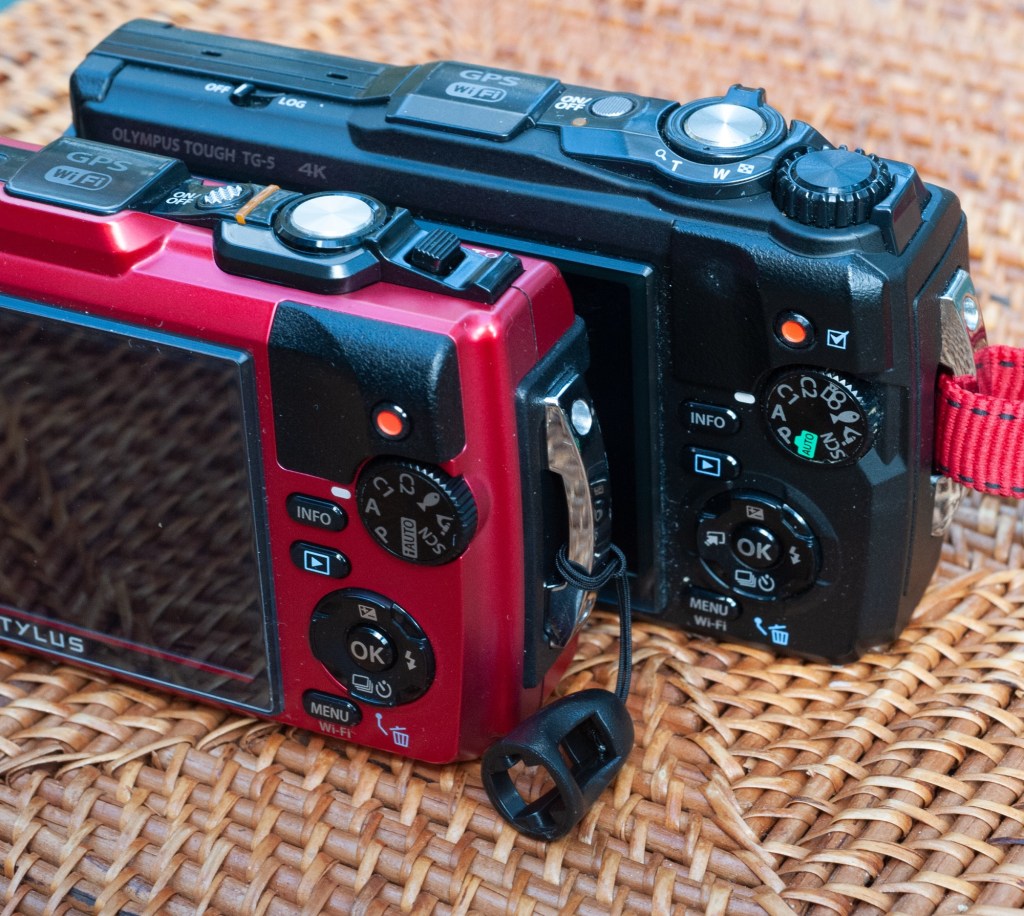
The top plate of the TG-5 (the black camera) with the extra control wheel, the improved zoom command and the GPS (Log) switch.

What are the differences?

The big difference is the sensor. All Tough TG-x models are built around a 1/2.3in sensor. In the first two models (TG-1 and TG-2), the sensor was a 12 megapixel backlit CMOS. The TG-3 benefited from an upgrade to 16 megapixels, which was carried over to the TG-4. The TG-3 and 4 were criticized for their poor control of noise in the darker areas of an image, and for the TG-5, Olympus reverted to 12 megapixel design. With a pixel pitch of 1.53μm versus 1.33μm for the TG-4 each pixel gets 15% more light. Combined with a more powerful image processing engine (a dual quad core Olympus truepic VIII as opposed to the TG-4’s truepic VII), the TG-5 should offer an improved control over noise and deliver cleaner pictures.

The new 12 megapixel sensor also brings a larger sensitivity range – up to 12,800 ISO to whomever is brave enough to test such a setting on a 1/2.3″ sensor, and the support of 4k video.

The other changes relate to the fit and finish and the ergonomics for the most part – there is now a conventional zoom lever and a new control knob on the top plate, and a switch to activate and deactivate the on-board GPS. And big news, the proprietary Olympus connector (used to charge the camera’s battery) has finally been replaced with a standard USB connector (yes!).

The new menus are hardly an improvement

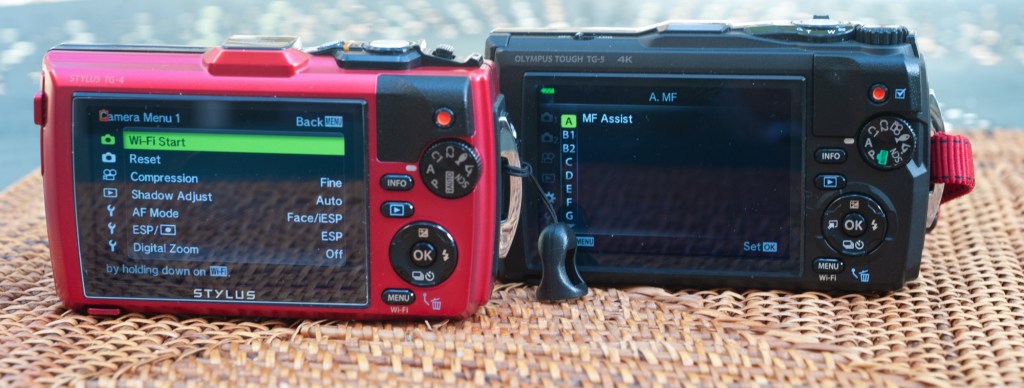
Nothing is perfect, and the menus have been revised. Olympus has gained a bad reputation for its confusing and un-intuitive menus, and proves it’s deserved with the TG-5. On the Tough TG-s, Olympus have given a particular emphasis to what they call “live control”: some important settings are not available through the menus, but only when the photographer is ready to shoot a new picture and presses the “OK” key – a column of options is displayed as an overlay at the right of the image, with the different values that each setting can take displayed on an horizontal bar at the bottom of the picture. It’s the only way to chose the form factor of the images (4:3, 3:2 or 16:9, for instance, or the image quality (RAW, RAW+JPEG Fine, JPEG Low) and so on).

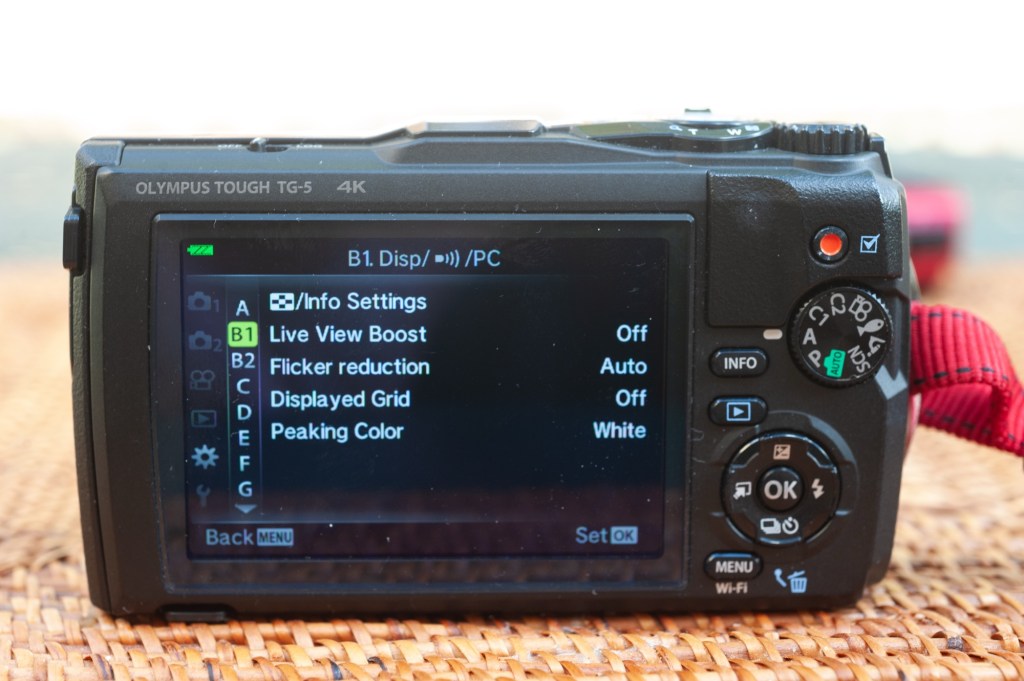
At the same time, additional settings have been added to the conventional menus of the TG-5. Some are obviously useful (like setting the standard and high limits of the Auto ISO sensitivity control, the color space or entering copyright information), but others seem to duplicate (or refine) settings already available in the “live control” mode. And they’re not always available – some options are greyed out when the camera is set to “scene” mode, for instance. To make matters worse, instead of giving meaningful names to the new options, Olympus simply designated them as A, B1, B2, C, and so on. Confusing.

The TG-5 menus are cryptic (why B1 and B2?)

Shooting with the TG-5

Are the new sensor and the new processing engine improving the noise situation? Imaging-Resource had compared a new TG-5 with a TG-4 a few years ago ( https://www.imaging-resource.com/PRODS/olympus-tg-5/olympus-tg-5-image-quality.htm) and had mixed feelings about it.

Yes, the TG-5 delivered an improvement, but not as large as the testers had expected. The improvement was particularly obvious in the 100 to 800 ISO range, where the noise reduction algorithm was at the same time much less aggressive and more efficient – resulting in more details and less chroma noise.

In my experience, the TG-4 was producing images with very visible noise in the shadows, even by sunny weather under the tropics, and it was not easy to get rid of it. Any improvement in that area would be welcome, and would justify an upgrade to the TG-5, if it delivered the goods.
I compared the two cameras in the real life and tried to validate the conclusions of Imaging-Resource. Firstly, on both cameras, there is more noise on the Raw files than on the jpegs. Which means that the processing engine does a good job at removing it when it generates jpegs. Secondly, the TG-5’s jpegs show more detail in the shadows than the TG-4. The difference is not huge, but big enough to be visible on the Retina screen of an iPad. So, yes, the TG-5’s pictures look better. And what about the rest of the user experience?

The TG-5’s body is made of a different type of plastic and feels more substantial in the hands. Because it offers more controls (physical like the wheel on the top plate or logical with more options in the menus), the TG-5 does not seem as simple to use as the TG-4, and will require more peeks in the user manual than the TG-4, before the photographer is totally familiar with it.
Father and son – along the Chattahoochee River, Atlanta – Olympus TG-5 – adjusted in Lightroom from Raw.

As a conclusion, I would say that the TG-5 has a higher potential than the TG-4 (more details in the shadows, greater ability to be configured to the preferences of the photographer) – but that it’s also a tad more complicated to use. Although it’s difficult to quantify, the TG-5 seems to deliver better images in more circumstances than the TGs of previous generations could. Not having to carry and use a proprietary connection cable to charge the battery of the camera (and using any standard USB cable instead) could very well be the most significant (and the most welcome) improvement.

In the grand scheme of things

As of today (early 2025), there are very few new compact cameras on the shelves of the resellers, and even fewer which are shockproof, waterproof and adventure ready. The OM System TG-7 is the most competent of those always ready cameras – but like all the previous versions of the Tough TG, it will be limited by its 1/2.3″ sensor.

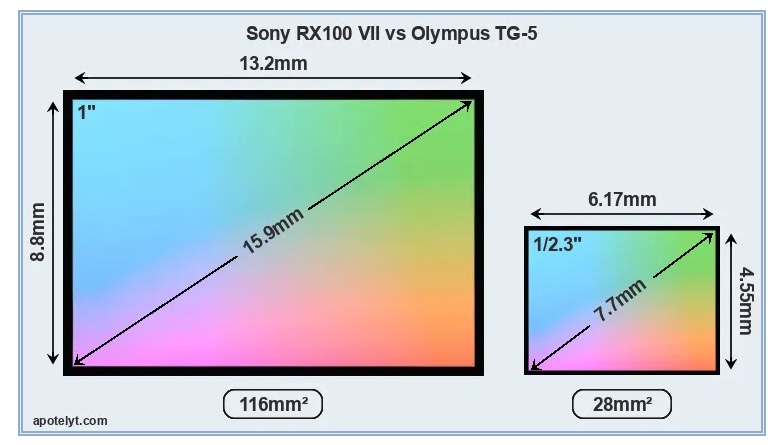
Premium compact cameras, like the Sony RX100 or the Canon G7X, have a much larger sensor. The same can be said of the iPhone (the sensor behind the 16 Pro Max’s main camera is almost as large as the RX100’s at 1/1.14in). Without even considering the “computational photography” trickery of the iPhone, all are obviously going to yield much better results than the TGs in low light and in the shadows. But the Sony and the Canon are not weather resistant, and their long telescopic zoom makes them more delicate than a Tough TG (you won’t bring them to the beach or on a dusty trail ride), while the iPhone (and similar high end smart phones) are fully automated wizards that can’t compete with a dedicated camera when it comes to ergonomics and flexibility of the settings.

Comparison of the 1″ sensor of the Sony RX100 (or the Canon G7X) with the 1/2.3″ sensor the TG-5 (courtesy: apotelyt.com).

The TG-7 is a very limited upgrade of the TG-6, itself a rather limited upgrade of the TG-5. The improvement in image quality and ergonomics between the three most recent TGs and the previous generations is not huge, but any improvement in the 100 to 800 ISO range is good to take, and if you can find a TG-5 at a reasonable price, my recommendation would be to take it over a TG-4. If only for its universal USB connector.


Olympus TG-5
Olympus TG-5
Olympus TG-5.
Olympus TG-5 – Chattahoochee National Forest – images above are jpegs straight out of the camera – the noise seems much better controlled than with the TG-4.

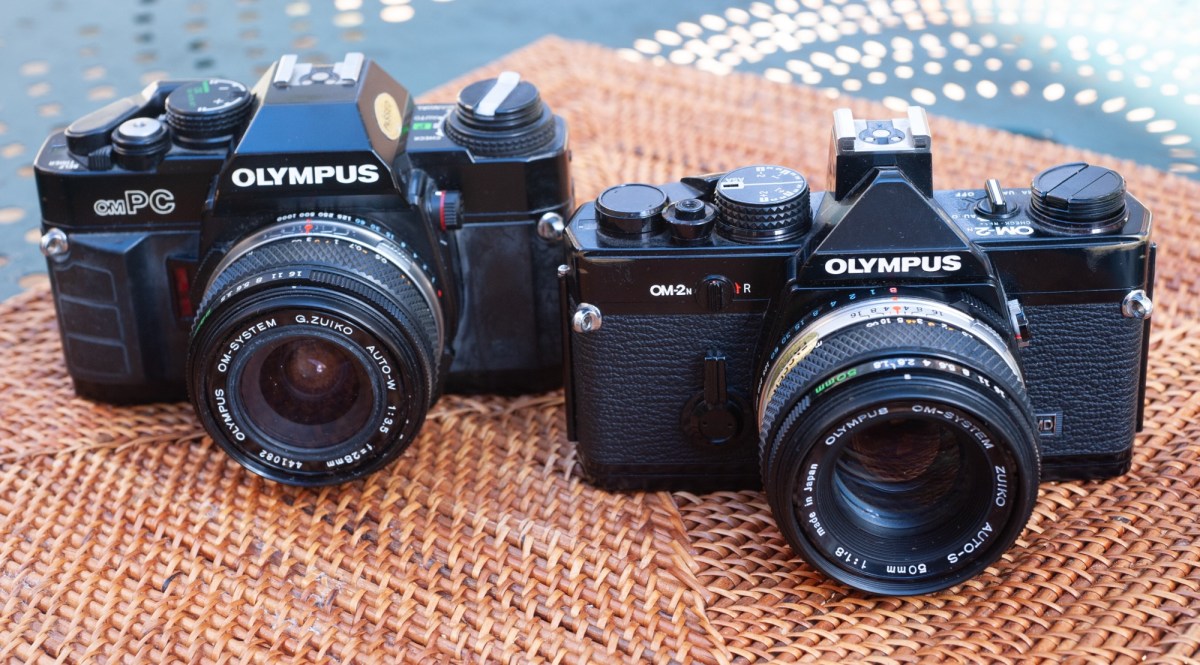
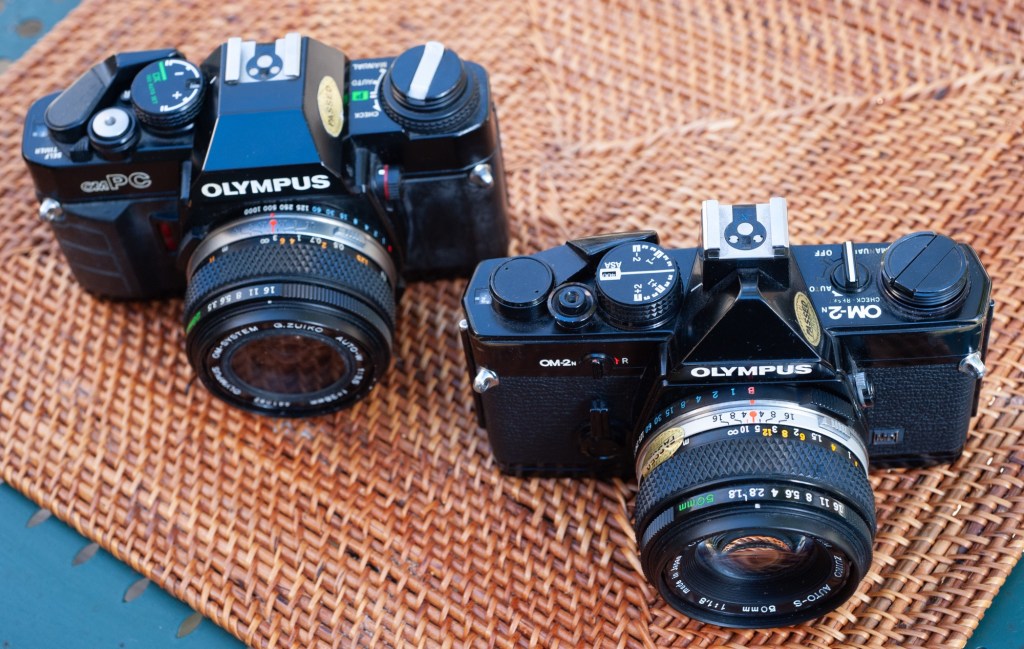
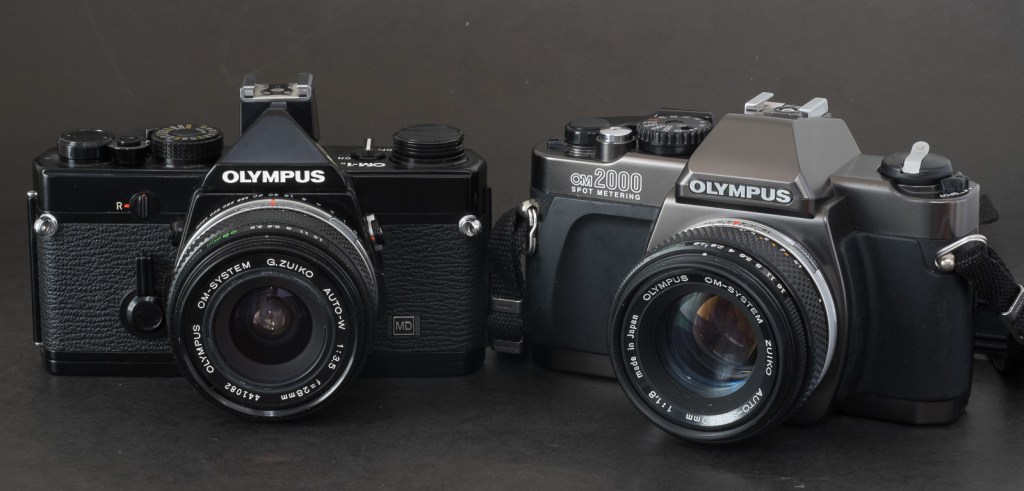
Olympus OM-40 / OM-PC : the ugly little duckling

In the times of manual focus (film) cameras, Olympus followed a pretty simple rule to name its SLRs – there was a line of one digit OM bodies (OM-1, OM-2, OM-4, OM-2SP, OM-3, OM-4ti, OM-3ti) for the enthusiasts and the pros –  those cameras were very compact, very well built, and fairly innovative. 

And a second line of “two digit” models (OM-10, OM-20, OM-30, OM-40) – designed for amateurs –  not as compact, with more plastic and fewer innovations. Obviously, the “two-digit” models were also much cheaper than their “one-digit” siblings. 

As often, some of the amateur models went by a different name on the US market: the OM-20 was sold as the OM-G, and OM-40 as OM-PC – all leading Japanese cameras makers were using US-market specific model names in the eighties and nineties – probably as a way to fight grey market imports.

Miami – Olympus OM-2

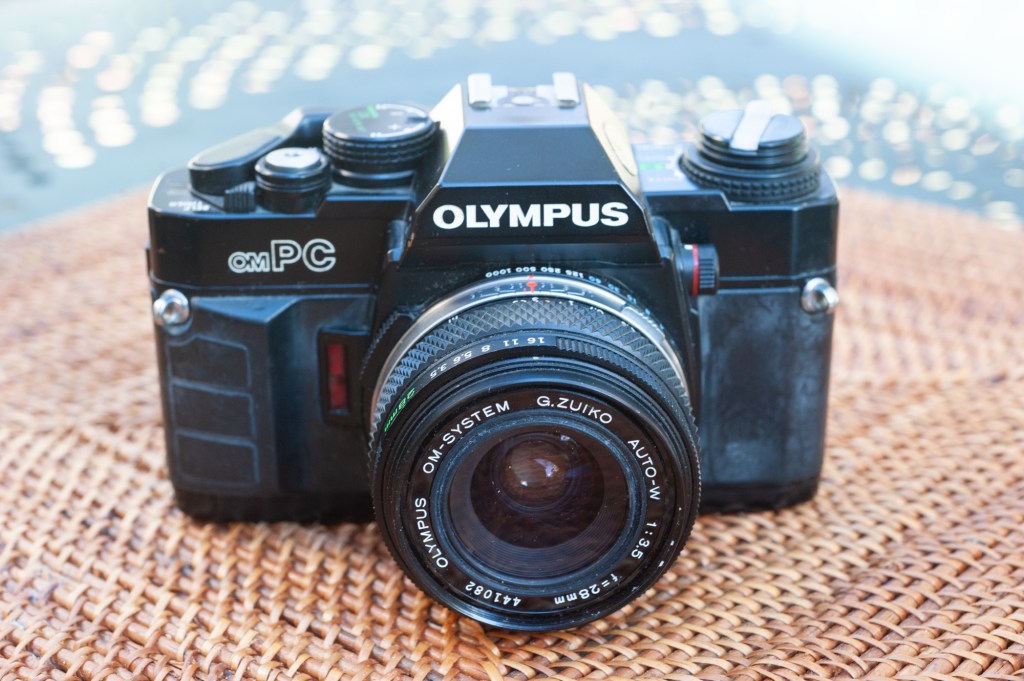
OM-40 / OM-PC

The OM-PC was launched in 1985, at the very end of the manual focus era (the revolutionary Minolta AF 7000 was launched in January that same year, and nothing would be the same afterwards).

Typically for an Olympus SLR from the eighties (like the OM-2SP or the OM-4), it has no on-off switch – and therefore tends to depletes its batteries rapidly.

Also typically for an Olympus of the eighties, its exposure metering system is  a bit “different”:  like the Nikon FA, it offers some primitive form of matrix metering (called ESP in this case).

  • Like the OM-2, the OM-40 determines the exposure by measuring the light reflected on the curtains of the shutter or on the film when the picture is being taken (they call that “OTF” for “on the film”, of course). OTF follows the conventional center weighted pattern. 
  • In addition to OTF, Olympus also designed an “Electro-Selective Pattern” or “ESP”. It’s an embryonic evaluative system, which compares the luminosity of the center of the image with the periphery, and follows a clever algorithm to determine the right exposure (more detailed explanations on the OM-40 user manual, that can be downloaded from Buktus’ excellent site).

The user manual leaves no doubt that using the ESP in conjunction with the Program mode is what Olympus recommends, but an Aperture Priority and a manual modes are also available.

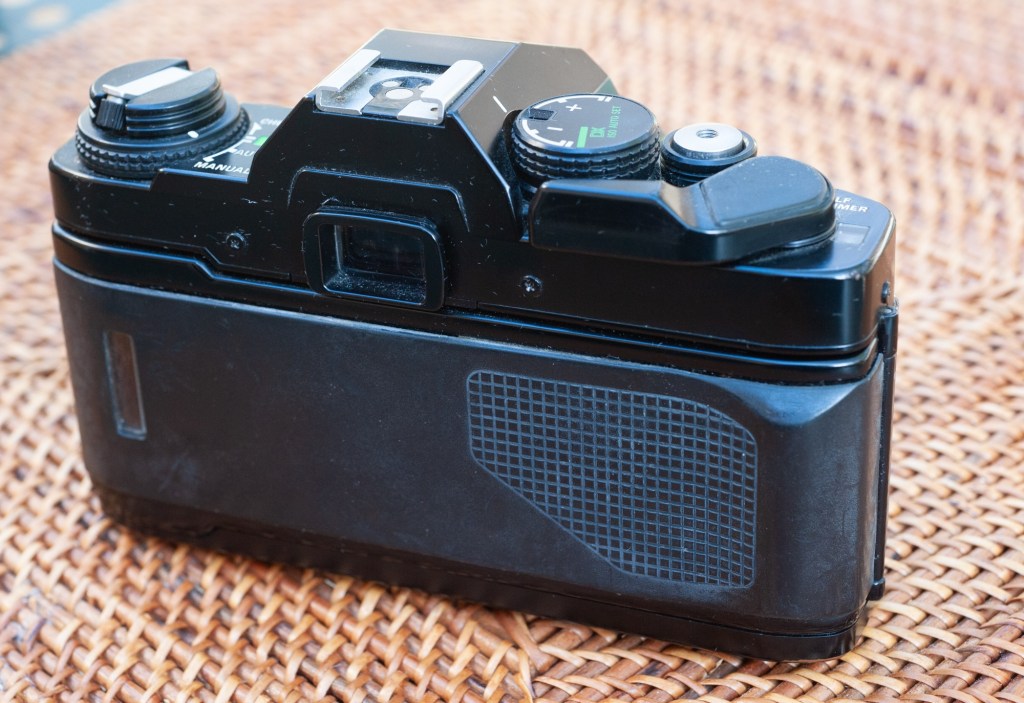
The black plastic did not age well – note the white residue.

The OM Zuiko bayonet mount remained the same all along the production run of OM cameras, which may explain why the implementation of the Program auto-exposure mode is also different from what is done by all other camera makers, and why there never was an Olympus OM camera with “Shutter Priority” auto-exposure.

Most camera makers had to create a new version of their lenses in order to support multiple auto-exposure modes: some have a lock on the smallest aperture (Nikon), some have a specific  “A” position added to the aperture ring (Canon), and some needed a new version of their bayonet mount, with a proportional control of the iris (Yashica-Contax) or with electrical contacts (Pentax KA).

Olympus did not create a new line of lenses or modify their bayonet mount – they simply expected the photographer shooting with the OM-PC to select the narrowest aperture of the lens (generally f/16 on an Olympus Zuiko lens) when operating the camera in Program mode.

But Olympus being Olympus, there’s a catch: selecting the smallest aperture is not mandatory: if the photographer sets the aperture ring to another value (f/8 for example), the “program” will try and find the right shutter speed/aperture combination without going beyond the aperture selected on the aperture ring (f/8 in our case). Interesting, if not perfectly intuitive for the beginner, who is at risk of hitting the fastest shutter speed of the camera (1/1000 sec) on a bright sunny day without understanding what’s happening. 

Miami – Olympus OM-2

The ergonomics of the OM-PC is also typical of Olympus OM bodies, with the shutter speed ring at the periphery of the bayonet lens mount. It works great with Olympus Zuiko prime lenses (which have their aperture ring at the front of the lens, not at the back): the right hand holds the camera and presses the shutter release, and the left hand takes care of the shutter speed, the aperture and the focusing, with enough distance between each ring to avoid confusion.

Contrarily to most of their competitors, Olympus did not have a cheap line of lenses for amateurs, a line of better lenses for enthusiasts, and a “pro” line for… pro photographers. All OM Zuiko lenses were supposed to be of equal build quality and performance, the only technical differentiation between lenses of a given focal length being the maximum aperture. Therefore, for a given focal length, Olympus was typically proposing 3 models with a  maximum aperture of f/3.5, f/2.8 and f/2.0, at different price points.

 All lenses were very compact, with their own depth of field preview lever, and the aperture ring pushed at the front of the lens. Today, Olympus OM Zuiko lenses are easy to find, and the f/3.5 version of most lenses is the most common and very affordable.

Maybe it looked modern in 1985 – lots of black plastic

The so-so and the ugly

The viewfinder of the OM-PC is nowhere as good as what you find in a one-digit OM, but correct for a camera designed for the budget of amateurs. All the information is provided in a column at the left of the viewfinder (shutter speed, metering mode), but – as usual for cameras of this era, the photographer has no information about the aperture selected by the camera when operating in Program Mode.

Untypical for an Olympus OM camera, the OM-PC is ugly, and did not age well – it’s built of black plastic covered with a sort of artificial rubber, which tends to exude a white residue over time. And at the top of that, all this rubber cladding makes the camera bulky. Ugly and bulky, nothing of the grace of an OM-1 or OM-2. 

Miami – Calle Ocho – Olympus OM-2

As a conclusion

It’s difficult to love this camera – it’s not bad, it’s not expensive, the metering system is innovative, and I’ve no doubt it will produce nice pictures most of the time. But an OM-2 is in the same price range on the second hand market, and will be  as good of a tool in the hands of a knowledgeable photographer. The OM-2 is so much more beautiful. And with such a great, wide and luminous viewfinder!

Like the “amateur-oriented” manual focus SLRs of the other major brands, the OM-PC was made obsolete by the Minolta AF-7000 and its cheaper derivatives, and rapidly disappeared from the market. Contrarily to the  other four big Japanese camera makers, Olympus failed at launching an attractive autofocus camera system, and aimed their subsequent efforts at the point of shoot and bridge cameras markets, simply keeping two titanium clad and very expensive “single-digit” OM cameras (the OM-4ti and the OM-3ti) in their product line until the end of the century. 

Olympus would only return to the interchangeable lens camera market after the switch to digital (with the E1 Four-Thirds camera of 2003). They followed up with an innovative and attractive line of Micro-Four-Thirds cameras in 2009, but lost momentum – and after suffering large financial losses year after year, they finally sold their camera business to a private equity firm a few years ago. We don’t know what the new owner will do with the brand, but considering they won’t have the profits made by Olympus with their medical equipment business to keep them afloat, it’s likely they will focus their diminished resources on fewer models and fewer markets. Sic Transit Gloria Mundi. 

The commands are organized in a very similar “Olympus” way

One of the rules I had set when I started this blog fifteen years ago was that I would not write about a camera I had not tested with at least one roll of film. This post is one of the rare exceptions – there is no photo taken with the OM-PC. Because I could not resolve myself to shoot with an OM-PC, when I had an OM-2 waiting at my disposal.


Miami – Olympus OM-2.

The best OM (film) camera?

“Single digit” OM manual focus SLRs are some of the most beautiful and rewarding cameras of the film era – but some models are specially desirable:

  • OM-2 – it’s really two cameras in one – set it to manual, and you could believe you’re shooting with a semi automatic OM-1; push the selector to Auto, and a shutter speed scale shows up in the viewfinder, making it an aperture priority auto exposure camera. In my personal opinion, the OM camera to buy – not too complex, very compact, beautifully designed, and graced with an incredible viewfinder. The OM-2n is almost identical. Both run with easy to find SR44 batteries. You can find a good one for as little as $50.00.
  • OM-4t/OM-4ti – the t and the ti are the same camera – but with different names depending on the geography where they were sold, and on the finish of the top and bottom plates: made of titanium, some were painted black, some wore a more natural “champagne” color. Technically the OM-4t/ti is similar to the OM-4, except for the circuitry controlling the flash, which supports a “high speed sync” function. On those models, Olympus also fixed the battery drainage issue seen on the OM-2SP, OM-3 and OM-4. All the OM-4s have a very elaborate multi-spot metering option, and two high key and low key exposure compensation buttons on the top plate. The exposure values sampled (up to eight) are shown on a small LCD bar graph display at the bottom edge of the viewfinder. To me, it’s far too complex, but some photographers swear by it (and Canon shamelessly copied the multi-spot and high key/low key features on their T90). The champagne finish tends to be fragile and the cameras often look scruffy, but the black models are to die for if you like compact, all metal cameras. The scruffy ones sell for at least $250.00, nice copies can go up to $1000.00.
  • The OM-3ti was produced in very small volumes (assembled by hand – they were built using freshly manufactured OM4ti models as donor cameras). Not surprisingly considering how it was manufactured, the OM-3ti was also extremely expensive – in Leica M territory. Used copies are currently selling for anything between $1,500 and $3,000.

I would avoid: the OM-1 (because it needs mercury oxide batteries, which are impossible to find), the OM-2SP, OM-3 (non-t or non-ti models), and OM-4 (non-t or non-ti) because they all deplete their batteries extremely quickly due to issues with the design of their electronic circuits. Those issues were addressed with the t or ti versions of the OM-3 and OM-4.


More about Olympus cameras in CamerAgX

More pictures on CamerAgx.com Flickr Gallery

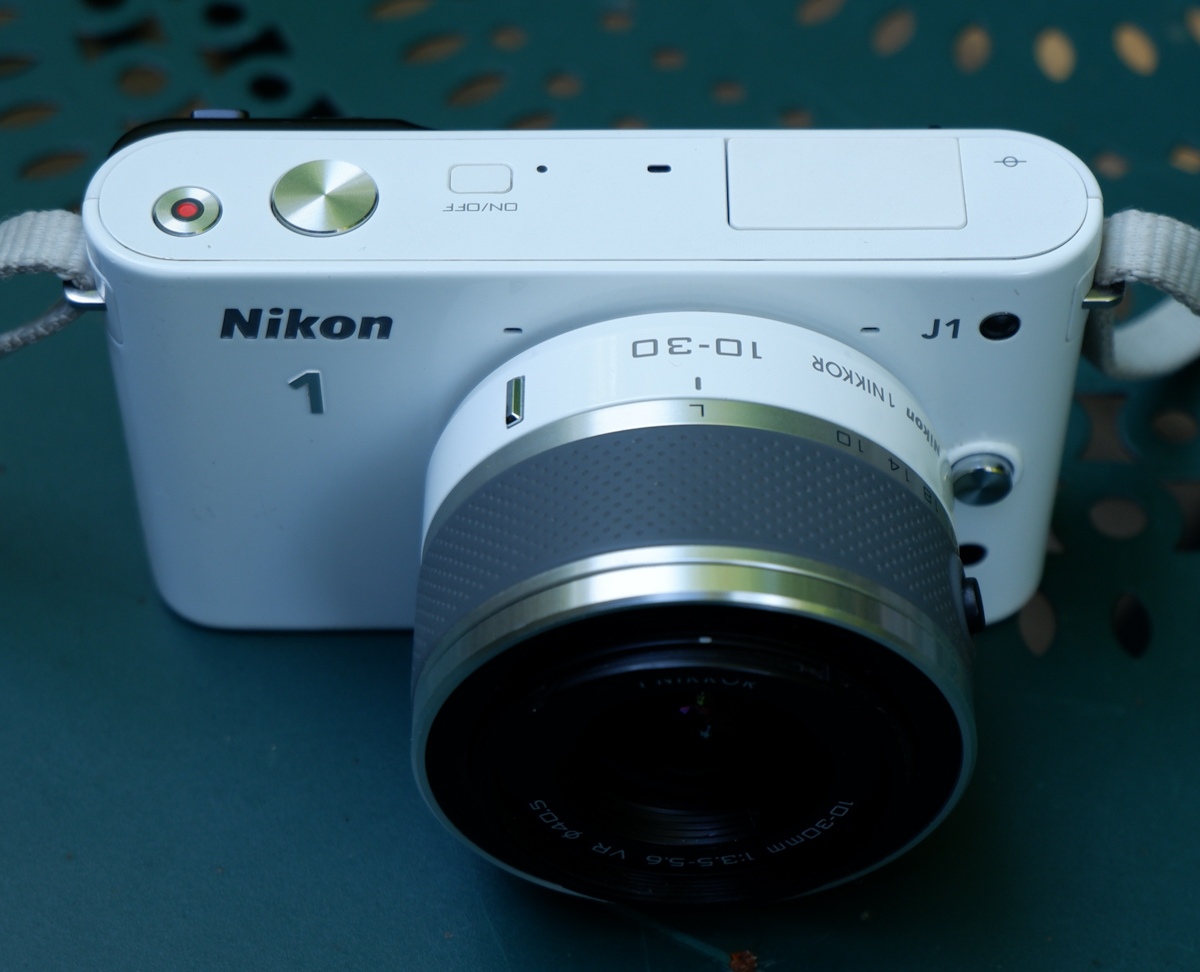
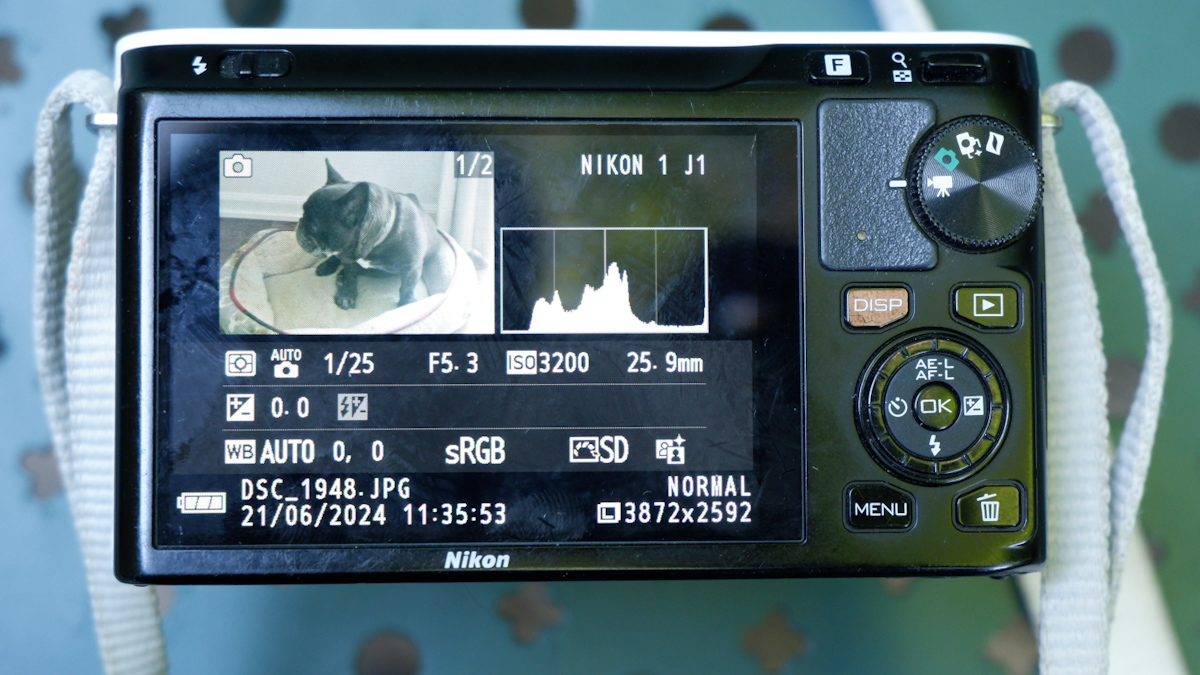
Js and Vs – Nikon’s first attempt at mirrorless

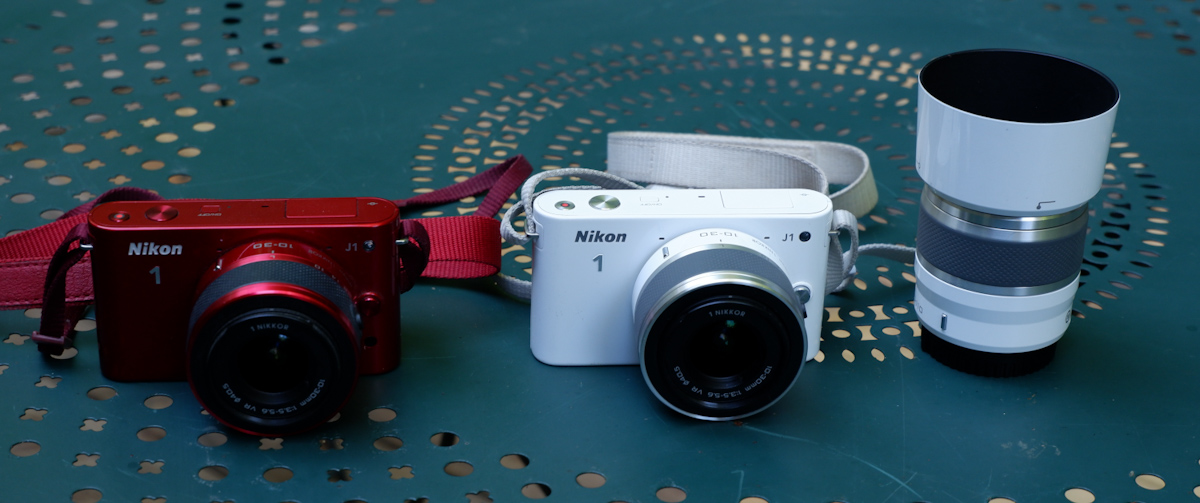
The J1 was the first member of the Nikon 1 family of cameras, a very compact 10 Megapixel camera with a small 1 inch sensor, interchangeable lenses but no viewfinder, and very few of the physical controls that expert photographers expect. Its sibling the V1 had an electronic viewfinder, but for the rest was more or less identical to the J1.

The Nikon One project was largely managed as an independent initiative – there were little technical commonalities between the Nikon One cameras and the point and shoot Coolpix, on the one hand, and the conventional dSLRs, on the other hand. It was also an opportunity for Nikon to test the image sensors of a new manufacturer (Aptina, instead of Sony) and to validate some technologies that would be integrated in the Z6 and Z7 full frame mirrorless cameras at a later stage.

I had bought a V1 when it was launched, and had been deeply disappointed by the image quality – the V1 did not cut it for me.

The controls: an intermediate step between a point and shoot and a dSLR.

When the J1 was new, the reviews were rather positive – photographers loved that it was a very reactive camera with a quick autofocus and a better than average build quality. Only the high ISO/low light performance was a disappointment – and the subsequent iterations (J2, J3, J4, V2 and V3) never really addressed the problem. Until Nikon switched to a sensor provided by Sony (for the final model of the series, the J5 of 2015) – image quality (too aggressive noise cancellation, so-so colors, limited dynamic range) remained markedly inferior to what you could get with a micro 4/3rd or an APS-C camera – and partially explains why – as a whole – the Nikon 1 series was deemed a failure on the marketplace.

Compared to a modern APS-C mirrorless camera – playing in a different ball park entirely.

If image quality (in low light in particular) was already disappointing in 2010, it’s obviously very far from what a good smartphone can deliver today. Shooting in RAW and post-processing in Lightroom really improves the results, but even in RAW I was not convinced by the results – some images are good (well lit subjects at relatively close range), but most of them lack punch.

The J1 at its best – well lit subject, at relatively close range

A J1 still has two major advantages over a phone: the long tele range, and the ergonomics.

Conceptually, the J models were point and shoot compact cameras with interchangeable lenses. The standard zoom was a 10-30mm affair (equivalent to a 28-80 on a full frame camera), but longer range zooms (a 30-110 and an extra-long 70-300 – equivalent to 80-300 and 190-800 respectively) were available, and if it was not enough, an adapter was available to mount a Nikon F telephoto lens. Some wildlife photographers were big fans of the Nikon 1 series, because it gave them a very long range with a reactive autofocus in a very light and compact setup.

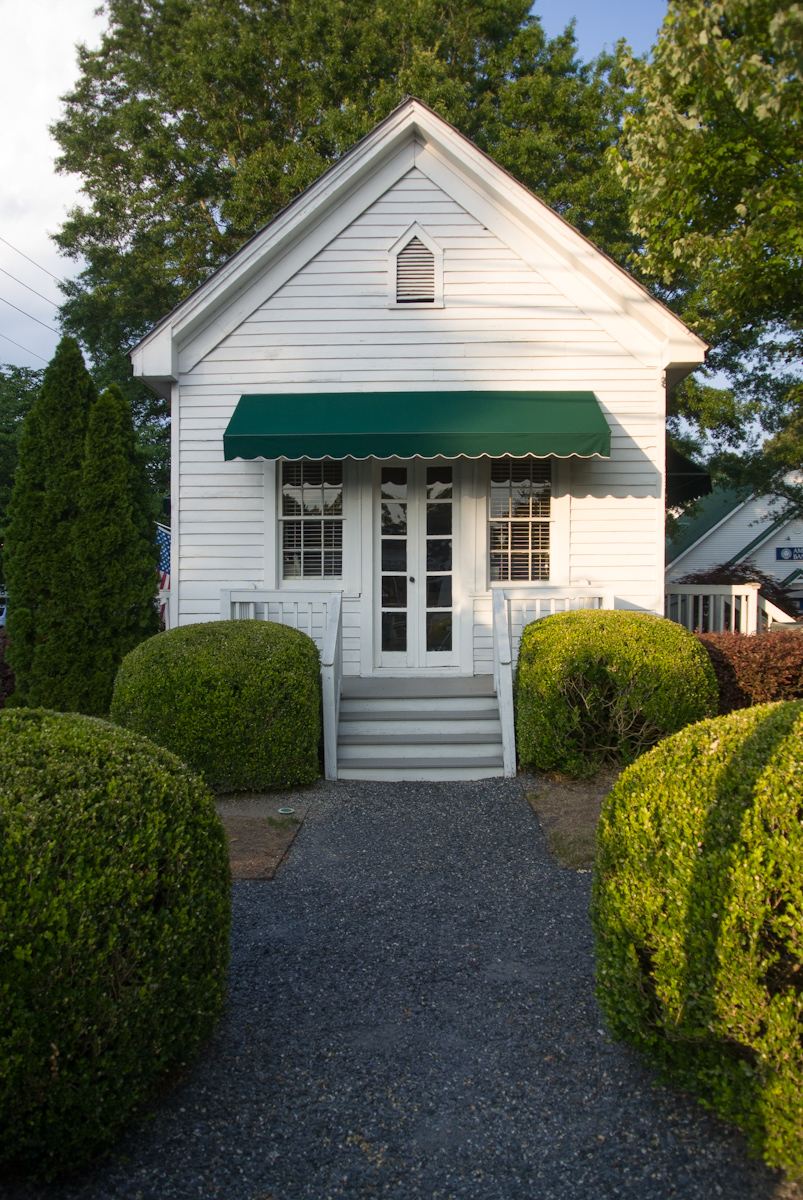
An old inn in Vinings, GA – they built small at that time – Nikon J1

As for ergonomics, I would say that anything is better than a smartphone. Smartphones need to be operated with two hands (one to hold the phone, one to play with the controls on the screen), and pinch to zoom is not as easy or direct as rotating a ring on a lens. Even if it’s shaped like a bar of soap, the J1 is still easier to hold than a phone, and has more physical controls.

What about the colors? The J series cameras were available in a wide variety of colors, with coordinated lenses. White, Black and Silver were always available, but each iteration also benefited from not so common colors (Dark Red and Light Pink for the J1, Orange and  Dark Pink for the J2, Beige and Wine Red for the J3, Tangerine for the J4). Only the final model (which is also technically the best, by far) bowed to convention, and was only available in an “all black” pro attire, or with a “retro-look” silver with black leatherette.

Processed in Lightroom – the RAW files of the J1 respond well to post processing

The J1s are apparently reliable, but the lenses are not. The lenses (all models except for the 6.7-13mm and the 70-300 zooms) rely on very small plastic cogs to open the diaphragm to the requested aperture, and those little cogs may become brittle over time, then break and make the lens unusable. If you buy a lens, ensure that it has been tested by the vendor – you can be sure that “untested” just means “not working or for parts”.

A Nikon J1 is still a pleasant camera to shoot with, provided it’s outdoors and under a nice weather. It’s very reactive and much more usable than micro 3/4rds or APC-C cameras of the same vintage, which were still relying exclusively on contrast detection for autofocus. It’s just a tad too big to fit in a pocket, but with its small size and its funky colors, it does not scare people like more serious looking cameras tend to do nowadays.

The dollar tree – RAW file processed in Lightroom – Nikon J1 – 10-30 lens
The same dollar tree – shot a few months earlier with an iPhone 15 Pro. The contrast and the resolution are much better.
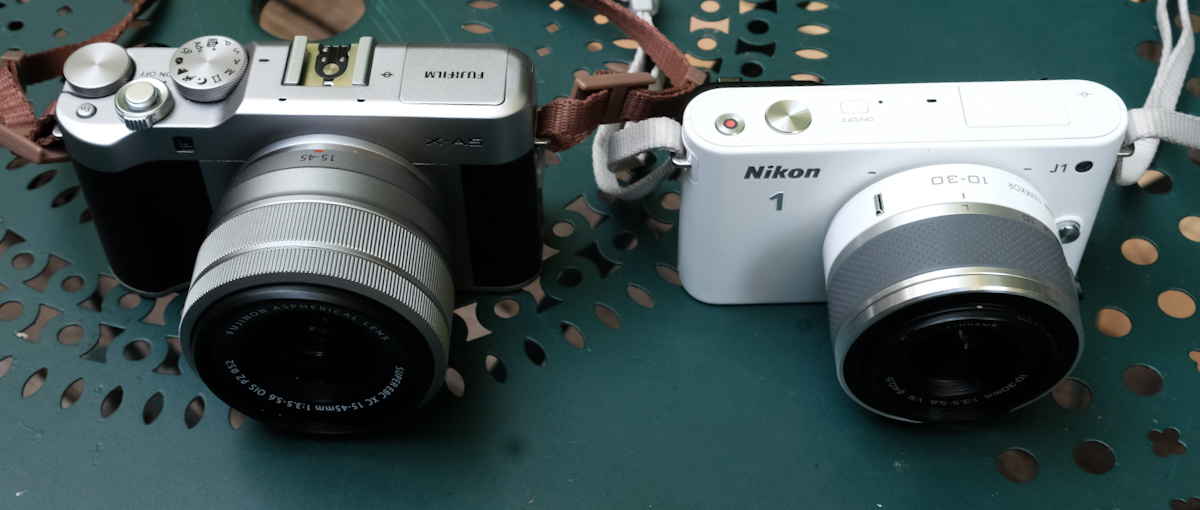
A Nikon 1 next to the smallest mirrorless ILC from Fujifilm (here the X-A5). The X-A5 is larger but produces much nicer pictures, out of the camera.

The J series are fun and cute cameras, let down but insufficient image quality – the J5 apart – and by unreliable lenses. A J1 in working order can be had for far less than $100 with a standard zoom, and a body only J5 can not be found at less than $200. Non standard lenses (tested, and in good working order) are more expensive ($100 to $400 depending on the model).

Well lit, close up – another good picture – at least technically.

Photos taken in Vinings and in the Coalmont OHV Park (TN) where dollars grow on trees.

/

Looking for my next “serious” digital camera

It’s not that I’m competitive, or that I carve for attention. But when I travel with my better half, she also takes pictures, and good ones at that. She has no interest at all in the technicalities of photography, but she has a good eye. And with an iPhone, that’s enough to get very good pictures, most of the time.
Within a few minutes of the picture being shot, it’s posted on one or two social networks, “liked” and commented.
Now, imagine yourself shooting with a 10 year old dSLR, in RAW, of course. You won’t get usable pictures until you’re back home, and find the time to fire up your laptop and launch Lightroom. By the time you’re done, your pictures will be yesterday’s news. Or most probably, last week’s.

The manufacturers of conventional cameras have understood that, and are slowly addressing the problem. The newest digital cameras are much better at uploading the freshly shot images to a smartphone, and they’ve improved their jpeg rendering enough that shooting RAW is not an absolute necessity, and that Jpegs are usable straight out of camera most of the time.

High level, I was happy with my Fujifilm X-T1, but I was ready for something a bit more recent, with a better viewfinder than my X-T1’s. I was still missing the large top of the plate display of the enthusiast oriented dSLRs, and I wanted a better integration with smartphone apps.

So I purchased a very nice Fujifilm X-H1 on eBay, The X-H1 was Fuji’s flagship camera in 2018 – with a 24 Megapixel sensor and – a first for Fujifilm – in body image stabilization. The fit and finish was splendid, the viewfinder much better than the X-T1’s, and the images were stunning – straight out of the camera. But I was extremely disappointed by the battery life of the camera. In the real life, not even 100 pictures per battery charge. I admit I’ve been spoiled with Nikon dSLR and their 1000 shots per charge, but 100 was definitely too little – imagine the logistical nightmare if travelling for a few days in a place without easy access to electricity – having to carry something like six batteries, two chargers, a few power banks to feed the chargers … No way.

So, maybe a dSLR was the solution after all. I still love shooting with a reflex camera – the optical viewfinder of a full frame is a pure delight for the eyes – and over the years I have accumulated a large number of Nikon F lenses. And I feel at home with a Nikon. Every command at the right place. I found a well used Nikon D750 at MPB, and started using it. The battery life was what I expected from a Nikon dSLR, and it was a pleasure to shoot with. But…. there was a long list of “buts”.

It’s not that the camera is large or heavy (in fact, the D750 and its descendant the D780 are the smallest and lightest full frame dSLRs from Nikon, on par with Canon’s smallest and lightest, the EOS 6D), but the lenses are big and ponderous. The more recent, the larger and the heavier. As for my old cherished lenses, they may be smaller and lighter, but they’re a bit overwhelmed by the 24 Megapixel sensor.

You may consider that Fujifilm’s “film simulations” are just brilliant marketing, and that Nikon’s Picture Control does more or less the same (preparing JPEGS usable straight out of the camera). But in reality, Picture Controls are not as easy to use (and not as good) as Fuji’s simulated film, and – in my opinion – the D750 still gives you better results if you shoot RAW and massage your pictures to taste in Lightroom.

Lastly, the D750 is still tied to Nikon’s ancient WMU (Wireless Mobile Unit) mobile app, and the less said about it, the better. This camera was launched in 2014, and it shows.

So, now what? I sold the X-T1, I sold the X-H1, I sold the D750, and finally purchased a lightly used Fujifilm X-T4 and a wide angle zoom. The X-T4 is still small for a modern mirrorless camera, the viewfinder is beautiful, the fit and finish impressive, and the battery life is correct (I did not feel the need to buy a second battery yet, and you can charge it directly from a USB source).

Admittedly, there is no top plate display, but almost all of the exposure parameters are controlled by dials on the top plate. If you buy a Fujifilm lens of the XF series, aperture is controlled by a ring around the lens, which is very intuitive if you’ve worked with film cameras in the pre-autofocus days. Zooms with a sliding aperture (like the 18-55 f/2.8-4) have an unmarked aperture ring, but the recent constant aperture zooms and the fixed focal lenses have easy to read aperture markings.

Because the camera is built around an APS-C image sensor, its lenses are much smaller than optics designed for a full frame camera.

Out of camera, the JPEGs are very good, and there are many film simulations to play with. Lastly, the smartphone app (Xapp) is a significant improvement over the old Camera Remote.

I’m just at the beginning of my new digital journey. I need to test all those film simulations, and I have to create a new workflow, laptop free and Lightroom Classic free. A workflow only relying on iOS devices (iPhone, iPad) and on the mobile version of Lightroom.

Pictures shot in Marietta, GA – Fujifilm XT-4 – default settings

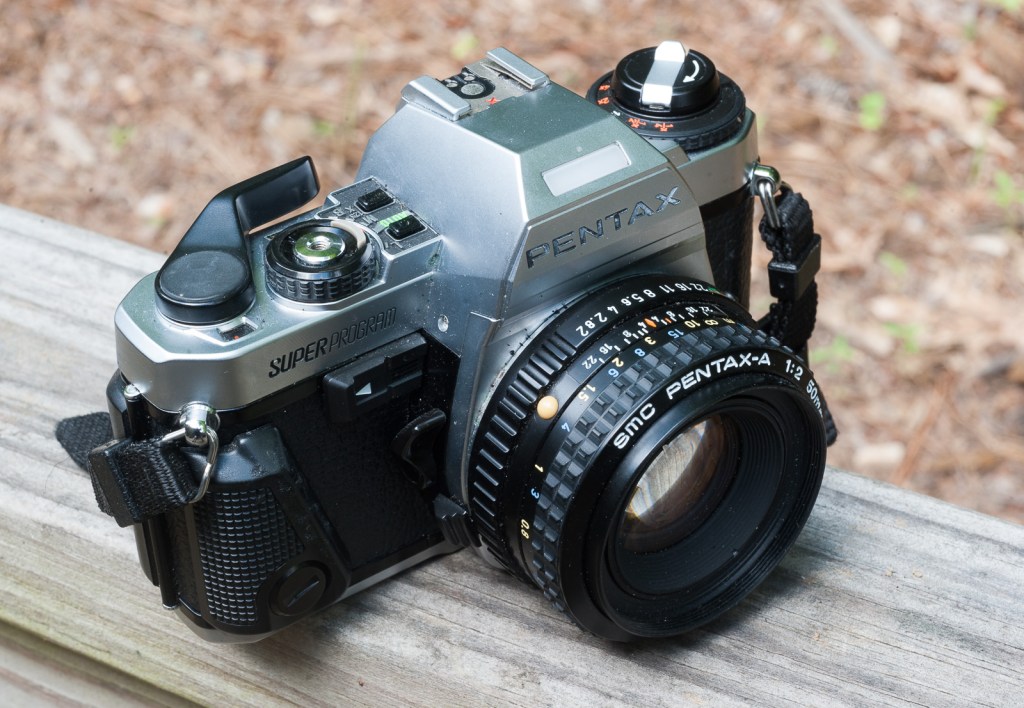
The Pentax Super-Program: the most elaborate manual focus Pentax SLR

After the Super-Program, Pentax released a few other manual focus single lens reflex (SLRs), but targeting the beginners, learners  or  photographers who want to keep it cheap and simple: the P30 (P3 in the US) and very late in the game, the MZ-X (ZX-M in the US). But the Super-Program will remain known as the last manual focus Pentax camera aiming squarely at the “expert” or “enthusiast” photographer market.

Pentax Super-Program – the right of the top plate is pretty cramped. The small display next to the winding lever shows 1000 until the photographer has taken enough blank shots to reach the first frame on the film roll.

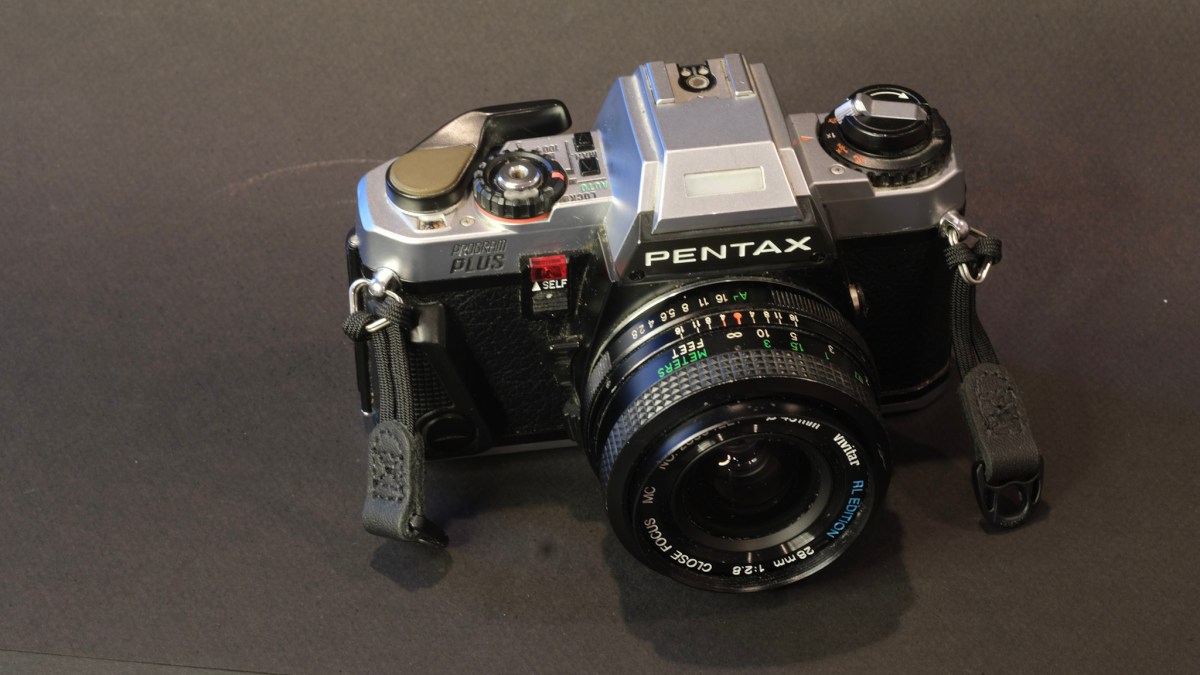
Launched in 1983, it was followed one year later by the Program-Plus, a marginally simplified version deprived of shutter priority mode, of TTL/OTF Flash and equipped with a cheaper shutter (1/1000 sec instead of 1/2000).

As was customary for Pentax at the time, the camera was sold under a different model name in Asia (Super-A), in Europe (Super-A “European Camera of the Year”), and in North America (Super-Program). The North American models had a silver body, while in the rest of the world the camera was sold in a nicer all black version.

Typical Pentax – the take up spool with its white “magic needles”.

The Super-Program came to life as Pentax’s competitors were accelerating the introduction of innovations in an attempt to re-animate a depressed SLR market. That year, Canon and Konica introduced SLRs with automatic film loading and motorized film advance (a real simplification for the occasional photographer), Nikon launched the FA with Matrix Metering (a major innovation), and almost everybody released an experimental auto-focus camera.

Canon A-1 vs Fujica AX-5 – two multi-automatic cameras, launched a few years before the Super-Program (1978, 1979 and 1983 respectively)

In this context, the Super-Program was a very conventional camera – its only “innovation” being the addition of a very small LCD display showing the selected shutter speed at the right of the top plate, almost under the winding lever. It was a well designed and pleasant to use camera (we’ll come to it), but not different on paper from many other multi-automatic cameras launched a few years before (Minolta XD-7, Canon A-1, Fujica AX-5, to name a few).

Typical Pentax – the orange-black signal is set in motion by the take up spool when the photographer cocks the shutter – it does not move if the film is not properly attached to the spool.

The Super-Program was apparently built around the chassis of the ME (same dimensions, same motor drive options, same absence of a shutter speed knob) and as a result was among the smallest and lightest 35mm SLRs ever made in the pre-polycarbonate era (it competed with the Olympus OM series and the Nikon EM/FG for that distinction).

For the camera to support the Program Auto-Exposure mode (and, for the Super-Program, the Shutter priority mode), it had to be fitted with one of the new Pentax-A lenses (the ones with electrical contacts). The camera was still compatible with the older K lenses, but only in aperture priority and semi-auto exposure modes.

Pentax Super-Program in Auto-exposure, shutter priority mode – the mode selector is on “M”, and the shutter speed selected by the photographer is 1/15 sec.
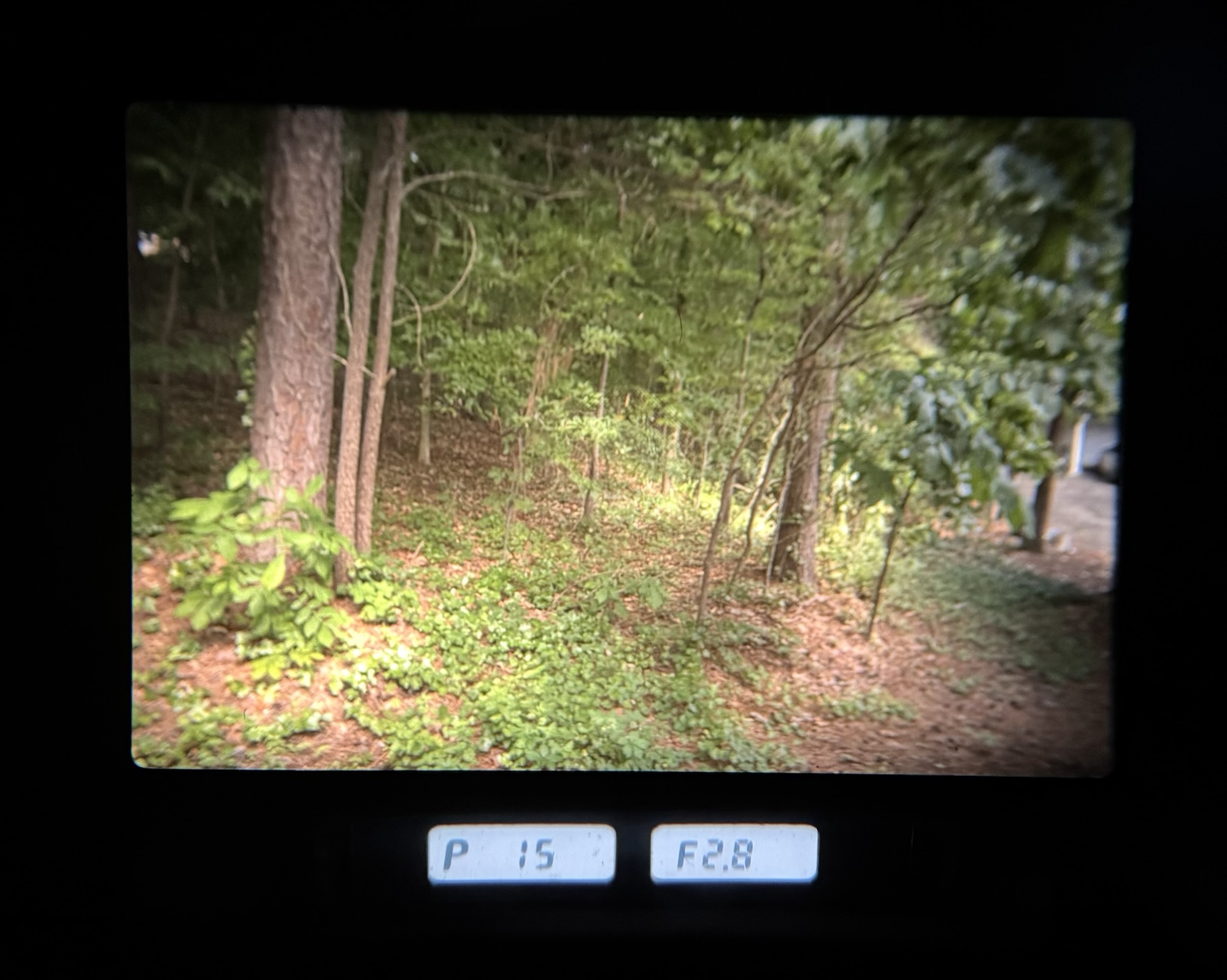
Pentax Super-Program in Auto Exposure – aperture priority mode – the photographer has selected an aperture of f/2.8 – the camera’s metering system has chosen a shutter speed of 1/15sec.
  • Weight, Size and ergonomics
    Derived from the successful Pentax ME series, the Super-A is a very compact and very light camera. There is probably more plastic used in its construction than in the first models of the ME series (the prism housing is clearly made out of polycarbonate), but the chassis is still made of metal and the camera feels pleasantly dense.

    As with cameras of the Pentax ME generation, there is no shutter speed dial on the Super-A, just two up and down buttons. On the ME Super, the only way to know what shutter speed had been selected (either by the auto exposure system or by the photographer in manual mode) was to look through the viewfinder.

    On the Super-A, the selected shutter speed is also shown on a very small LCD display next to the film wind lever, which is convenient (the Program-Plus is deprived of this small LCD), and makes the lack of a proper shutter speed knob more acceptable. Film loading is still a manual process, but Pentax has tried to make it as easy and reliable as possible, with multiple safeguards – for instance, the camera will not operate and will simply display 1000 on the shutter speed display until the film has been advanced to the first frame.

    The camera falls in the hands nicely, with a small removable grip and a thumb rest on the right side of the body, and an easy to access depth of field preview lever.  That being said, people with large hands would be better off with a larger camera: you really need small fingers and long nails to unlock and move the main mode selector from Lock to Auto or Manual, and the two push buttons that control the shutter speed are also tiny.

  • Viewfinder
    Derived from the M series, the Super-Program inherited some of their qualities – the viewfinder is large, wide, with a reasonably long eye-point (you can still see the whole frame if you wear glasses). The focusing screen is fine and luminous, with a split image telemeter surrounded by a ring of micro-prisms.

    The shutter speed and aperture information is displayed at the bottom of the viewfinder, on a grey LCD. The LCD is backlit – a window at the top of the prism collects the ambient light, and a push button on the left side of the lens mount flange turns on a rather faint light – so that the displays can be seen in when there is not enough ambient light.
    Honestly, this setup is far less legible than the green displays we’re used to if we shoot with dSLRs, or than the red LEDs used by the Canon A-1. But the camera only needs two small SR44 batteries (as opposed to the larger 6 volt battery of the A-1 or the large lithium batteries of modern cameras).
  • Metering system
    The Super-Program is very conventional: a center weighted average metering system, that’s all. No spot metering, no matrix metering (not invented yet…), and no DX coding (not invented yet).
    The camera obviously was designed for knowledgeable amateurs and enthusiasts, but surprisingly there is no exposure memory lock push button.
  • Battery:
    The Super-Program does not work – at all – without batteries. But it seems to manage them very carefully, and lets the photographer know in advance when the batteries will need to be changed. It simply needs a pair of the very easy to find Silver Oxide 1.5v batteries (SR44) that you can buy in any pharmacy or drugstore in the US.
  • Compatibility:
    Designed for the new KA mount (with electrical contacts to control the aperture), the Super-Program also works with any Pentax K compatible lens (SMC-Pentax, Pentax-M) as well as with the auto-focus FA lenses that followed. Considering the very long production run of the K mount family (available under one form or another since 1976), the wide adoption of the Pentax K bayonet mount amongst second tier camera makers, and the relative broad diffusion of Pentax branded lenses, finding a lens that fits the Super-Program is not an issue.

    Most of the accessories (winder, in particular) are shared with the previous ME generation.Pentax only released two manual focus cameras with TTL/OTF flash metering (Through The Lens, On The Film), the high end, modular LX and the Super A. Of course, specific flash units are needed to take advantage of the TTL mode, but at least the LX and the Super-A are using the same line of TTL flash guns. Other Pentax (or third party) flash units can be used, but won’t support TTL (*)
  • Reliability
    Electronic cameras from the mid-seventies-mid eighties have a bad reputation when it comes to reliability or battery management, in general. In certain cases, it’s totally justified (Fujica AX-3, AX-5, OM-2sp, Canon T90). I’ve not heard or read about any recurring horror story about the Super-A.
    That being said, if you shun electronics and want to use a relatively recent mechanical camera, there are not many alternatives in the Pentax family: the K1000 is about the only option – it was manufactured until 1997, and it’s possible to find fairly recent copies.
  • Scarcity and price – the Super-Program, and its little brother the Program-Plus were widely distributed (a total of 2 million cameras sold), and enough of them were treated with respect that good copies are easy to find on eBay, ShopGoodwill.com, and with resellers of second hand equipment. So, they’re not scarce, but not cheap either. The Super-Program is one of those cameras whose value is going up at the moment: it meets the criteria of a new-classic: it’s a manual focus, full featured and at the same time easy to use camera that will satisfy beginners and enthusiasts. You can find nice copies between $50.00 and $100.00 – and if you like your cameras all black, you’ll have to buy a Super-A from European or Japanese sellers, at roughly the same prices.
Pentax Super Program in… Program Mode (P). 1/30 sec; f/2
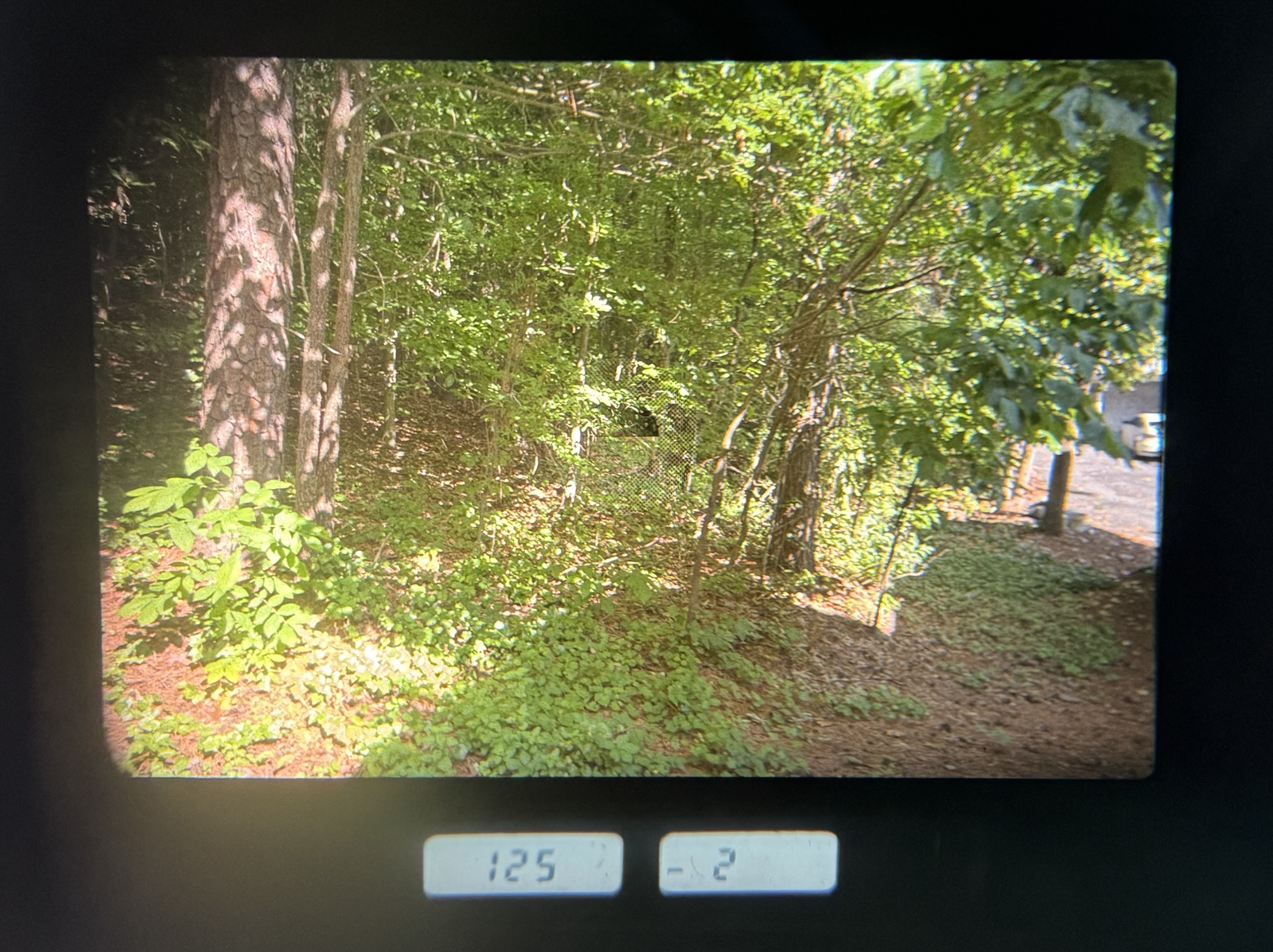
Pentax Super-Program – semi-auto exposure (the camera will operate at 1/8sec and the exposure is as determined by the metering system (at zero)

As a conclusion

It’s a nice little camera – for people who, in 1983, wanted “everything” – a relatively fast shutter (1/2000 sec), three automatic and a manual exposure mode, a good viewfinder with depth of field preview, exposure compensation, TTL Flash, and the ability to mount a winder.

It can draw from a very large range of Pentax K compatible lenses, and is still very affordable.

Doing “everything” in a non-motorized camera of such a small form factor leads to pretty cramped top plate, and difficult to operate controls for people with large hands or short nails.

Those who need “everything” and don’t mind shooting with a bigger/heavier camera can pick the Canon A-1, or the T90. The Nikon FA is also an option – although it shares some of its limitations with the Super-Program (no exposure memory lock, small and dark LCDs in the viewfinder **)

In the Pentax family of cameras, the P3 of 1985 is an alternative to consider [please read the update below] – a bit larger, it’s easier to use (with a large shutter speed knob and a large on-off switch, and easier to read information in the viewfinder). Sold as an entry level camera, it only has a 1/1000s shutter, can not be motorized, does not support TTL flash, and only offers a semi-auto mode in addition to the default Program mode. Its successors, the P3n and the P3t,  add an Aperture priority mode. All have a good viewfinder and the very useful (for me) exposure lock function. They’re cheaper and even easier to find than the Super-Program, have everything a film photographer may need today, and are good cameras to discover film photography.

a June 2025 update: I can’t recommend the P3 (also known as the P30) as an alternative to the Super Program. I bought three P3s at different times in the past five years, and all failed me. And a quick Google Search will return pages and pages about failures of the film winding mechanism. To be avoided.

Google Search also returns a suspiciously high number of hits about issues with the Pentax ME Super. On the other hand, the Super-Program and its marginally simplified sibling, the Program-Plus, seem to be immune from major reliability issues. I tend to prefer the Program-Plus – but the differences between the two cameras are marginal, and all things considered, the Super Program is still a very good film camera.


More about Pentax film cameras in CamerAgX


(*) flash – I’m not sure that flash control is an issue now – considering 1/ the high fail rate when shooting with flash with old cameras and old flash units, and 2/ how quick it is to check the quality of the lighting if you shoot with a flash mounted on a digital camera, you would have to be more of a purist than I am to shoot with a flash on a film camera.

(**) I’ve never used Minolta’s manual focus SLRs and can’t really comment on them – but there are good cameras in Minolta’s line-up obviously.


Pentax Program-Plus (top) and Super-Program – Minor differences.

Pictures taken recently with a Super-Program on my Flickr account.


Sorry, no picture taken with the Super-Program this time (I don’t travel much because of Covid – and the opportunities for interesting shots are pretty limited in my backyard…)

The three pictures below were taken with another member of the Pentax family, the *ist DS, twelve years ago, in Georgetown.

Georgetown – the original workshop where the company that would become IBM started was in a street like this one.
Right here…
Georgetown (DC) – the plaque at the place where IBM started…

The Contax ST – first impressions

A compact point of shoot camera from the late eighties, the Contax T2, is currently red hot, selling for obscene amounts of money (well above $1,000). We’re observing here the manifestation of a new trend – a few film cameras have suddenly reached stardom – and make you pay dearly for them –  while the mass of the point and shoot and SLRs from the nineties still languish in the $5.00 bargain bin.

In the world of manual focus SLRs, Contax bodies and Contax Carl Zeiss lenses, while not exactly cheap, can still be had for a small fraction of the cost of this T2.

2020-04-Contax-6668
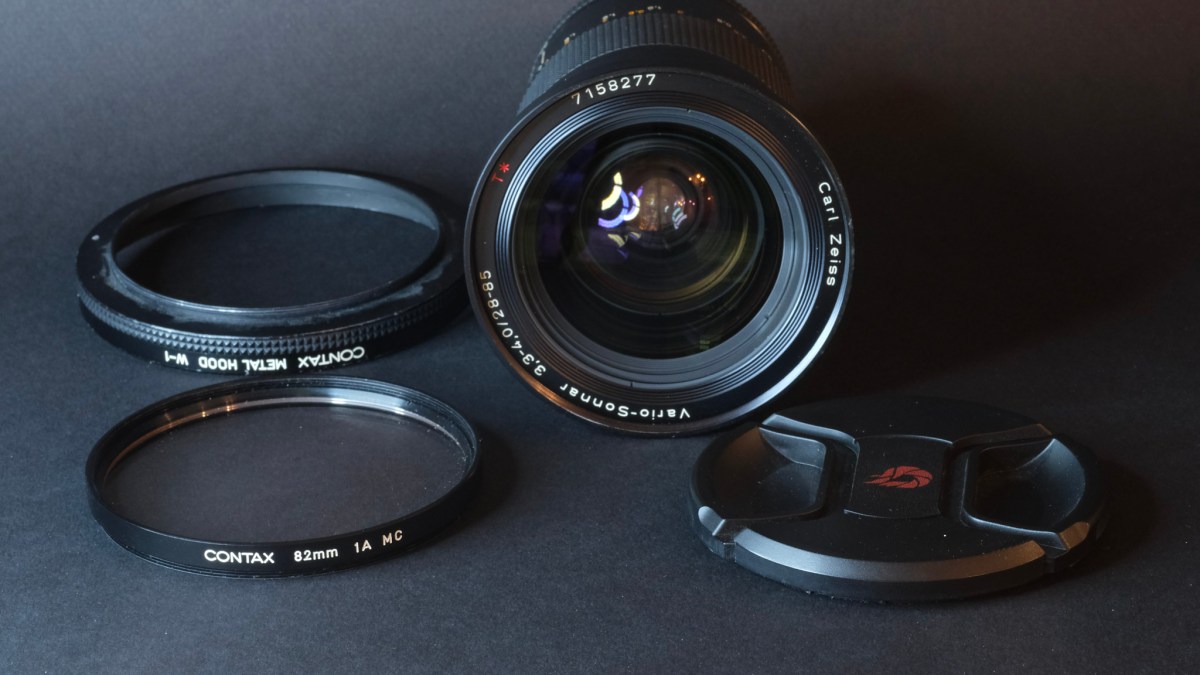
Contax ST and Carl-Zeiss Vario-Sonnar zoom – 28-85 f/3.3-4.0

Zeiss and its sub brand Contax have a very long history – Carl Zeiss founded the company that bears his name in 1846 in Jena (Germany) and Zeiss launched their first Contax camera in 1932.

In the seventies, Zeiss signed a licensing agreement with Yashica (the Japanese company subsequently became part of the Kyocera group). Contax and Yashica never said much about the role split in their joint venture, and most of what we know is an educated guess. High level, the “Contax” branded cameras of the Yashica/Kyocera era were designed and manufactured in Japan with some input from Zeiss. The F.A. Porsche  studio (*) was in charge of the industrial design of some models. Yashica and Contax SLRs shared the same bayonet lens mount, and Contax cameras could be paired with Contax as well as cheaper Yashica branded lenses.

The “Contax Carl Zeiss” lenses were named after famous Zeiss lens designs (Distagon, Planar, Sonnar, ..) and benefited from Zeiss’ excellent multi-layer coating. Some of them were made in Germany, but the majority were manufactured in Yashica’s Japanese plants.

2020-04-Contax-6641
Not as well considered as the 35-70 of the same series, the 28-85 is still an impressive piece of glass.

Because of their Zeiss and Porsche lineage, their beautiful industrial design and their advanced technical content, the Contax cameras of the Yashica era could be sold as premium products, for much more than what Yashica could have extracted from  their own line of SLRs.

In Contax’s product range, the top of the line was always occupied by a camera of the RTS family, and the bottom by derivatives and successors of their original entry level camera, the Contax 139Q (137 MA, 137 MD, 159MM, 167 MT). There was room in between for what we would now call a line of “prosumer” cameras.

Contax’s middle of the range cameras were a motley crew of SLRs addressing the needs of different niches – the S2 and S2b were semi-auto mechanical cameras, the RX had “a focus assist” system, the AX was an autofocus SLR designed for manual focus lenses (the lens had to be set to the infinite, and the film chamber was moving to adjust the focus).

2020-04-Contax-6639
a very well equipped camera with a conventional user interface (continuous drioptric corrector, date back, illumination of the command dials, and locks everywhere)

Among them, my pick, the Contax ST,  was launched in 1992. It’s a somehow simplified and less bulky derivative of the RTS III, a full featured, motorized, manual focus camera with a large viewfinder, a bit like the Canon T90 from 1986. Its unique selling proposition was that the film pressure plate was made of ceramics rather than steel or aluminum (hint: the CERA in KYOCERA stands for Ceramics). I’m not sure that this ceramics pressure plate brought any real benefit to the photographer, but it spoke to the imagination.

2020-04-Contax-6664
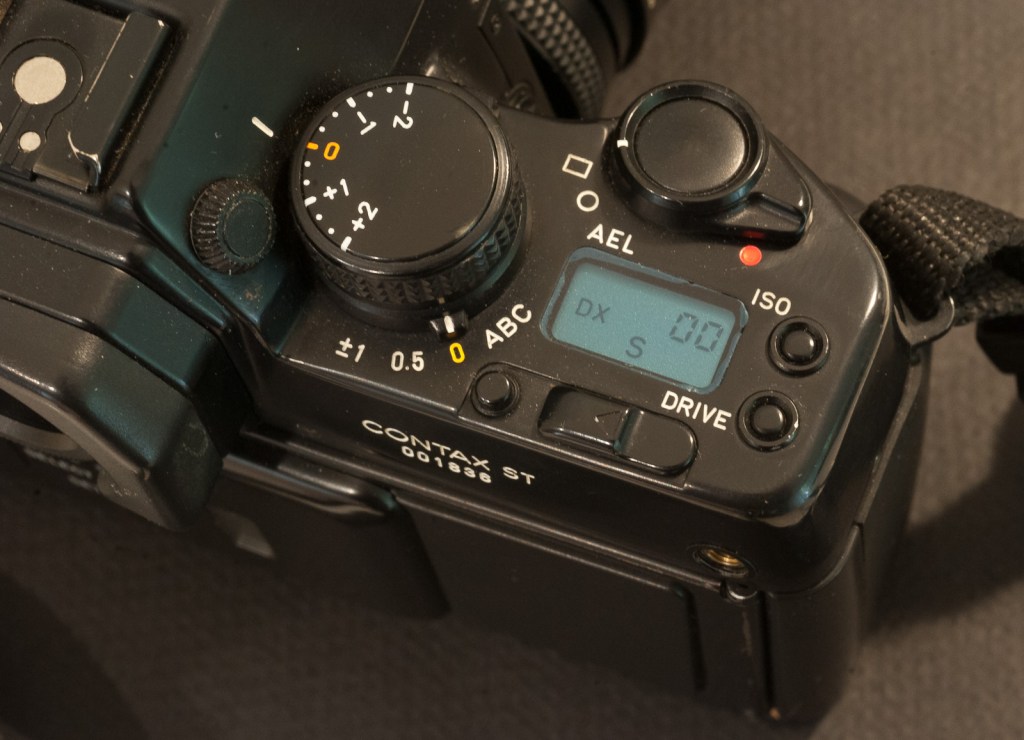
The four conventional exposure modes and the shutter speed dial on the left.


Of course, at the time the camera was launched, all major  manufacturers (Canon, Nikon, Pentax) had followed Minolta’s example and converted their whole SLR range to autofocus, so the manual focus ST is a bit of the odd man out.(**)

Very first impressions

It’s a beautiful,  very traditional SLR which exudes quality, with no autofocus, no modal interface, no menus, no control wheel, no matrix metering, no lithium battery, and a limited use of plastics.

2020-04-Contax-6665
the exposure compensation dial, the metering selector and the electro-magnetic shutter release on the right. AEL (auto-exposure lock) is only available with spot metering.

The ST feels dense (heavy, but not too much) and falls very well in the hands. The commands are conventional, with an aperture ring on the lens, and a large shutter speed knob and an exposure compensation dial  on the top plate. Almost all controls (except for the shutter speed and exposure compensation knobs) are  secured by locks (like they are on a Nikon F4). There is only a tiny LCD (view counter and ISO display) at the right on the top plate.

2020-04-Contax-6644
Sticking similarities – the importance given to the exposure compensation dial, selectors at the base of the big dials on the left and on right, and a common design language (on the right, Fujifilm X-T1)

For the anecdote, the body of today’s Fujifilm X-T3 looks very much like a small Contax ST, at the 2/3 scale, that is.  Even the location and logic of the commands is strikingly similar – with the emphasis given on exposure compensation over any other control –  you don’t need to search any longer where the designers of Fujifilm got their inspiration from.

The viewfinder is exceptional. Combining a high enlargement (0.8) and a long eye point (I don’t have the figure, but by comparison with other cameras, it’s really long), it offers a cinematic view of the scene. But at the same time, it’s old school – it’s graced with red LEDs, and the focusing screen does not seem to be one of those ultra fine and ultra luminous Acutemate or BriteMate laser etched screens – as a result the image is a bit darker than what you would see on a Nikon FE2, for instance (not by much, maybe 1/2 stop). The ST is also one of the few manual focus cameras with a continuously adjustable dioptric correction – all in all one of the best viewfinders of its time.

2020-04-contax-viewfinder
A beautiful viewfinder – on the right the shutter speed, at the bottom-right the aperture, and the exposure counter on the left (it show 00 because the film is fully exposed)

Lesser Contax SLRs have a rubberized skin. that degrades over time – it’s not the case for the STs – they still look pristine 28 years  after leaving the assembly shop.

The lens mounts and lens mount adapters

Contax and Yashica had abandoned the 42mm screw mount in 1975 with the introduction of  the Contax/Yashica (C/Y) mount on the Yashica FX-1 and Contax RTS.

The original Contax Carl Zeiss lenses belong to the AE series. The design of the lenses was modified in 1985 to support the Program mode and the Shutter priority modes introduced on the 159MM – therefore the modified lenses are part of the MM series (for Multi-Mode). The two versions of the lenses are inter-compatible – you just don’t get the Program mode or the Shutter priority mode if you mount an AE lens on a body like the ST.

Other lens options

Contax Carl Zeiss Lenses in C/Y mount are rather expensive, even now. There are three alternatives if you don’t want to pay hundreds or even thousands of dollars for a lens:

  • Yashica lenses: Some models have a  very good  reputation (the prime lenses in the ML series, generally) – they were manufactured in the same plants as the Carl Zeiss series, but were not built to Zeiss specs and did not benefit from Zeiss lens treatment. People who have tested them next to Contax lenses say the color rendering and the micro contrast are different (which makes sense – each lens manufacturer has its “signature”).  Other series of Yashica lenses (DSB, YUS) are not necessarily that good –  do you research.
  • Third party lenses: very few independents offered lenses in the C/Y mount. Tamron and Vivitar had C/Y adapters for their respective universal mount systems. But does it really make sense to mount a Tamron or a Vivitar lens on a Contax camera?

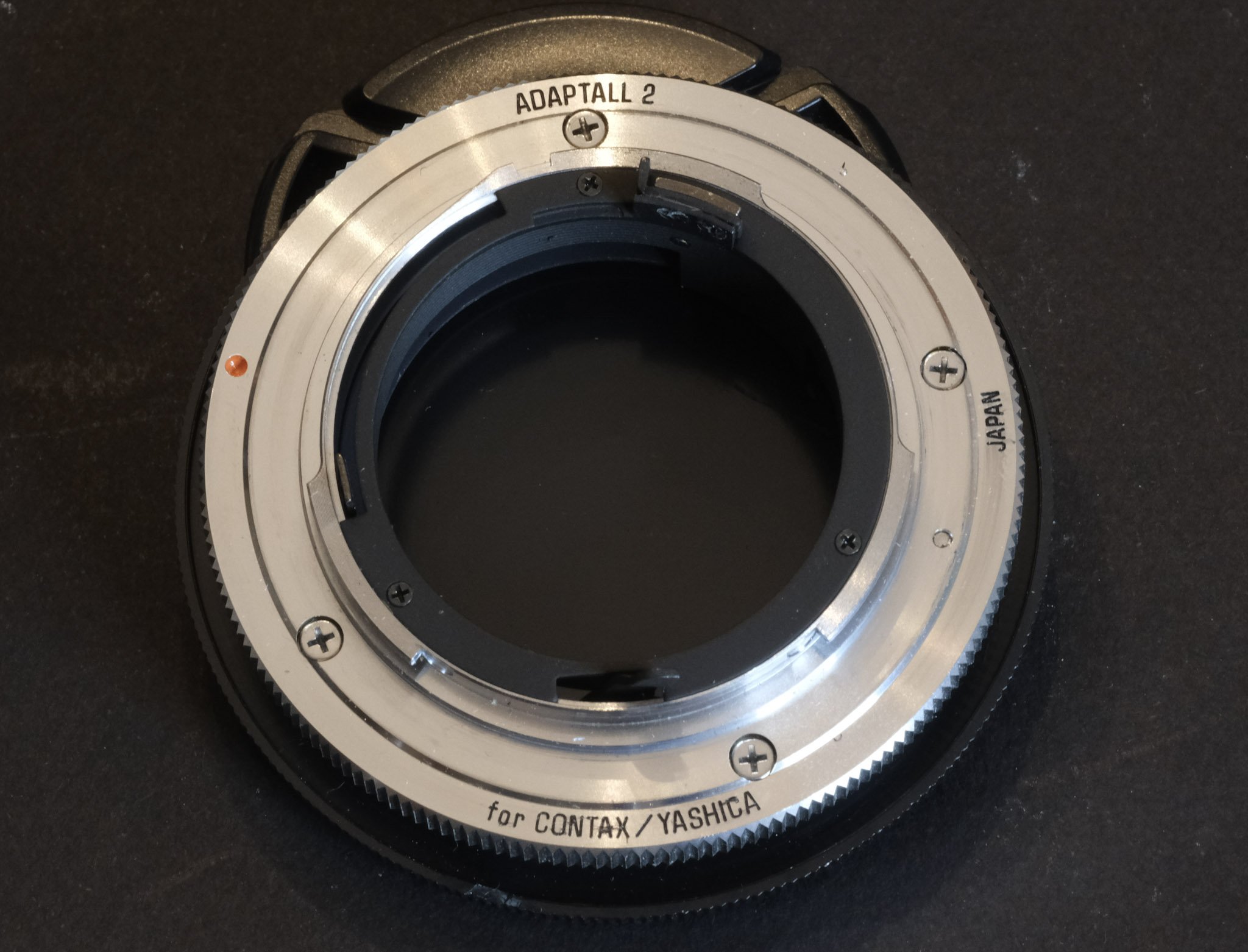
Last but not least, you can also mount older 42mm screw mount lenses (from Yashica, Contax or other defenders of the Universal mount such as Pentax) thanks to an adapter proposed by Yashica. You can still find those adapter rings on eBay.

The elephant in the room – made in Japan or in Germany? 

There is no doubt where the bodies were manufactured – my ST proudly bears its “Kyocera-Japan” signature. The Contax Carl Zeiss zoom (the 28-85 f/3.3-4.0) that came with the camera was also made in Japan (no mention of Kyocera, though).

2020-04-Contax-6672
No doubt – it’s a Kyocera (Yashica) camera and it was manufactured in Japan. (interestingly the lens shows absolutely no mention of Yashica or Kyocera)

In the early years of the Zeiss / Yashica collaboration, a lens could originate from the German workshops of Zeiss or from the Japanese factories of Yashica (even for a given model – some were produced simultaneously in Europe and in Asia). Over the years, the manufacturing activities were increasingly concentrated in Japan. I did not find any evidence that lenses made in Asia were better or worse than the lenses made in Europe – and I don’t think it matters:  they were all designed and manufactured to Zeiss’s specs with Zeiss’s T* multi-layer coating.

Buying Contax cameras and lenses today

In the nineties, Contax cameras were positioned and priced as premium products, a big notch under Leica, but in the same ballpark as Nikon’s or Canon’s Pro cameras.

Today,  their high-end bodies hold their value very well even if Leica R products remain more expensive.

The Contax magic percolates to Yashica ML lenses and to certain Yashica bodies (like the FX-3 Super 2000), which are also  sold at a premium, for products of a second tier brand, that is. The 21mm and 28mm wide-angle lenses are particularly sought for, selling for at least $350.00.

2020-04-Contax-6645
On the right the Canon T90 from 1986 – like the Contax, a very elaborate manual focus camera. The User Interface is totally different, though.

The least expensive Contax SLRs are the entry level models (139, 137, 167) at less than $100.00 for a nice copy. Really sought after models like the RTS III, the S2 (the semi-auto camera) or the Aria (a compact SLR, the last camera in the Contax manual focus line and the only one with matrix metering) typically sell in a $350.00 to $600.00 bracket. The rest of the products (ST, RX, RTS I or RTS II) sell for approximately $150.00.

2020-04-Contax-6646
They were competing on the shelves of the photo equipment stores in the early nineties – the Nikon N90x (right) represents state of the art (modal interface, matrix metering, autofocus, f/2.8 constant aperture zoom). The Contax ST, on the other hand, was spec’d like a pro-camera of the early to mid eighties.

But be cognizant that in order to enjoy the full Contax experience, you’ll need Contax Carl Zeiss lenses. It’s very difficult to find anything (even a very common Planar 50mm f/1.7) at less than $150.00, and really interesting lenses (the 21mm wide-angle for instance) can cost well over $1,000.

More about the Contax ST and the Vario-Sonnar 28-85mm f/3.3-4.0 in a few weeks, after a few rolls of film.  


The Contax brand has been dormant since 2005, and there is relatively little information about their products on the Web.

The best source is a site maintained by Cees de Groot: http://cdegroot.com/photo-contax/

Apart from that, you have Wikipedia (of course): http://camera-wiki.org/wiki/Contax/Yashica_lenses and a few sites compiling user reviews of SLR lenses.


(*) Porsche used to be a family business. And  everybody in that family seemed to be named “Ferdinand”. Because it was a family business, the eight grand-sons of Ferdinand Porsche, (the engineer who had founded the company and designed the original Beetle) ended up working at the Porsche car company under the direction of Ferdinand “Ferry” Porsche, who had taken over the business from his father Ferdinand after WW2. When the conflicts between the most talented of the cousins reached dangerous levels, Ferry asked them to leave. Ferdinand Piech, who had designed the engine of the 911, left to start a new career at Audi, and ended his professional life as the chairman of the Volkswagen Group. The other cousin, Ferdinand Alexander Porsche, who had designed the body of the original 911, started his own design studio. And one of the first clients of the studio was… Contax.

(**) – Contax launched its first autofocus film SLRs (the N1 and the NX) in 2000 with a new lens mount and a new series of lenses – roughly 15 years after anybody else. And followed up with the first full-frame dSLR in 2002, the Contax N Digital.  The products did not sell well and were rapidly withdrawn from the market, and Kyocera left the photography market for good in 2005. The Contax brand has been kept dormant ever since.

The lens mount of the Contax N, N1 and Nx of the early 2000s was totally different from the C/Y mount of this ST.  From an engineering point of view, the new lens mount was so close to Canon’s EOS that conversion jobs were possible. You can read a test of a converted lenses in Optical limits

More about the N series:

https://sunrise-camera.com/the autofocus-slr-camera-contax-n1

Luminous Landscape on the Contax N Digital


From the Contax ST brochure (available at: https://panchromatique.ch)

grande_arche
La Grande Arche (Paris). From the Contax ST brochure (no photo credit). The brochure has been posted on https://panchromatique.ch


Canon EOS 620/650 – was the first EOS already the best of them all?

The first pair of Canon EOS bodies (the “enthusiast” EOS 650 and the “prosumer” EOS 620) came relatively late to the autofocus SLR party (2 years after the Minolta 7000 and one year after Nikon F501/N2020), but they were already very mature cameras – when you shoot with one of those early EOS cameras today, they seem so easy to use and so modern that you don’t even notice you’re shooting with 40 year old gear.

Before launching the EOS series, Canon had tried to convert its FD mount to auto-focus, but their first AF SLR, the T80, had been a technical and commercial failure. Canon had  no choice but to adopt a more radical approach, and used their  top of the line T90 body as the starting point for the development of two new revolutionary auto-focus cameras, the EOS 650 and 620. A new lens mount and a new line of lenses were launched at the same time. Contrarily to Minolta, Nikon and Pentax, Canon installed the auto-focus motor inside the lens. Most of the new Canon EF lenses launched at the time were equipped with  a conventional micro motor, but the top of the line USM lenses were designed around a new type of motor, which promised incredible AF speed and total silence (it reads like an ad for Tesla ;-).

Canon_cameras-8210
The design of the EOS cameras of 1987 is closely derived from the T90 from 1986. The T90 is larger, and much heavier.

It was its USM technology that made Canon the leader of the photo equipment industry at the end of the eighties: it all started at the Seoul Olympic games in 1988: Nikon had planned to make a big splash with Pro Photographers with the introduction of the first modular Auto-Focus camera ever,  the brand new F4. Canon had nothing comparable to show yet (their EOS 1 camera was still one year away), so they brought the most advanced body they had at the time, the EOS 620, and paired it with an EF 300mm f/2.8L USM lens. The Canon auto-focus combination ran circles around the conventional AF architecture of Nikon’s AF 300 f/2.8, and the pro market rapidly shifted towards Canon. Canon would retain its dominance in the pro market to this day.

Canon_cameras-8211
EOS 620 on the foreground, T90 in the background.

Both cameras do most things right, without being encumbered by a litany of settings and options. Of course the models that followed brought improvements to the autofocus performance and to the ergonomics (the famous Canon wheel at the back of the film door), but the EOS 620 and 650 set the standard for what a modal interface SLR should look like, and they were already so good that it can be argued that Canon had to fall into gadgetry (Eye Control Focus and Bar Code readers, remember ?) to keep the public interested in the EOS line over the following decade.

559376140028_28
Series of pictures shot at the Marietta Chalktober Fest, around the town square. The artist here is Sharyn Shan. (Canon EOS 650, EF 28-70 f/3.5-4.5, Kodak Ektar 100)

The two EOS models are differentiated primarily by their shutter (the EOS 650 has a conventional 1/2000 shutter with 1/125 flash sync speed, while the EOS 620 has a 1/4000 shutter with 1/250 sync speed). The EOS 620 also benefits from a backlit LCD on the top plate, its Program mode is “shiftable”, and it manages multiple exposures.

Canon_cameras-6366
The handgrip-battery holder of the EOS 650 – this camera is very well built, with high quality plastics and a great care for details. The battery is the expensive (and not that easy to find anymore) Lithium 2CR5.

Surprisingly, and considering Canon’s reputation of superiority in the early auto-focus days, the EOS AF performance is not that great – probably because the 28-70mm lens I bought with one of the cameras was an early non-USM lens. The tiny,  single zone auto-focus sensor is not very sensitive in low light, and the camera tends to hunt if it can not find vertical lines in the subject. Canon’ s USM technology can help with reactivity but won’t enlarge the sensor or make it better in low light.

Canon_cameras-6367
Only the Canon EOS 620 has a remote control connector at the bottom of its handgrip

On the other hand, Canon’s first implementation of matrix metering was a success – and you can leave the camera in auto-exposure mode most of the time. Interestingly, none of those cameras has a true semi-auto exposure mode (in the “M” mode, you can set  the shutter speed and the aperture any way you want, but the metering system of the body is inoperant).

The cameras are  built out of good quality plastic – they feel substantive – even if  they’re much lighter than the T90, in part because they’re using a lithium 2CR5 battery instead of heavier AAs of the T90. They have a pretty good viewfinder, large enough, clear enough, OKish for bespectacled photographers, have very few knobs or buttons but a large grip, and are easy to control.

They accept any Canon EF Lens made to this day, and thanks to adapters, can even work with older m42 screw mount lenses (they don’t work with Canon’s own FD lenses though).

They were produced in large quantities, and many seem to have survived. Because nobody loves early autofocus cameras, they’re extremely cheap ($5.00 to $7.00) and if you consider their performance, they offer an unbeatable price/performance ratio.

559376140026_26
Another artist at work in Marietta: Raziah Roushan

Conclusion: will I use them?

If you’re looking for an easy introduction to film photography, and want to be able to reuse the modern Canon EF lenses and accessories that you may already own, the Canon EOS 650 and 620 are great cameras. The 620 is marginally more capable, and since all early EOS cameras are now selling for the same low price,  that’s the EOS 620 I would pick.  You won’t find a better camera to shoot with film in that price range, and you will love the results. The camera is surprisingly competent and  mature for a 1.0 version, and I’m not sure the gadget laden models that followed (EOS-10S with bar code readers, EOS 5/A2 with Eye Control focusing) will yield better results in the real life.

The Japanese camera industry has a tendency to work in cycles, with a big innovation every ten to fifteen years, followed by years of incremental improvements – until the next big thing makes the previous generation obsolete, and opens a new cycle of incremental improvements.  Generally, during the first years following a big innovation, progress is rapid and the improvements really significant. And generally, after a few years, the pace of the changes slows down, the manufacturers end up promoting all sorts of useless features to keep the public interested in their products, until the next big thing arrives.

IMG_3390
EOS 650 viewfinder – shutter speed, aperture, and two brackets engraved on the focusing screen to show the tiny central AF zone – very simple.

Normally, it takes more than a few years to reach the peak – but in the case of autofocus film SLRs, I’m wondering whether it was reached with the EOS 620,  just two years after the launch of the Minolta Maxxum 7000. Of course, Canon (and others) would launch cameras with better autofocus systems (more zones, better low light sensitivity) and with a useful built-in flash, but the newer products were more complex, often fell into gimmickry, and were not always as well built. Few enthusiast autofocus SLRs are as easy to use as those early EOS cameras.  You should try one.

Happy Holidays.


More about the early Canon EOS cameras:

Ken Rockwell’s very detailed analysis of the EOS 650, and his take on more modern autofocus cameras – “Im ashamed that newer cameras seem to offer so little that matters compared to Canon’s very first AF SLR. I’m ashamed that I’ve fallen for all the marketing pitches that made me think I need whatever useless newer features have come out since 1987; I haven’t needed any of these features.

The Canon Museum – 1986-1991


559376140029_29

559376140011_11

559376140020_20

Old iMacs never die, they just go slower

I recently moved to a new home – half the size of the one I was leaving. In a big home, you have lots of storage, a basement, an attic, a large garage, rooms you never use, and you tend to keep stuff. Lots of old stuff. Like old computers.

imacG4
The iMac G4 fully deployed with keyboard, mouse and loudspeakers. Source: unknown (probably a scan of an Apple catalog)

But when you move, you can’t leave anything behind. You check all the hidden corners of your home, and you find your old iMac. Second generation, officially known as the iMac G4 700 MHz. And often nicknamed Sunflower, because of its very original shape.

I had bought it in 2002. My first Mac. My first Apple widget.

I decided to give it a test run. In the spirit of “a new life for old gear”. But if 40 year cameras can still produce nice pictures (provided you can find film for them, of course), computers half their age are hardly usable.

The machine did age very well. It had been solidly built, with good quality components. It boots, and makes all the right sounds and moves. You log-in, and find a desktop which is not really different from what you see on a modern Mac (this machine is running OS X 10.5 Leopard – the last OS X version to run over PowerPC processors). Your spirits are high. You’ve been reunited with an old friend.

On paper, the specs of an old iMac – a 700 MHz 32 bit processor, 512 MB RAM, WiFi, Firewire – are not totally ridiculous if you compare them with a recent entry level machine. A modern Macbook has a 64 bit dual core processor, generally running at 1.3 GHz, with the ability to burst at 3 GHz. It does not look like a huge difference. Admittedly, a modern laptop also has much more RAM (8 GB) and more storage (256 GB SSD as opposed to a 40 GB spinning drive). But in the real life, it results in a huge gap in speed.

IMG_2703
Technical specs of the iMac G4 700 MHz (from the package)

The iMac is incredibly slow at performing tasks as simple as ripping a music CD. And the worst is not the speed, it’s the inability to do anything really useful with the machine because the hardware and OS X Leopard can’t cope with modern security protocols:

  • you can’t connect to a wireless LAN, because the iMac and OS X Leopard support at best WPA (original version) and not WPA2 which is the standard today.
  • you can’t browse any modern Internet site, because the browser does not support the recent encryption layers of https, and every site worth its salt defaults to https now.
  • you can’t access any of the on-line services requiring a fat client (the Apple Music store from iTunes, for instance) because nobody’s accepting connections from such an old thing (probably another TLS vs SSL issue)
  • Software from 2009 still works (things like Photoshop Elements 2 or Microsoft Word   2008) but obviously recent versions of popular software are written for Intel Macs, and don’t run over Power PC processors (not even software as basic as a browser).

IMG_2704
iMac G4 – trying to browse an https page – fairly typical error message

Basically, it could work if you downgraded your home WiFi network to WPA (or even worse, WEP), and only browsed sites whose servers have not been updated since the end of support of OS X Leopard (in 2009, I believe). That’s a scary perspective.

So, what will happen with this Mac?  I will donate it. To people who still have room in their large home, where it will join a burgeoning computer museum. Until they decide to downsize of course.


An anecdote – the iMac was the first Apple computer I bought, but not the first I used. In the early eighties, I even had the privilege of being trained on Apple SOS (nicknamed Applesauce, of course), the operating system of the Apple III. It makes me a true geek.

For the fans of all things Apple, and among all the bios of Steve Jobs, I recommend the excellent “Becoming Steve Jobs“, by Brent Schlender and Rick Tetzeli.


IMG_2615
“les petits chapeaux” – Apple iPhone 7. Even a recent iPhone outperforms an iMac G4 – and it also takes pictures.

Bringing an untested 40 year old camera in the Wadi Rum desert

Last month, I visited Petra.

The city, located in the desert between the Red Sea and the Dead Sea, was a very prosperous trade hub in the Antiquity, but lost of its importance in the Middle Ages to the point it was uninhabited and totally forgotten until its ruins were rediscovered by an archeologist in the early 1800s. The city had been built at the far end of a narrow canyon, and is famous because of its temples directly carved in the walls of rock forming the canyon. It was recently used as the lair of the bad guys in Indiana Jones’ “Last Crusade”.

israel_--34
Petra – the approach through the canyon. (Petra, Jordan – Kodak Ektar 100 – Nikon N2020 – Nikon Series E 35mm lens)

Getting there is not exactly easy – a long flight to Amman or Eilat, followed by a long bus drive through the Wadi Rum desert (of Lawrence of Arabia fame), followed by a walk under an excruciating heat. And at the top of that, the access fees are exorbitant. But the place is absolutely unique, and the end of the approach in the narrow canyon is really magic.

Petra is one of those places that always look good in pictures – and I absolutely wanted to bring back images I would be pleased with. So why did I bring to Jordan a 40 year old camera I had never used  before?

israel_--30
Petra – at the end of the canyon you finally discover the “Treasury” (Petra, Jordan – Kodak Ektar 100 – Nikon N2020 – Nikon Series E 35mm lens)

Normally, before an important trip, you’re supposed to test the camera in advance: you change the batteries, you expose a roll of film, you have it processed, and you look at the pictures it produced very carefully, before you finally declare the camera fit for service.

That’s the process I followed, with a Fujica AX-3 I had earmarked for this trip. But it did not pass the test. When I downloaded the scanned images, only a few days before I was due to the airport, 30% of the images were severely under-exposed and I could not see a pattern (it looked like random). I had just moved to a new home, my trusted cameras were still in a storage facility and too difficult to access, so I decided to trust Nikon, and brought with me a Nikon N2020 (aka F501) I had just bought for a miser a few days before, and only briefly examined.

To be honest, it was not that big of a risk. I had bought the Nikon from a second hand camera dealer of good reputation. I live in the 21st century and I have a good digital camera, and can use an iPhone as a backup. I decided that on this trip, on a given day, I would shoot digital for a few hours, then switch to the film camera. This way, even if the Nikon severely malfunctioned, I was not going to come back with no image at all.

israel_--28
Petra – the “Treasury” – (Petra, Jordan – Kodak Ektar 100 – Nikon N2020 – Nikon Series E 35mm lens)

At the top of that, Nikon cameras from that era are reliable. From all the cameras I have used over the years, Nikons are the only ones that have never let me down:

  • Fujica and Pentax cameras from the seventies have all sorts of mechanical problems (with the shutter, in particular). Cameras from the early eighties also suffer from relatively troublesome electronics (capacitors, stabilization circuits).
  • I owned Minolta Maxxum and Vectis cameras and Minolta AF lenses in the nineties, and they were not trouble free when they were in their prime (the only lens that ever broke in my photo equipment bag was a Minolta Vectis zoom). I have no recent experience with those cameras, but time generally makes reliability worse, not better.
  • The Olympus OM cameras I’ve used have been solid and reliable, but some models (the OM-2 Spot Program in particular) tend to go through their batteries with an alarming voracity, which could be an issue on a long trip.
  • Canon A series tend to develop a well documented shutter problem over time. I can’t use my Canon A-1 until I have it fixed.
  • My Canon T90 has been flawless (and a pleasure to use), but the model has a reputation for being a ticking bomb (from a reliability point of view) because of issues with the magnets used to control the aperture, and because of capacitors and batteries soldered to the camera’s integrated circuits.

Nikon_F-501-Nikkor
Nikon F501/N2020 – Source: it.wikipedia

On the other hand, even Nikon cameras I bought in bulk in antique shows or from thrift stores have been easy to bring back in service – generally the only thing missing was a good battery. They have a very reliable shutter and an accurate meter, and no light leak issue. Some Nikon cameras develop some annoying issues (the rubber grip on modern Nikon digital cameras, the LCD display in the viewfinder of the F4), but nothing that would prevent you from taking good pictures.

As a conclusion

I received the scans a few days ago. The exposure was a bit off (over-exposed by 1/2 stop in average – it’s likely that the camera had not been calibrated by Nikon for such a luminous landscape), but nothing that could not be adjusted in Adobe Lightroom in a couple of seconds. There’s still life in those old cameras.


The N2020 (F-501 outside of the US) was Nikon’s first mass market auto-focus SLR. It was an upgrade of the N2000 (F-301 “in the rest of the world”), Nikon’s first SLR with an integrated motor.

On this trip, I used it as a manual focus camera, with a very compact Series E 35mm f/2.5 lens. The ergonomics is still very conventional (dials and rings instead of menus and LCDs), it simply needs four AAA batteries that you can find anywhere in the world, and it’s a pleasure to use.

More about the Nikon F501/N2020 in a few weeks.


Treasury, Monastery?

I initially wrote that the building shown in my photos and drawn by Herge in “Coke en Stock” was the “Monastery”. It was wrong. In fact, it’s known as the “Treasury”. And it was neither a monastery or a treasury, but the mausoleum of King Aretas IV, who ruled the region in the 1st century AD.

And I watched “Indiana Jones and the Last Crusade” again – in the movie, the “Treasury” is not the liar of the bad guys, it’s the place where the Holy Grail and its guardian reside.

petra
Petra’s “Treasury” has inspired many authors – here in Herge’s Tintin series (“Coke en Stock” in the original French, “Red Sea Sharks” in English).