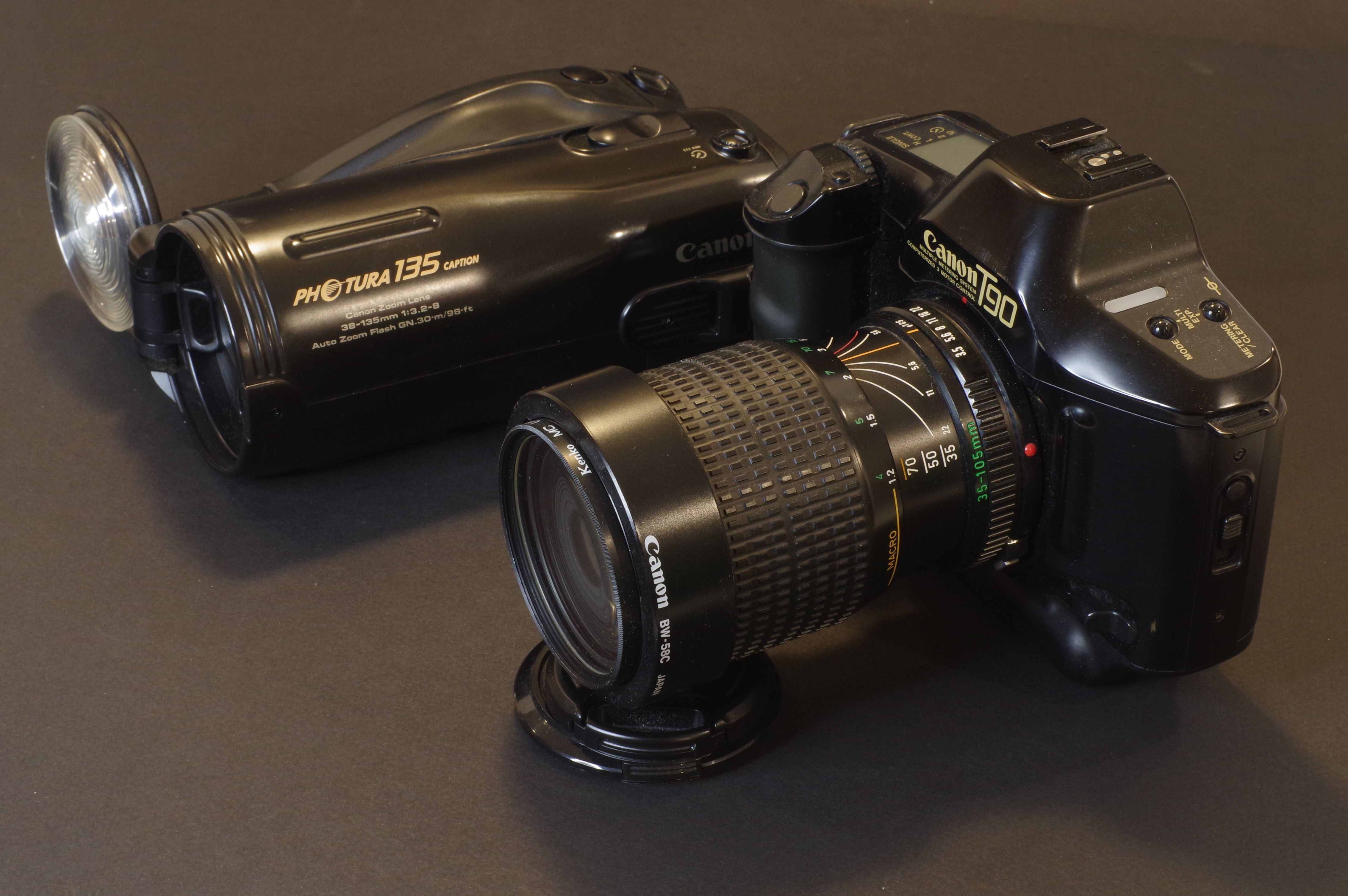
Canon Powershot s400 Digital Elph – when old gear is still pretty good

A few weeks ago I tested a Pentax *ist DS, and I was not thrilled with the experience. Another *ist DS had been my first dSLR in 2005, and at the time, I had been pretty satisfied with my purchase. But if I was disappointed by the *ist, what would I think of its predecessor in my equipment bag, a 4 Megapixel Canon digital point and shoot camera, if I tried to use it now?

Canon Powershot S400 – the finish is impeccable and resisted the test of time

I finally located my old Powershot S400 last week. The camera was in a very good shape, but the battery was definitely dead. It was to be expected – it was a 22 years old item, and it had probably not been recharged since 2010. I ordered a new compatible one on Amazon, and just received it. Under its newfound power, the camera started immediately, ready for new adventures.

Back then

The Canon PowerShot S400 Digital Elph (sold in Europe as the Ixus 400), was launched at the beginning of 2003. The review DPReview published in April of that year was very positive (with a “Highly recommended” rating) and I followed DPR’s advice and bought one for Christmas 2003. At $500, it was as expensive as a middle of the range film SLR, but offered a convenience that a film camera could not beat.

Shot in Miami Beach in 2004 – Canon Powershot S400 – it almost looks like the stage of a movie – where are Barbie and Ken?

With a ceramic coated metal body, a 36-108 (full frame equivalent) zoom opening at f/2.8, an optical viewfinder and a 1.5in color display, it was very well spec’d. It captured images with a four megapixel 1/1.8in CCD sensor (and produced only JPEGs, not RAW files), that it stored on a CF card. Very compact, beautifully built and finished, and delivering best in class pictures, it was flying off the shelves.

There are approximately 350 pictures shot with the S400 in my Lightroom library (in the early days of digital, we were still remembering the cost of film processing and we were shooting with restraint) – and I’m still impressed by how nice some of them looked.

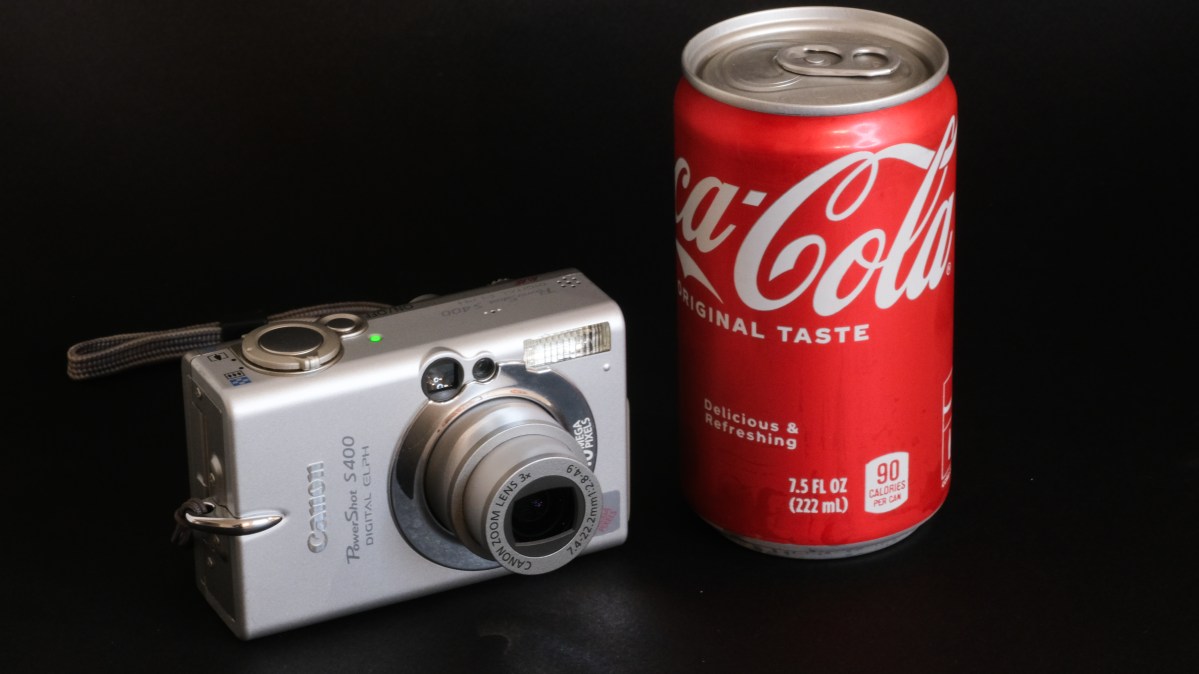
Canon Powershot S400 ready to shoot – the Coca-Cola can is one of the “mini” 7.5 FL OZ cans – the camera is really compact.

We never took the conscious decision to “decommission” the S400, we just used it less and less (as our phones were getting better at taking pictures with every new version) and we finally forgot about it. The last time we moved, I had packed it under bubble wrap with a much larger film camera, and found it by chance while de-cluttering a closet a few days ago.

Rediscovering the Powershot S400

What’s immediately surprising with this camera is the quality of the finish – it looks like a luxury object – and its small size, it’s not really bigger than a pack of cigarettes. One of the selling points back in the days was the “Cerabrite” coating of its metal body, and the truth is that it shows no scratch and no stain.

Atlanta Aquarium – Canon Powershot S400 (summer 2008)

Contrarily to more modern cameras, there is a physical switch on the back of the S400 to set it in “shooting” mode (the other position is for image playback), in addition to the traditional on-off button. But apart from that, the camera’s commands are more or less identical to what we would find today in an entry level camera. There is also an optical viewfinder, but I surprised myself by framing most of the pictures on the small color display at the back of the camera – it’s smaller than the display of a smart watch but it’s responsive and its resolution is pretty high (relative to its diminutive size), and it’s good enough as long as the sun is not too bright.

Miata is always the answer… the interior of this MX-5 was fairly cramped – not enough room to store a dSLR – and the Powershot saw service as the onboard camera for the trips to the beach

The default sensitivity is 50 ISO, and it can peak at 200 ISO, at the cost of some noise, of course.

It’s a camera designed by photographers for photographers, who can chose between three metering modes (spot, average and matrix), and can memorize the focus or the exposure with AE and AF lock capabilities for situations when the automatism can not be trusted. A very limited movie mode has been implemented (at best, 320×240 pts at 15 frames per second for 3 minutes).

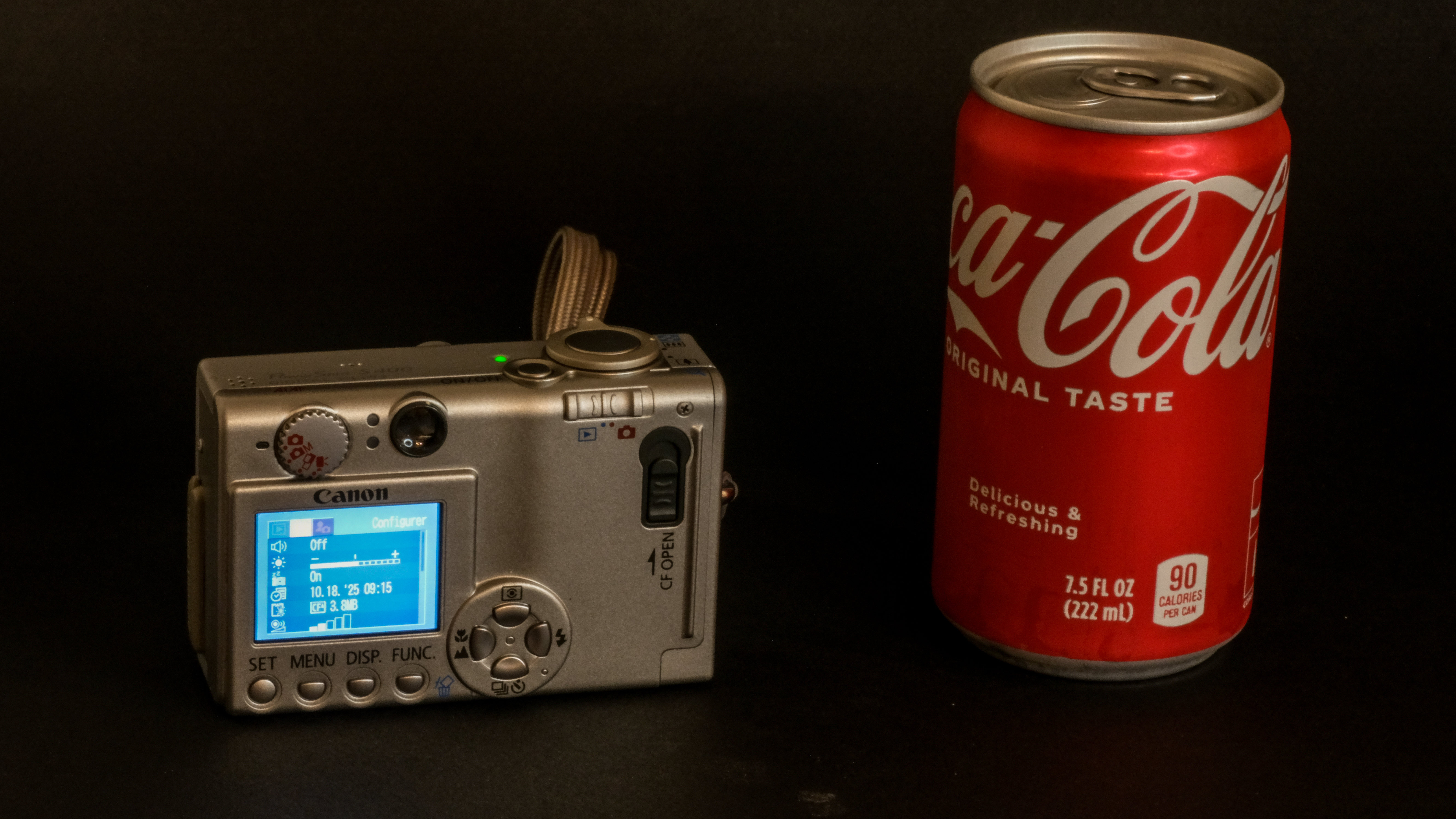
Canon Powershot S400 – the rear display is quite small but very legible.

Contrarily to what we find on current point and shoot camera, there is no image stabilization, no scene mode and of course no subject or face recognition. Let’s not forget that this camera was launched in 2003.

Image quality

Many photographers are nostalgic of the look of pictures shot by early digital cameras – they don’t like the surgical precision of the images taken with today’s high resolution CMOS sensors, and prefer images captured by the relatively low-res CCD sensors found in the compact cameras of the first decade of the 21st century.

Self portrait. Summer 2007.

I’m not sure that CCDs on their own were so great (the *ist DS also had a CCD sensor and did not deliver images that nice out of the box). A lot must have been related to the settings of the image processing engine. And to Canon’s magic touch.

And today?

This camera is surprising. Shooting JPEGs at 50 ISO with a 4 Megapixel camera launched in 2003 would have seemed like a punishment. But the Powershot S400 is surprisingly pleasant to use – it’s very reactive, and leaves some control to the photographer (simply press the shutter release button half way to memorize the exposure). I suspected that the dynamic range would be very limited, and it is, but if you set the exposure on the highlights, high contrast images can be saved in an image editing application like Lightroom.

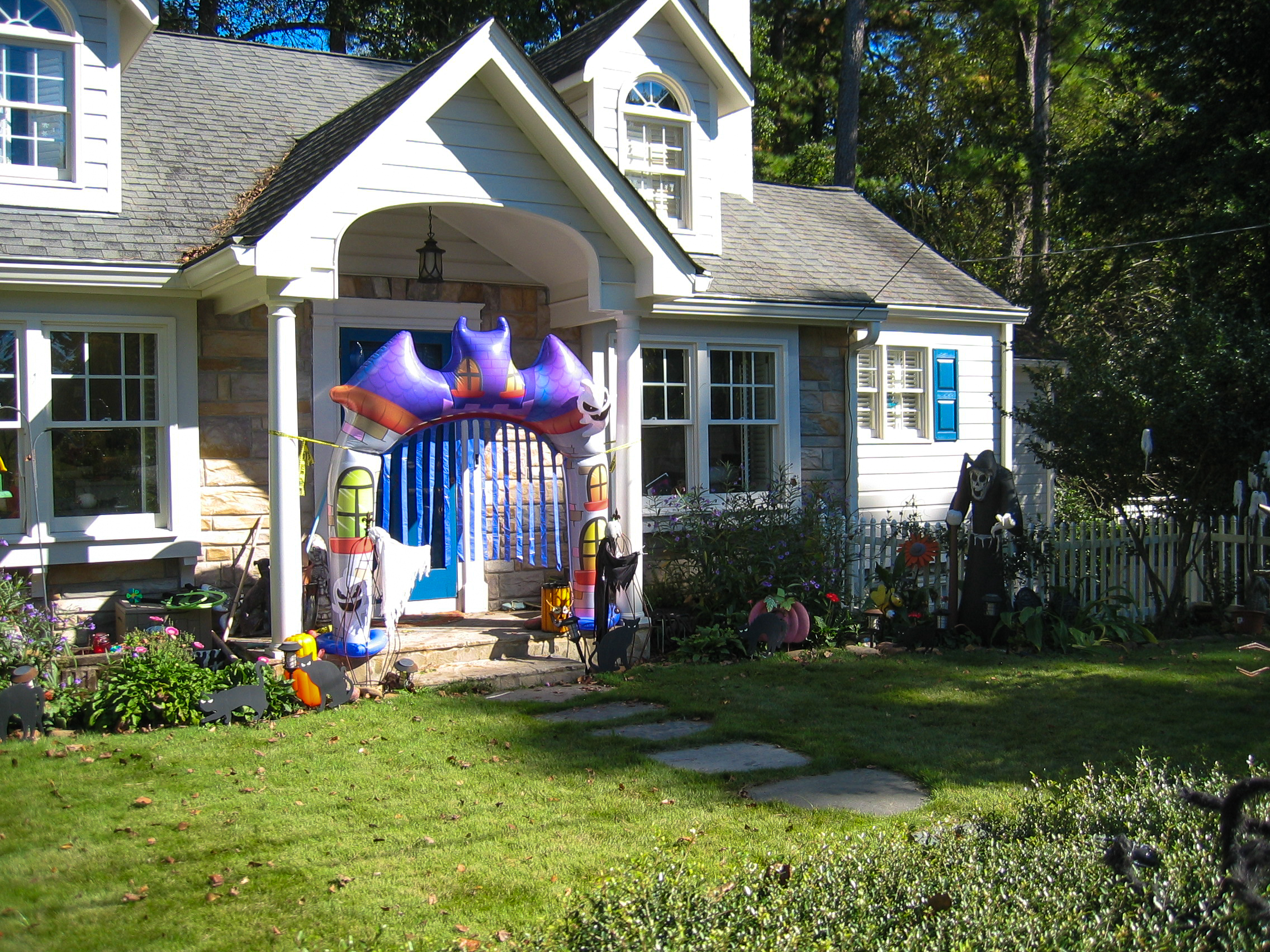
Atlanta – Halloween decorations – Canon Powershot S400. (Oct 2025)

DPReview testers had been impressed in 2003 by the quality of the JPEGs (not excessively sharpened, and preserving a lot of details), and even in 2025 you can’t help being pleasantly surprised – I took a series of pictures of the Halloween decorations in my neighborhood without paying too much attention to the settings of the camera (shooting with the sensitivity set to 50 ISO was probably a bit over optimistic, it forced the camera to operate at relatively low shutter speeds and wide aperture) – but the images required little work in Lightroom to be good enough to be shared here.

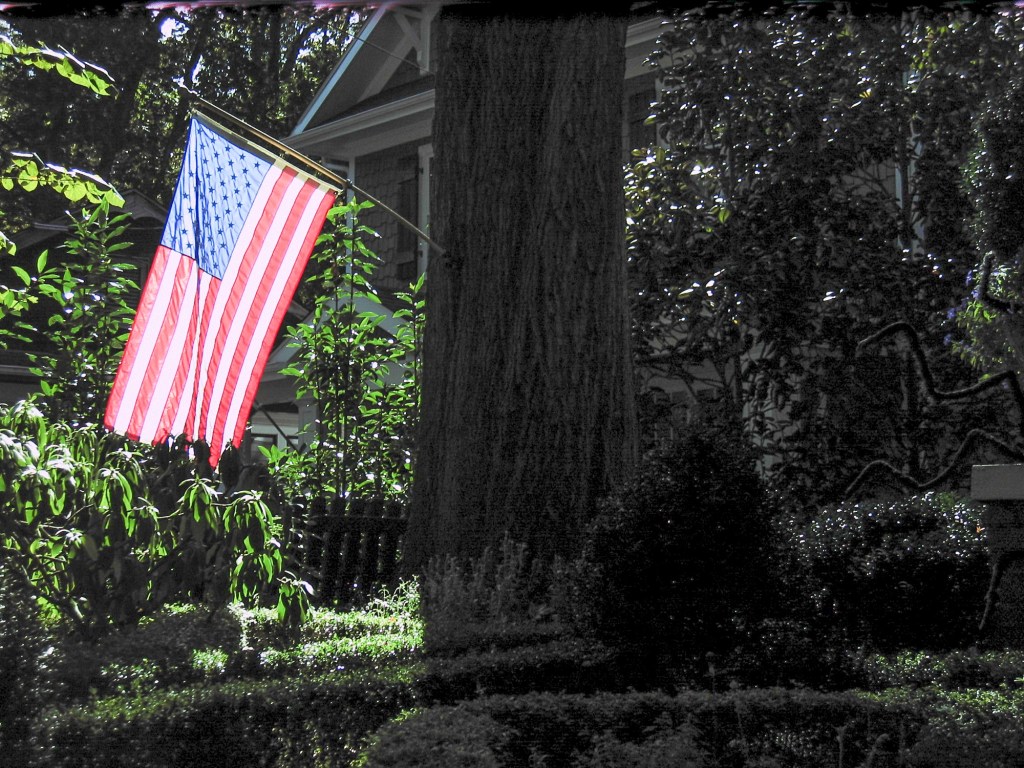
Testing the dynamic range – if you set the exposure on the back-lit flag, you can somehow save some details in the shadows in post-processing.

As a conclusion

Two things are very clear regarding this Powershot S400 Digital Elph:

  • Canon was obviously intending on solidifying its position as the market leader in an early digital photography world, and had spared no effort to be the top dog. They had put all their considerable know-how in designing and manufacturing a camera which was impressively good at delivering pictures, solidly built and esthetically beautiful.
  • When I look today at pictures taken during the same period with other digital cameras (even early dSLRs), I can’t help being impressed by the Digital Elph’s JPEGs: color balance, control of highlights, skin tones – they had nailed it – no need to shoot RAW and spend hours fixing imperfections on Photoshop – the images were great out of the camera.

The S400 is only a 4 Megapixel camera, best used at 50 ISO (flash mandatory inside, and even outside under overcast weather). A recent smartphone will outperform it (but it would also outperform any recent point and shoot camera, except maybe in the long telephoto range). This Canon Powershot S400 is a small and beautiful object that can still take good pictures, and as a whole, it definitely shoots far above its weight. Old, beautiful, and still usable.


Atlanta – Halloween decorations – Canon Powershot S400. (Oct 2025)

Extracting the best Image Quality from the Olympus Tough TG-5 when traveling

Why use a digital compact camera (aka point and shoot) when traveling, rather than a mirrorless interchangeable lens camera (ILC) or a smartphone?

I can see two reasons:

  • a better size-reach combination – only a point and shoot like this Sony HX-60 can offer a 720mm full-frame equivalent focal length at the long end and still be pocketable;
  • a unique size-ruggedness combination – only a rugged compact point and shoot like an Olympus Tough TG can be carried around all the time, without fear of dust, sand, water. If it gets drowned, crushed or falls in a crevasse, it’s not so much of a big deal. You don’t need it to authenticate to your employer’s VPN, and you don’t store your electronic plane tickets on it. And if you have to replace it, a similar camera will only cost you a fraction of the cost of an ILC or a smartphone on the second hand market.
The 30x zoom has no equivalent in APS-C or full frame camera systems

Conventional, long zoom (non-rugged) point and shoot sometimes have relatively large sensors (up to 1in) and a well designed telescopic lens; they offer an impressive image quality, but their motorized telescopic zooms with their retracting lens cap won’t take sand, rain or a fall to the floor lightly.

On long zoom compact cameras, the lens is protected by a group of retracting blades. You don’t want a grain of sand or a few drops of water to make a mess of it.

What constraints Image Quality on the Olympus TG-5?

High level, the Olympus TG-5 and its close derivatives the TG-6 and TG-7 deliver a pretty good Image Quality (IQ) for rugged cameras, but are limited by the small size and resolution of their sensor (1/2.3in and 12 Megapixel respectively), and the design and implementation of the lens, a folding internal optic.

That being said, if you’re intended to extract the maximum image quality from the TG-5, it’s important to understand how the camera controls the exposure parameters, and aperture in particular.

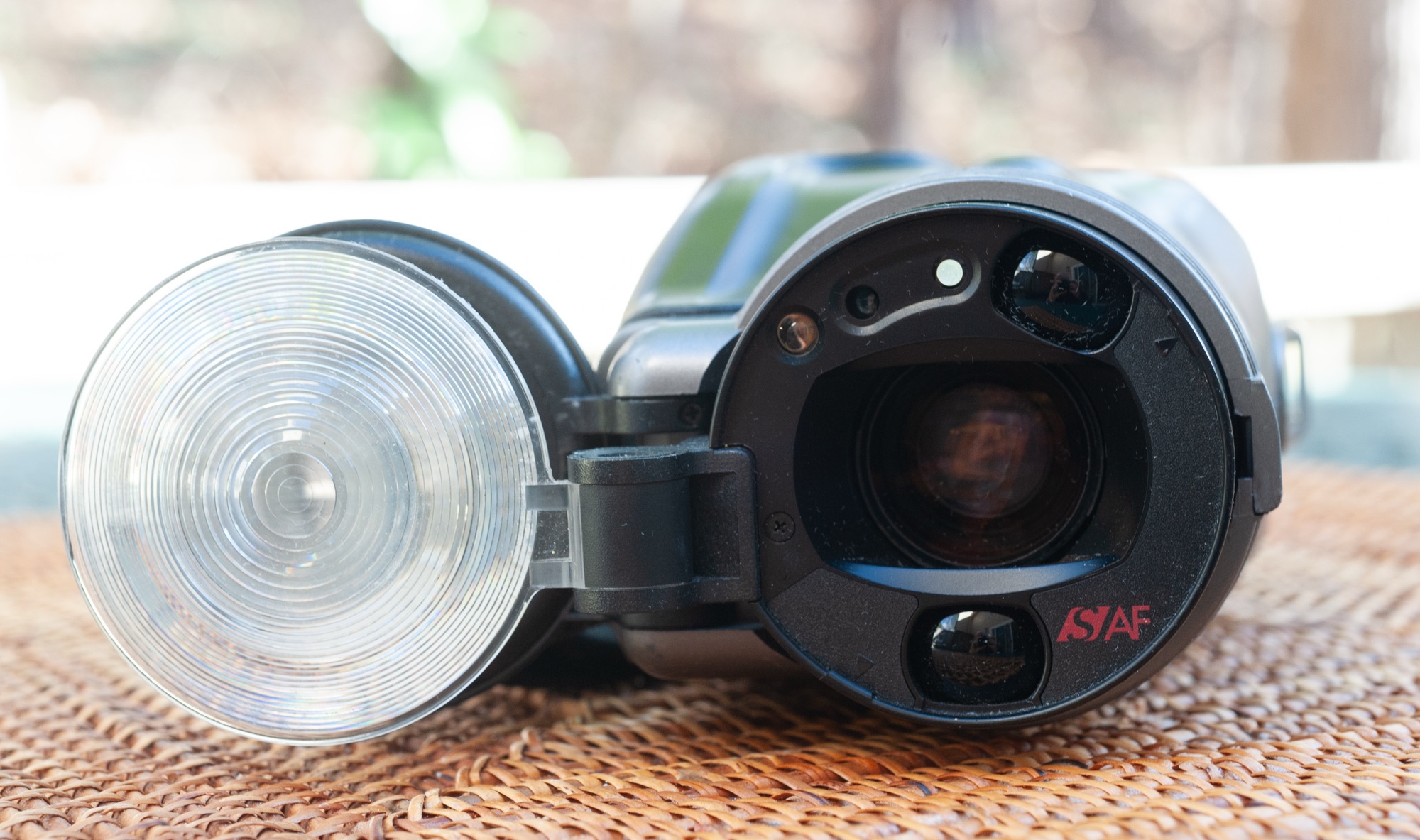
On the Olympus TG, the lens is hidden behind this blade of glass (a decorative bezel normally hides the bayonet over which accessories can be mounted)

Very few compact cameras (and it was also true at the time of film) use a conventional iris for a linear control of the aperture, with the well known sequence of stops (f/2.0; f/2.8; f/4, f/5.6, f/8, … and so on). In a typical compact camera, aperture control is often performed by the shutter. This design comes with its own set of limitations: only a few aperture values can be selected, and they’re not available with all shutter speeds.

On the TG-5, the maximum aperture of the 25-100mm zoom (full frame equivalent) varies between 2.0 at the widest angle and f/4.9 at the longest focal length (it’s a sliding aperture lens). In order to limit diffraction, the camera only offers two “real” aperture settings (f/2.0 and f/2.8 at 25mm), with higher values (up to f/8 at 25mm) being simply simulated by a Neutral Density (ND) filter. Therefore, image quality will peak at f/2.8, and stopping down beyond won’t improve it (IQ could even be marginally worse because of the ND filter) .

The lens, now protected by the UV filter and the lens hood.

If you decide like me to travel with a Olympus Tough TG-5 (or TG-6 or 7), how to extract the best Image Quality from the camera?

IQ is all relative. If pictures are to be viewed on a social media app installed on a smartphone, the TG-5’s Image Quality is more than adequate. Color balance, exposure, focus, dynamic range are spot-on. Images uploaded to social networks are generally downsampled to a resolution of 3 to 4 million points, a far cry from the 12 Mpix of the Olympus sensor, and not enough to start making the performance limitations of the lens and the heavy hand of the JPEG rendering engine noticeable.

But if the final destination of your image is a 8x11in print, or an 8k monitor, the weaknesses of the lens and the aggressiveness of the sharpening algorithm will become visible, unless you follow a series of steps to ensure the camera always delivers its best.

Olympus Tough TG-5 – how to get the highest quality images:

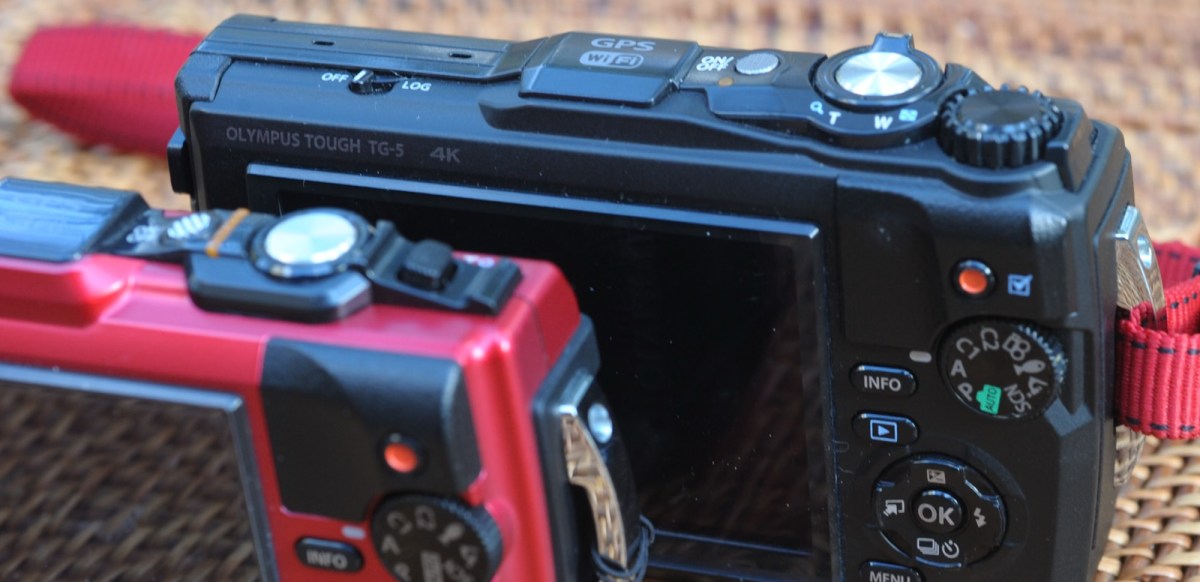
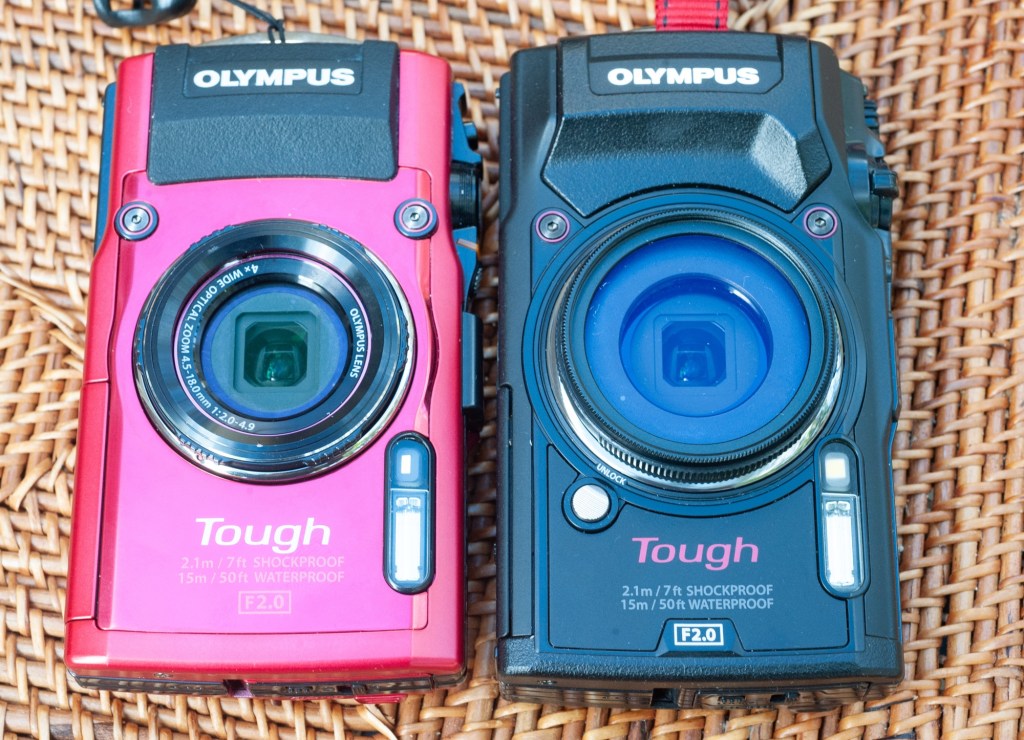
The Tough TGs are all available in black and in red. TG-4 on the left, TG-5 on the right (with a JJC UV filter mounted on the accessory adapter).
  • Read the manual – The Olympus TG-5 may be a point and shoot, but it’s a highly configurable, and therefore relatively complex camera. Settings are dispersed across multiple menus, and navigating them is unfortunately less than intuitive. In your quest for the best IQ, you’ll have to understand how to save your images as RAW files, how exposure memorization and correction work and after the picture has been shot, how to review and adjust some of the technical parameters. So, read the manual.
  • If you don’t want to read the dreaded user manual (who does?), ask precise questions to your favorite AI chat application. AI is getting very good at answering questions about cameras and photography, most of the time. ChatGPT 5, for example, combines the information and the test results it gets from DPR, Imaging Resource and Photographyblog with customer feedback collected on forums to provide detailed and mostly exact answers.
  • Shoot RAW. If you’re really interested in maximizing IQ, it’s definitely much better to shoot RAW and fine tune Clarity, Dehaze and Sharpening in a dedicated image editing app.
  • Use the sensor where it’s at its best, at 100 ISO, taking advantage of Olympus’ image stabilization capabilities to operate at low shutter speeds.
  • ChatGPT 5 recommends shooting in A mode (Aperture Priority) and selecting an aperture of one stop above full aperture (that would be f/2.8 at 25mm, which slides to f/6.3 at 100mm) for best performance. That’s the aperture where the lens is the best, but in A mode you are in charge and have to keep an eye on everything (on the shutter speed in particular).
  • In the real world, the Program P mode does more or less the same job as the A mode – at 100 ISO, for instance, the program sets the aperture at f/2.0 as long as the shutter speed has not reached 1/100s, then steps up to f/2.8 and remains there if possible.
  • The camera comes with a long list of scene modes – the Scenery/ Landscape scene works well with static subjects when traveling, and I use it often – and it appears to keep the aperture at f/2.8 as much as possible. There are other interesting scene modes – use them if they get you the result you want. Just be aware that Scene modes don’t let you chose the sensitivity or correct the exposure values.
  • Finally, the obvious – protect the lens from fingers prints and smudges with an easy to clean UV filter, and from incident light with a lens hood.

Of course, you can’t always work with low shutter speeds at 100 ISO. If your idea of a good vacation is to visit ball parks around the country and shoot the players in action at dusk, maybe the TG-5 is not the camera you need.

Why you should shoot RAW with the Olympus TG-5: an example.

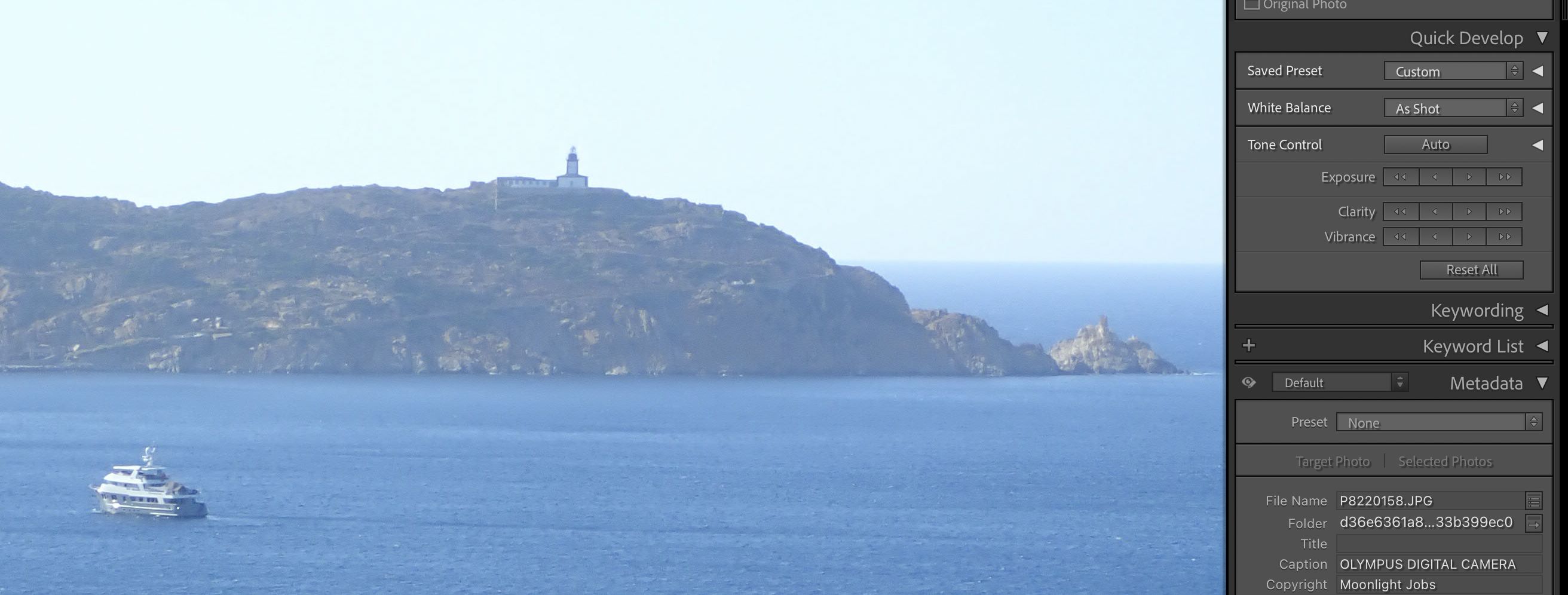
Calvi, Pointe de la Revellata – enlarged section of a JPEG (straight out of the camera) – screenshot taken on Adobe Lightroom Classic
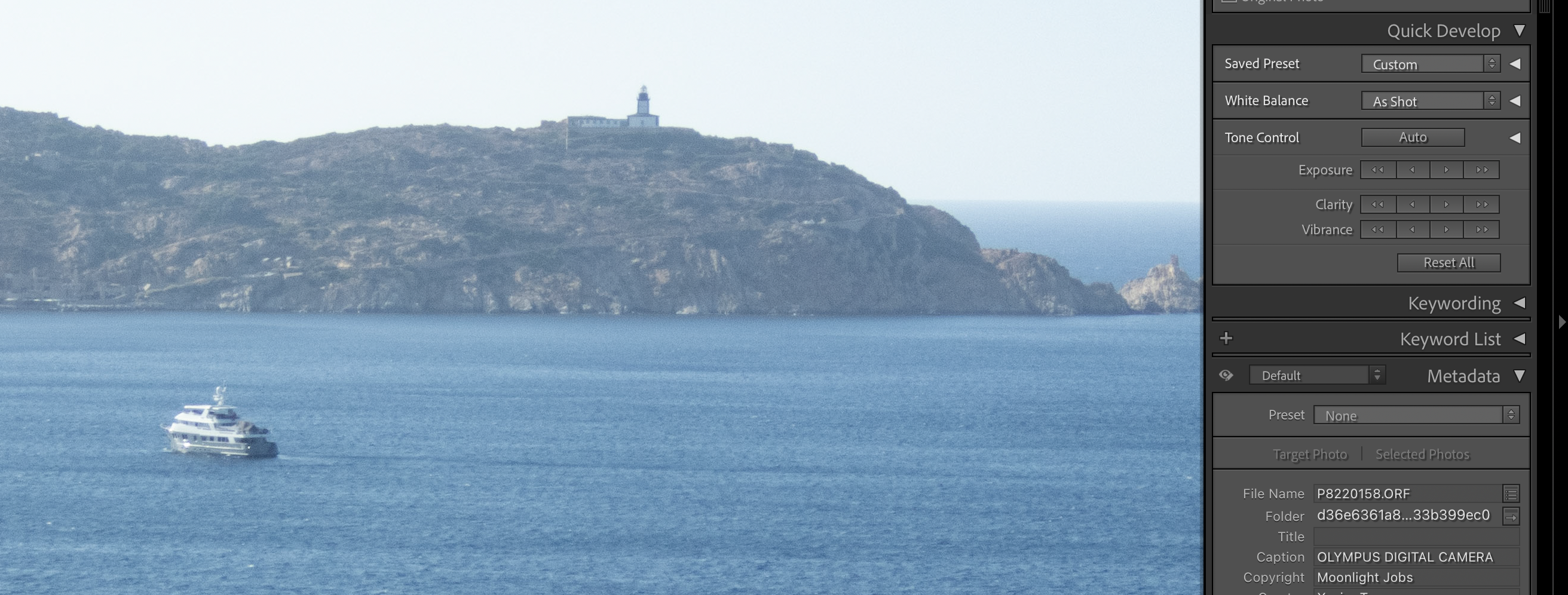
Calvi, Pointe de la Revellata – enlarged section of a RAW file, (moderately adjusted in Adobe Lightroom Classic).

The TG-5 can be setup to save an image as a RAW file and as a JPEG simultaneously. The images shown above are two screenshots of “La Pointe de la Revellata” in the bay of Calvi, Corsica, taken while editing in Lightroom Classic.

WordPress is downsampling the images massively, but click on each picture and you will see the screenshots at full resolution. And you will really see a difference between the JPEG and the ORF file. The JPEG (the first of the two) shows a much more pronounced accentuation, which translates into an almost cubist representation of the mountain in the backgroud. The RAW file, below, is more subdued. The full image (exported from RAW) is shown at the end of this blog post.

Will all the Olympus Tough TG cameras offer the same Image Quality?

In the heyday of compact digital cameras, Olympus was proposing three different lines of Tough cameras, with multiple variants in each line. This blog entry only covers the “one digit” Tough TGs, and specifically the TG-5 and its close derivatives, the TG-6 and the TG-7.

I don’t think there is much of a difference between the TG-5, TG-6 and TG-7 – mainly progressive improvements on the video capture side (the photo section is identical). The TG-3 and TG-4 have a different sensor (16 Mpix, with a lower dynamic range and more noise), but only the TG-4 can save RAW files. And all models before the TG-5 have an Olympus proprietary USB port, which will force you to carry around an easy to lose proprietary USB cord to recharge the battery of the camera. To me, a used TG-5 is a very good compromise – they abound on the second hand market (eBay, Shopgoodwill) and can be found for less than $200.00.

As a conclusion

A camera is always a compromise between conflicting design goals, and a compact, rugged, water-resistant point and shoot camera can’t be expected to beat a 60 mpix full frame ILC when it comes to image quality.

From an IQ point of view, the TG-5 is probably the rugged compact camera with the highest potential, and if the photographer shoots RAW and pays attention to the exposure parameters (exposure modes, aperture, ISO), the output will reach a much higher level than what could be expected from a compact camera with such a small sensor.


More recent content in CamerAgX


All pictures of Calvi shot last summer with an Olympus TG-5 set at 100 ISO – and saved as RAW files – Clarity, Dehaze and Sharpening applied with moderation in Adobe Lightroom.

Calvi, Corsica – from Notre Dame de la Serra.
Calvi, Corsica. The flag of the region at the city hall.
Calvi, la citadelle (and two exhausted tourists)
Calvi (Corsica). “Chez Tao” is a famous piano bar, where music lovers and night owls congregate.

Lomo and other Daylight Loading Tanks – how do they compare to a Paterson Tank?

At-home film processing – and at-home black and white film processing in particular, is not that hard. Once the film has been loaded in the developing tank, it’s very simple, and it can be done in full daylight.

The perceived difficulty, the step that scares the beginners, is loading the developing tank.

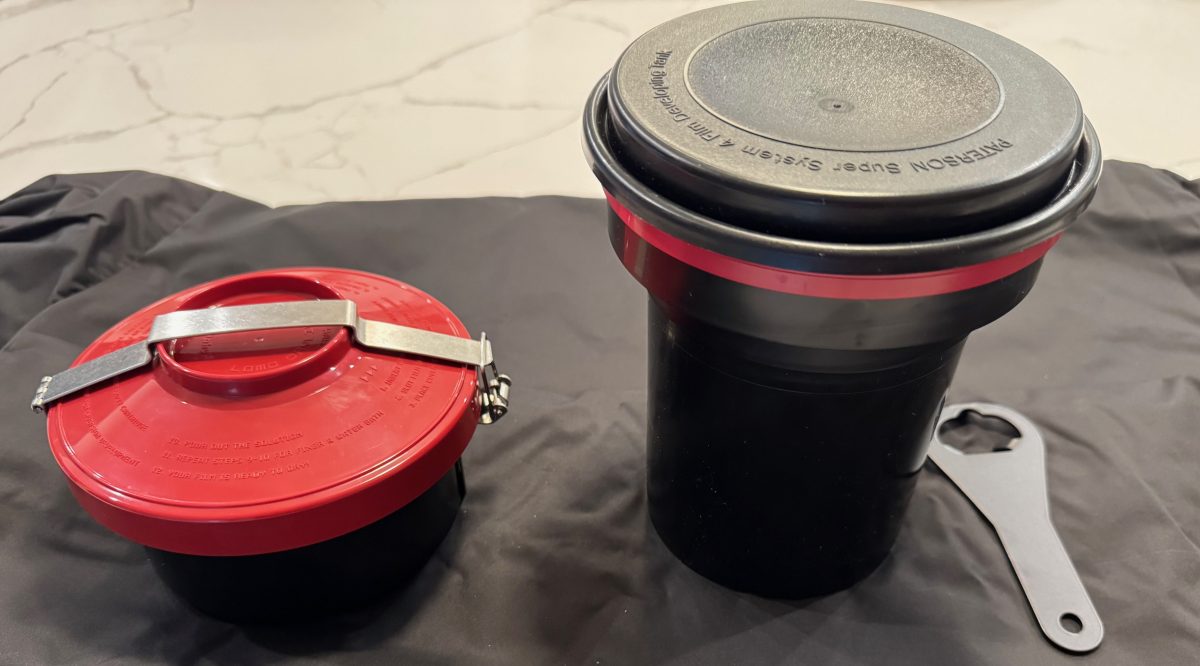
An overwhelming majority of amateur photographers develop their films in Paterson, Jobo, Arista (or similar) tanks, that can be operated in broad daylight, but must be loaded in the dark. In a dark room, or in a changing bag. Dark room film loading, daylight processing.

Paterson tank, cartridge opener and charging bag

Not everybody is comfortable with opening a film cassette and loading the film on the spiral of a reel without seeing anything – it takes a few dry runs and some practice before it becomes second nature.

The idea of daylight film loading, without a dark room or a charging bag, is extremely attractive to beginners, and to old farts like me going back to at-home film processing after a very long interruption. A daylight loading tank system is what is needed.

A few systems are available new (starting with the Lomo Daylight tested in those pages a few months ago), and more defunct products can be found on eBay.

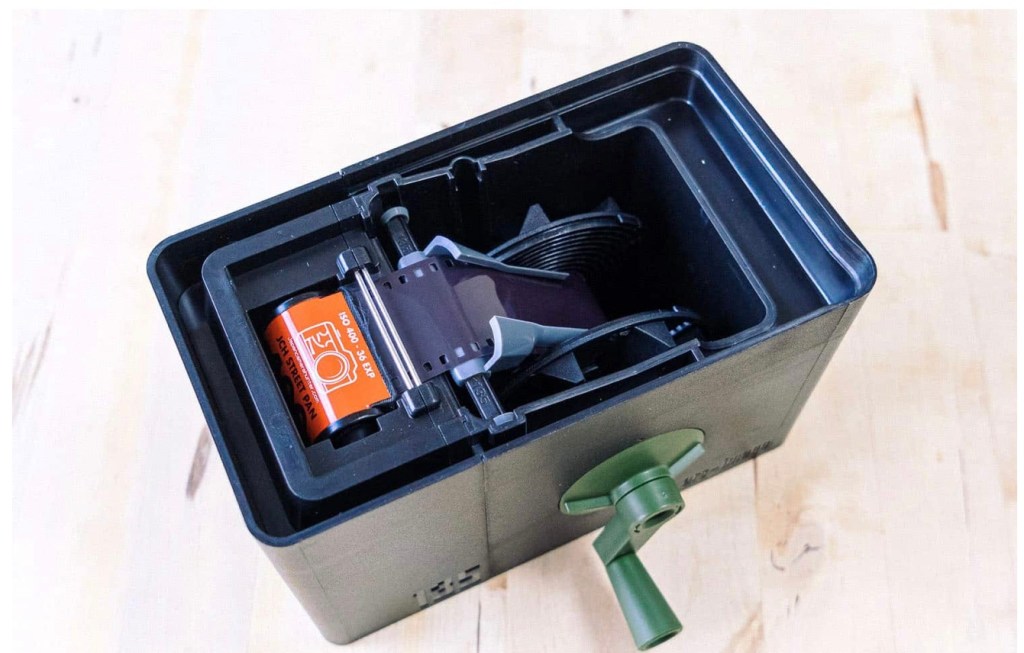
The promise is always the same: you will drop the film cassette in the daylight loading tank, turn a crank to load the film on a reel hidden at the core of the system, and remove the (now empty) film cassette from the tank. At this point, you’ll be ready to go, and the development process will not be different from the routine followed with a conventional Paterson tank.

The Lomo Daylight : place the film cartridge in the loader and drop the loader in the development tank. Turn the crank to load the film on the spool inside the tank.

Of course it’s not exactly that simple. For the magic to take place, you need to prepare your film in a very specific way, and after you’re done with processing the film, you need to be able to clean all the parts and reassemble them correctly.

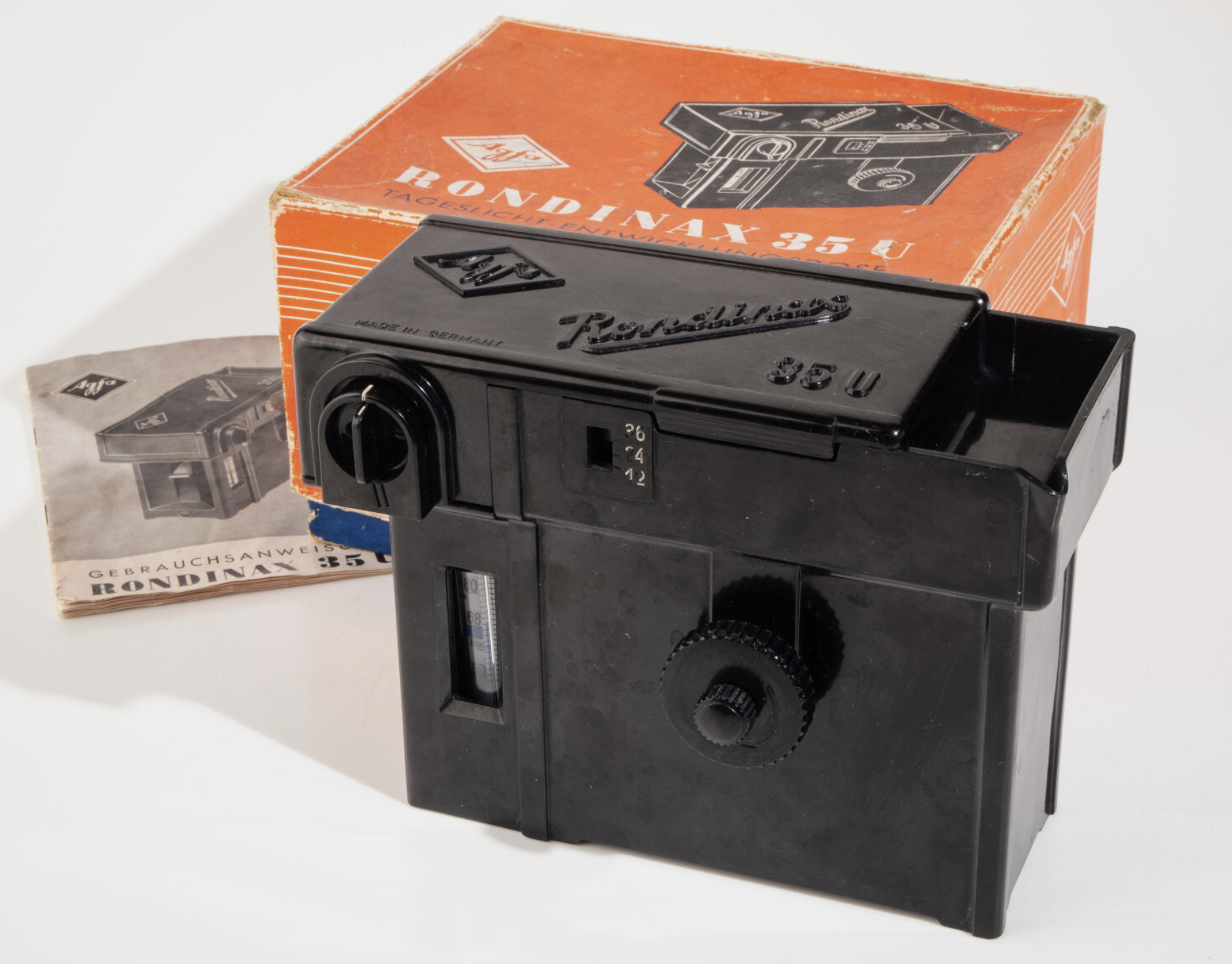
Agfa Rondinax (from an eBay listing)

l recently bought a Lomo Daylight Developing tank, and found out even more recently that an Italian company named Ars-Imago had launched its own daylight loading tank a few years before. Ars-Imago’s “Lab-Box” is not a 100% original design- it’s a modern re-interpretation of the Rondinax, a model launched by Agfa in the late nineteen thirties (an Agfa Rondinax was tested by the Casual Photophile five years ago).

As far as I know, the Lomo Daylight and the Lab-Box are the only two daylight-loading/daylight development systems currently manufactured and distributed.

On auction sites, you can sometimes find, and not necessarily for cheap, different versions of the original Agfa Rondinax, as well as many rebrands (the Rondinax was also sold by Leitz, of Leica fame) and a few shameless copies of Soviet origin.

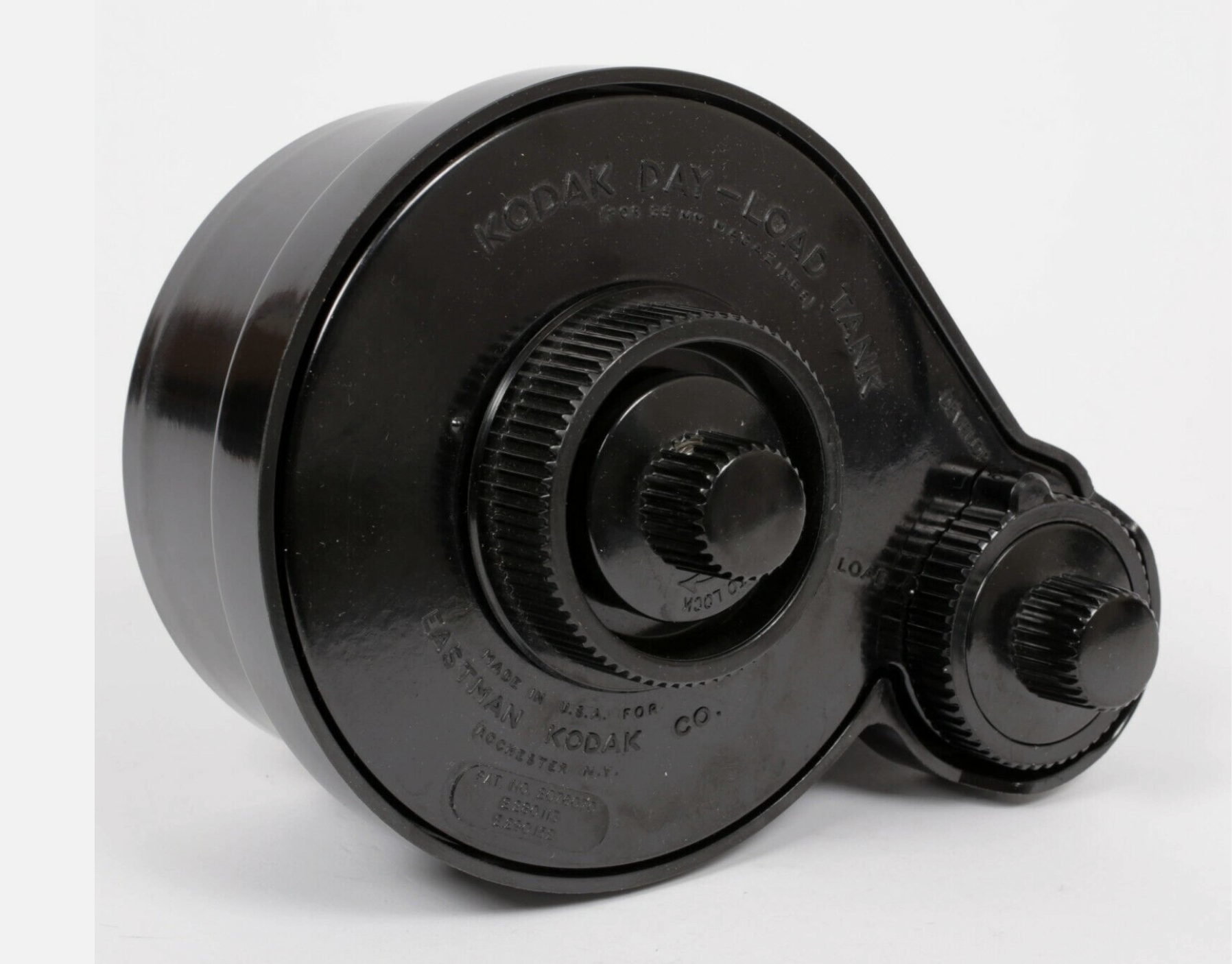
Kodak’s Day-Load Tank was launched approximately at the same time as the Agfa Rondinax. Both the Day-Load and the Rondinax are now very old pieces of equipment (eighty to seventy years old), made of materials that have not necessarily aged well, and with multiple small parts that may have been damaged or lost over the years. Assuming you can find one at a reasonable price (by that, I mean cheaper than the $89.00 of a new Lomo Daylight Tank), I’m not sure I would trust them with my film.

Kodak Day-Load (from an eBay Listing)

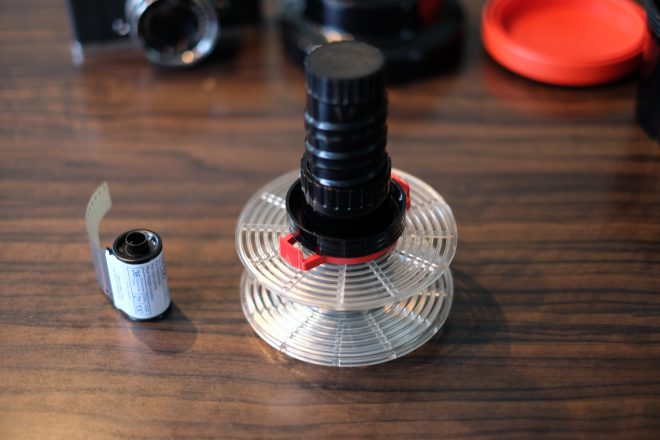
Over the years, Jobo, a direct competitor of Paterson, have tried their luck at making daylight loading tanks multiple times, with models like the Automat 35, and more recently with the Jobo 2400 Daylight Loading tank shown below, which is conceptually close to the Lomo Daylight.

High level, the Jobo 2400 looks like a conventional Paterson or Jobo tank, except that the reel rotates around a rather large black cylinder, which includes the film loading mechanism. It makes for a rather large tank, which will require more chemicals than a conventional tank.

Jobo 2400 – the film is dropped in the black tube at the center of the reel, and inserted on the reel from the center. From: https://lichtgriff.de/filmentwicklung-bei-tageslicht-jobo-2400/
Comparing the two daylight loading systems available today

Lomo’s Daylight Developing Tank and Ars-Imago’s Lab-Box were developed with the same goal, but follow a different technical approach.

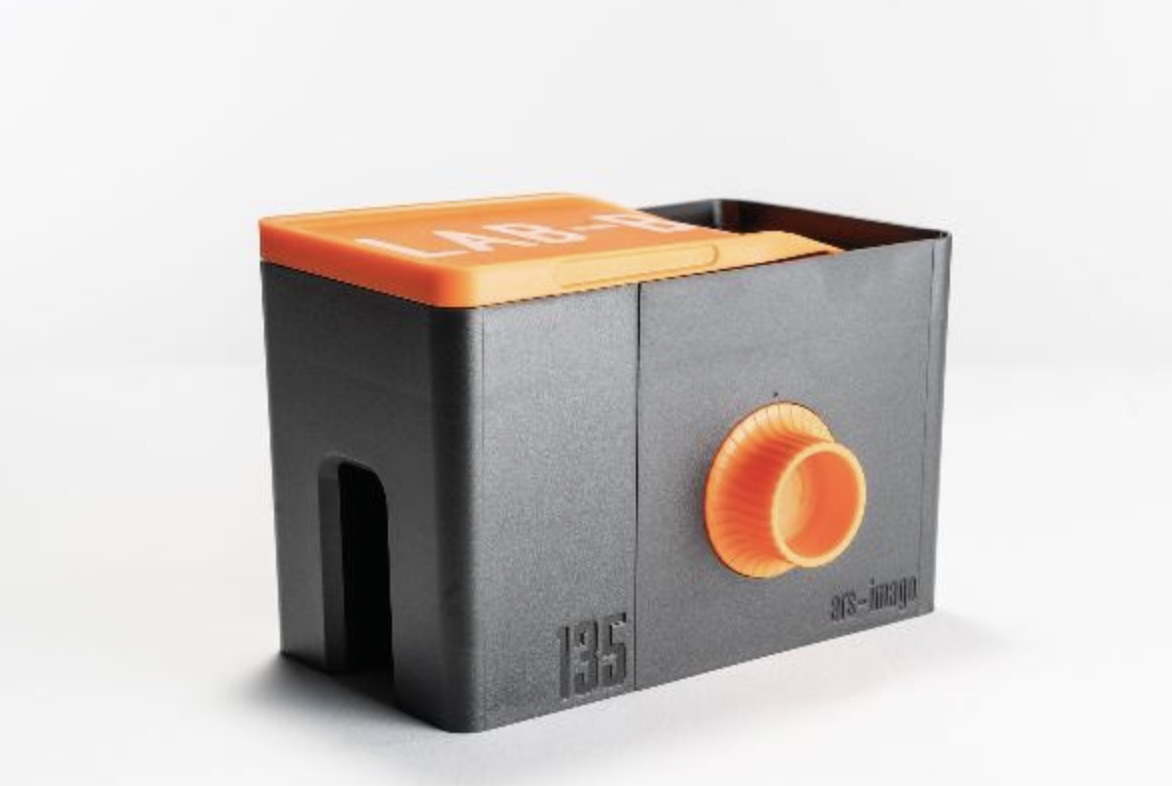
The Ars-Imago Lab-Box with its 35mm film loader. The crank and the 120 film loaders cost extra. From: https://www.ars-imago.com/en/lab-box
The Lomo Daylight Developing Tank was reviewed in those pages recently. The film cartridge is positioned in the film loader, the film loader is dropped at the center of the tank, the operator turns a crank to push the film on the spiral reel hidden inside the tank, and when the film is fully loaded on the reel, the film is separated from the cartridge by a built-in steel cutter and the loader is removed from the tank.

The Lab-Box is clearly inspired by the Agfa Rondinax, but Ars-Imago have improved on the original design in a few ways: contrarily to the original Rondinax, the Lab-Box is modular and can accommodate either one of two film receptacles, one for a 35mm cartridge, and one for 120 roll film. Ars-Image are also selling a replacement lid for their Lab-Box, that integrates an electronic timer and thermometer, to create an all-in-one device.
In innards of the Lab-Box. The film is pulled from the cartridge by a ribbon attached to the axis of the reel. From: https://www.japancamerahunter.com/2019/06/photography-ars-imago-lab-box-monobath-review/

In the Lab-box (as in the original Rondinax), the film leader has to be clipped to a ribbon attached to the center of the reel. When the operator has closed the lid of the box, turning the knob on the side of the Lab-Box will pull the film out of the cassette and load it on the reel.

  • Lomo and Lab-Box: design – similarities
    • They can be loaded and operated in full daylight,
    • They’re relatively low-tech – no motor, no battery – they’re operated by a big knob or a small crank.
    • Both need the film leader to be accessible – you have to extract it if your camera is motorized and rewinds the film completely in the cartridge.
    • They can only process one roll of film at a time.
    • They are more difficult to reassemble than a conventional tank after cleaning, which offers a few opportunities to goof-up.
  • Big differences:
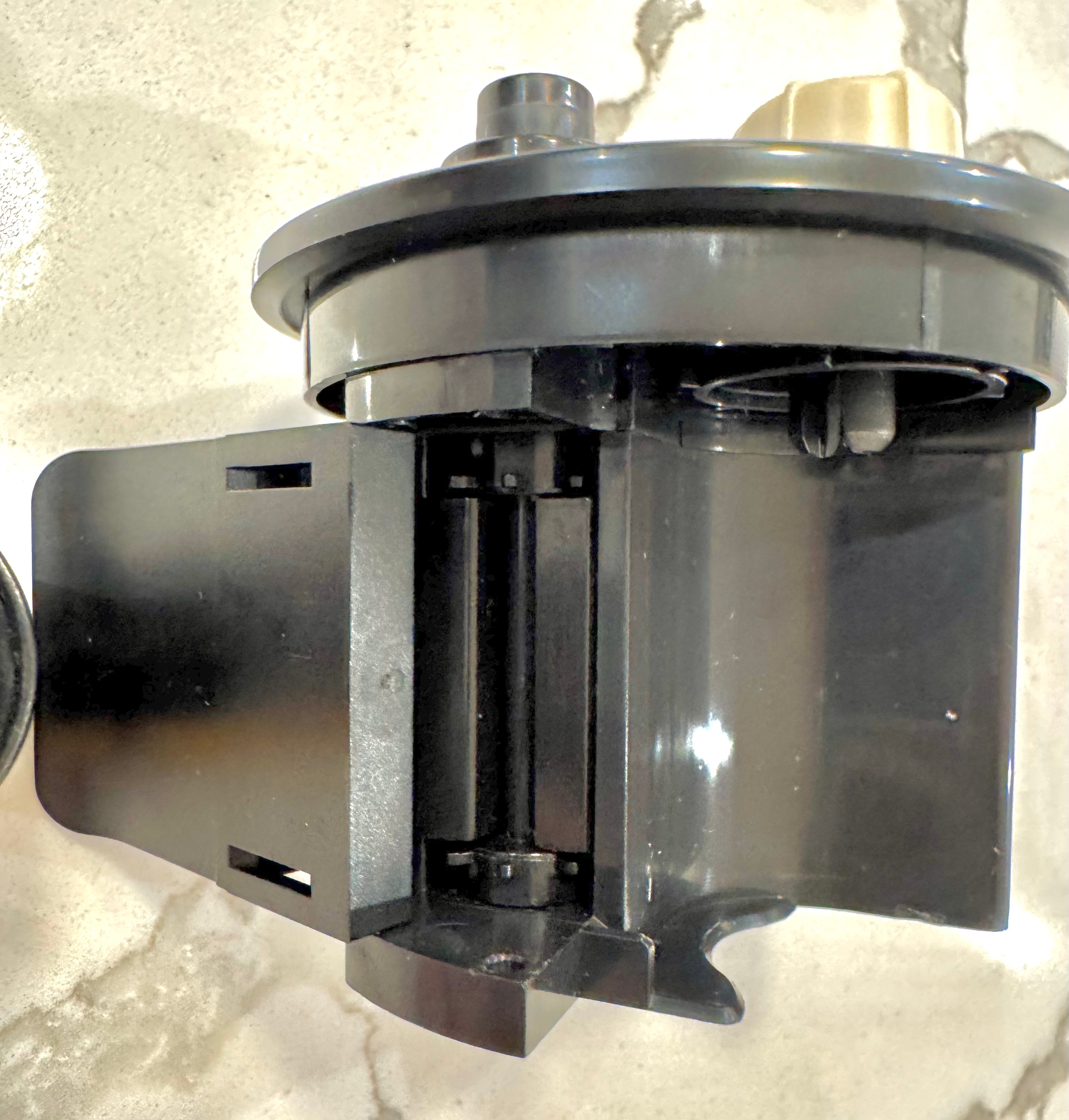
    • The “film pull” method of the Lab-Box seems gentler than the Lomo’s “film push” design, where the crank activates two sprockets that engage in the film perforations, and push the film (through a narrow guillotine) to the reel where the film will sit.
    • I’ve experienced multiple difficulties with the Lomo’s loader sprockets (they tend to tear the perforations of the film if they meet any resistance) and with the very narrow slit that controls the entry of the film in the chamber where the reel sits:
      • When you’re finished pushing the film to the reel, it’s still attached to the cartridge, from which you need to separate it in order to start the development process.
        You have to turn a knob vigorously to cut the film, and if the action is not decisive, debris of film get stuck in the slit, and have to be removed to great pains when cleaning the tank before the tank can be reused.
    • On the Lab-Box, agitation is performed by turning the crank (you don’t flip the tank regularly like you would do on a Paterson tank or the Lomo). Agitation can be continuous or intermittent. Ars-Imago recommend the continuous agitation, because it uses half the quantity of chemicals of the intermittent process, but you have to be prepared to turn the crank continuously for the whole duration of the development phase. It’s not motorized, remember.
    • The Lomo only processes 35mm film, the Lab-Box is modular. A 120 roll film loader can be purchased separately.
    • According to Ars-Imago, the Lab-Box is not compatible with PET based films (not that many on their list). I’ve not read about such restrictions on the Lomo.
  • In summary
    • The Lab-Box is twice as expensive as the Lomo Daylight. It’s also larger.
    • To its advantage,
      • the Lab-Box should be gentler with film than the Lomo (the film is pulled, not pushed)
      • It only needs 300ml (10 fl oz) of products if you opt for the continuous agitation. On the other hand, if you prefer to spare your arms and opt for the intermittent agitation, you’ll need 500 ml (17 fl oz) per film. For reference, the Lomo needs 350ml of chemicals, and a Paterson tank will need 300ml for a single film, and 500 ml if loaded with two films.
      • it’s more flexible than Lomo (120 roll film and “intelligent lid” options)
    • On the Lab-Box, continuous agitation implies that the photographer turns a knob or an optional crank continuously (of course) for the duration of the development phase. Imagine you’re pushing a film and use a developer at high dilution – do you feel like turning a crank continuously for 10 minutes?
    • On the Lomo, you can stick to the same intermittent agitation process (Paterson calls that “inversion”) you would follow with a more conventional tank.
The Lomo Daylight Developing Tank – the film loader – notice the sprockets pushing the film to the reel.

How the Lomo Daylight Tank compares with a conventional Paterson (or Jobo) tank system?

Let’s answer a few questions…

  • How long does it take and how difficult is it?
    • to extract the film leader
      • this step is only needed with the Lomo, and only if you’ve let the camera fully rewind the film in the cassette. In the end, I’ve always succeeded in extracting the film leader from a cartridge where the film had been fully rewound, but it’s always a frustrating exercise, even with a good film extractor (the Lomo’s is a pretty good one). It almost never works on the first attempt (my average number of attempts must be around four per cartridge). So, a few frustrating minutes to be expected.
    • to load the film in the tank.
      • Lomo: it’s easy. Cut the film leader as directed by Lomo in their videos, place the cartridge in the loader, the loader in the tank, lock it… and here you go. Most of the time, it will work perfectly. And it takes a couple of minutes at the most.
      • Paterson – I’m using a brand new Paterson Universal System 4 tank, that came with a so called “auto-loader” reel. It’s a plastic reel, equipped with a ratchet system. Once you’ve disassembled the tank and placed it in the charging bag with the film cassette and scissors, it’s easy to find the starting point of the reel’s spiral and turn the left and right parts of the wheel in opposite directions to move the film from the cassette to the reel. All in all it does not take longer than loading the Lomo.
    • to clean and re-assemble the tank?
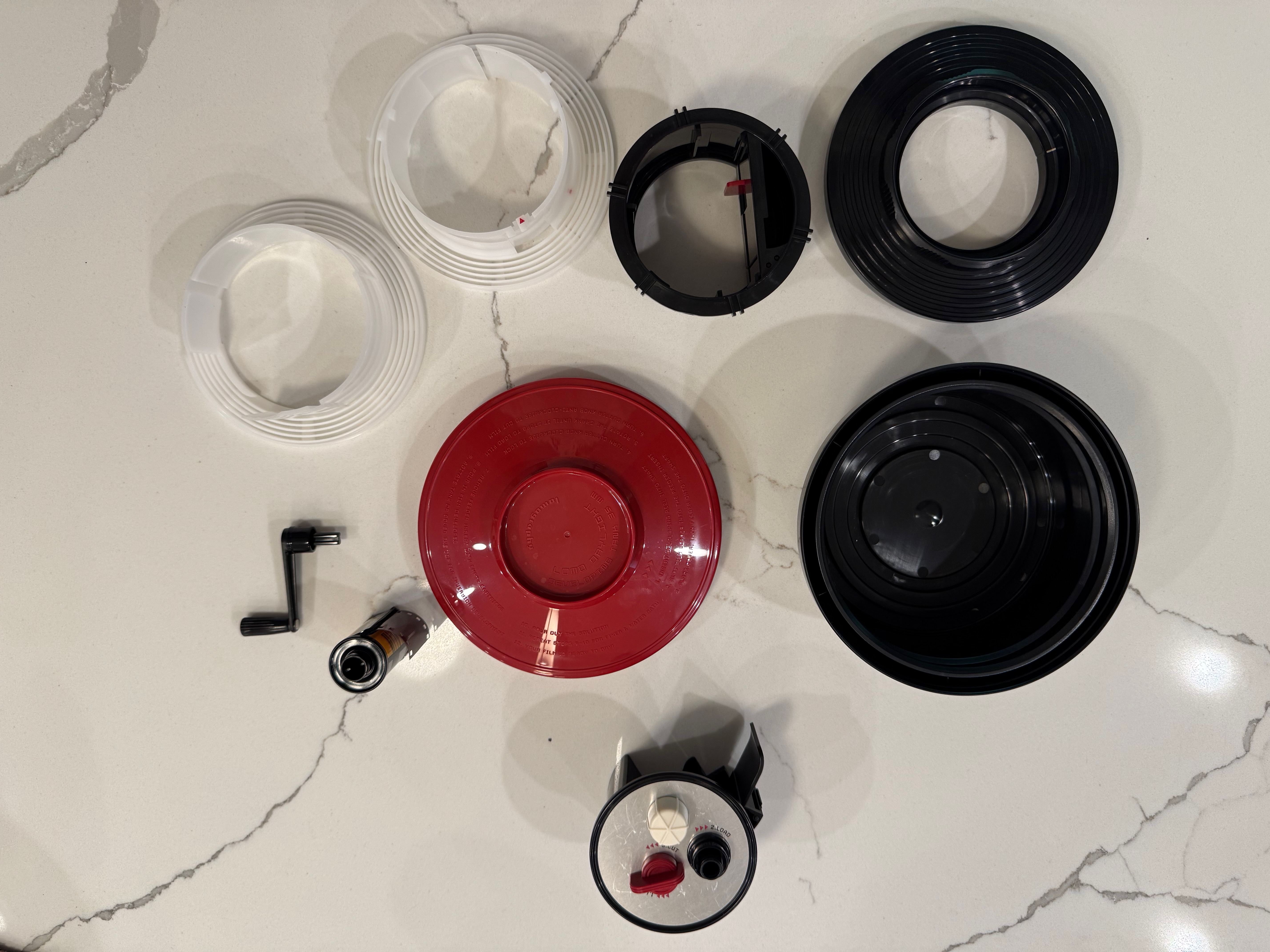
      • Lomo: a benefit of the Lomo’s design is that the film loader is removed from the tank before the developer can be poured in the tank. So that part remains dry and does not need to be cleaned. A total of six parts are in contact with the chemistry and have to be cleaned, and reassembled once they’re dry. The photographer is guided by red arrows and grooves of different sizes that make the whole re-assembly process idiot proof. It does not take more than one or two minutes.
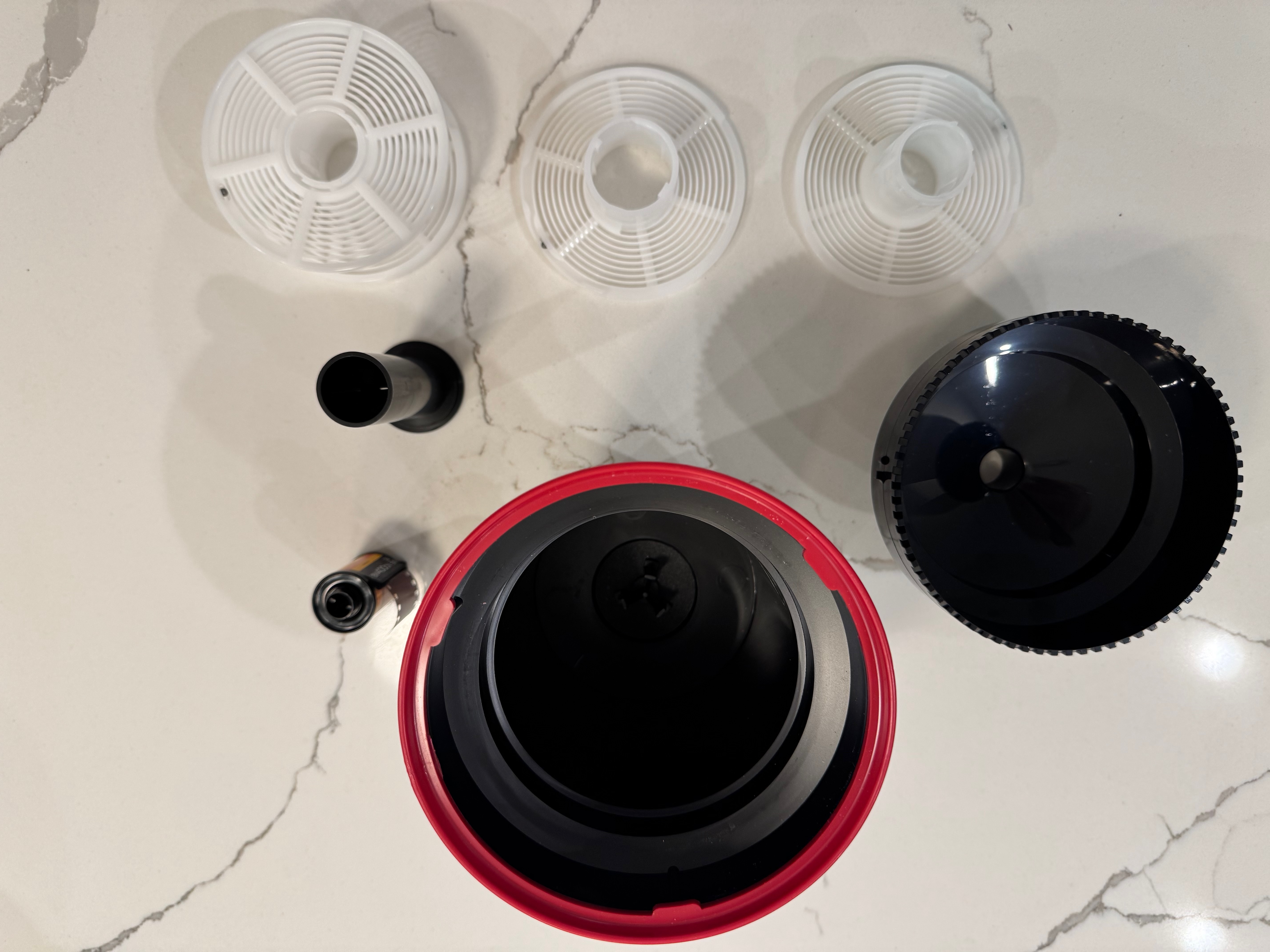
      • Paterson: the Paterson system is even simpler. If using one reel, it’s composed of only five parts, which are extremely easy to clean and re-assemble.
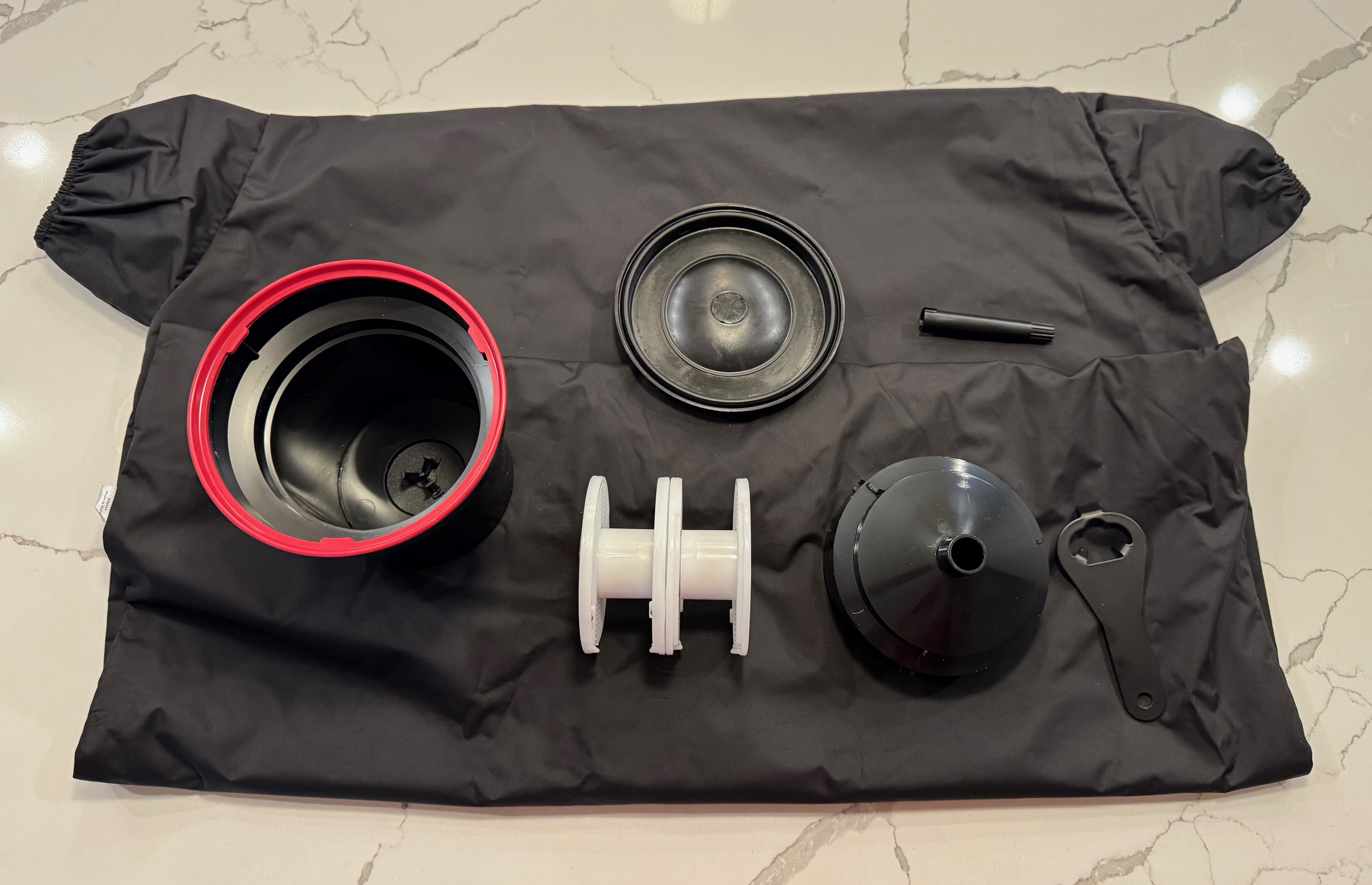
Disassembling the Lomo Daylight – the film loader (bottom of the image) and the crank (of course) don’t need to be cleaned. Reassembly is guided by red arrows and keys.

As a conclusion

It came as a surprise to me. I did not remember that loading a developing tank like the Paterson Universal System 4 was so easy. All right, you need a charging bag – which is one more piece of equipment to buy and store, but it does not take much space, and could be useful in other circumstances.

So…The Lomo Daylight is easy to load, and not difficult to clean and reassemble. But after a very limited practice (one or two dry runs), the Paterson tank is as easy to load as the Lomo, and even easier to clean and reassemble.

Disassembling the Paterson tank – it could not be simpler.

The Paterson (or a system of equivalent quality) has the additional advantages of being more flexible (the reels can be configured for one or two 35mm films or one 120 film), easier to maintain at a specific temperature in a sous vide if inserted in a color process workflow, and less finicky than the Lomo, which can be a bit temperamental in my experience.

The real difference? this pesky film leader extractor. Extracting the film leader from a fully rewound cassette of 35mm film is a royal pain. You may have to do it before you can load the film in a Lomo, but never on a Paterson tank.

Two film leader extractors – the tool provided by Lomo (top) and my old and trusted Hama extractor. The Lomo is probably less of a pain, but still a pain.

More on the subject

Discontinued systems:

Current systems

The Ars-Imago Lab Box:


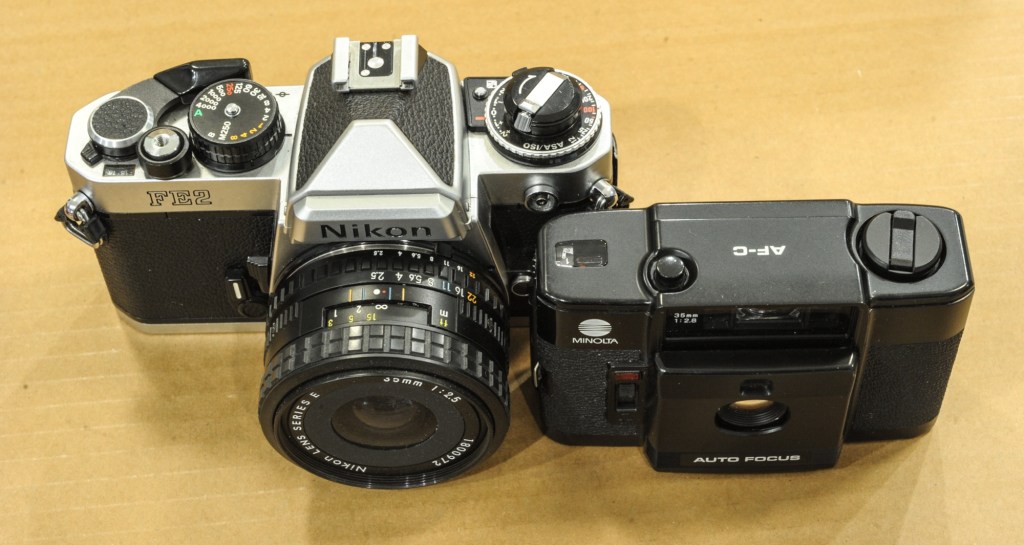
Cars and Coffee – March 2021 – Atlanta – Nikon FE2

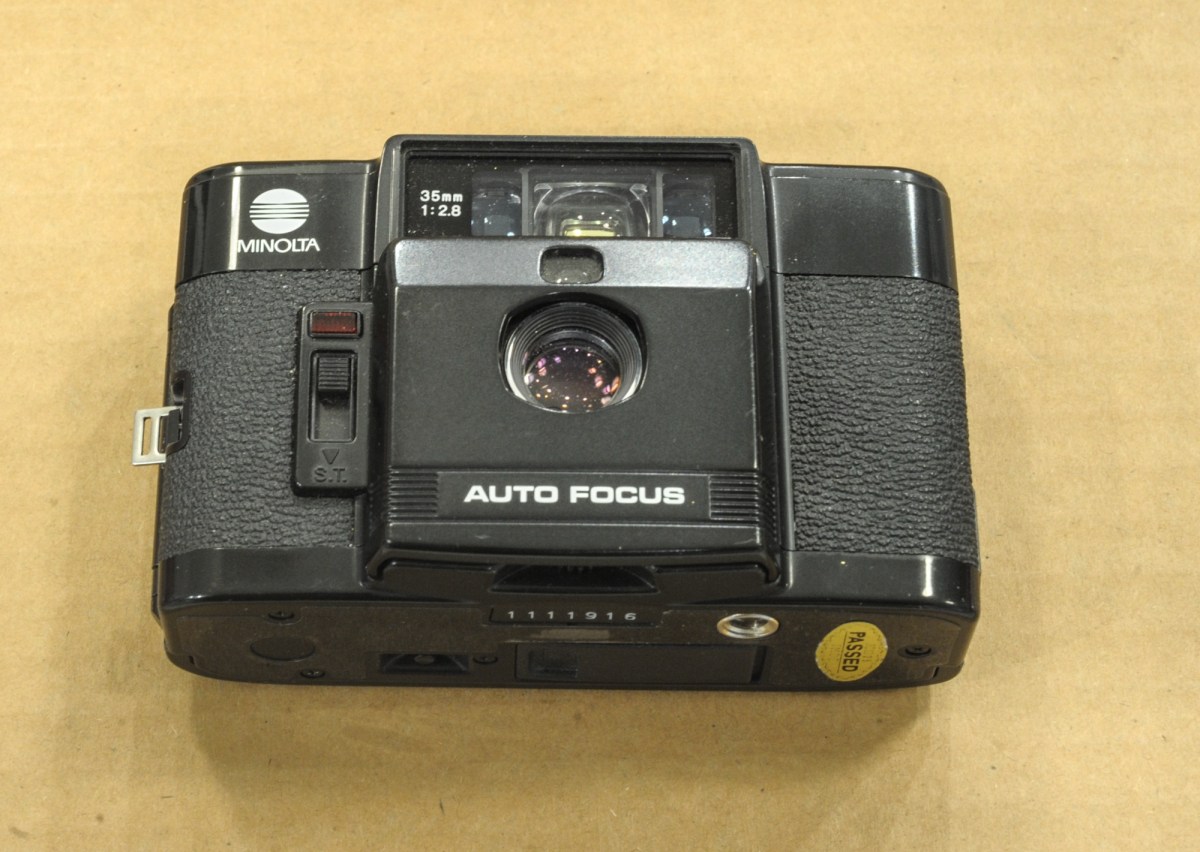
The Minolta AF-C – an ultra compact Point and Shoot from 1983

Minolta, once a major camera maker – second only to Canon in terms of volume – was absorbed by Konica in the late nineties (correction: I was a few years off – the merger was announced in Jan 2003).

The newly formed Konica-Minolta entity left the photography market in 2006 – with Sony inheriting some of their camera and lens designs when they entered the dSLR market.

For the anecdote, the Minolta name is now used under license by a company distributing (very) entry level digital cameras, that – based on the horrendous reviews they get on Amazon – I won’t bother testing.

Sic transit…

An attempt by Minolta to compete with the premium ultra compact category - with a unique selling proposition: it's an autofocus camera.
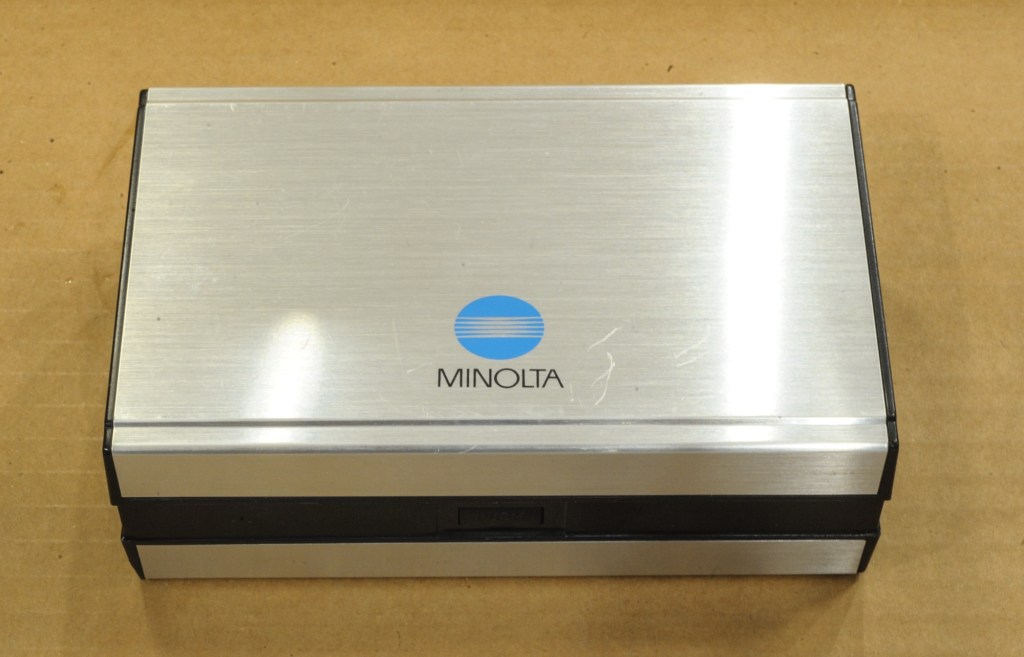
The Minolta case – the AF-C was presented like a precious object.

In 1983 though , Minolta were at their peak. In addition to their bread and butter point and shoot cameras, they had decided to go after the market of photographers looking for an ultra compact camera of quality, and proposed a Minolta alternative to the Olympus XA, the Minox 35 EL and Cosina’s CX-2.

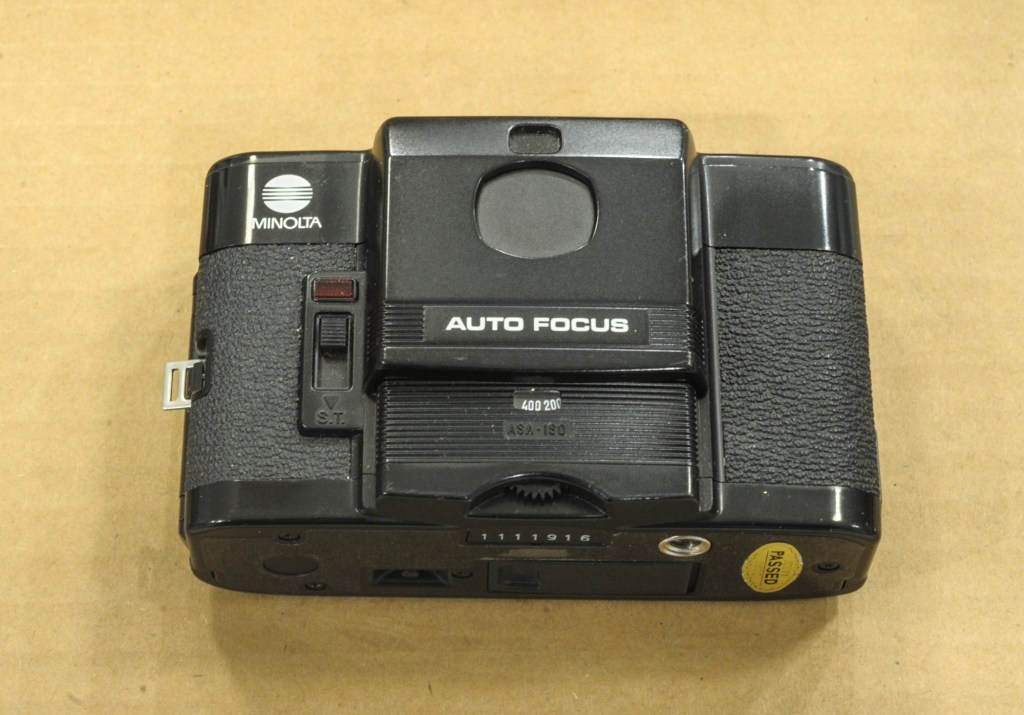
The “shield” is up and the camera powered off.

Like its competitors, the AF-C was extremely compact – it integrated a rather fast wide angle lens – a 35mm opening at f/2.8, and was devoid of an electronic flash (it was sold as a separate unit, to be attached to the left of the camera) or from any motorized film advance system. The AF-C’s unique selling proposition was its autofocus – all their competitors relied on zone focus (Minox, Cosina) or on a small rangefinder (Olympus) for focusing.


The AF-C’s unique selling proposition was its autofocus


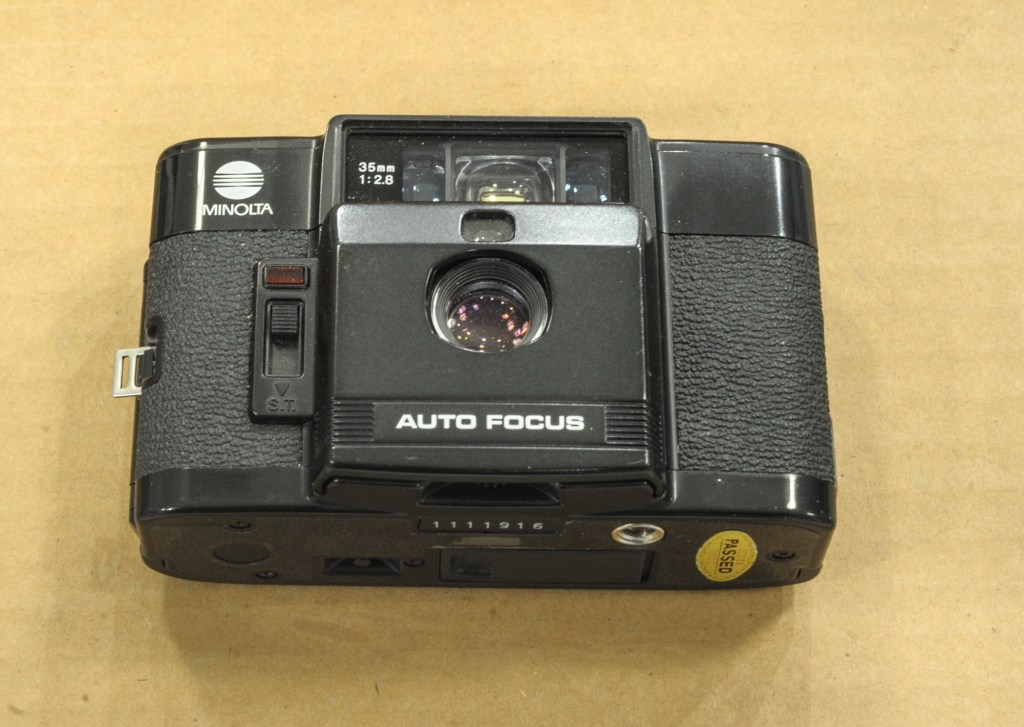
On all those ultra-compact cameras the lens and the viewfinder are protected when the camera is not in use. In the case of the AF-C, a “sliding shield” protects the lens and the viewfinder when the camera is not in use, and has to be moved down to unlock the camera. Simple, and it works.

Minolta AF-C – the “shield” is open and the camera ready to shoot.

Today, the AF-C is not as sought after as the XA or the CX-2 (if eBay prices are an indication). And a derivative of the Cosina CX-2, the Lomo LC-A, reaches much higher prices. Why is it so? Probably because the AF-C is a totally automatic camera, with no ability for the photographer to adjust the settings. You’ll have to trust the performance of its autofocus – there is an AF lock feature to help with off-center subjects, but that’s all. A green LED is lit when the camera has set the focus on “something”, but you will only know what it was after you examine the prints, a few days (or weeks) later.

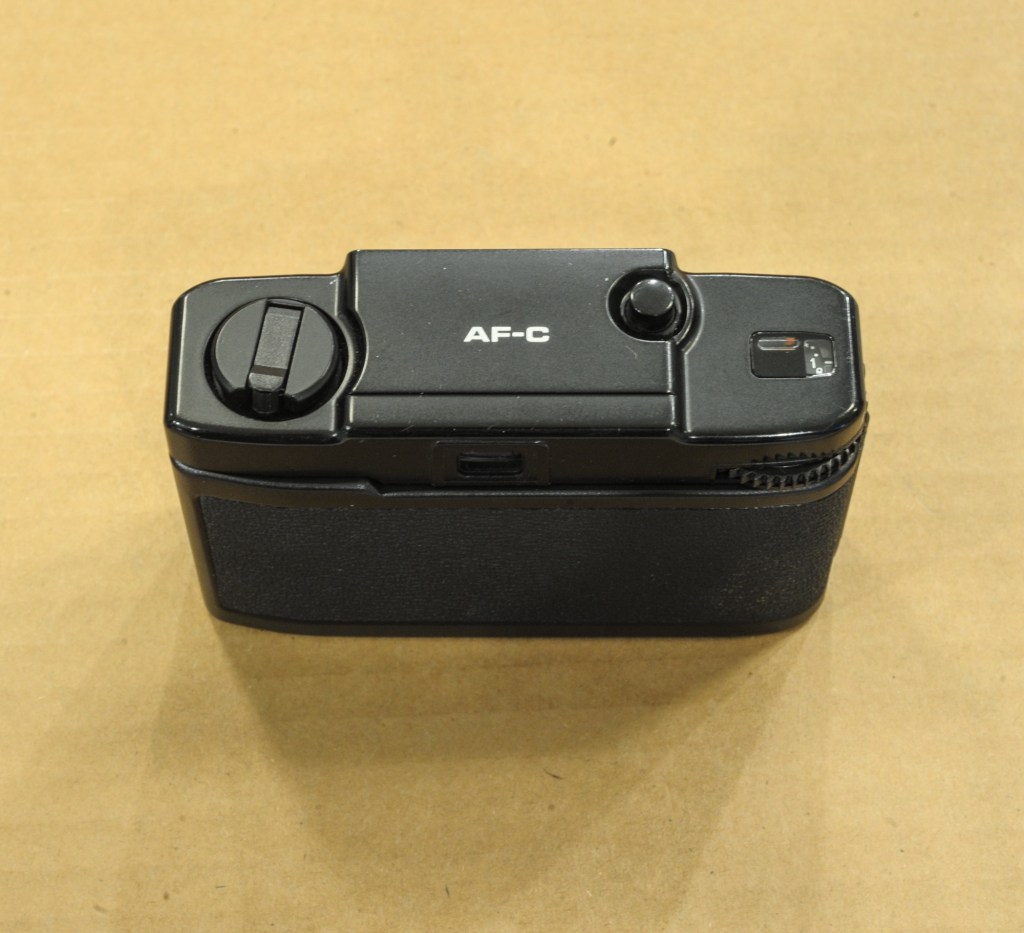
Minimalist top plate – exposure and focus are automatic

Similarly you’ll have to trust the CdS meter – a program controls the combination aperture-shutter speed, with no indication of what the camera has decided to do, and no manual override. In fact, the only thing that the photographer can set is the film speed – between 25 and 400 ISO. Considering that the meter operates between IL6 to IL17 – (1/8s at f/2.8 to 1/430s at f/17)- I would probably use 200 ISO film to cover my bases without risking reaching the limits of the shutter on very bright subjects.

Two ways to shoot 35mm film with a 35mm lens. The AF-C is remarkably compact

Another reason the demand for the AF-C is pretty low nowadays is that it does not operate without batteries (4×1.5v silver oxide batteries). None of its competitors does – all have electronic shutters – but in the case of the AF-C, even the non-motorized film advance is inoperative in the absence of batteries (the film advance wheel is locked). Which leads people to believe that the camera is dead, when it’s just asking for fresh batteries.

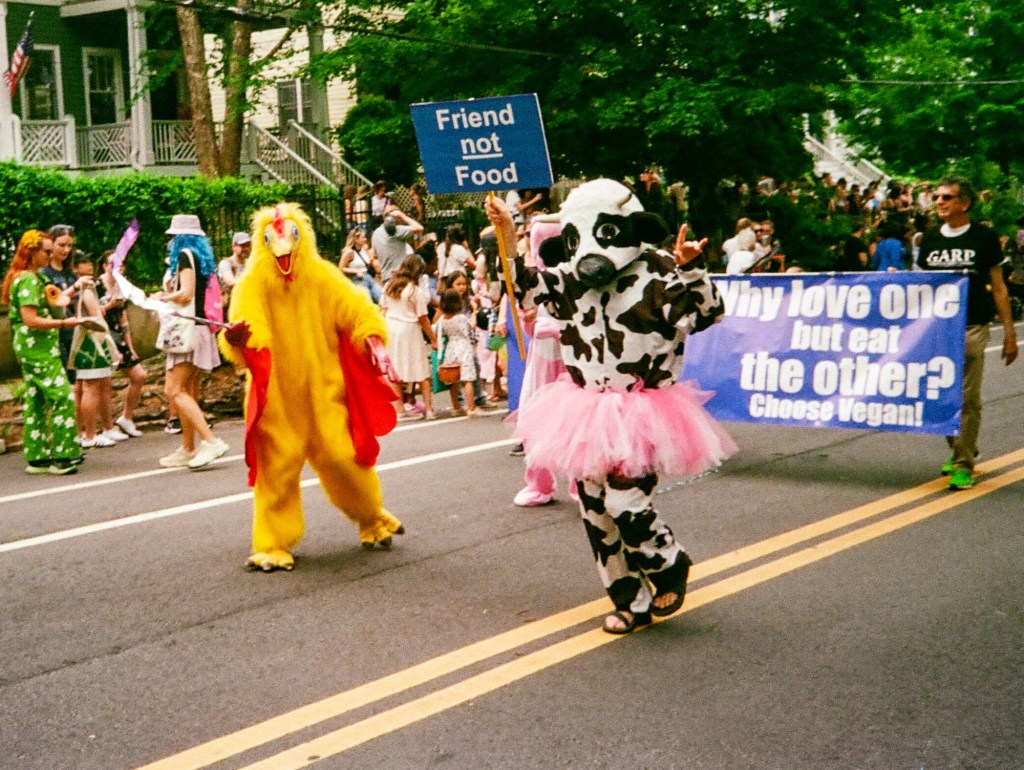
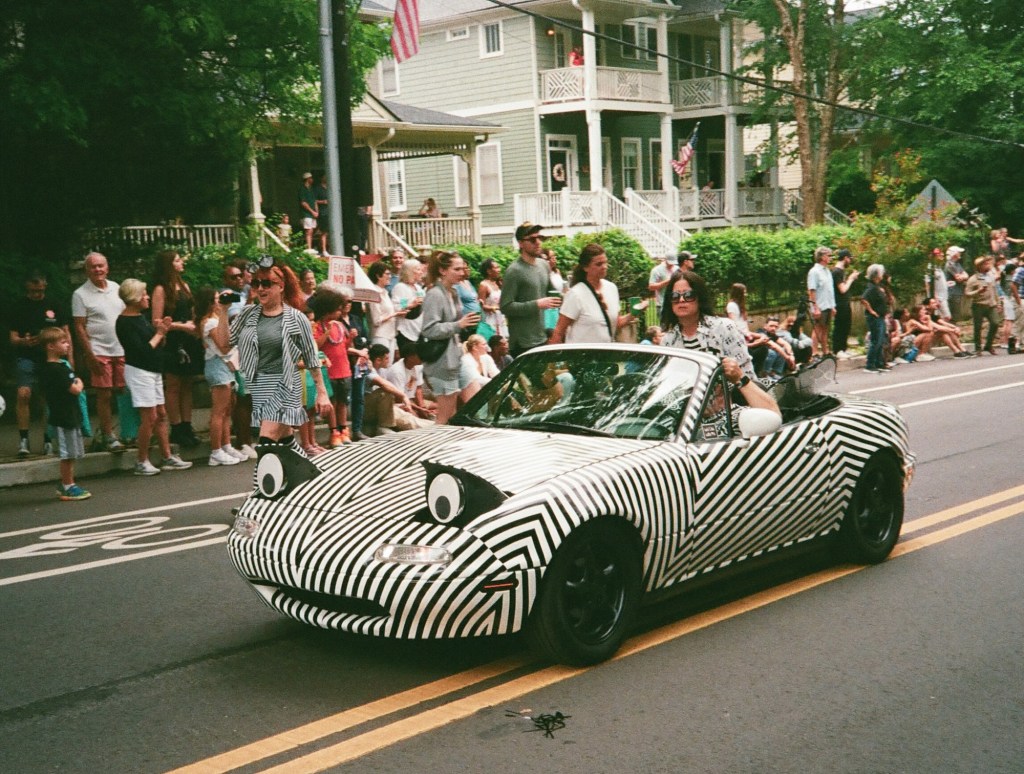
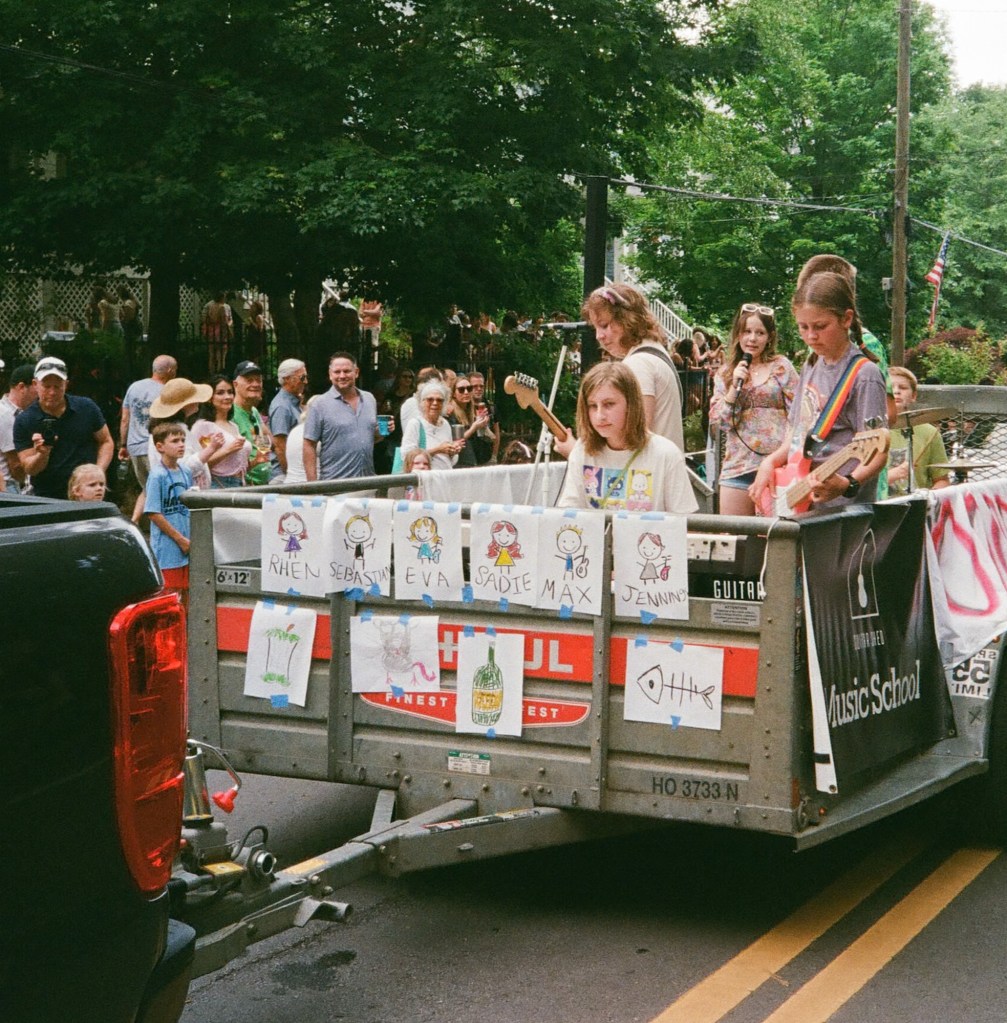
Atlanta, Inman Park Festival – Minolta AF-C – Kodak UltraMax

Shooting with the AF-C

Film loading is easy, if you are used to operating a fully manual 35mm camera.

As for shooting, there’s not much to say. You point the camera towards the subject, you press the shutter release button, and you expect that the AF-C will do the rest. Because you don’t have much to do beyond that.


a young lady seating at the table next to ours asked us whether I was shooting with a disposable camera


Oh yes, film advance is not automated, and the camera is too small for a conventional film advance lever: you have to turn the film advance wheel, like you would do on an old Instamatic. It’s making the same noise – and it’s intriguing for people who are not in the know: I was taking a few casual snapshots of my wife at the terrace of a cafe, and a young lady seating at the table next to ours asked us whether I was shooting with a disposable camera.

Atlanta, Inman Park Festival – Minolta AF-C – Kodak UltraMax

Fresh from the lab

I had this little camera with me when walking in the streets of Atlanta for the Inman Park festival a few weeks ago. It was loaded with Kodak UltraMax 400, not my preferred stock, but I thought it would be a better fit for the camera than my usual Ektar 100.


I was impressed by the sharpness and the contrast of the pictures


When I received the scans, I was impressed by the sharpness and the contrast of the pictures – which points to a good lens. I also liked the camera’s ability to freeze movement – the program controlling the exposure parameters seems to have its priorities in order.

As long as the subject is a street scene or the portrait of a human being, the focus is tack on. But if the subject is not at the center of the frame, or moving too rapidly inside the frame, or too small, the camera can not get the focus right. You should not use the AF-C to take pictures of pets (and of children who can’t stay in place).

I was not overly impressed by the colors though. It could come from the scanner of the lab, but I suspect that the camera had under-exposed most of the pictures. I used Lightroom’s “modern” Profiles to bring the tones to my taste, and the final results are not bad at all for a 40 year old ultra-compact camera. They have the 1980s minilab look that people seem to like at the moment.

Atlanta, Inman Park Festival – Minolta AF-C – Kodak UltraMax

As a conclusion

The Minolta AF-C is a nice little camera, very compact, and delivering good pictures if you keep it in its zone of comfort. The copy I was using was probably under exposing, and I would need to test it more thoroughly to find by how much.

But I’m afraid I won’t do it. Because I’m not really interested in spending more time with this camera.

We all shoot film for different reasons.

For me, the end result matters, of course, but the quality of the interaction with the camera is also an important factor – and shooting with this auto-everything little camera does not cut it for me.

The AF-C does the job but its approach to photography is ultimately frustrating – you know its automatic exposure and autofocus systems are relatively primitive, but there’s no way of knowing what they’re doing, let alone overriding them. And the long travel shutter release, the click of the shutter, the ratcheted film advance wheel, all give you the feeling of shooting with a cheap entry level camera.


the feeling of shooting with a cheap entry level camera


Shooting film has become seriously expensive – in the region of $1.00 per scanned image once you’ve factored the cost of film and processing by a lab. You can reduce the cost per picture if you process and scan the film yourself, but in this case you’ll be paying with your own time.

For that amount of money or personal time, I want the process of creating pictures to be enjoyable. Even if the pictures it captures are of good quality – the 35mm f/2.8 lens lives up to Minolta’s reputation – the AF-C feels too much like an Instamatic to my taste.


Atlanta, Inman Park Festival – Minolta AF-C – Kodak UltraMax
Atlanta – Minolta AF-C – Kodak UltraMax
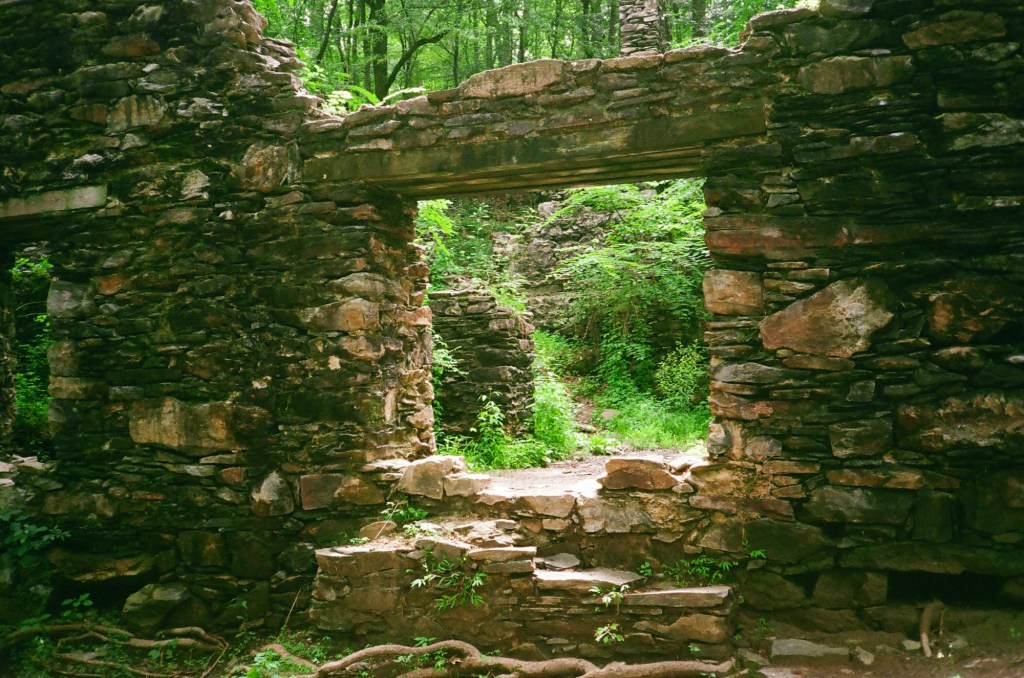
Marietta, Sope Creek Ruins – Minolta AF-C – Kodak UltraMax

Angenieux 28-70 f/2.6 – as tested in 1990 by the French magazine “Chasseur d’Images”

I’ve been an avid reader of the excellent French photography magazine “Chasseur d’Images” for a very long time, and there are still a few dozens of (very old) issues stored in my mom’s attic. The last time I explored the place I found the issue #123 of the magazine (published in June 1990, I believe), where the CI crew were testing the Angenieux 28-70 f/2.6 zoom. There is no flatbed scanner at my mom’s place, and I just took a few pictures of the article with my phone.

The front cover of the issue #123 of Chasseur d’Images. Chasseur d’Images is one of the few surviving printed photo magazines.

That zoom was the last attempt by Angenieux to maintain a presence in the consumer photography market (they’re still in business, but now develop lenses for the movie industry and for aerospace and defense systems). The specs sheet of this lens is extremely close to the Tokina 28-70 f/2.6-2.8 AT-X Pro zoom that the Japanese optics company launched in 1994 – to the point where it’s difficult to tell if Tokina bought the blue prints from Angenieux when they decided to leave the consumer photography market, or if the Angenieux zoom itself was the result of a collaboration with Tokina from the beginning.

The lens and its accessories.

In any case, the Angenieux was labeled “Made in France”, which implies that “the most significant part of its manufacturing” took place in France. More on this subject in: CamerAgX: the truth about the Tokina 28-70 f/2.8 lens.

The typical “Angenieux” industrial design.

Since this site has seen a constant interest for the original 28-70 Angenieux zoom and its Japanese cousins, I took the liberty of asking ChatGPT to transcribe and translate the original article from 1990.

Below is the English translation of the Chasseur d’Images review of the lens, as well as the original test charts – courtesy of ChatGPT.

Enjoy.


Presented in Nikon AF mount at the 1989 Photo Show, its commercial release—announced as imminent—was delayed several times due to production difficulties. This time, it’s finally here, but the quantities delivered will be far from meeting demand! There’s very little polycarbonate on this lens—instead, it has a solid construction made of a beautiful, lightweight black satin-finish alloy. Fairly bulky and heavy due to its large aperture, it still handles quite easily.

Regarding the aperture, we found that it wasn’t entirely photometrically consistent (a variation of 0.4 EV between 28 and 70 mm). As for the Nikon F-801 and F4 bodies, they don’t recognize the f/2.6 aperture, always displaying f/2.8 in the viewfinder. This is a minor inconvenience. The zoom ring operates with smooth and progressive movement. The autofocus is precise and very fast, though rather noisy. Be careful not to accidentally hinder the very wide focus ring that turns during AF searching.

In manual focus, it performs its role properly, although the rotation is not sufficiently damped. A minimum focusing distance of 0.65 m is acceptable, but nothing more. We noted with satisfaction the presence of a depth-of-field scale for the 28 mm focal length—a very rare (and very useful) feature on a two-ring zoom! The Ø77 filter mount remains fixed during focusing. The lens hood is only available as an option.

From our testers

This lens has only two weaknesses: at 28 mm and f/2.6, the edges—and especially the corners—lack definition, and at 70 mm, still at full aperture, the overall contrast is rather low. However, as soon as the aperture is stopped down, its optical performance becomes very good and even excellent at medium apertures, showing remarkable consistency regardless of the focal length. A slight decentering does slightly affect the results on either the right or left depending on the focal length tested, but in a completely insignificant way and only at the two largest apertures. As expected, it is at 28 mm that vignetting and distortion are most noticeable. Very good color rendering with no perceptible color cast. You can leave the supplied UV filter on the lens permanently, as it has no significant impact on performance.


Summary

Zooms of this type with (practically) constant aperture can be counted on one hand. In our opinion, the Angénieux is the best currently available. Its only direct rival, the Tokina 28–70 f/2.8, is certainly less expensive but also noticeably less capable. Compared to the Nikkor AF 35–70 f/2.8, it also proves superior (at equivalent focal lengths), even if the difference is minor in this case. Only the very expensive Canon 28–80 mm f/2.8 delivers more consistent results at shorter focal lengths, thanks to its two aspherical elements. We should point out that this new Angénieux clearly outperforms the older 35–70 mm version, with better distortion correction at 35 mm and better sharpness at 70 mm.

Our very rigorous testing procedure made it narrowly miss a fourth star in performance. However, as its price is reasonable given its outstanding features and performance, we award it five stars for value for money. A zoom lens “made in France.” The first European AF lens! After all, why not say it…”

(from” Chasseur d’Images – Issue #123 ” – Transcribed and translated by ChatGPT).


As for the charts, ChatGPT could only translate the legends – it did not rebuild the charts for me.

For all charts:

Définition (Bords / Centre) = Sharpness (Edges / Center)

Sharpness rating levels:

  • Excellent = Excellent
  • Très Bon = Very Good
  • Bon = Good
  • Moyen = Average
  • Faible = Poor
No need to be fluent in French…They absolutely loved that lens

Of course, you have to place this test in the context of the time. In 1990, I don’t think it had any real competition. Nikon’s 35-70 f/2.8 AF had been available for a few years but it covered a more limited range, and Canon’s EF 28-80 f:2.8-4 L USM was larger, heavier and even more expensive. Direct competition from the 28-70 f/2.8 zooms of the “big three” would not come until 1993 for Canon and Minolta, and 1999 for Nikon. As for the independent Japanese optical companies, they didn’t have Angenieux’s prestigious reputation. For a few years, Angenieux had the market for themselves.

I was shooting with Minolta Maxxum/Dynax cameras at the time and I broke my piggy bank to buy that lens in 1991. It remained my everyday lens for a good ten years, until I switched to digital. I remember it as a very beautifully designed and very solidly built object, whose fully metallic construction made the typical Minolta autofocus back and forth between close-up and infinite rather loud. I never tested the lens “scientifically” (not my style), but when I look today at the pictures I’ve taken with it, I’m still impressed by its resistance to flare. Of course it was large and heavy, and it saw less use when I started shooting with the Minolta Vectis S-1 (one of the only two interesting APS (film) cameras), which made for a much lighter and smaller combo with its tiny 22-80mm zoom.

By the mid 2000s, Konica-Minolta was in deep trouble, and I had lost hope that they would ever design a digital SLR worthy of the Angenieux zoom, and I sold it. For a good price, but nothing to be compared to what it would fetch today.

The Angenieux 28-70 f/2.6 zoom is now a collector (nothing on eBay for less than $3,500), when its competitors of the early nineteen nineties trade for a few hundreds of dollars at best.

Angenieux 28-70 AF zoom with the “small” lens hood.

More about Angenieux 28-70 zoom and its Japanese cousins in CamerAgX


A few images from my “Angenieux” years.

35mm film cameras did not record EXIF information and my archival system was not very refined at that time – I kept my best pictures in photo albums but did not keep track of what camera and what lens had been used to take a specific picture.

But until I bought the Vectis S-1, a Maxxum was my main camera, and the Angenieux was the lens I shot the most often with. The pictures below are therefore “assumed” to have been shot with the Angenieux 28-70 f/2.6 zoom, even if I can’t be 100% certain of it.

Paris – Shot from the Pont Neuf – Minolta 7xi – Angenieux zoom 28-70 F/2.6 (in 1991 or 1992)
Shot from Le Pont Neuf in Paris, circa 1991/1992 with a Dynax 7xi and the Angenieux zoom.
Lake Gjende (Norway). Scanned from print – Minolta 700 Si (Aug. 1996)
Joe – Skipper on Lake Powell (AZ) – Scanned from print – Minolta 700si – Angenieux 28-70mm f/2.6 zoom (May 1994)

Pentax Program Plus – you can still get a good film camera for $20.00

With a good wide angle lens included in the set…

I’ve been lucky with ShopGoodwill.com lately — I recently won a Pentax Program Plus with a 28mm Vivitar lens, all for the princely sum of $21.

Let’s clarify one thing to begin with: like most Japanese camera companies, Pentax was selling its cameras under different models names in different geographies – the camera sold as the Super-Program in North America was sold as the Super-A in the rest of the world, and the Program-Plus was simply known as the Program-A outside of North America [*].

I had been looking for a Program Plus at a good price for a while – it’s the last of the ME family of cameras, a marginally simplified version of the Super Program, that I hoped would strike the perfect balance between too little features (the Pentax ME) and a bit too much (the Super-Program).

Pentax Program Plus – Program Mode (shutter speed and aperture determined by the camera).

Pentax launched the Program Plus one year after the Super Program, and did not remove much: the maximum shutter speed is limited to 1/1000 instead of 1/2000, and the camera only offers two auto exposure modes (program and aperture priority) instead of three on the Super Program.

But the right side of the top plate is a bit less cramped (it does not have a tiny LCD screen showing the selected shutter speed forced between the mode selector and the film advance lever) and the mode selector has been redesigned to be a little bit easier to set as a result.

Pentax Program-Plus with the 28mm Vivitar lens

Vivitar

I had not paid much attention to the lens that came with the camera. I had assumed it was one of those horrible third party lenses that you generally find on cameras donated to Goodwill. Not this time. It was a Vivitar lens – but not any Vivitar lens – it was the highly regarded 28mm F/2.8 Close Focus MC “RL Edition” manufactured by Komine.

You can still find Vivitar entry level digital cameras at Walmart nowadays, but today’s Vivitar is a shadow of what the brand was in the seventies. They used to be a major distributor of very good lenses and electronic flashes, a credible alternative to the leading camera companies. Some historical context, then.

Vivitar 28mm f/2.8 Close Focus MC RL Edition

When the Japanese camera industry started its expansion in the years following WW2, it was still for the most part a cottage industry – even the largest players were relatively small and highly specialized companies (in the early fifties, Nikon was only manufacturing lenses, and Canon only camera bodies, and some of Canon’s cameras came equipped with Nikkor lenses).

Only very few of those companies grew enough to find the financial strength to establish their own distribution networks outside of their country of origin.

Atlanta – Centennial Park – Pentax Program-Plus – Vivitar 28mm – Ilford FP4 Plus – a pretty good lens.

An American company named Ponder & Best saw an opportunity, and started distributing under its own “Vivitar” label the lenses and accessories that it procured from a myriad of small Japanese workshops. Most of those products were probably average, but a few were very good.

Vivitar never disclosed who their suppliers were, but the urban legend attributes the best of the Vivitar lenses to a Japanese company named Komine. Vivitar lenses benefitted from a 5 year warranty, but on the “RL Edition” models made by Komine it was extended to a total of seven years. So, this 28mm from Komine is supposed to be Vivitar’s very best.

A very pleasant little camera

Shooting with the Program Plus

I’ve burnt a few rolls of film with almost each representant of the Pentax ME family recently, and the Program-Plus is the one I prefer. The ME only works in Aperture Priority auto exposure mode, and the Super-Program is borderline too complicated. Even if there is not a huge difference in the organization of the commands on the right of the top plate, it’s a bit less cramped on the Program-Plus and easier to live with.

Pentax Program Plus – Semi Auto mode -here the operator has selected a shutter speed of 1/125sec, and the metering system determines that the image will be under exposed by 2 stops.

For an amateur interested in the technique of photography, the Program Plus is a very nice little camera. It’s among the smallest and lightest film SLRs of the eighties, but its compacity does not come at the cost of the user experience – the viewfinder remains very good – wide, bright and informative. The “programmed auto exposure mode” in particular is very well implemented – it lets the photographer know (on two LCD displays in the viewfinder) the aperture and shutter speed selected by the camera’s program. And in semi-auto mode, it displays the selected shutter speed on the left display, and the level of over or under exposure (in EVs) on the right one. Pretty unique in this class of camera in 1983.

Of course, nothing is perfect: the LCDs are back-lit through a large window cut at the front of the prism cover, and become very difficult to read in the dark. The Super Program is equipped with a little lamp that the photographer can activate at the push of a button, but I found it totally useless and I don’t miss it here (one of the things that were removed from the Program Plus).

Pentax Program Plus – three exposure determination modes (named M, A & P on a modern camera) are present and selected by playing with the Aperture ring (A or an aperture value) and the mode selector (Auto or Manual) – for instance, P is obtained by setting the aperture ring and the model selector on A/Auto.

For the rest, it’s one of the good Pentax cameras – no horror stories when it comes to reliability, and because it was designed for the “KA” version of the Pentax lens mount, it operates with a very wide range of lenses – anything from Pentax K lenses of 1976 up to some of the most recent D FA models.

While not as nicely finished as an ME or a Super Program, it’s still a well build and solid camera – nothing to be compared with the plastic-fantastic cameras of the following decade that look so cheap today.

Like all the cameras of the ME series, it simply needs two easy to find and (relatively) cheap SR44 1.5 batteries, that it does not seem to tax too rapidly.

As a conclusion

Eight years separate the Pentax ME from the Program-Plus. Being based on a similar platform, they’re not that different of course, but the Program-Plus is definitely a better camera for an amateur who is interested in photography – in addition to the Aperture priority mode of the ME, there is a very useful Program Auto Exposure mode, and a real semi auto mode to use when the exposure is too tricky to trust the automatism. The focusing screen is probably a bit finer as well, and the fragile mechanical selfie timer has been replaced by an electronic one that should be more durable.

Pentax Program-Plus (top) and Super-Program – some cost cutting is visible on the Plus, but the commands are not as cramped.

At $21.00 (good lens included), my copy is probably on the cheap side (I admit I was lucky on this one), but even from a reputable seller, you should not pay more than $50.00 for a nice one.

The Program-Plus sits with a few other cameras of the same vintage (the Nikon FE2, the Olympus OM-2 and the Canon AT-1) at the top of my very personal list of preferred manual focus film cameras. And it’s definitely one of my keepers.


[*] I don’t know why the Japanese camera makers were using different names for models sold in the US – “to reflect the local preferences” is often mentioned as an explanation (for instance, naming a model “Rebel” would be perceived positively in the US but would not in other parts of the world). I suspect there are other reasons as well – like protecting the US distributors from grey imports, or (maybe), helping the Japanese revenue service make the difference between cameras destined for local consumption (and subject to sales tax), and cameras destined ultimately to be taken out of the country and sold to tourists or Army personnel in the duty free shops or in the PX.


More about Pentax film cameras in CamerAgX


Atlanta – Centennial Park – Pentax Program-Plus – Ilford FP4 Plus
Atlanta – Centennial Park – Pentax Program-Plus – Ilford FP4 Plus – May, 4th, 2025 – May the Fourth be with him.
Atlanta – Centennial Park – Pentax Program-Plus – Ilford FP4 Plus. Centennial Park – all 4 photos developed with the Lomo Daylight Developing Tank and digitized with the JJC adapter.

Cleaning my shelves – Contax and Panasonic must go

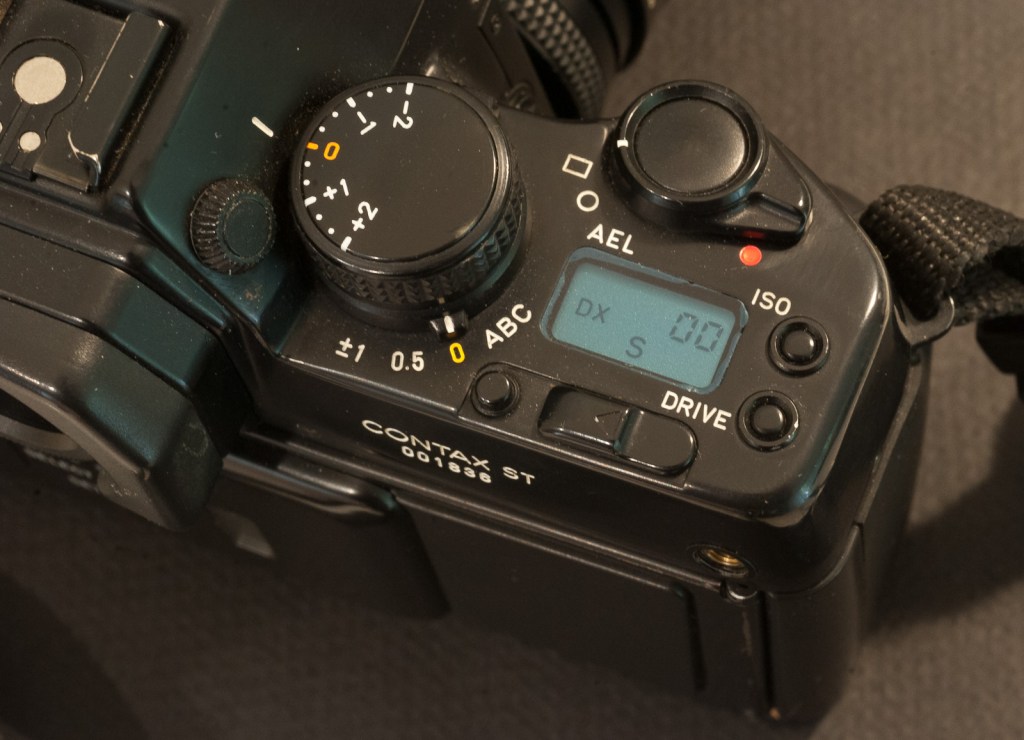
I have too many cameras and my recent interest for Pentax film cameras means that my small Contax collection must go – splendid cameras, superb lenses, but I don’t use them enough.

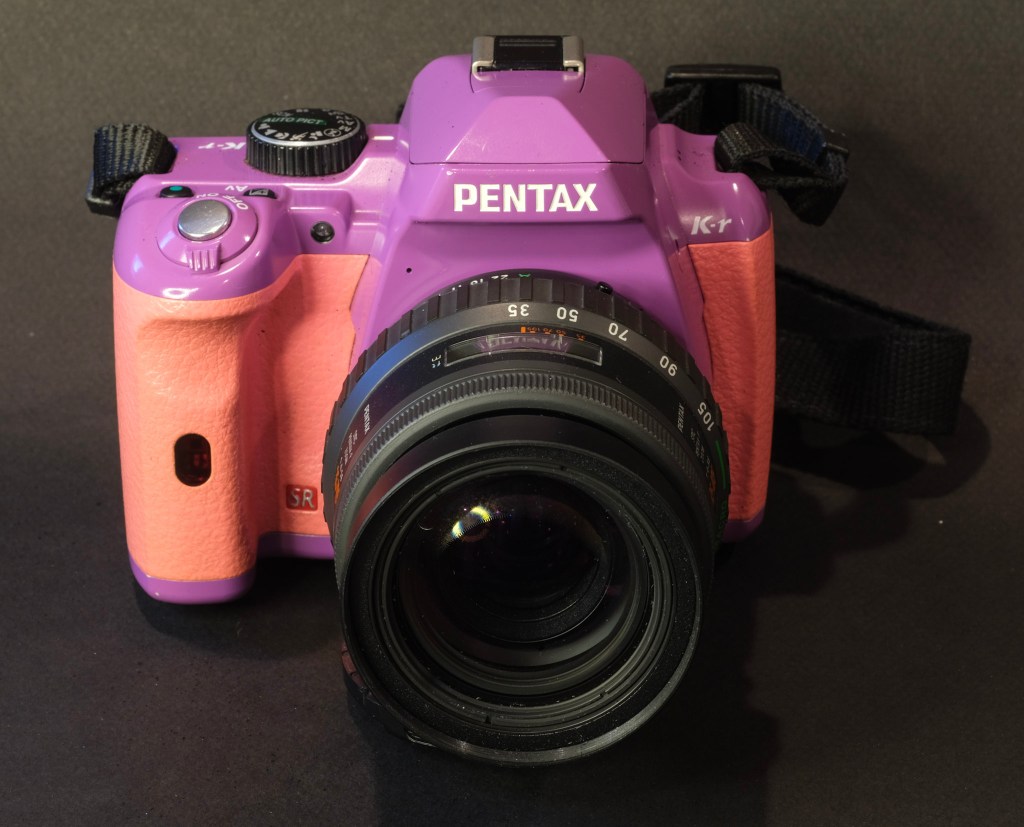
As for the Panasonic G2, it’s cute but too close in size and weight to my current Fujifilm equipment, and I know I won’t use it.


Pet store – Blue Ridge – GA (Contax ST, Vario-Sonnar 28-85 f/3.3-4.0)
Atlanta, Piedmont Park – Panasonic G2 – Yuneec 14-42mm f/3.5-5.6 Power Zoom

The world through a plastic lens? A few pictures in Rome with the Holga 120 CFN

Holga 120 CFN and photographer - digital pictures can also be flawed...

[The Web standards are constantly evolving, and backwards compatibility does not seem to sit very high in the list of priorities. One day, you find out that your good old laptop can’t render Adobe.com or Apple.com pages anymore, or that modern browsers are making a mess of your old blog entries. Because it had become unreadable I moved the content of this old blog post to my current “Isola” theme in WordPress and I’m republishing it. I did not alter the text – just added comments between brackets when necessary.]

When your good friends learn that you still shoot film, and write about it, they understand they have a unique opportunity to get rid of all the – let’s be polite – worthless photo equipment they don’t use anymore and you end up with Kodak Brownies or Instamatics by the bucketload. And if your brother in law is really facetious, he brings you a brand new Holga from one of his trips in China, and since it’s a Christmas present and everybody in the family is intrigued, you buy film and start using it.

Holga 120 CNF
Holga 120 CNF


That particular camera comes in a big orange box with the rest of the “Starter Kit”. Reading the user manual, you get confirmation that the camera is “extremely low tech, and will eventually wear out”. Major design flaws are presented as unique features – the dreaded manual mentions “leaks of light, unvoluntary multiple exposures, loose connection between the film and the take up spool” among the desirable characteristics of the product. Looking for some comfort, you check a little square format book at the bottom of the box. It’s a nice paperback of 192 pages, showing 300 images taken with Holga cameras. Not something Leica or Nikon would be proud of, but interesting pictures nonetheless.

The camera’s design is very basic. It accepts 120 format roll film, has a plastic wide angle lens (60mm, F:8 or F:11) with 4 possible focus settings, and a shutter which offers a unique and unspecified speed. The camera comes with 2 user interchangeable back plates, one will give you 6×6 cm negatives with some vignetting, the other one 6×4.5cm negatives, probably with less vignetting (I don’t know, I only shot with the 6×6 plate). The “CFN” Holgas also come with an electronic flash, equipped with a turret of 4 filters (Red, Blue, Yellow and transparent) for special effects.

Shooting with Holga

The Holga 120 CFN needs 120 film – of course – and since Holgas are supposed to be enjoyed for their shortcomings, color film should be preferred (the plastic lens is prone to chromatic aberrations which would not be visible with black and white film).

Finding color film in 120 rolls proved very difficult. If 35mm film is still easy to find (even in supermarkets or in the little stores attached to many hotels), the same can not be said for 120 roll film. Only stores dedicated to professional photographers still have a few references. I bought a few rolls of Kodak’s Portra 400 NC film. Loading the camera is a difficult task, but in all honesty I’m not used to roll film and I would also have suffered with a more high end camera. [this blog entry was originally written in 2010 – 35mm film is not that easy to find anymore]

Holga 120 CNF - a view from the shutter (120 film adapter removed)
Holga 120 CNF – a view from the shutter (120 film adapter removed) – According to the brochure, you should not expect to transmit it to your grand children.

In the street, the camera attracts lost of attention. People notice the bright red color (Holgas are also available in black, kaki and in a unique blue and yellow combination), and are intrigued by the cheap aspect of the camera. It looks like a toy, and people are surprised to see an adult using it.

Rome - View of the Curia from the Campidoglio - Holga 120 CFN
Rome – View of the Curia from the Campidoglio – Holga 120 CFN

The camera has very few controls and is easy to use, with a decent viewfinder and relatively smooth commands, and provides a user experience very similar the “boxes” that Kodak used to sell before the launch of the Instamatic cameras.

The result?

Having the rolls processed proved as difficult as buying the film in the first place. Costco and the proximity drugstores don’t process anything larger than 35mm film, and the rolls had be sent to a professional lab (some of them charge up to $20.00 per roll). When you receive the pictures, you discover the “Holga paradox”: you’re not attracted to the almost “normal” images, but by the most severely flawed. The pictures with the fewer technical faults are just bad (with vignetting and all sorts of aberrations), while some of the images plagued with the worst of the problems (involuntary multiple exposures, light leaks) have a surrealist quality that the most creative of the photographers would struggle to get from a digital picture processed in Photoshop.
 

Rome-Coliseum-Holga 120 CFN
Rome-Coliseum-Holga 120 CFN – This is one of the pictures with the fewest defects.

Holga, what for?

“Normal” photographers are supposed to spend thousands of dollars in the equipment which will help them produce pictures as perfect as possible from a technical point of view – in focus, sharp, with the right exposure, no vignetting, no distortion, and no chromatic aberration.

Straight from the Holga - at least the bright red camera attracts smiles
Straight from the Holga – at least the bright red camera attracts smiles

Deviations from the norm of the technically perfect picture are supposed to be voluntary, in order to convey an emotion or a message. They’re not supposed to have been brought randomly by a poorly designed camera.

Holgas don’t follow the rule. They’re not “normal”, and they’re not what “normal” photographers would be looking for. Their results are totally unpredictable. When nothing went really wrong, the results are dull. It’s only when they are massively flawed that the pictures start being surprising and interesting.

Using a Holga reminded me of the “Exquisite Corpse” creativity method used by the Surrealist movement at the beginning of the XXth century. With a Holga you will rely on chance to create something new and different. Using the bright red Holga, I started believing that chance could be an artist on its own right. And you end up loving that little camera for that very reason.


More about Holgas

A few decades ago, photographers in Austria discovered the “Lomos” (copies of Cosina point and shoot cameras made in the USSR), and liked the – flawed – pictures made by those very imperfect little cameras so much that they launched the “lomography” movement. They started distributing the “Lomos” in Austria and Germany, and progressively added other cameras from Eastern Europe and China to their catalog. Lomos and Holgas are now widely distributed, and can also be purchased directly from the Lomography web site, where a red Holga 120 CFN can be found for $75. That’s a lot of money for such a low tech object. Bargain hunters can also find Holgas on eBay, for far less.

[The production of the Holga ceased in November 2015, but Freestyle Photo still have a few of them available – only in black, unfortunatelly. Lomography are proposing a camera, the Diana F, that seems to follow the same recipe as the original Holga, and is available in multiple colors.]


Holga 120 CFN – Portrait
Rome - Campidoglio - Michelangelo betrayed by Holga
Rome – Campidoglio – Michelangelo betrayed by Holga

Holga links
The Holga group on Flickr

[I had also tested an instant film back with the same Holga camera – https://cameragx.com/2016/10/02/fujifilm-and-the-instant-film-bonanza/]

Developing and digitizing B&W film without a darkroom

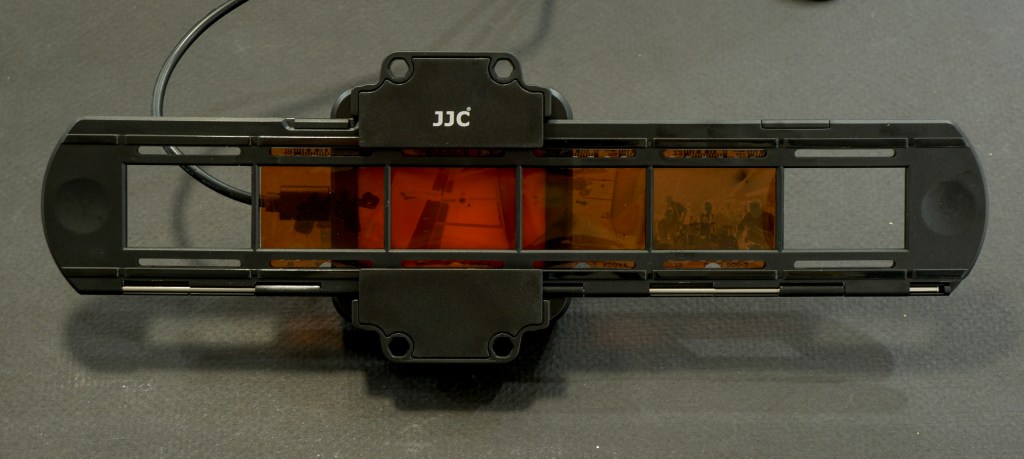
A few weeks ago I tested the JJC Negative Scanning Kit – my goal was primarily to digitize my stash of negatives, so that I could upload and reference them in Lightroom.

B&W and negative color film – the differences

I was pleasantly surprised by the quality of the scans – but I came to the conclusion that until I spent money in Lightroom Classic (or Photoshop) and a good plug-in, converting the color negative into a usable image was going to be labor intensive and yield inconsistent results. Since I had the equipment in place, I also tried my luck at converting B&W negatives instead.

Kodak Plus X Negative – July 2010. As scanned last week with the JJC Digitizer. Kodak Plus X was a conventional B&W film.

Black and White film can be of two types – conventional B&W film (also defined as “Crystal Gelatine” or “Silver Halide”) is made of silver crystal salts (the silver halide) suspended in gelatine. To cut a long story short, during the development process, the silver halides are reduced into silver metal – and the developed film still contains silver.

Image processing in Lightroom

Negative Color film works a bit differently. In this type of film, it’s a mix of silver halide and dye couplers that is suspended in gelatine; during the development process, the developer reacts with the dye couplers and the silver halide to produce visible dyes, while the silver is totally eliminated from the developed film (the labs catch that silver in the exhausted fixer and reclaim it).

The digitized negative after some work in Lightroom. For an amateur, conventional B&W film is easier to work with than chromogenic film.

Because minilabs were ubiquitous and only equipped to process negative color film, it made sense for Kodak and Ilford to propose B&W film engineered to be processed like negative color film – the chromogenic B&W film. Kodak had the BWCN400, Ilford the XP2. Besides the convenience of relying on local minilabs for processing, I also liked the exposure latitude of the BWCN400 and the smooth look of its images, and it was my B&W go-to film for years. Until Kodak stopped manufacturing it 10 years ago (Ilford still have the XP2 in their catalog).

Digitizing B&W film with the JJC Film Digitizing Adapter

The JJC Film Digitizing Adapter is a sort of clone of Nikon’s ES2 kit – both are designed to be placed in front of a macro lens attached to a digital interchangeable lens camera (m43, APS and Full Frame cameras are supported by the JJC system).

Chromogenic film is not as difficult to digitize as color negative film (you don’t have to take care of the color channels), but it still presents challenges, and some work on the S-Curve is needed because all the information contained in the film is concentrated in a relatively narrow band in the middle of the histogram. I will not be posting any self-made scan of my chromogenic pictures yet, because I’m not happy with the results – too crappy to be shared.

On the other hand, conventional Silver Halide film is much more analog in its behavior, and once the negative is inverted – I was using the same free online service as before (https://invert.imageonline.co), almost no adjustment is needed in a photo editor and the image is ready to be published.

Since conventional B&W film is easy to develop, even at home and without a dark room (we’ll come to it in the next paragraph), a darkroom-free process becomes a distinct possibility – develop the film in daylight, digitize with a JJC or ES-2 kit, adjust to taste in Lightroom and share to the destination of your choice.

Developing film in full daylight

Amateurs typically develop 35mm film in Developing Tanks – it starts in a darkroom, where the film is removed from its cassette and placed on the reel and the reel in the tank, then the tank’s lid is closed and the rest of the film processing (develop, stop, fix, rinse) can take place in full daylight.

What a stainless steel tank and the reel look like – nicer than more modern plastic tanks.

Companies like Paterson will also sell you “changing bags”, where you will first place your empty developing tank, its reel, a pair of scissors and your 35mm film cassette. When everything is in place in the bag, you insert your hands in the bag through the sleeves, and attempt to load your exposed film on the reel, separate it from the cassette, place the spiral in the tank, and close the tank, without seeing what your hands are doing. Not easy at the beginning, but with some practice, it becomes a second nature.

Paterson Changing Bag

Our good friends of Lomography have just released a “daylight developing tank” that should make the process easier. In full daylight, place the film cassette in the tank, close the tank, and simply turn the crank to load the film on the reel. When the film is totally loaded on the reel, press a button to cut the film and separate it from the cassette, open the tank, remove the cassette, close the tank again, and start the normal development process.

I just ordered one. I’ll let you know how it goes.


More on the subject:

Digitizing negatives with the JJC adapter/

Film Processing (wikipedia)

Film Developers (wikipedia)

Paterson Developing Tanks over the years


Charleston, SC- July 2009. Developed and scanned by a pro-lab (at Costco, most probably).
Magnolia Plantation and Gardens – Charleston, SC

Panasonic G1, G2 and G3 – how good were the early mirrorless digital cameras ….

I’ve always been intrigued by the first G series micro four third (m43) cameras of Panasonic – and I’ve always found the red ones particularly cute and desirable. But never enough to buy one, until today. Another eBay find.

Launched between 2008 and 2011, the G1, G2 and G3 now qualify as “old gear” and deserve a place in those pages. Whether one of those cameras, which were once revolutionary, will find a new life in my camera bag – is another story, and that’s what we’re going to determine.

Those early G models look like a dSLR shrunk to 1/2 scale, and were available in three body colors (black of course, but also red and blue) in the Western markets (*). Because they were the first representants of a totally new category of cameras, Panasonic did not seem to have a clear positioning for the G Series – were they targeting novice photographers or enthusiasts, and at what price point?

Panasonic G2 and Nikon D700 – two interchangeable lens cameras with 12 Megapixels sensors with a trans-standard zoom. The size difference is striking.

By 2010, they had made up their mind, and started launching smaller and simpler GF models to encourage smartphone and compact digicam users to step up to Interchangeable Lens Cameras (ILCs), while the subsequent G Series models became larger and more serious looking. The current models look no different (and are not really smaller) than conventional APS-C dSLRs.

Why mirrorless?

It all started when the image sensors used in dSLRs became capable of capturing video in addition to still images.

With the D90, Nikon were the first to propose a dSLR that could also shoot HD videos, but the architecture of single lens reflex cameras (with their flipping mirror located between the lens and the image sensor) is not video-friendly; when it was capturing videos, the D90 was reconfigured to operate like a compact digital camera, forcing the videographer to forget about the optical viewfinder, and compose from the LCD at the back of the camera. To make the matters worse, the very efficient phase detect autofocus system of the photo section of the camera could not be used when shooting videos (the flipping mirror again), and after some trial and error, the manufacturers had to implement a second autofocus system in the video section of their new dSLRs, contrast based this time. Two cameras in one.

With no legacy in the SLR and dSLR space, and access to state of the art electronic components, Panasonic was in an ideal position to propose a simpler and more elegant solution to the photo/video hybrid challenge. Their new “mirrorless” photo/video hybrids would not be based on a “reflex” camera anymore (no flipping mirror, no optical viewfinder) – their electronic viewfinder and their LCD display would both be fed directly by the image sensor – and a single autofocus system (contrast based) would be implemented. For the operator of the camera, there would be no difference between shooting still images and videos.

Panasonic G2 – the fully articulated display is great for selfies and for videos. The touch screen is not very reactive, there’s only one control wheel but the presence of the AF/AE lock is a nice touch.

The mirrorless architecture had another significant advantage – because they were not built around the constraints imposed by the mirror box of a dSLR, the cameras and their lenses could be made significantly smaller.

It was a small revolution (and it was perceived as such by the press when the G1 was launched). Sony and Olympus followed rapidly, then Fujifilm, then finally Canon and Nikon.

For the anecdote, the G1 – in spite of being architected as the perfect photo-video hybrid, could only shoot still images. All the models that followed, starting with the GH1 of 2009, shoot stills and videos, the GH models being more video-oriented than the G models, but we’re talking nuances here – nothing fundamental.

Shooting in 2025 with the Panasonic DMC-G2

In the early G series line-up, the G2 looks like a good pick. It addresses most of the limitations of the G1, and its user interface is more enthusiast oriented than the G3’s (more physical controls). The sensor is still a 12 Mpixels unit (the GH2 and the G3 made the jump to 16 Mpixels a few months later) but on a 15 year old camera the performance of the jpeg processing engine, the way it manages noise and the dynamic range are more of a concern than the resolution of the sensor.

Panasonic G2 and Yuneec 14-42 pancake zoom – more physical controls than on an entry level ILC.

Using the G2 today, you understand why the press was so impressed with Panasonic’s new mirrorless cameras. They had nailed the essentials – offering a very compact, well rounded, pleasant to use camera, seamlessly integrating an excellent electronic viewfinder and a fully articulated rear display to shoot stills and movies without the acrobatics needed to do the same with conventional DSLRs. Even the autofocus is (relatively) fast and accurate. The fast movers among the competitors (Olympus, Sony, Fujifilm) would need three good years to catch up.

On a spec sheet, the G2 has everything an amateur will need – multiple exposure modes, including “intelligent” modes that recognize the scene for the photographer and adjust the parameters accordingly, multiple autofocus modes, and a very informative viewfinder.

Atlanta, Piedmont Park – Jpeg Straight out of the camera – note the 4×3 proportions of the picture.

Once you get used to its menus, the camera is easy to configure to one’s desires, and does not get in the way. It’s so light you don’t feel its weight, and wakes up quickly if it had entered a sleep mode. Only the operation of the touch screen leaves to be desired – it’s unresponsive and requires a significant pressure from the finger – and can’t be compared to the responsiveness of a modern smartphone in that regard.

Atlanta, Piedmont Park

What about the pictures?

There are cameras from the same vintage that immediately impress you with the quality of their JPEGs – you shoot with them for the first time and are like “wow!” – I’ve had that sort of moment with my first Fujifilm camera, the original X100. No such thing with the G2. You look at the pictures and you simply think – “not bad, but it needs some post-processing to show the scene like I really saw it”.

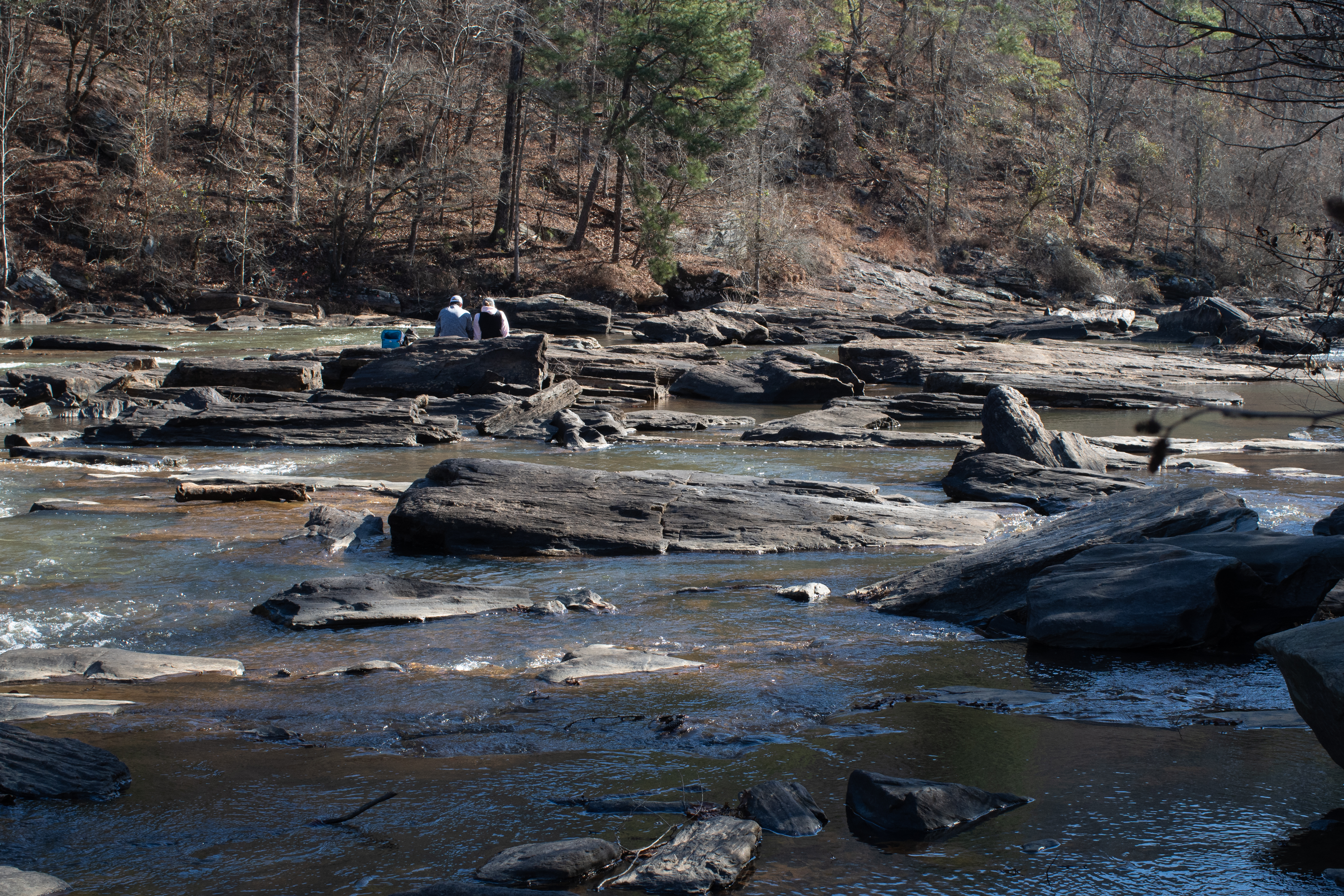
Sweetwater Creek Park – GA – jpeg image boosted by Lightroom AI

The JPEGs are generally pleasant to look at but lack punch, and will benefit from some limited post processing (with the G2, I tend to systematically add vibrance and clarity in Lightroom). In some of the landscapes I shot (facing the sun, admittedly), the images seemed to be rendered in a scale of grey, with almost no color – which points to dynamic range limitations.

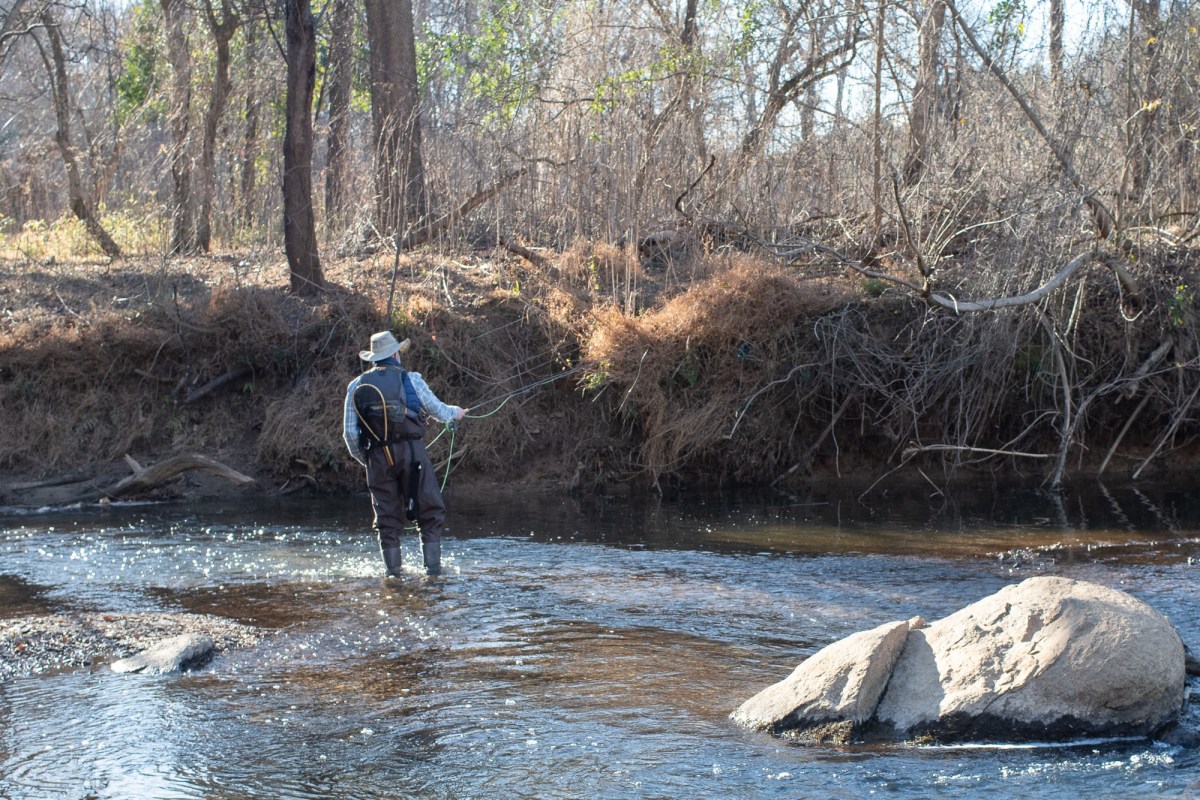
Fishing – Shot in RAW. Processed in Lightroom Mobile

Photographers willing to spend more time on their images will shoot in RAW, and spend a few minutes adjusting each picture in Lightroom. The files respond well to post-processing, which tends to indicate that the potential of the sensor is hindered by the JPEG rendering engine of the camera.

As a conclusion

Shooting with a great film camera from the nineteen seventies or eighties is an experience to be relished. It’s so different from shooting with a modern digital camera. Cameras like the Canon AT-1/AE-1, the Nikon FM/FE or the Olympus OM-1/OM-2 series reconnect you with the basics of photography. Even if you own a state of the art digital camera, you will still feel the need to shoot with a FE2 or an OM-2 from time to time, because they’re such great instruments and using them is so rewarding.

Wildlife on the Chattahoochee River. Shot in RAW. Processed in Lightroom Mobile

You can’t say the same of the Panasonic G2 – it’s a modern digital camera, but not as advanced as the most recent models from Panasonic and all other major camera makers. In 2010, it was an impressive tour de force, already very mature for a 1.1 release. Today, it’s still remarkably compact, but the Jpeg processing engine, the sensor, the viewfinder – although usable – are 15 years behind the current best of the bunch.

The G2 is a cute and easy to use oldie, but if you also own a more modern, more enthusiast oriented ILC, you will not be tempted to shoot with the G2 when you could be shooting with a more recent, more flexible camera that will deliver better pictures in more situations, straight out of the camera.

Or you will be looking for a camera as compact and pleasant to use as the G2, but more modern.

Panasonic G2 with Pentax 35mm f/2 lens and Fotasy adapter – Mirrorless cameras (in general) can easily work with vintage lenses. There is an adapter for almost every lens mount ever made (here, 42mm to m43).

On the other hand, if you’ve only shot photos and videos with a smartphone so far, a Panasonic G2 is a good stepping stone into the world of dedicated cameras. With a Yuneec 14-42mm power zoom (**), it forms one of the cheapest ways to get a taste for what shooting with a good interchangeable lens camera really is about.

You will have to shoot RAW to get the best results, and will have to learn about the S curve and the histograms. But it’s a knowledge worth acquiring.

The m43 system is still alive with Panasonic and Olympus keeping on developing new cameras and new lenses, and when you will feel the desire for a more recent camera, all the experience you will have accumulated shooting with the G2 – and the money you’ll have eventually spent on extra m43 lenses – will not be lost.

Tree – shot in RAW in the Chattahoochee River National Park. Processed in Lightroom Mobile

(*) Panasonic also shipped the early G models in other color combinations, but primarily on the Japanese Domestic Market (JDM). Cameras sold on the Japanese domestic market very often have a Japanese language-only firmware, and can’t be reflashed to show menus in other languages than Japanese. This situation is not specific to Panasonic – all Japanese cameras manufacturers have had (and some still have) references in their line-up which are strictly reserved for their home market and only support Japanese. Generally the ones with the fancy colors. Too bad.


(**) Yuneec is a Chinese manufacturer of drones and electrically propelled aircraft. At some point they used to integrate Panasonic m43 cameras and lenses in their drones – simply relabeling them. The Yuneec 14-42 power zoom is assumed to be identical to its Panasonic branded equivalent. The drones have probably reached the end of their life a long time ago, but enough lenses seem to have survived them, and there is a significant supply of Yuneec branded zooms on the second hand market. The Yuneec-labeled 14-42 mm zoom is identical and – in my experience – fully compatible with its Panasonic branded sibling.

A refurbished Yuneec zoom typically sells for a bit less than $100.00, a nice second hand G2 can be had for less than $150, making the G2+Yuneec 14-42mm combo one of the cheapest way to shoot with a good mirrorless interchangeable lens camera today. Not a penalty camera by any mean…


Sweetwater Creek State Park – straight out of the cameraI was facing the sun when I shot this picture.
Sweetwater Creek State Park – GA – image settings optimized by Lightroom AI. This image is closer to what I had in mind when I pressed the shutter.
Sweetwater Creek State Park – Straight out of camera.
Sweetwater Creek State Park – vibrance and clarity boosted in Lightroom