I did not devote much attention to CamerAgX last year, but still had 27,000 visitors who read almost 40,000 pages. Thank you for your fidelity.
Stating the obvious, most (75% approximately) of the visitors were directed to CamerAgX by a search engine, predominantly Google. The rest followed links posted by contributors in forums dedicated to photography (including DPreview, surprisingly).
I must have become a specialist of the Fujica 35mm SLR cameras of the seventies and early eighties – Fujica related pages are #2, #3, and #9 on the list of most read blog entries – truth to be told there is very little written about those cameras over the Internet – people interested in the subject have little choice outside of this blog.
Two of my favorite brands (Nikon, Olympus) round up the top ten. Canon cameras are not represented – I only started writing about Canon film cameras rather recently, and the field is so crowded it’s difficult to be noticed by the search engines
Lastly, most of the visitors of this site live in the Anglo-Saxon world – with readers from Non-English-Speaking European countries (Germany, Italy, France, Netherlands) rounding up the top 8.
Your comments are appreciated as always.
Happy New Year
Xavier
Paris – Shot from the Pont Neuf -Minolta 7xi – Angenieux zoom 28-70 F/2.6 – Fuji Velvia (July 1992)
Photo and Video have become major differentiators in the world of smartphones – and the three-way competition between Google (Pixel), Samsung (Galaxy) and Apple (iPhone) has led to huge improvements in the last few years. Each new generation is markedly better at making pictures than the previous one.
A few weeks ago, I could not resist any longer, and took advantage of a promotion of my favorite carrier to buy the brand new iPhone 11 for $350.00 – I just had to surrender my old iPhone 7 in exchange. The truth is, I needed more internal storage, but I also wanted to see whether the new camera was as good as promised.
iPhone 11 – sunset at the pool
And I was not disappointed. The photo section of that thing is incredible. Simply having access to any focal length between the ultra-wide (13mm equiv.) and the wide angle (26mm equiv.) at full resolution, with a digital zoom to bring you a bit closer to the subject if you need it – is literally a game changer: how often have amateurs access to a 13-35mm zoom lens on their full frame digital camera?
Of course, with a 12 Megapixel sensor and a “normal” lens limited to the equivalent of a 26mm wide angle, it can’t beat a medium format digital camera for large prints, or a DSLR with a fast telephoto lens for sports photography. And because of the way Apple has tuned noise reduction and HDR, the pictures are a bit light on contrast to my taste, but that’s nitpicking.
For subjects which are considered “normal” for an amateur photographer: selfies, family shots, portraits, street photography, urban landscapes, interiors, and for the “normal” destination of most of today’s pictures (instant messaging, social networks, on-line photo galleries, prints up to 11x 8) it’s so good that I doubt I could get better pictures out of camerawith any of the digital cameras I own.
Even if I spent big money on the latest and greatest full frame mirrorless camera, bought more lenses, and dedicated a lot of time to practicing and testing in order to seriously step up my technical game, I’m still not sure I would get significantly better results out of camera than what this iPhone gives me effortlessly. (*) (**)
So is the power of “computational photography“…
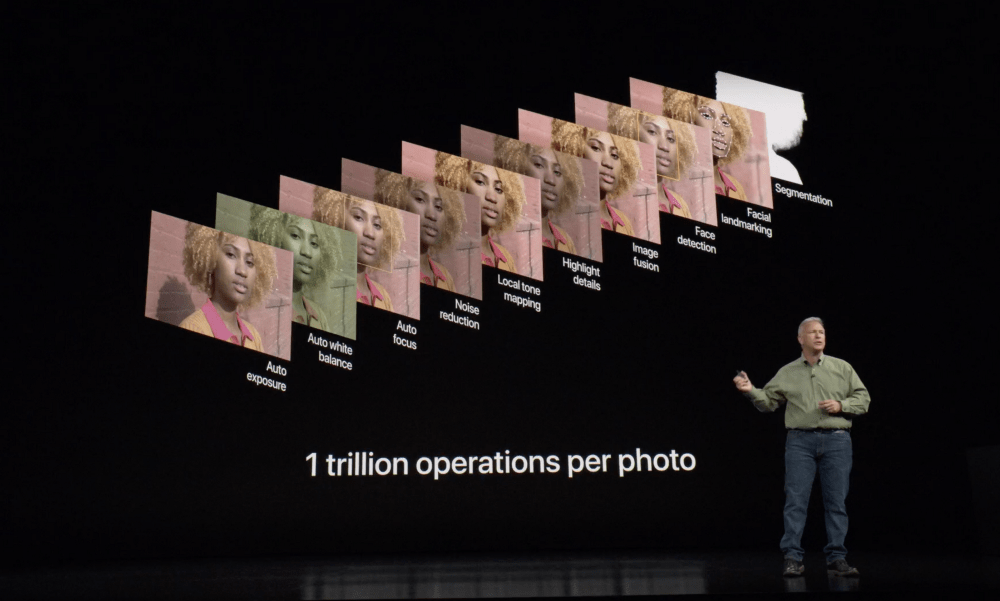
Very high level, an iPhone takes many different versions of the same shot (just before and just after you press the shutter release), with different focus and exposure settings, and uses artificial intelligence to decompose the image in sections (main human subject, background, sky, …). Each segment of the image is then optimized (exposure, contrast, noise reduction, focus, white balance…) and integrated into the “final picture” presented on the phone’s LCD. They call that “semantic rendering”.
All of this happens in a fraction of a second – the iPhone’s processor is a 64 bit / 6 core chip with a “machine learning accelerator”, and it can process 1 trillion operations per second.
Canon, Nikon and Sony don’t disclose many details about the architecture of the electronics of their top of the line cameras – but I doubt they have anything that even remotely compares to the processing power of the best of the smartphones.
iPhone 11 presentation – the processing pipeline of an image – segmentation is what’s new.
Ultimately, “amateur photography” is about the pleasure of taking and sharing pictures. I’ve been so pleased with the iPhone’s pictures that I’ve not used any other camera (digital or film) since I bought it. The novelty will wear off, and at some point, I’m pretty sure I’ll get tired of a “neural engine” making “semantic rendering” decisions for me. I’ll want my pictures to be really mine, not a quilt of segments massaged by an algorithm running on a chip with 8 billion transistors. Maybe I’ll just go back to black and white film, and process the images in a dark closet at home.
In the meantime….
Happy New Year.
Out of the camera pictures taken on the iPhone 11 – minor adjustments in the iPhone’s photo app.
Florida – Sunset at the pool – iPhone 11
Las Vegas – the Paris – iPhone 11 – with the 13mm equiv. Wide Angle lens
Las Vegas – Night scene (iPhone 11 with optical image stabilization, handheld)Las Vegas – Mandalay Bay hotel. Interior Photography – iPhone 11Las Vegas – Street Photography – iPhone 11iPhone 11 – portrait mode. at night, at the terrace of a restaurantFlorida – Landscape at sunset – iPhone 11 –
(*) Of course, the key restriction here is “out of camera” – with the help of Lightroom, and a set of Lightroom plug-ins, a recent full frame digital with a good set of lenses beats an iPhone – but we’re not in the realm of candid amateur photography anymore.
(**) I don’t do videos. But I’ve read multiple comparative reviews of the iPhone 11 opposed to good mirrorless cameras: for still images, a dedicated camera will ultimately yield better results than Apple’s latest smartphone (think large prints, action photography, …) – but for videos there is no discussion that the iPhone – because it has enough processing power to enhance each individual frame in a real time – is the better widget.
The “DP” in dpreview stands for “Digital Photography” of course, and the site was launched in 1998, at the beginning of the digital camera craze. And they’ve never reviewed a film camera. As far as I know. But over the years, they compiled two lists of recommended, “excellent and affordable” film cameras, the first one in 2017, with a follow up in June 2019.
A few of the cameras listed as “analog gems” by DPreview have been presented in this site over the years (the Nikons FE2, N90, the Olympus OM-1 and the Canon T90). Very often, my preference goes to other models of the same family (I prefer the Olympus OM-2 to the OM-1 because its battery is much easier to find, the Canon AT-1 to the AE-1 because I’m not a fan of shutter speed priority automatism, and the EOS-620 to the EOS-5 for its simplicity).
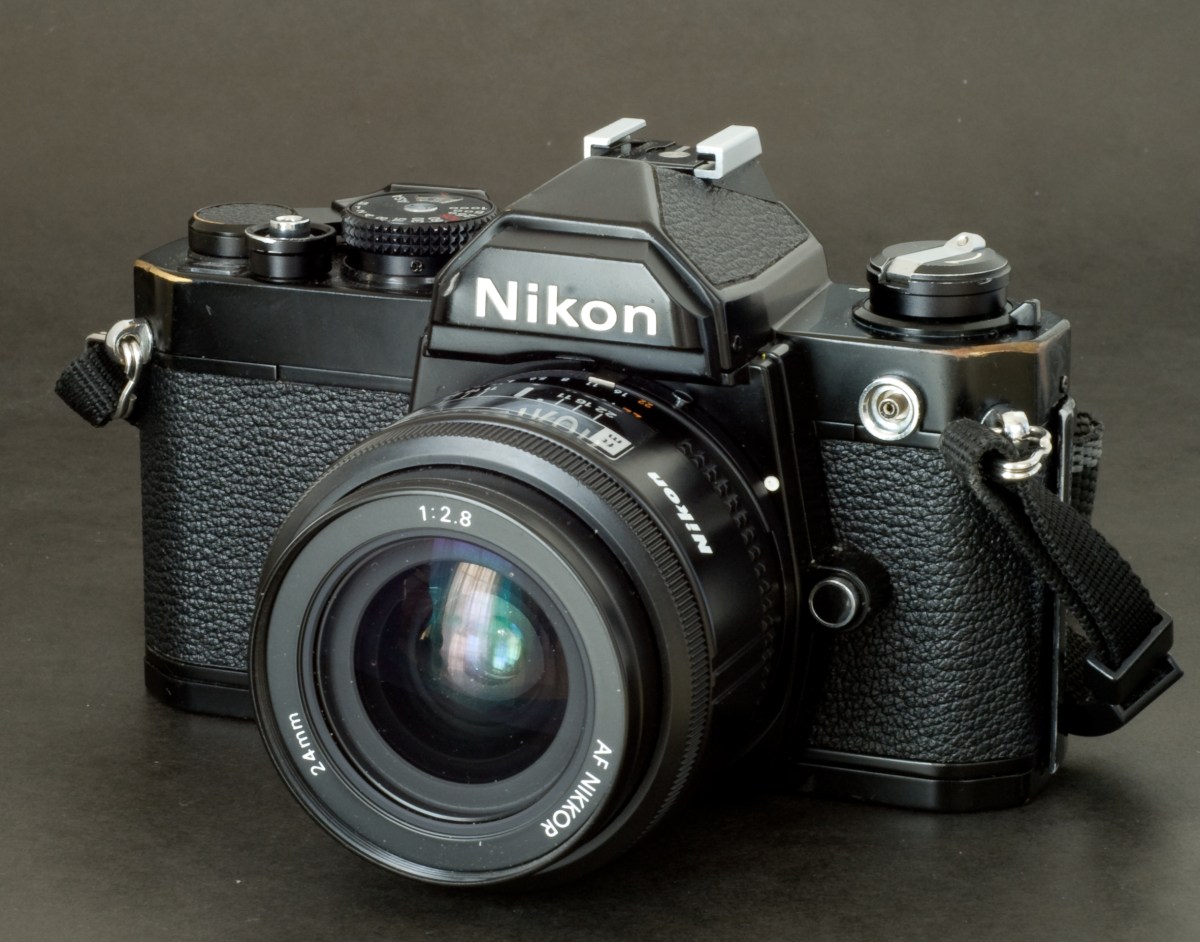
Nikon FM
I’ve never been a fan of compact cameras in the days of film (poor viewfinder, not enough controls for the photographer). Their only advantages were their small size and their ease of use, but a film SLR with a pancake lens was not much larger and delivered much better images. And today, why would you spend money on film and processing to use a compact camera which will give you less control over your images than a good smartphone?
My absolute favorite? The ones I would bring on the proverbial desert island (assuming the desert island has no electricity, no Internet access but a huge stack of film cartridges waiting for me)?
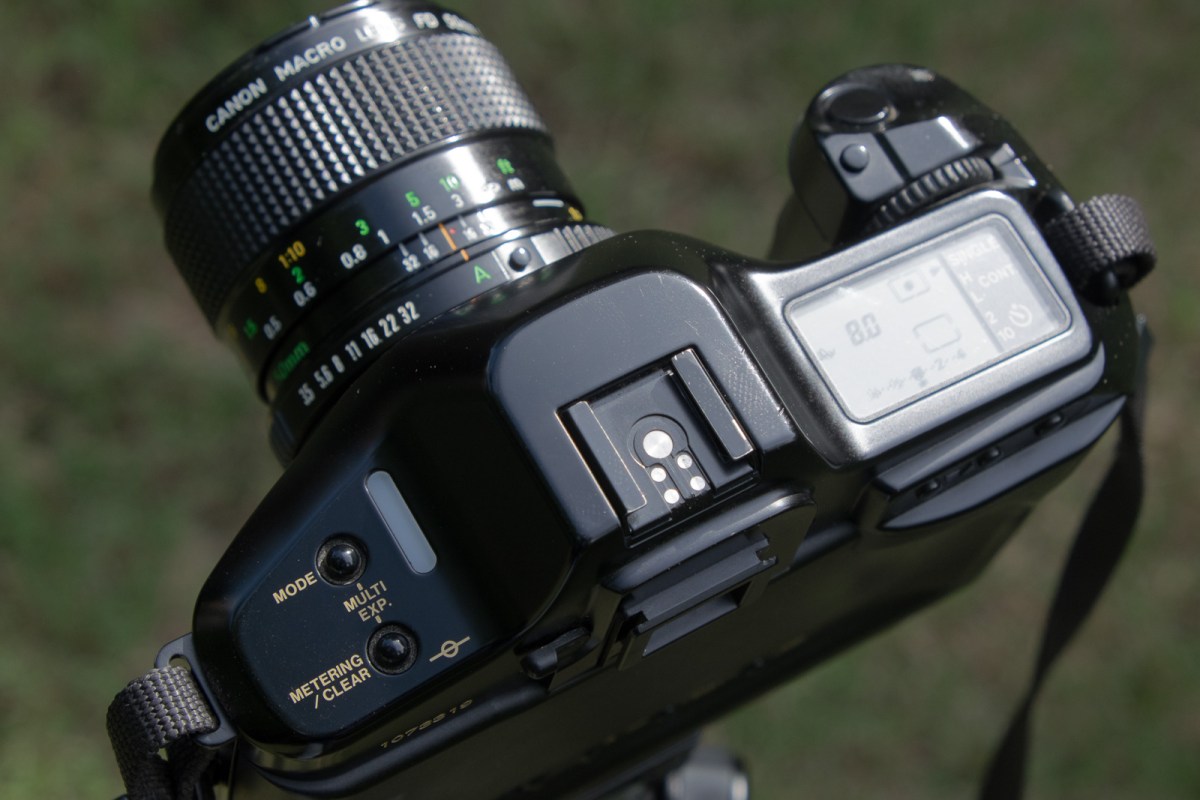
Canon T90 – the ergonomics of an EOS camera with an FD lens mount
a compact, mechanical, semi-auto SLR – not the Olympus OM-1, not the Pentax MX, but the rugged and supremely reliable Nikon FM. The FM2 is probably an even better camera, but it’s also more expensive.
the most elaborate pre-autofocus SLR, the Canon T90, for the looks, the ergonomics, the crazy exposure system, with no concern for its questionable reliability or its mass, because I would always have the Nikon FM as a backup.
And of course, when I would be back from the desert island, I would reconnect with my cherished Nikon FE2…
“La Maison aux Bambous” – Bed and Breakfast – Vinay (France). Canon T90 – Canon FD 24mm – Fujicolor 400.
Thom Hogan has been on the Web forever, it seems. He’s a pro photographer, has a background in marketing and product planning, and he also teaches, I believe. He’s been publishing very detailed user guides for Nikon cameras for ages, and his collection of Web sites (www.bythom.com; www.dslrbodies.com, www.sansmirror.com) is always an interesting read, not only for users of Nikon equipment, but also for anybody who wants to understand the market forces shaping the photo equipment industry.
He has much more experience of Nikon cameras than I do, and my tastes have been – at least in part – formed by what I read in his books and Web pages over the years. So I won’t say “I’m right, he’s wrong”. Let’s be honest: if there’s such a thing as being right in photography, the odds that he is are much higher than mine. But sometimes I simply beg to differ.
Film Era:
Thom’s list includes some cameras that grace my personal collection, even if they’re not my preferred in Nikon’s range. The F90/N90 is extremely efficient, but a bit too automatic for me, and the F4 is really too heavy to be used anywhere but in a studio. I never used the F100 or a F5 (too modern for me – I tend to like my film cameras with a conventional user interface – you know, knobs instead of LCDs and control wheels).
A single control wheel, and the aperture value controlled by the aperture ring on the lens itself: the two major differences between the N90 and a modern Nikon body.
Nikon F4 with the MB-20 grip. The MB-20 grip is smaller than the MB-21, and was standard equipment in most of the world. In the US, the MD-21 was standard.
Which leaves us with the last entry of his list, the FM3A.
The FM3A is an evolution of the FM2/FE2 cameras, with a dual shutter control mechanism (electronic and mechanic) – which offers the best of what the FM2 (mechanical) and the FE2 (electronic with On the Film TTL flash control) can offer. I don’t own a FM3A, but two of its direct ancestors are at the top of my list: I use my old FM relatively often – because it’s a rugged camera and I know it’s going to work no matter what. The FE2 is a peach (it oozes quality, and it’s so pleasant to use) – one of the very best film cameras ever.
Nikon FE2
Digital Era
You can collect “classic” cameras for their beauty and for their importance in the history of the industry or a brand, but to me, a camera I can’t use to take pictures doesn’t qualify as a classic – it’s at best a “curiosity”.
In my opinion, early digital cameras are not really usable anymore, primarily because of their very limited dynamic range and very low resolution. If I brought one to cover a photo opportunity, I would most probably end the day disappointed and frustrated for having missed what could have been a great shot because of the technical limitations of the camera. Or I would have put it back in the bag, and used an iPhone instead. That’s why there is no early digital camera in my collection.
I recognize the importance of cameras like the D1h or the D100 in the evolution towards modern digital photography, but I will not add them to my collection. On the other hand, I believe that cameras like the D3 and D3X are still perfectly usable, but because they’re so big and heavy, I would ignore them, and buy their little brother, the D700 instead. Admittedly it’s still a big and heavy camera, but its performance is still exceptional, and with it I can use all the Nikon (and Nikon-compatible) lenses I own.
Because I’ve been using Nikon cameras for so long, I find the D700 very intuitive and rewarding to use, and even today, the quality of the pictures that the 12 Mpixel sensor produces is incredible (in particular in low light or high contrast situations).
Nikon D700 – a classic
It may be too early to add a D850 to a collection of classics, but it will most probably be the last enthusiast / pro DSLR from Nikon – the future is clearly mirrorless. They may launch a D6 for the Olympic Games next year (who knows) but I doubt they will keep on developing the D800 series beyond the D850.
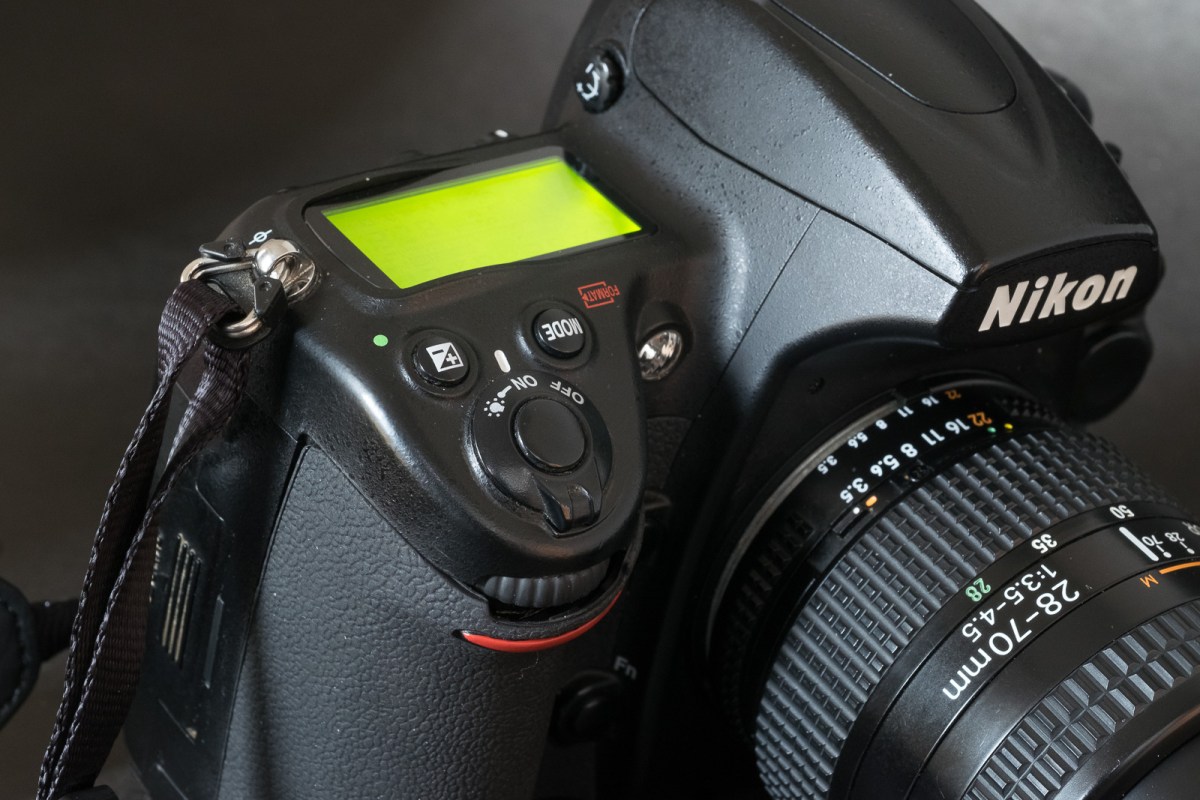
Atlanta – World of Coke – Nikon D700My always available and patient models – the performance of the camera in low light and with multiple light sources of different color temperatures is simply incredible. Nikon D700 – Nikkor 28-70 f/3.5-4.5 AF – 3200 ISO.
I have not abandoned this blog – I’ve just been pretty busy lately (a new job, a house renovation going on, and my Netgear ReadyNAS RN104 crashing again – I simply hope I won’t have to restore 2 TeraBytes of images from Amazon Glacier again).
The review of the Canon AT-1 that I published yesterday had been in the works for six months, and there will be more Canon related pages in the coming weeks (I found a restored Canonet QL17 in an antique show – maybe it’s going to make me more comfortable with rangefinder cameras – I brought my old Leica CL back in service to have a point of comparison). I added two old mirrorless (digital) cameras and a strange pancake lens to my Fujifilm arsenal, and I’m trying to spend more time with my favorite SLR, the Nikon FE2 and with Kodak’s Porta 400 film.
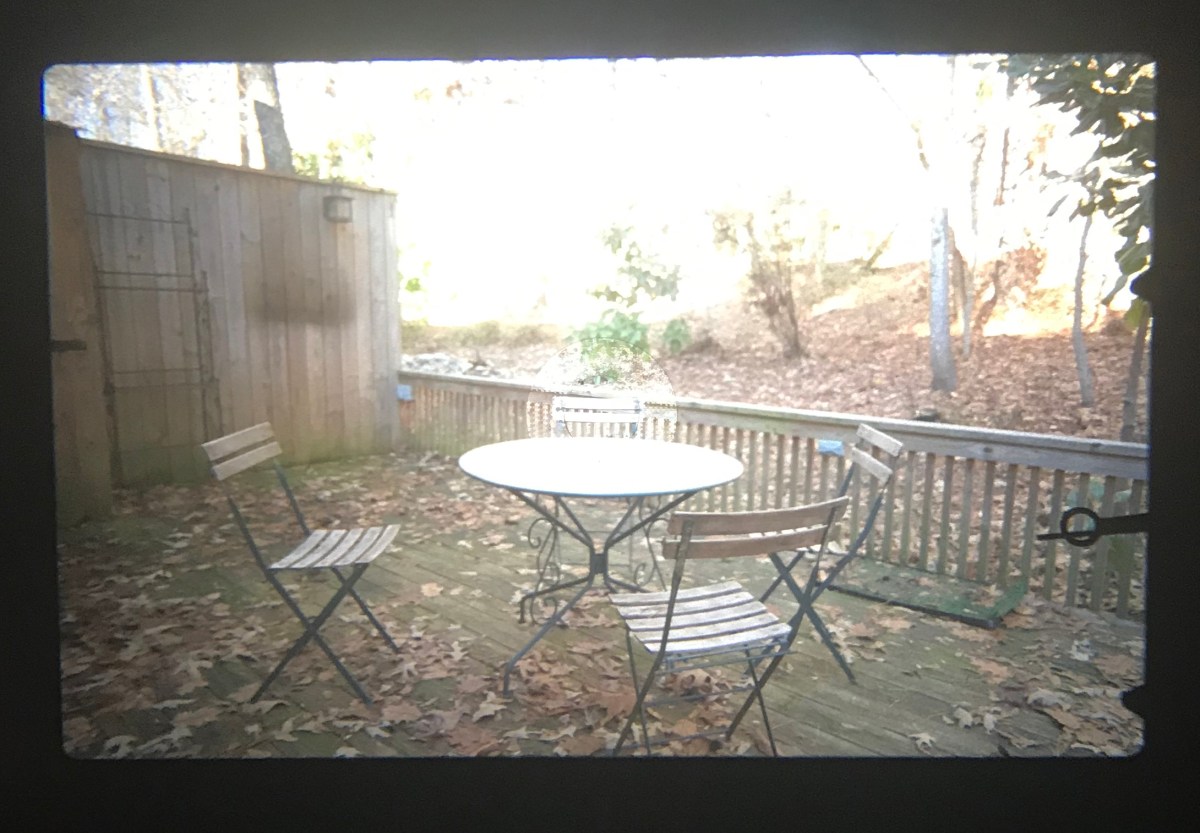
Rottenwood Creek, Atlanta – Canon AT-1 – Lens Canon FD 24mm f/2.8
So… compact rangefinder cameras, Nikon SLRs and dSLRs, early Fujifilm mirrorless cameras, Kodak film, you’ve got an idea of what I’m working on.
Please come back regularly, or follow my updates on twitter @xtalfu.
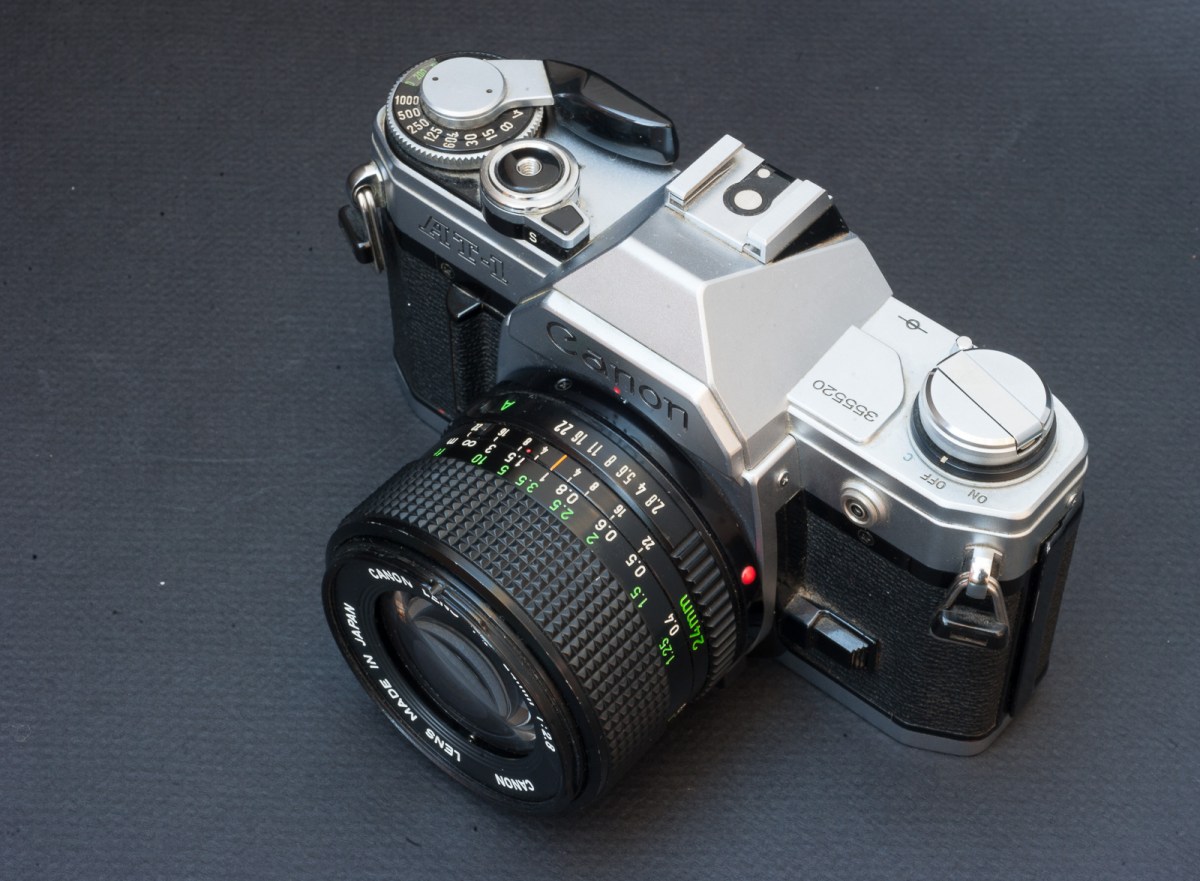
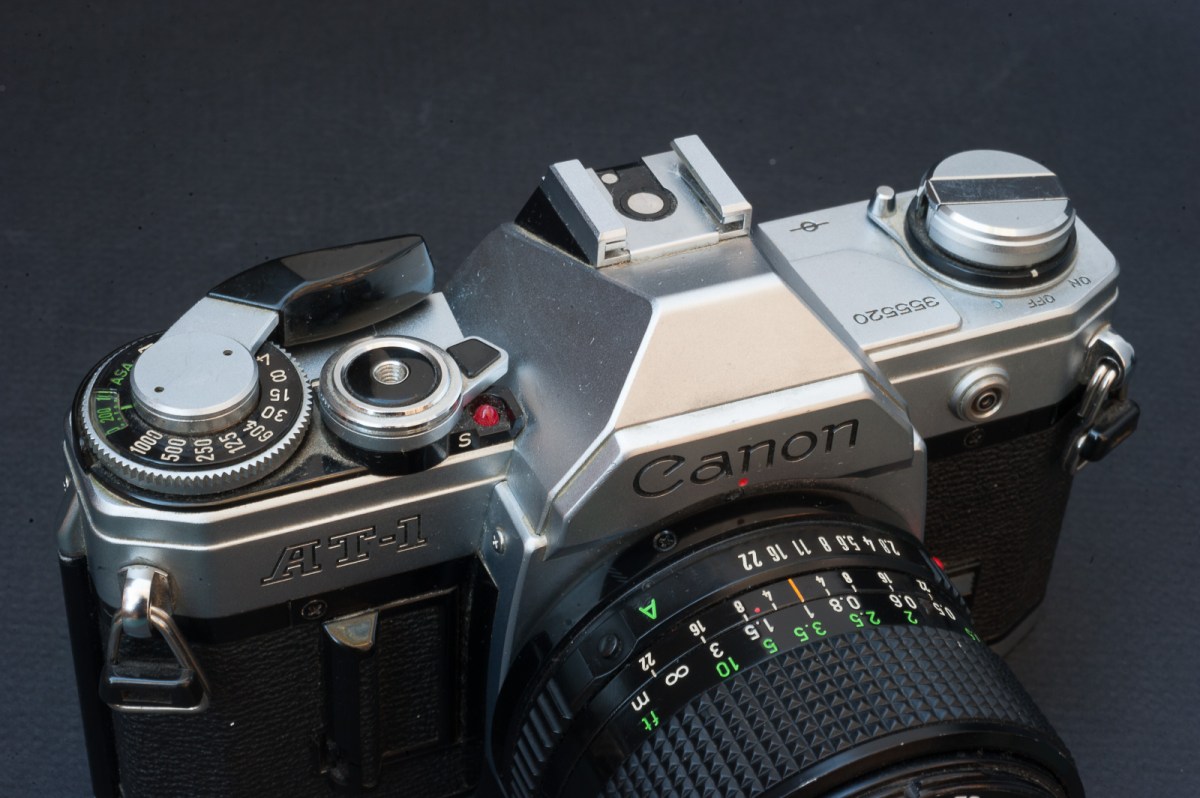
Something strange happened to the Canon AT-1 recently – it has become sought after.
When the AE-1 was establishing sales record for reflex cameras, its little brother, the AT-1, was struggling on the marketplace (Canon did not even bother selling it in Japan) and it remained until recently an under-appreciated camera.
The AE-1 was the undisputed star of the new Canon A line-up, the real successor of the FTb. The AT-1 was a bit of an afterthought, developed for cost conscious photographers who did not trust auto-exposure systems. With the same shell, the same electromagnetic shutter command and the same accessories as the AE-1, the AT-1 had some of the attributes of a modern camera, but its CdS meter (as opposed to the Silicon cell of its siblings) and its semi- auto exposure system with matching needle inherited from the FTb anchored it in the past. Contrarily to the FTb (and to almost any other semi-automatic camera), it could not operate at all without batteries – because of its electromagnetic shutter command.
The large shutter speed selector and the shutter release are very smooth.
The electromagnetic shutter has its advantages (soft shutter release, smooth shutter speed knob, automatic selection of flash sync speed when a Canon Speedlite is mounted on the camera), but the ability to operate without batteries has always been a huge selling point with users of semi-automatic cameras. The AT-1 was not meeting this basic requirement, and it could explain why it remained under appreciated for so long.
the timer of the shutter release is electronic – much more reliable than the fragile mechanical timer of conventional semi-auto cameras.
Before buying a good copy recently on eBay, I never had used one. When I bought my first semi-auto SLR a long time ago, I only had eyes for the Nikon FM and for the Pentax MX – for the record that’s the Pentax I ended up buying, the Nikon was far too expensive. At that time, Canon’s marketing pressure was completely focused on the AE-1 and as far as I can remember, I did not even look at the AT-1. In any case, in comparison to the Nikon and the Pentax (with their LEDs and GASP metering cells), the AT-1 would have looked too primitive to me.
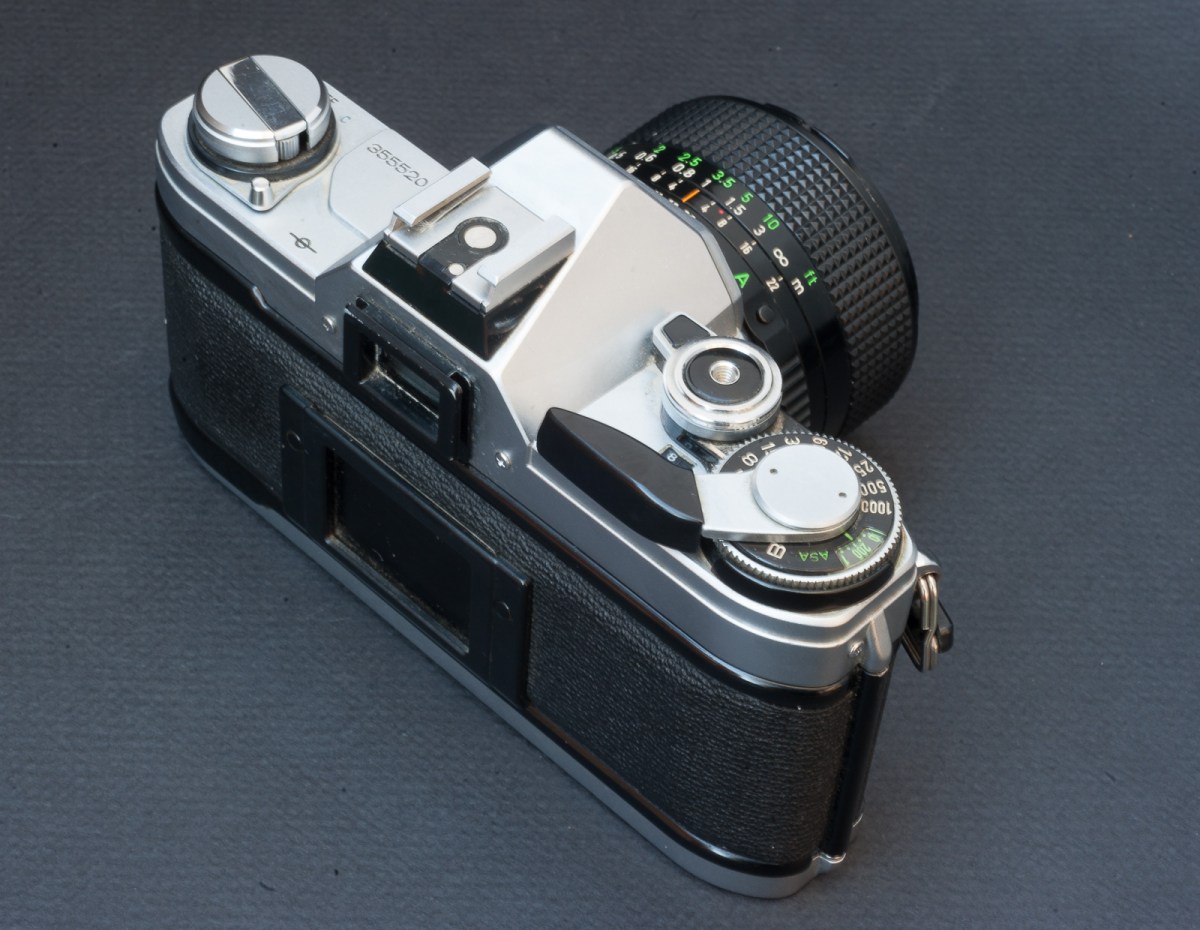
Weight, Size and ergonomics The AT-1 shares its general dimensions and layout with the AE-1. The construction is similar (with some components like the prism housing using a mixed polycarbonate and copper plating construction). It’s not the most compact camera of its generation (the honor goes to the Olympus OM-1) but it’s not significantly larger or heavier – all the cameras of this generation (1975-1980) are more or less the same size. The AT-1 is one of the simplest conventional cameras you can find – the on/off switch on the left, the large and smooth shutter speed dial on the right, a large shutter release button – that’s all.
Viewfinder The viewfinder is relatively large with enough eye relief for photographers wearing glasses (larger than on a Nikon FM/FE, for instance). And because the viewfinder does not provide any information about the shutter speed or the aperture at the periphery of the frame, the eye of the photographer can remain focused on the center of the frame, which makes the viewfinder seem larger than it is. The focusing screen is not as clear as what you find on a comparable Nikon camera, but it’s fine enough. The split-image telemeter and the micro-prisms are present, and focusing is easy. The two needles of the metering system are located at the bottom right angle of the viewfinder, and are easy to read as well.
Very simple viewfinder – and a perfect implementation of the old “matching needle” semi-auto metering.
Metering system Based on a CdS cell, it’s one generation behind the Silicon or GASP cells that Fujica, Nikon or Pentax were installing on their semi-auto cameras in the second half of the Seventies. CdS cells are supposed to be less sensitive in low light, and to suffer from a memory effect (they need 30 seconds to adjust when you move to a low light scene immediately after a bright scene). The matching needle mechanism is very easy to read (when there is enough light) but is not as easy to read as LEDs if the scene is dark.According to Canon, the camera uses some form of average/center weighted metering (I could not find any further explanation). In my experience, it does not seem to be as selective as the cell of a FTb (or of a T90 in the “partial selective” mode), and most of the images, including those with a large bright blue sky, are correctly exposed.
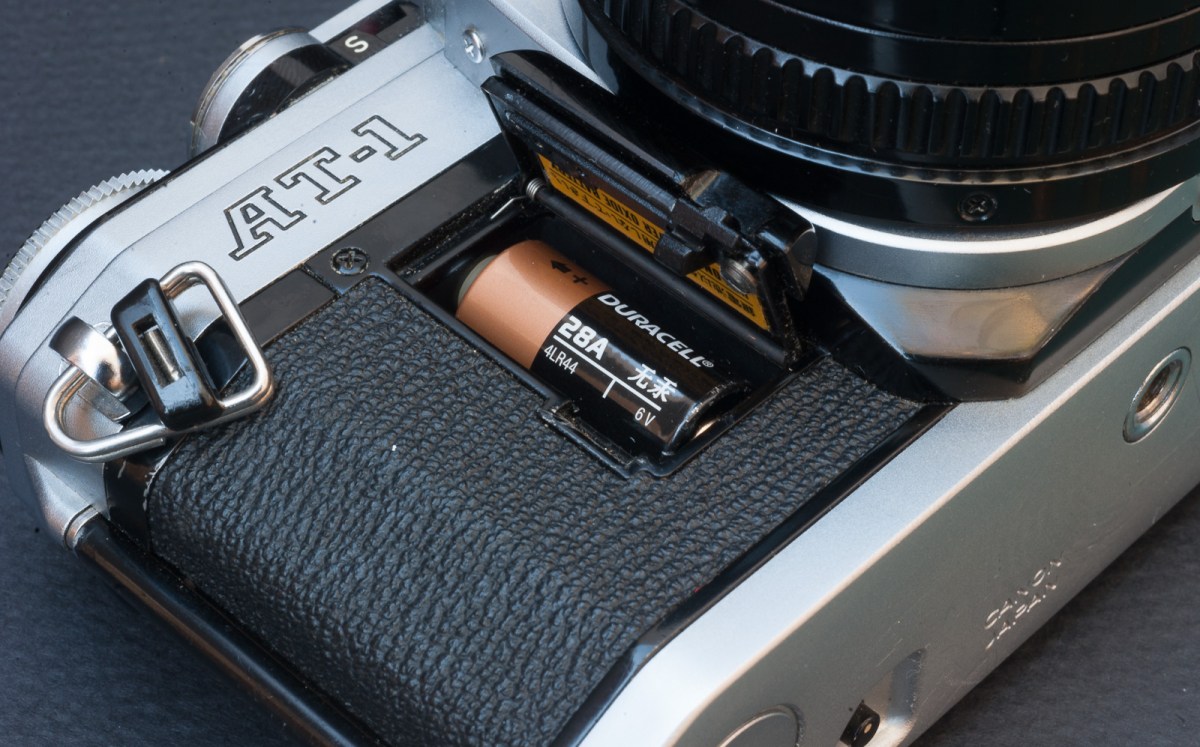
Battery Like all the cameras of the A series (AE-1, A-1, AL-1,…), the AT-1 relies on a relatively easy to find (and cheap) 6v battery. This battery is available in an alkaline and in a silver oxide version. As explained before, the camera can’t operate without a battery.
The AT-1 does not work without this battery.
Compatibility Canon manufactured tens of millions of FL and FD lenses, that the AT-1 will happily support. FD lenses used to be cheap until the advent of mirrorless cameras and the development of FD to Sony FE lens mount adapters made them popular again. Truly exceptional lenses (the L series) are now seriously expensive, but cheaper alternatives abound. Most of the Canon accessories (winder, flash) can be shared with the AE-1 or A-1 models.
Reliability Compared to the multi-auto-exposure and auto-focus cameras launched in the following decade, the AT-1 is a very simple machine. With the A series, Canon had introduced new design and manufacturing methods, with significantly more plastic and electronic components that before, but Canon’s engineers did a good job and the cameras of that family don’t have a bad reputation when it comes to reliability. Over time, cameras of the Canon A family can be affected with the squeaky shutter syndrome, but I’ve not found anything on the Internet showing that the AT-1 is affected (my copy is not). In any case, the AT-1 was not designed for war correspondents or National Geographic photographers taking tens of thousands of photos per year in impossible situations; it was an entry level camera designed for cost conscious amateurs, and it does not seem to have betrayed its targeted audience.
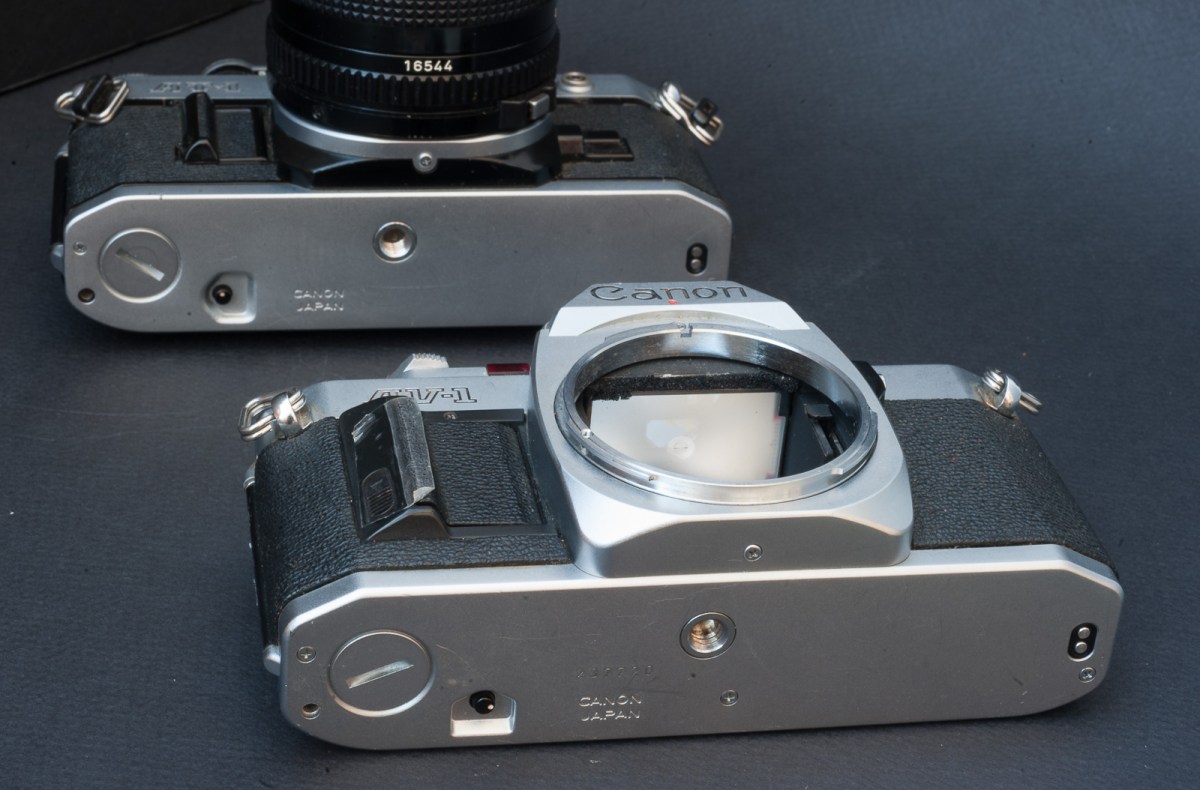
Canin’s platform strategy – in the foreground the Canon AV-1 (automatic, aperture preferred), the AT-1 (semi-auto) in the background. Both were positioned under the flagship AE-1 model and share their chassis with their bigger brother.
Scarcity and price With only 520,000 copies manufactured between Dec 1976 and 1985 (to be compared with 9,700,000 AE-1/AE-1 Program during the same period), the AT-1 was not very popular – for a Canon SLR, that is. Today, with the AE-1 and the AE-1 Program becoming seriously expensive (for mass market SLRs of the early eighties), the AT-1 suddenly becomes a sort of next best option for people eager to use Canon FD lenses, and not willing to spend more than $50.00.
Narbonne (France) – Christmas market – Canon AT-1
Conclusion
Compared to its more expensive siblings of the Canon A family (AE-1, AE-1 Program, A-1), the AT-1 is a very simple camera – but to my surprise, it did not feel like an excessively spec’d down camera, and happened to be very pleasant to use.
The viewfinder is large and bright, and focusing is easy thanks to a combination of micro-prism and split image telemeter. The shutter speed dial is large and smooth, which makes it easy to adjust the exposure by changing the shutter speed (the shutter speed dial is generally very stiff on semi-auto/mechanical cameras, but the AT-1 benefits from its electromagnetic shutter command).
Nothing important is missing (it has an electronic timer for “selfies” and a depth of field preview button) and little details taken over from the AE-1 make the life of the photographer easier. Even though it retains the metering and the on/off switch of the FTb, it feels like a much more modern camera than its famous ancestor, its only limitation being the lack of any information about shutter speed or aperture in the viewfinder.
In the Canon family, there are more elaborate cameras for users of Canon FD lenses. Their performance may be better (more precise metering, faster shutter, larger viewfinder), but they’re also less flexible and – for some of them – not as reliable. Simpler and offering more control over the exposure than the AE-1, lighter and not as expensive as the A-1, more reliable than the T90, it’s a very good camera to go back to the basics.
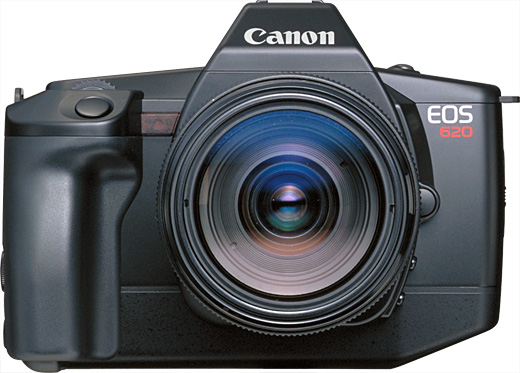
The first pair of Canon EOS bodies (the “enthusiast” EOS 650 and the “prosumer” EOS 620) came relatively late to the autofocus SLR party (2 years after the Minolta 7000 and one year after Nikon F501/N2020), but they were already very mature cameras – when you shoot with one of those early EOS cameras today, they seem so easy to use and so modern that you don’t even notice you’re shooting with 40 year old gear.
Before launching the EOS series, Canon had tried to convert its FD mount to auto-focus, but their first AF SLR, the T80, had been a technical and commercial failure. Canon had no choice but to adopt a more radical approach, and used their top of the line T90 body as the starting point for the development of two new revolutionary auto-focus cameras, the EOS 650 and 620. A new lens mount and a new line of lenses were launched at the same time. Contrarily to Minolta, Nikon and Pentax, Canon installed the auto-focus motor inside the lens. Most of the new Canon EF lenses launched at the time were equipped with a conventional micro motor, but the top of the line USM lenses were designed around a new type of motor, which promised incredible AF speed and total silence (it reads like an ad for Tesla ;-).
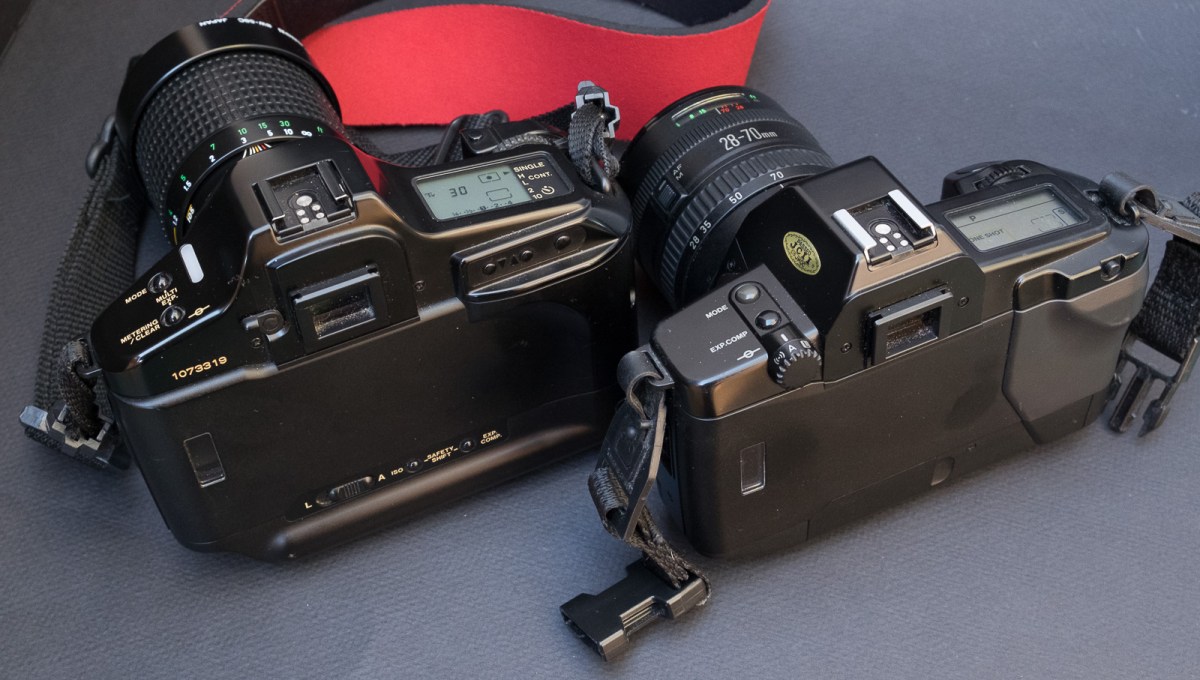
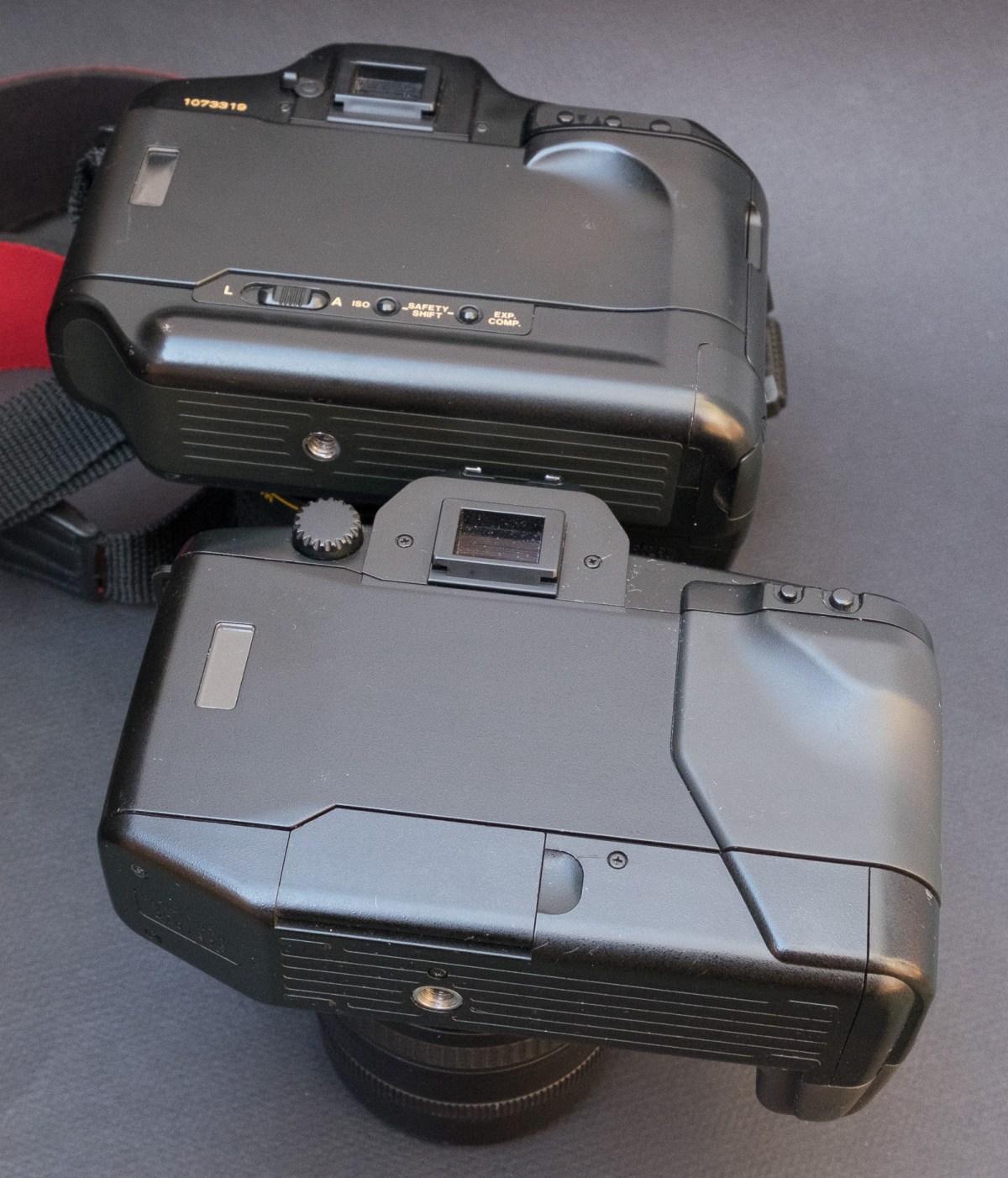
The design of the EOS cameras of 1987 is closely derived from the T90 from 1986. The T90 is larger, and much heavier.
It was its USM technology that made Canon the leader of the photo equipment industry at the end of the eighties: it all started at the Seoul Olympic games in 1988: Nikon had planned to make a big splash with Pro Photographers with the introduction of the first modular Auto-Focus camera ever, the brand new F4. Canon had nothing comparable to show yet (their EOS 1 camera was still one year away), so they brought the most advanced body they had at the time, the EOS 620, and paired it with an EF 300mm f/2.8L USM lens. The Canon auto-focus combination ran circles around the conventional AF architecture of Nikon’s AF 300 f/2.8, and the pro market rapidly shifted towards Canon. Canon would retain its dominance in the pro market to this day.
EOS 620 on the foreground, T90 in the background.
Both cameras do most things right, without being encumbered by a litany of settings and options. Of course the models that followed brought improvements to the autofocus performance and to the ergonomics (the famous Canon wheel at the back of the film door), but the EOS 620 and 650 set the standard for what a modal interface SLR should look like, and they were already so good that it can be argued that Canon had to fall into gadgetry (Eye Control Focus and Bar Code readers, remember ?) to keep the public interested in the EOS line over the following decade.
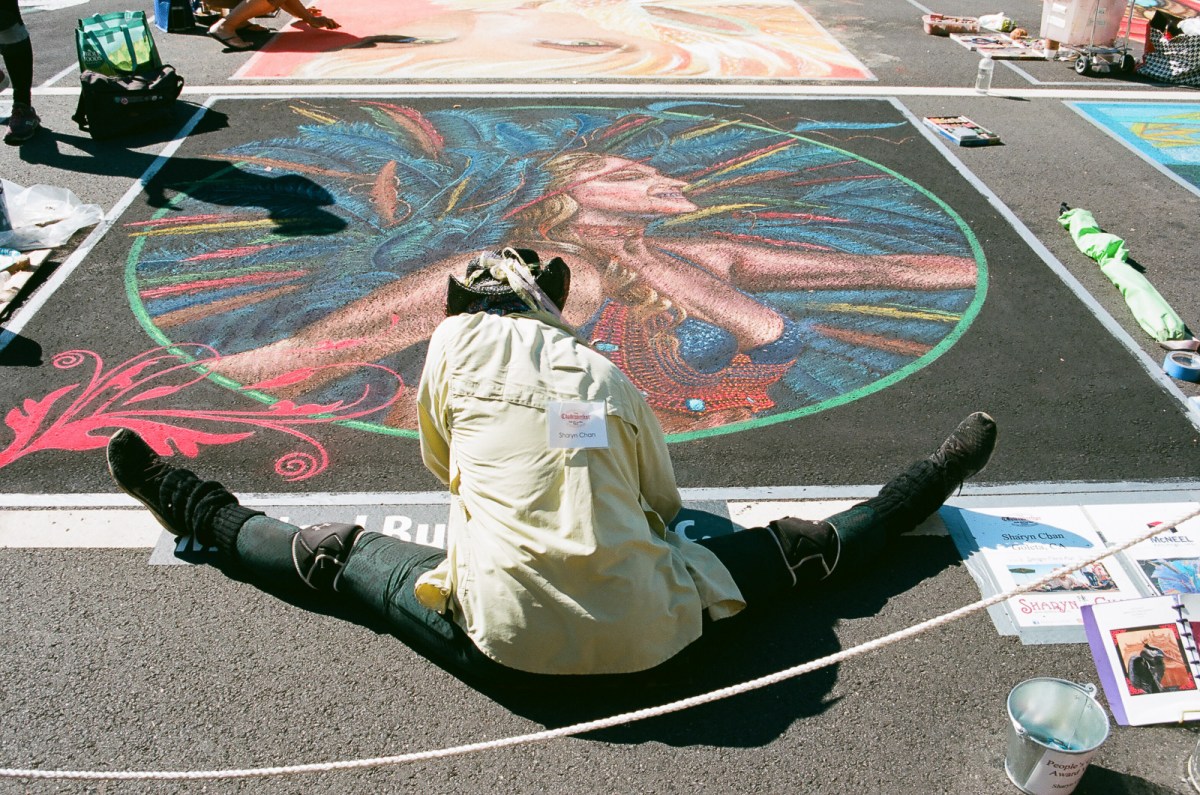
Series of pictures shot at the Marietta Chalktober Fest, around the town square. The artist here is Sharyn Shan. (Canon EOS 650, EF 28-70 f/3.5-4.5, Kodak Ektar 100)
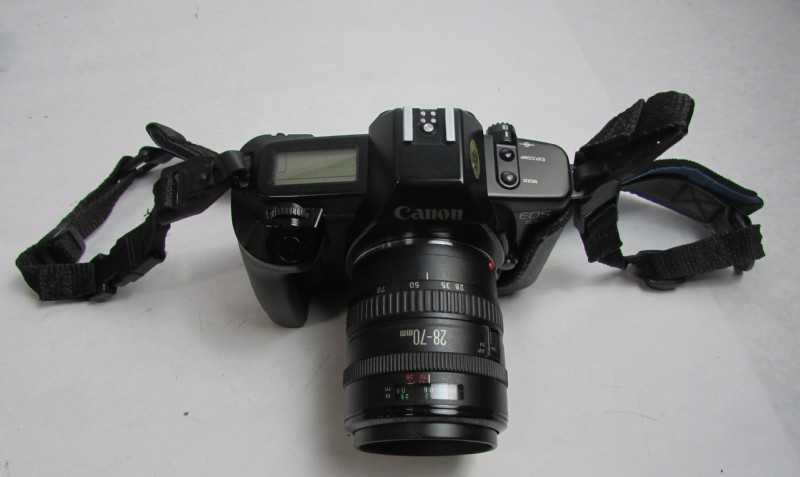
The two EOS models are differentiated primarily by their shutter (the EOS 650 has a conventional 1/2000 shutter with 1/125 flash sync speed, while the EOS 620 has a 1/4000 shutter with 1/250 sync speed). The EOS 620 also benefits from a backlit LCD on the top plate, its Program mode is “shiftable”, and it manages multiple exposures.
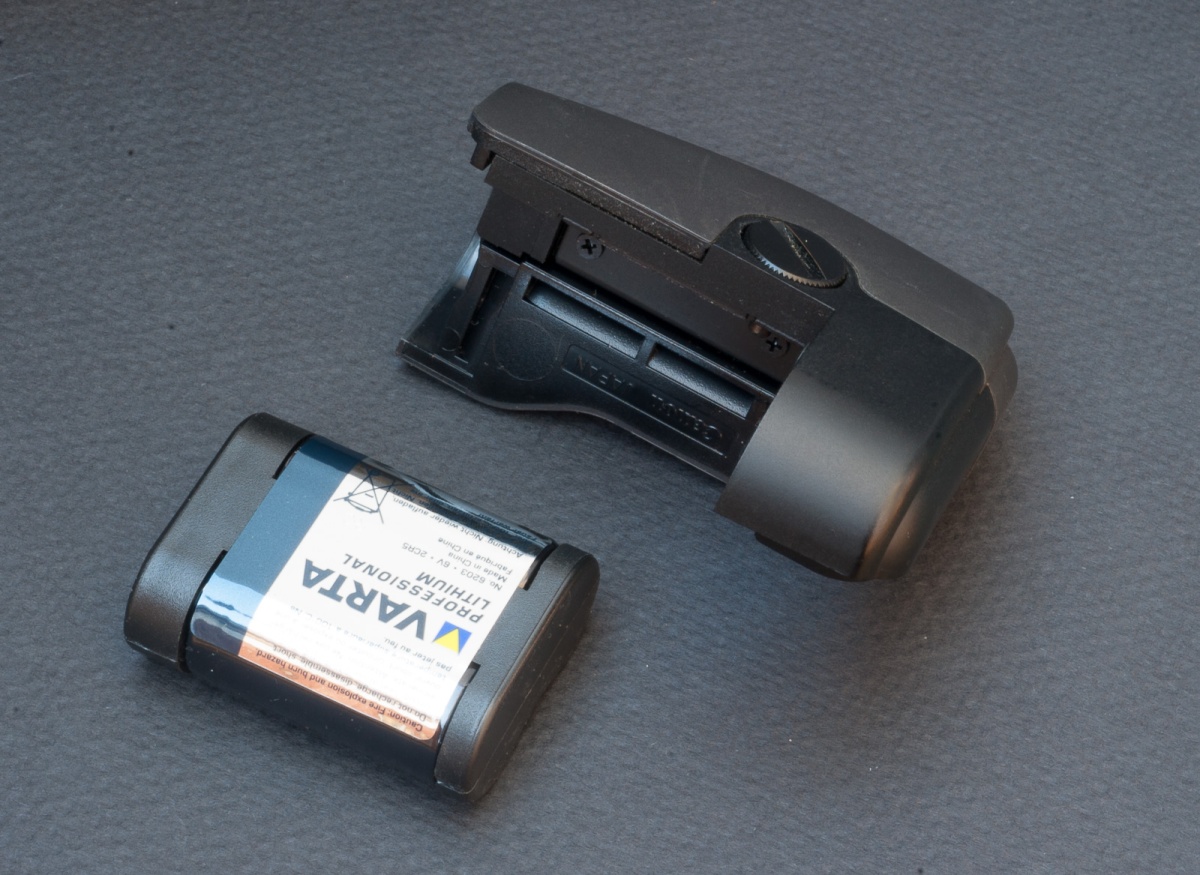
The handgrip-battery holder of the EOS 650 – this camera is very well built, with high quality plastics and a great care for details. The battery is the expensive (and not that easy to find anymore) Lithium 2CR5.
Surprisingly, and considering Canon’s reputation of superiority in the early auto-focus days, the EOS AF performance is not that great – probably because the 28-70mm lens I bought with one of the cameras was an early non-USM lens. The tiny, single zone auto-focus sensor is not very sensitive in low light, and the camera tends to hunt if it can not find vertical lines in the subject. Canon’ s USM technology can help with reactivity but won’t enlarge the sensor or make it better in low light.
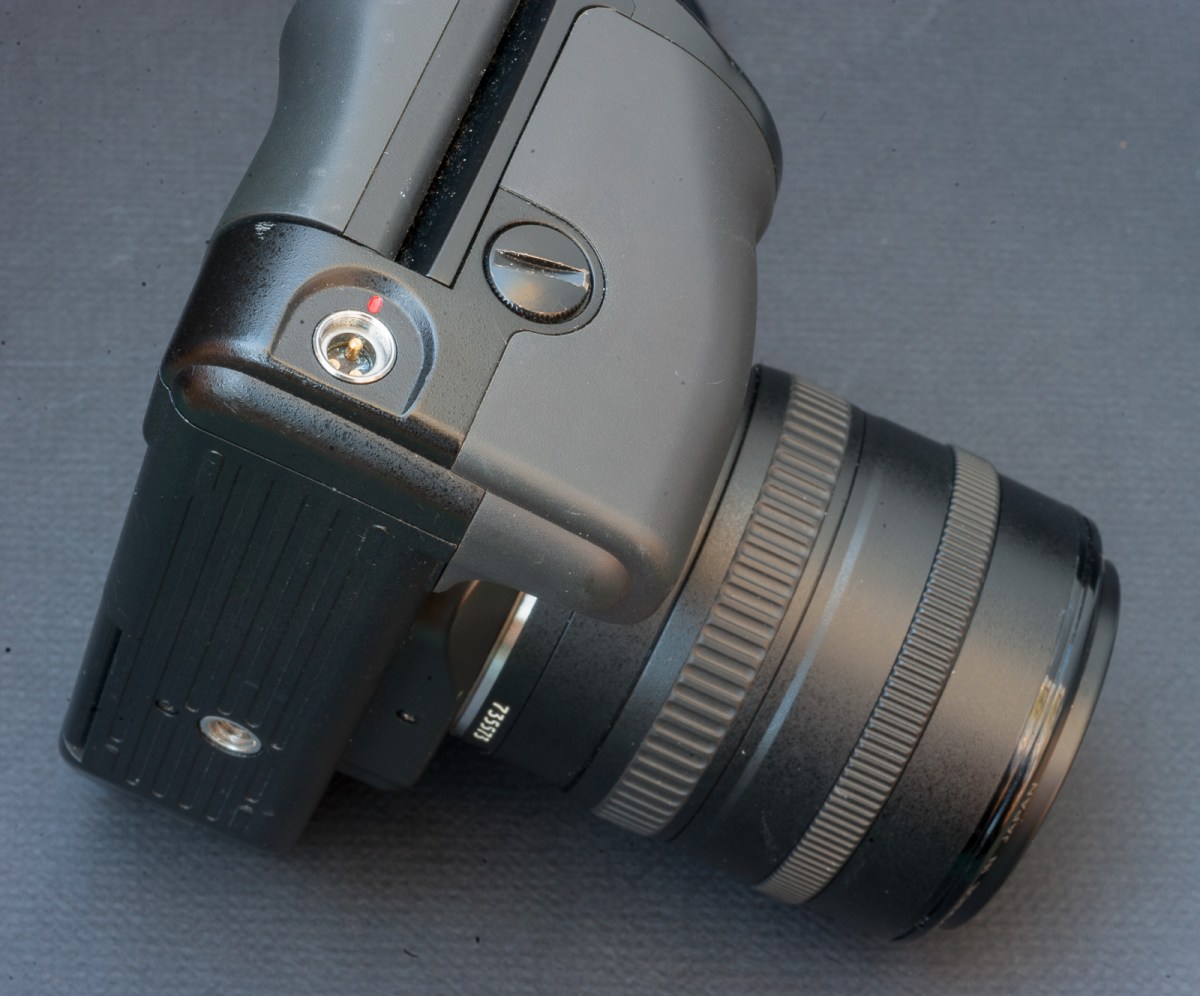
Only the Canon EOS 620 has a remote control connector at the bottom of its handgrip
On the other hand, Canon’s first implementation of matrix metering was a success – and you can leave the camera in auto-exposure mode most of the time. Interestingly, none of those cameras has a true semi-auto exposure mode (in the “M” mode, you can set the shutter speed and the aperture any way you want, but the metering system of the body is inoperant).
The cameras are built out of good quality plastic – they feel substantive – even if they’re much lighter than the T90, in part because they’re using a lithium 2CR5 battery instead of heavier AAs of the T90. They have a pretty good viewfinder, large enough, clear enough, OKish for bespectacled photographers, have very few knobs or buttons but a large grip, and are easy to control.
They accept any Canon EF Lens made to this day, and thanks to adapters, can even work with older m42 screw mount lenses (they don’t work with Canon’s own FD lenses though).
They were produced in large quantities, and many seem to have survived. Because nobody loves early autofocus cameras, they’re extremely cheap ($5.00 to $7.00) and if you consider their performance, they offer an unbeatable price/performance ratio.
Another artist at work in Marietta: Raziah Roushan
Conclusion: will I use them?
If you’re looking for an easy introduction to film photography, and want to be able to reuse the modern Canon EF lenses and accessories that you may already own, the Canon EOS 650 and 620 are great cameras. The 620 is marginally more capable, and since all early EOS cameras are now selling for the same low price, that’s the EOS 620 I would pick. You won’t find a better camera to shoot with film in that price range, and you will love the results. The camera is surprisingly competent and mature for a 1.0 version, and I’m not sure the gadget laden models that followed (EOS-10S with bar code readers, EOS 5/A2 with Eye Control focusing) will yield better results in the real life.
The Japanese camera industry has a tendency to work in cycles, with a big innovation every ten to fifteen years, followed by years of incremental improvements – until the next big thing makes the previous generation obsolete, and opens a new cycle of incremental improvements. Generally, during the first years following a big innovation, progress is rapid and the improvements really significant. And generally, after a few years, the pace of the changes slows down, the manufacturers end up promoting all sorts of useless features to keep the public interested in their products, until the next big thing arrives.
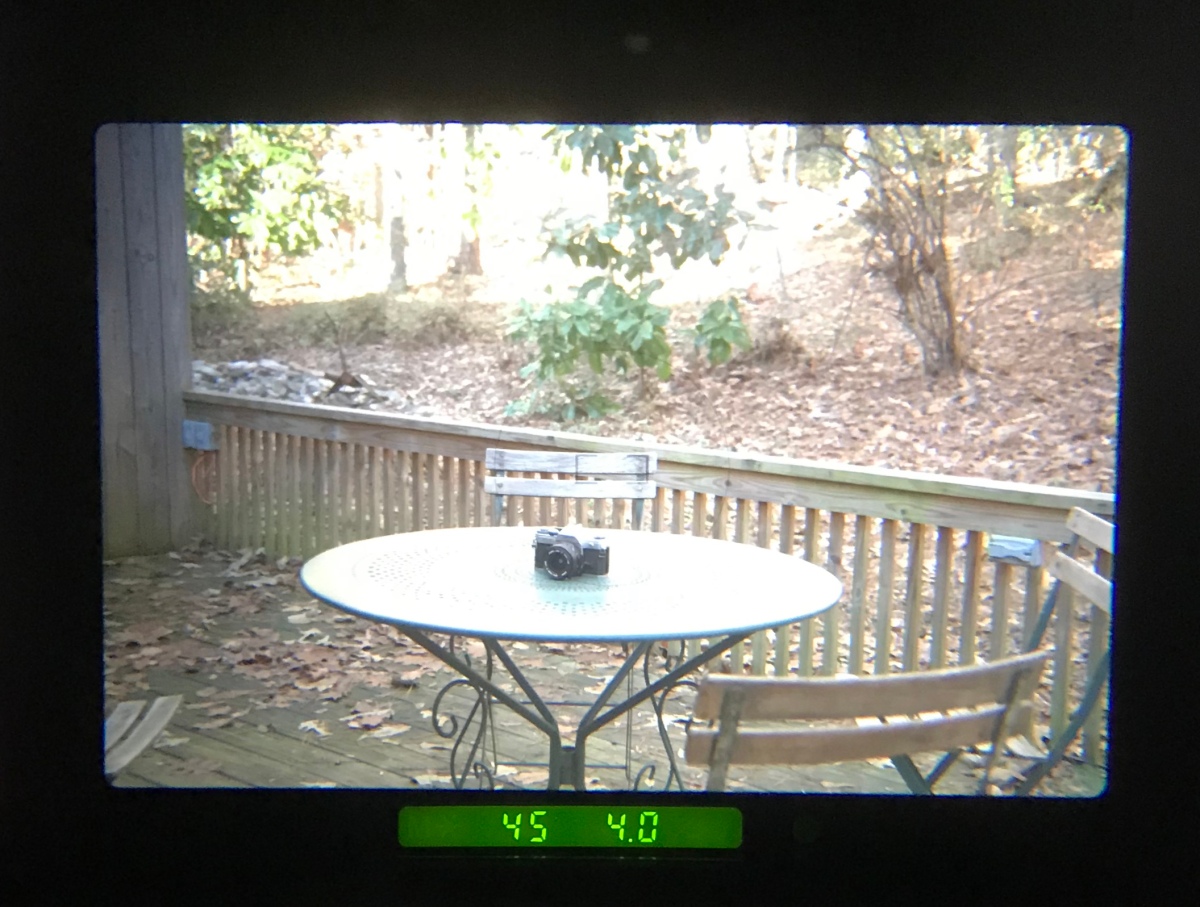
EOS 650 viewfinder – shutter speed, aperture, and two brackets engraved on the focusing screen to show the tiny central AF zone – very simple.
Normally, it takes more than a few years to reach the peak – but in the case of autofocus film SLRs, I’m wondering whether it was reached with the EOS 620, just two years after the launch of the Minolta Maxxum 7000. Of course, Canon (and others) would launch cameras with better autofocus systems (more zones, better low light sensitivity) and with a useful built-in flash, but the newer products were more complex, often fell into gimmickry, and were not always as well built. Few enthusiast autofocus SLRs are as easy to use as those early EOS cameras. You should try one.
I published a blog entry on $5.00 cameras a while back, and now I have two extra SLR bodies and a lens to add to my league of fivers. I recently became the proud owner of a Canon EOS 620 for $4.95 (nobody seems to like first generation auto-focus SLRs) and of a nice Canon EF 28-70 F3.5-4.5 zoom, (the hidden part of a bundle with the very first generation EOS camera, the EOS 650: $8.95). They both seem to work well and the lens is …pristine.
My newly purchased EOS 650 – the pictures of the items for sale on Shopgoodwill are getting better. And this camera works as well as it looks.
Generally there is not much in terms of a bargain on shopgoodwill.com : as opposed to eBay where the sellers are independent entrepreneurs competing for your dollar, Shopgoodwill is a sole source marketplace.
On eBay, sellers have to describe the piece of equipment they’re offering in detail and the buyers are protected by the feedback mechanism. On Shopgoodwill, item descriptions are minimalist, and the equipment for sale is almost always “untested, sold as-is”.
I suspect that because purchases at Goodwill can be easily disguised as tax deductible charitable contributions, lots of buyers are not really sensitive to prices, and end up paying a lot for a poorly described and untested piece of equipment. As much as they would pay on eBay for an equivalent camera, but without the implied warranty of a seller or the support of eBay if things go south.
Lastly, considering that cameras and lenses are sold “untested and as-is”, the risk of buying a lemon is pretty high – if a camera is known for a weak point (fragile shutter curtains, short lived capacitors, temperamental electronic shutter release, for instance), it’s safe to assume that the item for sale will be plagued with it. Even if it looks “pristine” cosmetically.
Canon T90 with a Canon 50mm f/3.5 macro lens.
Spotmatic F – a very nice copy
I would not buy a camera from a series with a known weak point on Shopgoodwill – far too risky. I would buy it from a seller with a great reputation on eBay.
In my opinion, there are only two ways to score a good deal at Shopgoodwill: buy for cheap something that absolutely nobody wants but that has value for you (a first generation AF cameras for instance if that’s your fancy), or buy a poorly documented bundle, whose perceived value is dragged down by a very disserving description. Imagine an item advertised as “Nikon N4004 + Sears lens” or “Olympus film camera with broken lens”. Nothing to grab the attention of the casual browser. But if you look carefully at the pictures, you notice that only the lens cap is from Sears, and that the lens looks like … a recent Nikon AF-S lens. Or that the Olympus camera sold with the broken lens is a rather rare (and sought after) OM-2000 in seemingly pristine condition.
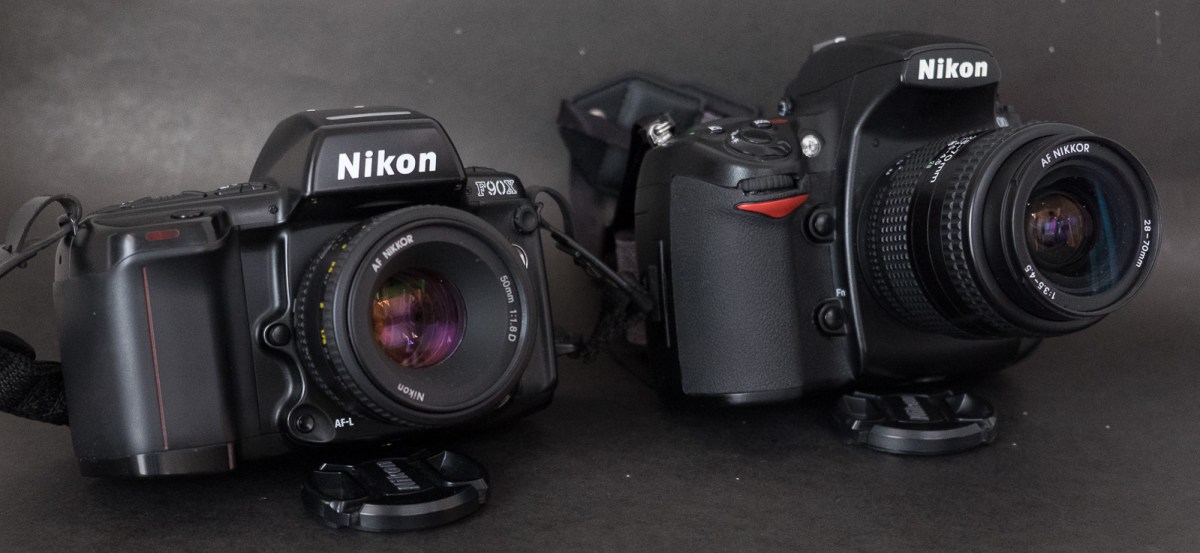
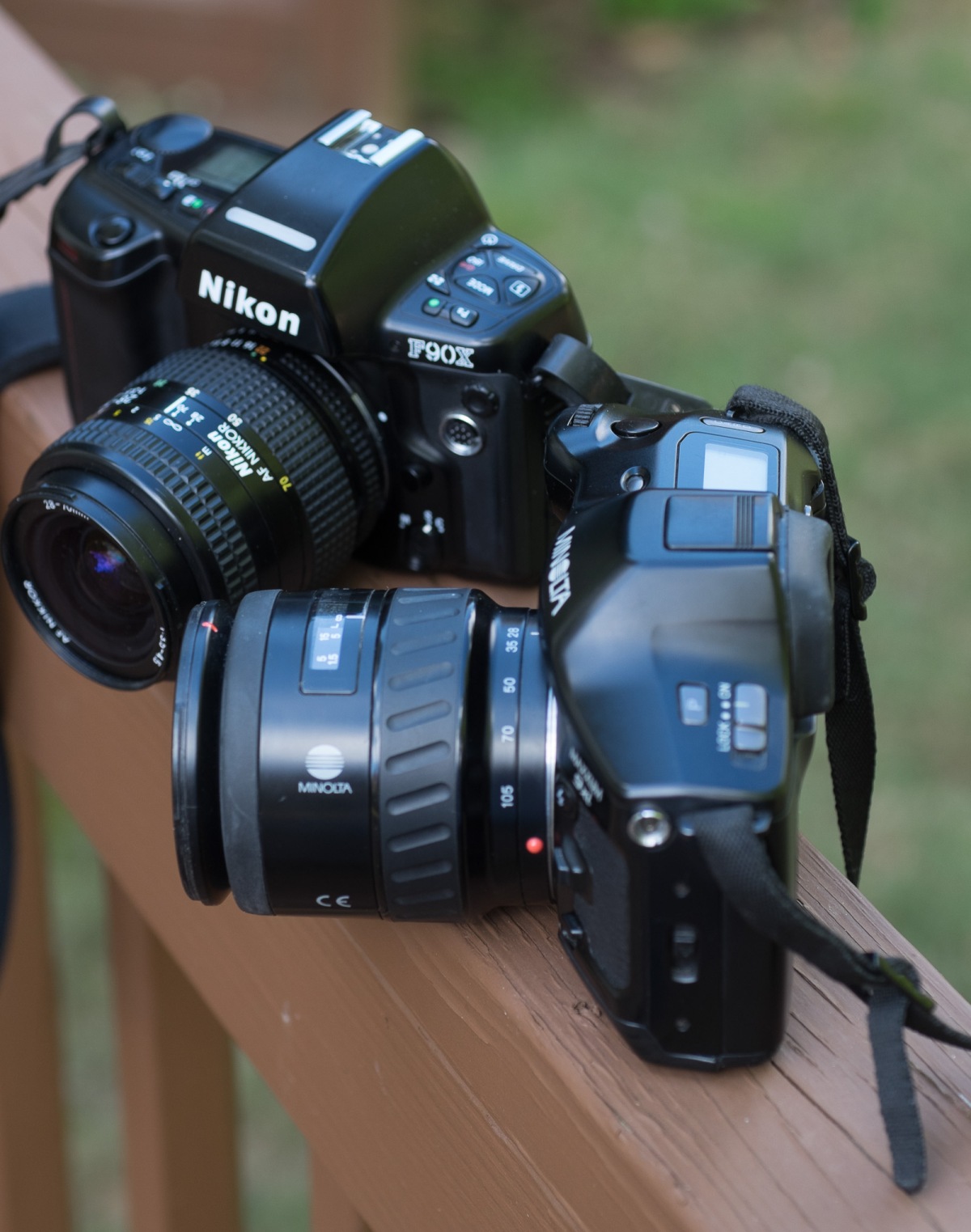
Nikon N90s (aka F90x) and Minolta 9xi – solid cameras with a solid reputation – both were Shopgoodwill purchases and happened to work perfectly.
How is it possible? With a few exceptions, the people who write the item descriptions at Goodwill know nothing about photography, and don’t have time to check or research.
More about my first Canon EOS cameras and how they compare to Nikon’s best in a few weeks.
Seen in Marietta, GA – Canon EOS 650 – Canon EF 28-70 3.5-4.5 – Kodak Ektar – the camera is a pleasure to use and the lens is pretty good – not bad for $8.95.
One of the biggest challenges of digital photography is the long term archival of the images. And because slides and negatives are generally scanned, and end up in the same post-processing chain as “native” digital images, they’re subject to more or less the same issues (I guess that you could still go back to the original negative or the slide and re-scan it, but you would have to locate it first).
This early digital picture was taken in 2002 with a Samsung digicam and stored in iPhoto. But it was imported in Lightroom at a later date and is still accessible.
There are three big obstacles to the long term preservation of pictures in a digital world:
the long term availability of the digital asset management software,
the evolving file format standards
the inherent fragility of the medium used for storage
Users of the original version of Apple iPhoto, of Apple Aperture, of Microsoft Expression Media and of plenty of other discontinued products have not lost the original images stored in their photo libraries, but they have lost an easy way to access them – and in some case, of all the changes and adjustments (crops, exposure, contrast and curves) they had performed. Of course, it’s always possible to port the images to … the standard of the moment: Adobe Lightroom, but it may require a serious effort.
Adobe Lightroom is not about to disappear (on the contrary, it has become a de facto monopoly), but Adobe may progressively price it out of the reach of amateurs: they have already transitioned to a subscription-only licensing model, which may make sense for professionals, but is costly for amateurs who used to perform an upgrade every 5 years or so…
Surprisingly, evolving standardshave not been too much of an issue so far – after early challenges by patent trolls were defeated, JPEG has led a quiet life. Evolutions of JPEG are being discussed in the international standardization bodies, but they promise to maintain backwards compatibility. At this stage, jpeg is still jpeg, tiff is still tiff, and we can still read files saved 15 years ago.
The proliferation of RAW file formats (how many for Nikon or Canon already? ) is also a potential issue, but computer Operating Systems and RAW converters still keep up – and support most of the old RAW formats, even though it’s probably wise to keep a JPEG or a DNG version of your images, just in case.
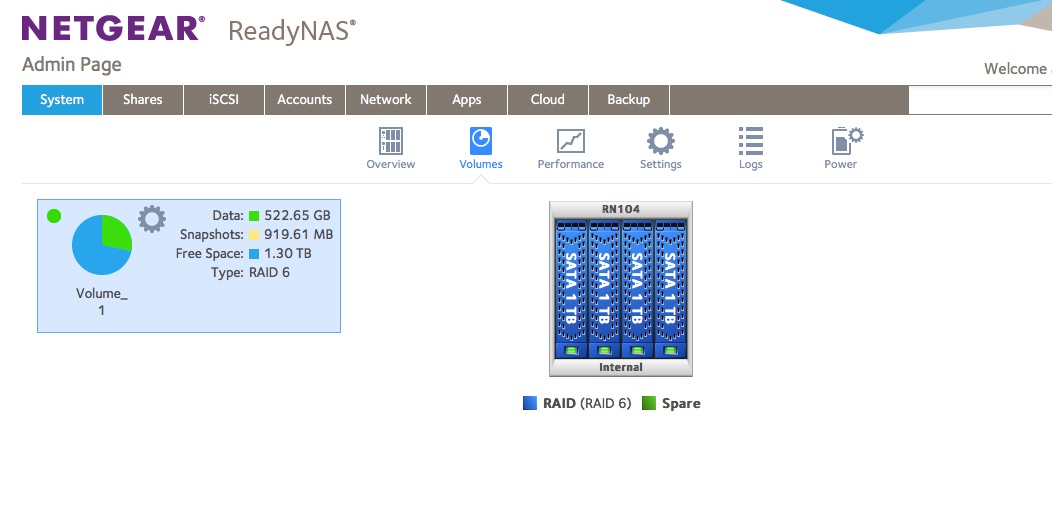
A NAS in working order (here, a Netgear Readynas with 4 1TB drives, all up) and Raid 6 configured.
Which brings us to the worst issue by far – the medium (tape, CD, DVD, hard drive, cloud blob) used for storage.
the storage needs have exploded (24 Mpixel is the new normal, and I know amateurs who refuse to shoot with anything less than a 40 Mpixel camera, like the Pros) – shooting 10 Gigabytes worth of images per day has nothing exceptional anymore,
At the same time, the capacity of WORM devices (CD, DVD, …) has stagnated,
solid state media is still expensive,
spinning hard drives have capacity but are fragile,
in spite of all the promises, consumer grade Network Attached Storage (NAS) is far from 100% reliable,
on line backup/archival services and cloud hosting services come and go (many vendors have decided to leave the consumer market, while some services are tied to a specific brand of computer or smartphone hardware), and some free photo sharing services may sell your secrets to advertisers (“if you’re not paying for the product, you’re the product”).
Images can also get corrupted – without a good backup, the image would be lost forever (Lightroom does not store the images in its catalog, just the metadata and the “development” instructions, the issue is with the NAS or with the file sharing protocol).
For long term storage at home, hard drives are currently the best option, but at least in my case, they’ve been quite unreliable: over the last 10 years,
I lost two hard drives on my personal laptop, before I upgraded to a SSD – which has less capacity but seems to fare much better when it comes to reliability,
I lost a hard drive on the Apple Time Capsule I was using for backups (Green Seagate Barracuda)
I lost a LaCie network attached hard drive (a Barracuda also, I’m afraid)
Files got corrupted (see above),
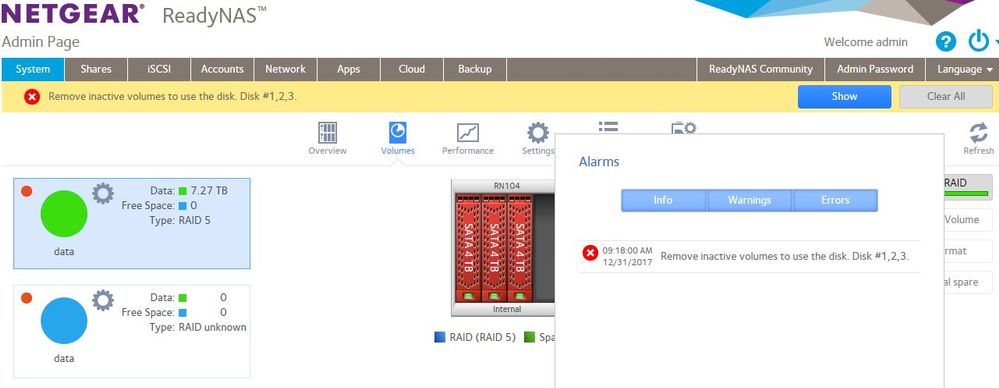
the Netgear ReadyNAS RN104 (with four 1 TB drives arranged in a so-called X-RAID) lost its file allocation tables (even if the Western Digital Red disks were still OK) and had to be reinstalled from scratch – without using X-RAID this time, but under a proper RAID 6 scheme instead.
The dreaded Netgear error message – search “ReadyNAS – Remove inactive volumes to use the disk. Disk #1,2” on Google to see other examples (source: Netgear Communities Forum)
Fortunately, I’ve always had relatively good backups (not 100% success at recovery – there’s always something that falls thru the cracks, but close enough)
Here is how my pictures are processed and protected, currently:
if I’m using a modern digital camera:
while traveling – I upload the files to my iPhone over Wi-fi at least once a day – then Apple syncs it to my Photo library in iCloud. It’s not a full backup – my Fujifilm XT-1 camera only uploads JPEG files via Wi-Fi, it does not upload the RAW files, and with a resolution limited to 1776×1184 (a bit above 2 Mpixels) – but it’s convenient, good enough for social network updates, and better than nothing if the SD card fails or the camera is stolen,
the “exposed” SD or CF card are copied as soon as possible to the SSD of a laptop;
and I store the SDs for up to 6 month before reformating and reusing them.
if I’m shooting with film:
I don’t have any form of backup until the film has been sent to the lab, processed and scanned (it’s the rule of the game with film – but it always makes me uneasy when a drop an envelope with a few irreplaceable rolls of film in a USPS mailbox, even if they have a 100% reliability record with me so far).
when the scans are available, I download them to the SSD of the laptop, and when I receive the negatives from the lab, I keep them in the proverbial shoebox.
once the JPEGs, the RAWs and the scans are on the laptop,
there is an automatic backup process to an external HDD drive (using Apple TimeMachine), to the NAS (TimeMachine again), and to Amazon Glacier (using the ARQ backup application)
I upload the pictures to the Netgear NAS for Lightroom processing and archival,
and the Netgear NAS is backed up to Amazon Glacier using the ARQ client of the Mac.
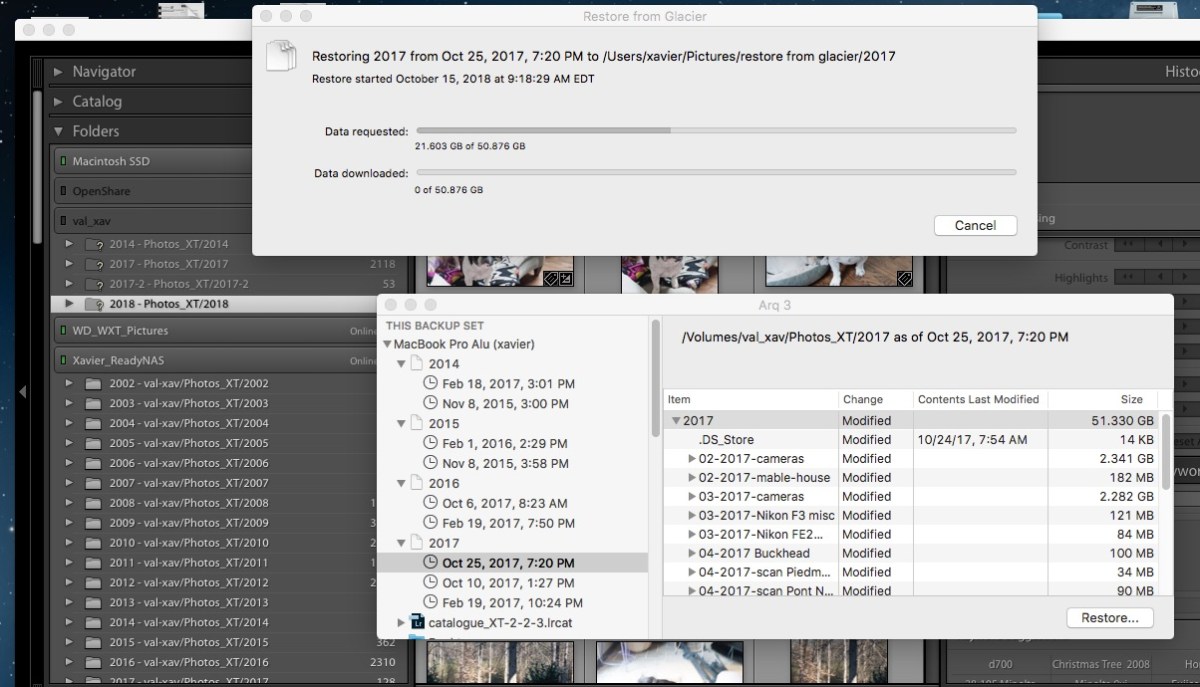
ARQ backup – the restore request is being processed by Glacier. In the background, Lightroom with the folders already restored on the ReadyNAS.
Amazon Glacier
Amazon Glacier is the long term archival service of AWS (the Amazon Cloud). Storage is extremely cheap ($0.004 per GB per month) and Amazon keeps multiple encrypted copies of the data in multiple AWS data centers.
There are all sorts of interesting features for Enterprise clients. But it’s not the exclusive domain of IT departments and the man in the street can also store files on Amazon Glacier.
Now there’s a catch: data retrieval is not instantaneous (Amazon needs 3 to 5 hours to start processing the request in the standard retrieval mode) and it’s not free either ($0.01 per Gbyte in the standard mode) – which is perfectly fine if you remember that Glacier is about long term storage. Consider the typical use cases for an amateur photographer:
you lost the pictures of that fantastic trip you made 10 years ago – it’s not going to be an issue for you if Glacier starts retrieving the pictures 5 hours from now,
you lost a hard drive and its local backup with 1 TB of pictures (to a flood, a fire, a burglary, a massive power surge) – again, you’re not going to complain if the data retrieval actually starts a few hours after you requested it: you’ll be happy to retrieve your files, even if it takes time (assuming 1TB, that would be 44 hours on a 50 Mbits broadband circuit continuously operating at that speed, which means much more time in reality) and you will have to pay a few dozens of dollars for the service.
Arq
Arq is a backup solution for Mac OS and for Windows, leveraging the storage and archival services provided by a large selection of public cloud services. I’ve been using it in conjunction with Glacier for a few years, and it’s proved its worth a few times already.
It may seem like overkill – but massive hardware failures, catastrophic events and user errors happen, sooner or later. If you don’t want to lose your pictures eventually, do something, now.
Definitions, Buzzwords and Acronyms:
Archive: collection of records kept for long term retention. Typically, archives are not actively used.
Backup: “process of making extra copies of data, that will be used to restore the original in case it is lost or corrupted”
AWS: Amazon Web Services – the on-demand cloud computing platform of Amazon.com
Cloud (cloud computing): Cloud computing is shared pools of configurable computer system resources and higher-level services that can be rapidly provisioned with minimal management effort, often over the Internet. Cloud computing relies on sharing of resources to achieve coherence and economies of scale, similar to a public utility. (Wikipedia)
HDD: hard disk drive – they’re called hard disk drives because there are made of a few hard, metallic disks spinning at high speed, with tiny mechanical arms moving a magnetic head a few microns above the disks. The technology has been here forever, hard drives are cheap, offer a large capacity, but are somehow unreliable over the long run. (see Backup, above)
NAS (NAS Drive): Network Attached Storage – appliance containing one or more hard drives, connected to a LAN, that provides file level data storage to PC or Mac clients. Practically, a NAS is a small file server, generally running a version of Linux, with an easy to use Web based configuration interface. For the user of a PC or a Mac, the NAS just presents itself as another storage volume in Windows Explorer or in the finder. Models supporting two or more disk drives generally offer redundancy mechanisms (mirroring, RAID) to minimize the consequences of a hard drive failure.
RAID: (Redundant Array of Independent Disks): a technology that provides data redundancy and performance improvements in storage systems using multiple physical disk drives. Having a NAS configured with RAID is not the panacea and does not dispense from running regular backups: RAID usually protects the data if one disk fails, but it does not protect against a massive failure (two or more disks fail, a disk controller corrupts the data) or against human error (files erased by mistake).
SSD: solid state drives. With a SSD, information is stored on microchips. There is no moving part. SSDs are both faster and more expensive than Hard Drives, that’s why they are used in laptops, but not in long term storage systems.
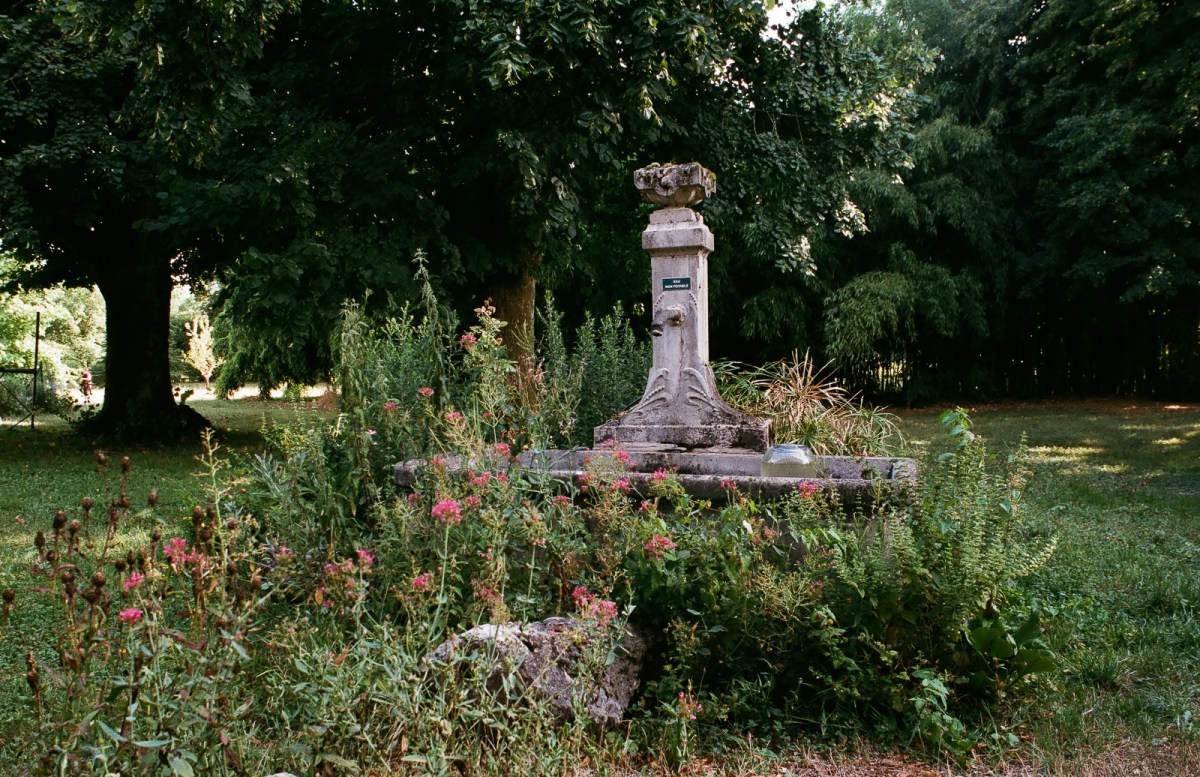
An image restored from a backup – Atlanta – Nikon FM – Nikon 24mm AF
With smart phones and wireless Internet connections being cheap and ubiquitous, billions of human beings have access to an always available camera of very decent quality and can easily share the pictures they shoot via messaging, photo sharing or social networking apps.
I don’t think there is any geography where film photography is still broadly considered an easier to use and cheaper alternative to digital (smartphone and digicam) photography.
Some people may still want their 4×6 prints, they may refuse to deal with smartphone apps or with memory cards at the self service kiosk of a pharmacist, and stick to film for those reasons. But there is no doubt that they form a small minority.
The rest of the film photographers are not necessarily enamored with 4×6 prints and don’t refuse to use PCs. They scan film or have it scanned, and insert the resulting files in a digital workflow. For them, there are roughly three options: premium film, boutique film, and expired stock.
premium film is designed to offer the best performance (finest grain, highest dynamic range, most realistic colors, most constant quality), but at twice or three times the price of standard amateur film,
boutique film is produced by small outfits, and prioritize special effects (color rendition and image resolution of the sixties, strong color hues, scratches, ….). Prices are all over the map, with some films in the low-cost category, and others being 4 to 5 times more expensive than the standard amateur film.
The ultimate bargain chasers are looking for expired film, and enjoy the consequences (unpredictable rendering, bizarre color hues).
Where does it leave the typical “amateur” color negative film like Kodak’s Gold and Fujifilm’s Superia, that casual photographers used to trust for their annual family reunions or for the trip of a lifetime ?
Almost nowhere.
Venezia – Nikon FE2 –
Firms like Fujifilm, judging by the type of film they dedicate to this usage, perceive people still sticking to a conventional film processing chain and to 4×6 prints as more price than quality sensitive, and reformulated their Fujicolor 200 ISO stock to make it cheaper to manufacture (it’s now sold as the Fujifilm C200).
Brick and mortar stores only seem to carry old inventory about to expire, the low-cost Fujicolor C200 mentioned above, and sometimes Fujifilm’s Superia X-TRA 400. Online retailers like Amazon or Adorama still carry Kodak Gold and Ultramax, but they also tend to put forward cheaper products from the same manufacturer.
How does it translate in the offer of film?
My observations are based on the US market, and on what the three major photo retailers (Amazon, B&H and Adorama) are offering. The situation may be different in other countries – (Kodak is probably better represented in the US than in the rest of the world, but Fujifilm’s catalog is wider in Japan), and here and there there are small specialized distributors also selling products from smaller brands.
Kodak
The part of the old Kodak Company which is still in the film business is named Kodak Alaris (Alaris belongs to the pension fund of the British employees of the Yellow Giant, but the products I’ve purchased over here are still manufactured in the USA, and sold under the Kodak name).
Looking at their Web site, it’s obvious that Kodak Alaris wants to sell “professional” (understand “premium”) film (Ektar, Porta, TMax and Tri-X). Amateur color print films (Gold 200, Ultramax 400) are impossible to find in the menu hierarchy of the site, or with the built-in search tool. Google Search still returns the spec sheets of all films currently in the catalog of Kodak Alaris (the list includes includes Gold and Ultramax), and the three major photo retailers of the US still sell the whole range of Kodak Alaris products.
Amazon and Adorama are also selling Kodak ColorPlus 200 – but there is no spec sheet on Kodak Alaris site, and it does not seem to be widely available in the US. It’s a budget film – supposedly relying on a simpler/older formula than the Gold 200, and it falls in the same low-cost category as the Fujicolor C200 – you use it if you look for the absolute lowest price (for a Kodak branded product, that is) , or if you want a rendering similar to the one you could get in the eighties/nineties.
Kodak also has a large range of B&W film (Tmax in 100, 400 and 3200 ISO declinations) as well as the old Tri X. They have announced they will soon manufacture slide film (Ektachrome) again.
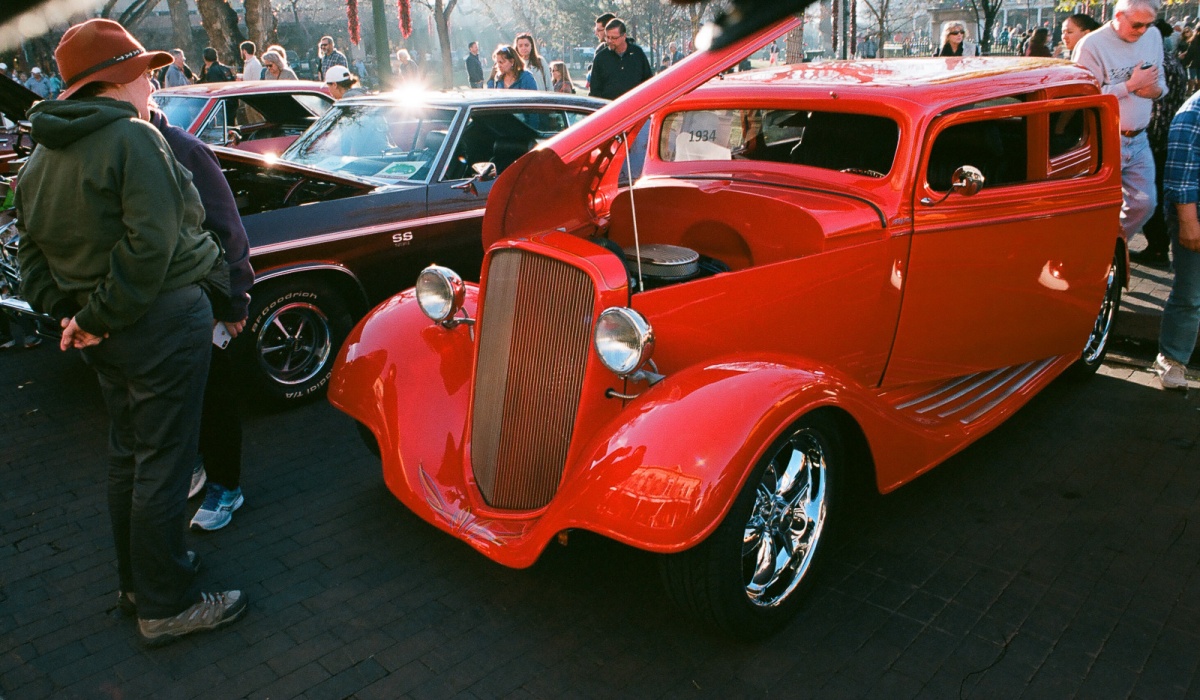
Santa Fe (NM) – Car show on the Plaza. Nikon FM – Kodak Ektar 100.
Fujifilm
In the US, Fujifilm have significantly reduced their product range (they have retired most of their Superia color print films last year) – leaving us with only the “low cost” C200 sold at Wal-Mart or CVS (available in 24 exposure cartridges only, manufactured following a simplified formula and replacing the more elaborate and now retired Superia 200), and a single Superia reference, the X-TRA 400 ISO (in packs of three 36 Exposure cartridges only). With Kodak having left the amateur market and deserted the brick and mortar stores, Fujifilm is the only major vendor of general purpose “amateur” color negative film.
Fujifilm only offers a single “professional color negative” film, the Pro H 400, aimed at Portrait photographers, and a single Black and White reference, the Neopan Acros. But they still offer three slide films (Velvia 50, Velvia 100 and Provia 100).
Obviously Fujifilm is more interested in pushing their highly profitable Instax film packs, which are declined in multiple sizes (mini, square, wide), and available in black and white as well as color stock.
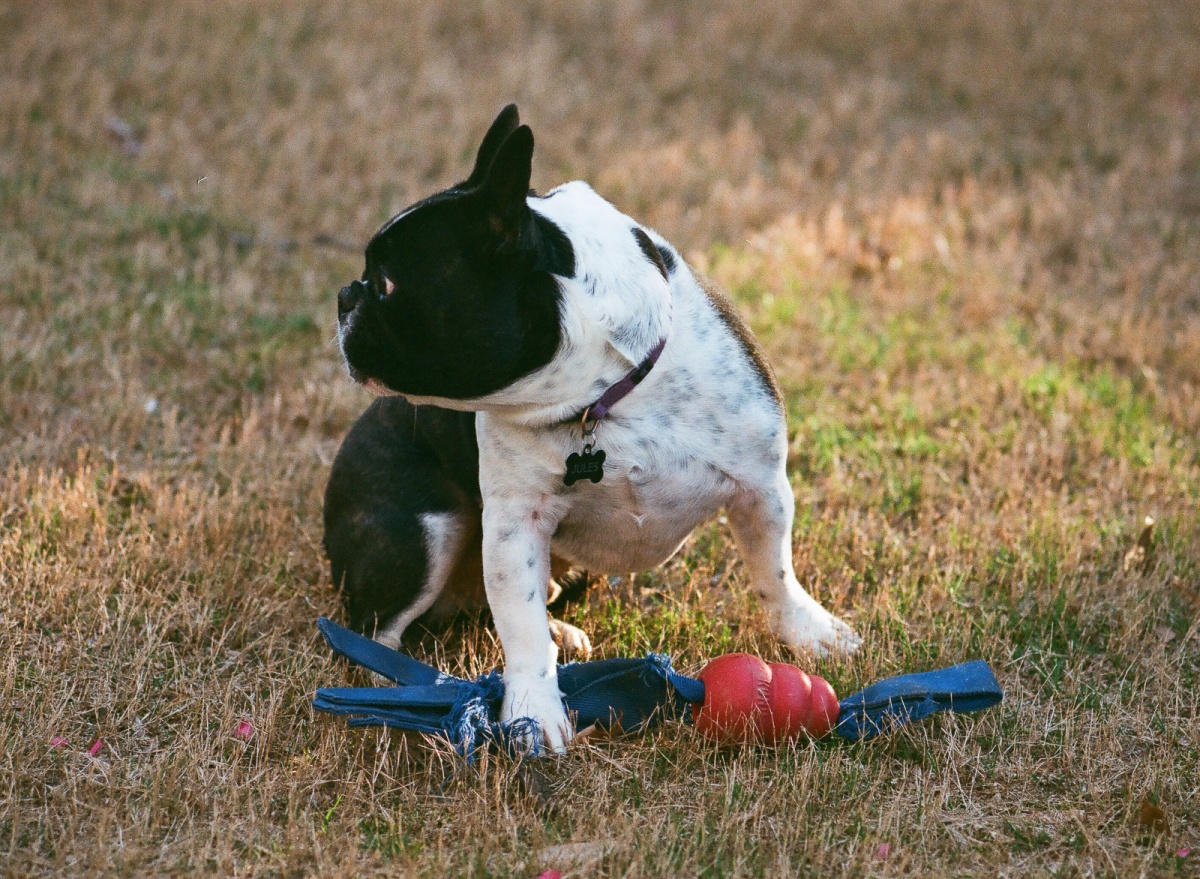
Jules – French Bouledogue – Nikon F3 – Nikkor 135mm f/2.8 AI lens – Fujicolor 400
Harman / Ilford
It’s been a very long time since Black and White film was last considered the default choice for the casual “amateur” photographer. And Ilford (now part of the Harman Technology group) does not manufacture or sell color film. But Ilford is worth a mention here: they have the largest catalog of Black and White film (classics like the Pan F, the FP4 or the HP5, fine grain products of the Delta series, and products now unique such as the XP2 (a Chromogenic B&W film that can be processed in the same chain as color print film).
Peniscola (Spain) – Canon T90 – Ilford film.
The rest:
Cinestill, Lomography, Revolo, Rollei, fall into the Boutique category. I don’t know much about Boutique film – and now that some of my old favorites are gone (Fuji Reala, Kodak CN400), I tend to stick to Kodak’s Ektar 100, that I use alongside Fujifilm’s Superia 400 and Ilford’s FP4 Plus B&W film.
The costs
I have to admit that I don’t really get this “low cost at all cost” thing: in the US, a 35mm (24 exposures) cartridge sells for anything between $2.75 and $3.50 – with premium film being generally sold in rolls of 36 exposures at prices between $6.75 and $9.90. Worst case, the cost difference between low-cost and premium amounts to $0.20 per exposure.
Processing a single 35mm cartridge will cost approx $8.00 to $10.00, and scanning another $5.00 to $10.00 (postage included). Some processors may advertise cheaper prices, but only scan in low-resolution, or don’t return the negatives (they destroy them), or charge a significant extra fee for the postage or for a higher resolution. All in all, consider that $17.00/cartridge is the best price an occasional/low volume user can get for a decent service (it’s a scale game, and prices get lower when the volume goes up).
And if you spend that much on processing, why not buy the best film you can get?
Where?
Brick and mortar stores (big box and pharmacists): not much to chose from, only Fujifilm’s products.
On line: besides the big Three (Adorama, Amazon, Bhphotovideo), there are a few sites specialized in ‘Boutique” film: Freestyle Photo ; Lomography
Atlanta – Piedmont Park – Nikon FM – Kodak Ektar 100


































 CamerAgX - a new life for old gear