Who created the first 35mm camera, or the first 35mm single lens reflex camera?
Difficult questions. First, you would have to agree on what constitutes exactly a “real” 35mm camera, or a “real” 35mm SLR, and then, you would have to determine what really counts: is it presenting a prototype at a trade show, applying for a patent, launching a limited series production, or inundating the world with tens of thousands copies of a “game changing” camera?
It is generally recognized that with the Leica, Leitz created the first commercially successful 35mm camera in the early twenties, and but it was not until 1932 when they launched the Leica II that the rangefinder camera with interchangeable lens had found its “real” final form.
Foca *** with a Foca turret viewfinder (left) / Olympus OM-1n (right) The Foca, a French derivative of the pre-war Leica, is a good example of what a rangefinder camera with interchangeable lenses looks like. With its pointy prism housing, the Olympus illustrates the typical SLR shape.
The Contax S
1932 is also the year when Zeiss launched Leica’s most serious pre-war competitor, the Contax.
Zeiss was at that time the largest manufacturer of cameras in the world. They had a long tradition of innovation and a great team of engineers; conscious of the limitations of the rangefinder formula, they kept on working on a better solution until, after the war, they finally presented the Contax S, one of (if not the first) modern 35mm single reflex lens camera.
With its pentaprism, its horizontal curtain shutter and its 42mm screw lens mount, the Contax S was very close to the typical 35mm SLR design, and should have been commercially successful.
Contax S – (second series from 1950). Courtesy of Pentax-SLR.com – the best source of information about early SLRs (not only Pentax)
But at that time, the Zeiss factories were in the Russian occupation zone (soon to become the German Democratic Republic) and all sorts of issues slowed down the roll-out to production: the Contax S only started to be mass produced at the very end of 1949. The launch of the Contax S also coincided with the start the Cold War – products from communist countries were not always welcome on the more affluent markets of the West – and to make the matters worse, the East German entity of Zeiss lost the rights to the Contax name in 1956. After considering multiple options (including apparently the “Pentax” name), the East Germans rebranded their cameras “Pentacon” (a portmanteau for Pentaprism and Contax) and the Contax S line of SLRs was abandonned.
Why is a pentaprism so important, that Zeiss and (later) Asahi changed the name of their cameras to include “Penta”?
Composing a picture on a piece of ground glass located behind the lens is nothing new (plate cameras have been following that model forever), but the image is reversed top-bottom and left-right, which makes the composing process very slow and totally unsuitable to candid photography.
If a mirror inclined at 45 degrees is placed behind the lens, and the image projected on a piece of ground glass, it is not reversed top/bottom anymore, but is still reversed left/right. The photographers has to shoot from waist level, after having used a magnifying glass for focusing. It’s workable, but not the best formula for action shots, journalism or simply spontaneous family photographs.
Nikon F3 with its HP Viewfinder
Nikon F3 with the viewfinder removed
the (huge) prism of the Nikon F3’s viewfinder
Nikon F3 with the pentaprism viewfinder removed: the image formed on the focusing screen is reversed laterally.
Left is right, right is left and of course the Coke and Powerade labels are also reversed
The pentaprism addresses all those issues – and as we all know from experience with SLRs, the image is fully redressed, focusing is easy, and eye-level composition makes action photography intuitive even for beginners.
Nikon F3 – The view of the same scene from the eye-level pentaprism viewfinder
Asahi Optical Co
Asahi started manufacturing lenses in Japan in 1919, and launched the first Japanese 35mm single lens reflex camera – the Asahiflex – in 1952. It was inspired by the pre-war German Praktiflex, but brought some improvements: it had two finders: a waist level through the lens viewfinder (for focusing) and a smaller eye level optical viewfinder to be used when taking candid snapshots.
In two critical areas, the Asahiflex was not as advanced as the Contax S: it did not have a pentaprism viewfinder, and it used a narrower 37mm screw mount.
Asahi’s first major innovation came two years later with the introduction of the instant return mirror on the Asahiflex IIb (1954). The IIb was without equivalent for a while, but the step forward it represented was nothing compared to Asahi’s next giant leap, with the “Pentax” of 1957. The first (mass produced) Japanese camera with a pentaprism, it combined for the first time in a compact, elegant and well made camera the instant return mirror, the film advance lever, easy film loading with a hinged back, and the 42mm screw mount.
The original Asahi Pentax camera from 1957 (source: official Pentax Web site).
The Pentax line of cameras sold by the millions and became the model that all other manufacturers would copy in the subsequent years. The Pentax name became so well known that the Asahi Optical Co. decided to sell all its products (including its line of medical equipment) under the name Pentax, before it finally changed its own name to Pentax Corporation in 2002.
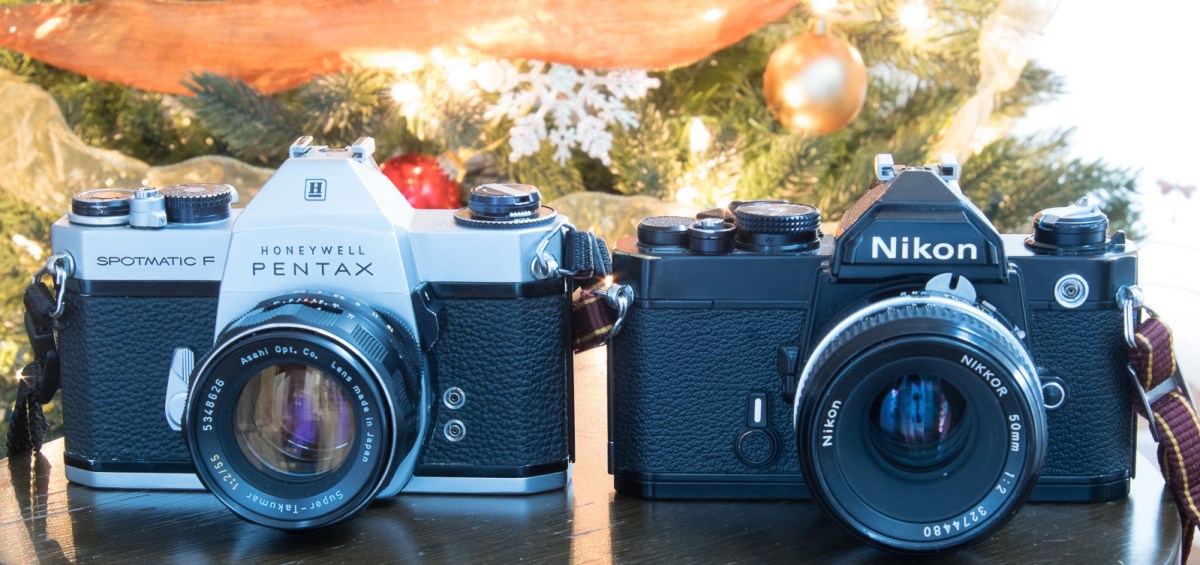
Pentax Spotmatic F from 1973 (left) and Nikon FM from 1977 (right). More than 15 years after its launch, the design of the “original” Pentax was still the model that all camera manufacturers were following
It is widely assumed that “Pentax” is also a portmanteau for Pentaprism and Contax. According to Wikipedia, the name was purchased by Asahi from the East German Zeiss company just before the launch of the original Pentax SLR in 1957.
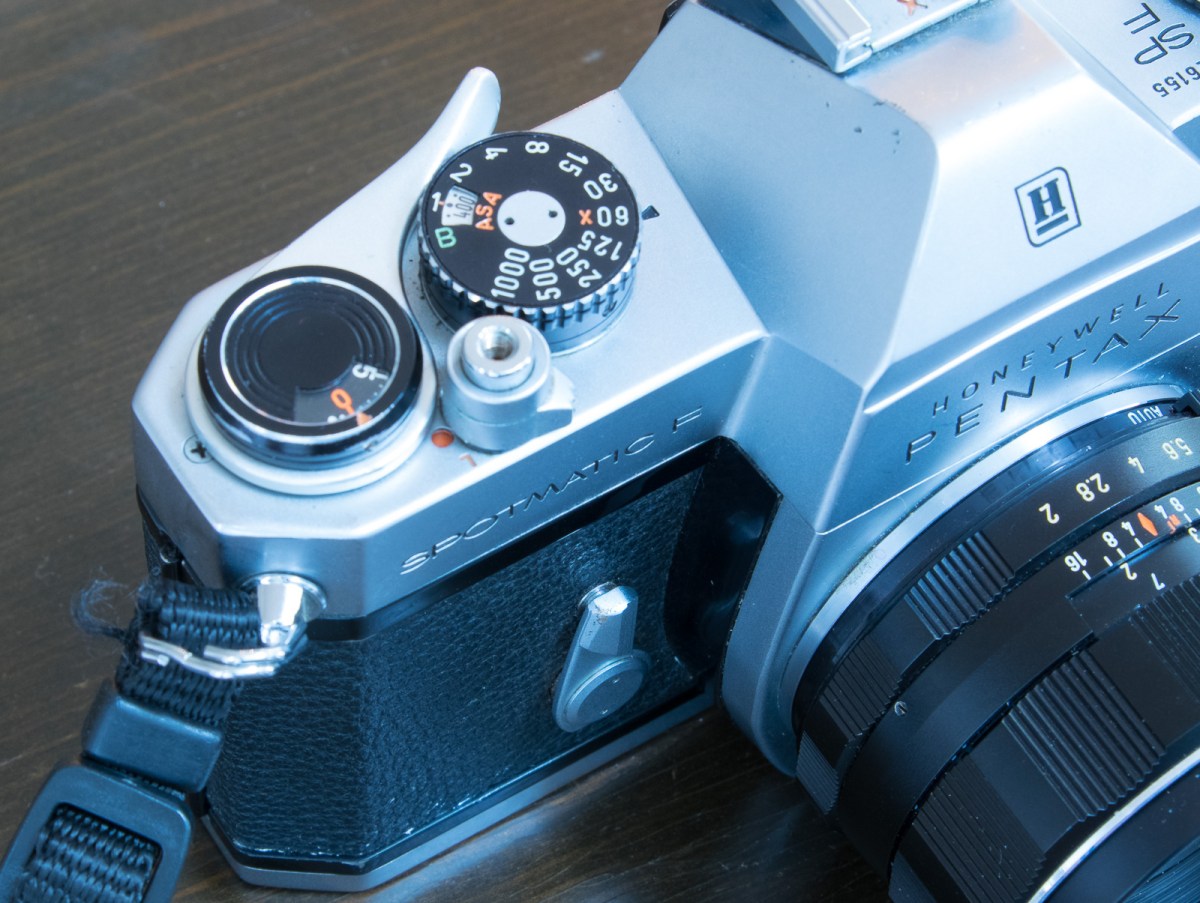
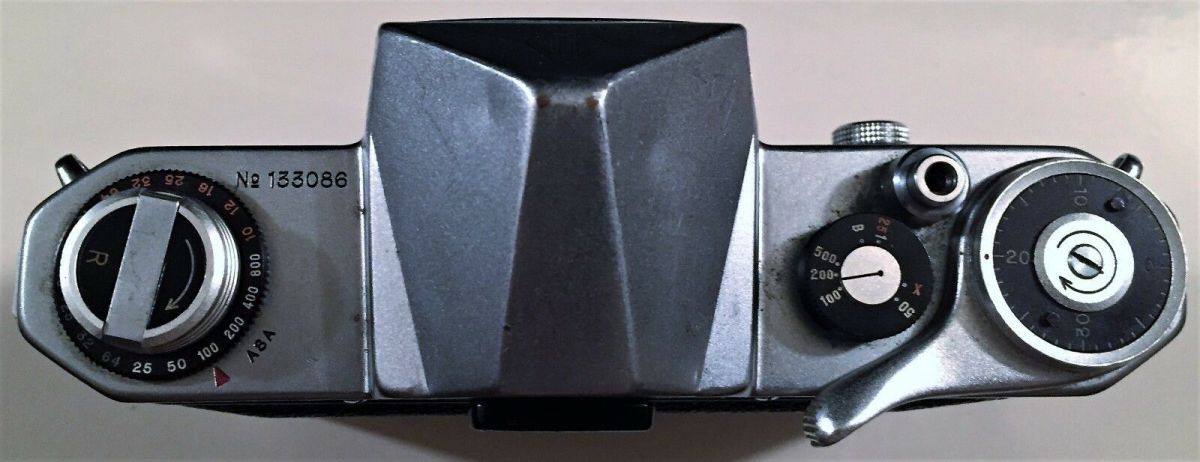
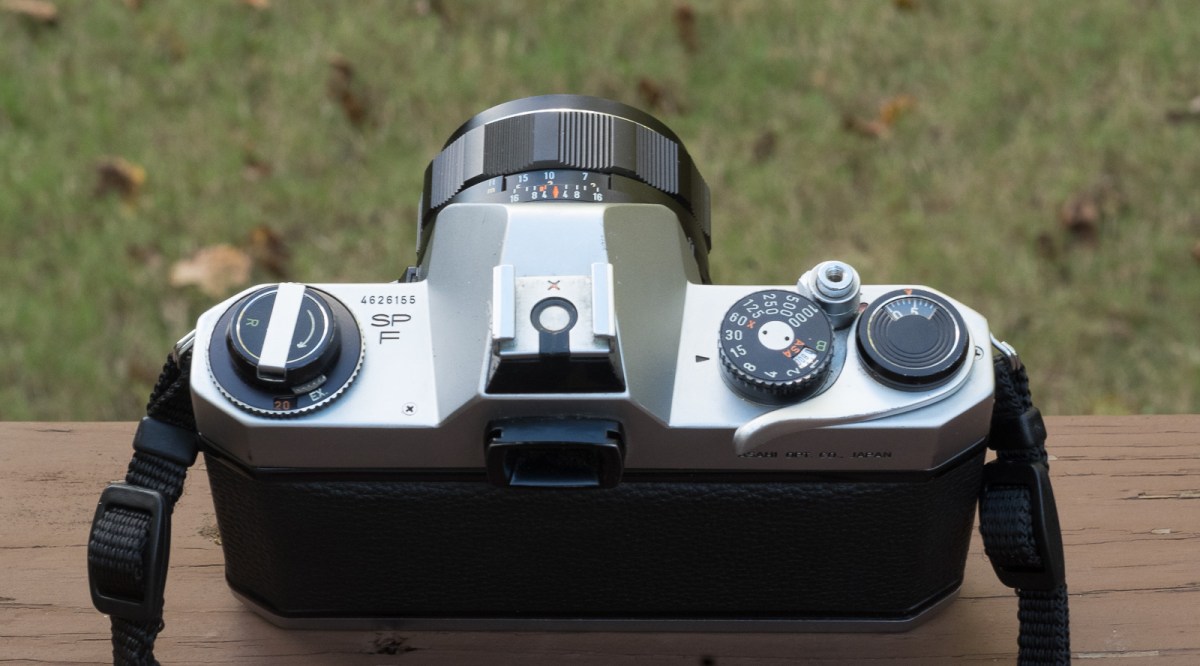
Asahi Pentax – the top plate of the original model (1957) – source: eBayThe Pentax Spotmatic F on 1973 – still true to the model defined by the “original” Pentax of 1957
Today, the single lens reflex formula is on its last breath – superseded by mirrorless cameras where the pentaprism has been replaced with a high resolution LCD – the Contax brand is dormant, and Pentax, as a subsidiary of Ricoh, is in life support with a line of three rather old dSLRs and no plan to launch a mirrorless system.
Sic transit…
More about
By far the most comprehensive source about Pentax cameras, as well as early SLRs of all makes: Pentax-slr.com
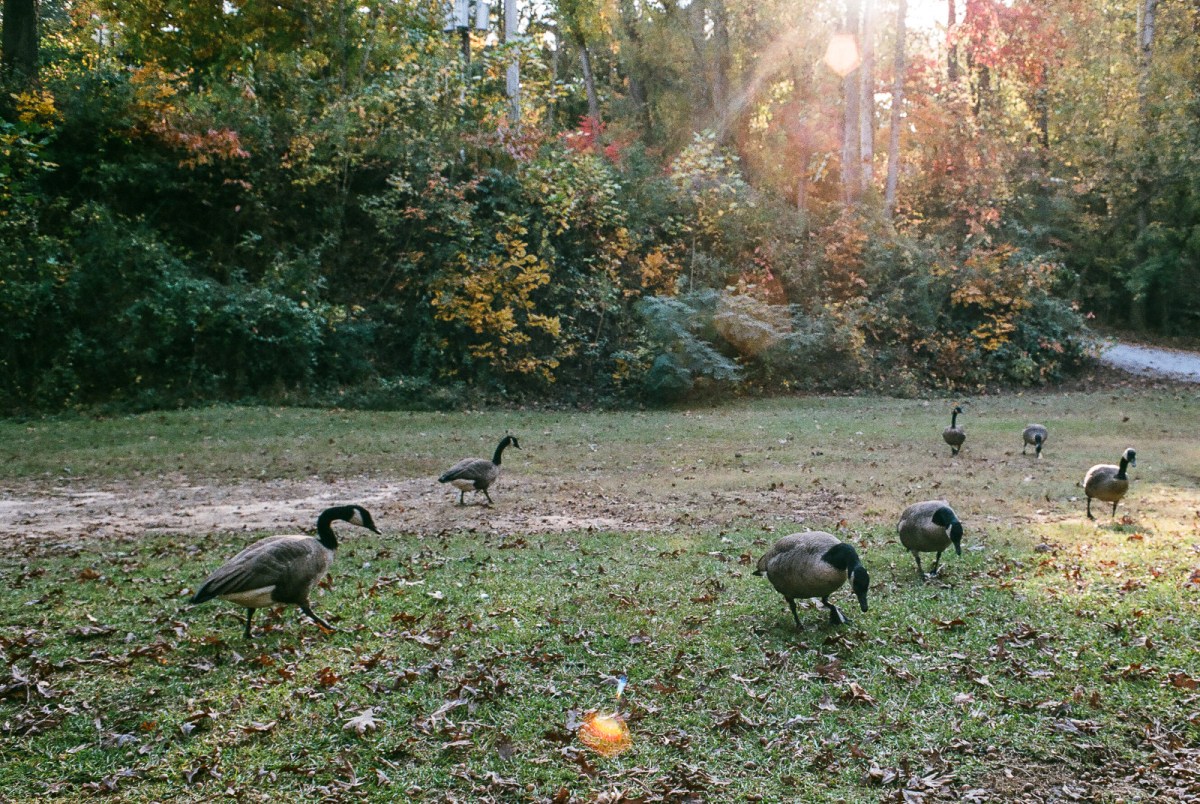
Big Birds – Mableton, GA – Pentax Spotmatic F. Lens Pentax Super-Takumar 55mm f/2Cumberland Island National Seashore (GA) – Some of the islands of the national park are limited to 50 visitors/day and have to be vacated before sunset. Pentax *ist DS – Lens Pentax 18-55mmCumberland Island National Seashore (GA) – The Cumberland forts were built by the British in 1733 to protect their most southern colonies from the Spaniards. The forts were abandoned after the final defeat of the Spaniards at the Battle of Bloody March in 1742. Pentax *ist DS. Lens Pentax 18-55mm
A compact point of shoot camera from the late eighties, the Contax T2, is currently red hot, selling for obscene amounts of money (well above $1,000). We’re observing here the manifestation of a new trend – a few film cameras have suddenly reached stardom – and make you pay dearly for them – while the mass of the point and shoot and SLRs from the nineties still languish in the $5.00 bargain bin.
In the world of manual focus SLRs, Contax bodies and Contax Carl Zeiss lenses, while not exactly cheap, can still be had for a small fraction of the cost of this T2.
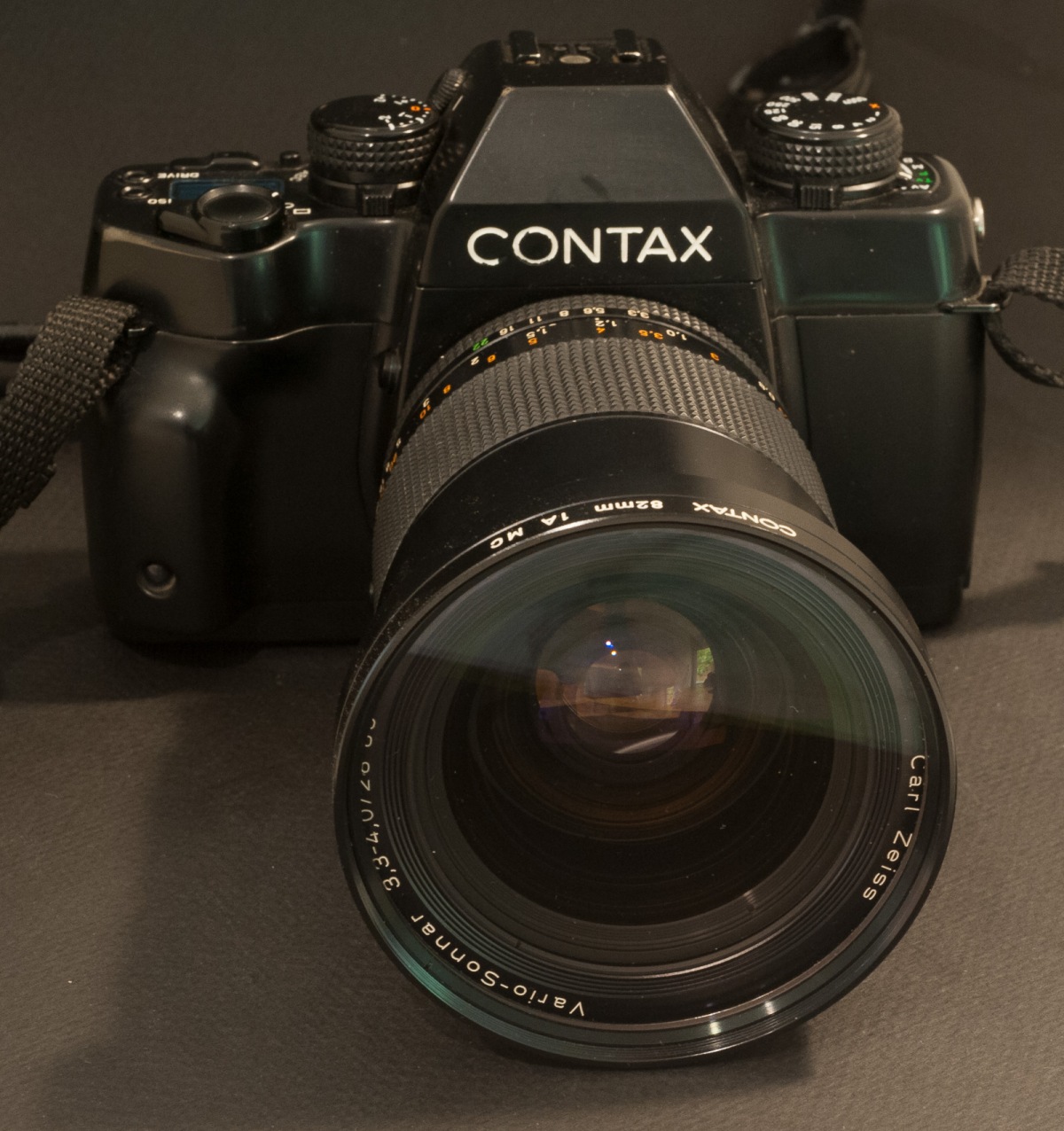
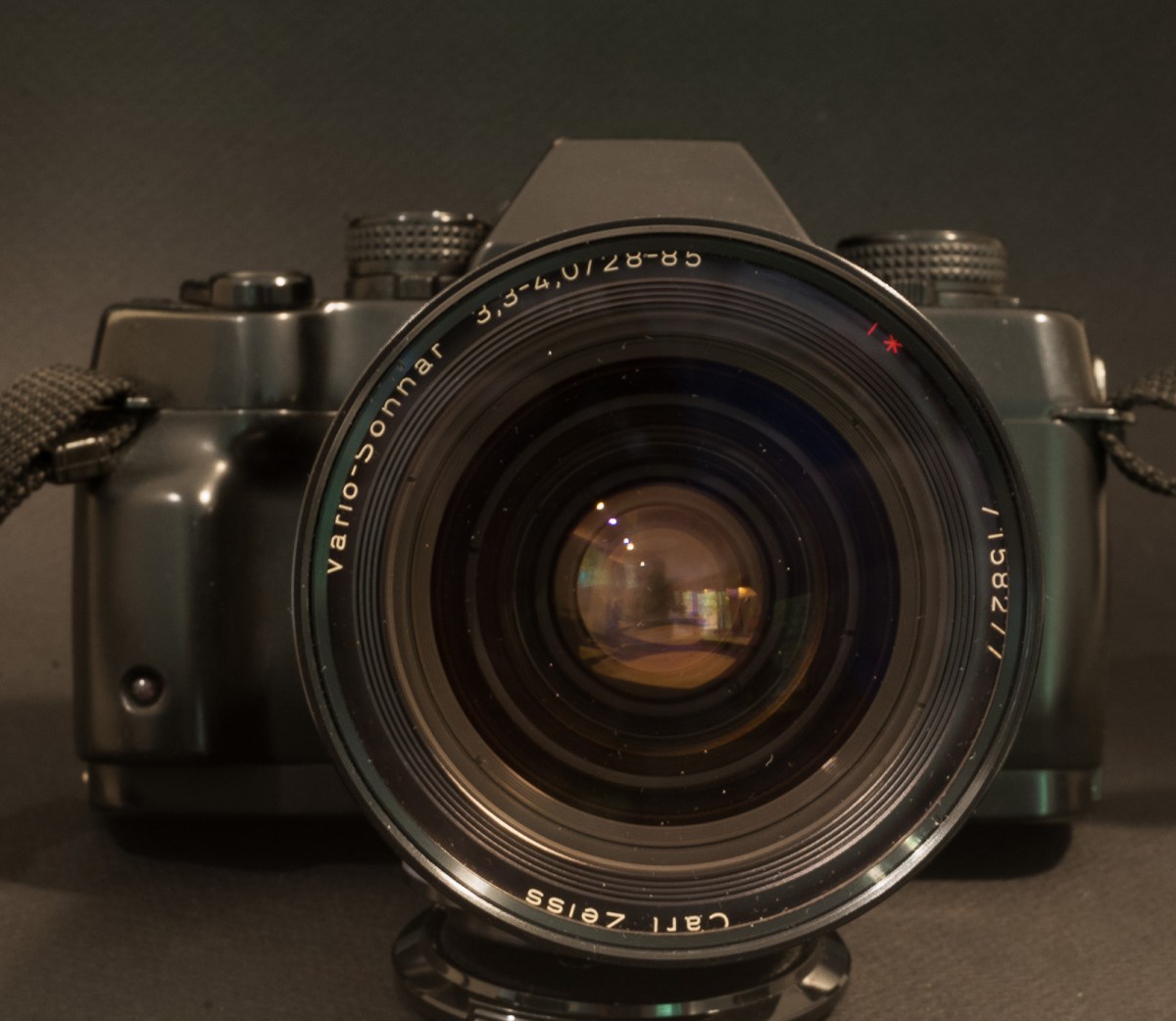
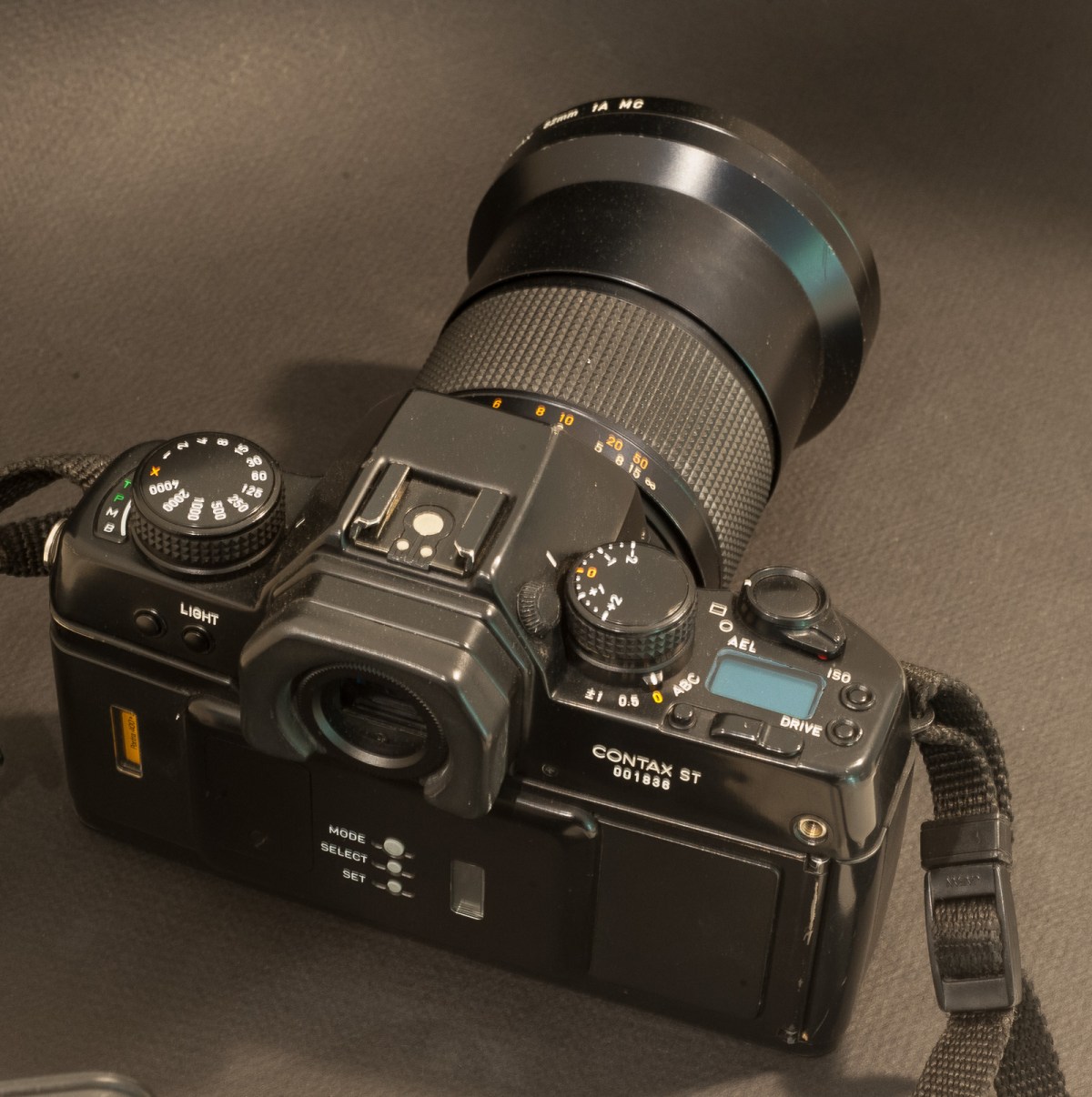
Contax ST and Carl-Zeiss Vario-Sonnar zoom – 28-85 f/3.3-4.0
Zeiss and its sub brand Contax have a very long history – Carl Zeiss founded the company that bears his name in 1846 in Jena (Germany) and Zeiss launched their first Contax camera in 1932.
In the seventies, Zeiss signed a licensing agreement with Yashica (the Japanese company subsequently became part of the Kyocera group). Contax and Yashica never said much about the role split in their joint venture, and most of what we know is an educated guess. High level, the “Contax” branded cameras of the Yashica/Kyocera era were designed and manufactured in Japan with some input from Zeiss. The F.A. Porsche studio (*) was in charge of the industrial design of some models. Yashica and Contax SLRs shared the same bayonet lens mount, and Contax cameras could be paired with Contax as well as cheaper Yashica branded lenses.
The “Contax Carl Zeiss” lenses were named after famous Zeiss lens designs (Distagon, Planar, Sonnar, ..) and benefited from Zeiss’ excellent multi-layer coating. Some of them were made in Germany, but the majority were manufactured in Yashica’s Japanese plants.
Not as well considered as the 35-70 of the same series, the 28-85 is still an impressive piece of glass.
Because of their Zeiss and Porsche lineage, their beautiful industrial design and their advanced technical content, the Contax cameras of the Yashica era could be sold as premium products, for much more than what Yashica could have extracted from their own line of SLRs.
In Contax’s product range, the top of the line was always occupied by a camera of the RTS family, and the bottom by derivatives and successors of their original entry level camera, the Contax 139Q (137 MA, 137 MD, 159MM, 167 MT). There was room in between for what we would now call a line of “prosumer” cameras.
Contax’s middle of the range cameras were a motley crew of SLRs addressing the needs of different niches – the S2 and S2b were semi-auto mechanical cameras, the RX had “a focus assist” system, the AX was an autofocus SLR designed for manual focus lenses (the lens had to be set to the infinite, and the film chamber was moving to adjust the focus).
a very well equipped camera with a conventional user interface (continuous drioptric corrector, date back, illumination of the command dials, and locks everywhere)
Among them, my pick, the Contax ST, was launched in 1992. It’s a somehow simplified and less bulky derivative of the RTS III, a full featured, motorized, manual focus camera with a large viewfinder, a bit like the Canon T90 from 1986. Its unique selling proposition was that the film pressure plate was made of ceramics rather than steel or aluminum (hint: the CERA in KYOCERA stands for Ceramics). I’m not sure that this ceramics pressure plate brought any real benefit to the photographer, but it spoke to the imagination.
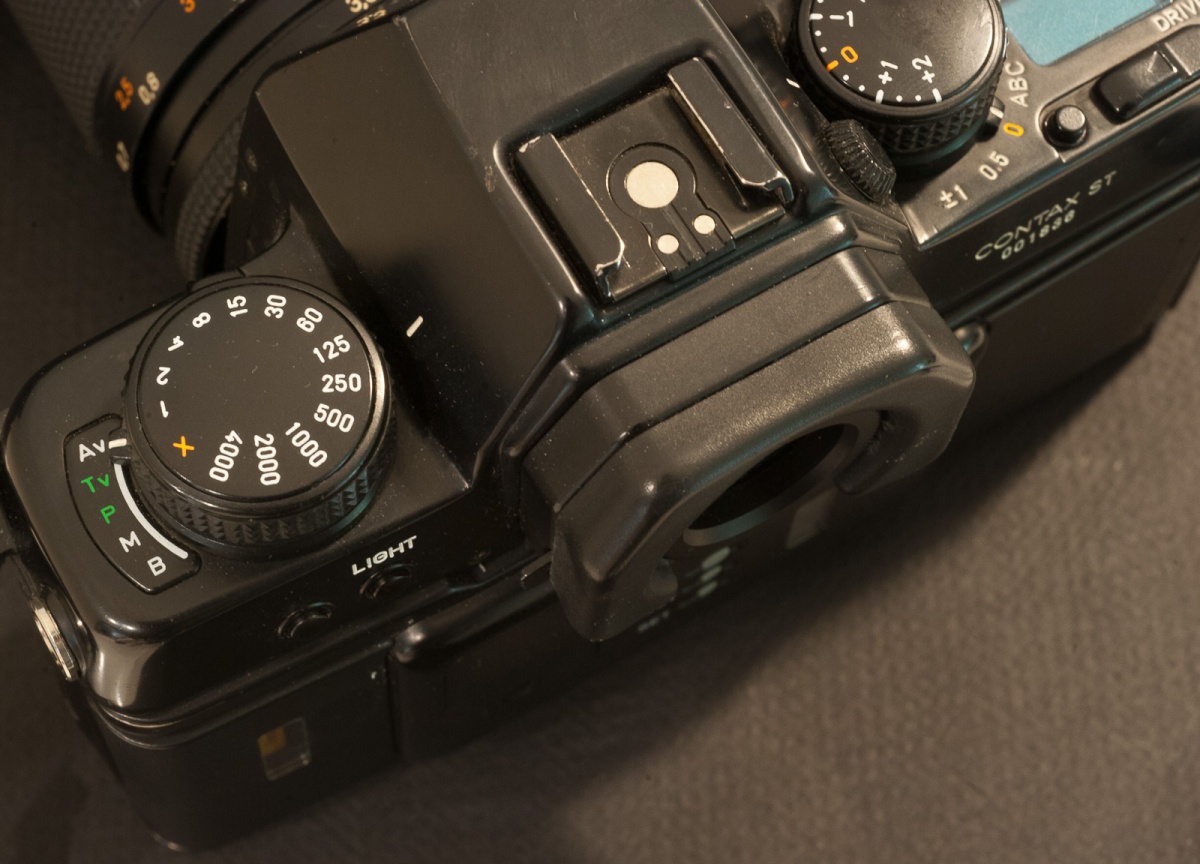
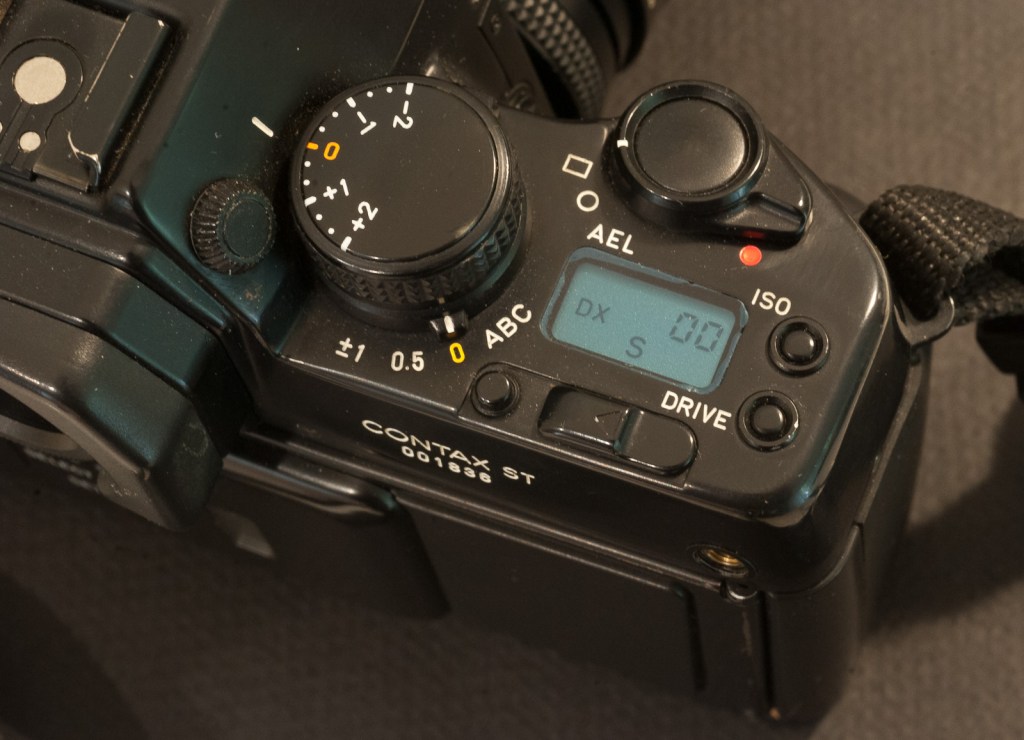
The four conventional exposure modes and the shutter speed dial on the left.
Of course, at the time the camera was launched, all major manufacturers (Canon, Nikon, Pentax) had followed Minolta’s example and converted their whole SLR range to autofocus, so the manual focus ST is a bit of the odd man out.(**)
Very first impressions
It’s a beautiful, very traditional SLR which exudes quality, with no autofocus, no modal interface, no menus, no control wheel, no matrix metering, no lithium battery, and a limited use of plastics.
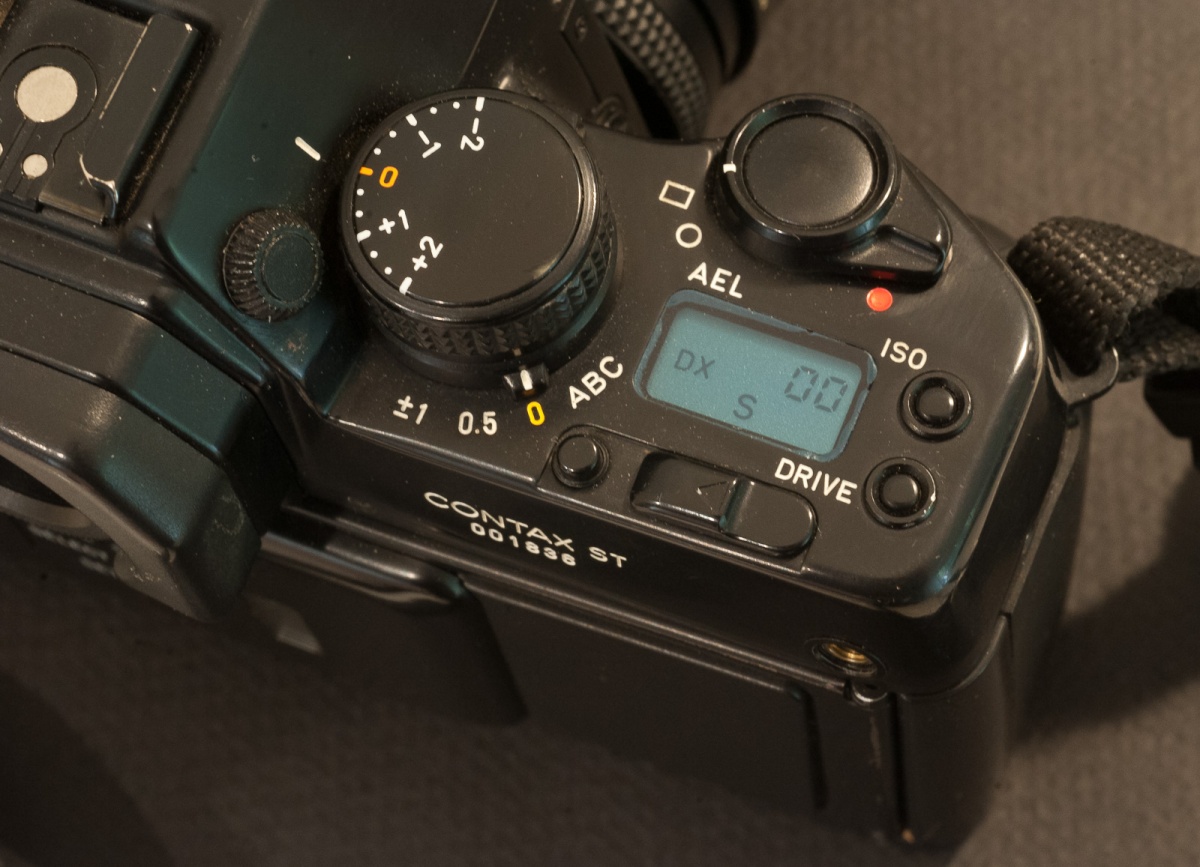
the exposure compensation dial, the metering selector and the electro-magnetic shutter release on the right. AEL (auto-exposure lock) is only available with spot metering.
The ST feels dense (heavy, but not too much) and falls very well in the hands. The commands are conventional, with an aperture ring on the lens, and a large shutter speed knob and an exposure compensation dial on the top plate. Almost all controls (except for the shutter speed and exposure compensation knobs) are secured by locks (like they are on a Nikon F4). There is only a tiny LCD (view counter and ISO display) at the right on the top plate.
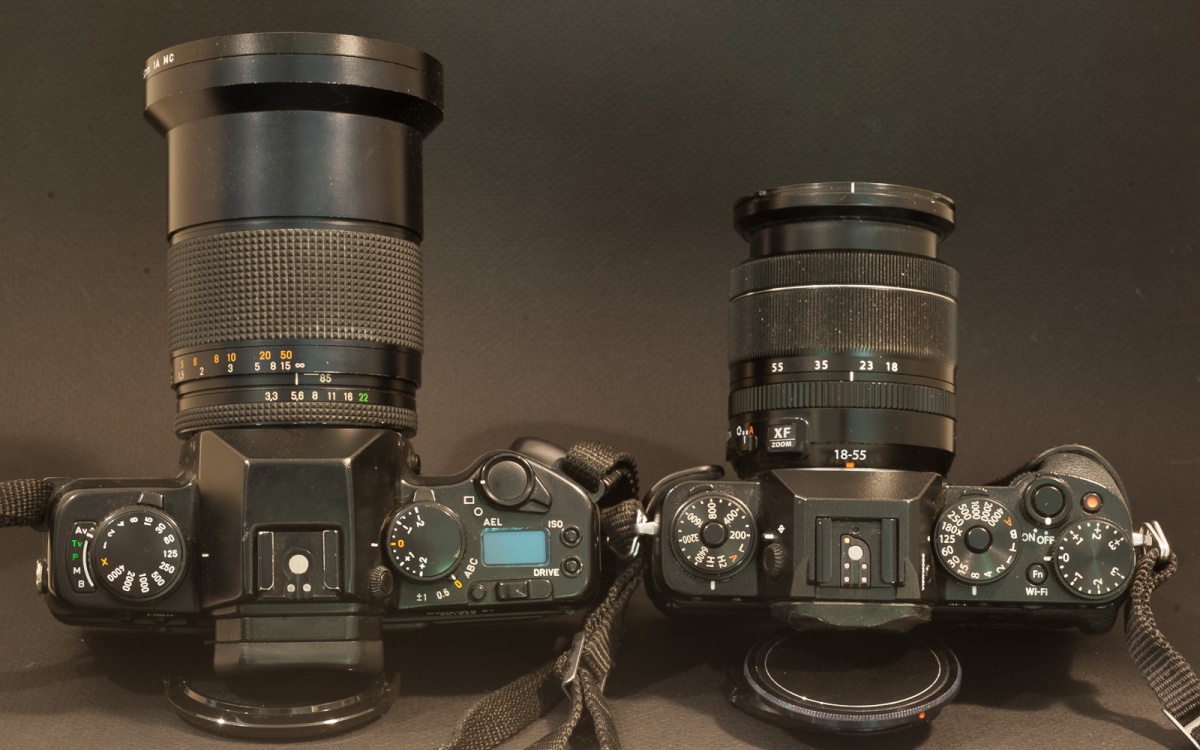
Sticking similarities – the importance given to the exposure compensation dial, selectors at the base of the big dials on the left and on right, and a common design language (on the right, Fujifilm X-T1)
For the anecdote, the body of today’s Fujifilm X-T3 looks very much like a small Contax ST, at the 2/3 scale, that is. Even the location and logic of the commands is strikingly similar – with the emphasis given on exposure compensation over any other control – you don’t need to search any longer where the designers of Fujifilm got their inspiration from.
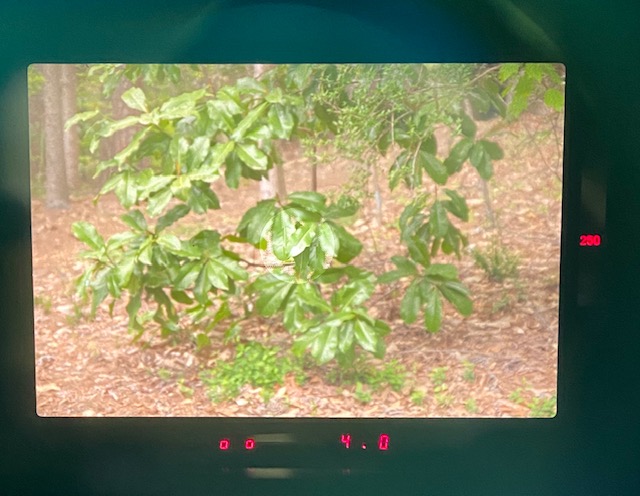
The viewfinder is exceptional. Combining a high enlargement (0.8) and a long eye point (I don’t have the figure, but by comparison with other cameras, it’s really long), it offers a cinematic view of the scene. But at the same time, it’s old school – it’s graced with red LEDs, and the focusing screen does not seem to be one of those ultra fine and ultra luminous Acutemate or BriteMate laser etched screens – as a result the image is a bit darker than what you would see on a Nikon FE2, for instance (not by much, maybe 1/2 stop). The ST is also one of the few manual focus cameras with a continuously adjustable dioptric correction – all in all one of the best viewfinders of its time.
A beautiful viewfinder – on the right the shutter speed, at the bottom-right the aperture, and the exposure counter on the left (it show 00 because the film is fully exposed)
Lesser Contax SLRs have a rubberized skin. that degrades over time – it’s not the case for the STs – they still look pristine 28 years after leaving the assembly shop.
The lens mounts and lens mount adapters
Contax and Yashica had abandoned the 42mm screw mount in 1975 with the introduction of the Contax/Yashica (C/Y) mount on the Yashica FX-1 and Contax RTS.
The original Contax Carl Zeiss lenses belong to the AE series. The design of the lenses was modified in 1985 to support the Program mode and the Shutter priority modes introduced on the 159MM – therefore the modified lenses are part of the MM series (for Multi-Mode). The two versions of the lenses are inter-compatible – you just don’t get the Program mode or the Shutter priority mode if you mount an AE lens on a body like the ST.
Other lens options
Contax Carl Zeiss Lenses in C/Y mount are rather expensive, even now. There are three alternatives if you don’t want to pay hundreds or even thousands of dollars for a lens:
Yashica lenses: Some models have a very good reputation (the prime lenses in the ML series, generally) – they were manufactured in the same plants as the Carl Zeiss series, but were not built to Zeiss specs and did not benefit from Zeiss lens treatment. People who have tested them next to Contax lenses say the color rendering and the micro contrast are different (which makes sense – each lens manufacturer has its “signature”). Other series of Yashica lenses (DSB, YUS) are not necessarily that good – do you research.
Third party lenses: very few independents offered lenses in the C/Y mount. Tamron and Vivitar had C/Y adapters for their respective universal mount systems. But does it really make sense to mount a Tamron or a Vivitar lens on a Contax camera?
Last but not least, you can also mount older 42mm screw mount lenses (from Yashica, Contax or other defenders of the Universal mount such as Pentax) thanks to an adapter proposed by Yashica. You can still find those adapter rings on eBay.
The elephant in the room – made in Japan or in Germany?
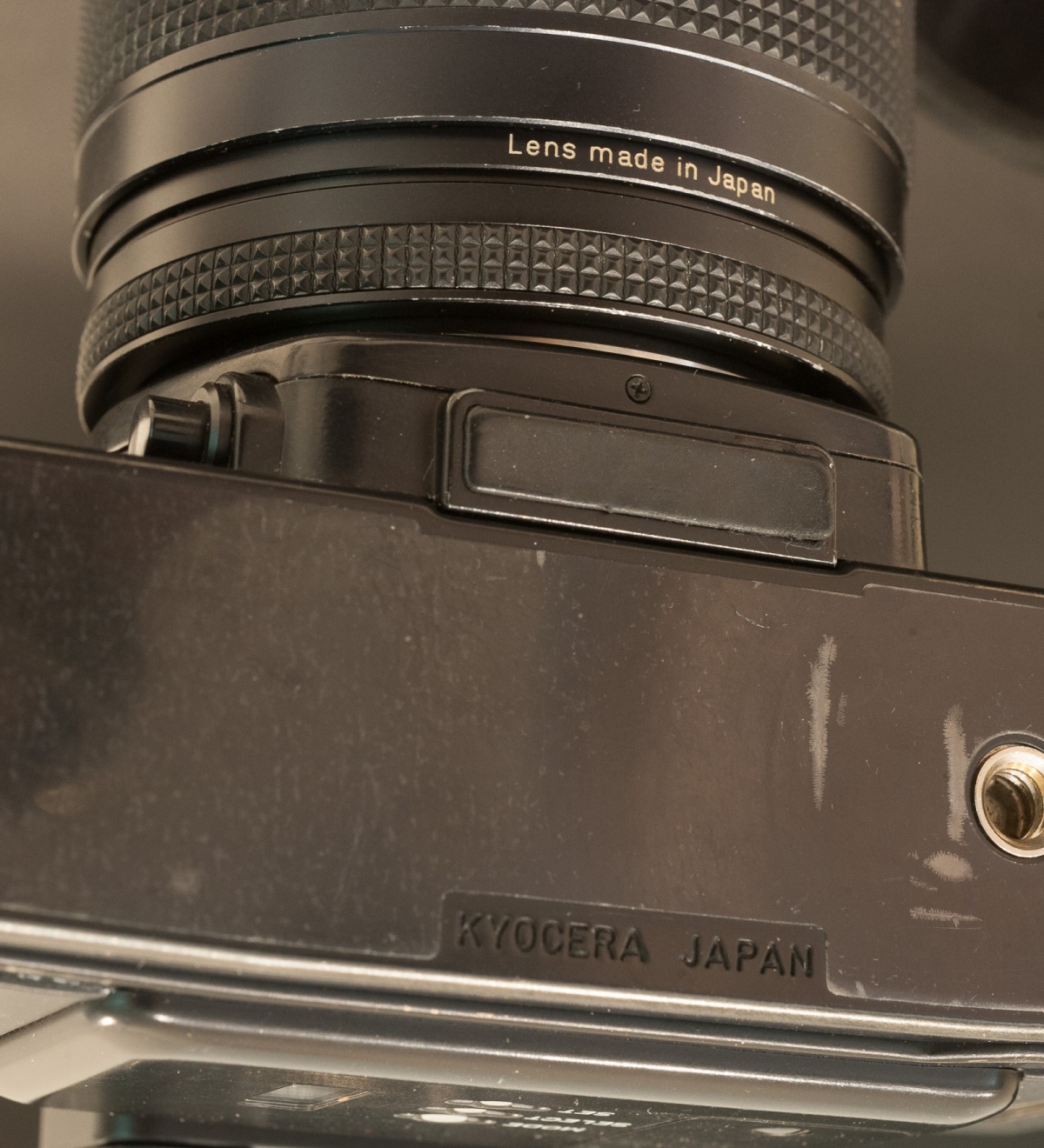
There is no doubt where the bodies were manufactured – my ST proudly bears its “Kyocera-Japan” signature. The Contax Carl Zeiss zoom (the 28-85 f/3.3-4.0) that came with the camera was also made in Japan (no mention of Kyocera, though).
No doubt – it’s a Kyocera (Yashica) camera and it was manufactured in Japan. (interestingly the lens shows absolutely no mention of Yashica or Kyocera)
In the early years of the Zeiss / Yashica collaboration, a lens could originate from the German workshops of Zeiss or from the Japanese factories of Yashica (even for a given model – some were produced simultaneously in Europe and in Asia). Over the years, the manufacturing activities were increasingly concentrated in Japan. I did not find any evidence that lenses made in Asia were better or worse than the lenses made in Europe – and I don’t think it matters: they were all designed and manufactured to Zeiss’s specs with Zeiss’s T* multi-layer coating.
Buying Contax cameras and lenses today
In the nineties, Contax cameras were positioned and priced as premium products, a big notch under Leica, but in the same ballpark as Nikon’s or Canon’s Pro cameras.
Today, their high-end bodies hold their value very well even if Leica R products remain more expensive.
The Contax magic percolates to Yashica ML lenses and to certain Yashica bodies (like the FX-3 Super 2000), which are also sold at a premium, for products of a second tier brand, that is. The 21mm and 28mm wide-angle lenses are particularly sought for, selling for at least $350.00.
On the right the Canon T90 from 1986 – like the Contax, a very elaborate manual focus camera. The User Interface is totally different, though.
The least expensive Contax SLRs are the entry level models (139, 137, 167) at less than $100.00 for a nice copy. Really sought after models like the RTS III, the S2 (the semi-auto camera) or the Aria (a compact SLR, the last camera in the Contax manual focus line and the only one with matrix metering) typically sell in a $350.00 to $600.00 bracket. The rest of the products (ST, RX, RTS I or RTS II) sell for approximately $150.00.
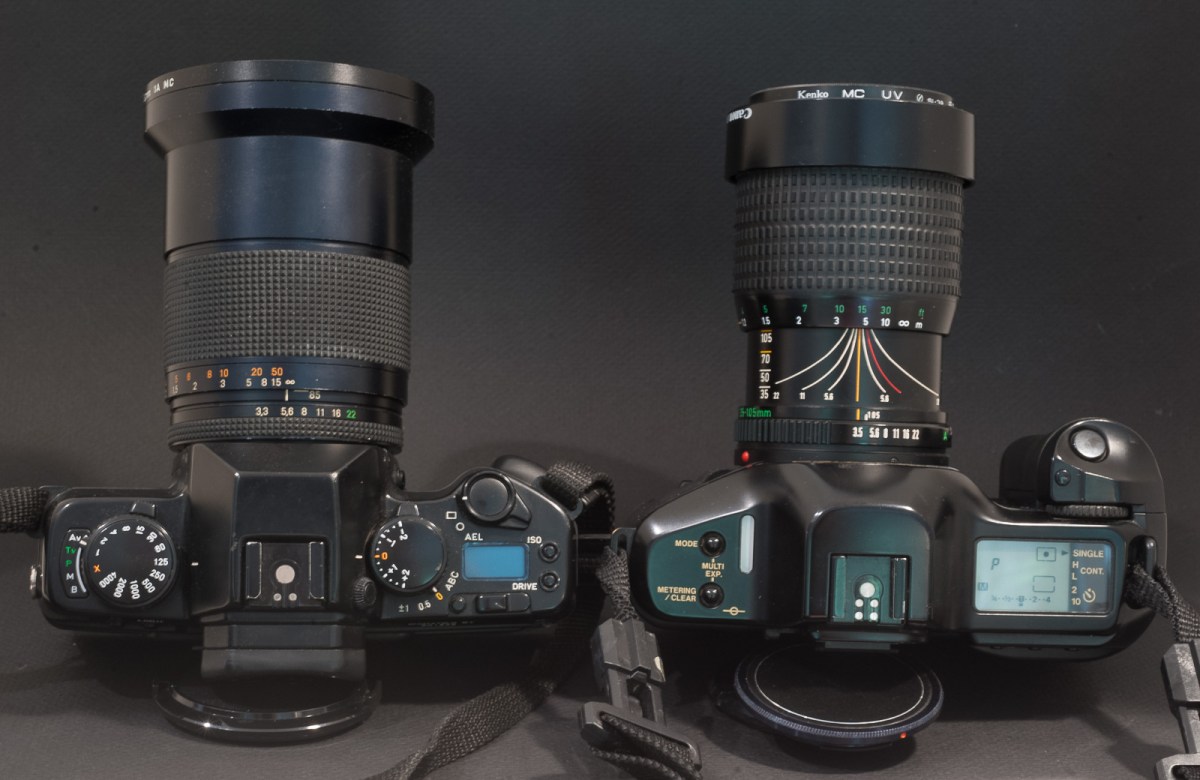
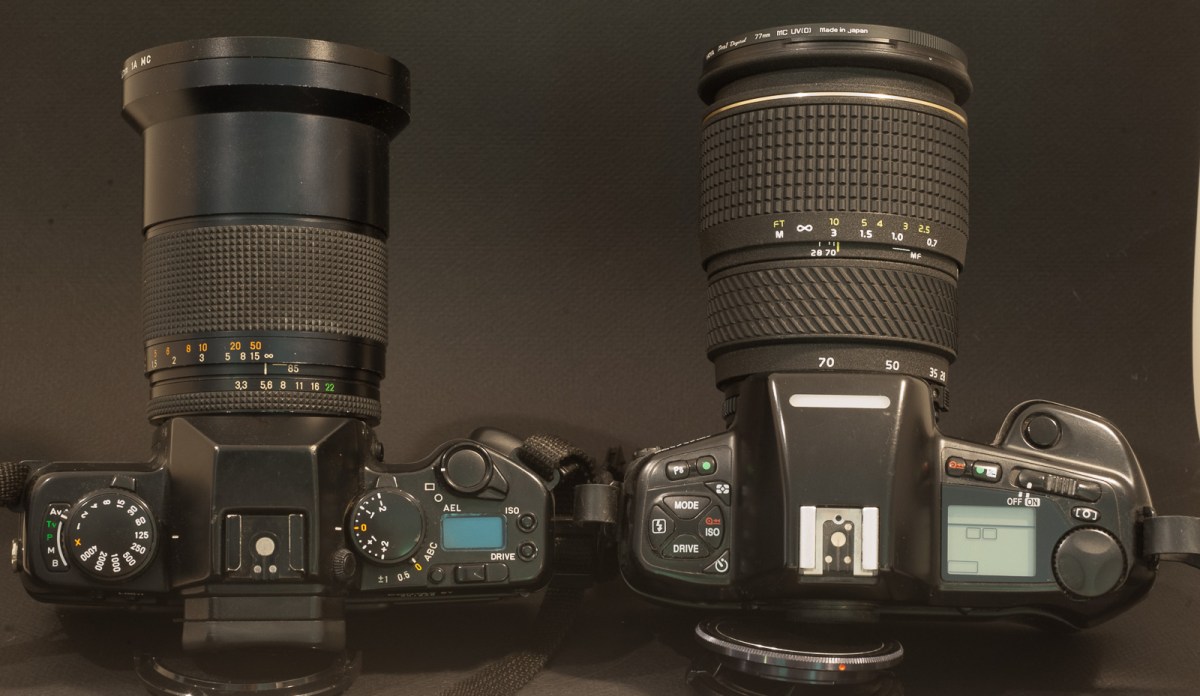
They were competing on the shelves of the photo equipment stores in the early nineties – the Nikon N90x (right) represents state of the art (modal interface, matrix metering, autofocus, f/2.8 constant aperture zoom). The Contax ST, on the other hand, was spec’d like a pro-camera of the early to mid eighties.
But be cognizant that in order to enjoy the full Contax experience, you’ll need Contax Carl Zeiss lenses. It’s very difficult to find anything (even a very common Planar 50mm f/1.7) at less than $150.00, and really interesting lenses (the 21mm wide-angle for instance) can cost well over $1,000.
More about the Contax ST and the Vario-Sonnar 28-85mm f/3.3-4.0 in a few weeks, after a few rolls of film.
The Contax brand has been dormant since 2005, and there is relatively little information about their products on the Web.
(*) Porsche used to be a family business. And everybody in that family seemed to be named “Ferdinand”. Because it was a family business, the eight grand-sons of Ferdinand Porsche, (the engineer who had founded the company and designed the original Beetle) ended up working at the Porsche car company under the direction of Ferdinand “Ferry” Porsche, who had taken over the business from his father Ferdinand after WW2. When the conflicts between the most talented of the cousins reached dangerous levels, Ferry asked them to leave. Ferdinand Piech, who had designed the engine of the 911, left to start a new career at Audi, and ended his professional life as the chairman of the Volkswagen Group. The other cousin, Ferdinand Alexander Porsche, who had designed the body of the original 911, started his own design studio. And one of the first clients of the studio was… Contax.
(**) – Contax launched its first autofocus film SLRs (the N1 and the NX) in 2000 with a new lens mount and a new series of lenses – roughly 15 years after anybody else. And followed up with the first full-frame dSLR in 2002, the Contax N Digital. The products did not sell well and were rapidly withdrawn from the market, and Kyocera left the photography market for good in 2005. The Contax brand has been kept dormant ever since.
The lens mount of the Contax N, N1 and Nx of the early 2000s was totally different from the C/Y mount of this ST. From an engineering point of view, the new lens mount was so close to Canon’s EOS that conversion jobs were possible. You can read a test of a converted lenses in Optical limits
My everyday camera is an iPhone 11 – it’s a smartphone, of course, but it’s also a great camera – really – I like the ultra-wide angle lens (13mm equivalent) and its incredible capacity at making nice portraits or group photos in relatively poor lit scenes. But the iPhone 11 still has a few inherent limitations – its longest focal length is equivalent to a 26mm lens in a 35mm film camera (on the wide side even for a wide-angle, then), and the sensor is so small that even with the best digital signal processing, the best picture enhancement algorithms and a dose of “semantic image analysis”, it’s still not that great when there is really not much light.
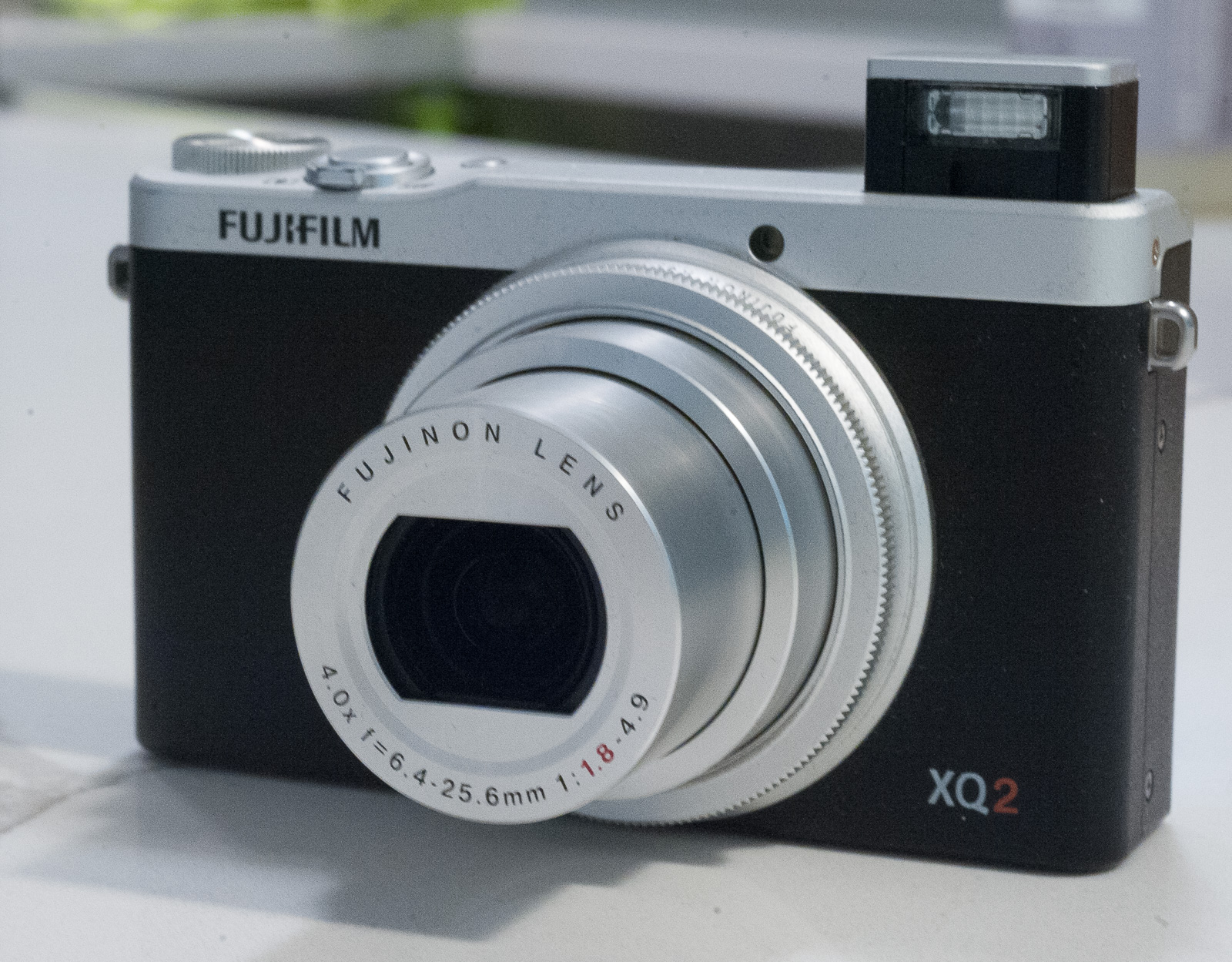
Fujifilm XQ2 with lens and flash extended. The lens covers the same range as a 25-100 zoom on a full frame (135) camera
Enter my latest acquisition, the Fujifilm XQ2, an ultra-compact point and shoot camera launched in 2015. It’s an old camera by digicam standards, and with a sensor area of 0.58cm2, the XQ2 it’s a sort of tweener. Its sensor is twice the size of the 1/2.3in chip you could find in an entry level digicam, but half the size of the 1 Inch sensor of the current gold standard of ultra-compact digital cameras, the Sony RX100. Using a smaller sensor made the XQ2 smaller (marginally) and cheaper (massively) than the RX100, but took its toll on image quality in poorly lit scenes.
Relative Size of Image Sensors (courtesy Simon Crisp in new atlas.com) – the Fujifilm XQ2 has a 2/3in sensor – as opposed to the 1/2.5″ sensor of an iPhone
The size of the sensors of small digital cameras is often expressed in Inches. An iPhone 11 has a 1/2.5in sensor, a Sony RX100 has a 1in sensor, and the Fujifilm XQ2 sits in between with a 2/3in sensor.
The “Inches” do not represent the actual size of the sensor – the figure is derived from the length of a video tube that would capture an image of a similar size in an old TV camera: for instance, a 1in video tube captures an image with a diagonal of 16mm, so a silicon chip with a 16mm diagonal will be advertised as a 1inch sensor, even if it’s much smaller than one inch in any of its dimensions (*).
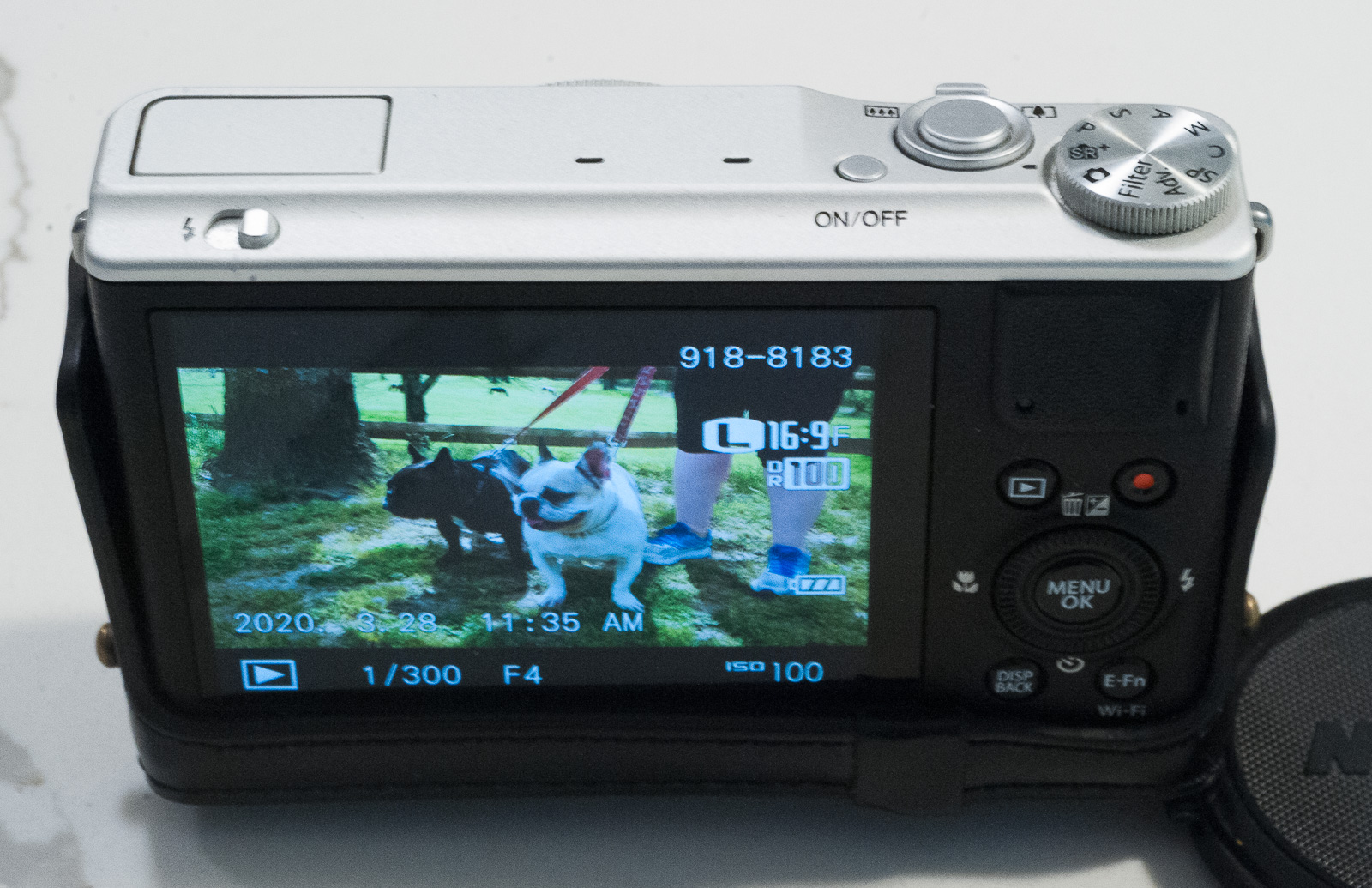
I leave the camera in full automatic mode most of the time (that’s the SR+ position on the mode selector).
Obviously, there is more to image quality than the sole sensor size – but all things being equal, any time the area of the sensor doubles, its ability to deliver noise free images at high ISOs improves by the same factor: if a 1in sensor (area of 1.16cm2) delivers noise free images up to 800 ISO, a 4/3rd sensor (area of 2.25cm2) will deliver noise free images up to 1600 ISO.
The Fujifilm conventional commands.
In the grand scheme of things, we’re still in the realm of very small sensors: a so called full frame camera (Sony A7, Canon RF, Nikon D850 or Z6, ..) has a sensor which has 30 times the area of the sensor of an iPhone, and 12 times the area of a 1in sensor.
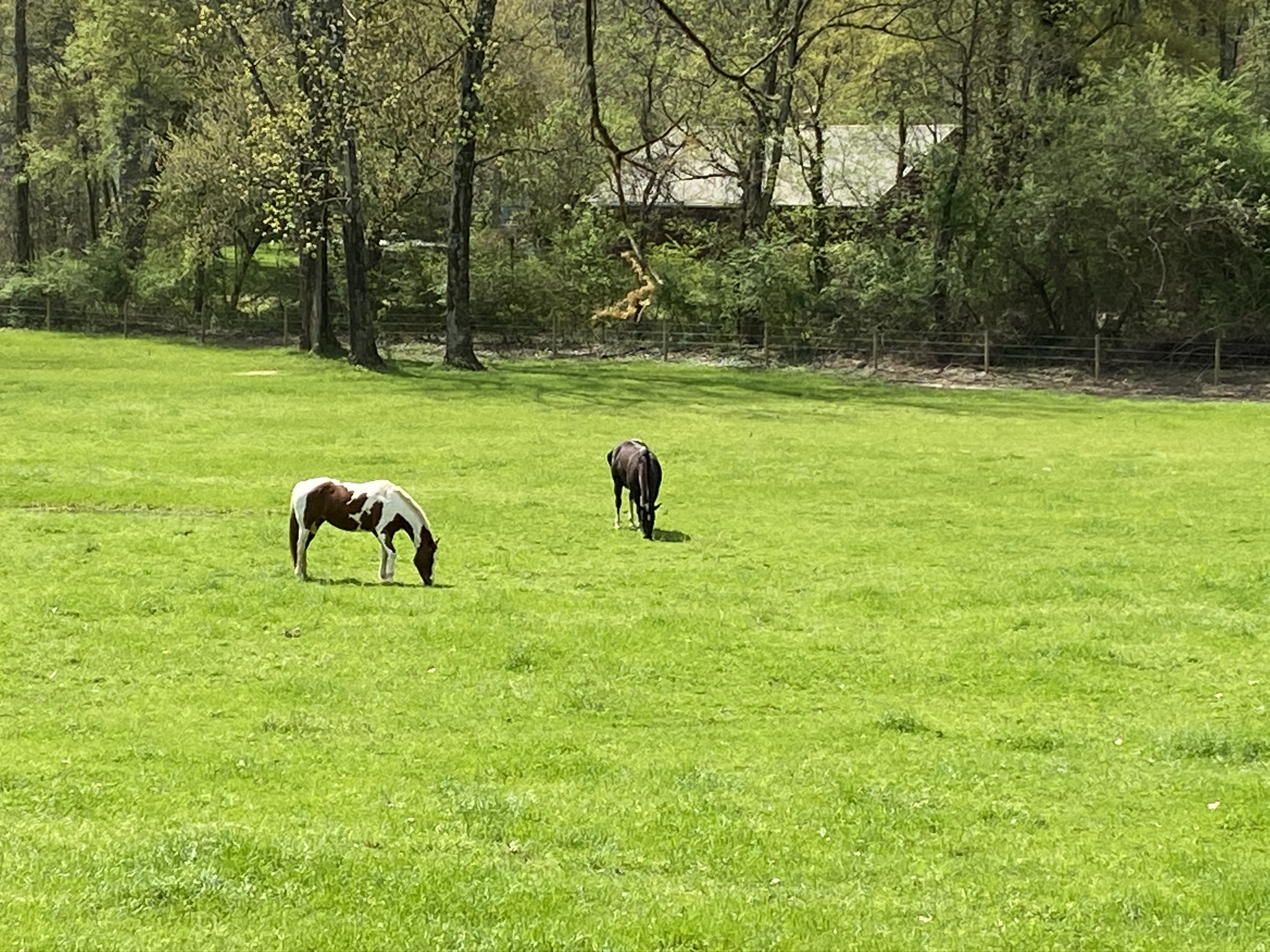
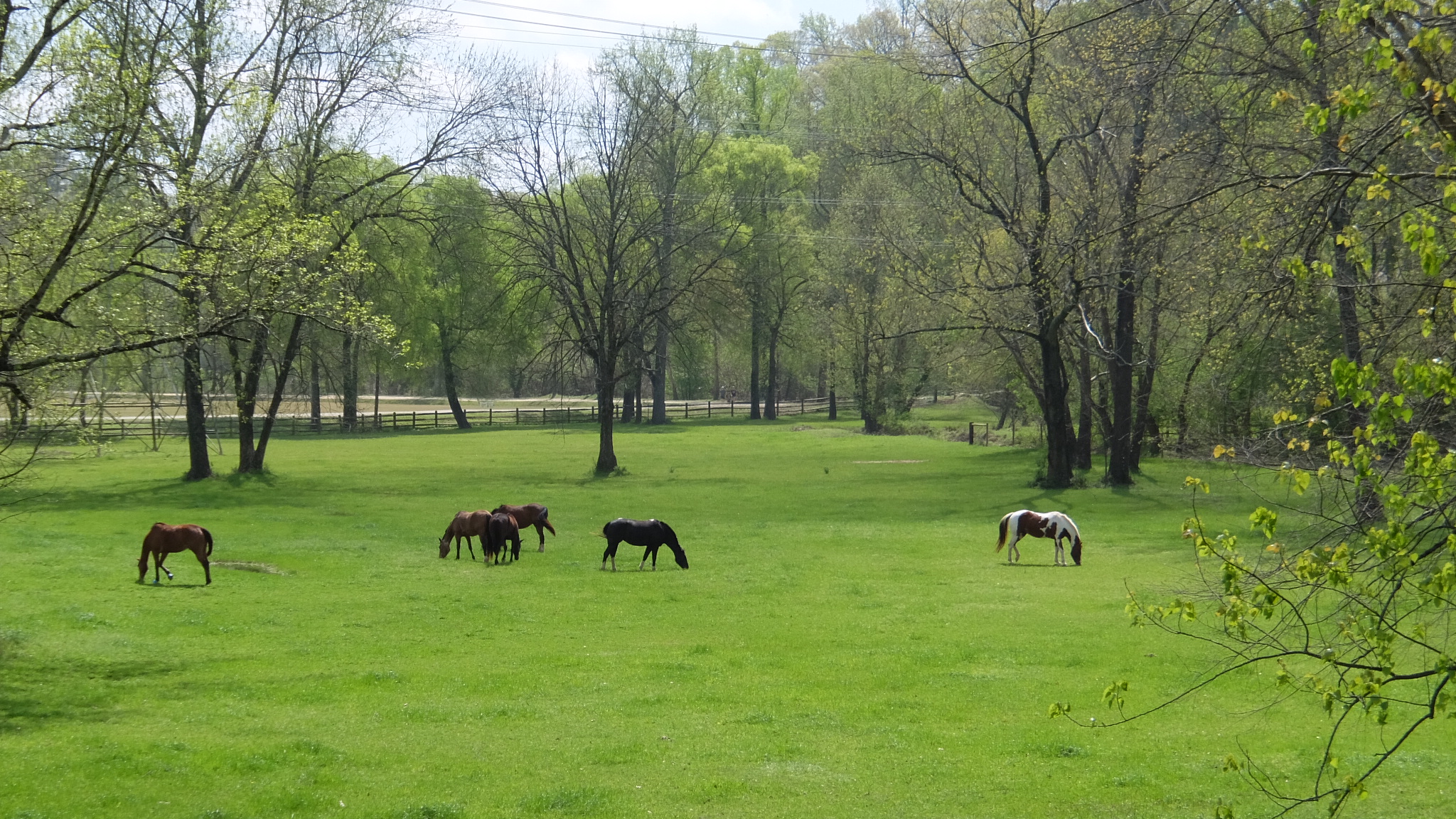
Atlanta – Chattahoochee – iPhone 11. Focal length equivalent : 14mmAtlanta – paddleboard on the Chattahochee – Fujifilm XQ2 F/4.9. Focal length 25mm (100mm équivalent) – the two images were taken from the same vantage point, a few minutes apart.Horses at the Vinings Polo field, Atlanta – GA – Apple iPhone 11 – f/1.7 – Digital zoom x 3.5 (equivalent to 91mm)Horses at Vinings. Fujifilm XQ2 – f/5.6 – 21mm (equivalent to 85mm) – the two images were taken from the same vantage point, a few minutes apart.
In the real life
I’ve already sang the praise of the iPhone’s camera – it’s truly impressive – in particular when the images are viewed on a smartphone screen. The larger the screen (or the monitor), the less convincing the images, as the effects of the digital zoom (and of aggressive noise reduction) become more visible. The images are pleasant, but very saturated and borderline loud. [images of the horses above]
The XQ2 (under the standard film simulation mode) delivers more subdued images, closer to the output of a conventional camera. In my experience, the XQ2 manages scenes requiring a high dynamic range better than the iPhone, even if it’s not as good as a camera with an APS-C sensor like the Fujifilm X100T. [pictures of the French Bouledogue taking the sun].
The big difference of course is the focal range of the lens(es). With its ultra-wide angle lens (13mm equivalent on a full frame camera), the iPhone lets you create dramatic landscapes. But its longest focal length is a short 26mm (equivalent), and most of the pictures involve a modicum of digital zoom. Which is costly in terms of image quality.
The XQ2, on the other hand, can zoom optically up to 100mm, which is very useful when you want to isolate a detail, or a human being in a wide landscape, without needing to crop the image.
Max sleeping. Fujifilm XQ2 – shot at f/4.5 – 15mm focal length (equivalent to 70mm full frame)
Max. iPhone 11. F/1.7 Digital Zoom x 2.8
Max – Fujifilm X100T – for comparison – the APS-C sensor of the X100T has a much better dynamic than the tiny sensor of the XQ2 (or the iPhone’s)
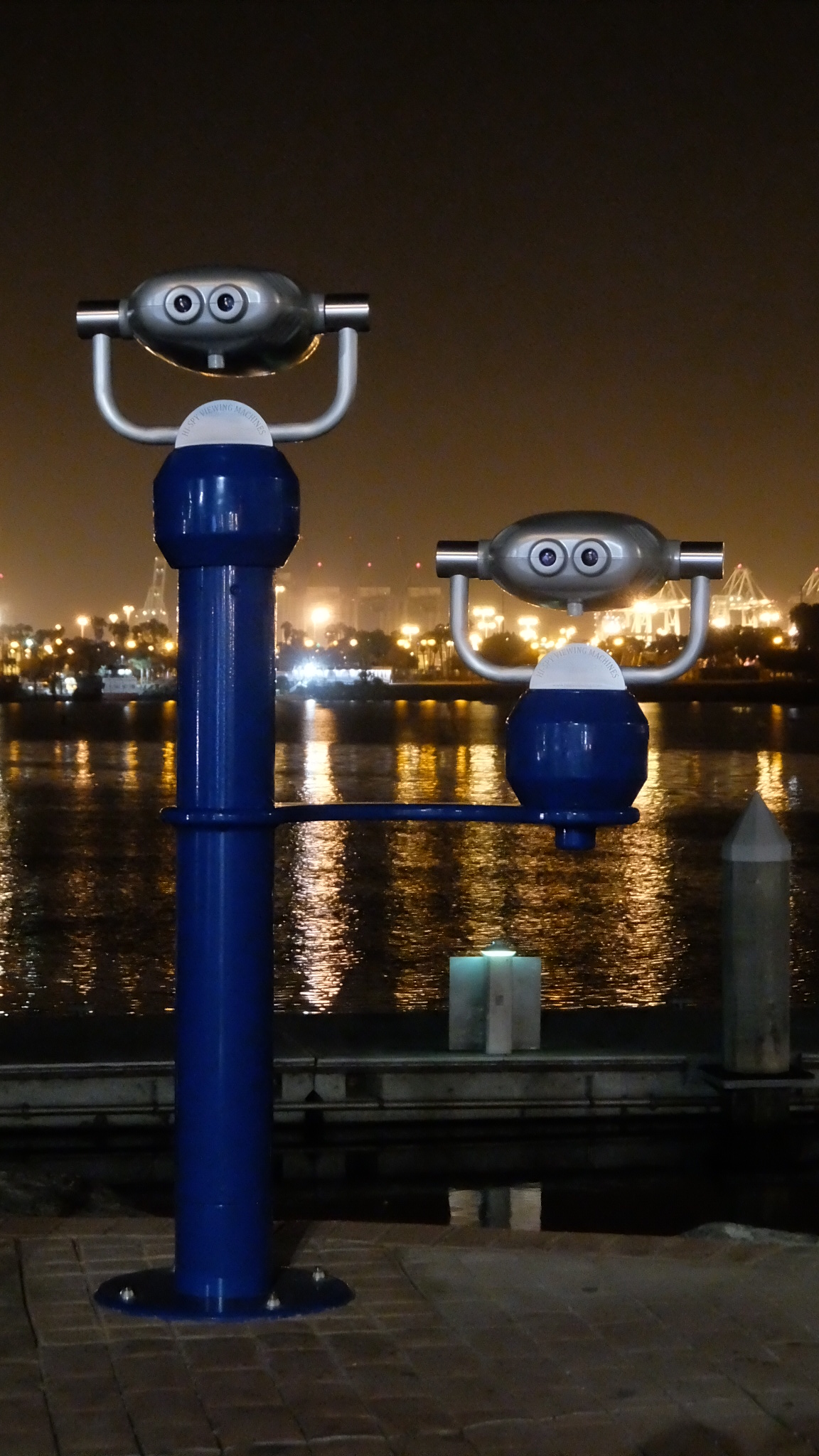
The iPhone particularly shines at night – the images it creates are more dramatic than the images of the XQ2 – even if on a large monitor, they show more noise artifacts. In comparison, the XQ2 uses a more aggressive noise reduction algorithm, and the images lack details and have a distinct artificial look
Long Beach. iPhone 11. F/1.7 40mm équivalent.
Long Beach. Fujifilm XQ2. F/3.5. 1/8 sec. 3200 iso. 8.7mm focal (equiv to 27mm)
Long Beach. Fujifilm XQ2. F/2.6 1/10 sec 3200 ISO Focal Length 7mm
As a conclusion
Honestly, at the beginning, I was a bit disappointed with the output of the Fujifilm XQ2. The images shot on an iPhone are more dramatic, more spectacular, almost brash. The ultra-wide angle lens has no real equivalent in the world of dedicated amateur cameras, and the iPhone’s night landscapes are spectacular. The iPhone’s camera is incredibly easy and intuitive to use, you just have to pinch and point to adjust the framing and the exposure.
Because it’s a conventional camera, the XQ2 is not as easy to use (no touch screen) and its default output is less pleasing, but more in line with the expectations of seasoned photographers, looking less artificial. The camera can be operated with one hand – the iPhone can’t – and proposes more control options.
Practically, the big difference is the reach of the XQ2’s zoom – 100mm vs 26mm (equivalent) on the iPhone. In both cases you can use a digital zoom to bring you closer to the subject, but the quality suffers rapidly . To get to the field of view of a short tele-photo lens (100mm), the iPhone will have to rely on a 4 x digital zoom and will in fact crop a very small section of the image at the center of the sensor, while the XQ2 will still use the full 12 Million pixels of its sensor. And if you don’t mind the loss of quality, a 2.5 crop factor will allow the XQ2 to emulate a 250mm lens.
Lastly, and paradoxically for a photographer like me who had been taught that cameras were precious objets to be treated with the utmost care, I would not be afraid to risk the XQ2 in situations where I would not dare expose my phone. On the second hand market, the XQ2 is far less expensive than a new iPhone 11 (by a factor of 5, maybe). It’s also less important for my professional and personal lives than my iPhone – I would be sad to lose it but it would not have the same consequences as losing or destroying my phone.
Long Beach. The marina. Apple iPhone 11. F/1.7. 1/4 sec. 640 ISO – Digital zoom x 2.2. (56mm equiv)
Long Beach – Fujifilm XQ2 – f/4.5. 1/8sec 3200 ISO. Focal length: 19mm (equivalent to 76mm)
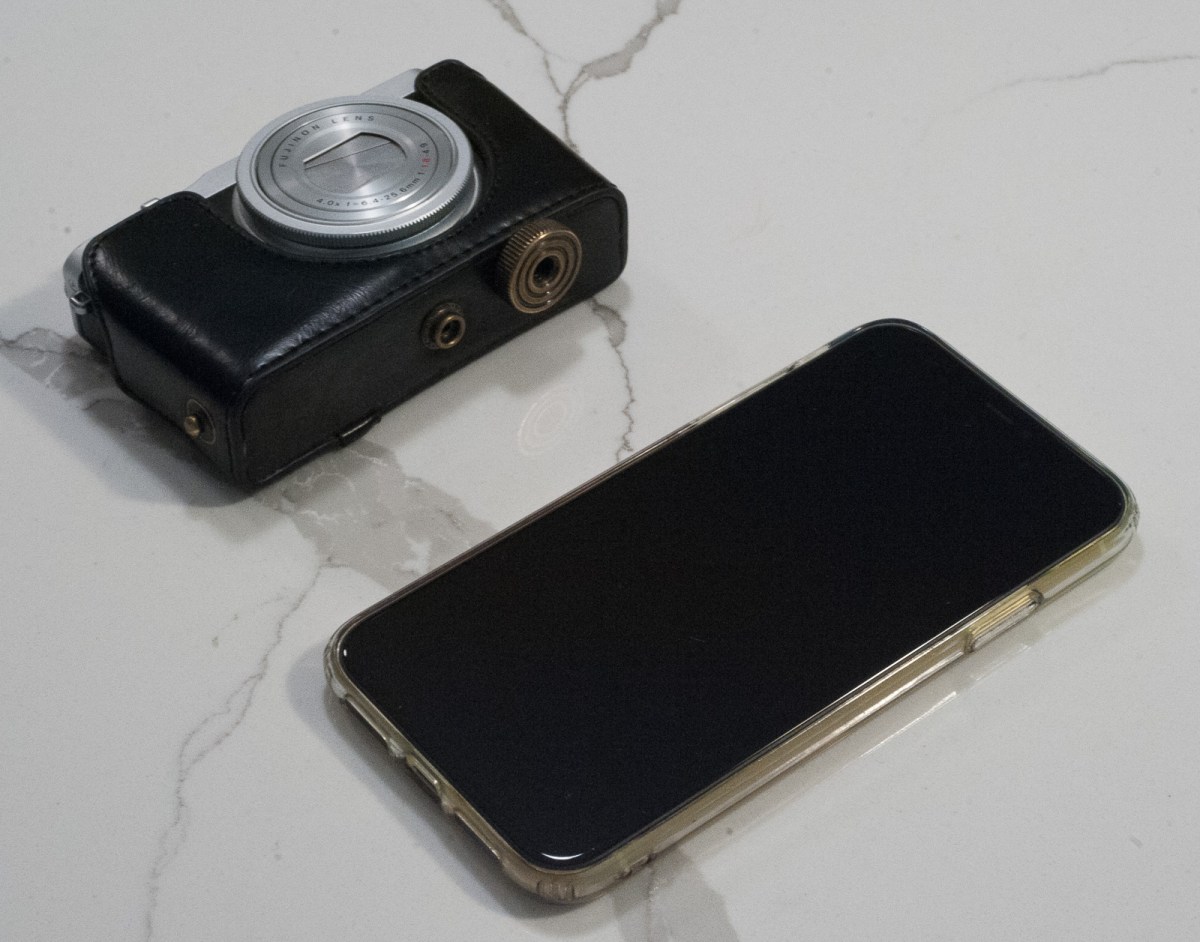
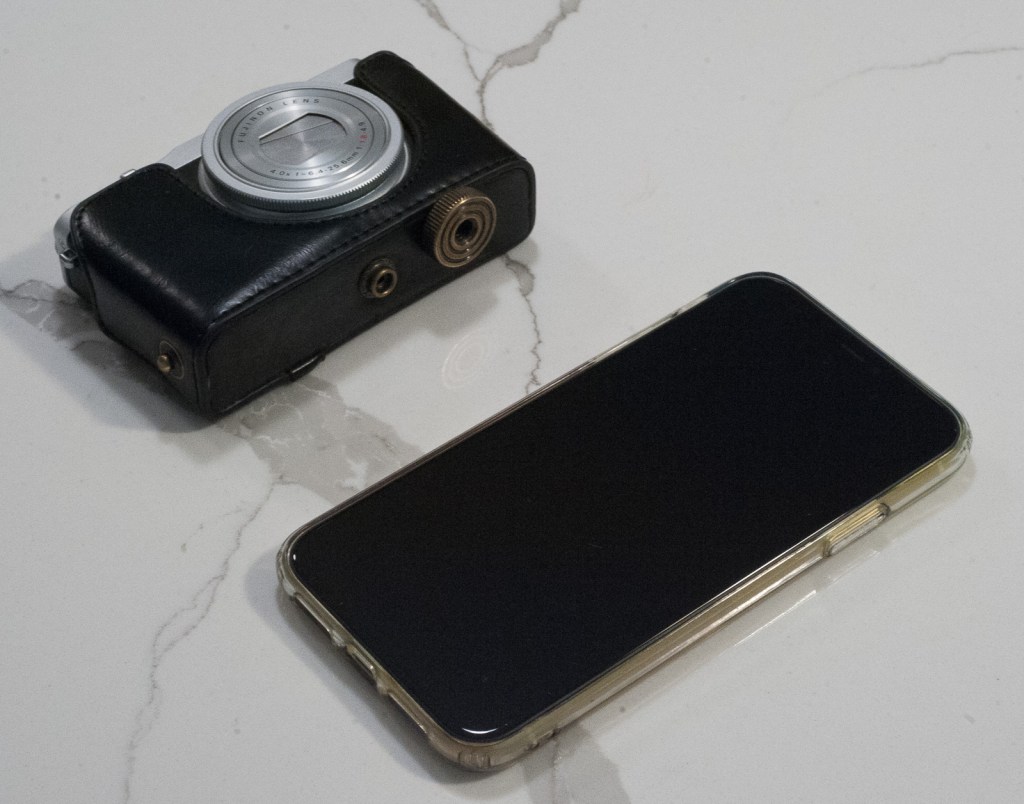
It’s a tiny camera – it’s thicker than an iPhone but smaller in the other dimensions. The case is not an original Fujifilm accessory, and it’s not in leather, but it’s convenient.
Will I keep this camera? Yes. Will I use it? Yes.
Because it’s very light and ultra-compact, it’s not a big burden to carry it around.
Of course the iPhone is more convenient – it’s smaller, you always have it with you and it’s the go-to device when you only have 2 seconds to locate a camera and shoot.
But the XQ2 is a real camera, far better than the iPhone at capturing and isolating remote subjects. Because it’s dedicated to the task of taking pictures, its ergonomics make it easier to hold and to set up than a smartphone, and its output is more similar to what a real camera (film or digital) would deliver.
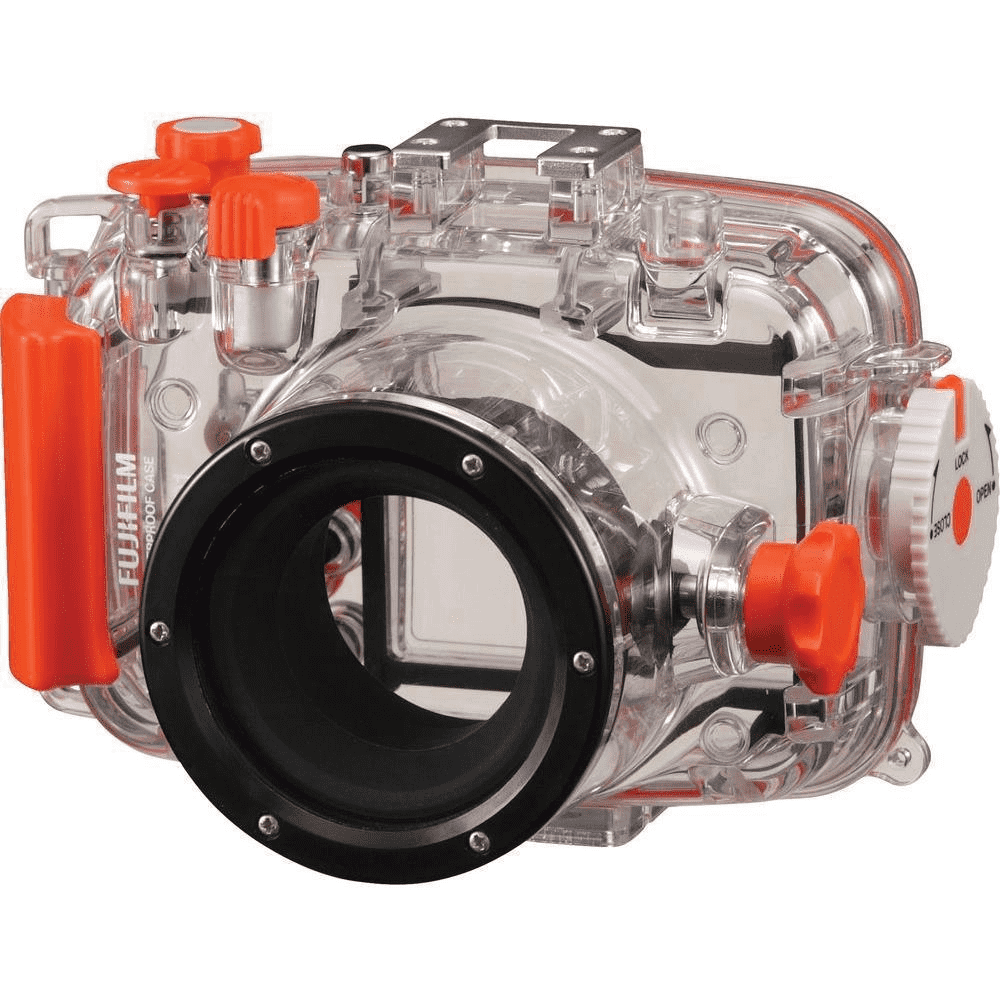
Last by not least, the availability of an OEM underwater housing, specifically designed for the XQ series, and good for a depth of up to 40m (130 ft), is the cherry on the cake. I don’t know if I will ever dive with it, but it came with the camera and could always be used to protect it from the rain or mud projections on the surface of the earth.
(*) For the anecdote, this nonsense of expressing the size of a sensor in relation to the length of a video tube from the 1950s is not unique to the photo industry – we’re still using Horse Power (HP) as a unit of power for the engines of our cars because in 1782 James Watt (the inventor of the high pressure steam engine) had found it convenient to express the capabilities of his machines as an equivalent to a source of power that everybody had experience with: the horse.
More about sensors: a good overview (written in 2013 but still pertinent):
A few words added in June 2025 – I’m not collecting cameras for a profit, but if I was, I would consider this XQ2 a very good investment. Like a few other compact digital cameras of quality, it has appreciated over the years – I would need to pay twice as much for it as I paid when I bought it, in 2018.Which also means it’s not the cheap/risk all camera I was describing above.
I still like this camera, and still bring it with me on family vacations by the beach. Even with the WP-XQ1 waterproof case, it’s very compact. And when you remove the case, it’s a discreet and unobtrusive note taker, a complement to the smartphone we all carry with us.The pictures it takes are less brash, “in your face”, than what you get from an iPhone, and the XQ2’s ergonomics are much more satisfying for the photographer than any smartphone’s.
Fujifilm’s WP-XQ1 waterproof case. It also works with the XQ2.
Cameras designed and manufactured before 1975 very often use coin shaped Mercury Oxide batteries to power the CdS cell in charge of metering – the most common being the PX625 aka PX625 / PX13 / MR9 Mercury Cell.
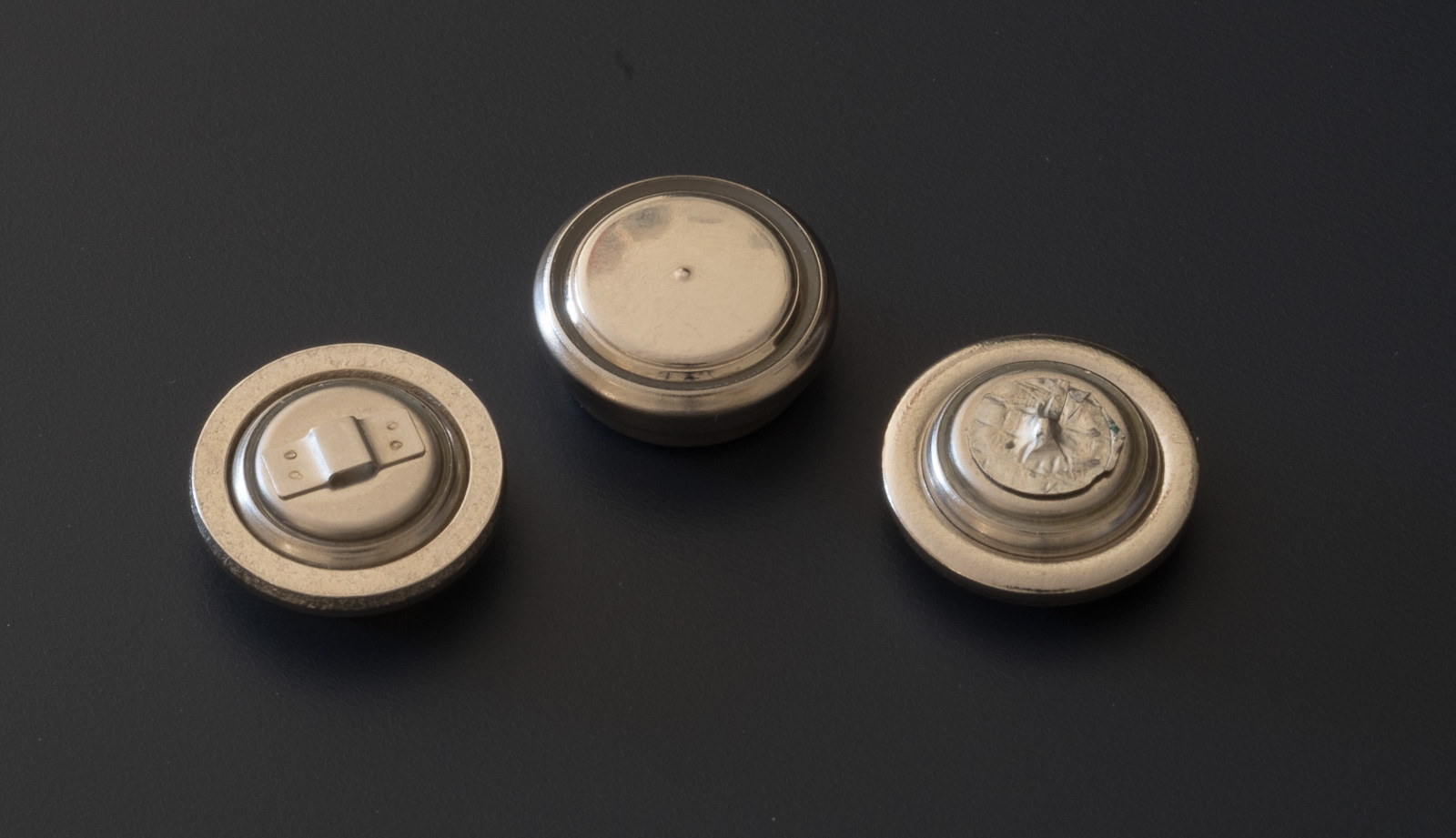
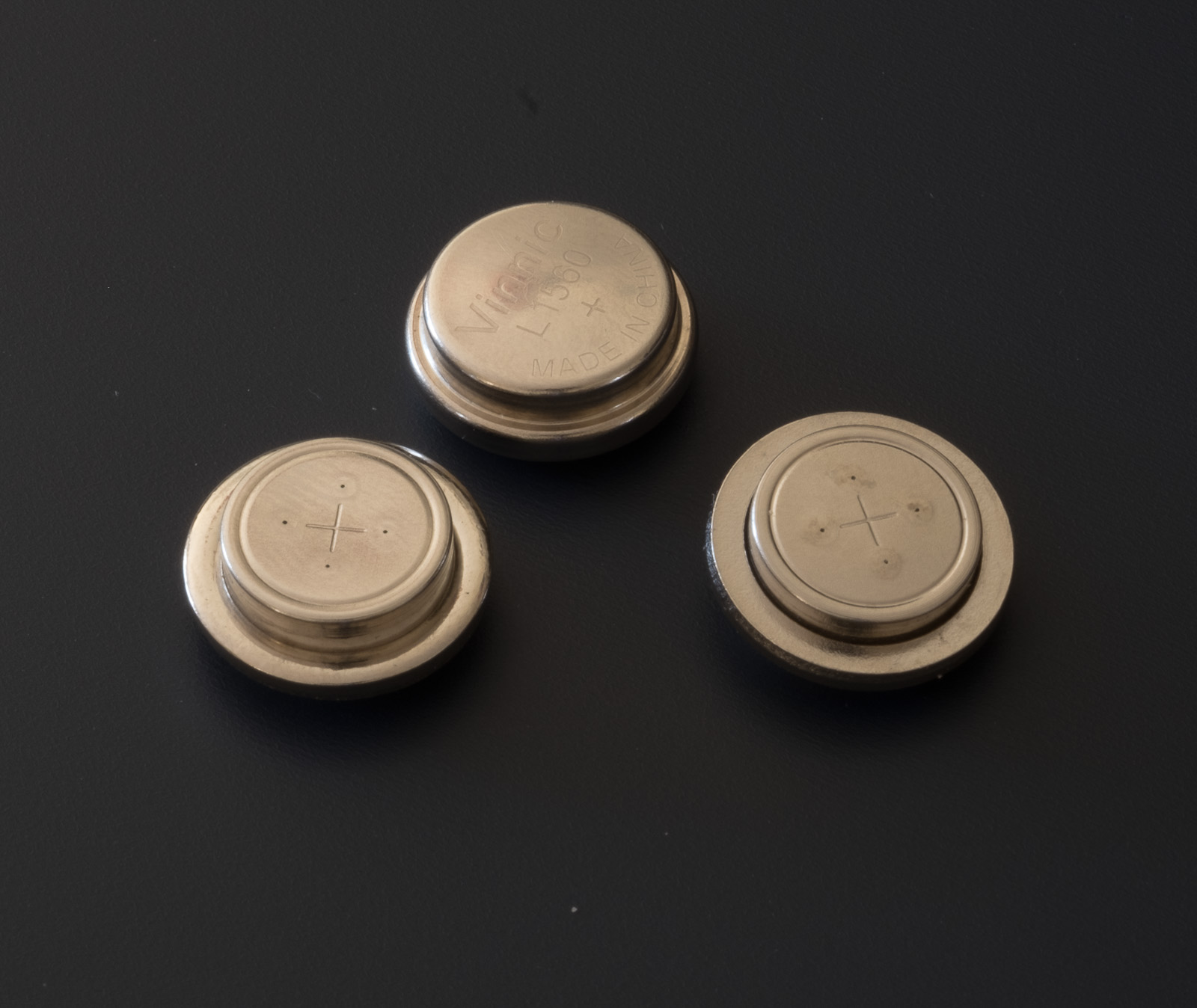
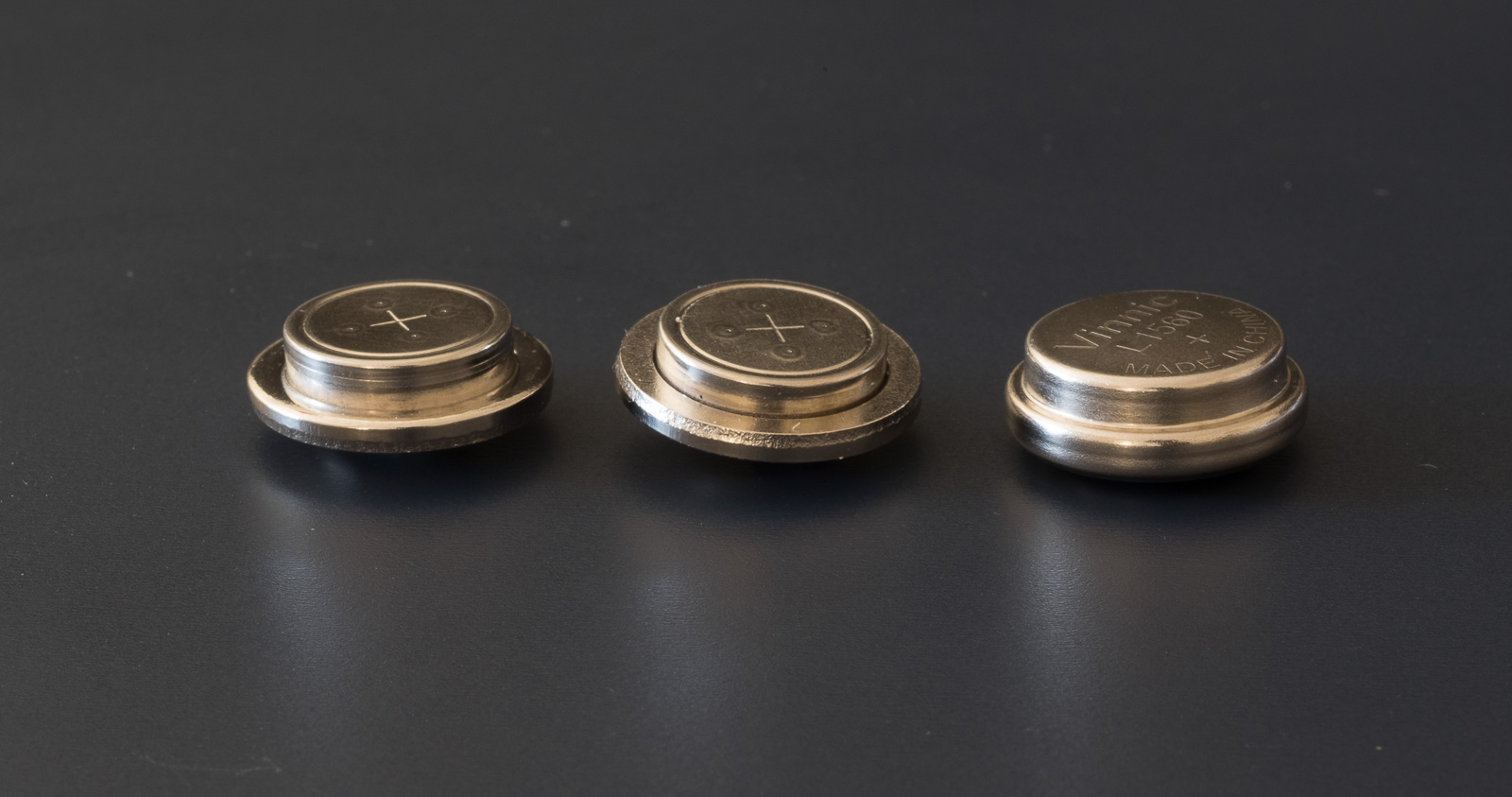
Three substitutes for the PX625 battery – Wein Zinc-Air (left), Exell Zinc-Air (right), Alcaline (center)
The chemistry of those 1.35 V. batteries is based on mercury oxide. The sale of mercury batteries was banned in 1996 because of their toxicity and environmental unfriendliness, and, unfortunately for the owners of camera of the early 70s, there is no perfect substitute. For all of their drawbacks, mercury oxide batteries had two big advantages – they delivered a constant 1.35v tension across their lifespan, and if not used, they kept their charge for a very long time (at least 10 years).
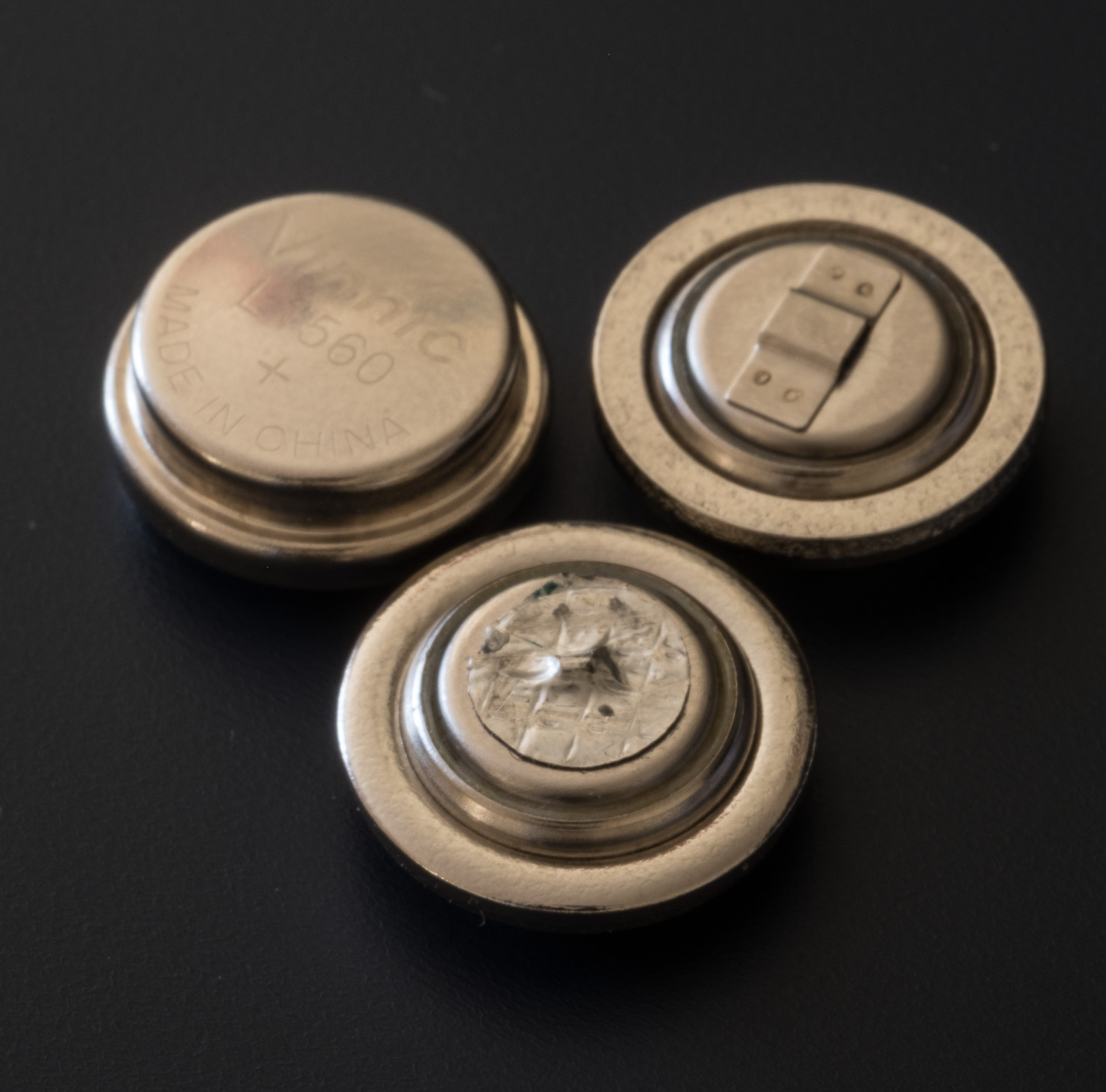
Three substitutes for the PX625 battery – alcaline (top), Wein Zinc-Air (right), Exell Zinc-Air (right) – Note the little vents on the two Zinc-Air batteries
The most common cameras using the PX625 battery were launched between 1970 and 1975: Pentax Spotmatic F, Olympus OM-1, Leica CL, Leica M5, Nikkormat FTn, Canon FTb and Canonet GIII QL, … . The battery looks like 3 coins of different diameters stacked above one another, and is rather large and thick (Diameter: 15.6 mm. Height: 5.95 mm).
The dimensions of the two Zinc-Air batteries are not exactly similar to the alcaline (or to the original PX625). The Exell in particular can’t be inserted in the Leica CL
Older cameras (like the original Pentax Spotmatic, for instance) use a smaller button (or pill) shaped Mercury Oxide battery, and more recent models (practically any camera designed and launched after 1975) use silver oxide or lithium batteries in many shapes and forms.
Possible Replacement:
alcaline – (LR9 or V625U) – this battery has one big advantage – it’s the same shape and dimensions as the PX625 – but it has two limitations – its nominal voltage is higher at 1.5v; and it loses voltage progressively, which makes it unfit to provide power to the meter of a camera, unless some voltage compensation circuit is built into the camera. The meter of some cameras will not work at all (Leica CL), and for most other cameras the metering will be unreliable.
Silver oxide – it delivers a constant voltage across its lifespan, and can last for a few years when not in use. But unfortunately, its voltage is significantly higher at 1.55v, which again will promise unreliable metering results unless the camera or the battery container itself is designed with a voltage compensation circuit. There are three options:
the S625PX – I believe it’s been discontinued – it had the same shape as the mercury PX625 battery, but delivered 1.55v – it will only work as a substitute for a PX625 if the camera has a built-in voltage compensation circuit,
a silver oxide “386” battery (a “button” cell), inserted into a adapter with its miniaturized voltage reduction circuit – the adapter is rather expensive ($35 to $40.00). It would be an ideal solution for photographers willing to use the camera regularly- but there are fakes on Amazon (products without the voltage reduction circuit presented has products with). Only buy from a seller you trust.
a Silver oxide 386 battery (a “button” cell), inserted into a adapter without any voltage reduction circuit – some of the “adapters” are as simple as a rubber gasket – again, it will only work if the camera has a built in voltage compensation circuit.
Three substitutes for the PX625 battery – alcaline (left), Wein Zinc-Air (right), Exell Zinc-Air (center). The Exell does not seem to be manufactured as carefully as the Wein.
Zinc-Air batteries have three big advantages – they’re used for hearing aids and are sold in every drugstore/pharmacy in the US, they release the same voltage as mercury batteries; and the voltage remains constant over the life of the battery;
You can buy a Zinc-Air button cell and insert it in the battery compartment of the camera (it may work with some cameras). A more reliable solution is to buy a PX625 substitute assembled by a few vendors who integrate third party zinc-air cells in a container shaped as the original PX625. The best know product is the so called “WEIN Cell” but there are alternatives available on Amazon.WEIN cells are packaged in individual blisters, and are cleanly assembled. They fit physically in all the cameras I tested. When the WEIN cells were more expensive than they are now, I had bought “compatible” cells from Exell on Amazon – they worked, but didn’t look as nicely finished and assembled as the WEIN cells – and could not fit in the battery compartment of a Leica CL. Currently, the “compatible” cells are more expensive than the original WEIN. So why bother?A Zinc-Air batteries are powered by oxidizing zinc with oxygen from the air. Therefore, the shell of the battery has small vents that let the air enter the battery. Batteries are stored and shipped with a removable membrane that “seals” the vents and deprive the battery from the air’s oxygen. To activate the battery, you remove the membrane – but once the zinc-air reaction has started, the life of battery is limited to a few weeks at best. Some people remove the battery from the camera after each photo shoot and reseal them, but I’m not convinced that it really helps extend the life of the battery.
(source: https://en.wikipedia.org/wiki/Zinc%E2%80%93air_battery)
As a conclusion…
The WEIN cell worked on every camera I tested. It’s a relatively expensive solution if you want to use cameras designed for Mercury Batteries on a daily basis: because of the short life of the battery once you’ve activated it, you will have consumed a significant quantity of batteries by the end of the year.
If you’re absolutely determined to use a Leica CL or a Leica M5, I’m afraid there is no real substitute to WEIN cells. That being said you could also shoot with a Minolta CLE or a Leica M6, the experience would not be very different, and those cameras rely on Silver Oxide batteries (*). Up to you.
Paris – A school visit at Le Louvre – Leica CL – 40mm lens.
(*) – I did not find a more modern substitute to the Canonet using silver oxide battery. The models that immediately followed (the Canon A35F and A35 Datelux) were sold well into the eighties, and still used a mercury battery. Cameras launched after the A35 are motorized autofocus compact cameras – a totally different experience. If you like cameras in the style of the Canonet, Zinc-air cells are in your future.
I’m not a professional tester of IT equipment. And this blog is primarily about film photography. But I can’t avoid addressing the issue of digital image storage: unless you develop your film in a dark room, use an enlarger and get large prints the good old way, the images on your film will be digitized at some point, will be consumed digitally, and will have to be stored and archived on digital media. Because Adobe Lightroom is more flexible than the proverbial cardboard shoebox.
Over the years, I’ve been using consumer grade storage systems from brands like Buffalo and LaCie, until I settled on a Network Attached Storage system (a NAS) from Netgear. The RN104, that I purchased in 2014, fulfilled his duties honorably until last year, when it started to misbehave: the disks got corrupted (probably because of an unstable supply of power) and I had to restore the data from a backup on Amazon Glacier. More recently a power spike (probably due to a bad connection between the external power brick and the NAS enclosure itself) fried the motherboard and gave me an opportunity to reconsider my allegiance to Netgear, and to consumer grade NAS in general.
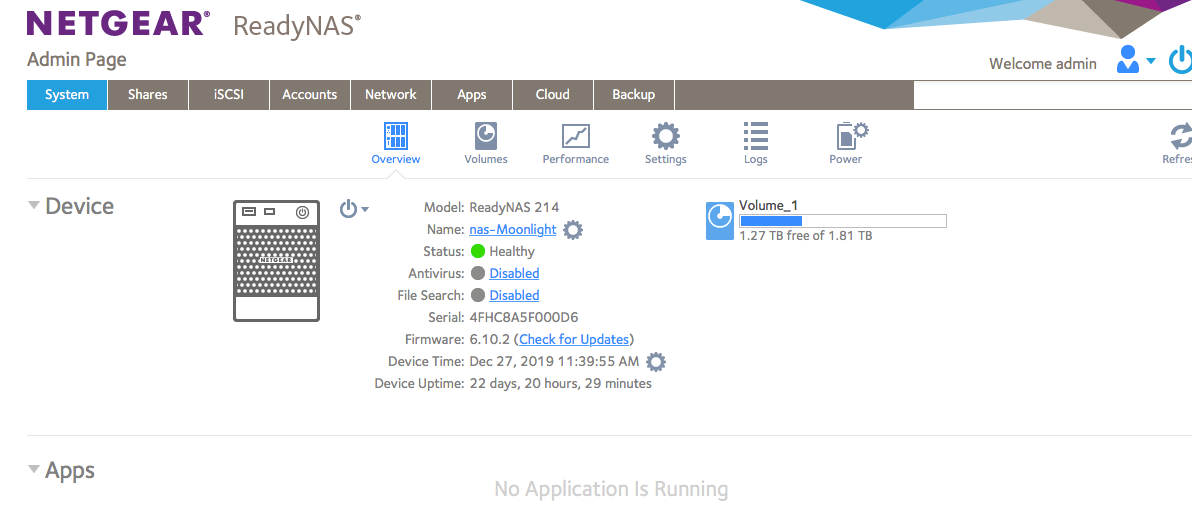
Netgear – the system admin page (overview)
Netgear ReadyNas 214
What I’m asking is pretty simple: I don’t want to store Terabytes of images on a single laptop equipped with a single drive – I want to store my pictures (RAW and jPEG) on a device accessible by the computers (PC, Mac, iPad) connected to my wireless LAN. That device has to be local – I’m using Lightroom to catalog, upload, edit and print my images, and a broadband connection would be far too slow if I used some form of cloud storage as the primary location of my pictures. That perfect device should also act as a Time Machine target for the backup of my Macs. And of course, because hard drives are inherently fragile, I want the device to offer some form of disk redundancy – ideally, it should be also be able to backup its data on a low cost, on-line archival service.
Most of the recent NAS devices (from Netgear and from competitors) meet those basic requirements. They can also stream video (they take care of decoding) and, because their OS is generally based on some Linux distribution, they can be used as multi-purpose servers (not only as file servers, but also as application servers to run Drupal, Joomla, php, or Python applications, for instance). I have no use for those features and they’ve not been part of my evaluation criteria.
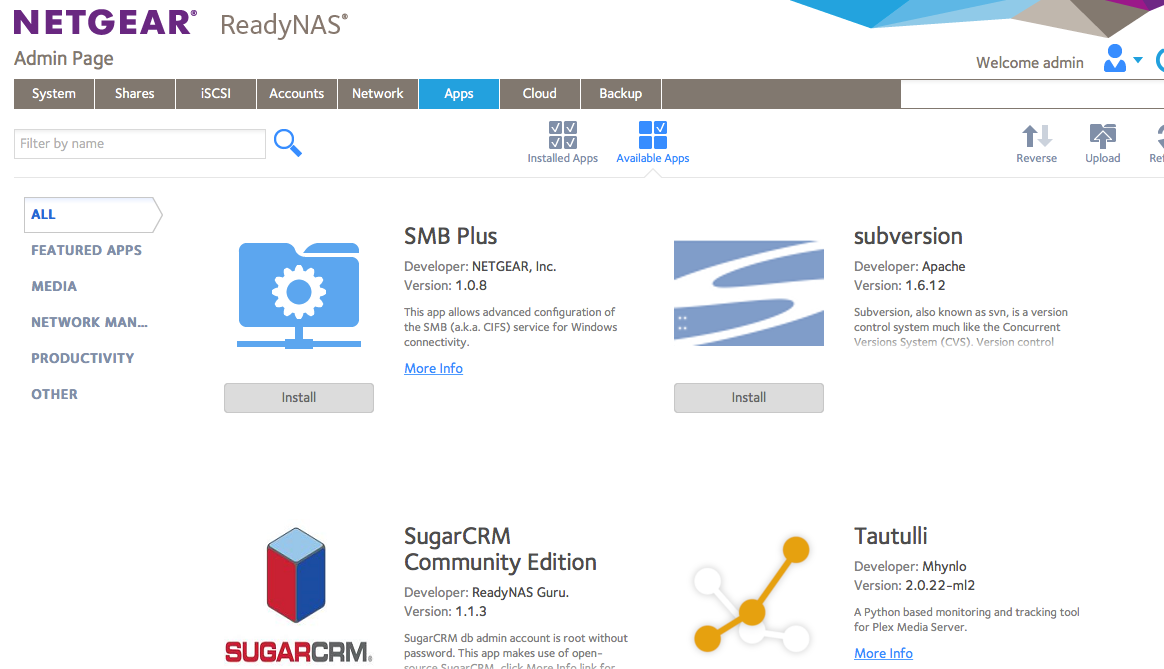
Netgear – some of the applications that can run on the system
So, what I’m looking for?
a NAS,
solidly built (case, power supply, connector)
with removable drives – that can be moved to a SAN enclosure of the same family, without losing configuration or data (in case the original enclosure dies, or a capacity upgrade is necessary)
with good data protection (RAID 5 or better)
The Netgear RN104 met the requirements for the most part:
most of the issues I have encountered with my old RN104 have been power supply and power supply connector related – with dreadful consequences for the data on the disks and ultimately for the chassis itself.
until the big crash last year, the NAS was configured with RAID-X, the proprietary implementation of RAID in Netgear’s devices. With RAID-X one disk is reserved for parity, the other disks store data (it’s more or less equivalent to RAID 4). With Raid-X, volumes are easy to expand, but if you lose more than one disk, you’re dead in the water.
the Western Digital RED 1TB disks that I bought separately for it (the Netgear chassis can be purchased diskless) proved flawless
When the RN104 chassis finally died, I considered buyinga Sinology or Qnap enclosure, but I would have had to reformat the drives and restore everything from the Amazon Glacier backup, again. Sinology and Qnap are well considered on the marketplace, but seem to use the same type of external power supply brick as the Netgear, and maybe even the same dreaded power connector. Unfortunately, chassis with a built in power supply are much more expensive.
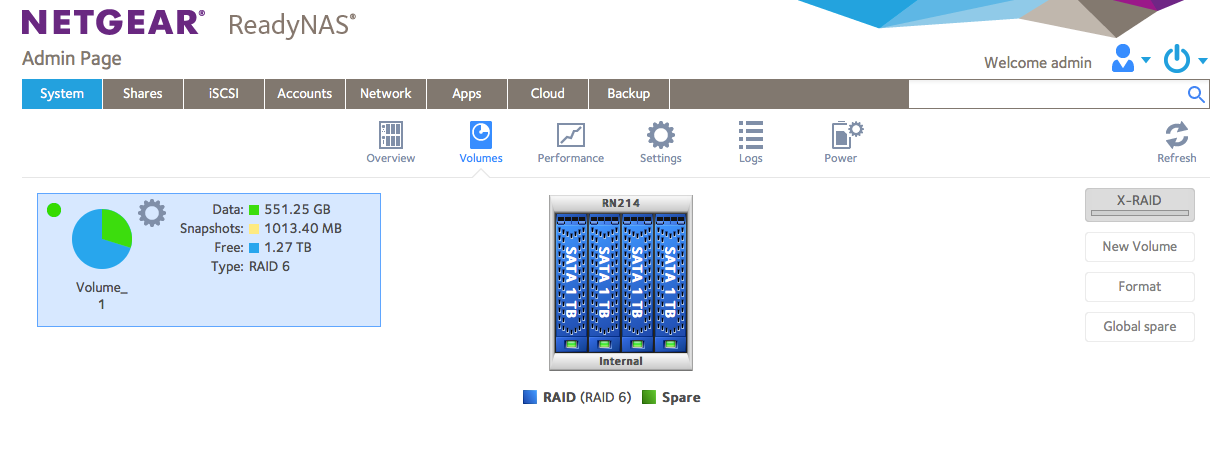
Netgear – all 4 disks healthy – it’s configured with Raid 6 (too many drawbacks with X-RAID in comparison)
Ultimately, buying a new Netgear NAS device appeared to be the lesser evil. The RN214 unit I bought accepted my old Western Digital drives and recovered its configuration automatically from them. It was on line in less than 15 min after I had received it. Performance seems to have massively improved during the last 5 years. The new units have a quad core ARM processor at 1.4 GHZ and 2GB RAM, as opposed to a single core processor at 1.2 GHz and 512 MB RAM for old model. The power brick and the connector are the same, but being new, everything clicks reassuringly and I hope they will age better than their predecessor.
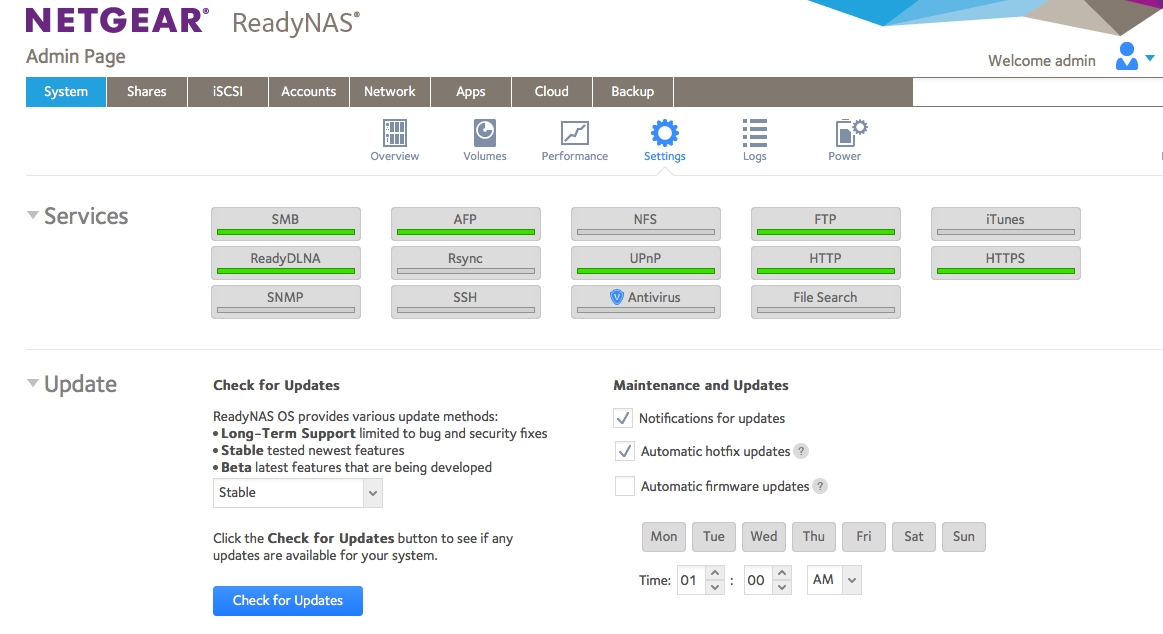
Netgear – services enabled on my system
The operating system is the same as before (Netgear 6.10), the unit accepts the same additional applications (plus a video streaming app that could not have worked on the old unit). As before, the unit can connect to a few external cloud storage services to backup its data (but not to Amazon Glacier, unfortunately) and the Web user interface is reasonably pleasant to use. I did not have to configure this unit (the config information is stored on the disks and moves to a new enclosure when you swap the drives) but my recommendation would be to read the manual carefully if you want to configure a unit from scratch (the factory defaults are not always the best, in my opinion).
I paid $250.00 for the diskless unit (it’s discounted at the moment). Netgear also offers models pre-populated with disks. There is a good warranty on the hardware, but tech support is only available as an extra-cost subscription (storage issues can be vexing, hard to diagnose and time consuming to fix, and I understand Netgear can’t offer free support on a device sold for a few hundred dollars). But Tech Support won’t get your data back if your disks are too badly corrupted, so a good backup is your best friend.
Back to photography, now…
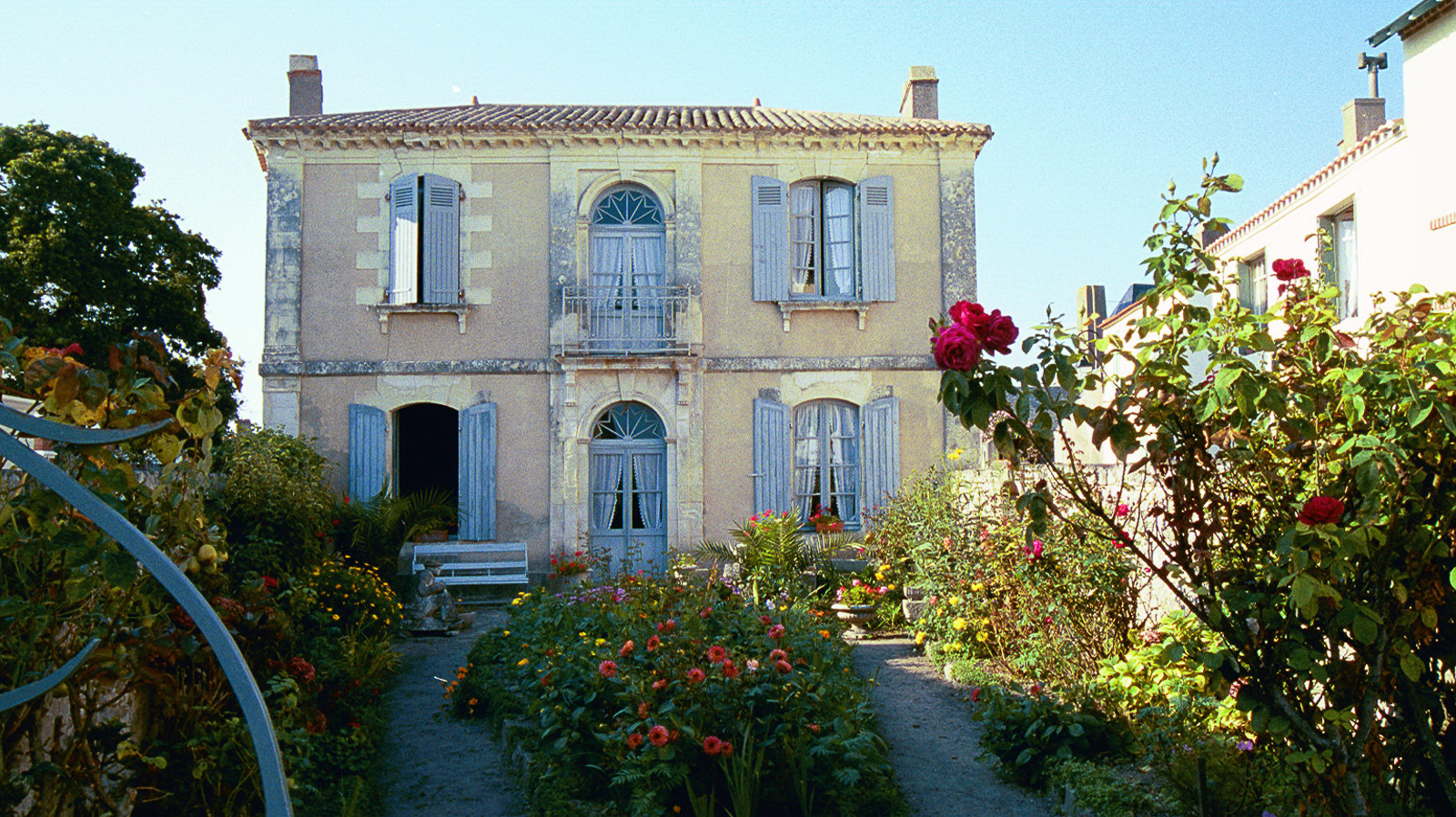
One of the oldest pictures on the Netgear – Shot in 2002 – scanned and copied from system to system ever since – Pornic – France – Minolta Vectis S1
I did not devote much attention to CamerAgX last year, but still had 27,000 visitors who read almost 40,000 pages. Thank you for your fidelity.
Stating the obvious, most (75% approximately) of the visitors were directed to CamerAgX by a search engine, predominantly Google. The rest followed links posted by contributors in forums dedicated to photography (including DPreview, surprisingly).
I must have become a specialist of the Fujica 35mm SLR cameras of the seventies and early eighties – Fujica related pages are #2, #3, and #9 on the list of most read blog entries – truth to be told there is very little written about those cameras over the Internet – people interested in the subject have little choice outside of this blog.
Two of my favorite brands (Nikon, Olympus) round up the top ten. Canon cameras are not represented – I only started writing about Canon film cameras rather recently, and the field is so crowded it’s difficult to be noticed by the search engines
Lastly, most of the visitors of this site live in the Anglo-Saxon world – with readers from Non-English-Speaking European countries (Germany, Italy, France, Netherlands) rounding up the top 8.
Your comments are appreciated as always.
Happy New Year
Xavier
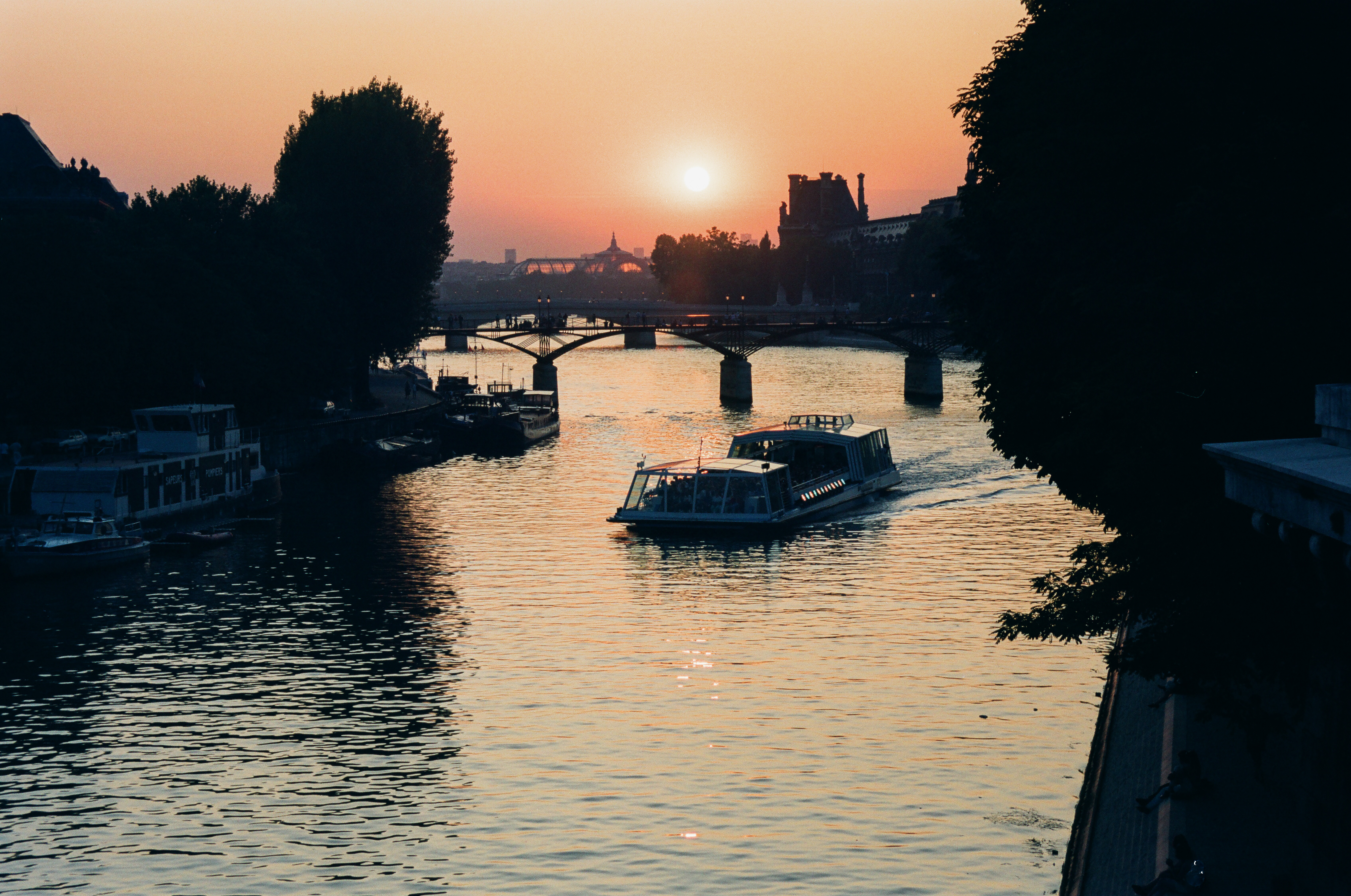
Paris – Shot from the Pont Neuf -Minolta 7xi – Angenieux zoom 28-70 F/2.6 – Fuji Velvia (July 1992)
Photo and Video have become major differentiators in the world of smartphones – and the three-way competition between Google (Pixel), Samsung (Galaxy) and Apple (iPhone) has led to huge improvements in the last few years. Each new generation is markedly better at making pictures than the previous one.
A few weeks ago, I could not resist any longer, and took advantage of a promotion of my favorite carrier to buy the brand new iPhone 11 for $350.00 – I just had to surrender my old iPhone 7 in exchange. The truth is, I needed more internal storage, but I also wanted to see whether the new camera was as good as promised.
iPhone 11 – sunset at the pool
And I was not disappointed. The photo section of that thing is incredible. Simply having access to any focal length between the ultra-wide (13mm equiv.) and the wide angle (26mm equiv.) at full resolution, with a digital zoom to bring you a bit closer to the subject if you need it – is literally a game changer: how often have amateurs access to a 13-35mm zoom lens on their full frame digital camera?
Of course, with a 12 Megapixel sensor and a “normal” lens limited to the equivalent of a 26mm wide angle, it can’t beat a medium format digital camera for large prints, or a DSLR with a fast telephoto lens for sports photography. And because of the way Apple has tuned noise reduction and HDR, the pictures are a bit light on contrast to my taste, but that’s nitpicking.
For subjects which are considered “normal” for an amateur photographer: selfies, family shots, portraits, street photography, urban landscapes, interiors, and for the “normal” destination of most of today’s pictures (instant messaging, social networks, on-line photo galleries, prints up to 11x 8) it’s so good that I doubt I could get better pictures out of camerawith any of the digital cameras I own.
Even if I spent big money on the latest and greatest full frame mirrorless camera, bought more lenses, and dedicated a lot of time to practicing and testing in order to seriously step up my technical game, I’m still not sure I would get significantly better results out of camera than what this iPhone gives me effortlessly. (*) (**)
So is the power of “computational photography“…
Very high level, an iPhone takes many different versions of the same shot (just before and just after you press the shutter release), with different focus and exposure settings, and uses artificial intelligence to decompose the image in sections (main human subject, background, sky, …). Each segment of the image is then optimized (exposure, contrast, noise reduction, focus, white balance…) and integrated into the “final picture” presented on the phone’s LCD. They call that “semantic rendering”.
All of this happens in a fraction of a second – the iPhone’s processor is a 64 bit / 6 core chip with a “machine learning accelerator”, and it can process 1 trillion operations per second.
Canon, Nikon and Sony don’t disclose many details about the architecture of the electronics of their top of the line cameras – but I doubt they have anything that even remotely compares to the processing power of the best of the smartphones.
iPhone 11 presentation – the processing pipeline of an image – segmentation is what’s new.
Ultimately, “amateur photography” is about the pleasure of taking and sharing pictures. I’ve been so pleased with the iPhone’s pictures that I’ve not used any other camera (digital or film) since I bought it. The novelty will wear off, and at some point, I’m pretty sure I’ll get tired of a “neural engine” making “semantic rendering” decisions for me. I’ll want my pictures to be really mine, not a quilt of segments massaged by an algorithm running on a chip with 8 billion transistors. Maybe I’ll just go back to black and white film, and process the images in a dark closet at home.
In the meantime….
Happy New Year.
Out of the camera pictures taken on the iPhone 11 – minor adjustments in the iPhone’s photo app.
Florida – Sunset at the pool – iPhone 11
Las Vegas – the Paris – iPhone 11 – with the 13mm equiv. Wide Angle lens
Las Vegas – Night scene (iPhone 11 with optical image stabilization, handheld)
Las Vegas – Mandalay Bay hotel. Interior Photography – iPhone 11
Las Vegas – Street Photography – iPhone 11
iPhone 11 – portrait mode. at night, at the terrace of a restaurant
Florida – Landscape at sunset – iPhone 11 –
(*) Of course, the key restriction here is “out of camera” – with the help of Lightroom, and a set of Lightroom plug-ins, a recent full frame digital with a good set of lenses beats an iPhone – but we’re not in the realm of candid amateur photography anymore.
(**) I don’t do videos. But I’ve read multiple comparative reviews of the iPhone 11 opposed to good mirrorless cameras: for still images, a dedicated camera will ultimately yield better results than Apple’s latest smartphone (think large prints, action photography, …) – but for videos there is no discussion that the iPhone – because it has enough processing power to enhance each individual frame in a real time – is the better widget.
The “DP” in dpreview stands for “Digital Photography” of course, and the site was launched in 1998, at the beginning of the digital camera craze. And they’ve never reviewed a film camera. As far as I know. But over the years, they compiled two lists of recommended, “excellent and affordable” film cameras, the first one in 2017, with a follow up in June 2019.
A few of the cameras listed as “analog gems” by DPreview have been presented in this site over the years (the Nikons FE2, N90, the Olympus OM-1 and the Canon T90). Very often, my preference goes to other models of the same family (I prefer the Olympus OM-2 to the OM-1 because its battery is much easier to find, the Canon AT-1 to the AE-1 because I’m not a fan of shutter speed priority automatism, and the EOS-620 to the EOS-5 for its simplicity).
Nikon FM
I’ve never been a fan of compact cameras in the days of film (poor viewfinder, not enough controls for the photographer). Their only advantages were their small size and their ease of use, but a film SLR with a pancake lens was not much larger and delivered much better images. And today, why would you spend money on film and processing to use a compact camera which will give you less control over your images than a good smartphone?
My absolute favorite? The ones I would bring on the proverbial desert island (assuming the desert island has no electricity, no Internet access but a huge stack of film cartridges waiting for me)?
Canon T90 – the ergonomics of an EOS camera with an FD lens mount
a compact, mechanical, semi-auto SLR – not the Olympus OM-1, not the Pentax MX, but the rugged and supremely reliable Nikon FM. The FM2 is probably an even better camera, but it’s also more expensive.
the most elaborate pre-autofocus SLR, the Canon T90, for the looks, the ergonomics, the crazy exposure system, with no concern for its questionable reliability or its mass, because I would always have the Nikon FM as a backup.
And of course, when I would be back from the desert island, I would reconnect with my cherished Nikon FE2…
“La Maison aux Bambous” – Bed and Breakfast – Vinay (France). Canon T90 – Canon FD 24mm – Fujicolor 400.
Thom Hogan has been on the Web forever, it seems. He’s a pro photographer, has a background in marketing and product planning, and he also teaches, I believe. He’s been publishing very detailed user guides for Nikon cameras for ages, and his collection of Web sites (www.bythom.com; www.dslrbodies.com, www.sansmirror.com) is always an interesting read, not only for users of Nikon equipment, but also for anybody who wants to understand the market forces shaping the photo equipment industry.
He has much more experience of Nikon cameras than I do, and my tastes have been – at least in part – formed by what I read in his books and Web pages over the years. So I won’t say “I’m right, he’s wrong”. Let’s be honest: if there’s such a thing as being right in photography, the odds that he is are much higher than mine. But sometimes I simply beg to differ.
Film Era:
Thom’s list includes some cameras that grace my personal collection, even if they’re not my preferred in Nikon’s range. The F90/N90 is extremely efficient, but a bit too automatic for me, and the F4 is really too heavy to be used anywhere but in a studio. I never used the F100 or a F5 (too modern for me – I tend to like my film cameras with a conventional user interface – you know, knobs instead of LCDs and control wheels).
A single control wheel, and the aperture value controlled by the aperture ring on the lens itself: the two major differences between the N90 and a modern Nikon body.
Nikon F4 with the MB-20 grip. The MB-20 grip is smaller than the MB-21, and was standard equipment in most of the world. In the US, the MD-21 was standard.
Which leaves us with the last entry of his list, the FM3A.
The FM3A is an evolution of the FM2/FE2 cameras, with a dual shutter control mechanism (electronic and mechanic) – which offers the best of what the FM2 (mechanical) and the FE2 (electronic with On the Film TTL flash control) can offer. I don’t own a FM3A, but two of its direct ancestors are at the top of my list: I use my old FM relatively often – because it’s a rugged camera and I know it’s going to work no matter what. The FE2 is a peach (it oozes quality, and it’s so pleasant to use) – one of the very best film cameras ever.
Nikon FE2
Digital Era
You can collect “classic” cameras for their beauty and for their importance in the history of the industry or a brand, but to me, a camera I can’t use to take pictures doesn’t qualify as a classic – it’s at best a “curiosity”.
In my opinion, early digital cameras are not really usable anymore, primarily because of their very limited dynamic range and very low resolution. If I brought one to cover a photo opportunity, I would most probably end the day disappointed and frustrated for having missed what could have been a great shot because of the technical limitations of the camera. Or I would have put it back in the bag, and used an iPhone instead. That’s why there is no early digital camera in my collection.
I recognize the importance of cameras like the D1h or the D100 in the evolution towards modern digital photography, but I will not add them to my collection. On the other hand, I believe that cameras like the D3 and D3X are still perfectly usable, but because they’re so big and heavy, I would ignore them, and buy their little brother, the D700 instead. Admittedly it’s still a big and heavy camera, but its performance is still exceptional, and with it I can use all the Nikon (and Nikon-compatible) lenses I own.
Because I’ve been using Nikon cameras for so long, I find the D700 very intuitive and rewarding to use, and even today, the quality of the pictures that the 12 Mpixel sensor produces is incredible (in particular in low light or high contrast situations).
Nikon D700 – a classic
It may be too early to add a D850 to a collection of classics, but it will most probably be the last enthusiast / pro DSLR from Nikon – the future is clearly mirrorless. They may launch a D6 for the Olympic Games next year (who knows) but I doubt they will keep on developing the D800 series beyond the D850.
Atlanta – World of Coke – Nikon D700
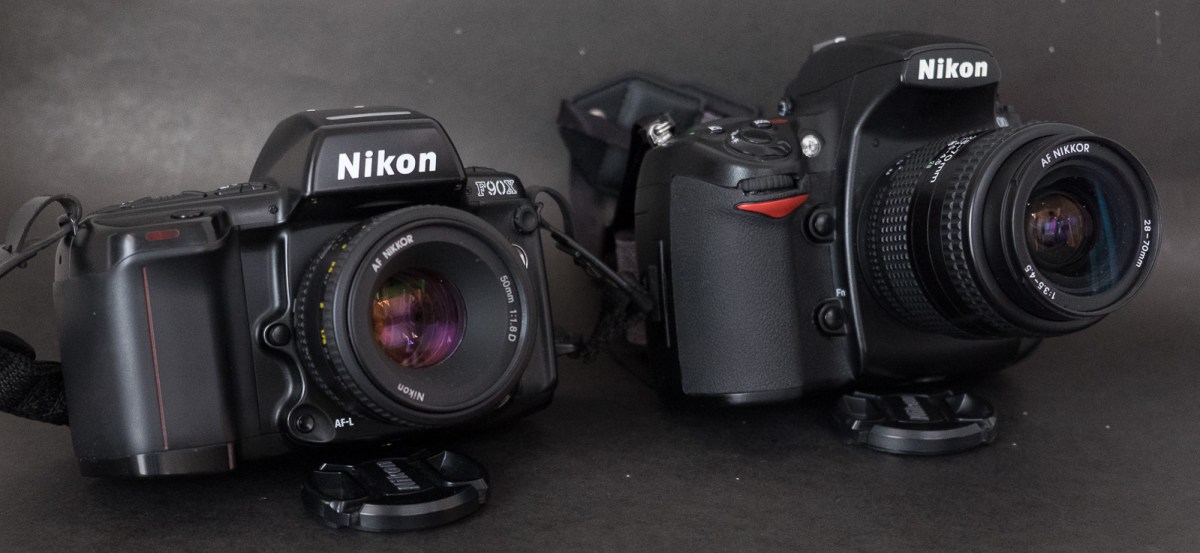
My always available and patient models – the performance of the camera in low light and with multiple light sources of different color temperatures is simply incredible. Nikon D700 – Nikkor 28-70 f/3.5-4.5 AF – 3200 ISO.
I have not abandoned this blog – I’ve just been pretty busy lately (a new job, a house renovation going on, and my Netgear ReadyNAS RN104 crashing again – I simply hope I won’t have to restore 2 TeraBytes of images from Amazon Glacier again).
The review of the Canon AT-1 that I published yesterday had been in the works for six months, and there will be more Canon related pages in the coming weeks (I found a restored Canonet QL17 in an antique show – maybe it’s going to make me more comfortable with rangefinder cameras – I brought my old Leica CL back in service to have a point of comparison). I added two old mirrorless (digital) cameras and a strange pancake lens to my Fujifilm arsenal, and I’m trying to spend more time with my favorite SLR, the Nikon FE2 and with Kodak’s Porta 400 film.
Rottenwood Creek, Atlanta – Canon AT-1 – Lens Canon FD 24mm f/2.8
So… compact rangefinder cameras, Nikon SLRs and dSLRs, early Fujifilm mirrorless cameras, Kodak film, you’ve got an idea of what I’m working on.
Please come back regularly, or follow my updates on twitter @xtalfu.










































 CamerAgX - a new life for old gear