I just devoted two successive blog entries to the Pentax KP in the last two months. It’s my go-to camera at the moment, and I was wondering why I was neglecting my more modern mirrorless camera for an older dSLR.
I have a small set of very good Fujinon XF lenses and a mirrorless camera – a Fujifilm X-T4, that when properly set up, will deliver great pictures. The X-T4 is the camera I have with me on “important” occasions, when I know the result matters and I won’t have a second chance. And when traveling with the family because they won’t let me spend 20 minutes on a single picture, and I know the X-T4 will capture very good images, quickly.
But when there is no particular pressure to deliver, when I have the time to carefully compose the image and finesse the settings, I tend to use a single lens reflex camera. And I was wondering why.
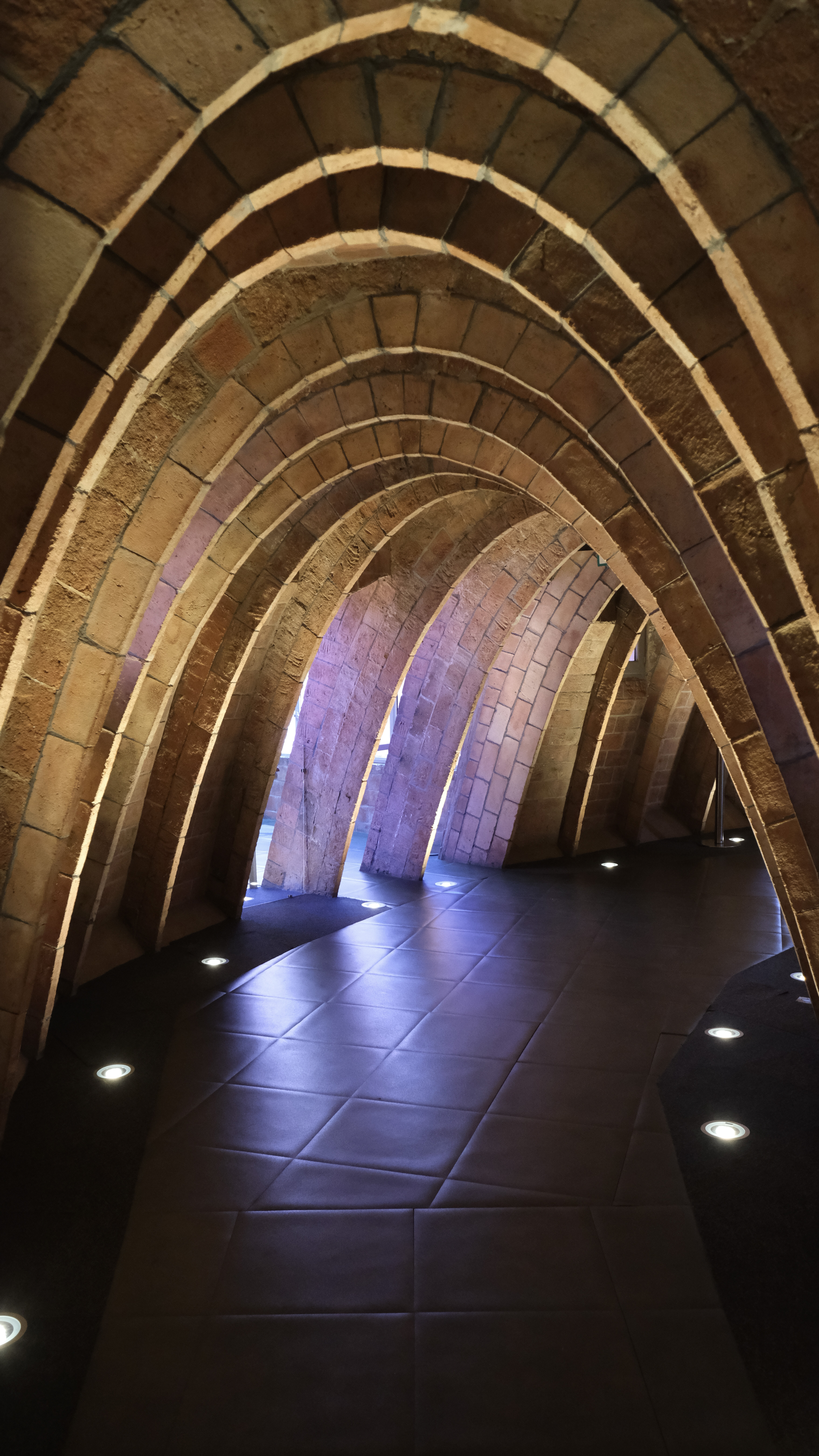
Casa Milo – Barcelona – Fujifilm X-T4 – Fujinon 10-24mm f/4 XF lens (electronic viewfinder)
I guess that when I’m watching the scene through an optical viewfinder, it is easier for me to mentally project the final photograph. Through an optical viewfinder, I’m looking at the scene itself, unmediated by processing, and my brain actively completes the image, interpreting light, contrast, depth, and intent. Because I am looking directly at the scene, my brain remains responsible for transforming reality into an image.
The focusing screen does not dictate the outcome; it leaves space for intention, anticipation, and interpretation. I imagine the photograph before it exists, and I will work with the settings of the camera and shoot again and again until I’m pretty confident that I have captured the image I originally had in mind.
An electronic viewfinder, on the other hand, replaces mental projection with visual confirmation. The LCD shows me what the camera thinks the picture should look like, already interpreted — shaped by the camera’s exposure simulation, tone curves, and color rendering. It shifts my role from author to reviewer. Instead of projecting the image mentally, I am reacting to the camera’s preview. The act of imagining gives way to the act of evaluating.
It’s probably a question of habit. Because I had been shooting with single lens reflex cameras for so long, I simply kept on following the same routine when I started using a mirrorless camera – bringing the viewfinder to my eye, and looking at the scene through the lens of the camera until I had a clear idea of the image I wanted to create.
Composing an image through an electronic viewfinder required another approach – I needed to learn how to abstract from the relative information overflow of the EVF, and let my brain define the image I wanted to capture without being limited by what the camera had decided to show me. I’ve had ten years to adjust (and I assume I did), but shooting through an optical viewfinder is still more natural to me.
There are still enough photographers who want to compose their images through an optical viewfinder to keep Leica in business, and for Fujifilm to make a killing with the X-100 and its hybrid viewfinder. And there may even be enough OVFs fans over the world for a trickle of Canon, Nikon and Pentax new dSLRs to keep on coming from the production lines. For the time being.
Corsica – view from MonteMaggiore – Fujifilm X-T4 – Fujifilm lens XC 15-45mm – I like contrasty images, and I often compose facing the sun, using its rays to shape the atmosphere and character of the image. It’s much easier to do through an optical viewfinder.
Out of curiosity, among the readers of this blog, am I the only one with a preference for the clear, unmediated view of the scene offered by optical viewfinders?
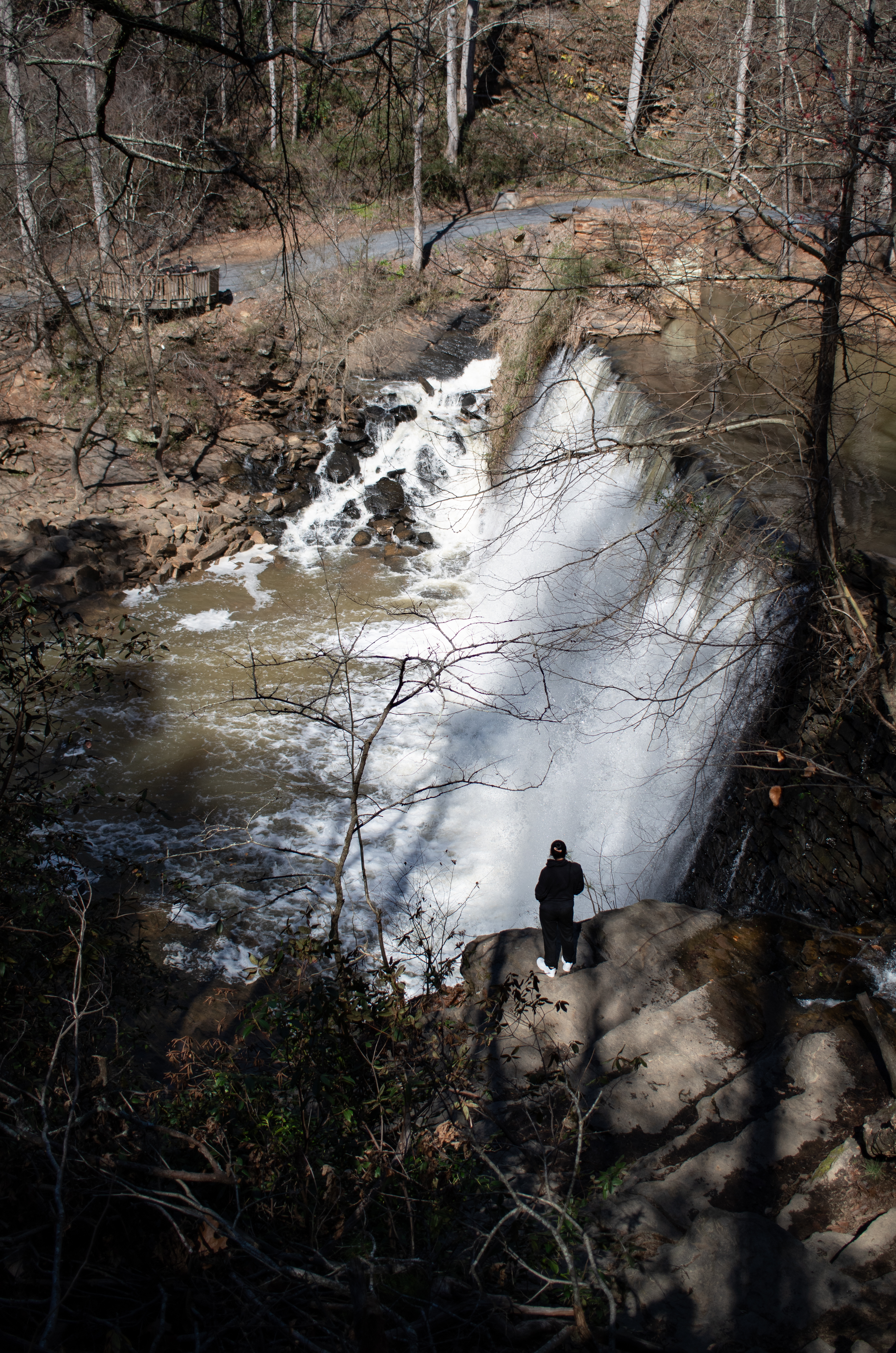
Providence Canyon State Park, Georgia – Nikon D750. (optical viewfinder)
Cochran Shoals, Atlanta – Pentax KP – Pentax DA 21mm Limited.
Vickery Creek – Roswell, GA. Pentax KP, Pentax DA 21mm Limited
Ball Ground – GA – inside the “Burger Bus” Pentax KP – Pentax lens 35mm f/2.8 Limited (optical viewfinder)
Driving around Montepulciano, in Tuscany – Fujifilm X-T4- Fujinon lens XF 10-24 F/4 ((electronic viewfinder)
The first generations of dSLRs from Konica-Minolta-Sony, Nikon, Olympus and Pentax were all built around CCD image sensors. Then, around 2006, the camera makers started integrating CMOS sensors, and within a few years CCD sensors were history.
Today, some photographers compare the images they get from their modern cameras (all equipped with CMOS sensors offering a very broad dynamic range and reaching very high ISO sensitivities without much noise), with the images they were taking with the best cameras of the CCD era, and they like the photos taken with the old cameras better. What is so special about CCD sensors, and why have they disappeared if they were so good?
A cenote near Cozumel – Pentax *ist DS – July 2007 (6 Megapixels CCD sensor)
Why CMOS won
For all the hype surrounding CCD sensors, they had reached their peak in the 2006-2009 years – the last CCD sensors from Kodak and Sony were either unreliable or performing poorly above 800 ISO – and the technology of CMOS sensors had much more potential.
In 2006, camera makers started switching to CMOS sensors because they saw three main advantages in them:
a much lower power consumption – we now tend to forget that the CCD’s high power consumption and the related heat dissipation were major engineering issues at that time,
a much faster data acquisition,
a potential for higher ISO performance and wider dynamic range.
Live-view (composing the photo on the rear LCD of dSLRs), video capture in available light and mirrorless cameras were only made possible by the generalization of CMOS sensors, and would have been next to impossible with the CCD sensor technology.
Why this love for CCD sensors ?
In a few words, photographers tend to believe that images captured with a CCD sensor equipped camera are more “film like”.
The film look? – Venice – Gondoliers in the sun set. Nikon FE2. Fujicolor 400 film
I suffered for you and watched half a dozen Youtube videos where the authors are comparing the pictures taken with some of the best CCD equipped dSLRs with images taken with the CMOS equipped cameras that immediately followed. The conclusion is that if you make a serious apples to apples comparison on RAW files (same brand of camera, same lens, same resolution), there may be a difference, but really minimal. Images taken with a CCD may have a bit more punch, a bit more contrast, and the transition between colors may be more abrupt than on images captured with a CMOS. But again, the differences are marginal, only visible to pixel peepers.
So, if the RAW files are to a large extend similar, where is the perception coming from, that CCD sensors deliver more natural images than CMOS sensors? Could it be that the supporters of CCD sensors are only shooting JPEGs?
CCD and CMOS are different technologies, and their noise characteristics are not the same. They also behave differently in presence of strong highlights (the tone curve of images captured with a CMOS sensor is linear, as opposed to film and, to a lesser extent, CCD, which have a more S shaped tone curve). At the beginning of the transition from CCDs to CMOS sensors, camera vendors had more experience dealing with the noise patterns and tone curve characteristics of the images coming from CCDs than from CMOS sensors, and as a consequence their JPEG rendering algorithms were giving more “natural” (understand crowd pleasing) results when starting from the raw data of CCDs.
The CCD bias of the JPEG Rendering engines did not last. Camera manufacturers learned how to take advantage of the larger dynamic range and the lower level of noise of CMOS sensors to deliver images that mimic film behavior more closely than CCD sensors ever did.
The generalization of CMOS also allowed a raise in the pixel density of the sensors, and with it the end of the need for an “anti-aliasing” filter (the Nikon d800e launched in 2012 was the first dSLR deprived of an AA filter). By 2014, the “new normal” was a camera with a 16 to 24 Megapixel sensor and no anti-liaising filter, capable of a much higher real-life resolution than a 6 or 10 Mpix CCD operating behind an anti-liaising filter. No wonder a photographer upgrading from an early dSLR was a bit surprised by the “surgical” nature of the JPEGs.
Venice, on Dec 25th 2010 – Shot with a Nikon D80 and a Sigma 18-125 lens. (10 Megapixel CCD Sensor)
So…
The “CCD look” was a JPEG thing.
the “film like” look of images captured with CCDs was the result of lower resolution sensors, thick anti-liaising filters, and above all a product of the JPEG image processing algorithms used at that time.
With modern cameras, “film like” behavior can be emulated to a much higher degree than what the JPEG engines of the cameras of 2005 could do. Film emulation (or Picture Styles or whatever the camera manufacturer calls its brand of JPEG rendering recipe) is not only good at mimicking the tonal response and the colors of film, but also its grain.
Now that every camera maker is proposing some form of “Picture Control” or film simulation to customize the output of their JPEG rendering engine, it’s remarkable that nobody is proposing “CCD emulation”. Maybe it was not so much of an issue after all?
CCD equipped cameras are still available on the second hand market, are generally very cheap, and will give your images the full CCD look if it’s what you’re after.
CCD equipped compact cameras
The compact (point and shoot) cameras of the early days of the digital migration are the ones delivering images closer to the film look, probably because of the low resolution of their image sensor and the very consumer oriented tuning of their JPEG rendering engine. I’m still impressed by the “Barbie at the beach” look of the JPEGs of my old Canon S400 Powershot (Digital Elph or Ixus).
Compact cameras switched from CCD to CMOS sensors later than dSLRs – the last models being launched around 2011.
With the exception of sensors manufactured by Kodak for the Leica M9 (which had very significant long term reliability issues), there is no Full Frame CCD sensor, and only one APS-C sensor with a resolution higher than 10 Megapixel (a 14 Mpix APS-C sensor only used by Sony on the Alpha 280/380 series, which had a reputation of being no good above 800 ISO).
Because of the technical characteristics of CCDs, there never was a CCD equipped mirrorless camera, or a CCD equipped dSLR offering real Live-View capabilities (the Sony Alpha 350/380/390 used a second, dedicated sensor in its viewfinder to offer Live-View). The last dSLRs equipped with CCD sensors were launched around 2010 (Nikon D3000, Sony Alpha 290 and 390).
Let’s focus on the 10 megapixel cameras from Nikon, Olympus, Pentax and Sony:
Nikon D200, D80, D40X, D60, D3000 – they all share a 10 Megapixel CCD sensor of the same family. The D200 is often considered the best CCD equipped dSLR ever, but it’s a big and heavy camera designed for pros. There is little difference between the D40X, the D60 and the D3000 – all three are entry level dSLRs designed for beginners and amateurs. The D80 sits in-between. A Nikon D80 was my main camera for years, and I’m still impressed by the quality of the pictures I took with it (I love the D80’s JPEGs).
Olympus was the first camera maker to take advantage of CMOS sensors to offer Live View in a limited fashion (on the E330 in 2006). The e400 of the same year is their last dSLR with a CCD sensor (a 10 Megapixel sourced from Kodak). Like the Nikon D200, the e400 has a legion of enthusiastic fans and is comparatively expensive second hand.
Pentax K10D, K200D, K-M, K-2000 – the K10D is the big semi-pro camera, the other models are smaller and more amateur oriented. The 10 Megapixel Pentax dSLRs are generally appreciated for their beautiful RAW files, but reviewers complain about their comparatively poor JPEGs, which may not be great if you’re after the CCD look.
Sony a100, a200 and a300 series – all are the successors of Konica-Minolta 5D. The 100 and 200 series are very conventional amateur oriented models, the models of the 300 series offer Live-View capabilities thanks to a second dedicated image sensor.
Canon is absent from that list. For their line of dSLRs, they made a very early bet on CMOS – I believe that the EOS-1d of 2001 is their only CCD-equipped dSLR. Note that they kept on integrating CCD sensors in their line of digital point and shoot cameras until 2011.
Venice – Nikon FE2 – Fujicolor 400 – Dec. 2010
The value of cameras on the second hand market tends to be driven primarily by the sensor resolution – and 10 megapixels is considered so low that all the cameras of this list can be bought for less than $150 (the Nikon D200 is the most expensive, the oldest “amateur” models being the cheapest at $50.00 to $70.00). Interestingly, 10 Mpix CCD compact cameras like the Canon G12 or the Nikon P7100 currently sell for more than the best 10 Megapixels dSLRs. Nikon D200 included.
When I was in high school, our physics teacher had tried to explain that sometimes lab instruments were too precise for the job at hand. My 15 year old brain had struggled with the concept. How could an instrument be too accurate, how could a knife be too sharp?
Precise and powerful tools are more demanding – they’ll perform well in the hands of skilled operators who know what they’re doing, but will yield inconsistent results and sometimes be dangerous in the hands of poorly trained users.
ISO on the left, shutter speed center and exposure compensation on the right – the typical Fujifilm User Interface.
Which brings me to the case of my Fujifilm X-T4. As a tool, it’s very sharp. It’s a highly configurable, 26 mpix APS-C camera, with a great electronic viewfinder and a plethora of dials – ISO, shutter speed, exposure compensation and even a real aperture ring on some lenses. It’s not a camera for beginners or for occasional photographers – there is no “scene”, “green” or “iAuto” mode that you would have found on compact cameras and entry level ILCs, and some useful settings (like choosing between Average, Spot or matrix exposure metering) are hidden deep in the menus.
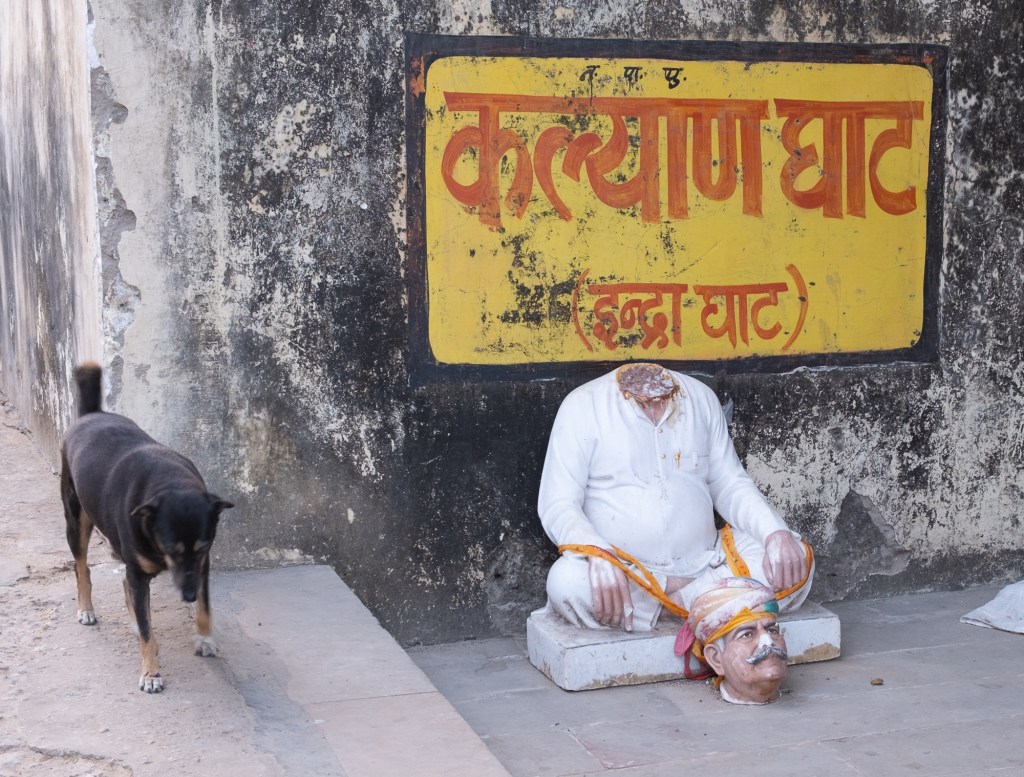
The step well – Abhaneri, Rajasthan
There is a lot to say about the user interface of Fujifilm’s cameras. Some of their cameras are designed to operate like the first multi-automatic SLRs of the late seventies – with dials and rings that you have to set to “A” (or not) and no PASM mode selector – while other cameras are designed with a modal interface, but with no top plate LCD display and no dial, a bit like an entry level dSLR. The same is true for lenses – some have an aperture ring with markings, some have an aperture ring with no marking, and some have no aperture ring at all. And the camera operates differently depending on the type of lens mounted on it, and on the position of a switch on the barrel of the lens. It’s rather confusing. Honestly, I prefer the modal user interface of Nikon’s high end dSLRs, and I’m not a Fujifilm photographer because of the user interface of their cameras, but rather in spite of it.
The aperture can be controlled automatically (switch on “A”) or by rotating the unmarked aperture ring.
The UI quirks aside, Fujifilm “X” cameras have a lot going for them. They are renown for their beautiful “out of the box” JPEGs, for their best in class film emulation, and for offering the most comprehensive range of great lenses of any APS-C mirrorless system. Top of the line models are also very solidly built while still being compact, a benefit of sticking with cropped sensors. But professional reviewers often complain that their autofocus system is not as good as what Sony and Canon ILCs can deliver.
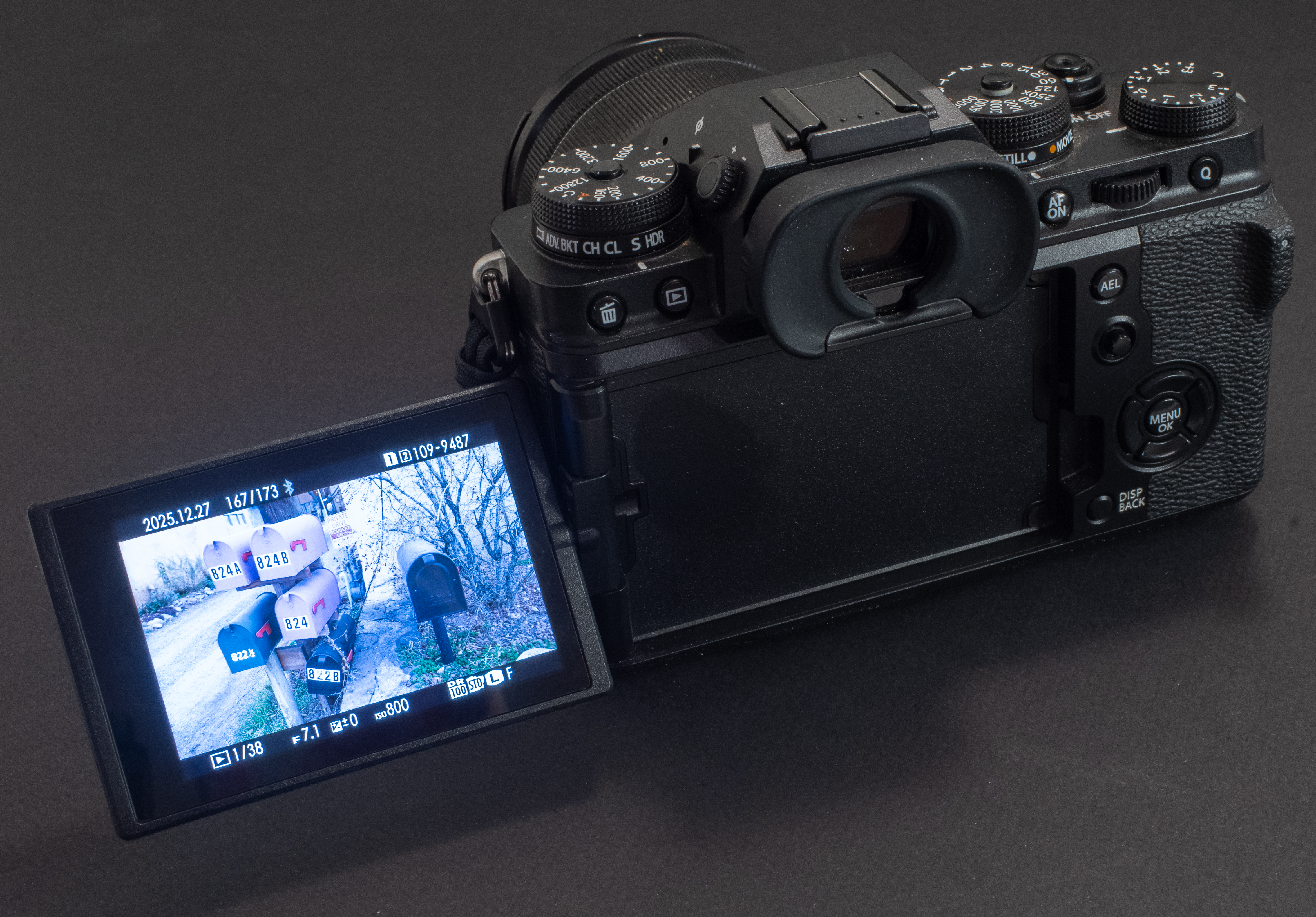
The X-T4 has a fully articulated LCD, in addition to an electronic viewfinder, of course.
Over the two years I’ve been using this X-T4, I’ve never been in a situation where the autofocus was lacking (I don’t shoot sports or wildlife), but I’ve struggled with the exposure – sometimes the UI got me confused, and some other times the matrix metering was not as evaluative as I would have like it to be. To the point that for casual or travel photography (when I don’t have to time to sweat on the settings), the camera is generally set to operate in Program mode, with the good old center weighted metering.
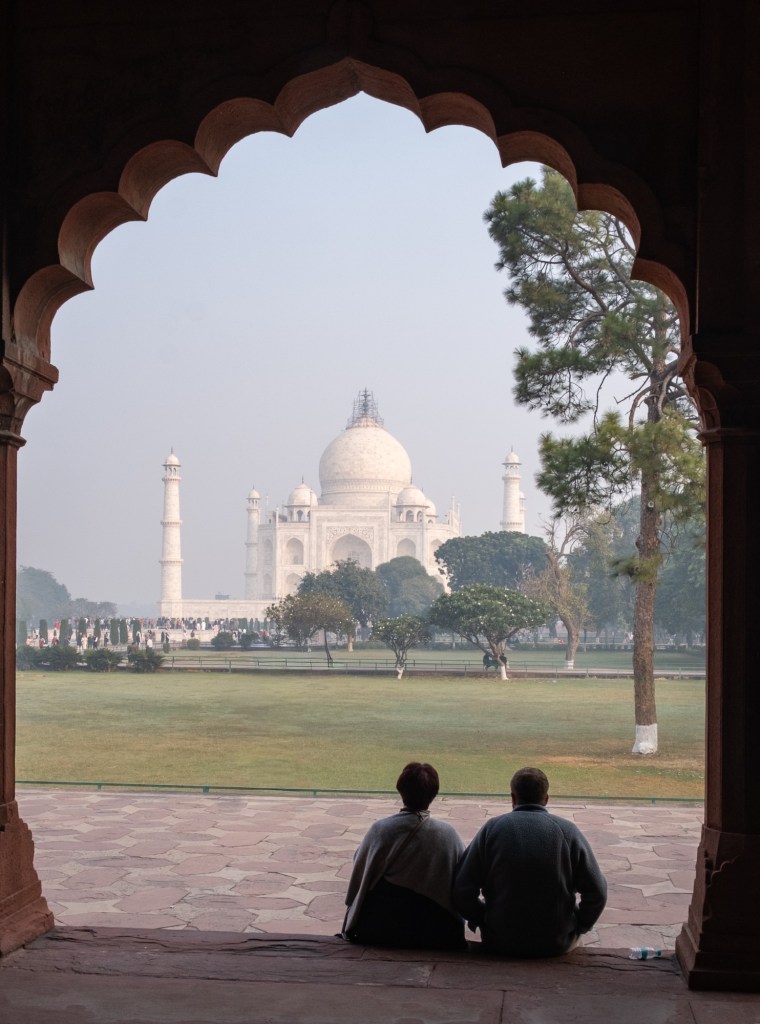
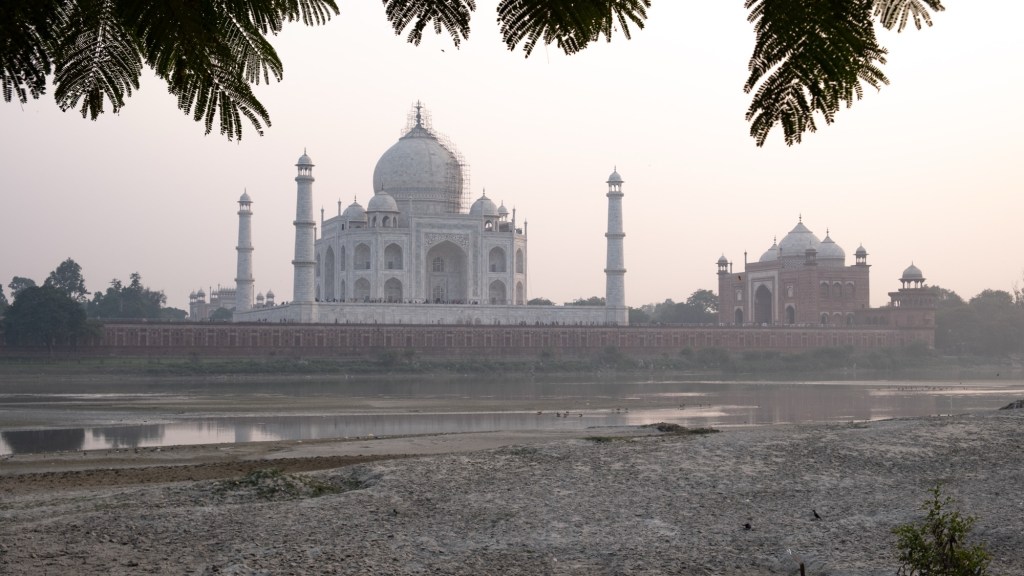
The Taj Mahal – Fujifilm X-T4 – Fujinon XF 18-55mm lens
That’s the problem with sharp tools – they need a skilled and well trained operator – and only lots of practice makes you a master of your domain (“Ubung macht den Meister” as they say in German). If you use it frequently enough and are willing to learn its idiosyncrasies, this X-T4 will reward you with impressive images, but an occasional or moderately motivated photographer may be better off with an easier to use camera.
The so called “Q” menu – where the most important settings can be modified.
Which is a cruel dilemma if like me you also like to play with old cameras – it’s tempting to shoot with the latest of your garage sale finds, but the time spent shooting with a curiosity is time not spent getting intimately familiar with your main, “serious”, camera. A case of too much equipment getting in the way of better pictures.
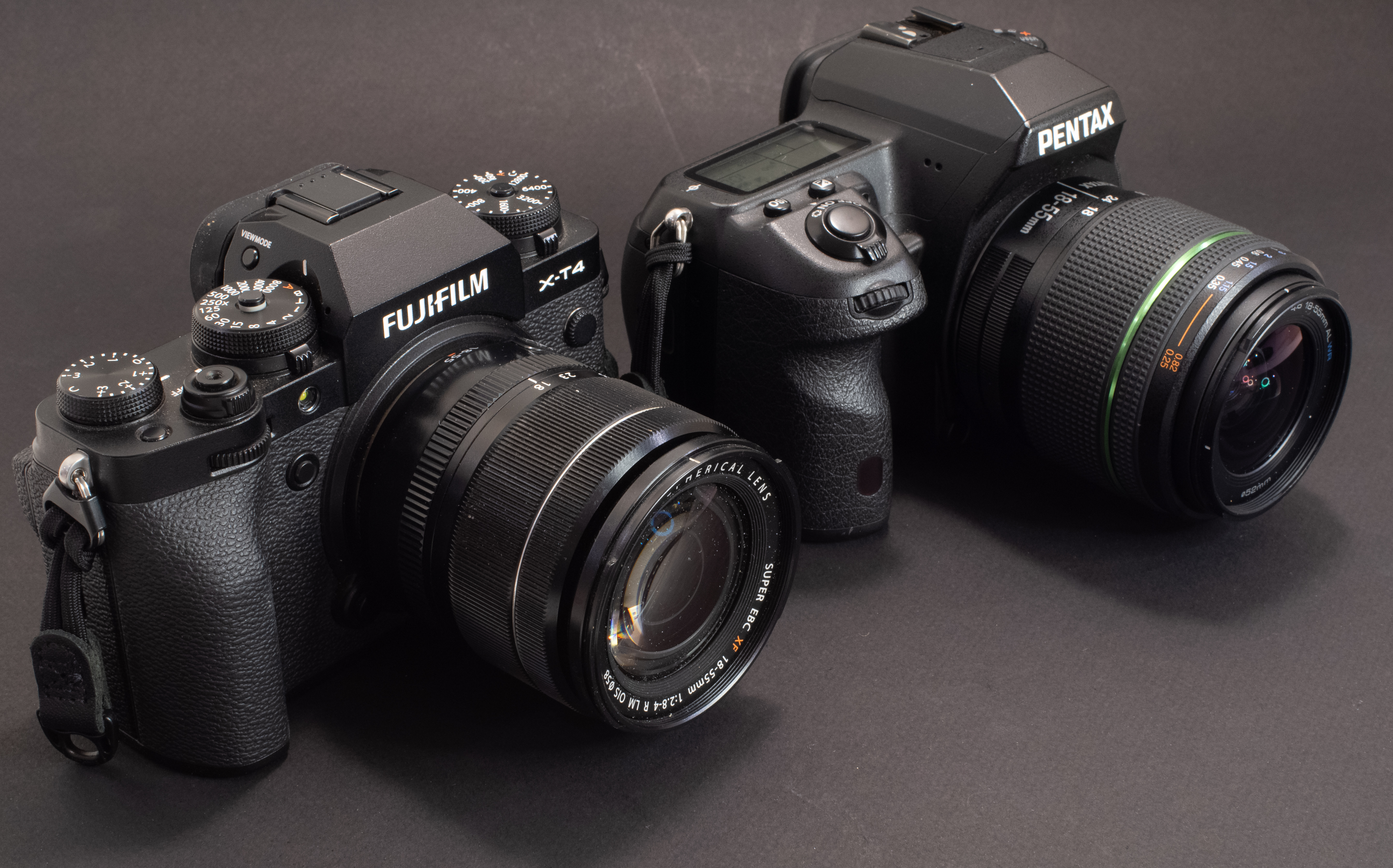
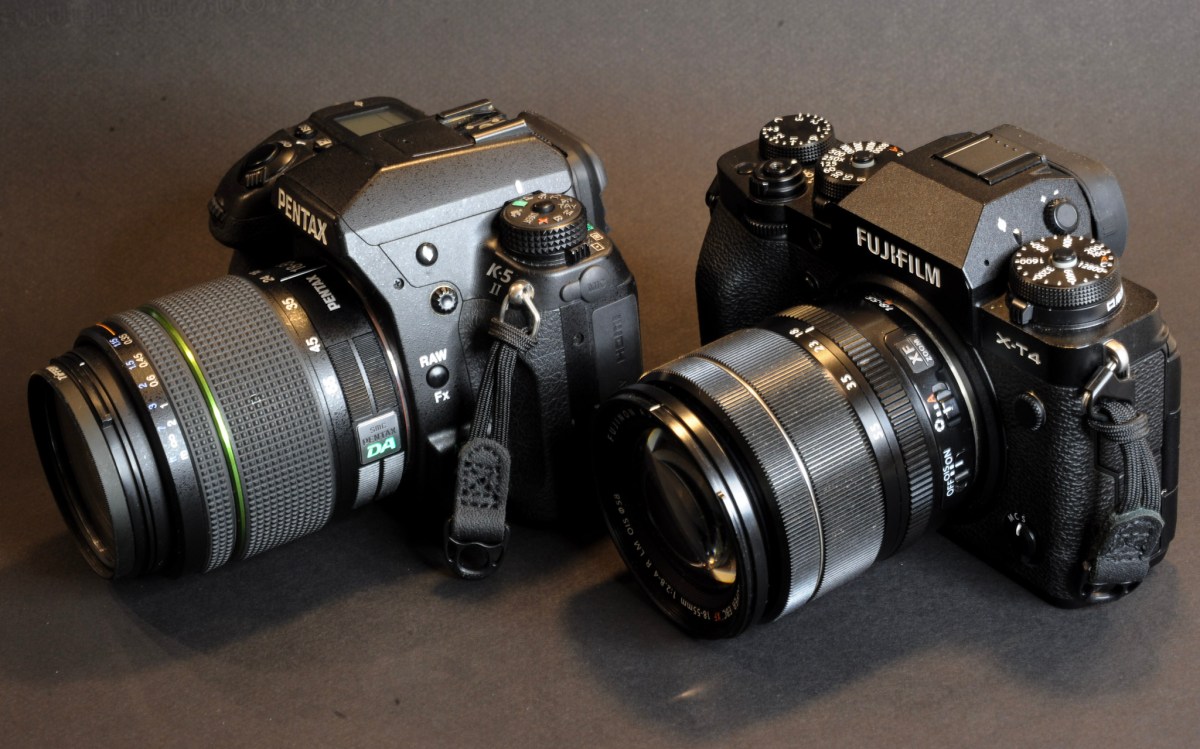
Two APS-C cameras – mirrorless cameras have grown in size, and this X-T4 is not really smaller than the Pentax K-5 next to it. It’s much lighter, though.
I’ve shot almost exclusively with the X-T4 over the last two months, and I’m definitely more comfortable with it by now. It’s time not to follow my own recommendation and to go back to the oldies. I have a few interesting finds in my pipeline.
In the meantime, I wish you a terrific 2026—may it bring you inspiring subjects, rewarding shoots, and many great images.
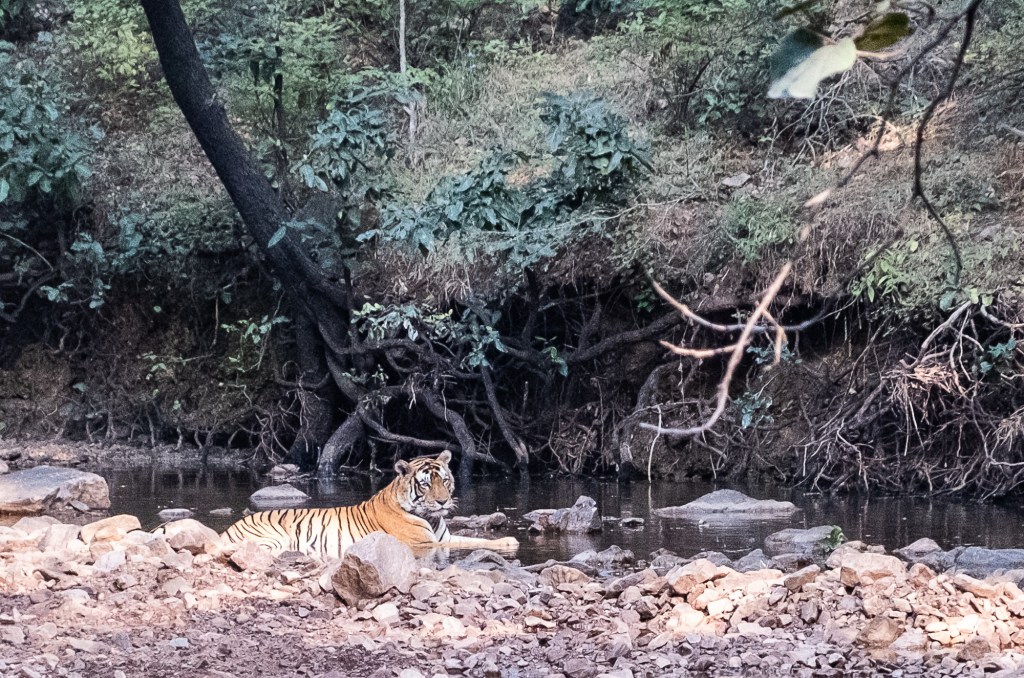
This series was shot in the North West of India (mainly in Rajasthan) a few weeks ago with a Fujifilm X-T4 and the excellent Fujinon XF 18-55mm f/2.8-4. Being larger, heavier and not shooting as wide as the 15-45 XC Power Zoom, the 18-55 is not as convenient when traveling, but it’s a class of its own when it comes to image quality.
I’ve bought a few old Pentax cameras recently, film and digital, and out of curiosity I’ve started following what’s happening in the world of Pentax aficionados.
There was a passionate discussion recently on Pentaxforums.com, started by a photographer who was disappointed by his recent mirrorless camera system, and was considering selling everything to go back to a Pentax dSLR (he was balancing between a K-1 Mark II and a K-3 Mark III).
I am not going to pronounce him right or wrong – what he likes to shoot with or how he spends his money is his business, not mine. But not that many photographers are still interested in new dSLRs.
The fact is that digital single lens reflex cameras (dSLRs) form a rapidly receding niche, and that in the battle for the dollars of photographers (enthusiast amateurs, influencers, vloggers and pros alike), mirrorless cameras have won. A few data points to illustrate it.
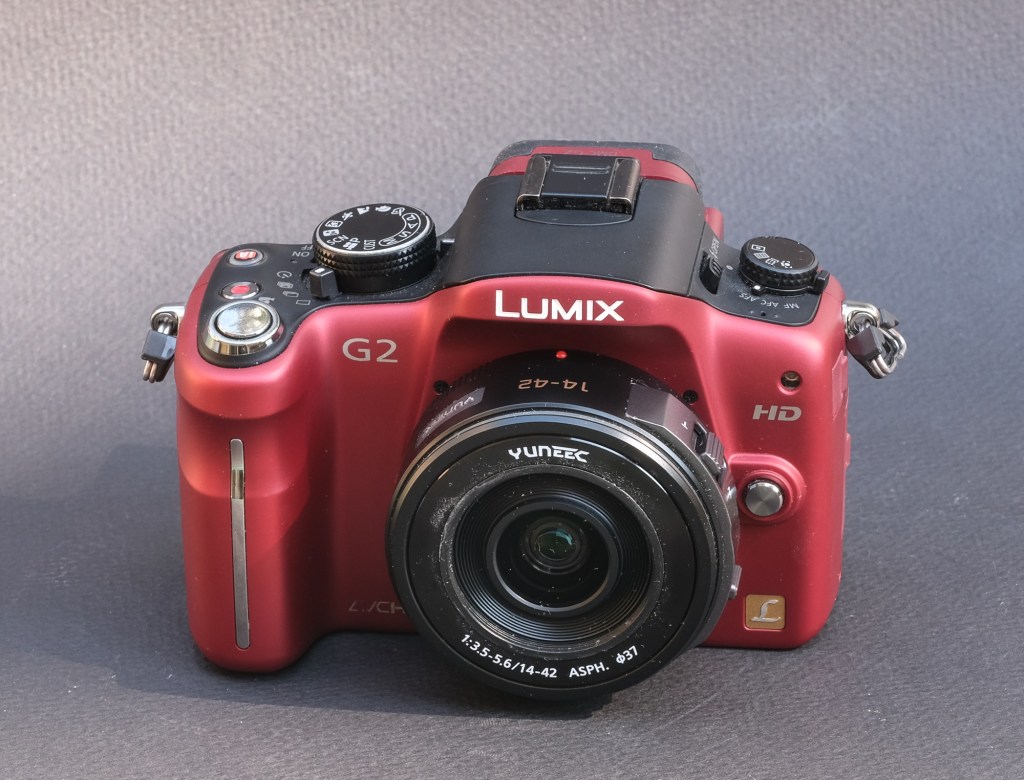
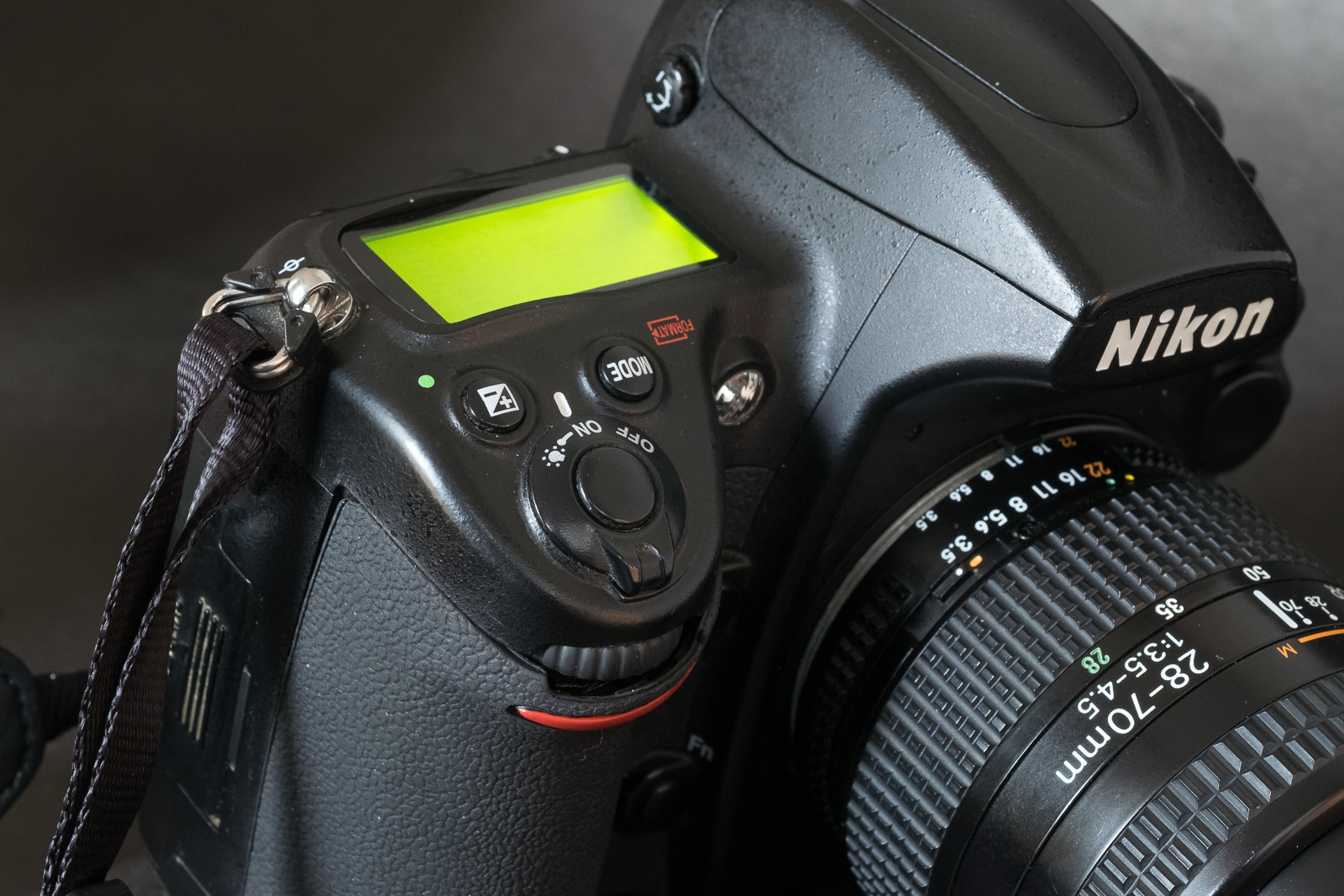
Panasonic G2 and Nikon D700 – mirrorless cameras can be made small
When were the last dSLRs launched?
Olympus stopped selling dSLRs in 2013, and Sony officially discontinued their SLR and dSLR “A” Mount in 2021 (their last dSLR was launched in 2016). Canon’s most recent dSLR is the Rebel 8 from 2020, Nikon’s latest is the d780 from 2020, and Pentax’s is the K-3 Mark III, introduced in 2021. A variant of the K-3 with a monochrome image sensor was introduced in 2023, so that would make the K-3 III Monochrome the most recent of them all.
Canon and Nikon have not shared any plan to launch a new dSLR in the future (it’s likely they won’t), but since the launch of the Rebel 8 and d780, they have launched 14 and 11 mirrorless interchangeable lens cameras, respectively.
A very compact APS-C setup – Egypt – Abu Simbel – Fujifilm X-T1 – Fujifilm 15-45mm lens.
Who is still manufacturing dSLRs?
It’s difficult to know for sure what is still being manufactured – what we see on the shelves of the retailers may be New Old Stock or the output of small, infrequent production batches. Some models (like the Nikon D6 or the Pentax K-3 Mark III) have been withdrawn from some markets already, and other models – while not officially discontinued – may not be manufactured “at the moment”.
I checked the Web site of B&H, and here’s what’s still available new in the United States (with the official warranty of the manufacturer).
Canon still have six dSlRs on their US catalog, ranging from the Rebel to the 1Dx (three APS-C cameras, three full frame)
Nikon are proposing four models: the APS-C d7500, and three full frame models: the d780, d850, and D6,
As for Pentax, they are still proposing three cameras with an APS-C sensor, the KF, the K-3 Mark III and the K-3 Mark III Monochrome, and a full frame camera, the K-1 Mark II.
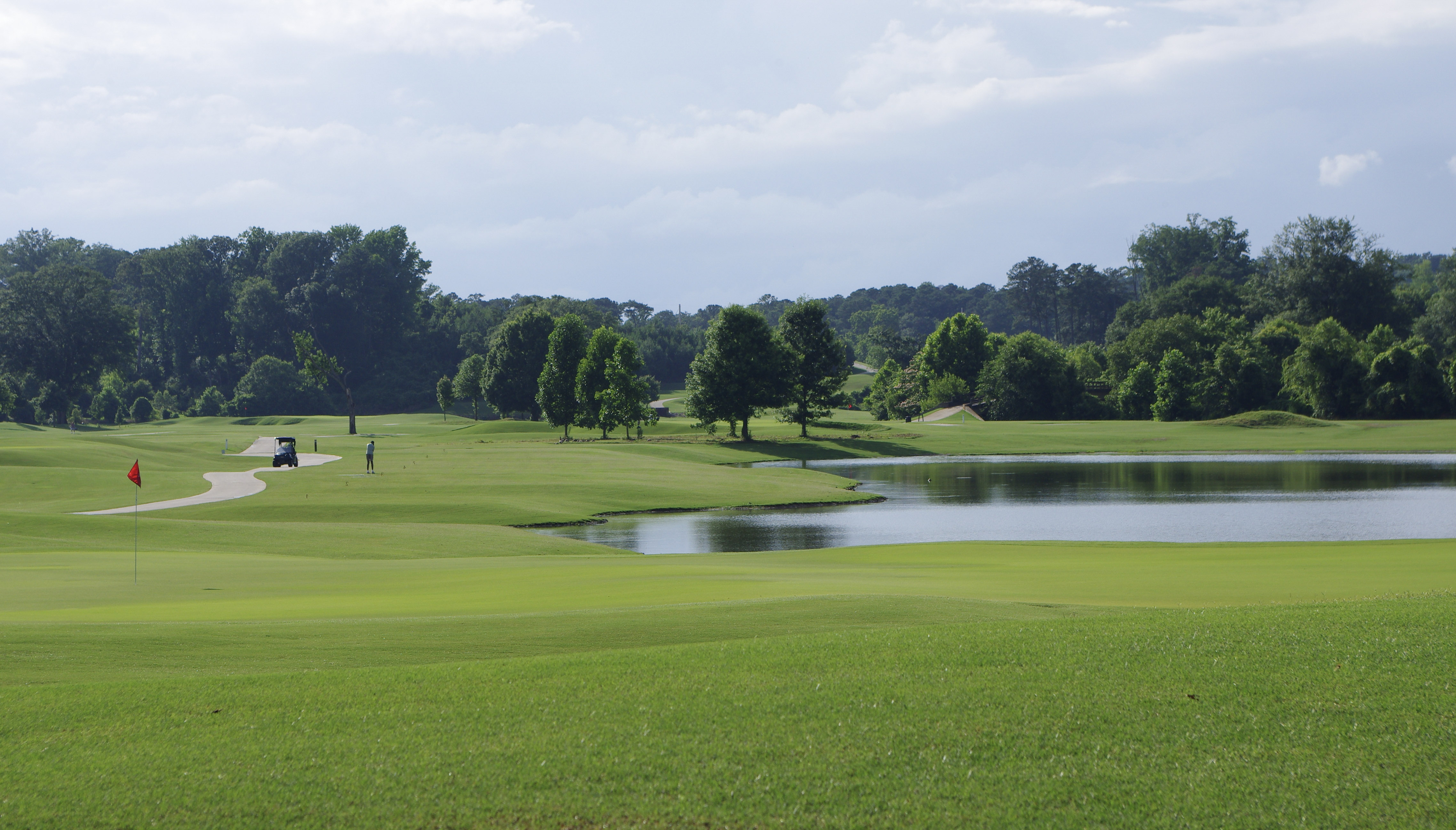
Shooting with a old APS-C dSLR last week – Atlanta – Bobby Jones Golf Course. Pentax K-5 Mk II – Pentax lens 18-55 f/3.5-5.6 AL WR
Why did mirrorless win in the first place?
The Nikon D90 from 2008 was the first SLR capable of recording videos. But the architecture of a single lens reflex camera (with a flipping reflex mirror and an autofocus module located under the mirror) forced Nikon to design a camera that operated differently when shooting stills and videos.
For stills, the D90 worked like any other dSLR ( with a through the lens optical viewfinder and phase detection AF). When shooting videos, the reflex mirror was up, and the viewfinder could not be used. The operator had to compose the scene on the rear LCD of the camera. The phase detection autofocus system was also inoperant. A second system, based on contrast detection, had to be implemented, and could only be used before the videographer started filming.
The obvious next step was to replace the flipping mirror and the optical viewfinder with an electronic viewfinder fed directly by the image sensor of the camera, and to improve the contrast detection autofocus to make it as reactive as a phase detection system, and available during the video shoot. Panasonic was the first to do it with the Lumix G2 in 2010. Almost everybody else would soon follow.
The obvious advantage of a mirrorless ILC is that it can shoot indifferently photos and videos – the camera works exactly the same way. It’s a big plus for all the pros and content creators who have to deliver a full set of images (stills and videos) when they film weddings or corporate events.
Mirrorless cameras, being deprived of the mirror box and of the optical viewfinder of a SLR can be made smaller, lighter, and probably cheaper because they are simpler mechanically.
The absence of a mirror box also reduces the lens flange distance, and lenses can be made shorter. Because there is no need for aperture pre-selection and full aperture transmission mechanisms, lens mount adapters are extremely simple to design and manufacture. Practically, almost any lens designed for an SLR or a dSLR can be physically mounted on a mirrorless camera.
Leica Summicron C (40mm f/2) mounted on Sony NEX 3 with Metabones adapter. Mirrorless cameras are more flexible.
Early mirrorless were handicapped by relatively poor electronic viewfinders (lacking definition, reactivity and dynamic range) and a limited battery life. Over time, mirrorless ILCs have made a lot of progress in those two areas – recent prosumer and pro ILCs have really impressive electronic viewfinders.
Electronic viewfinders show the image exactly as the image sensor is “seeing” it. If the viewfinder is good enough, it’s even possible to evaluate in real time the exposure of a scene – and play with the exposure compensation dial to adjust it: what you see is really what you’re going to get.
Pentax K-5 Mk II – very few APS-C mirrorless cameras have a top plate LCD and that many dedicated keys.
Advantages of recent dSLRs
The most recent dSLRs were launched between 2020 and 2021, and their capabilities are at best in line with what was the state of the art four to five years ago.
Those dSLRs offer bluetooth and Wifi, and are as easy to connect to a mobile device as modern ILCs.
They keep the traditional advantages of dSLRs: an optical viewfinder, and longer battery life, but as a consequence remain larger and heavier than ILCs.
The native support of lenses designed for the brand’s SLRs and DSLRs over the past decades looks like an advantage, but older lenses may only be partially compatible, and they may lack the resolution required to take advantage of recent image sensors.
As for newer lenses – they’re increasingly difficult to find now that the industry leaders have redirected their R&D and manufacturing efforts towards ILCs.
Bringing a Nikon D700 to a race – because the only tele lens I had was an old Tamron in F Mount. US Formula One Grand Prix – Austin TX
Switching back to a dSLR?
I wrote earlier I would not be judgmental, but I’m still struggling to understand why somebody would take a significant financial hit to move from a very recent, top of the line mirrorless camera system to a dSLR released eight years ago.
Even though I like shooting with dSLRs and older film cameras (they can be more pleasant to use than some mirrorless ILCs) I believe that using a recent mirrorless camera will increase my odds of capturing a technically good image (the artistic value is a totally different story).
Mirrorless cameras are more flexible and will be within their performance envelope in more situations. If the shooting opportunity is unique and I need to deliver – if only for my pride as an amateur photographer – I’ll bring my mirrorless kit with me.
The Nikon D700 remains a fantastic camera. If only it was not so heavy and so big.
As a lover of old gear – even digital – I’d like to offer a suggestion: very nice “prosumer” 16 or 20 Megapixel APS-C reflex cameras from the early 2010s can be found for $150; a “classic” like the Nikon d700 from 2008 (12 Megapixel, full frame) is more expensive, but not by that much if you pick a camera that has been used by professional photographers and has shot hundreds of thousands of pictures.
So, if you feel the dSLR hitch from time to time, my recommendation would be to keep your mirrorless system, and simply augment it with an old dSLR for the days when the call of nostalgia is too strong to resist.
More in CamerAgx about mirrorless and reflex digital cameras
If you ask a lab to develop your film (I’m using https://oldschoolphotolab.com/), they will scan it for a modest extra fee ($6.00 per film). And if you send them already developed film strips, they will charge you anything between $1.00 and $4.50 per frame, depending on the quantity and on the desired output quality. The scans are made on Fuji or Noritsu machines, and the result is top notch – you just have to be prepared to wait – typically for two weeks – before you can access the files on Dropbox.
But there may be situations when you can’t wait, or you don’t want or are not permitted to send the negatives through the postal service at the other end of the country. There are also cases when the sheer volume of images to scan (and the expected low keep rate of the scanned images) makes using a specialized lab financially impractical.
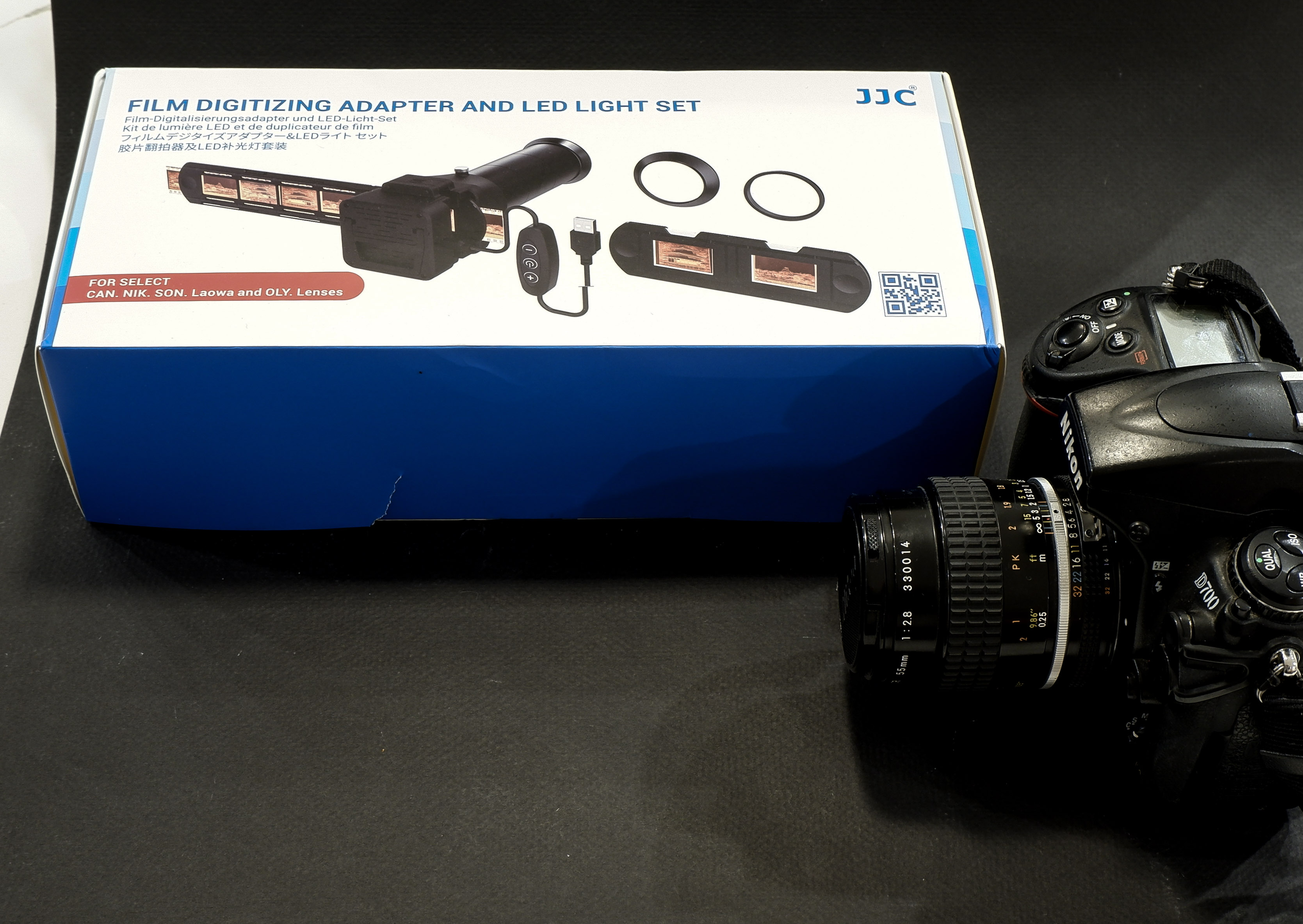
JJC Kit in its box, Nikon D700 ready for action
You can invest in your own scanner – or – taking advantage of the high resolution sensors of modern digital interchangeable lens cameras (dSLRs or mirrorless), shoot the negative frames (or the positive slides) with your camera, and simply upload the resulting files to Lightroom for a final edit.
JJC have developed a clone of the ES-2, and have opened it to more lenses (they have added support for Canon, Sony, Laowa and Olympus lenses). Regular visitors of CamerAgX may know that when I’m shooting digital, it’s primarily with Fujifilm X cameras (X-T4 and X-A5) but I also have an old Nikon D700 and a much older 55mm Micro-Nikkor AI lens on a shelf, and that’s the gear I used to test the JJC “Film Digitizing Adapter Set”, Ref: FDA-S1.
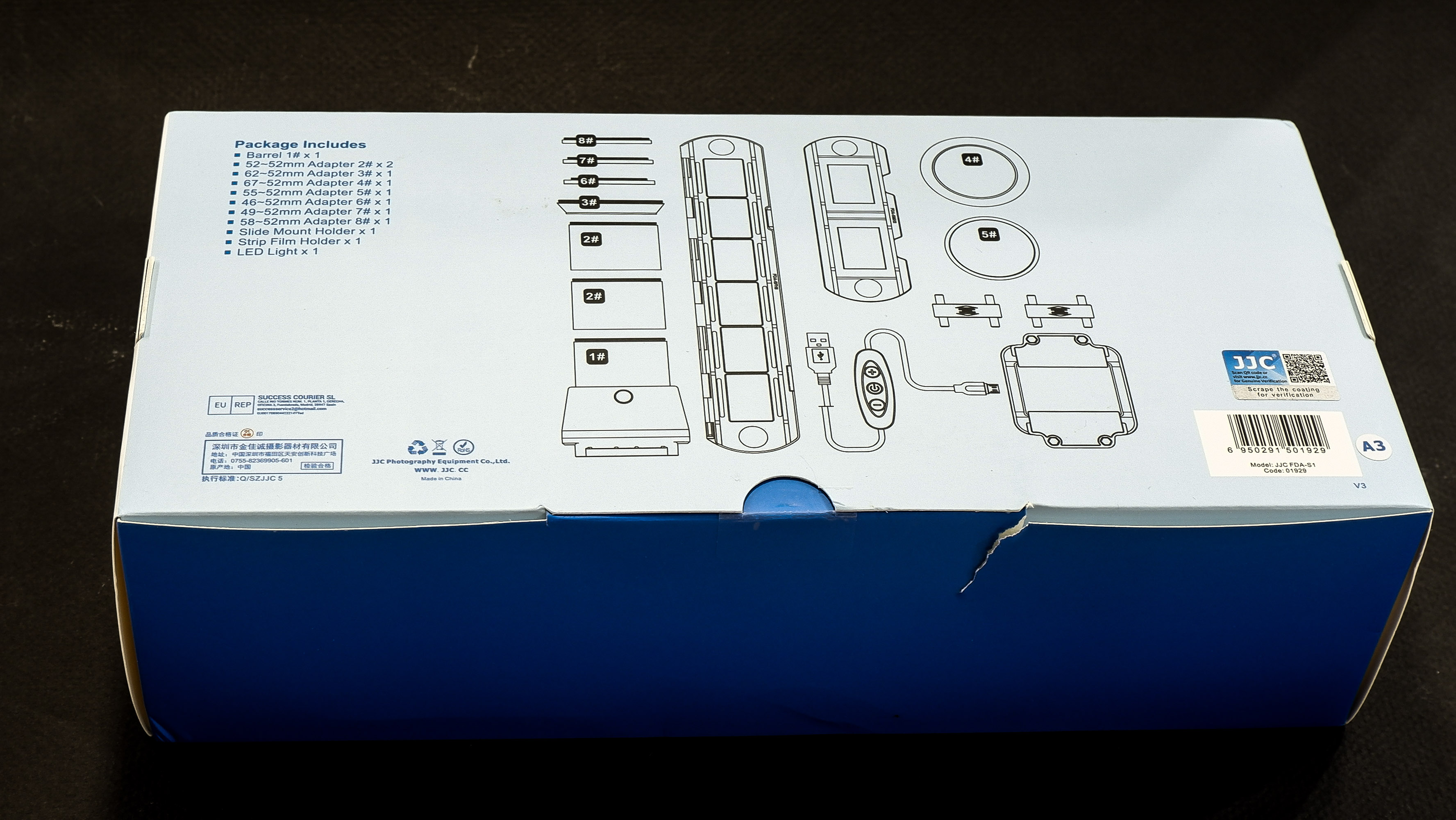
The kit is composed of 8 adapter rings, a slide mount holder, a negative film strip holder and (the unique selling proposition as far as I’m concerned), a USB powered light box. The whole set is well packaged, seems to be made of good quality materials (metal and plastic), and everything works as expected.
First attempt: Scanning with the Nikon D700 and the Nikon Micro Nikkor 55mm f/2.8 AI
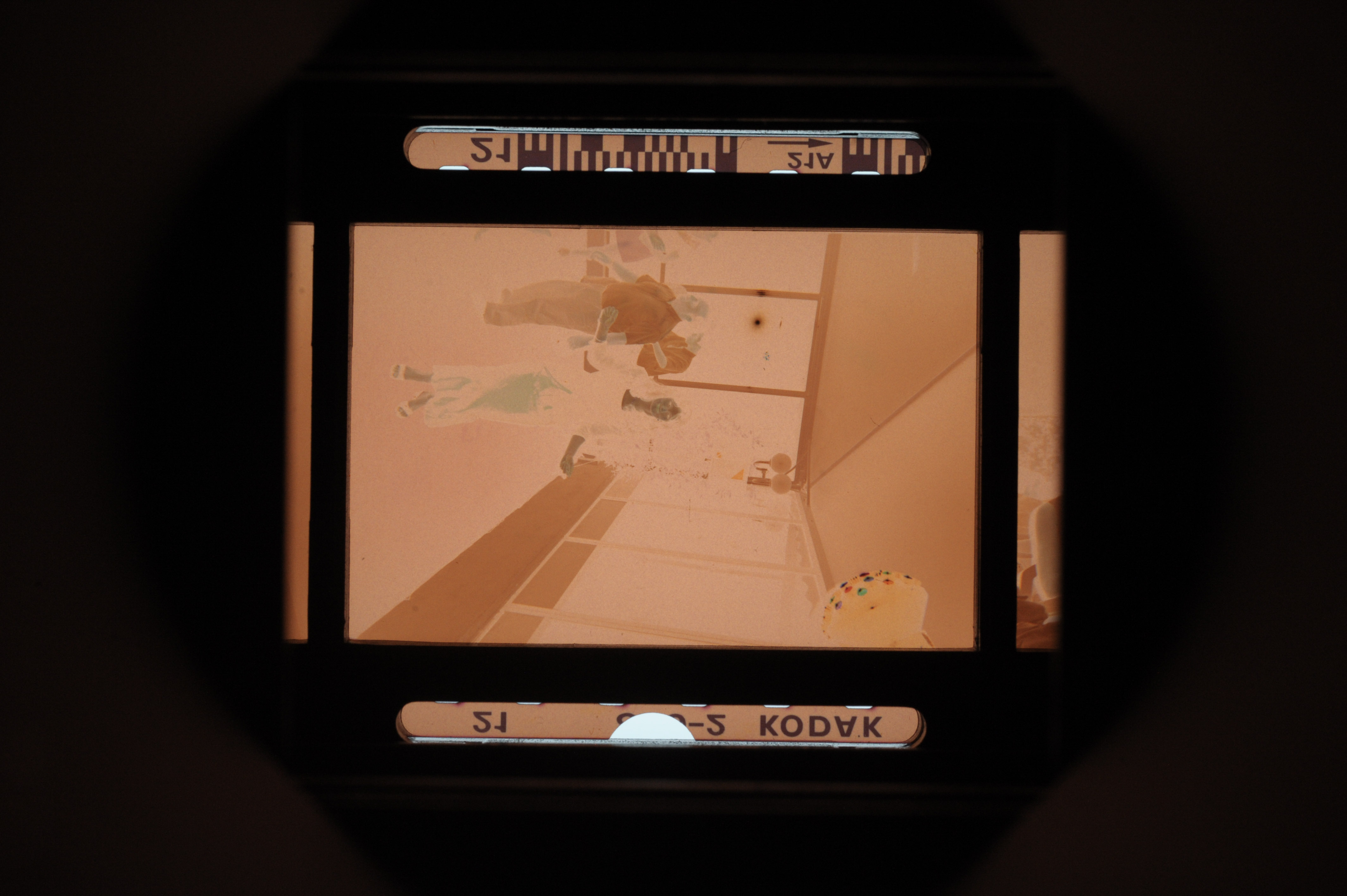
The Micro Nikkor 55mm AI is only offering a 1/2 repro ratio when shooting macro. As a result, the image of the negative is only using the central area of the frame of the D700. Not good. It’s made worse by the small resolution of the D700’s sensor – 12 Mpix – over here, we’re only using 3 Million pixels. The scans look blurred and lack detail.
As shot with the D700 – the Micro Nikkor 55mm lens is not a good fit for the JJC adapter
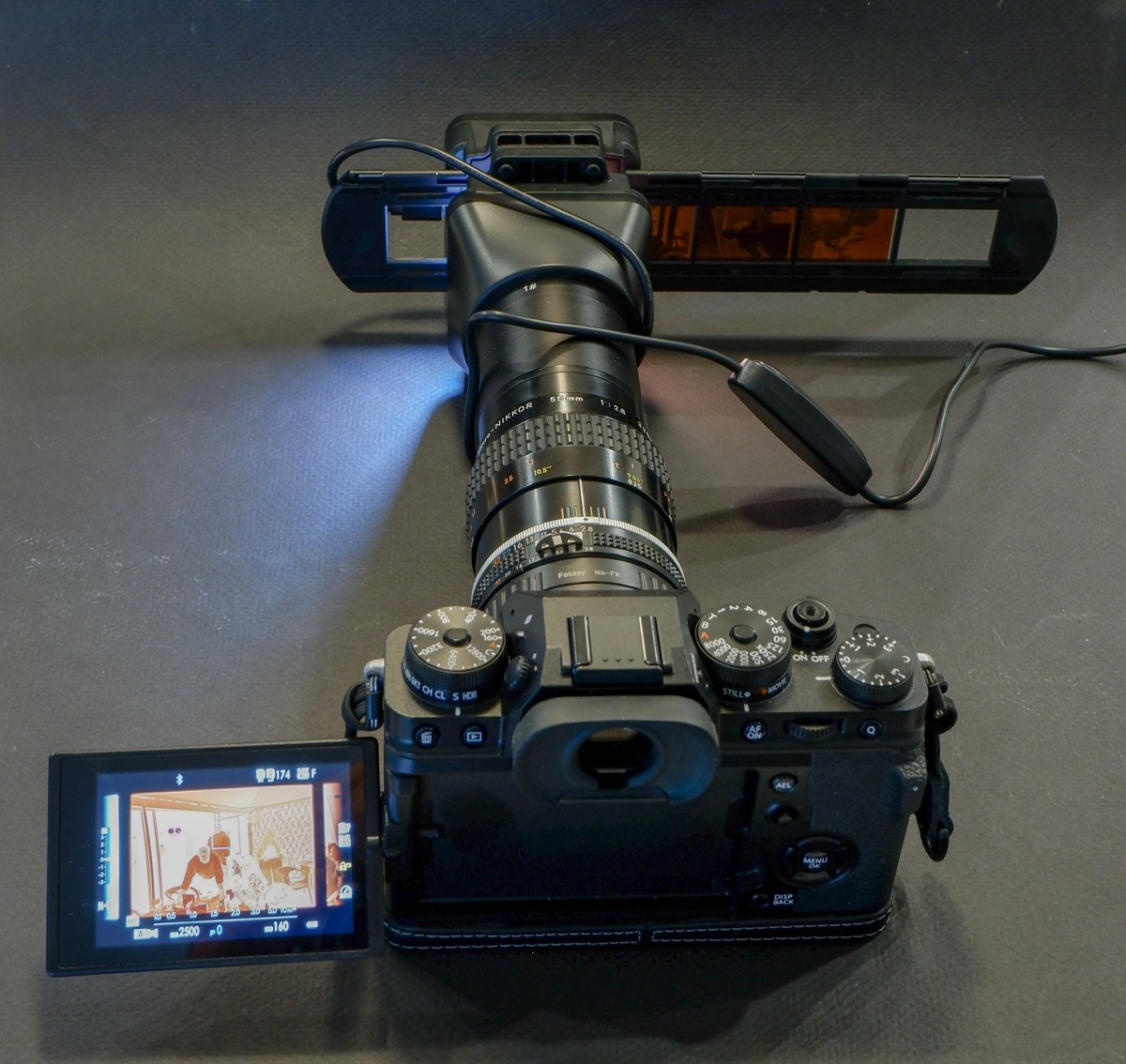
Second attempt: Scanning with an APS-C camera (the Fujifilm X-T4) and Nikon Micro Nikkor 55mm f/2.8 AI
One of the benefits of “mirrorless” cameras is that they can accept all sort of lens adapters. I happen to have a Fotasy adapter which will attach the Nikon AI lens to my Fujifilm X-T4. And the articulated display fo the mirrorless camera is much more comfortable to use than the optical viewfinder of the Nikon D700 for this type of work.
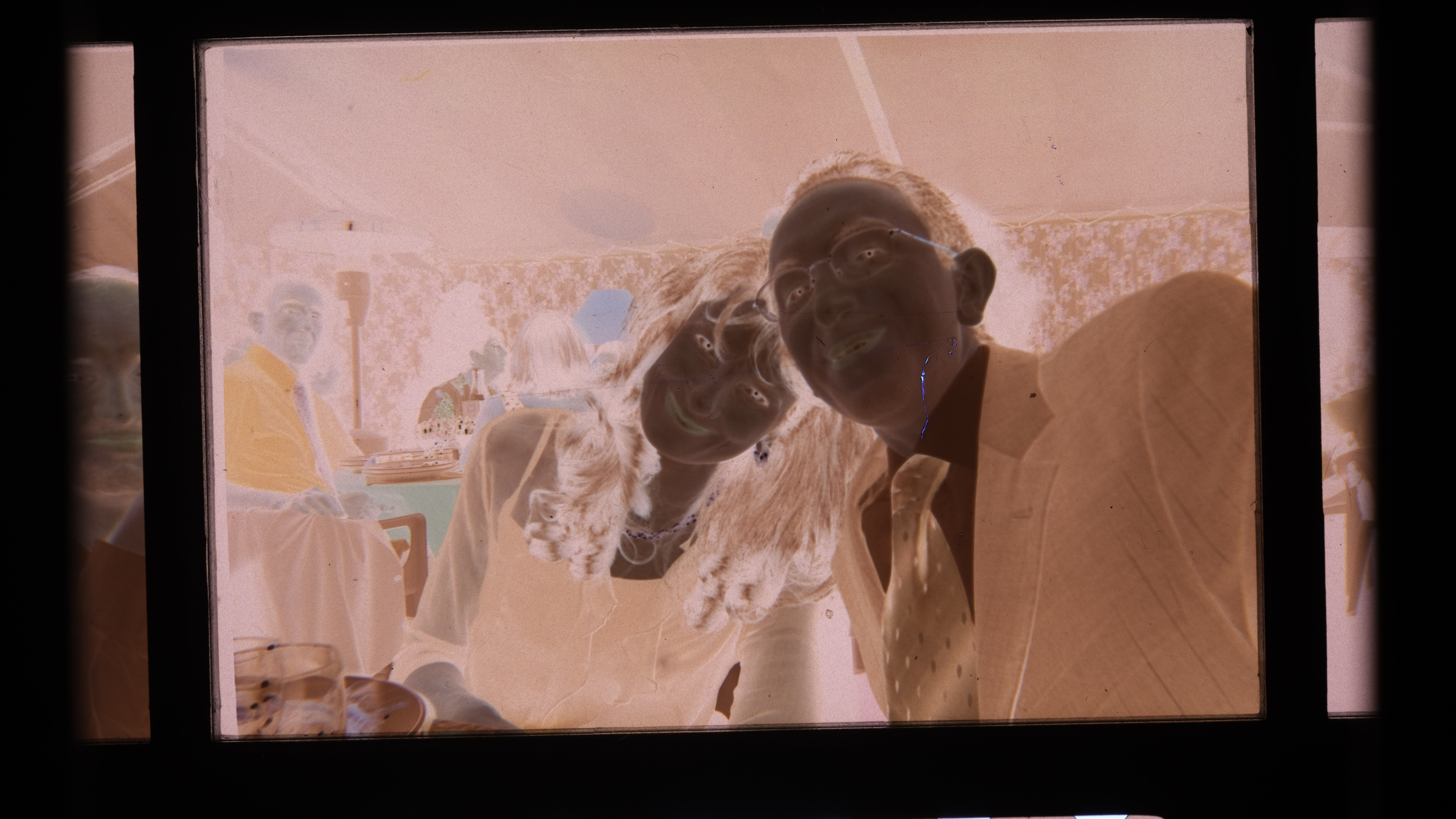
The “scan” fills the frame and is much more detailed.
Much better with the Fujifilm X-T4 – the “cropped sensor” is a good fit for the 1/2 repro ratio of the 55mm Micro-Nikkor AI.
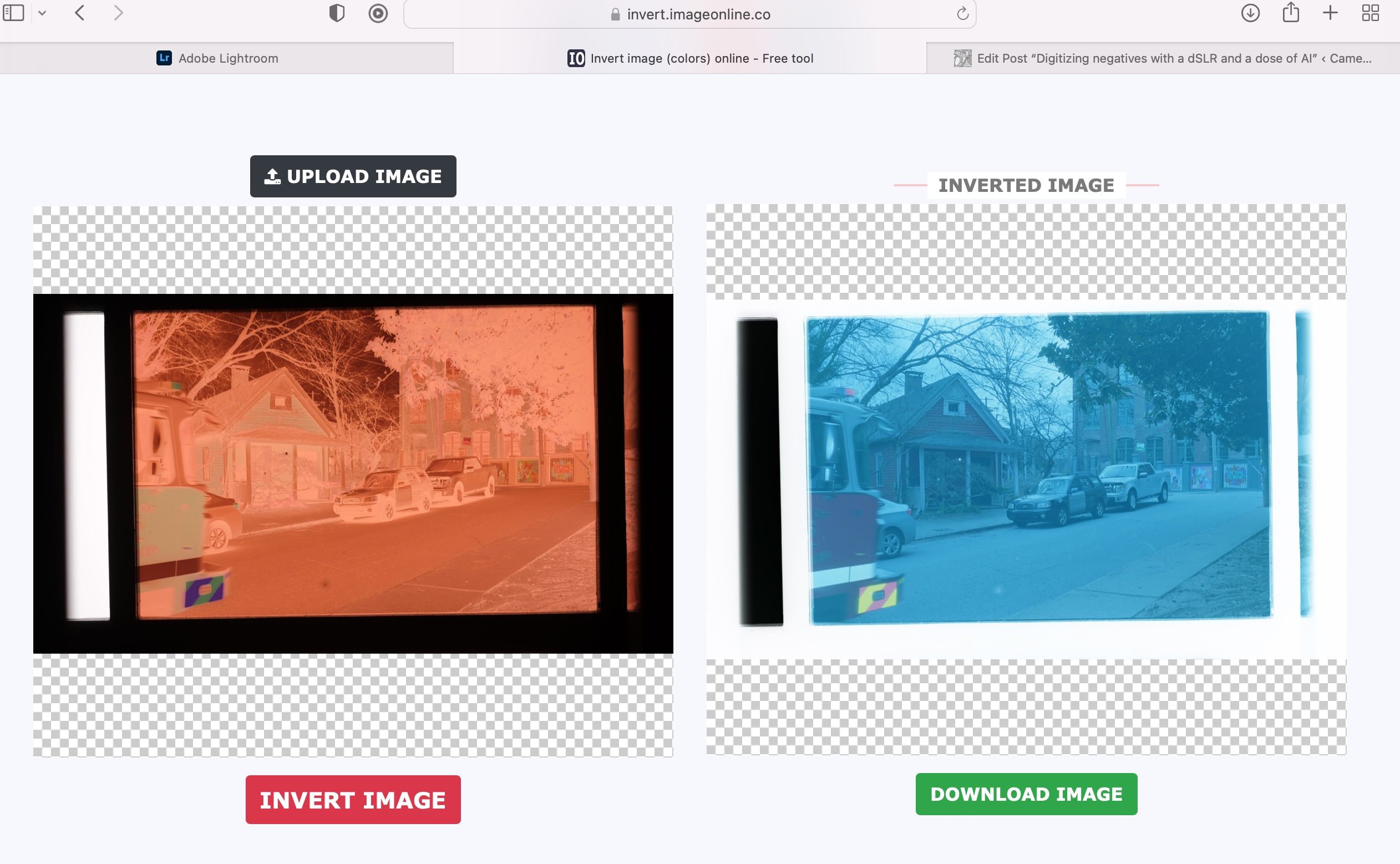
Inverting the scanned image
If you were starting from a negative, you have to convert it to a positive image. I tried this free online service (invert.imageonline.co). Better equipped pros will use Photoshop or Lightroom Plug-Ins.
Inverting the image with imageonline.co
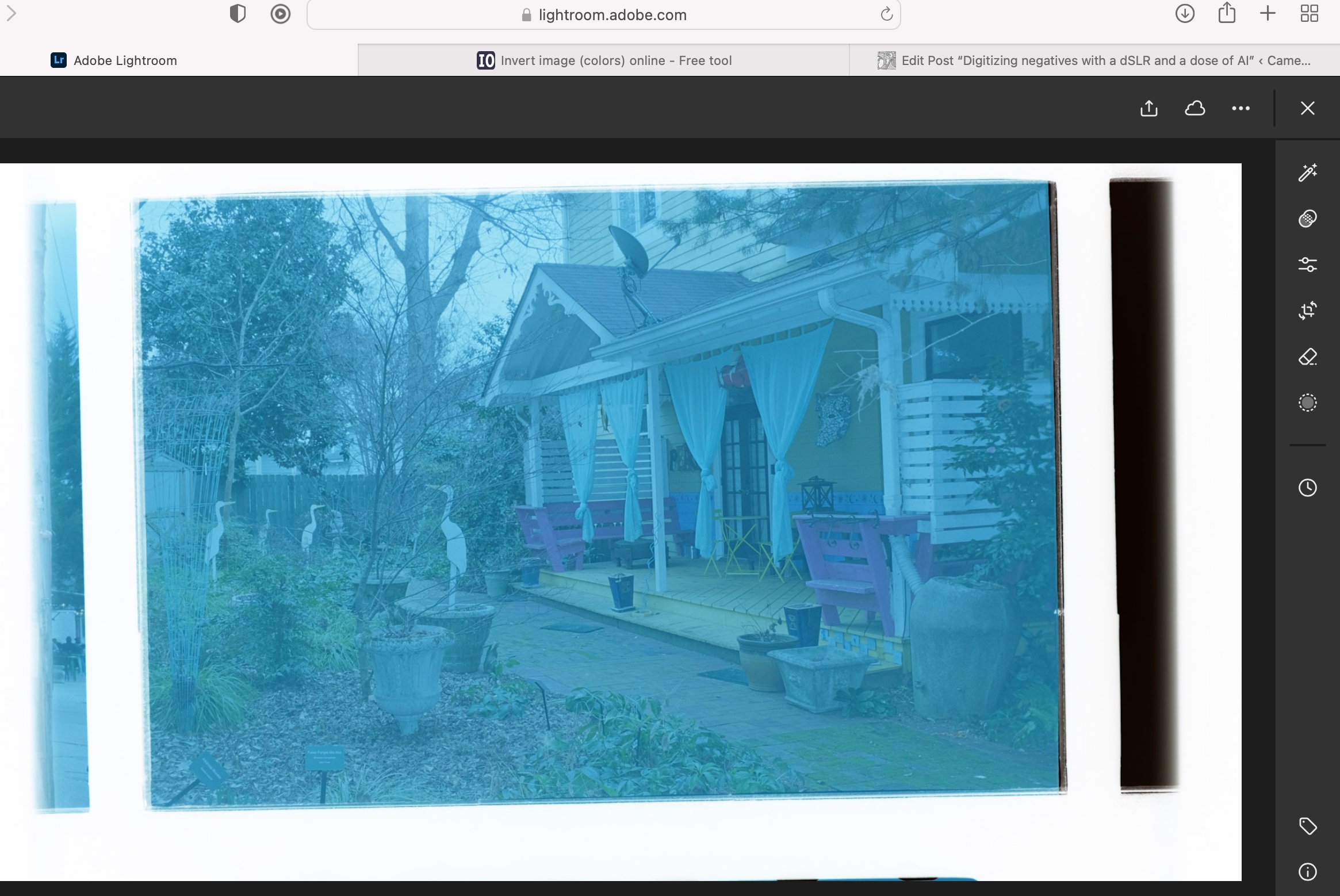
Final touch in Lightroom Mobile
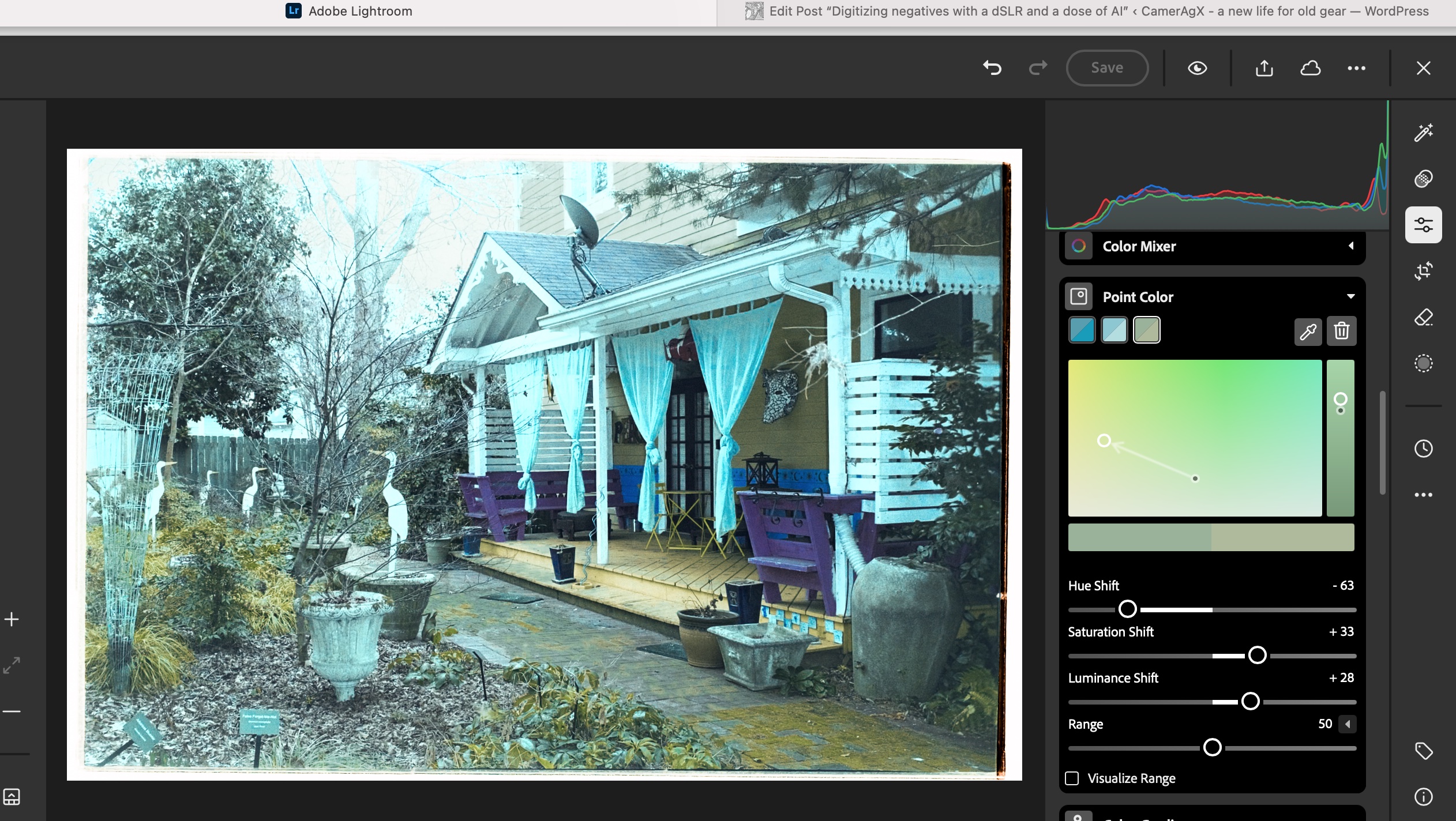
Depending on the pictures, it’s more or less labor intensive. It involves playing with the white balance, the different exposure sliders, and the color channels.
As imported in Lightroom from imageonline.co
Playing with the sliders in Lightroom – with this picture I could not approach the colors of the lab’s scan.
Let’s compare a JJC scan with a pro medium resolution scan
The default resolution of scans performed by the Old School Photo Lab is 2048×3072, delivered as JPEG files. Higher resolution scans can be ordered at an extra cost (resolution: 4492×6774) and they can be delivered as TIFF files.
I’m generally happy with their standard resolution scans (I’ll call them medium res as some labs offer lower res scans as an option) and would only request High Resolution for exceptional pictures I’d like to print in a large format.
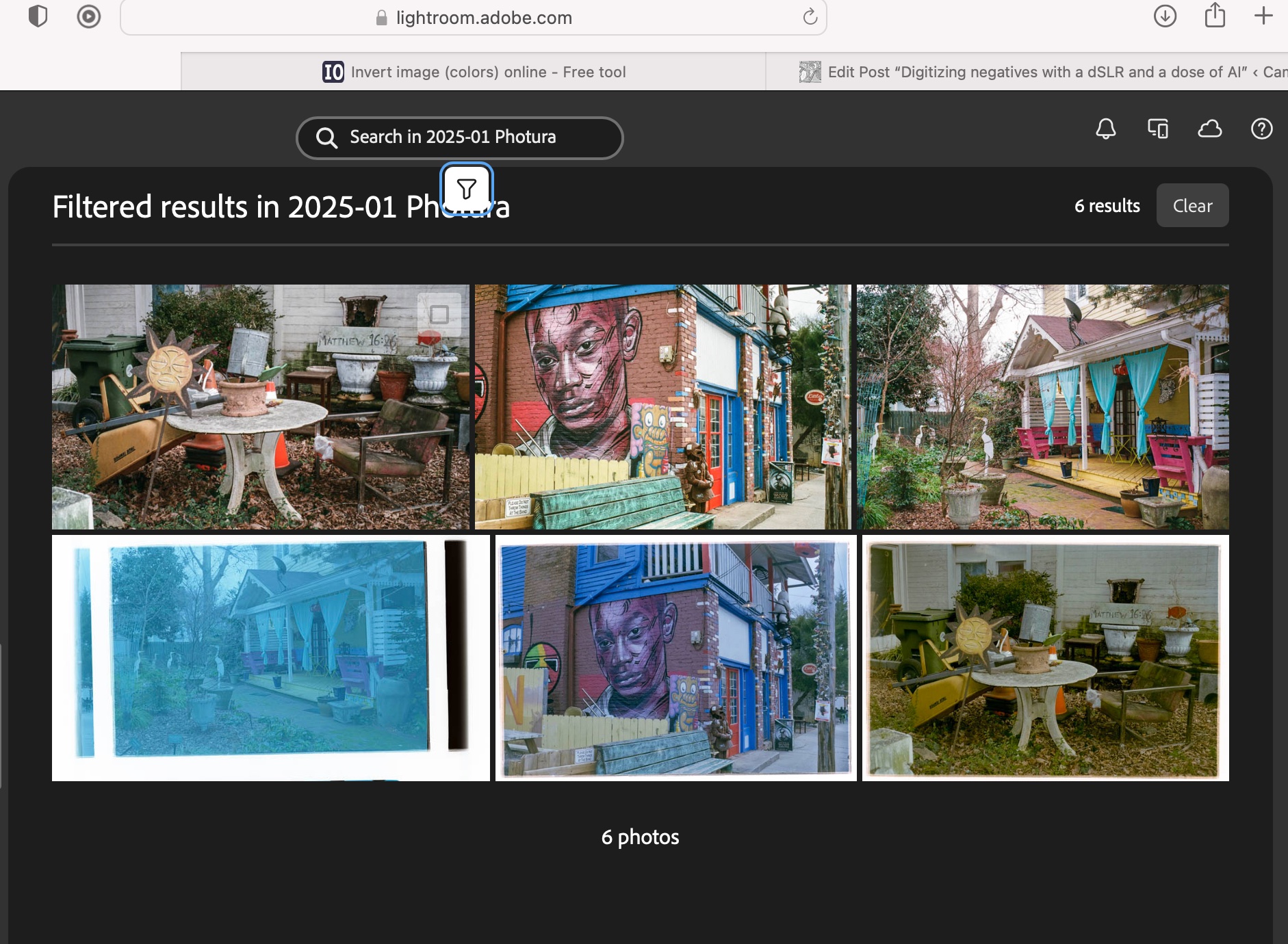
Shot with Kodak Ultramax on a Canon Photura, processed and scanned by the Old School Photo Lab
I just received the negatives of a film roll I shot with the Canon Photura a few weeks ago (the scans are made available online as soon as the film is processed, and the negatives returned to you one week later). Let’s compare a scan from a professional lab with an image captured on an APS-C camera with the JJC kit.
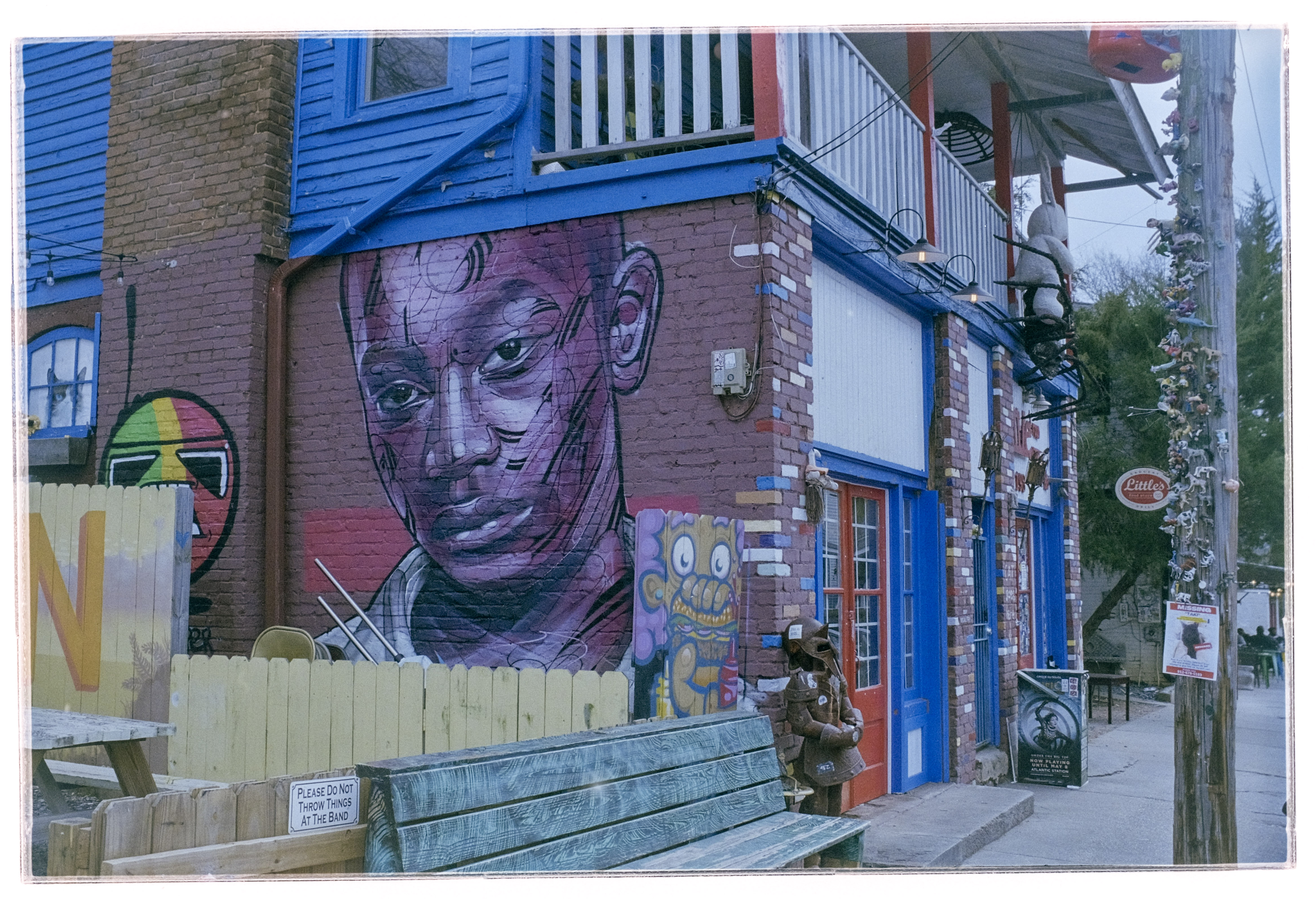
Scanned on a Fujifilm X-T4, inverted by imageonline.co and adjusted in Lightroom Mobile.
With the JJC kit and my amateur workflow, getting “good enough” results is easy and fairly quick. The DIY scans are very detailed but the colors still a bit off. Getting something as good as a scan on a Noritsu machine requires precision – the focus on the camera has to be perfect, the color balance has to be exact – but with practice and dedication I’m sure it’s possible to get “pretty close”. At the moment, I’m “pretty close” on some pictures, and totally off on others. Practice makes the master, and I lack practice, for sure.
Conclusion
I did not invest a lot in this test (the FDA-S1 kit cost me less than $100.00), I used an undocumented and unsupported setup, I relied on a free online service to invert the scanned negatives, and I edited the pictures with Lightroom Mobile. Enough to give me a feel for the practicality of the solution, but not enough to get the best possible results. I don’t think using an APS-C camera is an issue (the 26 Mpix of the X-T4’s sensor are more than enough to render a 35mm negative), but photographers who digitize their negatives “seriously” use the personal computer version of Lightroom (Lightroom Classic), with a plug in provided by Negative Lab Pro.
Scans from the lab (top row) vs DIY scans(lower row – the image on the bottom left has not been processed yet).
As a conclusion
The great thing about the JJC Digitizing kit is that it’s an all inclusive hardware solution, which is flexible enough to be used on cameras and lenses not explicitly supported. The USB powered lightbox is a significant plus, which is missing from the Nikon ES-2 kit.
The two main benefits of a scanning workflow starting with the JJC kit are speed – you can scan hundreds of pictures in an hour – and resolution. The biggest limitation is what comes after – inverting the negative and playing with the contrast slider, the color channels and the S curve to make the image usable. In order to get the best possible results at scale, using Lightroom Classic on a PC or a Mac, with a dedicated plug-in is probably the way to go, but it’s a spend I can’t justify – I’m just an amateur photographer, not a pro.
I’ll use the JJC Digitizing adapter as a quick way to reference hundreds or thousands of negatives, and, to share the ones that matter to them with family and friends, on the messaging apps of their smartphones. If I need a high quality scan of one of those pictures, I will still rely on a pro lab.
You have to love Fujifilm’s math. In the fall of 2024, they’ve released a new entry level APS-C mirrorless camera, the X-M5, which has been positively received by the pundits. In a way, it’s a combination of the characteristics of two defunct models, the X-M1 and the X-A5.
The X-M5 has been well received so far
I don’t own a X-M5 – and I don’t see why I would need to buy one at this juncture – but I’ve owned a X-M1 for a short while, and still use (and mostly like) the X-A5.
A quick review of the Fujifilm X-A5
In the days when the resolution of the sensors was low (12 or 16 Megapixel for an APS-C sized sensor), moire was a big issue, and camera makers had to place a low pass filter in front of the sensor of their cameras to mitigate the issue. But placing a low pass filter in front of the sensor limited the resolution of the images it produced even more. By developing their own Trans-X filter array as a substitute to the Bayer array that everybody else was using, Fujifilm was able to defeat moire without needing a low pass filter – boosting the real life resolution of their cameras. The X-Pro or the X-T1, for instance, were supposed to deliver images of the same quality as a full frame camera, because the performance of their sensor was not choked by a low pass filter.
It was a big thing 12 years ago. And as a result, Fujifilm’s Trans-X models could be sold at a premium.
Fujifilm X-A5 and XC 15-45mm power zoom. Equivalent to a 23-70mm on a 35mm camera.
In 2014, having launched the X-Pro, the X-100S and the X-T1, Fujifilm was ready to make Trans-X more accessible, and launched what could be described as a “premium entry level” model, the X-M1. Followed a few weeks later by its less fortunate little brother, the X-A1, where the Trans-X sensor had been replaced by a Bayer sensor. Premium vs Basic. Trans-X vs Bayer. Expensive vs cheap. As a premium entry level model, the X-M1 was not very successful, and the X-M line was abandoned rapidly. The X-A1, on the other hand, met its public, and was followed by a long line of models – the X-A2, X-A3, X-A10, X-A5 and finally the X-A7.
I’ve always liked small cameras, and I had bought a nice second hand X-M1. With a good lens and a static subject, image quality was extremely good (it shared its 16 Megapixel sensor with with X-Pro and the X-100S), but it was one of the Fujifilm cameras that had not transitioned to phase detection autofocus, and its contrast detection algorithm was slow and not very accurate – the camera’s keep rate on moving subjects was really bad, and I sold it rapidly (the same can be said of the original X-100 – I loved the images it produced, but far too many of them were out of focus).
The LCD display is articulated, and bright enough. Two control wheels on the right (the silver one is horizontal, the black one vertical). Not that common on entry level cameras.
The X-A line was probably the last to adopt Phase Detection autofocus in the Fujifilm line up, but when it did with the X-A5, it made all the difference. It’s a reactive and precise machine, and a joy to use.
Being a “A” model, it does not benefit from a Trans-X sensor, but with 24 Megapixels, its Bayer matrix sensor does not need a low pass filter and image quality is very similar to what you would get from a Trans-X camera like the X-H1 or the X-T3.
It’s an entry level model, but it’s not overly de-contented – and it’s built of good quality components (the rear display is articulated, and usable even under a bright sunshine). It’s a true Fujifilm camera, designed to produce Jpegs that can be used “out of the camera”, with all sorts of film simulations to personalize your images.
It comes with a 15-45mm collapsible Power Zoom, (the XC15-45mmF3.5-5.6 OIS PZ) which is very compact and produces images of good quality. I had used another copy of that zoom on a X-T1 a few years ago, and while the image quality was really good, I had been irritated by the “fly by wire” control of the focal length, at the same time too slow and over-reactive. I had also noticed it drained the battery of the camera rather rapidly. No such issue on the copy I’m using on the X-A5 (maybe the firmware of the lens has been refined, maybe shooting without a viewfinder forces the photographer to operate more slowly and masks the over-reactivity of the commands). In any case, its small size makes it a good fit for the X-A5. The body+lens combination is smaller than a Fujifilm X-100 – and than the most compact of the manual focus SLRs of the late seventies (Olympus OM-2 or Nikon FM).
Smaller than a “pancake” – a filter lens (fixed focus, F:8).
Without an electronic viewfinder but with a power zoom, the X-A5 is definitely in a different category than an X-T or X-H camera. Fewer controls are available (no AE or AF lock buttons, no joystick, for instance), but the touch screen is very usable, the Q menus easy to navigate, and the two control wheels let the photographer adjust all the important parameters (speed or aperture or exposure compensation) on the fly. Ultimately, it’s a trade-off: it’s a small and light camera, and even if it’s not as powerful as a “big” X-T or X-H with a constant aperture zoom, it will be far less of a pain to carry around, and it is my camera of choice for casual photography.
The most serious gripe I have is not directly at the camera, but at the inconsistency of the way the aperture is set on Fujifilm lenses. If you’ve started using Fujifilm cameras with the X-Pro or the X-T1 and fixed focal length lenses (or one of Fujifilm’s high-end constant aperture zooms), you’ve been used to setting the aperture on the aperture ring of the lens, like you would have done with a manual focus SLR in the seventies. But cheaper sliding aperture zooms have an aperture ring with no marking, and entry level zooms (like the one coming with the X-A5) have no aperture ring at all. Which means you must use the control wheel to set the aperture , and check the aperture value on the rear LCD display. At the top of that, the control wheels are not always located at the same place on the body of the camera. It depends on the model. It’s not an issue if you shoot exclusively with an X-A5, but confusing if you alternate between a “big” X-T (or X-H) and a “small” X-A5 body, or between expensive and cheaper lenses.
This tiny lens is available in Japan. It gives the “sixties Instamatic” look to your pictures.
When you’ve used a recent Fujifilm camera (anything they’ve launched in the last four years), you’ve most probably connected the camera to your smartphone using Fujifilm X-App, which takes advantage of Bluetooth and Wifi to make photo transfers, remote control and firmware upgrades with ease. That’s something that you will miss on the X-A5, which has to rely on the older and more cumbersome Cam Remote.
The X-A5 is a tad too big to be the camera I always carry with me – that would be role of the Olympus Tough TG-4 or the Fujifilm XQ2 if I was not so lazy and generally used my phone to take pictures – but it’s a good camera for casual sorties – like a walk in an old neighborhood or a week-end in an interesting city – when I don’t want to schlepp a bigger X-T and its heavier lens. Even with the 15-45 kit lens, you don’t lose much in terms of image quality. Overall, it’s a very pleasant camera, and a keeper.
The X-A5 was launched in 2018 and replaced with the X-A7 in 2020. It can be bought second hand for approx. $300.00 (body only), while nice copies can fetch up to $500.00 with the kit lens and OEM batteries and chargers.
What about the X-M5? It’s an M series camera, and as such it benefits from a Trans-X sensor, in this case the 26 Megapixel chip also seen on the X-T4. And its video section has been seriously beefed up, because that’s what the market is asking for at the moment. As Fujifilm’s entry level camera, it has been priced very aggressively, and if it’s as good (compared to its peers from other brands) as the X-A5 was six years ago, Fujifilm got themselves a winner.
Marietta – GA – Not bad for an entry level mirrorless camera (Fujifilm X-A5, XC15-45 Power Zoom)
Marietta, GA – Fujifilm X-A5 and XC15-45 Power Zoom.
APS-C – what does it mean? A long time ago, when film was still king, Kodak and the leading camera makers decided to launch a new film format, which was supposed to address some of the shortcomings of the well known 135 (aka 35mm) film format, save on silver halide, and bring more revenue. That format was named APS.
The film (and the cassette containing it) were smaller than the conventional 35mm film and cartridge. APS cameras offered the choice of three form factors: the default showed the same 3:2 proportions as the 35mm negatives or slides, but at a reduced 0.66 scale. It was named APS-C. A second form factor, APS-H, placed the images in a frame of 16:9 proportions and APS-P produced panoramic pictures.
When camera makers started designing dSLRs in the late nineteen nineties, the chip foundries could not manufacture full size sensors (sensors of the same size as a 35mm negative) at a remotely acceptable cost. Nikon and Canon had to adopt smaller sensors, which were roughly the size of the APS-C negatives. It became a sort of standard, and we still use “APS-C’ to designate an image sensor of 24x16mm. Approximately 10 years later, sufficient progress had been made in the chip foundries to make “full-frame” sensors commercially viable. Today, Canon, Nikon, Pentax and Sony sell interchangeable lens cameras of two sensor sizes, APS-C, and Full-Frame. Fujifilm is primarily selling cameras with APS-C sized sensors.
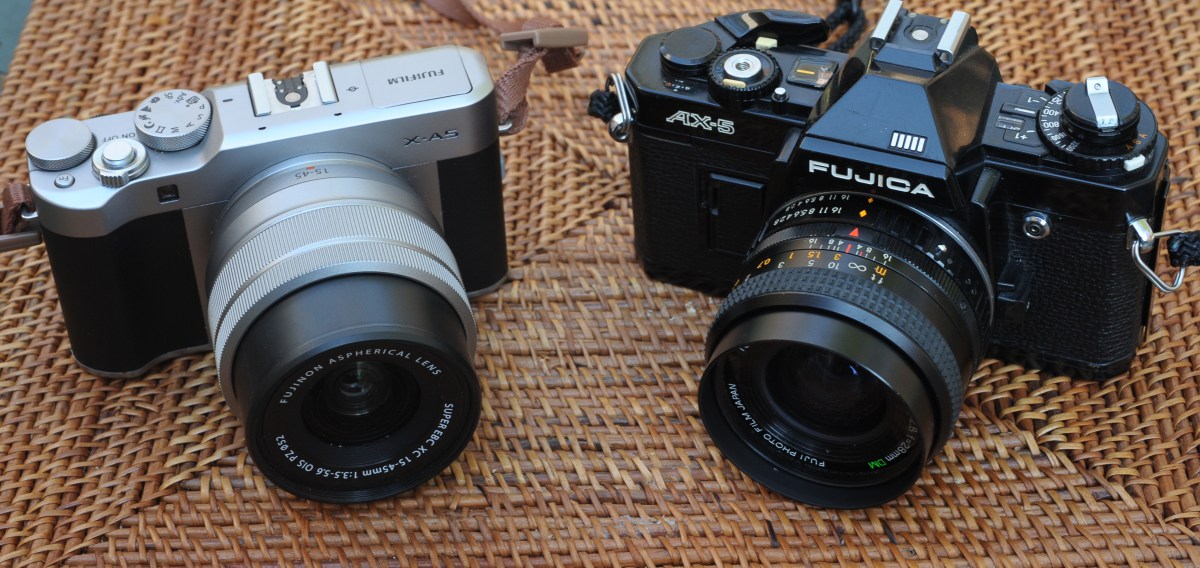
Fujica AX-5 and Fujifilm X-A5. Fujifilm have been in business for almost a century, and at some point sold their cameras under the Fujica brand. They later sold them as “Fuji” before settling on “Fujifilm”, right when the market started moving to digital. Go figure. But they’ve always had a fondness for the letter “X”. In the late seventies/early eighties, they had a whole range of SLRs named AX-something (AX-1, AX-3, AX-5, AX Multi…). They were not bad by the standards of the time, but certainly not as good or popular as their competitors from Canon, Minolta, Nikon and Pentax.
An APS-C digital camera smaller than a 35mm SLR (the Fujica AX-5) : not that frequent, unfortunately.Mission Concepcion – San Antonio, TX. Fujifilm X-A5 and 15-45mm lens. There was some clutter at the left of the stairs. It was removed in post processing by Lightroom’s AI.
You “take” pictures, but how do you “give back” to the people you’ve just photographed? Here is a suggestion: print the pictures, and give the prints, on the spot, right after you’ve shot them. It’s a nice gift to family and friends with whom you’re sharing good moments, and to the people who have generously let you capture their image, and, maybe, a bit of their soul.
Very few people still create photo albums. Because nobody has prints. Composing a photo-album online takes time, effort and money, and it can be one to two weeks before you receive it. Printing a selection of images on a pocket printer is an easy way to create pocketable photo albums with no hassle; wherever, just when you feel like it, for not much money. Instant gratification.
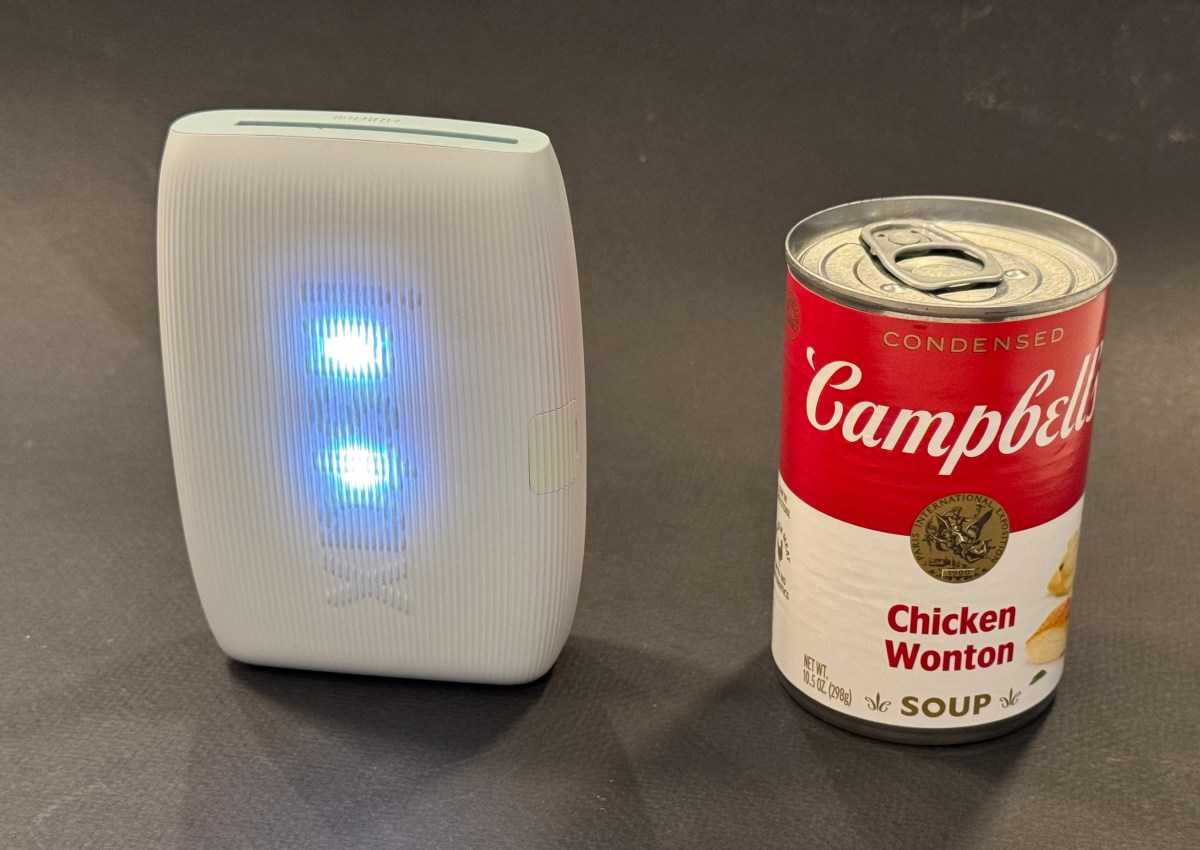
No Campbell Soup for you – the mini Link 3 is about twice the size of a compact camera. It’s totally wireless and the battery is good for 100 prints between two charges.
There are many more ways to use those mini-prints: in Japan school girls insert their Instax prints in plastic cases that they use to accessorize their bags, and I create my own personalized luggage tags – you won’t confuse my suitcase with anybody else’s. Your imagination is the limit.
How does it work?
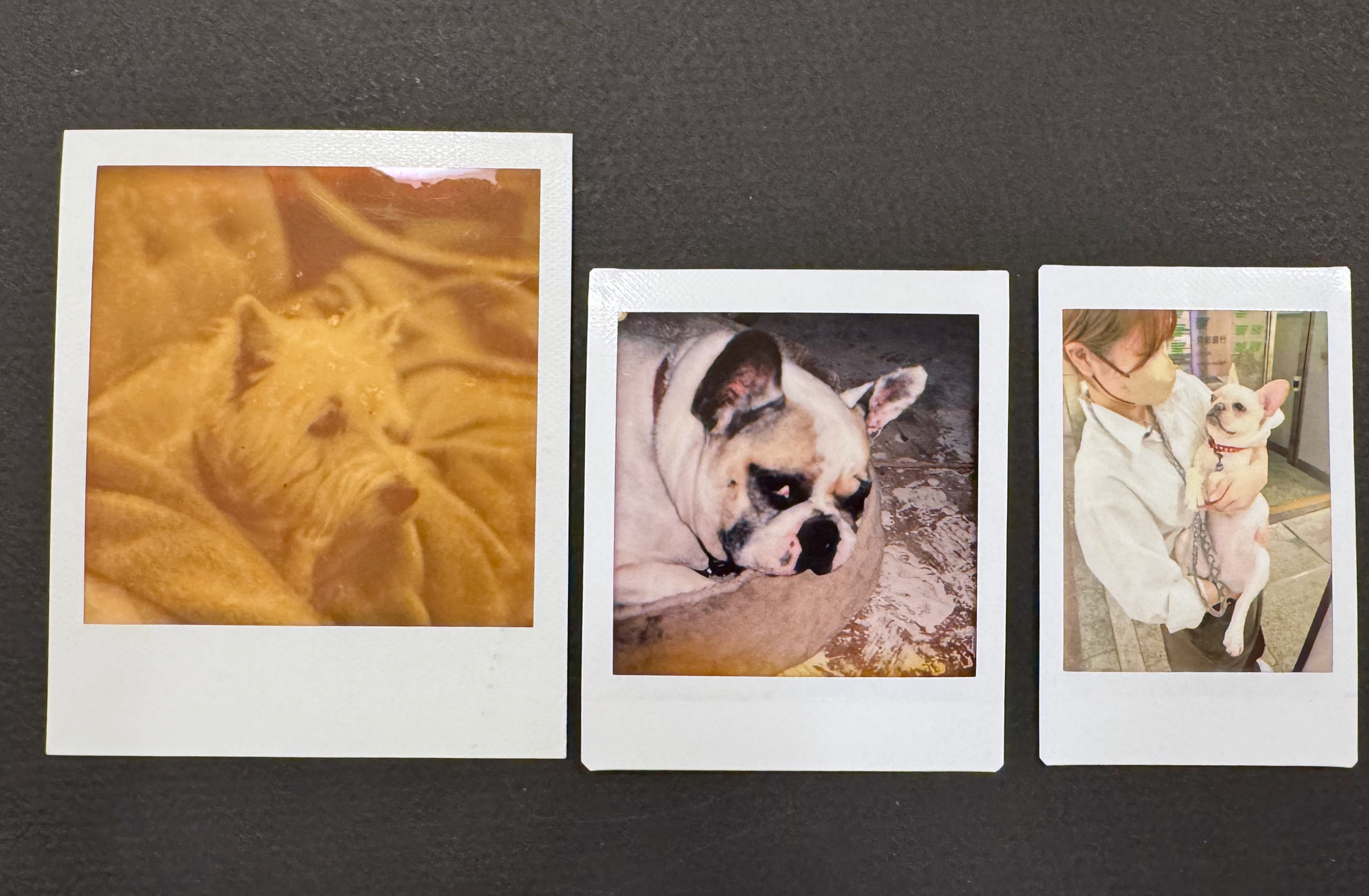
Fujifilm sell their instant film in 3 sizes: Instax Mini (the image is roughly the size of a business card), Instax Square (a bit larger, and square), and Instax Wide (twice the size of the Mini). They manufacture cameras for each of the three formats, as well as dedicated portable printers.
Comparing print sizes: Polaroid SX-70 vs Fujifilm Instax Square vs Fujifilm Instax mini.
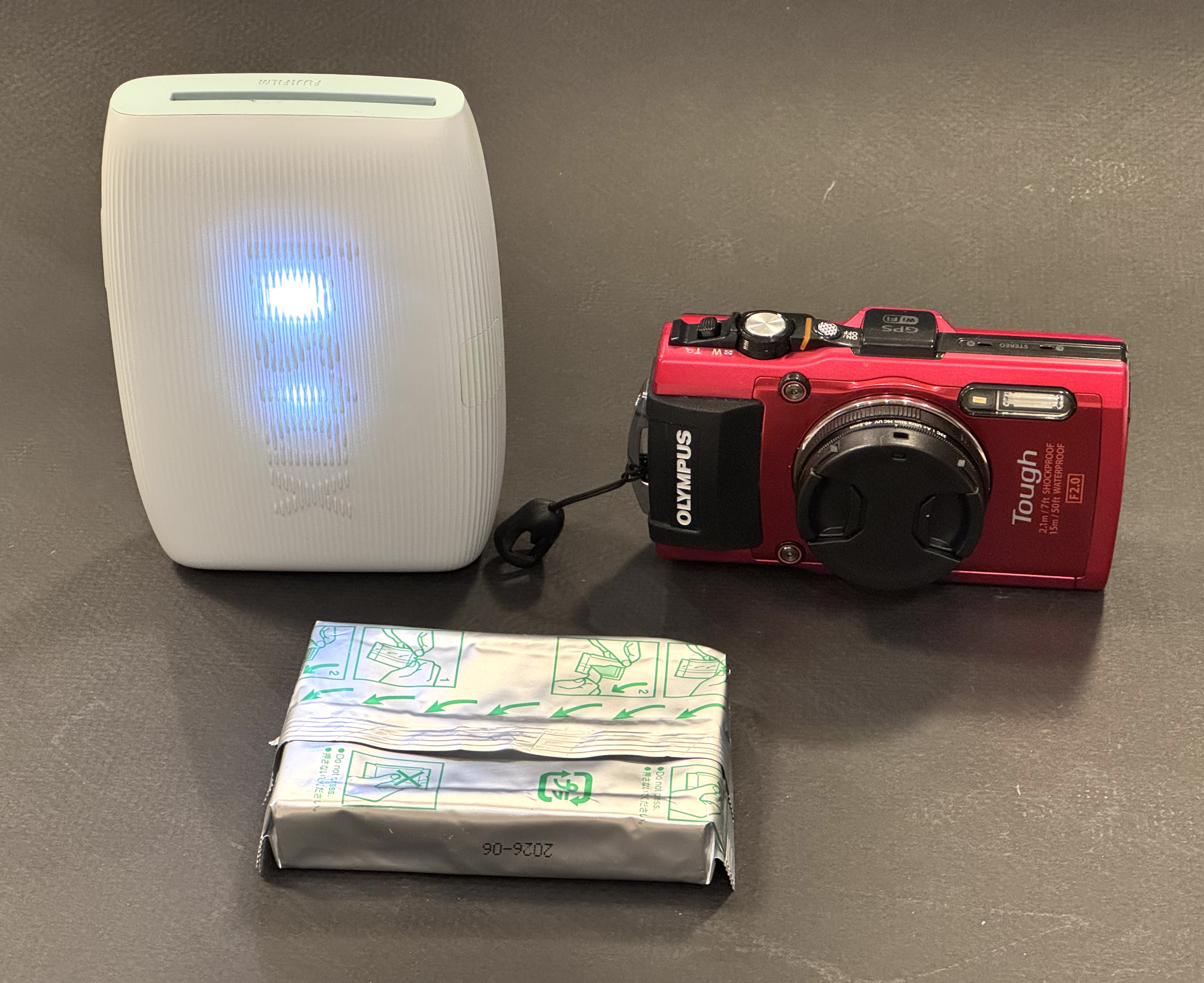
Other makers of pocketable printers use different technologies (zero ink paper, generally) but with Fujifilm, it’s about silver halide, of course. Once a print is ejected from the printer, the image needs a few minutes to fully develop, but it’s part of the magic of instant film. Today we’ll focus on Fujifilm’s Instax Mini Link 3. It’s a pocketable, battery operated printer, that, when paired with a smartphone and loaded with a 10 print Instax Mini pack, will print business card size pictures. Of course, there’s an Instax Mini Link app to download and install on your smartphone.
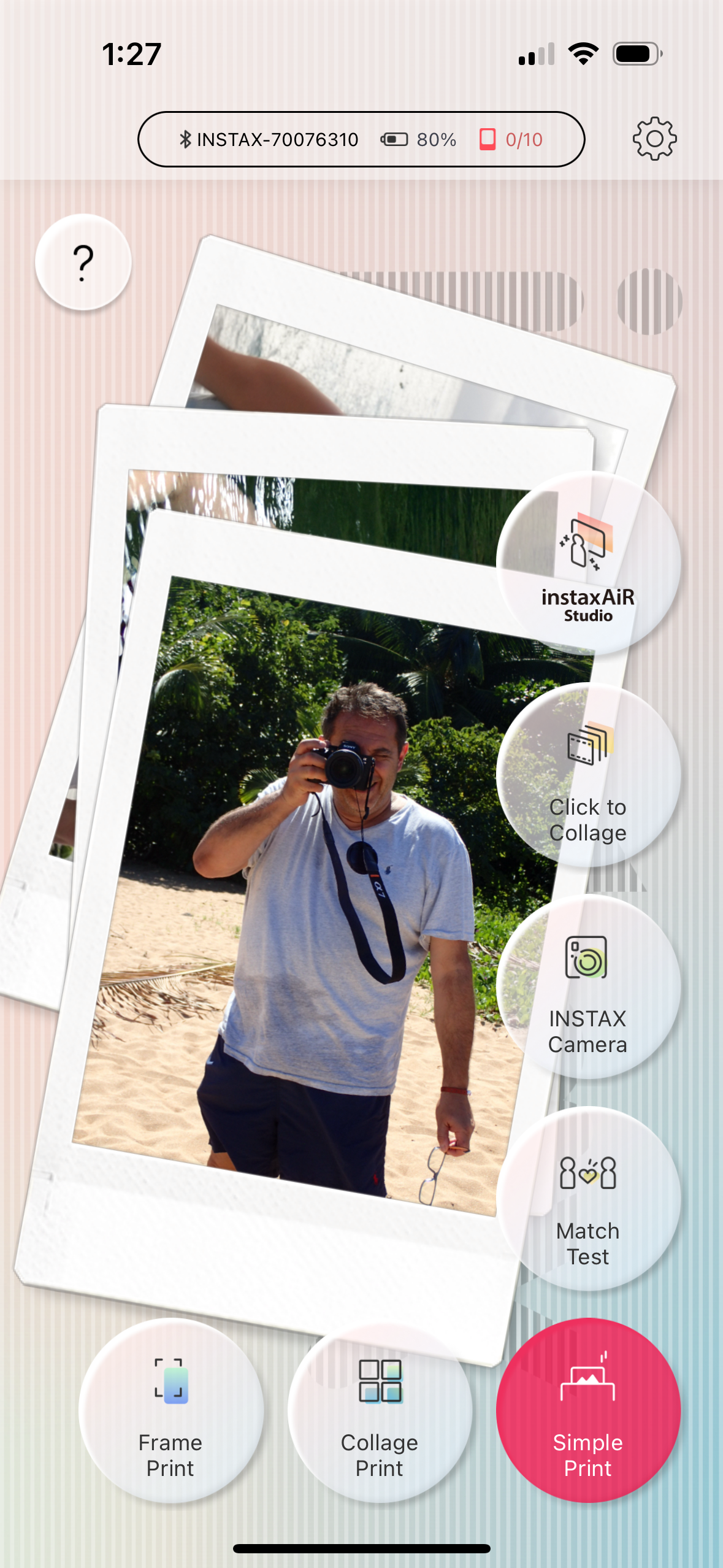
Images can be printed directly from the photo gallery of the mobile device (with Fujifilm’s default settings), but the output will be better if you first bring the images in the Mini Link app, play with the contrast slider (I always boost it a notch), and print them from there.
The Mini Link app. For me “Simple Print” will do.
In my experience, the Mini Link transposes the colors and the exposure of the original picture accurately, and its prints are more defined and massively nicer than what you would get if you took a picture with a Fujifilm Instax camera. The Instax film is a much better performer than the very basic Fujifilm cameras designed to consume it, and the printer takes advantage of its potential. When you start from a good picture taken by a smartphone (or a dedicated camera), you’ll be happy with the prints.
The mini Link app and its basic settings.
I understand why people use instant cameras. There is a “fun”, almost magic component to it. But instant cameras are bulky, the quality of the prints generally poor, and if by pure luck you get an interesting picture, it will be unique, and the only way to share it will be to take a photo of it with a smartphone, and print the copies. From a totally dispassionate point of view, it’s a rather inefficient and wasteful way to use a pack of film.
No such issue with the Instax printer. You lose some of the magic – it’s not as “immediate” as pushing the shutter button on a Instax camera and the results are not as unpredictable – but you only print your good images after you’ve had an opportunity to crop them and tweak the exposure parameters on your smartphone. Your “keeper” rate will be very close to 100%, and you will print as many copies as your budget (and your patience) allow.
The image is being printed. It only takes a few seconds.
There is not much else to say about the Mini Link. It simply works. Prints are small and but good enough for the intended use – reminiscing of good times spent with loved ones, and instantly sharing a token of appreciation.
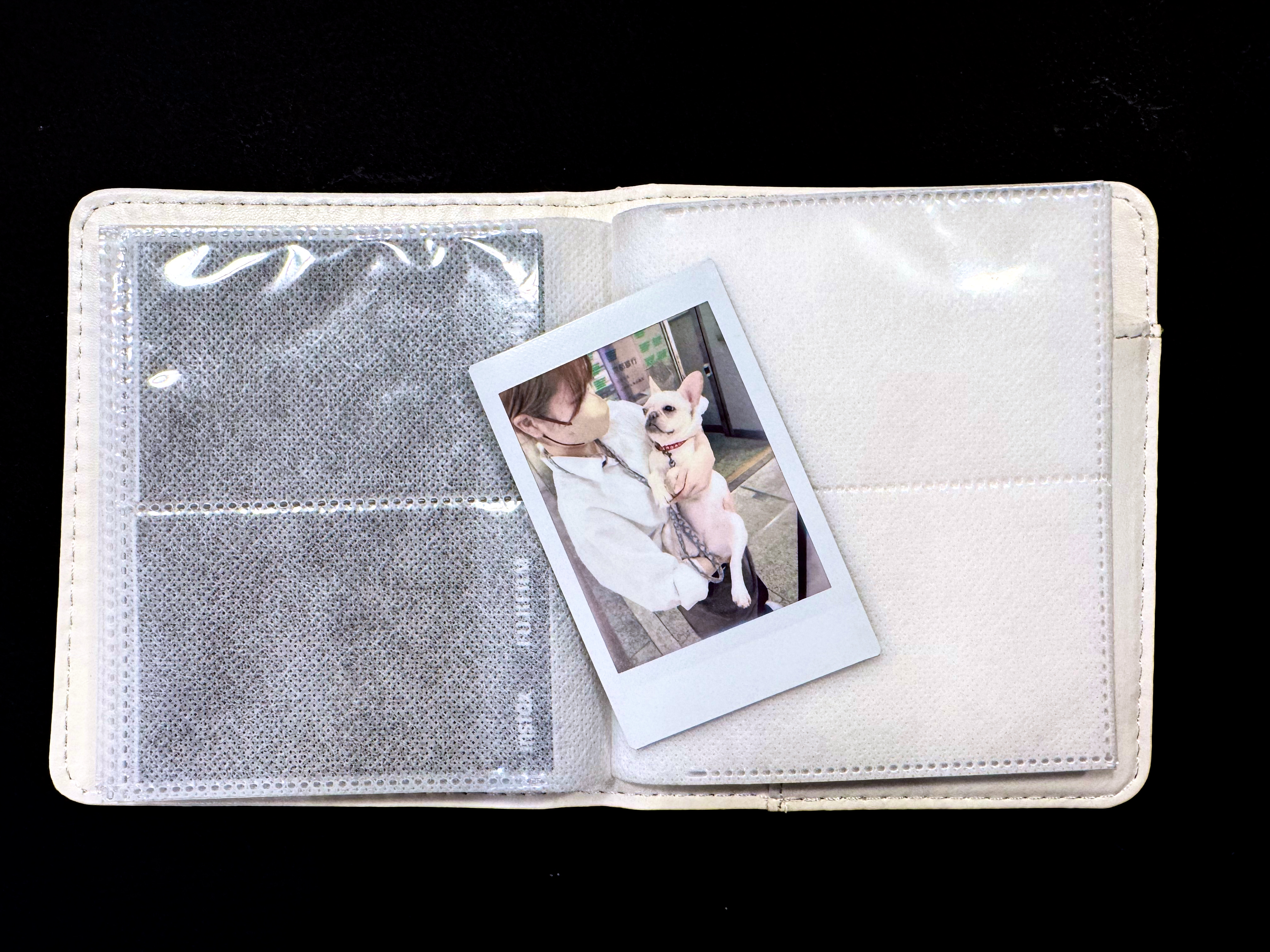
The mini print and one of the mini photo albums proposed by Fujifilm. This one is not particularly nice but came for free with an Instax camera.
The Mini Link 3 comes in three different colors (mine is “matcha green”) and sells for approximately $100. Prints cost a bit less than $1.00 each. I’m leaving mine permanently in my photo bag, and share the love whenever I can.
Hybrid Instax cameras: In addition to conventional “analog” Instax cameras and pocketable printers, Fujifilm also has a few hybrid Instax cameras in its lineup (Instax LiPlay, Instax Evo). Hybrids can be described as Instax printers, with a tiny 5 Megapixel sensor and a lens in the front, and a small color display at the back, packaged as a compact integrated device. The camera captures a digital image, that the photographer can evaluate on the color display, and decide to print, or not to print. Because the images are captured as digital files and saved on a micro-SD card, they can be edited, printed once or multiple times (in camera), and uploaded to a smartphone.
Zero Ink paper – if you over simplify, it’s not dissimilar to the thermal printer technology used to print receipts at the cash register or at the gas pump. But nicer, and more stable over time. The photo paper contains microscopic dye crystals that are initially colorless, and change color when they are heated. I had tested a Zero Ink (Zink) printer from Polaroid a long time ago. The prints aged well. Polaroid, Kodak and Canon are currently selling pockable printers integrating Zink technologies.
Compact cameras – digital cameras with fixed lenses that could fit in pocket – are in high demand, but unavailable. Fujifilm can’t meet the demand for its most recent X100, Canon’s G7x is always out of stock, the Panasonic LX 100 Model II is no longer available.
Fujifilm XQ2 (left) and Z1000EXR – the 12 Mpix XQ2 produces much better images than the 16Mpix Z1000.
Cameras manufacturers have retreated almost completely from the compact digital camera market (the “point and shoot” of yore), and very few are still offering “premium” or “niche” compact cameras. The smartphone is king, the historical camera makers seem to believe they can’t compete with the thousands of software engineers working for Apple and Google, and are leaving them all the space.
But as good as they are, the smartphones are still limited by their ergonomics (you need two hands, one to hold the phone, one to tap, pinch, swipe or whatever), their absence of long telephoto lens and viewfinder, and their relative frailness. They offer very little in terms of direct controls – they’re extremely capable, but you have to trust them. At the top of that, they’re expensive. And we depend so much on them that we don’t want to risk them on the beach or while rock climbing.
Nelson’s Dockyard – Antigua – shot with a Fujifilm QX2
There is still room for small but good quality cameras, with good ergonomics an a complete set of controls.
The camera companies are primarily focused on the full frame, interchangeable lens camera market, but full frame ILCs are not really pocketable. Their little brothers with APS-C sensors are smaller, but not by much. Even the Fujifilm X100 is still too large to fit in a coat pocket.
So, what’s left? In the cheap point and shoot camera segment, only a few cameras proudly wearing famous brand names such as Kodak or Minolta. I’ve read relatively good reviews of the Kodak Pixpro cameras, but they’re very basic and you can’t expect too much from their tiny sensor.
Olympus (now OM-System) is still leading the fray when it comes to rugged, waterproof cameras – the Tough TG, currently in its 7th iteration – has discouraged all competition.
Fujifilm XQ2 with the WP-XQ1 waterproof case.
It leaves us with the premium category – with the cameras from Canon, Panasonic and Leica largely unobtainable, and Sony’s RX100 series in a state of virtual monopoly.
Older versions of the cameras listed above can be found on the second hand market, but you have to understand what you’re losing by going for a five or ten year old camera:
Video capabilities – most of the progress in recent years has been in that area,
Easier Bluetooth and WiFi connectivity, with a better integration with smartphone apps,
Reactivity (autofocus),
Quality of the JPEGs (“out of the box”) thanks to better processing engines – you won’t need to process RAW files as frequently
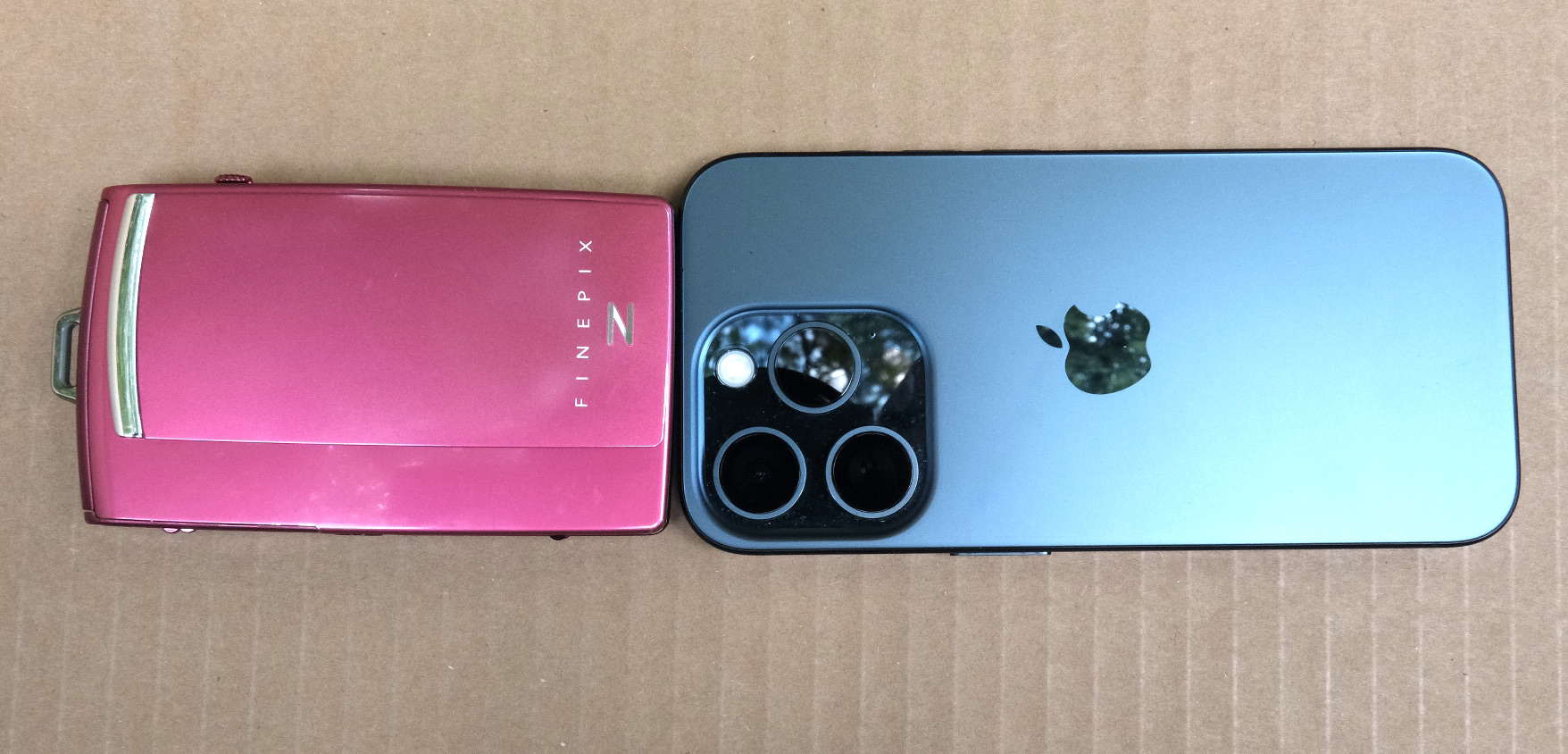
Fujifilm z1000 (left) and iPhone 15 Pro (right). Today a standard sized iPhone can be bigger than a dedicated camera.
More conventional P&S such as the Canon Powershoot S90 or S120; the Sony HX and WX series, Nikon’s Coolpix 9000 series are somehow cheaper, but they’re also more limited: the last models were launched in pre-COVID days, and they have tiny sensors and relatively slow zooms – which makes the use of a flash a necessity in low light.
You could also look for a compact film camera. At the top of the heap the Contax T series reigns supreme (but these cameras are now extremely expensive), followed by a group of still expensive models from Nikon (35ti, 28ti), Leica (Minilux), Ricoh (the GR1), Konica (the Big Mini) and others from Minolta or Olympus.
But those cameras are now twenty five year old at best – and some of their components didn’t age well (electronics in general and LCDs in particular). Most of those models have at least one big flaw that makes buying them at today’s prices a risky proposition (and even if it works today, will the camera work tomorrow?). The cost of film is also an issue (we’re currently trending towards a total cost of $1.00 per scanned image).
Olympus Tough TG-4 – generations differ by their sensors and processing engines, but the fundamentals of the camera have not changed since the TG-1.
What am I shooting with when I don’t use my smartphone, and can’t bring a mirrorless camera? I have a bit of everything in my bag. I tested (but did not keep) a Nikon J1 and I kept but don’t use a tiny Fujifilm z1000EXR – they’re cute but the quality of the images they were delivering was sub-par. I still use a very compact Fujifilm XQ2 – a sort of semi-premium homage to Sony’s RX100, and an Olympus Tough TG-4. They’re pocketable, produce images which are not as nice as what a recent iPhone can deliver but look more natural, and are a pleasure to use. I found an original Fujifilm waterproof case for the XQ2, and even with the case, it remains reasonably compact, if not pocketable. As for the Olympus, I’m waiting impatiently for my next trip to the beach to test it in its element – but it has already earned his stripes as a carry-along camera for my hikes in the nearby parks.
Chattahoochee National Recreation Area – Olympus TG-4Chattahoochee National Recreation Area – the bamboo forest – Olympus TG-4
It’s not that I’m competitive, or that I carve for attention. But when I travel with my better half, she also takes pictures, and good ones at that. She has no interest at all in the technicalities of photography, but she has a good eye. And with an iPhone, that’s enough to get very good pictures, most of the time. Within a few minutes of the picture being shot, it’s posted on one or two social networks, “liked” and commented. Now, imagine yourself shooting with a 10 year old dSLR, in RAW, of course. You won’t get usable pictures until you’re back home, and find the time to fire up your laptop and launch Lightroom. By the time you’re done, your pictures will be yesterday’s news. Or most probably, last week’s.
The manufacturers of conventional cameras have understood that, and are slowly addressing the problem. The newest digital cameras are much better at uploading the freshly shot images to a smartphone, and they’ve improved their jpeg rendering enough that shooting RAW is not an absolute necessity, and that Jpegs are usable straight out of camera most of the time.
High level, I was happy with my Fujifilm X-T1, but I was ready for something a bit more recent, with a better viewfinder than my X-T1’s. I was still missing the large top of the plate display of the enthusiast oriented dSLRs, and I wanted a better integration with smartphone apps.
So I purchased a very nice Fujifilm X-H1 on eBay, The X-H1 was Fuji’s flagship camera in 2018 – with a 24 Megapixel sensor and – a first for Fujifilm – in body image stabilization. The fit and finish was splendid, the viewfinder much better than the X-T1’s, and the images were stunning – straight out of the camera. But I was extremely disappointed by the battery life of the camera. In the real life, not even 100 pictures per battery charge. I admit I’ve been spoiled with Nikon dSLR and their 1000 shots per charge, but 100 was definitely too little – imagine the logistical nightmare if travelling for a few days in a place without easy access to electricity – having to carry something like six batteries, two chargers, a few power banks to feed the chargers … No way.
So, maybe a dSLR was the solution after all. I still love shooting with a reflex camera – the optical viewfinder of a full frame is a pure delight for the eyes – and over the years I have accumulated a large number of Nikon F lenses. And I feel at home with a Nikon. Every command at the right place. I found a well used Nikon D750 at MPB, and started using it. The battery life was what I expected from a Nikon dSLR, and it was a pleasure to shoot with. But…. there was a long list of “buts”.
It’s not that the camera is large or heavy (in fact, the D750 and its descendant the D780 are the smallest and lightest full frame dSLRs from Nikon, on par with Canon’s smallest and lightest, the EOS 6D), but the lenses are big and ponderous. The more recent, the larger and the heavier. As for my old cherished lenses, they may be smaller and lighter, but they’re a bit overwhelmed by the 24 Megapixel sensor.
You may consider that Fujifilm’s “film simulations” are just brilliant marketing, and that Nikon’s Picture Control does more or less the same (preparing JPEGS usable straight out of the camera). But in reality, Picture Controls are not as easy to use (and not as good) as Fuji’s simulated film, and – in my opinion – the D750 still gives you better results if you shoot RAW and massage your pictures to taste in Lightroom.
Lastly, the D750 is still tied to Nikon’s ancient WMU (Wireless Mobile Unit) mobile app, and the less said about it, the better. This camera was launched in 2014, and it shows.
So, now what? I sold the X-T1, I sold the X-H1, I sold the D750, and finally purchased a lightly used Fujifilm X-T4 and a wide angle zoom. The X-T4 is still small for a modern mirrorless camera, the viewfinder is beautiful, the fit and finish impressive, and the battery life is correct (I did not feel the need to buy a second battery yet, and you can charge it directly from a USB source).
Admittedly, there is no top plate display, but almost all of the exposure parameters are controlled by dials on the top plate. If you buy a Fujifilm lens of the XF series, aperture is controlled by a ring around the lens, which is very intuitive if you’ve worked with film cameras in the pre-autofocus days. Zooms with a sliding aperture (like the 18-55 f/2.8-4) have an unmarked aperture ring, but the recent constant aperture zooms and the fixed focal lenses have easy to read aperture markings.
Because the camera is built around an APS-C image sensor, its lenses are much smaller than optics designed for a full frame camera.
Out of camera, the JPEGs are very good, and there are many film simulations to play with. Lastly, the smartphone app (Xapp) is a significant improvement over the old Camera Remote.
I’m just at the beginning of my new digital journey. I need to test all those film simulations, and I have to create a new workflow, laptop free and Lightroom Classic free. A workflow only relying on iOS devices (iPhone, iPad) and on the mobile version of Lightroom.
Pictures shot in Marietta, GA – Fujifilm XT-4 – default settings
If like me you’ve used primarily single lens reflex cameras in the time of film, and dSLRs or mirrorless systems after switching to digital, using a rangefinder camera with an optical viewfinder has always been a challenge. I have a Leica CL that I bought second hand a long time ago when I was living a few blocks from an official Leica store (temptation was permanent, I could not resist), but I don’t use it much. Recently, I tried to use a fully restored Canon QL17 (the Canonet GIII, the most sought after model), but in one year I may have taken 20 pictures at the most, and I don’t know how many more months (or years) I’ll need to take the remaining 16 and have the film processed.
Family Reunion. Fujifilm X100
On the one hand, I like those cameras – they’re compact, silent, and their direct optical viewfinder is easier on the eyes than the focusing screen of the SLRs. Their field of view is greater than the lens in use, and you also see what is going on outside of the frame: it helps me with the composition of the image, and it will help street photographers better anticipate the action.
Fujifilm X100T – the optical viewfinder – the white frame and the various indications are a digital overlay – you can see the lens hood in the lower right corner of the image.
But it comes at a cost. You have no idea what the depth of field will be like, and if you forget to adjust the focus (which happens to me frequently in the heat of the action), you’ll find out about your mistake when you download your scans, a few weeks too late. There’s a steep learning curve – I find that with a rangefinder camera it’s much more difficult to anticipate what a photo will look like than with an SLR, and in my opinion, a film rangefinder camera has to be used a lot, if you want your success rate to approach what you get with a single lens reflex camera.
The Fujifilm 100T – the electronic viewfinder – not different from what you get with millions of mirrorless cameras.
In 2010, Fujifilm tried a new approach – they developed a compact camera, the X100, with an hybrid viewfinder – that could be switched from a rather conventional direct optical mode, to a more contemporaneous electronic mode (an EVF). Since the camera also had a 2.8 inch LCD display at the back, the photographer could use the camera in three totally different ways: like an auto-focus point and shoot of the film era (with the optical viewfinder), like a simple digicam (composing on the LCD) or like a good mirrorless camera (with the EVF).
The camera looked like a rangefinder camera from the seventies, and was graced with an analog interface (aperture ring, shutter speed knob), but it was a modern inside, with a very good 12 Megapixel APS-C sensor, and the four PASM exposure modes a photographer expects on a digital camera.
I had a X100 for a few years. It was a great camera for casual portraits, family reunions, or impromptu landscape. Being small and almost silent, it did not draw attention. But its auto-focus was extremely slow and incapable of detecting where the subject was without human assistance, and I was still missing too many pictures – as soon as the subject was moving or was not centered, in fact.
Hotel Hudson, NY – Fujifim X100
So I finally upgraded to the third generation of the model, the X100T (the X100S is the Second, the X100T the Third, the X100F the Fourth…it’s easy) and I finally have a optical viewfinder camera that gives me a good success rate (let’s say 90% of the pictures are correctly exposed and in focus, which is a huge improvement over the 30% success rate I used to get with the Leica CL).
Dragon Con 2016 – Atlanta – Fujifilm X100
Apart from the autofocus, the other big difference between the first and the third generation is the sensor – the X100 still has a conventional 12 Megapixel sensor (with the so-called Bayer matrix), while the X100T has a 16 Megapixel sensor with Phase Detection pixels (to accelerate the auto-focus process) and Fujifilm’s patented Trans-X matrix. The X100T is also the first the X100 series to offer the ability to connect over WiFi to transfer images to a smartphone, which is extremely convenient when you travel without a laptop. (*)
It may look like a small point and shoot from the early seventies – but it’s packed with modern technology. Here, the model T from 2014.
If you use the X100 with the EVF, a recent version (X100S and better) will be reactive enough and provide an experience very similar to what a very light and very compact mirrorless camera with a 35mm fixed focal lens (full frame equivalent) would bring. But the real fun is to use the optical viewfinder.
Dragon Con 2016 – Atlanta – Fujifilm X100
Like often with optical viewfinders, the view of the lower right edge of the image is masked by the lens hood, and of course, you never visualize what part of the image will be in focus, and what part will not. But you get the benefit of a clear, un-intermediated view of your subject. Sure, you have to learn – from experience – when you can let the auto-focus and the auto-exposure modes play their magic, and when to take control back from them. There’s a learning curve, but at the end of the curve, lies the reward.
Where the magic happens – push the lever to switch from the optical viewfinder to the EVF – and back.
How much?
Of course, the X100 can be bought new – the current model (the X100V) sells for approximately $1,400. Brand new copies of older models can be found for approx. $1,000 (X100 F).
Used models are a bit cheaper, in the $800s for the X100F.
The X100S and the X100T are technically very close, and sell for anything between $450 and $700, depending on condition, on the second hand market.
The first X100 is a sort of classic and sells for approximately $300.00. It’s slow, but it still makes great pictures – if your subject is not too mobile.
Fujifilm X100T – a “real” shutter speed knob and a “genuine” aperture ring – for when Programmed Auto Exposure is not good enough – Beware: the exposure compensation dial (bottom right) is very soft – it tends to move to + or – territory on its own…
There is another a difference between the X100S and the X100T – the so-called “electronic rangefinder” of the latter:
a clarification first – simple cameras (such as a Kodak Instamatic or the Rollei 35) have a direct optical viewfinder. Its most refined implementation, “the bright-line viewfinder, is essentially an inverted Galilean telescope system with an optically projected rectangle outlining the frame area”. (Encyclopaedia Britannica); they are NOT rangefinder cameras, because they’re missing … the rangefinder.
the Leica M is the perfect example of a rangefinder camera. Its direct optical viewfinder is supplemented by a coupled optical telemeter, the rangefinder, which assists with focusing.
technically, the X100 and the X100S are NOT rangefinder cameras: they’re cameras with a direct optical viewfinder, supplemented with an electronic auto-focus system (contrast detection for the X100, contrast and phase detection for the X100S).
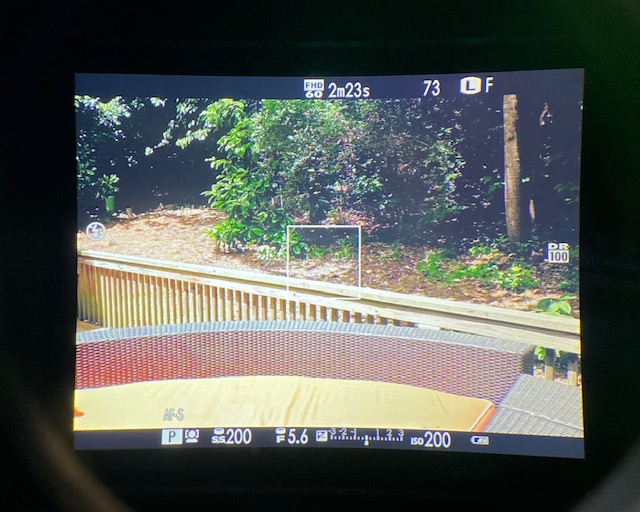
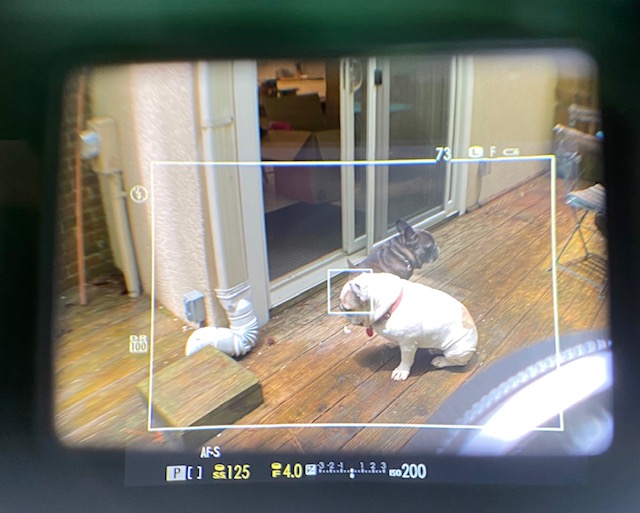
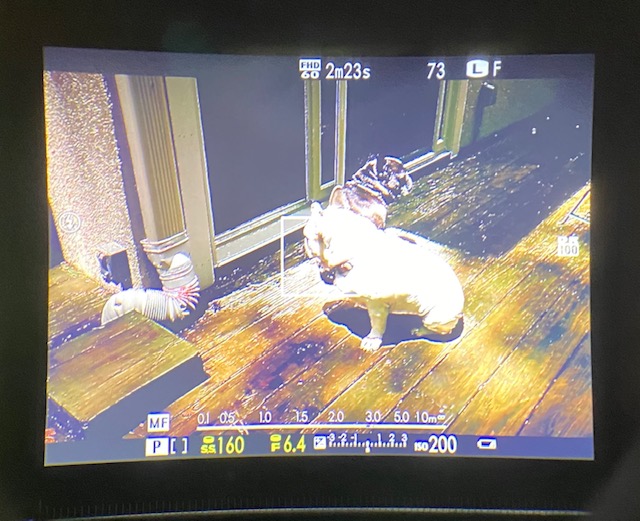
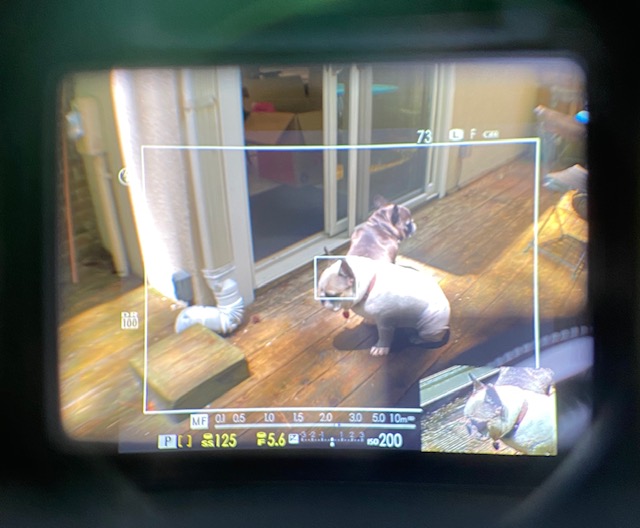
With the X100T (and all following models), the photographer can enable an “electronic rangefinder” if working with the optical viewfinder in manual focus mode – it’s a very small EVF display projected in the bottom right corner of the optical image, that shows an enlarged view of the section of the image that the photographer will focus on. As per Fujifilm, “this makes manual focusing while using the optical viewfinder much easier, and more like a mechanical rangefinder”.
In my opinion, on a Fujifilm X100, it’s more a marketing gimmick than anything else; if you really want to focus manually, switch to the EVF. Interestingly, the “rangefinder emulation” is also available on other Fujifilm X cameras, (the ones with interchangeable lenses), even those with an EVF and no optical viewfinder.
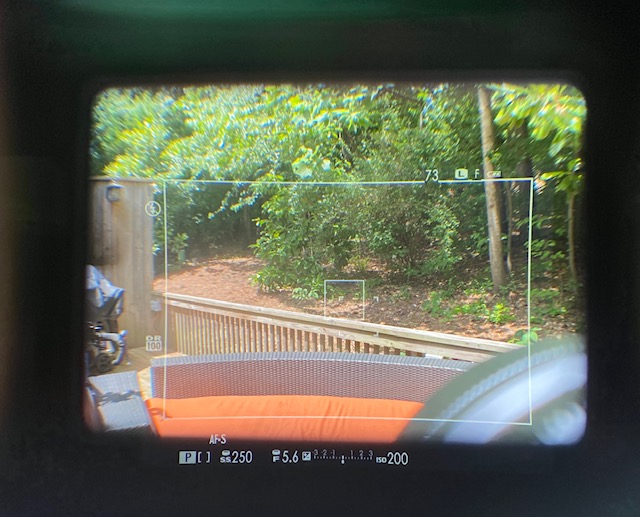
Fujifilm X100T – Optical Viewfinder – AF-S mode.
Fujifilm X100T – EVF (manual focus) with focusing aid set to “Focus Peak Highlight – Red”. There are other options (Standard and Split Image MF Assist modes are also available)
Fujifilm X100 in manual focus mode – Optical viewfinder with “electronic rangefinder insert”
In the series …. shooting pictures in Atlanta in times of social distancing…. All those places are generally magnets for residents and tourists alike, and would have been packed in normal circumstances.
Atlanta – Memorial Day Week-End – Little Five Points – Fujifilm X100T
Atlanta – Memorial Day Week-End – Inman Park – Fujifilm X100T
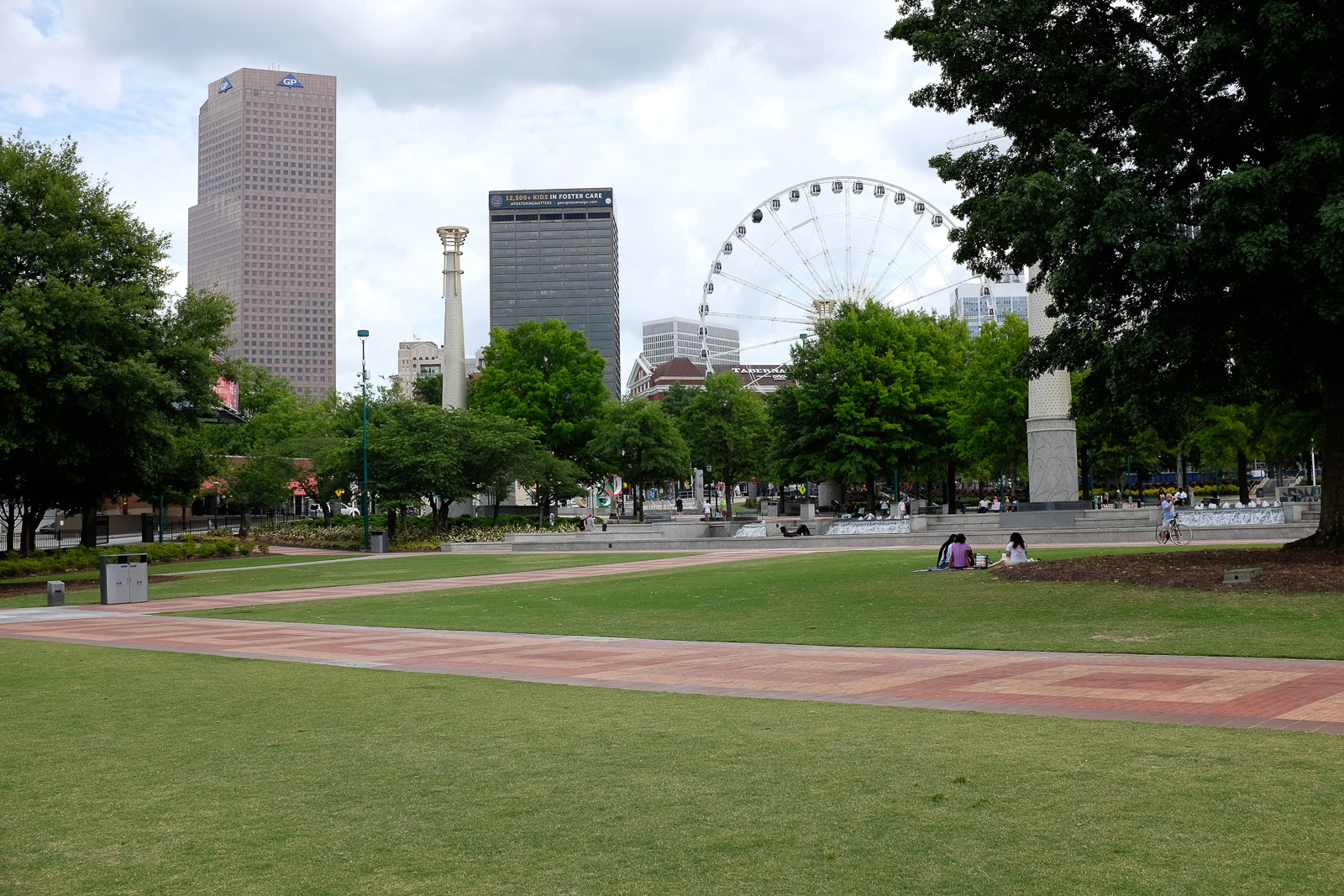
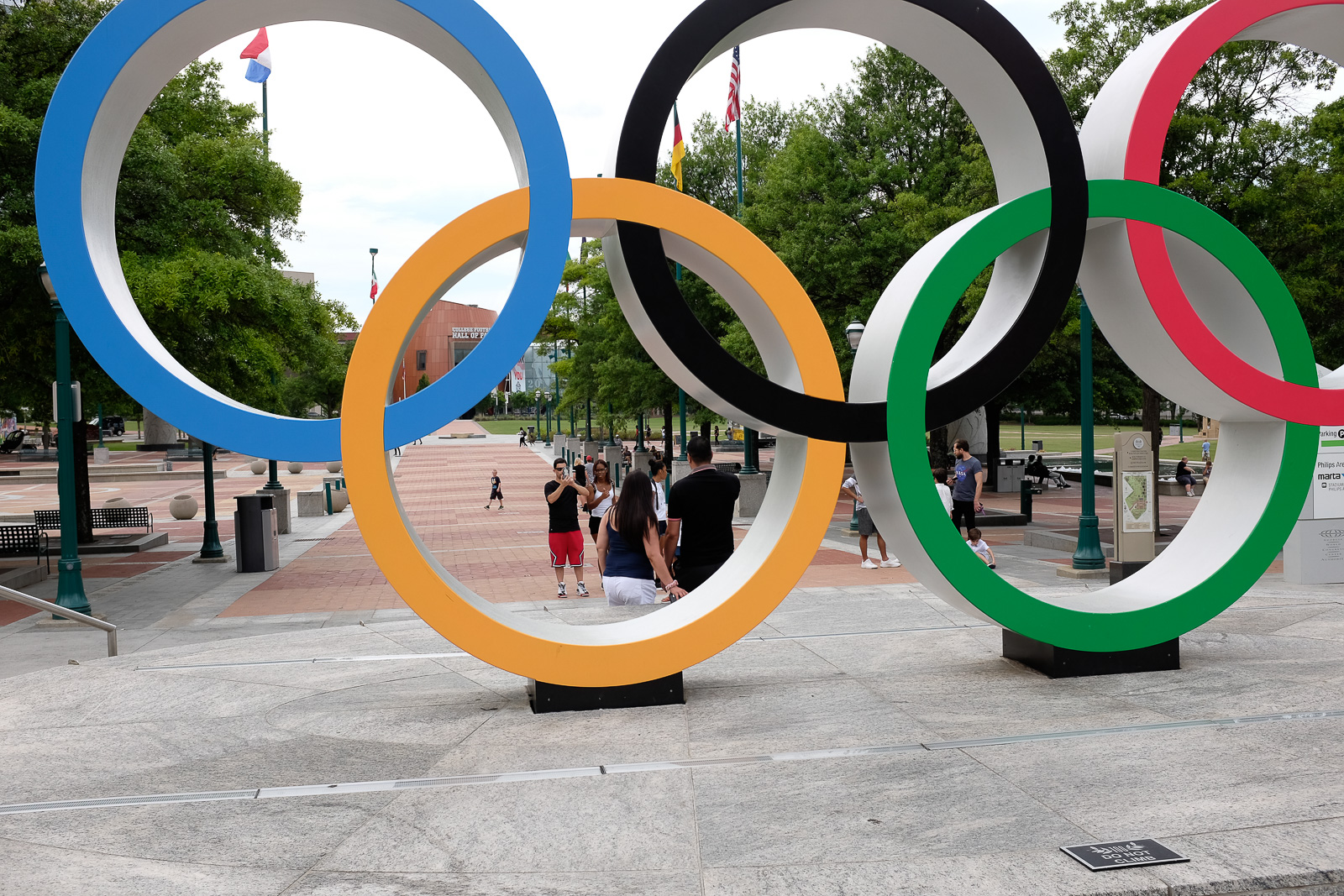
Atlanta – Memorial Day Week-End – Centennial Park – Fujifilm X100T
Atlanta – Memorial Day Week-End – Centennial Park – Fujifilm X100T
Warner Robbins USAF Museum (May 2025) – Fujifilm X100T – even in this poorly lit museum, the camera delivers stunning pictures.
Warner Robbins USAF Museum (May 2025) – Fujifilm X100T – I keep on using this camera regularly – it’s a great do-it all and I don’t see the need for an upgrade.



































































 CamerAgX - a new life for old gear